

Build a Background Check Form
Build a background check form with the disclosure on its own screen, signatures from any phone, and a status for each candidate.
Build a background check form that collects a signed authorization and tracks each candidate's check.
Trusted by Builders Worldwide
Active Builders Worldwide
Apps Successfully Created
Countries Globally Reached



Every Authorization on One Record
A PDF gets signed and filed. Emergent's version keeps the signature, the order, and the outcome together for each candidate.
The disclosure on a screen of its own
Shows the disclosure with nothing else on the screen, then asks for permission on the next one. Your counsel's wording goes in as written, with no application questions mixed in.
Signatures from any phone
Captures a typed or drawn signature and stamps it with the date and time. Each signed authorization lands on the candidate's record, beside the role and the recruiter who asked.
Hand-off to your screening provider
Passes the candidate's details to the screening company you already use through its API once the form is signed. Results return to that same record, and nobody retypes a birth date.
A status for every person
Lists who has signed, who is waiting on a result and who has not opened the link. Email reminders go out on the schedule you pick and stop the moment a signature comes in.
Notices that follow a bad result
Writes the pre-adverse action notice and attaches the report plus the summary of rights. The decision waits the number of days your policy sets, then the second notice goes out.
An app you can take with you
Exports the whole codebase to GitHub on paid plans. Host it yourself, wire it into the applicant tracking system you already run, or ask Emergent to build that sync for you.
Four Places a Background Check Starts
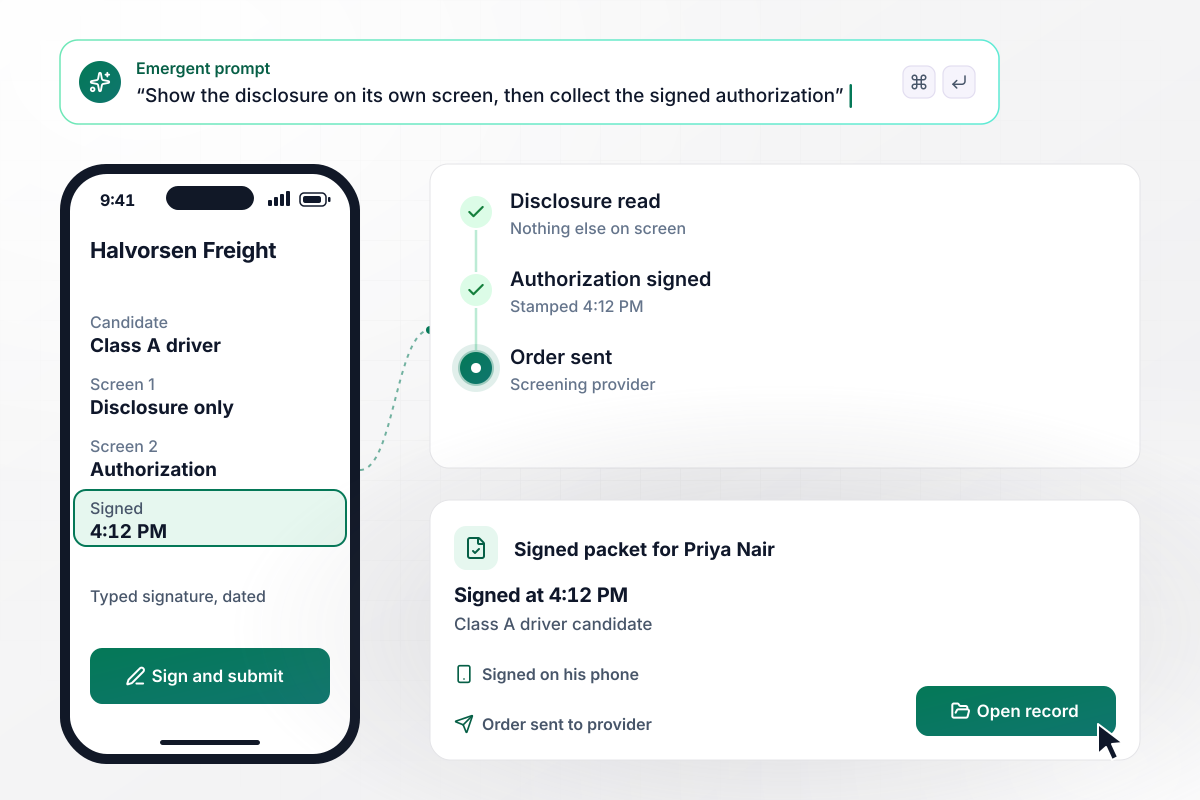
Signed in a truck cab while the recruiter waits
Drivers apply from the cab, not a desk. A Halvorsen Freight candidate opens the link on his phone and reads the disclosure on a screen that holds nothing else. He signs the authorization on the next screen. Priya Nair in HR sees the signed packet on his record at 4:12 PM, and the order goes to the screening provider.
window.awbMockup = { newHires: "Build a background check form for driver candidates at my freight company. Show the disclosure alone on the first screen, then a signature screen for the authorization. Collect legal name, former names, date of birth, and seven years of addresses. When a candidate signs, attach the signed packet to their record, notify Priya in HR, and send the order to our screening provider through its API.", volunteerCoaches: "Our youth soccer league needs a signed background check authorization from every volunteer coach before the first practice. Give the board a list of coaches by team with signed or not signed. Email anyone who has not signed a reminder every three days until they do, and show the secretary a count of how many coaches are still out.", adverseAction: "When a background report comes back with something HR might act on, draft a pre-adverse action notice for the applicant with a copy of the report and the FCRA summary of rights attached. Hold the hiring decision for five business days so the applicant can respond, then let HR send the final notice from the same case page.", contractorBadges: "My facilities company sends HVAC technicians to a hospital that only badges cleared contractors. Show the vendor coordinator every technician on that site with a status: cleared, waiting on a result, or not signed. Email the authorization link again to anyone who has not signed, and send the hospital's badge office the list of cleared technicians." };
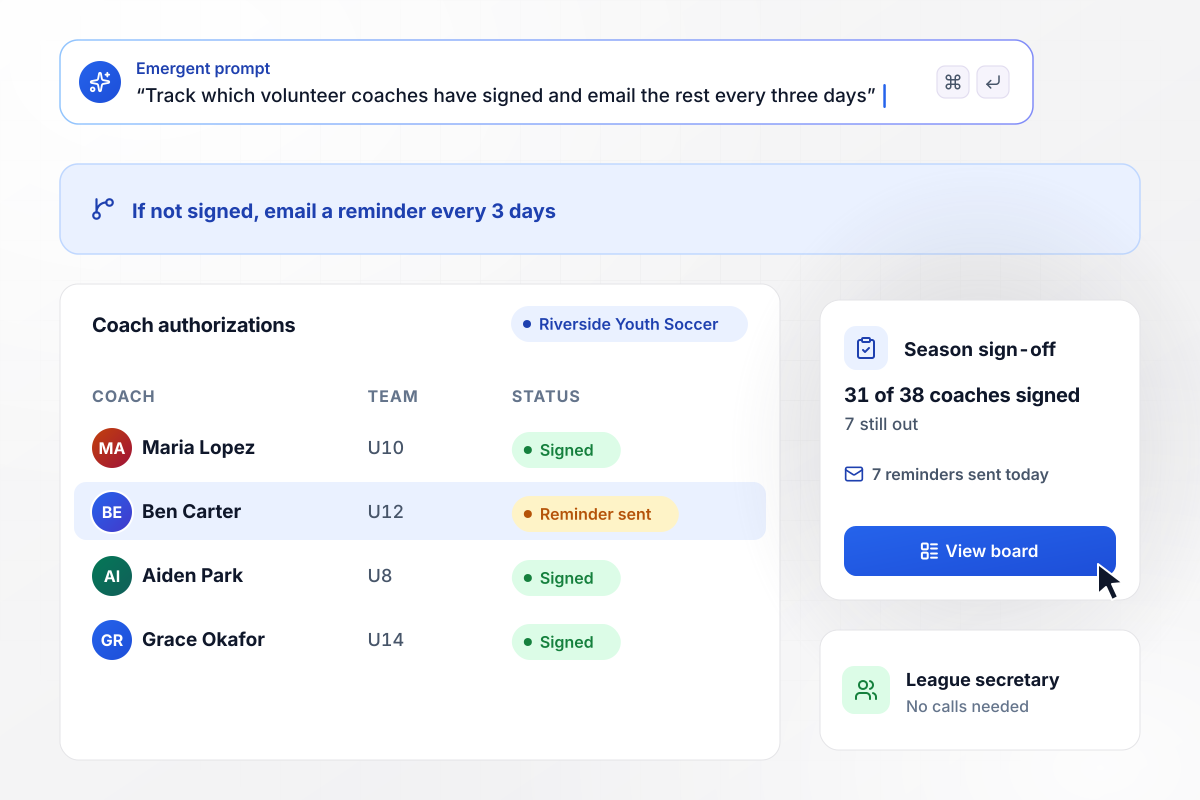
31 of 38 coaches signed before the first practice
Volunteer seasons start on a deadline. Riverside Youth Soccer needs every volunteer coach signed before the first practice, and 7 are still out. Each one gets an email reminder every three days, and the league secretary watches the count fall without making a call.
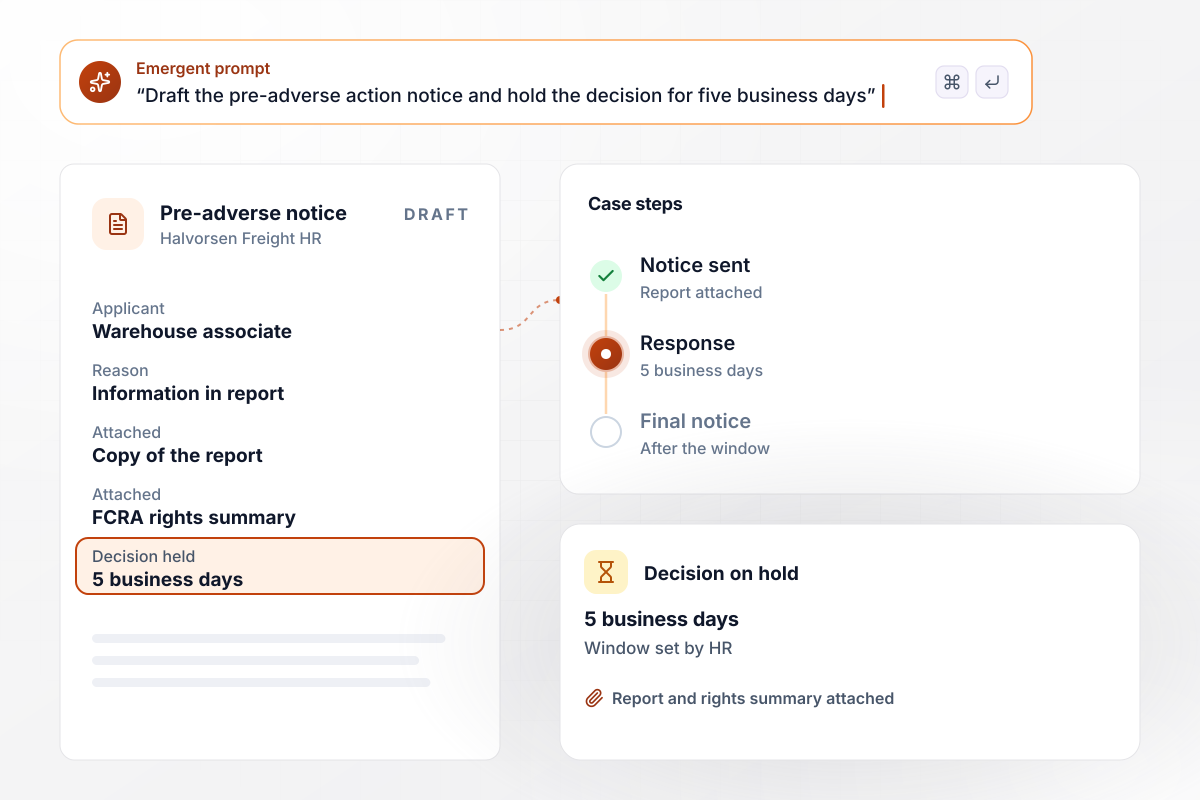
Five business days between the notice and the decision
A report with a conviction on it does not end the process. For a Halvorsen warehouse applicant, the app drafts the pre-adverse action notice with a copy of the report and the FCRA rights summary attached. The decision waits 5 business days, the window HR chose, before the final notice can go out.
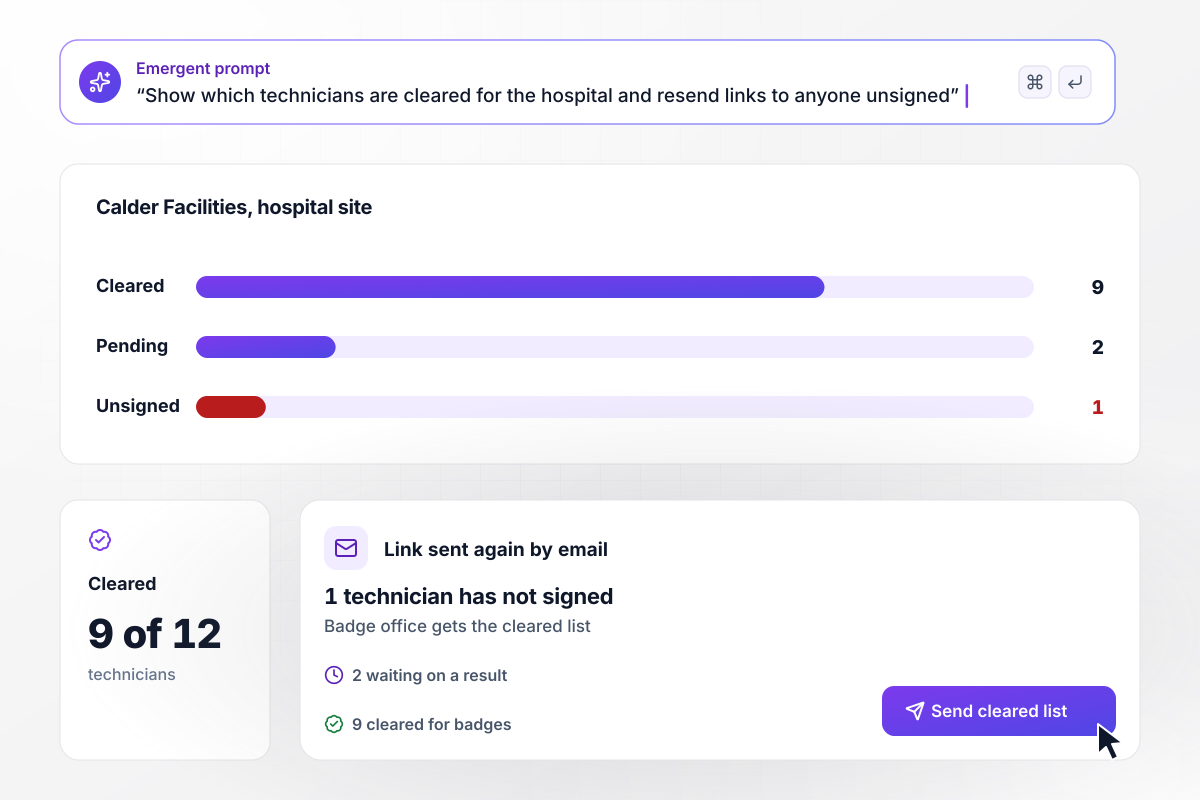
Badges at the hospital wait on each clearance
Client sites set their own rules. Calder Facilities sends 12 HVAC technicians to a hospital that badges only cleared contractors. The vendor coordinator sees 9 of 12 cleared, 2 waiting on a result and 1 who has not signed. That technician gets the link again by email, and the hospital's badge office receives the cleared list.






How to Create a Background Check Form
Seven steps to create a background check form that gets consent first, asks only what it should, and plans for a bad report.
Give the disclosure its own document or screen. FTC guidance says it must stand alone and cannot sit inside a job application. Keep it short and plain, and leave out waivers and policy text that would compete with it.
Ask for a signature on the authorization before any report is ordered. Current employees sign one too when you check them. Record the date of each signature, because that date is what you point to if anyone asks when consent was given.
Collect the legal name, any former names, date of birth, and the address history your provider asks for. Keep the Social Security number in a field only HR can open, and skip any question the role does not require.
Scope each check to the job: a driving record for drivers, credit history only where someone handles money. Apply one standard to every applicant for that role, as FTC and EEOC guidance both expect.
Give each candidate a status: link sent, signed, ordered, result in. Remind anyone who has not signed after a few days. A list of statuses tells the recruiter which offers can move today and which are waiting on paperwork.
Before acting on a report, send a notice with a copy of it and the FCRA summary of rights, then wait the period your policy sets. The final notice names the reporting company and explains the right to dispute what it found.
Store reports away from the general personnel file and agree a retention period with counsel. When it ends, delete the electronic copies in a way that leaves them unreadable, as the FTC's disposal guidance describes for employers.
Why Build It With Emergent?
Signatures, report status, and notices sit in a database you own.

|
Jotform | Google Forms | Typeform | |
|---|---|---|---|---|
| How you build | Describe it in plain English | Templates, editor, AI generator | Editor, with Gemini drafting on some Workspace plans | Templates, editor, AI assist |
| Where responses live | A database table you own, plus any integration | Jotform account | Google Sheets | Typeform account |
| File uploads | Files saved to storage you own, no sign-in | Included; files count toward plan storage | Respondents must sign in to Google; files fill your Drive | Paid plans only |
| Code ownership | Full code export to GitHub on paid plans | None | None | None |
| Response limits | No response caps | Monthly submission caps by plan; the form stops at the cap | No limit | Monthly response caps by plan; the form closes at the cap |




Pick the Pricing Plan That Works for You
Choose the plan that fits your building ambitions. From weekend projects to enterprise applications, we've got you covered.




Find the right form
for whatever you're collecting












Frequently Asked Questions
Your Questions, Answered
Don't change this element unless you know what you are doing
More things you can build
with Emergent









on Emergent today


