

Build a Psychographic Questionnaire That Finds Your Segments
<p>Build a psychographic questionnaire that scores each set of answers into a segment and saves it to the respondent's record.</p>
Build a psychographic questionnaire for my outdoor gear customers that asks how they spend weekends and what they value in a brand.
Trusted by Builders Worldwide
Active Builders Worldwide
Apps Successfully Created
Countries Globally Reached



Questions That Score Themselves Into Segments
A list of good questions is half the job. Emergent builds the questionnaire and the scoring that reads its answers.
Statements scored toward a segment
Tag each agree-or-disagree statement with the segment it points to. A person's answers add up per segment, and the segment with the highest total is saved on their record.
Ranking questions for what matters most
Ask people to put five reasons they buy in order. The app counts first-place picks across every response and shows which value leads before anyone writes a campaign.
One question per screen on a phone
A long run of statements reads better one at a time. Emergent can build the questionnaire as a conversational flow, with a single question per screen and a progress bar.
Answers stored next to the person
Every response is a row in a database you own, tied to the person who gave it. Filter by segment, compare this quarter with the one before, or hand the table to an analyst.
Segments sent to Slack and your CRM
Post a Slack message whenever someone lands in a segment you care about, or send each segment to your CRM through its API. The next email can then speak to that reader.
Code export to your GitHub
On paid plans, export the full questionnaire app to your GitHub repository. A developer can then host it on your own servers and keep extending the scoring logic there.
Four Ways to Use the Answers
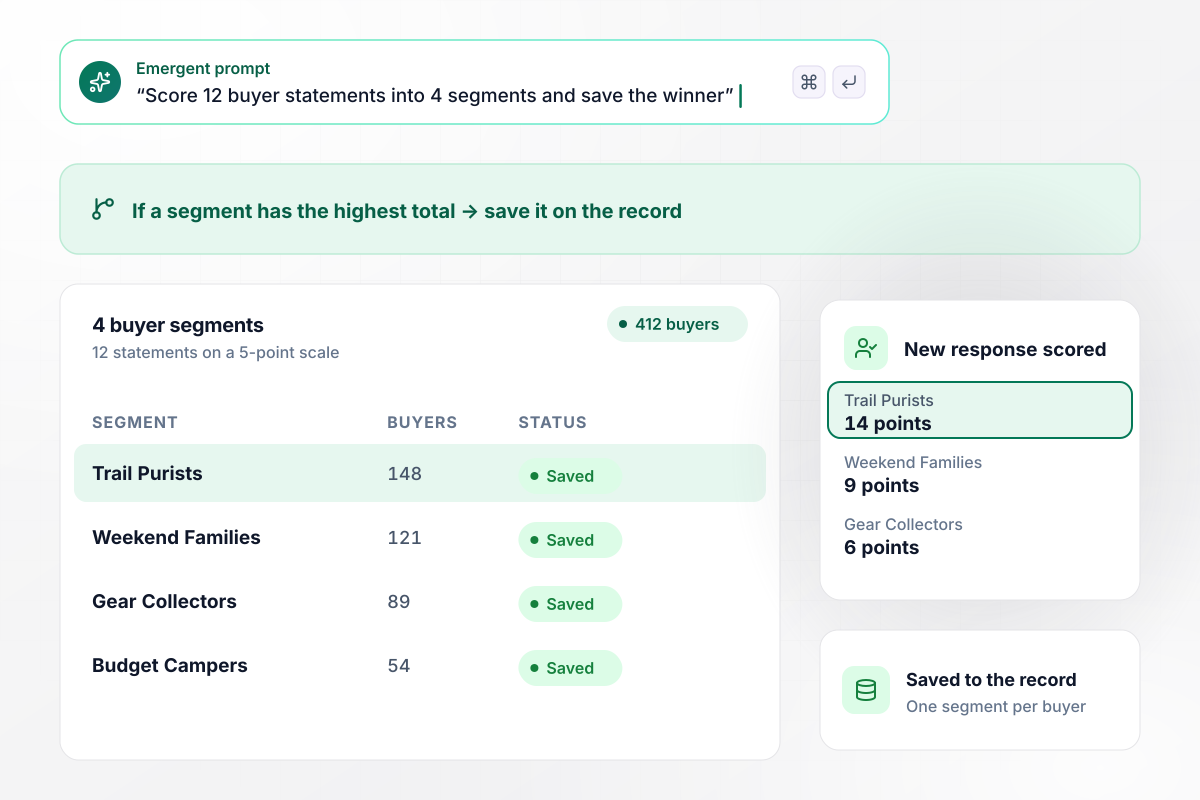
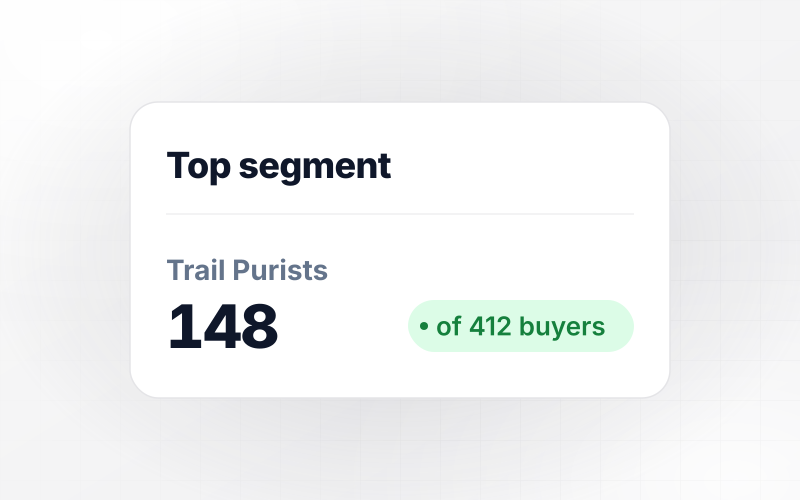
Each of 412 buyers lands in one of 4 segments
Tansybrook Outfitters asks why campers buy its tents. Past buyers rate 12 statements on a 5-point scale, such as "I plan trips months ahead," and each adds points to a segment. The highest total wins. Of 412 buyers, the app tags 148 Trail Purists, 121 Weekend Families, 89 Gear Collectors, and 54 Budget Campers.
window.awbMockup = { retailBrands: "Tansybrook Outfitters sells tents and camping gear. Build a psychographic questionnaire for past buyers with 12 agree-or-disagree statements on a 5-point scale, like \"I plan trips months ahead.\" Each statement counts toward one of 4 segments: Trail Purists, Weekend Families, Gear Collectors, and Budget Campers. Save the highest-scoring segment on each buyer's record and show me the count per segment.", agencyResearch: "My studio is researching Juniperhall Tea's newsletter readers before a spring campaign. Build a questionnaire that asks each reader to rank five reasons they buy tea: origin, flavor, price, health, and gifting. Count how many readers put each reason first and show the totals as a chart I can share with the client.", productOnboarding: "Glimmerwick is a note-taking app. Add one question to our signup flow asking how people take up new tools. Tag anyone who picks \"I try new features the day they ship\" as an early adopter on their account, post them to #beta-recruits in Slack, and keep a weekly count of early adopters out of all signups.", gymsAndStudios: "Rook Hill Strength needs an intake questionnaire new members fill in on their phone. Ask why they train and how hard they want to be pushed. Match each member to the coach whose specialty fits those answers, for example race training with Henrike Szabo, and email the coach the member's profile before their first session." };
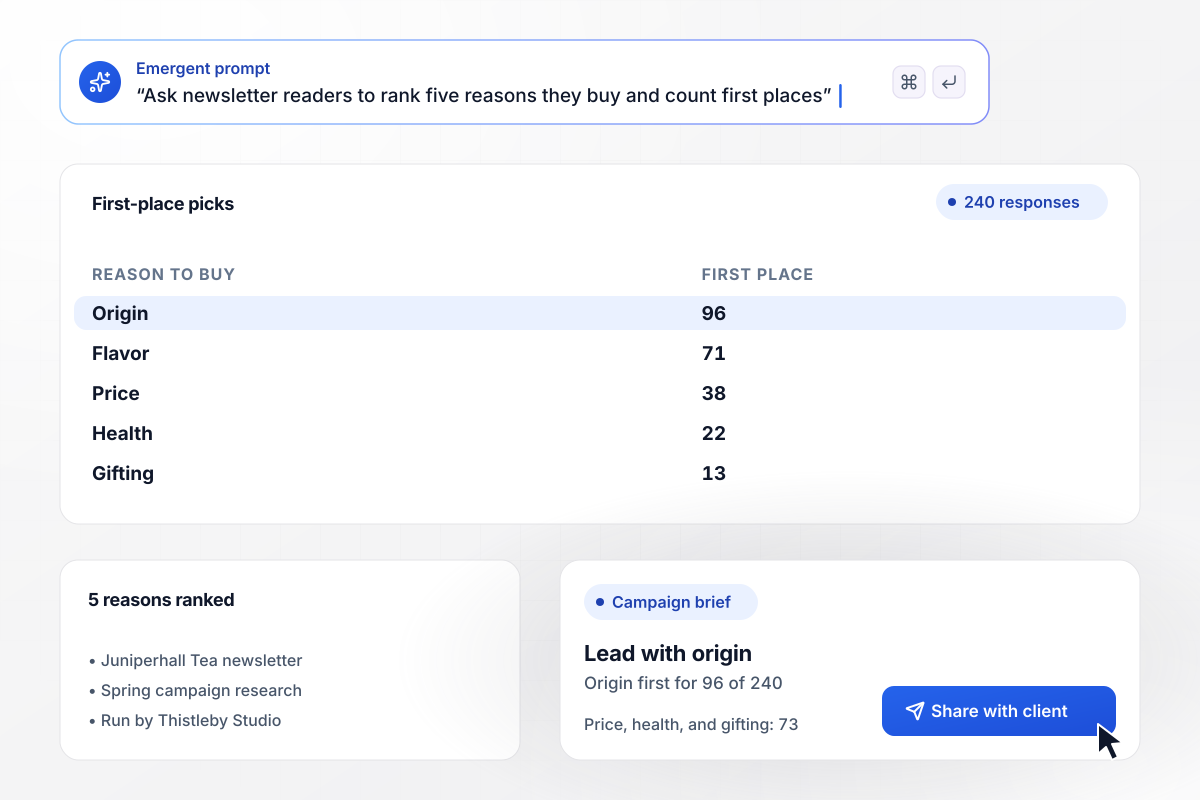
Of 240 readers, 96 buy for where the tea grows
Juniperhall Tea hired Thistleby Studio to learn what its newsletter readers value before a spring campaign. Each reader ranks five reasons they buy tea. Origin came first for 96 of the 240 and flavor for 71, while price, health, and gifting shared the other 73. The studio wrote the campaign around the farms.
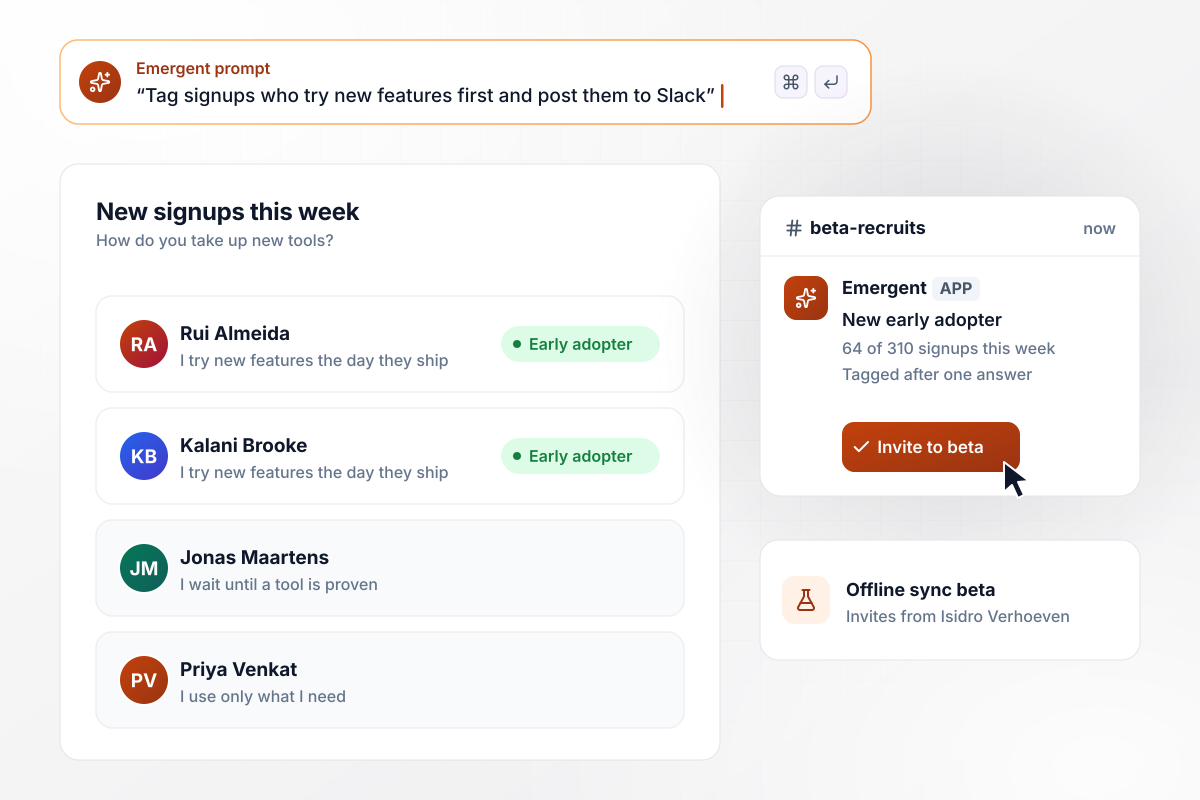
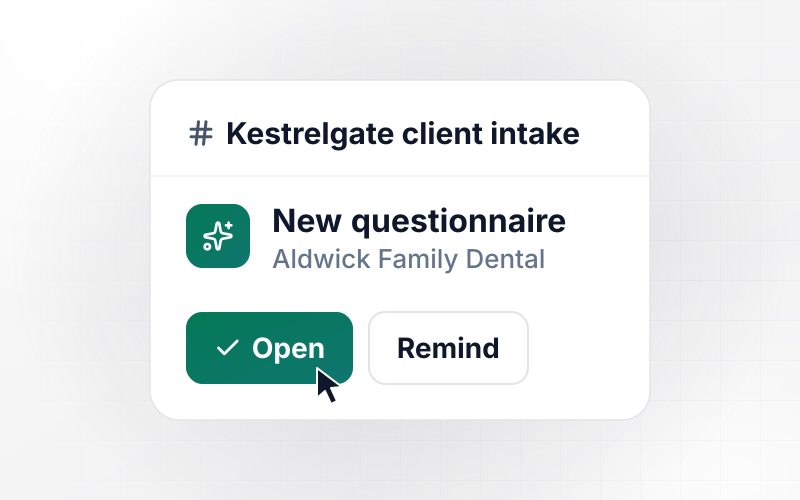
Early adopters reach #beta-recruits after one answer
Glimmerwick, a note-taking app, asks each new signup how they take up new tools. Anyone who picks "I try new features the day they ship" is tagged as an early adopter and posted to #beta-recruits in Slack. This week 64 of 310 signups picked it, and product manager Isidro Verhoeven invited them to test offline sync.
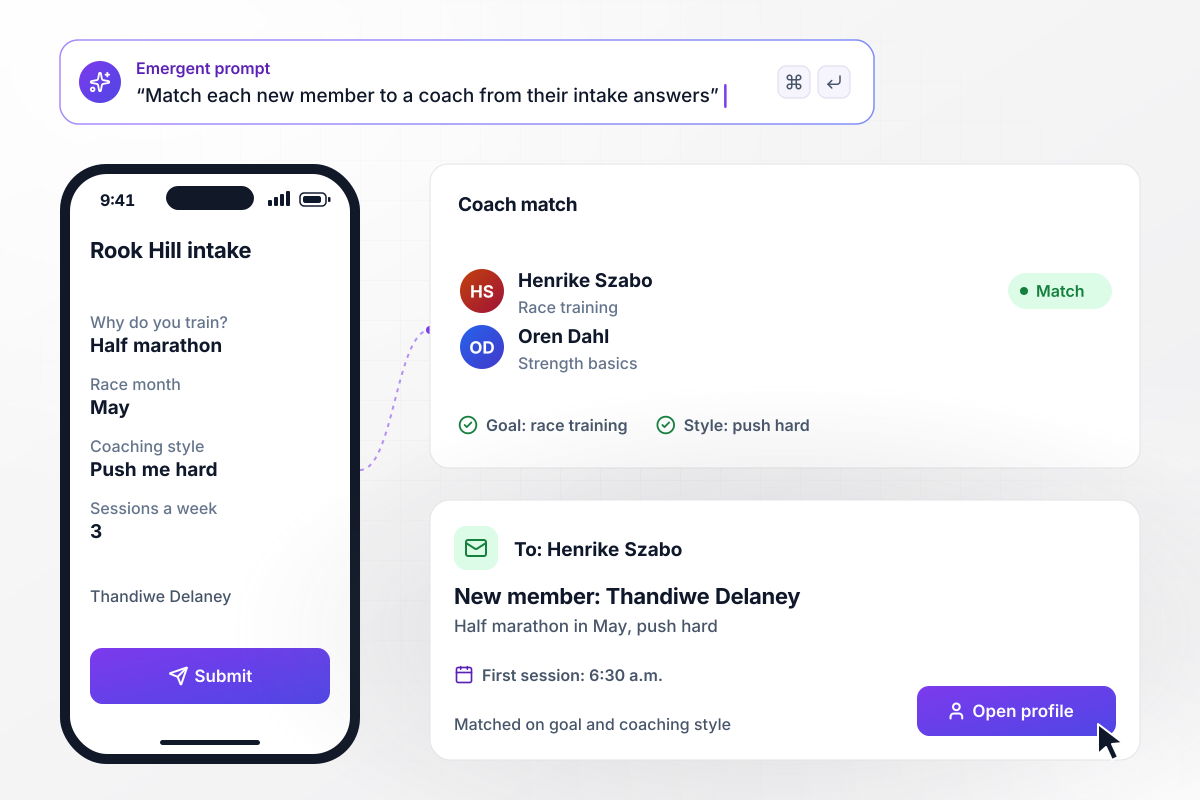
Before her first session, Thandiwe has a coach
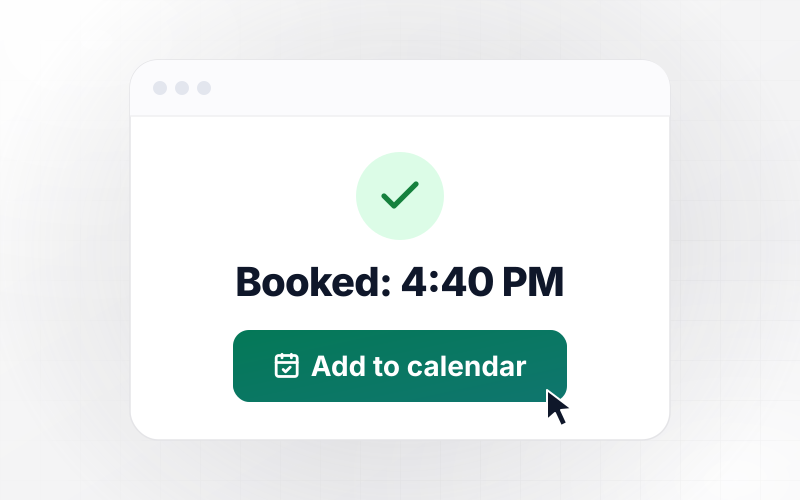
Thandiwe Delaney joins Rook Hill Strength and fills in the intake questionnaire on her phone. She is training for a half marathon in May and wants a coach who pushes hard. The app matches those answers to Henrike Szabo, the coach who runs race training, and emails Henrike her profile ahead of their 6:30 a.m. session.






How to Create a Psychographic Questionnaire
Seven steps to plan and build a psychographic questionnaire whose answers sort people into segments you can act on.
Write down what changes once you know a person's segment: the email they get, the product page they see, or the coach they meet. A question that cannot change one of those decisions comes out of the questionnaire.
Name the segments before you write a single question, and give each one a sentence that describes the person in it. Four or five segments are enough to act on, and each still holds enough people to plan a campaign around.
Write statements about what people value, how they spend free time and how they feel about your category. Split any statement that holds two ideas: "I plan trips and buy gear early" becomes two separate statements.
Link every statement to the one segment it describes and decide how the 5-point scale turns into points. Set a tiebreak rule before any response comes in, such as the segment with the most "strongly agree" answers.
A ranking question shows priorities that agree scales hide, because nobody can rate everything a 5. End with one open question, such as what they would miss if your brand disappeared, and read those answers by segment.
Put the statements, the segments, the scoring rule, and where results should go into one prompt. Emergent builds the form plus a database table for every response, and you change any part later by prompting again.
Send it to 20 people before you send it to 2,000. If one segment collects nearly everyone, or every respondent gives a statement the same answer, rewrite that statement and test it again before the full send goes out.
Why Use Emergent for This Questionnaire?
A form tool hands back raw answers. Emergent builds the questionnaire with its scoring, and each response arrives with a segment.

|
Jotform | Google Forms | Typeform | |
|---|---|---|---|---|
| How you build | Describe it in plain English | Templates, editor, AI generator | Editor, with Gemini drafting on some Workspace plans | Templates, editor, AI assist |
| Where responses live | A database table you own, plus any integration | Jotform account | Google Sheets | Typeform account |
| Response limits | No response caps | Monthly submission caps by plan; the form stops at the cap | No limit | Monthly response caps by plan; the form closes at the cap |
| Code ownership | Full code export to GitHub on paid plans | None | None | None |

Pick the Pricing Plan That Works for You
Choose the plan that fits your building ambitions. From weekend projects to enterprise applications, we've got you covered.




Find the right form
for whatever you're collecting
Frequently Asked Questions
Your Questions, Answered
Don't change this element unless you know what you are doing
More things you can build
with Emergent









on Emergent today


