

Build a Donation Receipt Form That Writes the Receipt for You
Build a donation receipt form that turns each logged gift into a numbered receipt, saved in a database you own.
Build a donation receipt form for my food bank that emails each donor a numbered receipt once staff log the gift.
Trusted by Builders Worldwide
Active Builders Worldwide
Apps Successfully Created
Countries Globally Reached



Every Receipt, Filled From the Gift Record
A paper receipt book leaves staff copying names and amounts by hand. Here, the app fills each receipt from the gift staff logged.
Describe the receipt, get the form behind it
Describe the receipt your office sends and the gifts it covers. Emergent builds the entry form, the receipt layout, and the donor tables, then changes them when you prompt again.
Fields that change with the kind of gift
Pick cash or check and the form asks for the amount and the date received. Pick donated goods and it asks for a description of each item instead, with no box for a dollar value.
Receipt numbers that count up by one
Each saved gift takes the next number in the year's series, such as 2026-0418. The treasurer can match any receipt to its gift record and see at a glance if a number is missing.
Online gifts receipted with no typing
Connect the Stripe account your online gifts run through. Each completed payment fills a receipt record with the donor, amount, and date, like a gift logged at the front desk.
A heads-up when a receipt needs a person
Each goods receipt waits for a staff check, and Slack tells your development channel a receipt is waiting, with a link to the record. Names and amounts stay in the database.
Your receipt app, in your GitHub repository
On paid plans, export the full codebase to your GitHub repository and host the receipt app beside your donor system. The receipt layout and the numbering rules move with the code.
Four Gifts, Four Kinds of Receipt
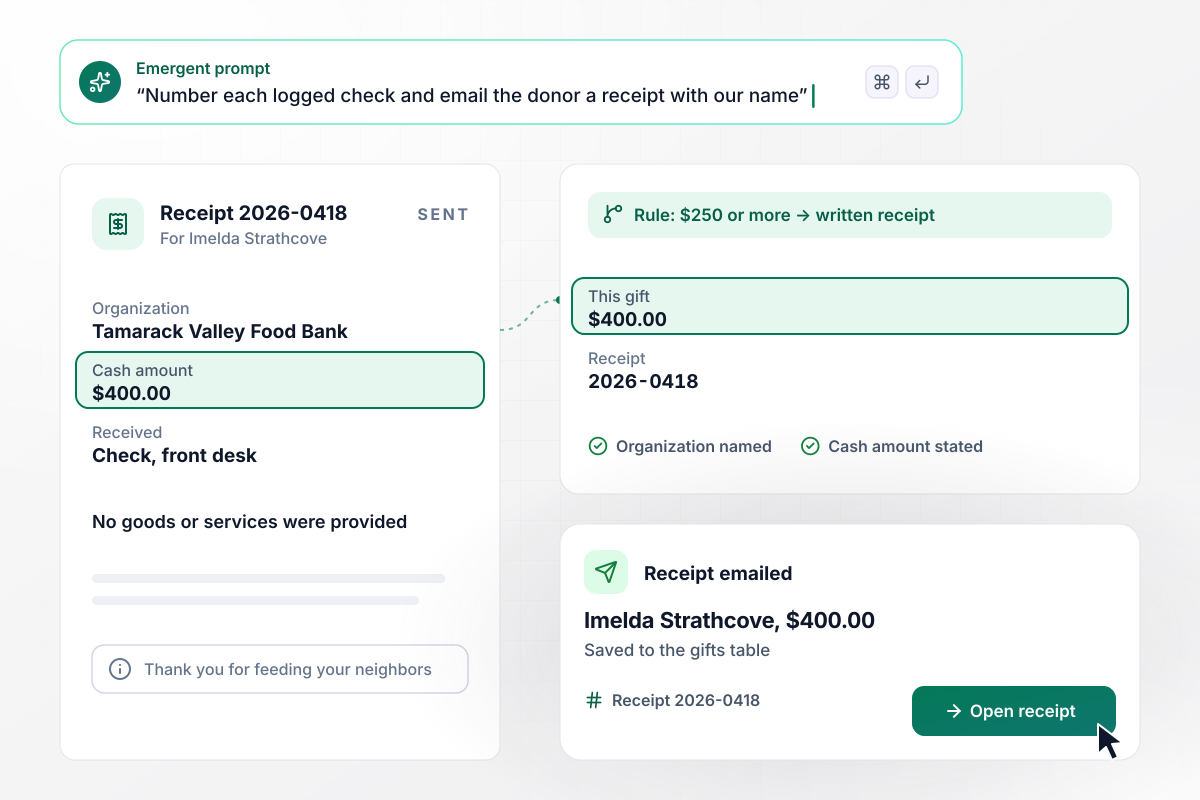
By noon, Imelda's $400 check has its receipt
Imelda Strathcove's $400 check to Tamarack Valley Food Bank becomes receipt 2026-0418. The IRS says the written acknowledgment for a gift of $250 or more must contain the organization's name and the cash amount. Her emailed receipt has both, plus a line stating that no goods or services were provided.
window.awbMockup = { cashAndChecks: "Build a donation receipt form for my food bank's front desk. Let a volunteer log a cash or check gift with the donor's name, email, amount, and date received. Give each gift the next receipt number in the year's series and email the donor a receipt with our name, the amount, and a statement that no goods or services were provided.", donatedGoods: "Add a donated goods section to my reuse center's receipt form for the loading dock tablet. Ask the dock lead to describe each item and its condition, with no field for a dollar value. Hold the receipt for a staff member to check the description, then send it. Post a Slack notice to our team that a receipt is waiting, with a link to the record.", galaTickets: "Build receipts for my youth orchestra's gala tickets. Each seat costs $150 and includes a dinner we value at $60. When a guest buys a seat, email a receipt that shows the price paid and states the $60 dinner estimate, and save the receipt to the guest's donor record.", yearEndTotals: "Add a year-end statement to my animal shelter's donation receipt form. In early January, gather every gift each donor made the year before into one statement that lists each date and amount with the total. Email it to the donor and save a copy to their donor record." };
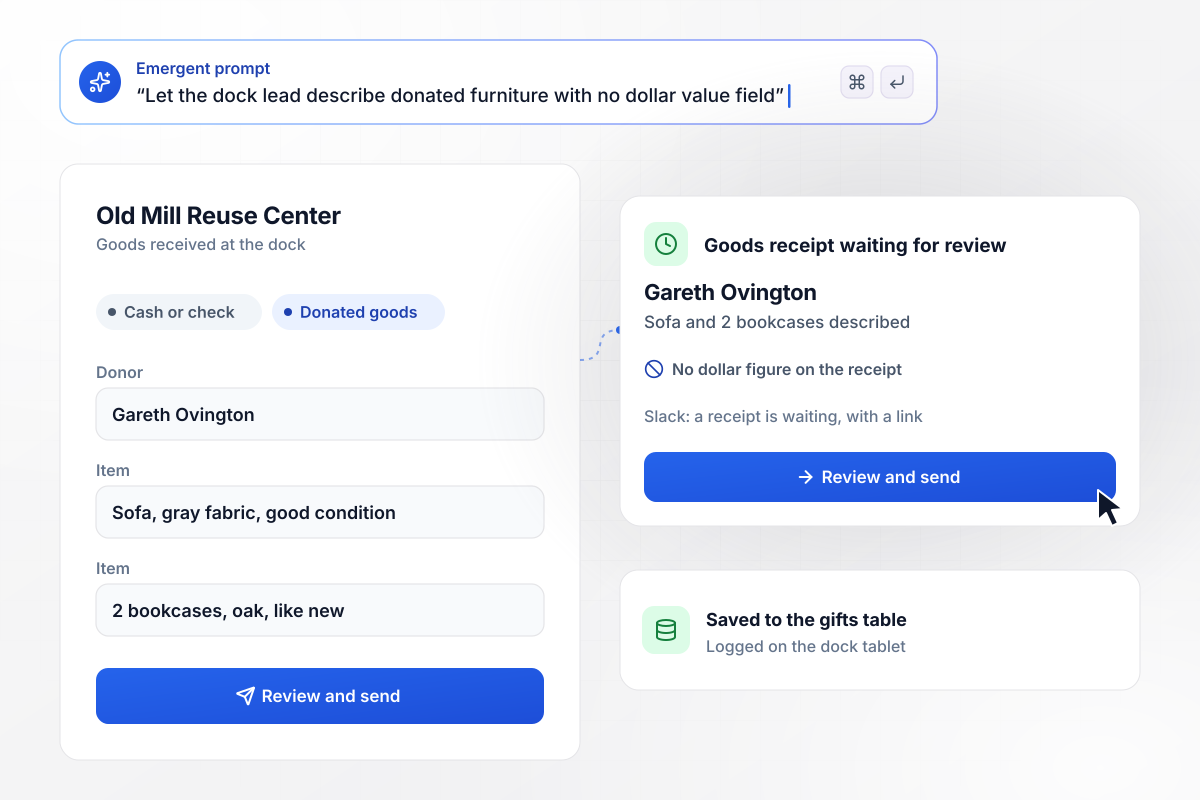
From the loading dock, a receipt with no dollar value
Gareth Ovington drops off a sofa and 2 bookcases at Old Mill Reuse Center's dock, and the dock lead logs them on a tablet. The IRS lists a description, but not the value, of a non-cash contribution among the contents of a written acknowledgment. His receipt describes each piece and its condition, with no dollar figure.
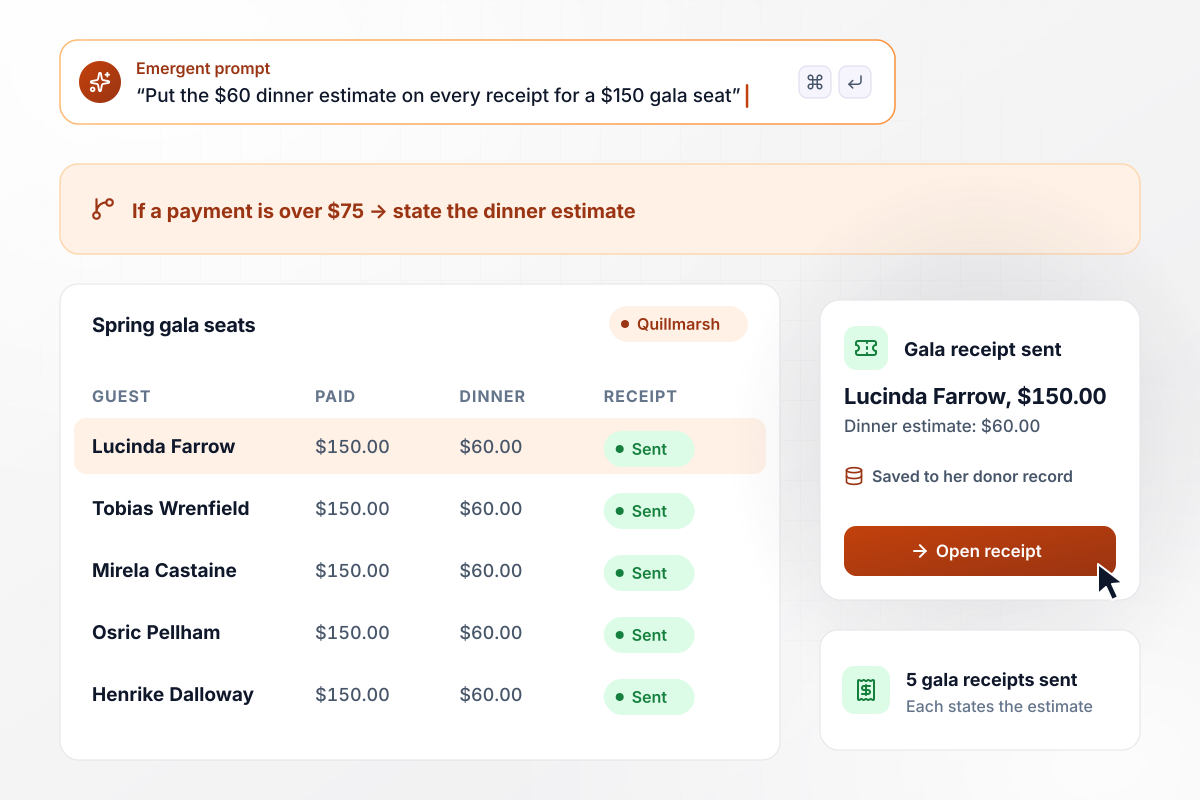
When a $150 gala seat includes a $60 dinner
Quillmarsh Youth Orchestra sells gala seats at $150, each with a dinner it values at $60. The IRS requires a disclosure statement when a donor's quid pro quo payment is more than $75, giving a good faith estimate of what the donor received. Every gala receipt states the $60 estimate beside the price paid.
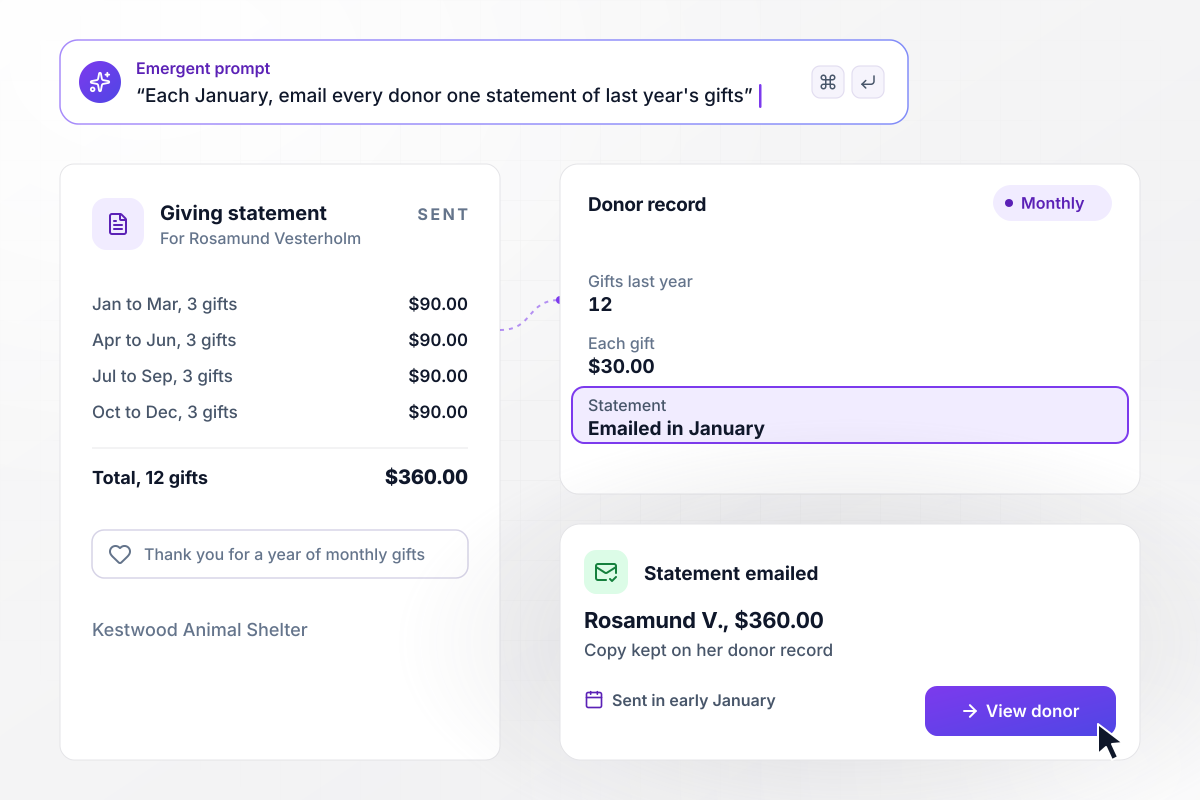
In January, one statement for 12 gifts of $30
Rosamund Vesterholm gives Kestwood Animal Shelter $30 a month by card. In early January, the app gathers her 12 gifts from the year before into one statement, each with its date and amount, $360 in all. She gets it by email, and the shelter's copy stays on her donor record for the day she asks for it again.






How to Create a Donation Receipt Form
Seven steps to create a donation receipt form that gives each kind of gift the right receipt, then build it with Emergent.
List the ways gifts arrive today: checks at the front desk, card payments online, furniture at the dock, gala tickets. Each one becomes a gift type on the form, with its own questions and its own receipt layout.
Enter the legal name your receipts carry and the address donors know. Then write the line a receipt uses when the donor got nothing back, in the words your board or your accountant has approved.
A check needs its amount and the day it came in. Donated goods need a description of each item and its condition. Gala tickets need the price paid and your estimate of what the guest received.
Start the series at the number your paper receipt book would have used next, so the records run on without a break. Put the year in front, and the count starts again at 0001 each January.
Connect the payment account your website gifts go through, so each completed payment creates a gift record. Run one small gift through it first and check that the name, amount, and date match the payment.
Pick the receipts a staff member reads before they go out, such as goods a volunteer described at the dock. Those wait in a review list. Every other receipt is sent as soon as the gift is saved.
Log a test gift for each type and read every receipt the way a donor would. Check the number series, the goods descriptions, and the gala estimate, then delete the test records before the first real gift.
Why Emergent for a Donation Receipt Form?
Every gift and its receipt sit in a database you own, with no response caps and code you can export on paid plans.

|
Jotform | Google Forms | Typeform | |
|---|---|---|---|---|
| How you build | Describe it in plain English | Templates, editor, AI generator | Editor, with Gemini drafting on some Workspace plans | Templates, editor, AI assist |
| Where responses live | A database table you own, plus any integration | Jotform account | Google Sheets | Typeform account |
| Response limits | No response caps | Monthly submission caps by plan; the form stops at the cap | No limit | Monthly response caps by plan; the form closes at the cap |
| Code ownership | Full code export to GitHub on paid plans | None | None | None |



Pick the Pricing Plan That Works for You
Choose the plan that fits your building ambitions. From weekend projects to enterprise applications, we've got you covered.




Find the right form
for whatever you're collecting
Frequently Asked Questions
Your Questions, Answered
Don't change this element unless you know what you are doing
More things you can build
with Emergent









on Emergent today


