

Build a Stripe Donation Form With Gifts in Your Own Database
Build a Stripe donation form that takes one-time and monthly gifts and saves each paid gift to a donor table you own.
Build a Stripe donation form for my river cleanup group where donors pick a cleanup site, give once or monthly, and get a thank-you email.
Trusted by Builders Worldwide
Active Builders Worldwide
Apps Successfully Created
Countries Globally Reached



What Happens Before and After a Donor Pays
A Stripe donation form asks your questions, hands payment to Stripe, and writes each paid gift to your records.
Your questions first, then Stripe's checkout
The form asks for the fund and a dedication, plus once or monthly, then sends the donor to Stripe Checkout. Set the submit type to donate and the pay button reads Donate.
Gifts recorded from Stripe's payment event
Stripe creates a checkout.session.completed event when someone pays. The app writes the gift and its fund to your table from that event, next to the Stripe payment ID.
One donor row, every gift beneath it
Each donor gets one row in a database you own, with every gift and its fund listed under it. Search a name before a phone call and see a full giving history on one screen.
A thank-you email that names the fund
The app emails each donor once the gift is recorded, with the amount and the fund they picked. Monthly donors get one each time their gift renews, with the renewal date.
New funds added by asking for them
Describe a change in plain English, such as a spring roof fund or a fourth monthly tier, and Emergent rebuilds the form and the table behind it. Nothing is redrawn by hand.
Code that moves with your nonprofit
On paid plans, export the full codebase to your GitHub repository when the donation form has to sit inside a site your developer runs. Host it anywhere and keep building.
How Four Nonprofits Use Stripe for Gifts
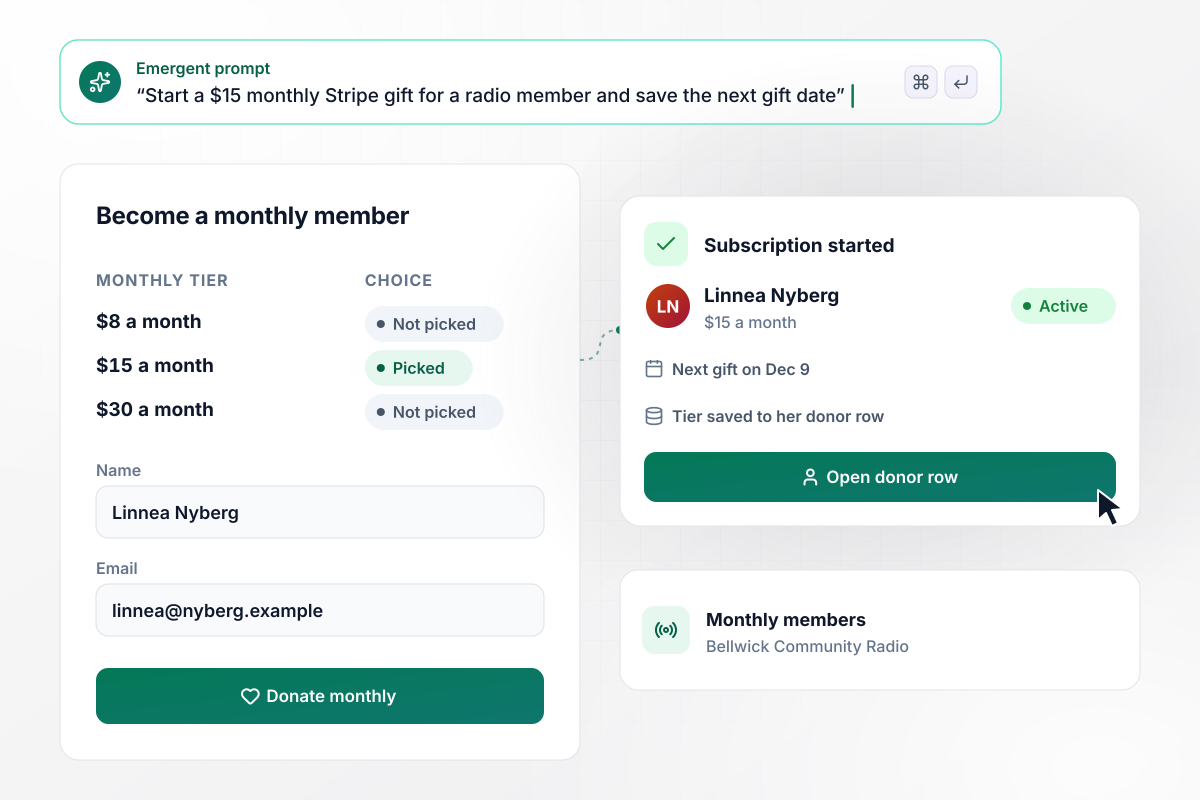
Not a one-time gift but $15 a month from Linnea
Bellwick Community Radio asks members to give monthly at $8, $15, or $30. The tiers are fixed because Stripe's pay-what-you-want prices do not support recurring payments. Linnea Nyberg picks $15, and the form starts a Stripe subscription in her name. Her donor row shows the tier and her next gift on Dec 9.
window.awbMockup = { monthlyMembers: "I run a community radio station. Build a Stripe donation form for monthly members with three fixed tiers: $8, $15, and $30 a month. Ask for the member's name and email, then start a Stripe subscription at the tier they pick. Save each member as a row in my donor table with their tier and the date of their next gift.", libraryFunds: "My library foundation raises money for 3 funds: the book fund, the teen room, and greatest need. Build a donation form where the donor picks a fund, enters an amount, and adds their name and email before paying through Stripe. Save the fund with every gift and show me a dashboard with this month's total for each fund and for all three.", benefitNights: "My theater holds a benefit night with a pause at intermission for giving. Build a phone-friendly donation form that starts at $40, lets each guest raise or lower the amount, and takes their name before they pay through Stripe. Show a lobby screen with the running total raised tonight and save each gift under the guest's name.", majorGifts: "I run a land trust. Build a donation form that takes the amount, the fund, the donor's name, and their phone number, and records each paid gift from Stripe. When a gift is $1,000 or more, send me a Slack direct message with the donor's name, the amount, and their phone number so I can call to thank them." };
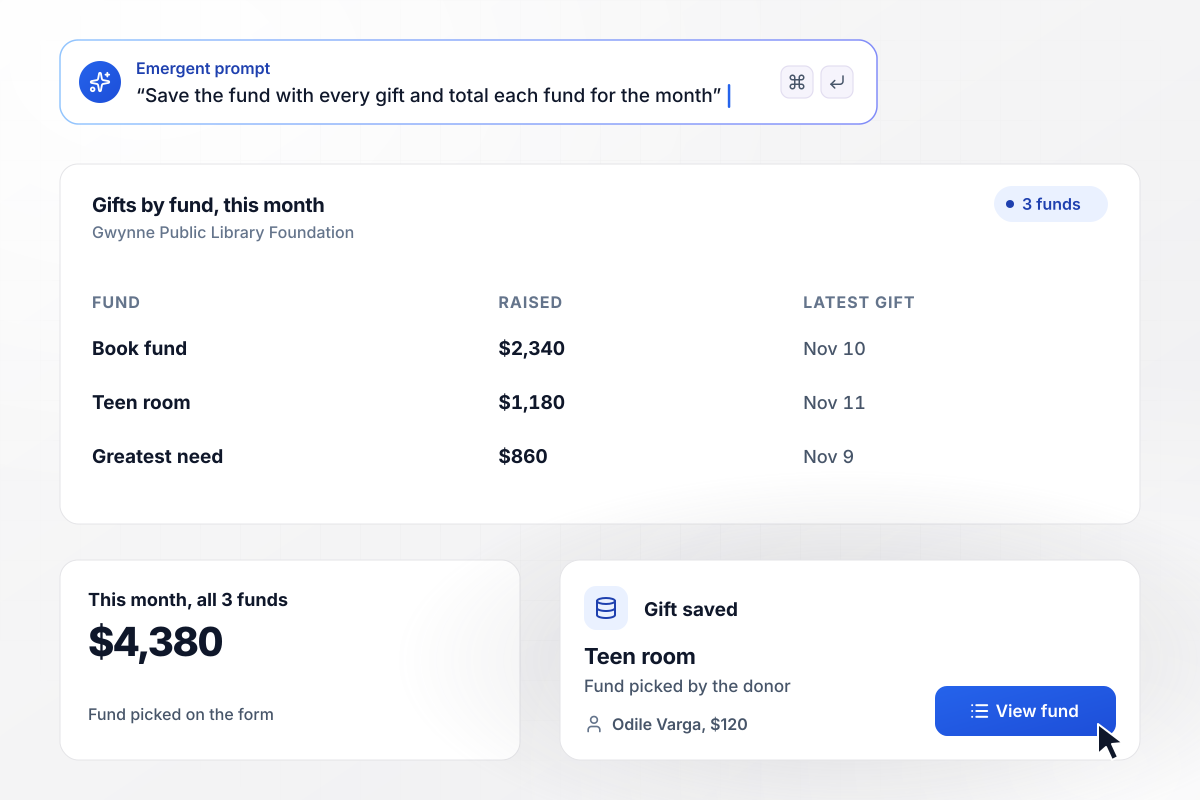
Each gift counts toward one of 3 library funds
Gwynne Public Library Foundation lists 3 funds on its form: the book fund, the teen room, and greatest need. The fund a donor picks is saved with the gift. This month the dashboard shows $2,340 for books, $1,180 for the teen room, and $860 for greatest need, or $4,380 in all.
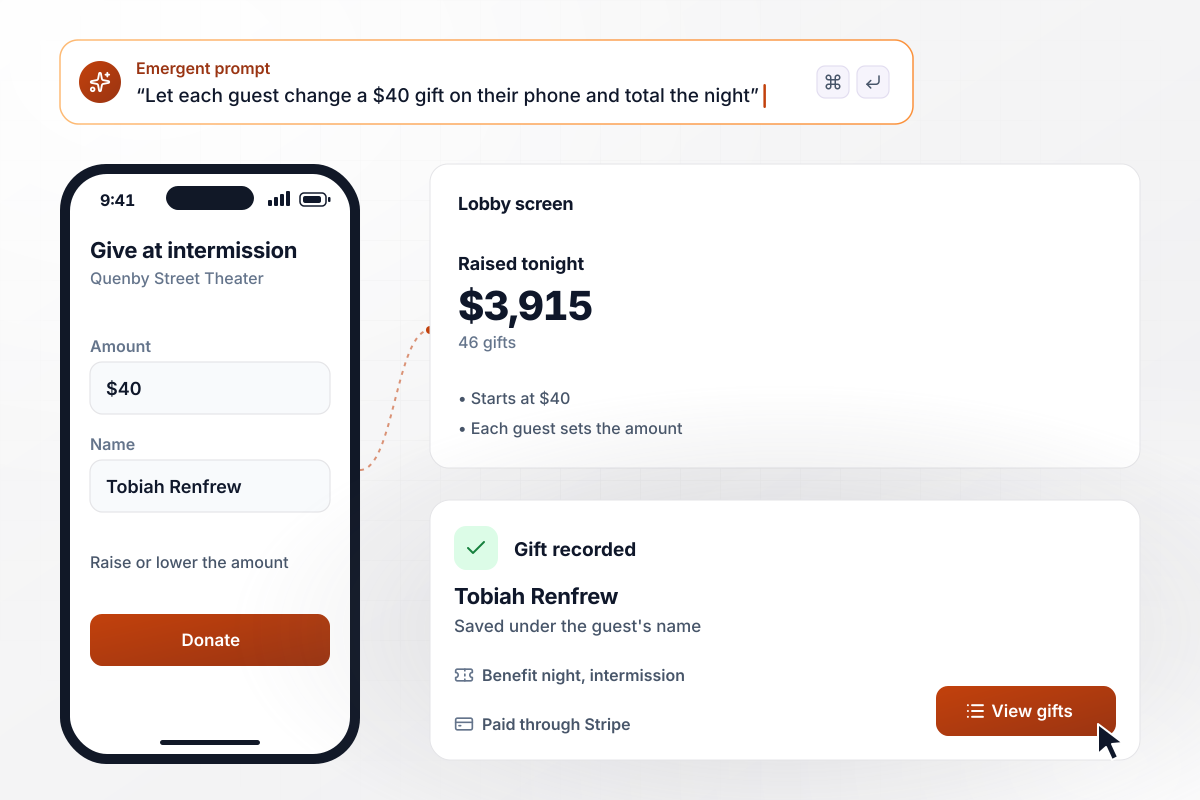
All 46 gifts come in from guests' own phones
Forty-six guests at the Quenby Street Theater benefit give at intermission, each from a phone at their seat. The amount starts at $40, and each guest raises or lowers it before paying. By the final curtain the lobby screen shows $3,915 raised, with every gift in the table under the guest's name.
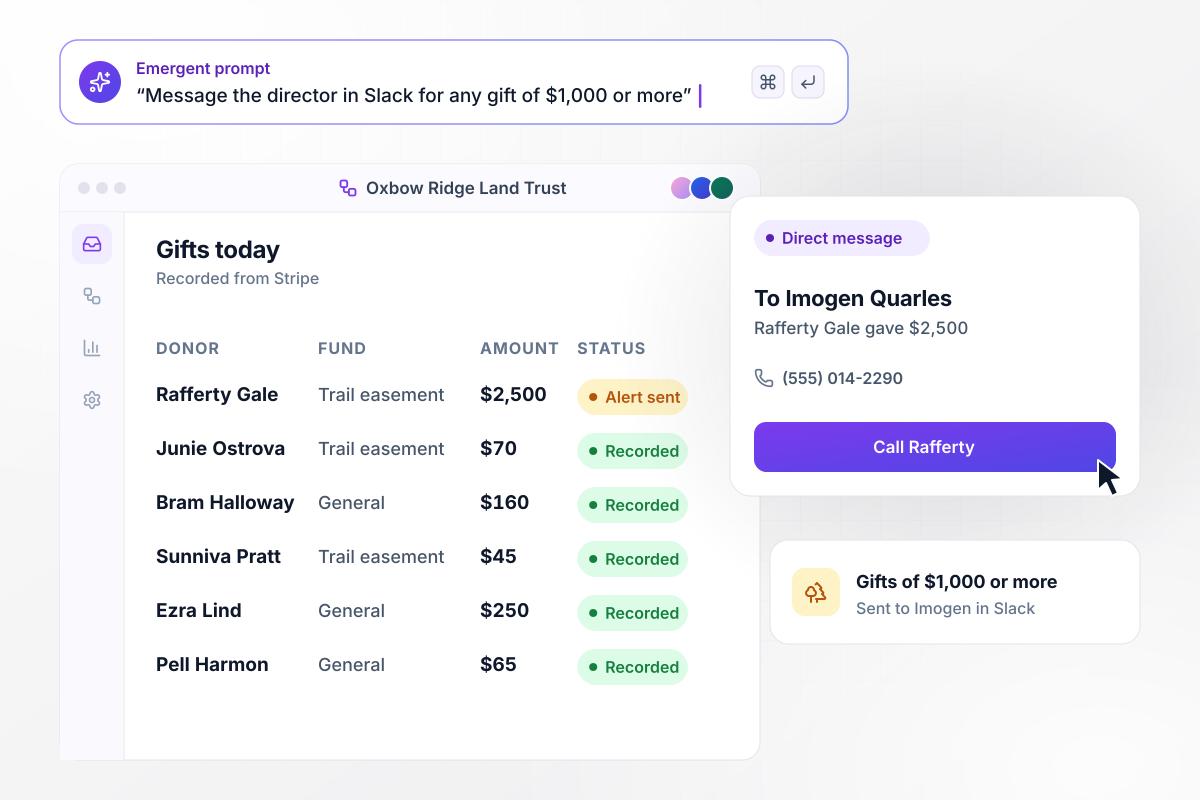
Only Imogen hears of gifts of $1,000 or more
Imogen Quarles runs Oxbow Ridge Land Trust, and any gift of $1,000 or more reaches her as a Slack direct message. Rafferty Gale gives $2,500 to the trail easement fund. The message carries his name and phone number beside the amount. She calls him that afternoon to thank him.






How to Create a Stripe Donation Form
Seven steps to create a Stripe donation form that sends donors to Stripe Checkout and records every paid gift in a table you own.
Write down every way gifts arrive today, such as one-time gifts after a newsletter, monthly support, and giving at an annual event. Each one becomes a choice on the form or a separate form. Keep pledges and auction bids out, since those are not paid at once.
Put the fund choice, any tribute name, and contact details on your own form. Stripe Checkout's custom fields hold up to 3 extra questions. Anything beyond that has to come before the donor reaches Stripe. Leave card details to Stripe's page.
Offer 3 or 4 preset amounts and an open field for one-time gifts. Monthly gifts run as Stripe subscriptions, which use fixed prices. Give monthly donors set tiers to pick from. Put the amount above the contact fields.
Put the funds and the amounts into one prompt, along with what should happen after each gift. Emergent builds the form, the donor table behind it, and a screen for whoever reviews gifts. Change any of it later by asking in plain English.
Connect the Stripe account you already take payments with. The app opens checkout through it and reads each payment back into the donor table. Store the secret key in the app's settings and never paste it into the form page itself.
Choose what each donor gets after paying, such as an email that names the fund. Then set a threshold for gifts a person should see the same day, and name that person. A board chair or a development lead both work.
Run the whole flow in a Stripe sandbox, which simulates transactions with test values. Give once and start a monthly gift. Check that both rows land in the donor table and that the thank-you email arrives before you share the link.
Why Build Stripe Donation Forms With Emergent?
The questions before Stripe Checkout and the donor history after it live in one app you can change by asking.

|
Jotform | Google Forms | Typeform | |
|---|---|---|---|---|
| How you build | Describe it in plain English | Templates, editor, AI generator | Editor, with Gemini drafting on some Workspace plans | Templates, editor, AI assist |
| Where responses live | A database table you own, plus any integration | Jotform account | Google Sheets | Typeform account |
| Response limits | No response caps | Monthly submission caps by plan; the form stops at the cap | No limit | Monthly response caps by plan; the form closes at the cap |
| Code ownership | Full code export to GitHub on paid plans | None | None | None |



Pick the Pricing Plan That Works for You
Choose the plan that fits your building ambitions. From weekend projects to enterprise applications, we've got you covered.




Find the right form
for whatever you're collecting

Frequently Asked Questions
Your Questions, Answered
Don't change this element unless you know what you are doing
More things you can build
with Emergent









on Emergent today


