

Build a Walk-Through Form That Records Every Room in Photos
Build a walk-through form that rates each room, takes photos in place, and saves the signed record to a database you own.
Build a walk-through form my tenants fill in on a phone at move-in, rating each room with a photo and signing at the end.
Trusted by Builders Worldwide
Active Builders Worldwide
Apps Successfully Created
Countries Globally Reached



Every Room on Record, in One Walk
A walk-through form records a property's condition one room at a time. Emergent builds each room's page and the final signature.
The same three ratings in every room
Each room is rated Good, Fair, or Damaged and gets a short note. The room list comes from the unit itself: a studio walk covers 4 rooms and a three-bedroom house covers 11.
Photos taken from inside the form
A Fair or Damaged rating opens the camera before the walker can move on. Every photo is saved to that room with the time it was taken, instead of sitting in a camera roll.
A signature that closes the walk
The final screen lists every rating and asks the tenant to sign. The app captures the signature and keeps it, with the date, on the same record the manager opens later.
Move-out answers beside move-in ones
At move-out the form opens on the record from move-in. Each room shows its earlier rating and photo next to today's, and a room whose rating dropped is marked for review.
Open items go to someone by name
A repair left open goes to one named person by email or in a Slack direct message. You choose who it is and how many days an item may sit before that message goes out.
Code export on paid plans
On paid plans, export the full code to your GitHub repository and keep building on it. Host the walk-through app anywhere, or fold it into a property system you already run.
Where Walk-Through Forms Get Filled In
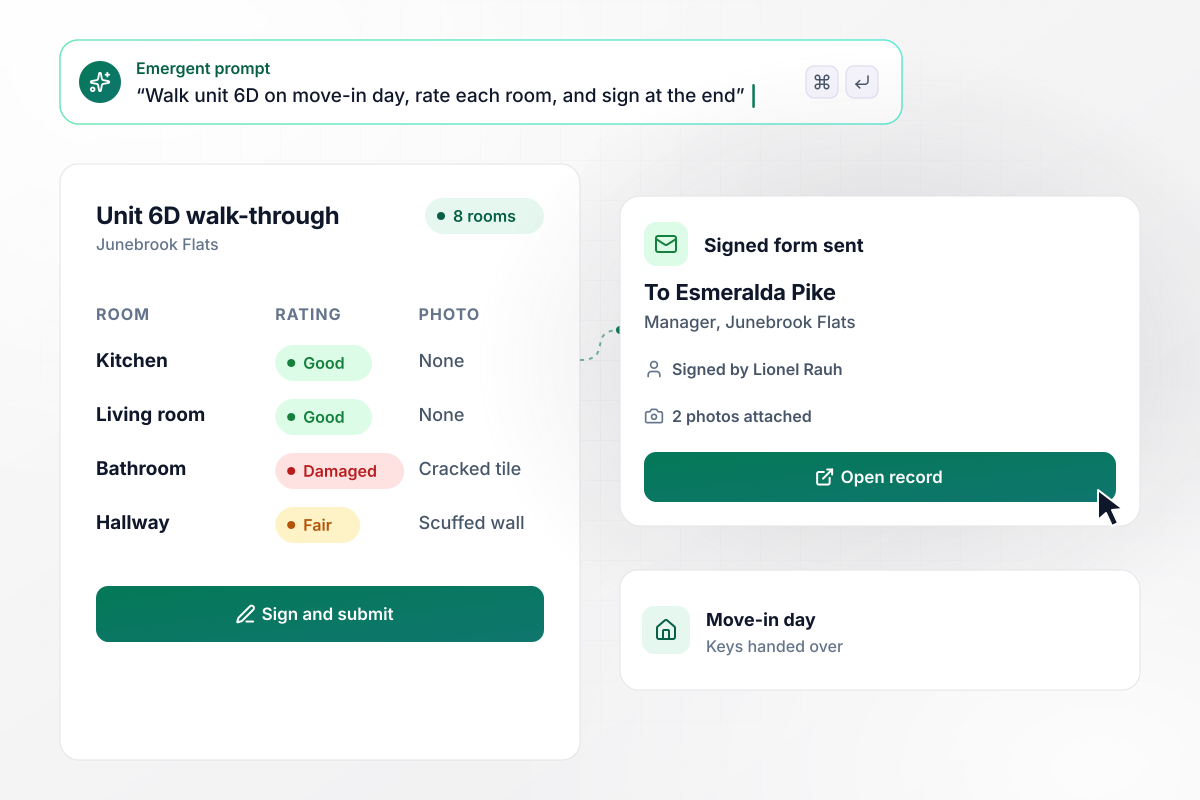
Before any boxes arrive, unit 6D is on record
Lionel Rauh gets the keys to unit 6D at Junebrook Flats and walks it with the form open on his phone. He rates 8 rooms and photographs a cracked bathroom tile and a scuffed hallway wall. Then he signs on the last screen. Manager Esmeralda Pike has the signed form by email before the first box comes in.
window.awbMockup = { moveInDay: "I manage an apartment building. Build a walk-through form my tenants fill in on a phone on move-in day. List the rooms in the unit, and for each one ask for a rating of Good, Fair, or Damaged, a short note, and a photo when the rating is Fair or Damaged. End with the tenant's signature, and email the signed form to me.", moveOutReview: "I run a rental company. When a tenant moves out, open my walk-through form on the record from their move-in. Show each room's move-in rating and photo next to today's rating and a new photo. Mark any room whose rating dropped, and put that room on my review list with both photos.", buyersFinalWalk: "I'm a buyer's agent. Build a final walk-through form my buyers fill in on a phone the day before closing. List the repairs agreed after the inspection, each marked Done or Not done with a photo. When a repair is marked Not done, email me that line with the buyers' photo.", newBuildHandover: "I'm a superintendent for a home builder. Build a walk-through form for the buyer walk on each new house that logs every item found with its trade: paint, drywall, trim, or plumbing. Show open items on a board by trade with the days each has been open, and send me a Slack direct message when an item passes 7 days." };
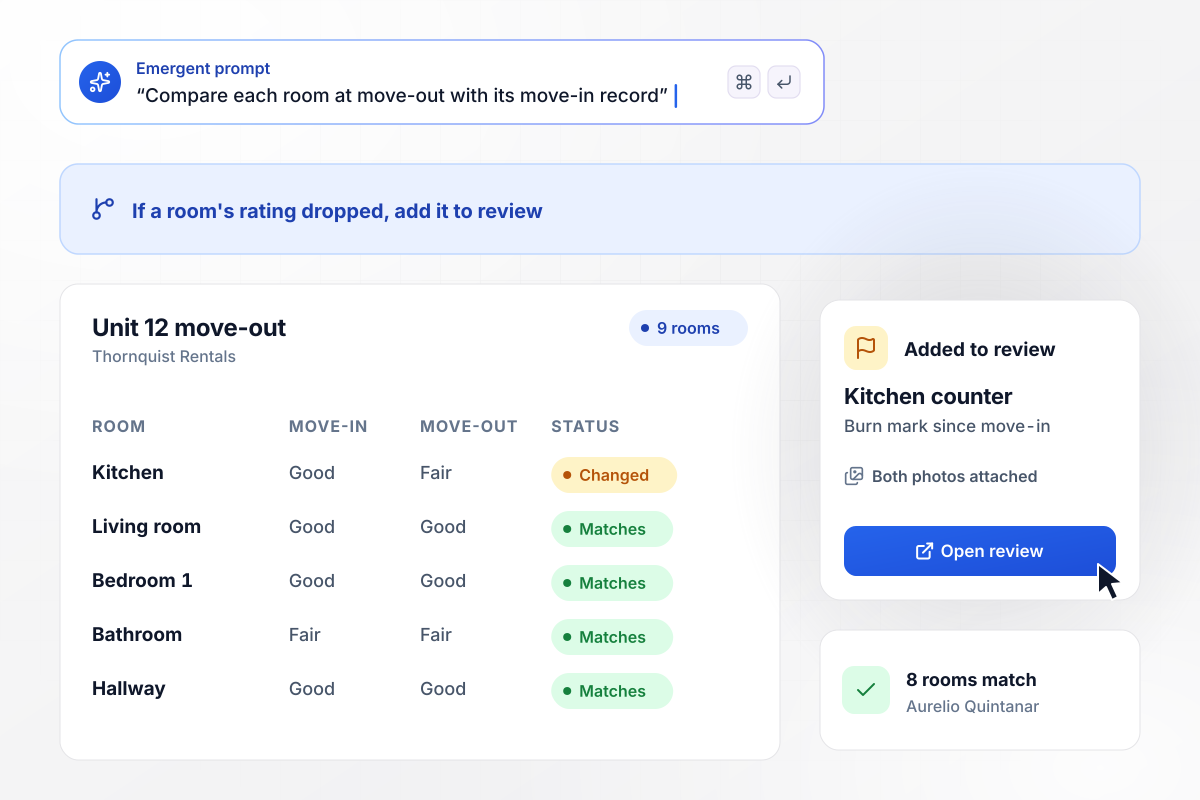
Nine rooms compared, one with a new burn mark
Nine rooms at Thornquist Rentals get walked again when a tenant leaves unit 12. Aurelio Quintanar sees each room's move-in photo next to the one he takes today. Eight rooms match. The kitchen counter now has a burn mark. The kitchen goes on his review list with both photos attached.
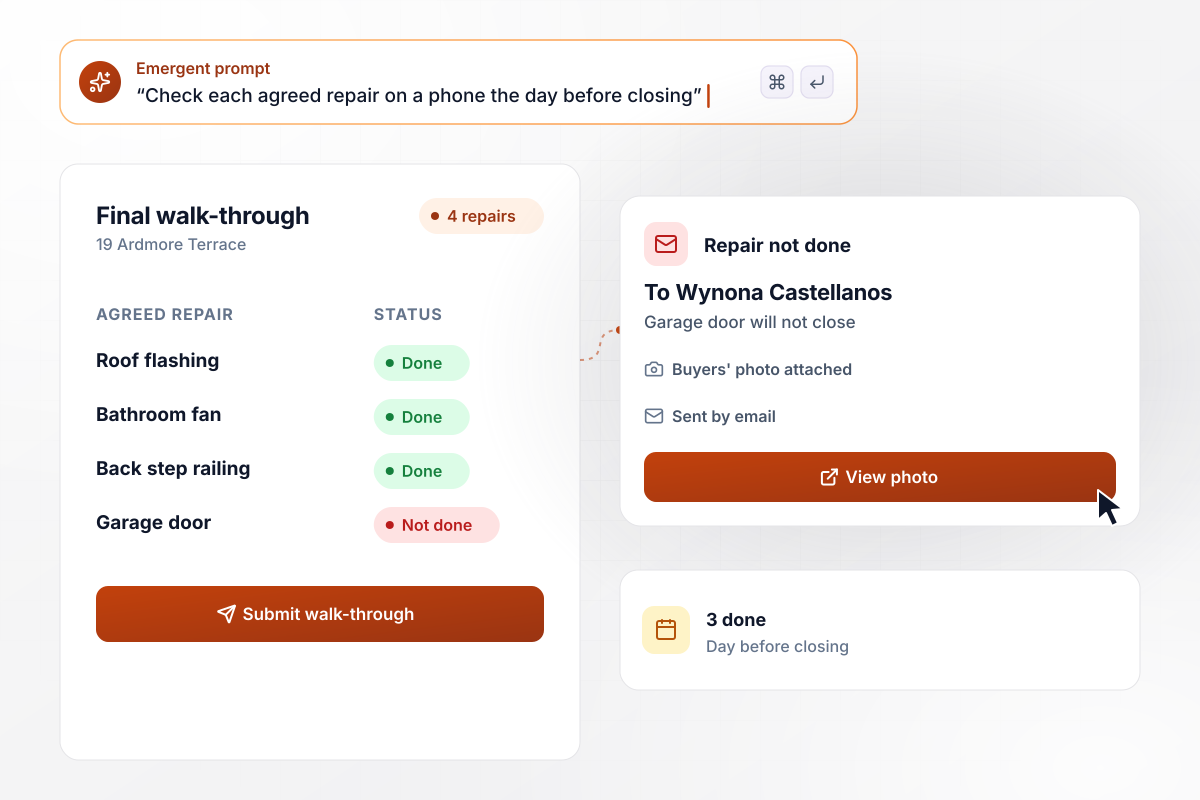
Of the four agreed repairs, one still fails
The inspection on 19 Ardmore Terrace ended with four agreed repairs. The buyers walk the house the day before closing and mark each one on a phone. Three are done. The garage door still will not close. That line goes to buyer's agent Wynona Castellanos by email, with the buyers' photo of the door.
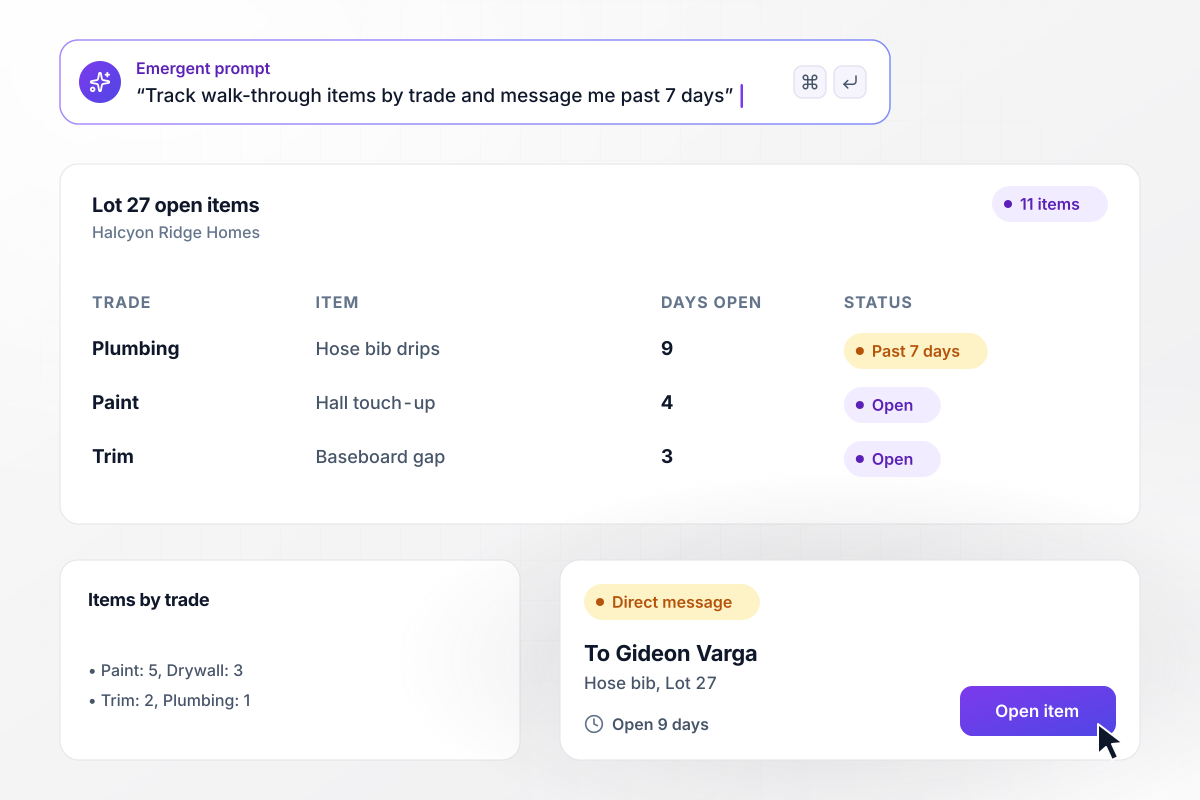
Eleven items by trade, with the oldest sent to Gideon
Eleven items came out of the Lot 27 walk-through at Halcyon Ridge Homes: 5 paint, 3 drywall, 2 trim, and 1 plumbing. Each one sits on a board under its trade. The plumbing item, a dripping hose bib, has been open 9 days. Any item open past 7 days goes to superintendent Gideon Varga in a Slack direct message.






How to Create a Walk-Through Form
Seven steps to create a walk-through form with a photo rule and a named person for every open item.
List the rooms in each unit type you walk, down to the laundry closet and the patio. A one-bedroom apartment might have 6 rooms and a new single-family house 14. The form builds one page per room from that list.
Give each room the same three ratings: Good, Fair, or Damaged. A short note field sits under each one. Keep the scale identical at move-in and move-out, because the comparison only works when both walks use the same words.
Ask for a photo whenever a room is rated Fair or Damaged, and leave it optional for Good. Tell walkers to shoot the whole wall first and the damage up close second. That way the reviewer can place it in the room.
Decide who signs at the end of the walk: the tenant alone, or the tenant and the manager together. The last screen lists every rating before anyone signs. Then pick the person who receives the signed copy by email.
Put the room list and the photo rule into one prompt, and name the signer. Emergent builds the walk-through form and the database behind it, plus a screen of past walks for each unit. Ask in plain English when a room needs adding later.
Name the person who hears about anything left open, plus a backup for when that person is away. Damaged rooms might go to maintenance and failed repairs to the agent. Agree on a deadline for each kind of item before the first walk.
Walk a vacant unit yourself before the first tenant does. Rate one room Damaged, take the photo, and sign. Then check that the email reaches the manager and the record lands in the table under the right unit.
Why Build Walk-Through Forms With Emergent?
A paper checklist goes in a drawer without its photos. Here, every room's rating sits on one searchable row beside its photo.

|
Jotform | Google Forms | Typeform | |
|---|---|---|---|---|
| How you build | Describe it in plain English | Templates, editor, AI generator | Editor, with Gemini drafting on some Workspace plans | Templates, editor, AI assist |
| Where responses live | A database table you own, plus any integration | Jotform account | Google Sheets | Typeform account |
| Response limits | No response caps | Monthly submission caps by plan; the form stops at the cap | No limit | Monthly response caps by plan; the form closes at the cap |
| Code ownership | Full code export to GitHub on paid plans | None | None | None |



Pick the Pricing Plan That Works for You
Choose the plan that fits your building ambitions. From weekend projects to enterprise applications, we've got you covered.




Find the right form
for whatever you're collecting
Frequently Asked Questions
Your Questions, Answered
Don't change this element unless you know what you are doing
More things you can build
with Emergent









on Emergent today


