

Build a Tour Booking Form That Closes Each Departure When Full
Build a tour booking form that offers only departures with open seats and saves every booking to a database you own.
Build a tour booking form for my food walking tours where guests pick a departure time and party size, with each walk capped at 12 guests.
Trusted by Builders Worldwide
Active Builders Worldwide
Apps Successfully Created
Countries Globally Reached



What a Departure Needs Before Guests Arrive
A tour booking form that counts seats on every departure, routes big groups, and tells each guide who is coming tomorrow.
Departures that close when they fill
Set a seat cap for each departure time. Once the last seat is booked, that time drops off the form, and the next guest only sees walks with room for their whole party.
Group size decides the next step
Bookings up to the size you set confirm on the spot. Anything larger goes to the owner by email with the date and the headcount, so a private price can go back that day.
Pickups chosen from the stops you run
Guests pick a hotel or meeting point from a fixed list instead of typing an address. Each stop carries its own pickup time, and the confirmation email repeats it to the guest.
A list for the guide the night before
At an hour you choose, the app emails each guide the next day's guests, party sizes, and pickup stops in order. Nobody has to export a spreadsheet before the morning run.
Cancel a departure in one place
Mark a departure canceled on the dashboard when the weather turns or a guide calls in sick. The app emails every guest booked on it a link to a date that still has seats.
Your booking app, exported to GitHub
On paid plans, export the full codebase to your GitHub repository. Run the booking app on your own hosting next to the tour site you already have, and keep building on it.
How Four Tour Operators Take Bookings
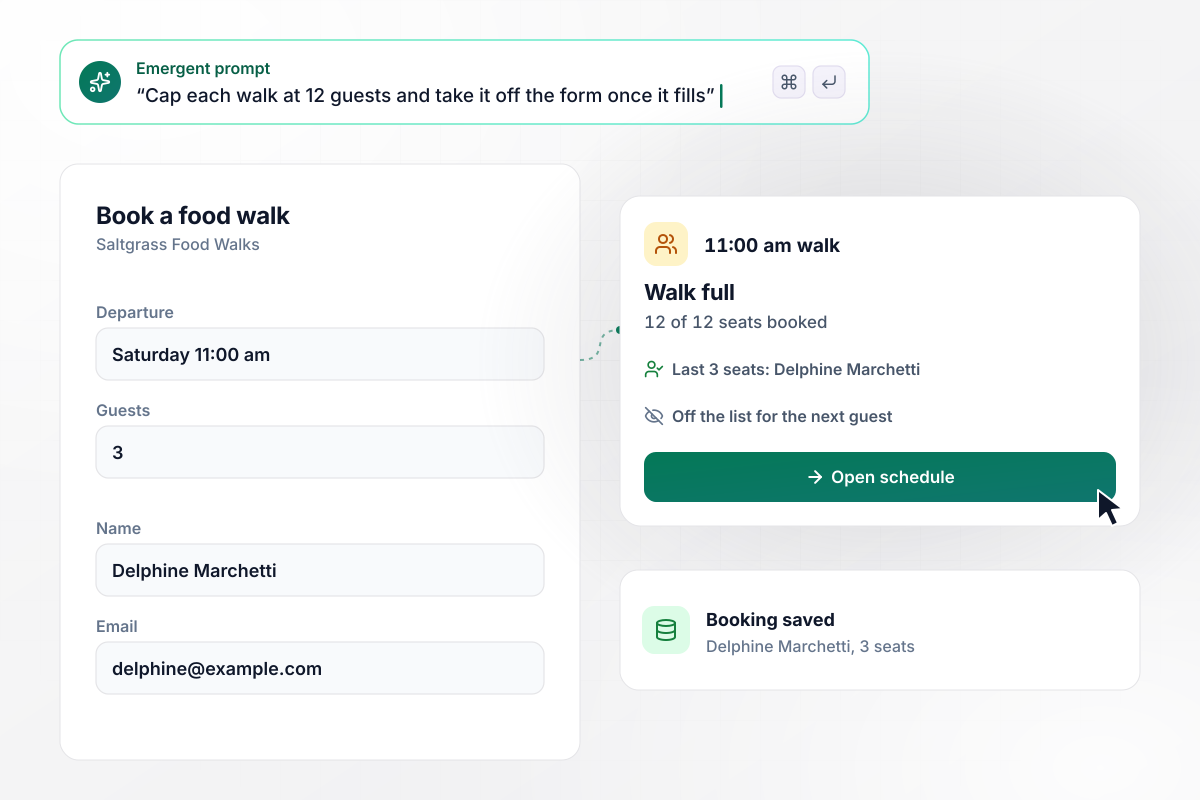
With 3 seats left, Delphine fills the 11:00 am walk
Saltgrass Food Walks caps every walk at 12 guests. Delphine Marchetti picks the Saturday 11:00 am walk, enters her name and email, and books 3 seats, the last 3 left. Her booking saves to the database, and the form takes the 11:00 am walk off the list for the next guest.
window.awbMockup = { foodWalkingTours: "Build a tour booking form for my food walking tours. Ask for the guest's name, email, the departure, and the number of guests. Cap every walk at 12 guests and only offer departures with enough seats left for the whole party. When a walk fills, take it off the form. Save every booking to my database.", bikeTours: "Build a tour booking form for my bike tours that asks for the group name, the tour, the date, and the number of riders. Confirm any booking of 10 riders or fewer right away. Email me any request for more than 10 riders so I can send a custom quote, and save every request to my database.", coachDayTrips: "Build a tour booking form for my coach day trips where each guest picks a pickup hotel from my 5 stops and sees that hotel's pickup time. At 6:00 pm the night before each trip, email the driver the next morning's guests and party sizes, grouped by hotel in stop order.", sunsetCruises: "Build a dashboard for my sunset cruise bookings that lists each sailing with its bookings and guest count. Let the captain mark a sailing canceled. When that happens, email every booking on it a link to choose another evening that still has seats, and show which guests have rebooked." };
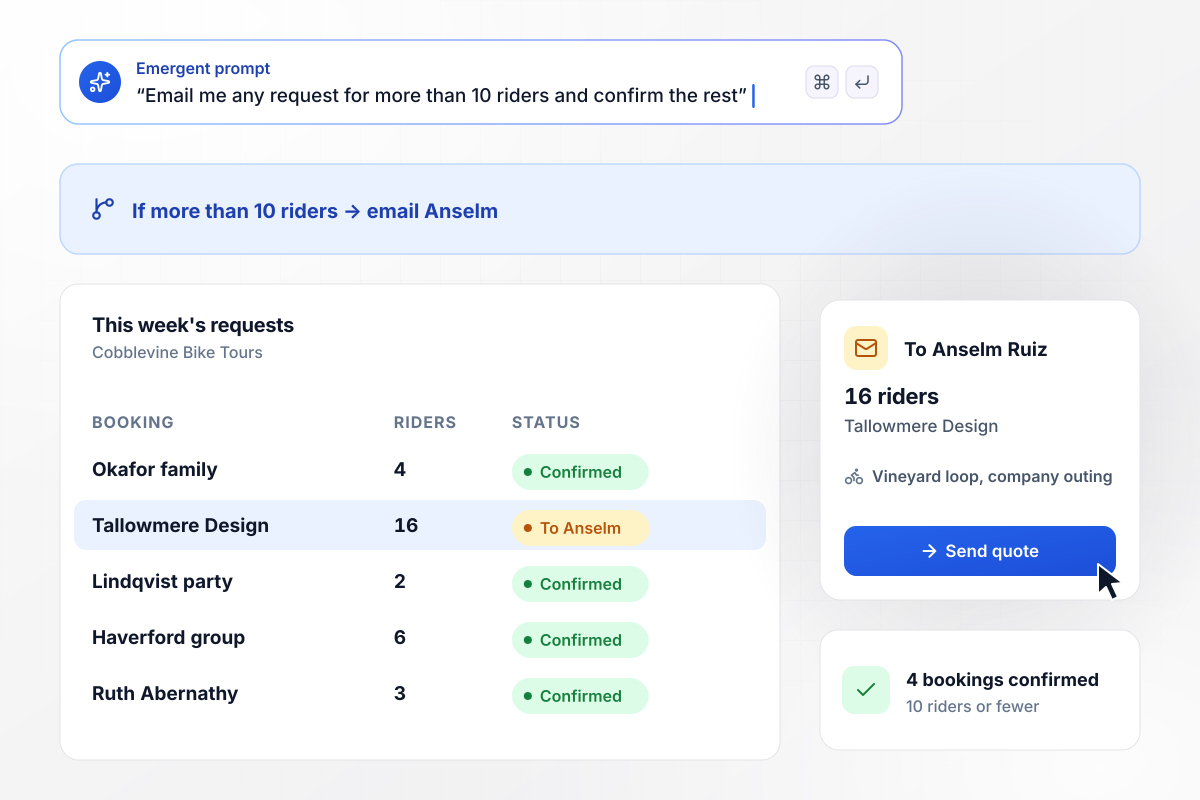
For groups over 10, Anselm writes the quote
Cobblevine Bike Tours quotes large groups by hand, so any request for more than 10 riders goes to the owner, Anselm Ruiz, by email instead of confirming. Tallowmere Design asks for 16 riders on the vineyard loop for a company outing. Anselm sends a price that afternoon, while 4 smaller bookings confirm on their own.
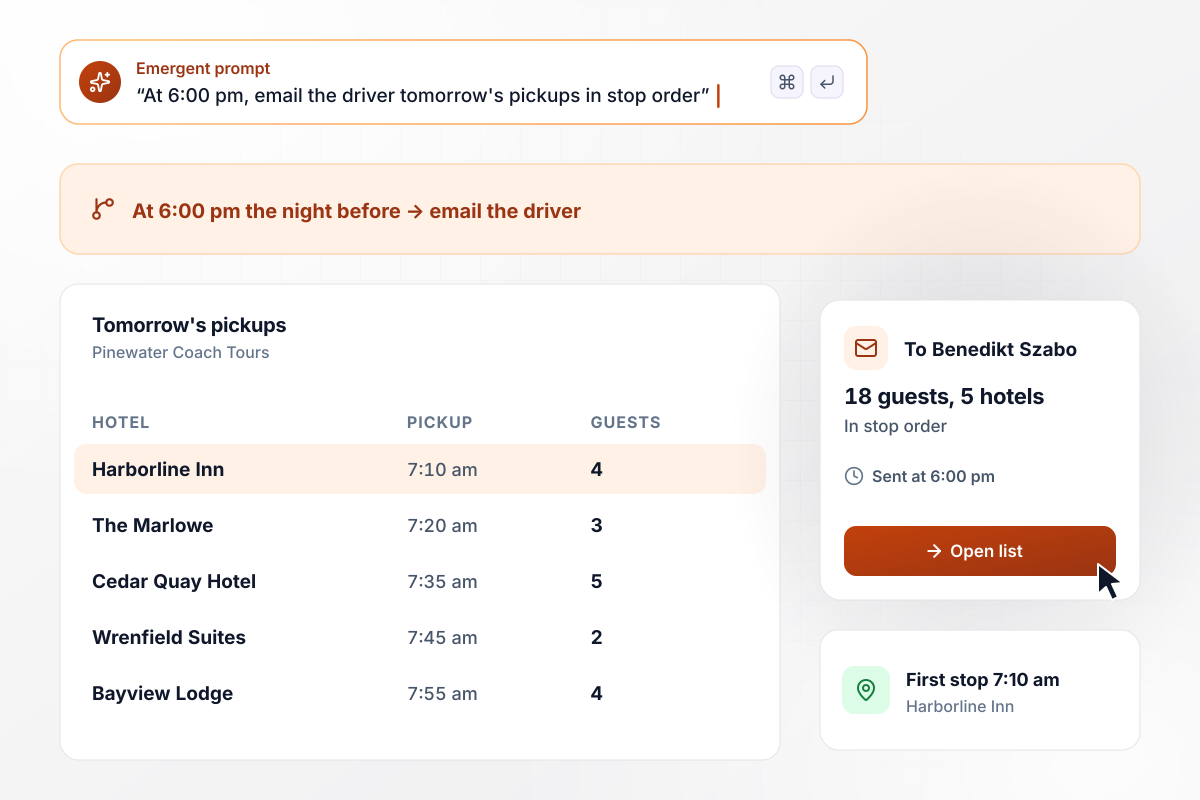
The driver gets all 18 pickups at 6:00 pm
Each Pinewater Coach Tours guest picks a pickup hotel from the 5 on the route, and each hotel has a set time. At 6:00 pm the night before, the app emails driver Benedikt Szabo the morning's list: 18 guests across 5 hotels, in stop order, starting at the Harborline Inn at 7:10 am.
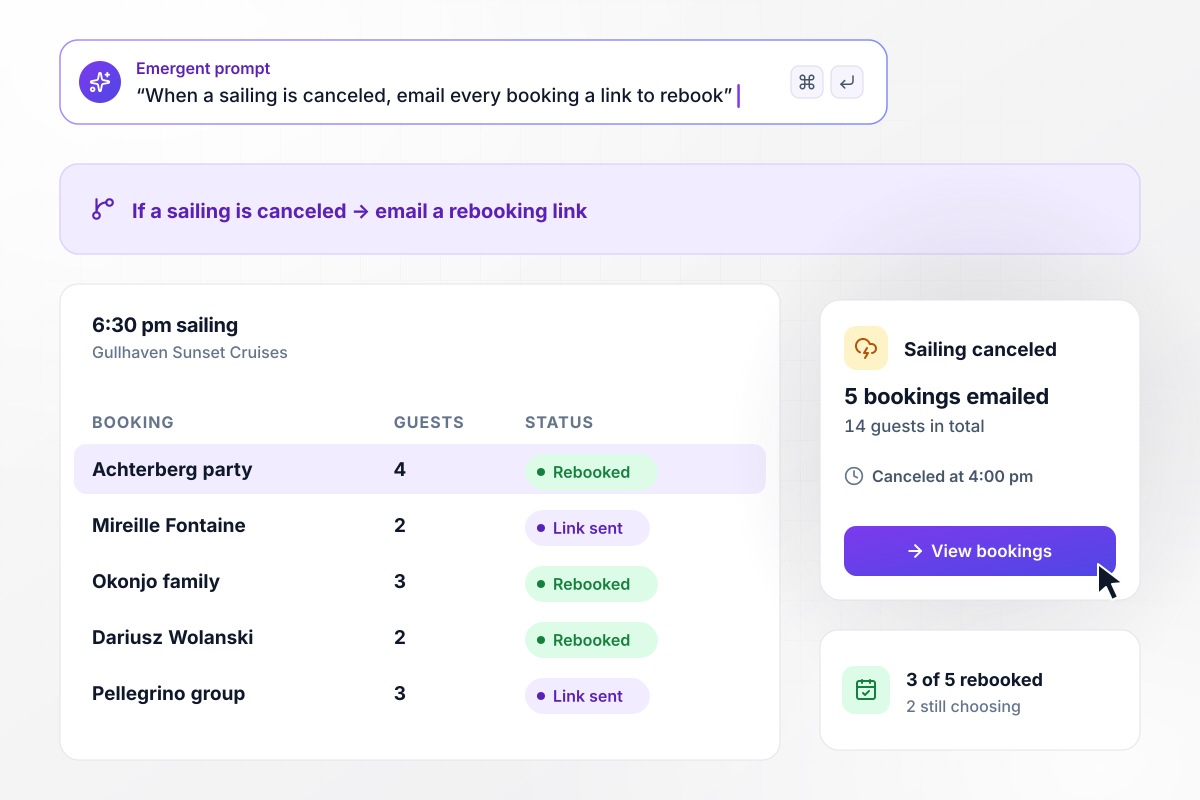
All 5 bookings on the canceled sailing get a link
Wind picked up over the harbor at 4:00 pm, and Captain Ines Halloran canceled the 6:30 pm Gullhaven Sunset Cruises sailing from the dashboard. The app emailed all 5 bookings, 14 guests in total, a link to choose another evening with open seats. Within the hour, 3 of the 5 had rebooked.






How to Create a Tour Booking Form
Seven steps to plan the seats and pickups on a tour booking form, build it with Emergent, and test it from a phone.
Count how many guests one guide can lead on each tour, then make that the seat cap for its departures. A walk down narrow streets and a 50-seat coach need different numbers. Set the cap tour by tour.
Write down each day and start time a tour runs this season. Guests can pick only these times. Take a holiday or a guide's day off out of the schedule before booking opens, not after someone books it.
Keep the form to what the guide uses on the day itself: the guest's name, email, departure, and party size. Add a pickup hotel only for tours that collect guests, and save directions and what to bring for the confirmation email.
Pick the party size above which you would rather quote by hand. Requests over that size skip instant confirmation and go to the owner. Write the number into the prompt so the form and the email use the same one.
Put the tours, seat caps, departures, and group rule into one prompt. Emergent builds the tour booking form, the database of bookings, and a dashboard that shows every departure. Ask in plain English when a tour or a start time changes.
Choose the hour each guide receives the next day's list and what it shows, such as each party's size and its hotel. Pick an hour late enough that a booking made after dinner still makes the list for the morning.
Book the last open seat on a test departure from your phone. Check that the departure leaves the form, that the booking shows up on the dashboard, and that the confirmation email arrives with the right meeting point.
Why Build Tour Booking Forms With Emergent?
A spreadsheet of bookings tells you a walk is oversold after the fact. A form that counts seats closes the departure before it happens.

|
Jotform | Google Forms | Typeform | |
|---|---|---|---|---|
| How you build | Describe it in plain English | Templates, editor, AI generator | Editor, with Gemini drafting on some Workspace plans | Templates, editor, AI assist |
| Where responses live | A database table you own, plus any integration | Jotform account | Google Sheets | Typeform account |
| Response limits | No response caps | Monthly submission caps by plan; the form stops at the cap | No limit | Monthly response caps by plan; the form closes at the cap |
| Code ownership | Full code export to GitHub on paid plans | None | None | None |


Pick the Pricing Plan That Works for You
Choose the plan that fits your building ambitions. From weekend projects to enterprise applications, we've got you covered.




Find the right form
for whatever you're collecting
Frequently Asked Questions
Your Questions, Answered
Don't change this element unless you know what you are doing
More things you can build
with Emergent









on Emergent today


