

Build an Event Booking Form That Matches Rooms and Dates
Build an event booking form that holds each date, offers only rooms that fit, and saves every booking to your database.
Build an event booking form for my two-room loft venue that asks for the event date, guest count, and event type.
Trusted by Builders Worldwide
Active Builders Worldwide
Apps Successfully Created
Countries Globally Reached



What an Event Booking Form Checks First
An event booking form takes the date, the guest count, and the event type, then checks each one against what you can host.
Rooms that fit the guest count
Give each room its seated limit, and the form offers only rooms that hold the party. A request for 90 guests never sees the 40-seat room, and the count is saved with it.
One event per room on each date
Every confirmed booking blocks its room for that date. When someone picks a Saturday that is taken, the form marks it booked and lists the next open dates for the same room.
Packages priced per guest
Price catering per guest and chair rental per item. The form multiplies each package by the guest count and shows the full total before the client sends the booking.
Holds that end on a schedule
Hold a requested date for as many days as you choose. If nobody marks a deposit received by the last day, the app releases the date and emails the next person waiting on it.
Each booking sent to whoever runs it
Email weddings to the coordinator and post corporate events to a Slack channel. Each alert carries the date, room, and guest count, and the booking stays in a database you own.
Export the code when you need to
On paid plans, export the full codebase to your GitHub repository and host the booking form on your own servers, next to the calendar or ticketing system you already run.
Where an Event Booking Form Works
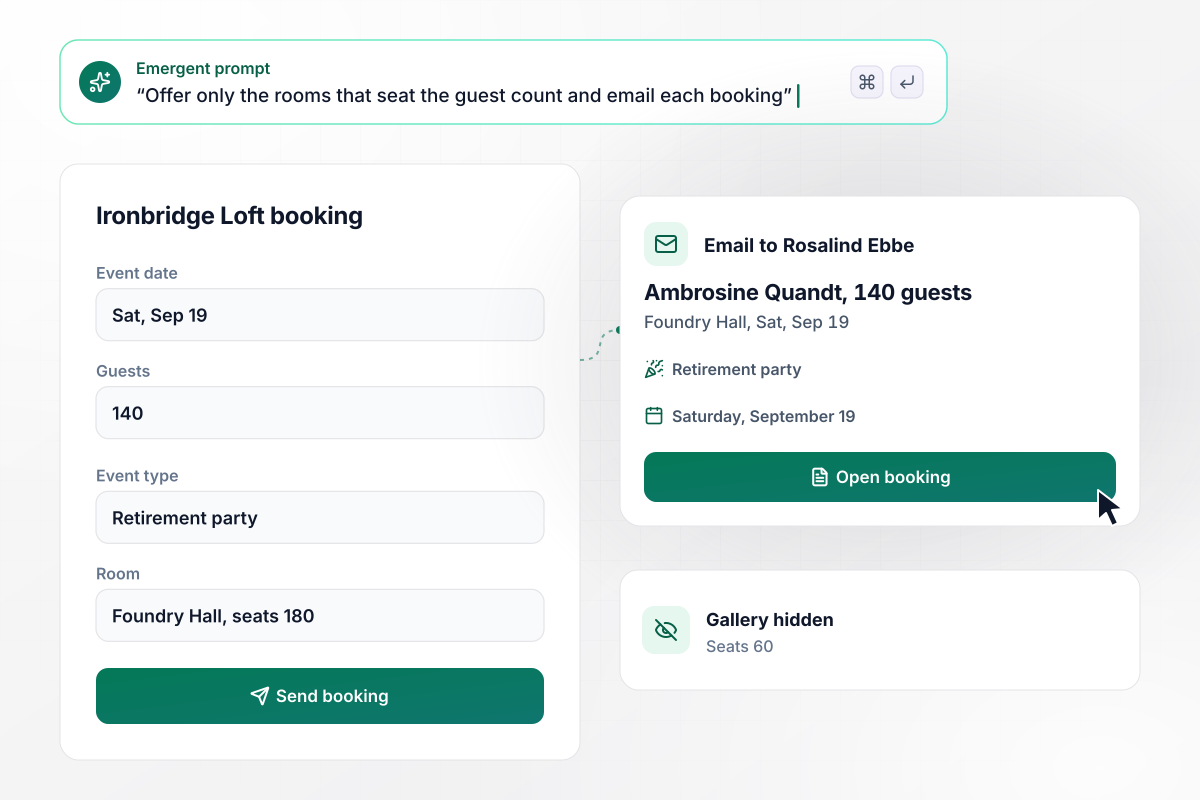
The Gallery disappears for any party over 60
Ironbridge Loft rents two rooms: the Gallery seats 60 and Foundry Hall seats 180. Ambrosine Quandt asks for Saturday, September 19 for a retirement party of 140 guests, and the form offers Foundry Hall alone. Rosalind Ebbe, the events manager, gets each booking by email.
window.awbMockup = { venueHire: "I run Ironbridge Loft, a venue with two rooms. Build an event booking form that asks for the event date, guest count, and event type. The Gallery seats 60 and Foundry Hall seats 180, so offer only the rooms that fit the guest count. Email each booking to my events manager with the date, room, and guest count.", tentRentals: "My party rental company owns 4 frame tents. Build an event booking form where a customer picks the event date, the event type, and a tent. Ask for a delivery address and a setup time too. Count the tents already booked for each date, and once all 4 are taken, show tents as booked out for that date.", corporateEvents: "I manage bookings for a conference center. Build an event booking form that asks for the event date, a setup style, the guest count, equipment such as projectors and wireless mics, and a phone number. Save each booking, and 3 days before the event, email my operations lead a setup sheet with the seating, the equipment, and the phone number.", dateHolds: "My barn venue holds each inquiry's date for 7 days. Build an event booking form that asks for the date, the guest count, and the couple's names and email, and put each request on a board of holds. If no deposit is marked received after 7 days, release the date and email the next couple waiting for it." };
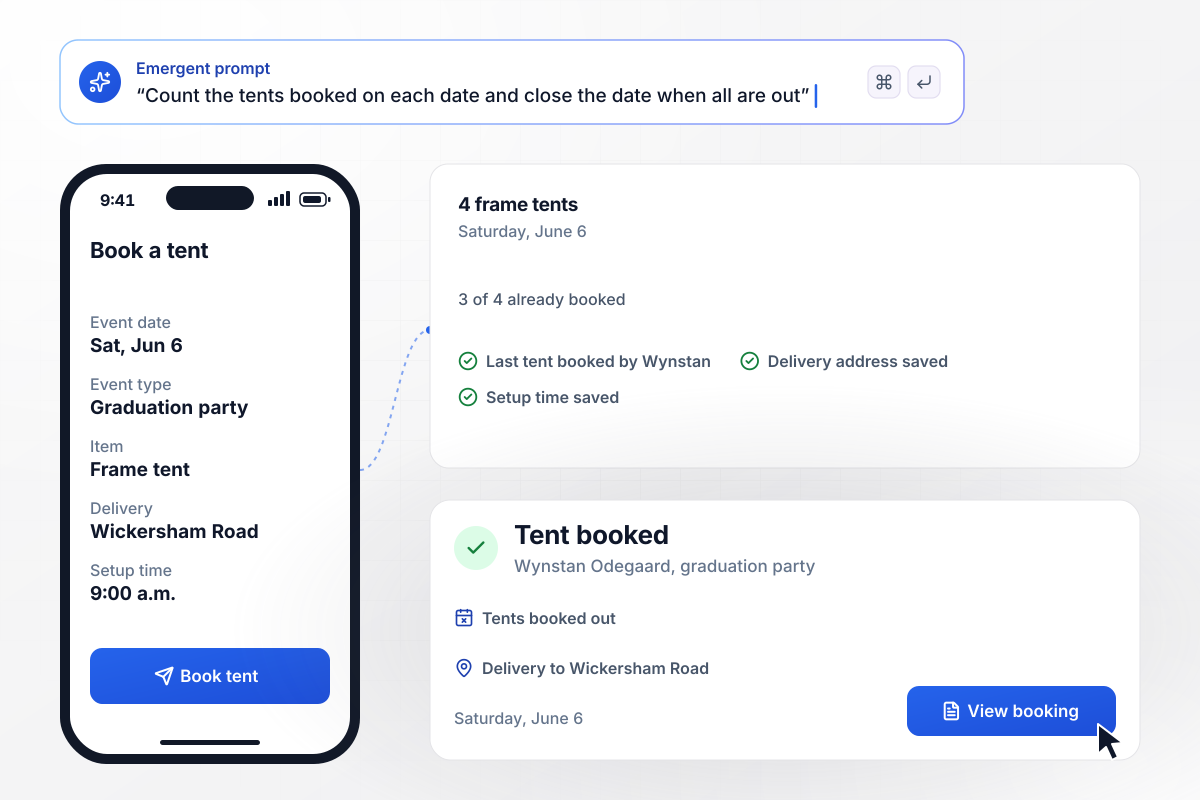
No tents left on June 6 once Wynstan books
Bluestem Party Rentals owns 4 frame tents, and 3 of the 4 were already booked for Saturday, June 6. Wynstan Odegaard books the last one for a graduation party, with his delivery address and a 9:00 a.m. setup time. The next customer who picks that date sees tents marked booked out.
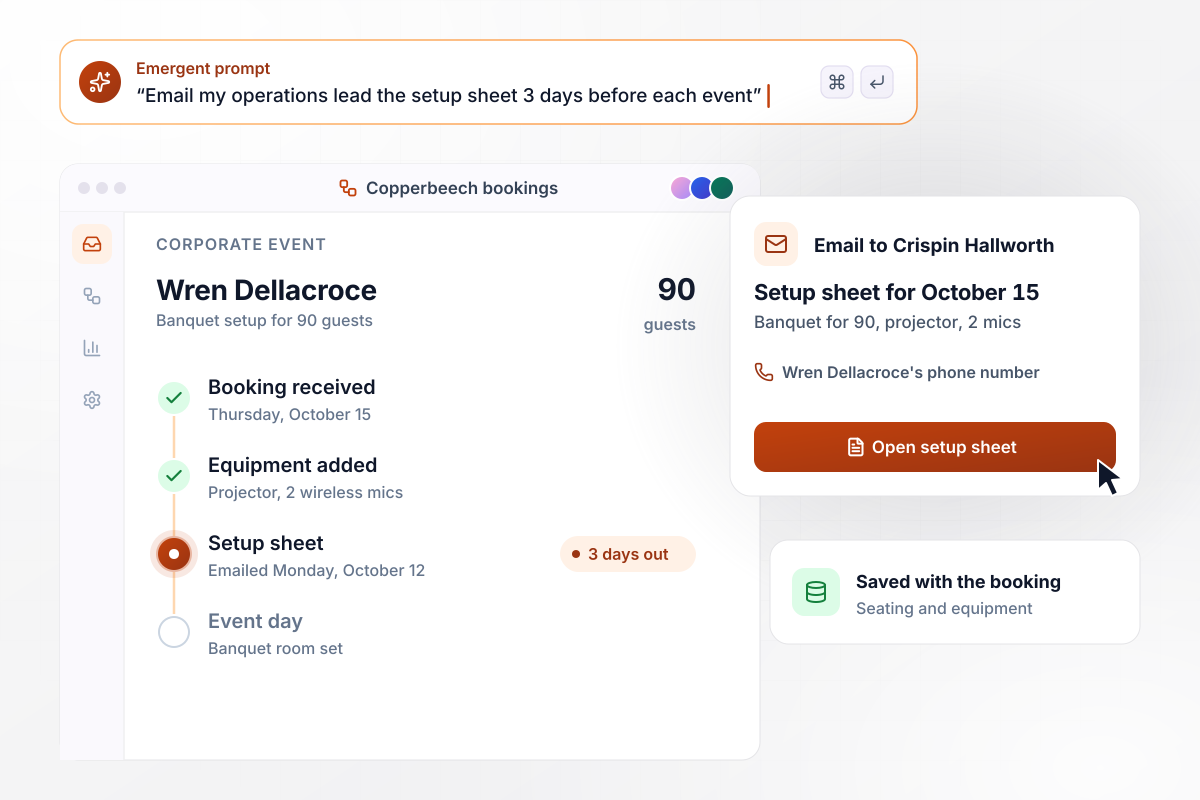
Setup sheet to Crispin, 3 days before the event
Wren Dellacroce books Copperbeech Conference Center for Thursday, October 15, in a banquet setup for 90 guests. She adds a projector and 2 wireless mics. On Monday, October 12, operations lead Crispin Hallworth gets the setup sheet by email, with the seating, the equipment, and her phone number.
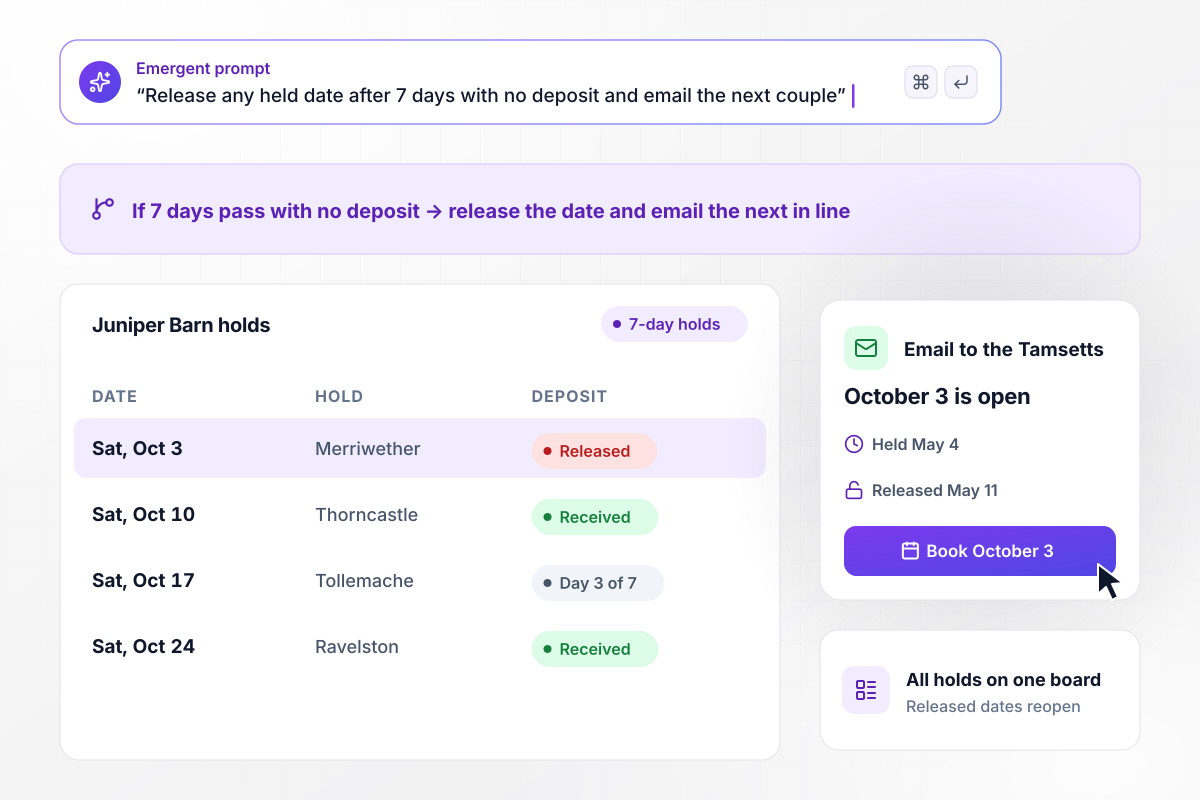
After 7 days with no deposit, October 3 reopens
Every inquiry at Juniper Barn holds its date for 7 days. On May 4 the Merriwether wedding placed a hold on Saturday, October 3. By May 11 nobody had marked a deposit received. The app released the date and emailed Elias and Mara Tamsett, next in line for October 3.






How to Create an Event Booking Form
Seven steps to create an event booking form that checks each date and room before it saves a booking, then build it with Emergent.
List every room or rental item you book, with its limit: seats or units per date. A loft with two rooms has two limits on each date, and a rental company has one for each item it owns.
Put the event date first, then how many guests are coming and what kind of event it is. Those three answers decide which rooms or items the form can offer, and every later question shows only the options still open.
Write each catering or equipment price as a rate per guest or per item. Set a minimum wherever you need one, such as a 50-guest floor on the plated dinner, and say what the form shows when a party falls short.
Pick a hold length you will enforce, such as 7 days, and the one thing that ends it early: a deposit marked received. Decide who hears when a hold lapses, and whether the next inquiry for that date gets an email.
Write one prompt that lists each room with its seats, each package with its price, and how long a hold lasts. Emergent builds the form and the bookings table behind it. To change a price later, say so in plain English.
Choose who gets each kind of booking, such as weddings to the venue coordinator and corporate events to operations. Add a timed email as well, such as a reminder to the client one week before the event.
Book a test event on a date you know is taken, then one with more guests than your smallest room seats. Check that the form refuses the first, offers only the larger room on the second, and saves both requests in the table.
Why Build Event Booking Forms With Emergent?
Describe your rooms and packages in a sentence. Emergent builds the event booking form and the table where every booking lands.

|
Jotform | Google Forms | Typeform | |
|---|---|---|---|---|
| How you build | Describe it in plain English | Templates, editor, AI generator | Editor, with Gemini drafting on some Workspace plans | Templates, editor, AI assist |
| Where responses live | A database table you own, plus any integration | Jotform account | Google Sheets | Typeform account |
| Response limits | No response caps | Monthly submission caps by plan; the form stops at the cap | No limit | Monthly response caps by plan; the form closes at the cap |
| Code ownership | Full code export to GitHub on paid plans | None | None | None |


Pick the Pricing Plan That Works for You
Choose the plan that fits your building ambitions. From weekend projects to enterprise applications, we've got you covered.




Find the right form
for whatever you're collecting















Frequently Asked Questions
Your Questions, Answered
Don't change this element unless you know what you are doing
More things you can build
with Emergent









on Emergent today


