

Build a PayPal Donation Form That Records Every Gift
Build a PayPal donation form that ties each gift to a fund and saves the PayPal transaction in a database you own.
Build a PayPal donation form for my food pantry that asks each donor which fund their gift supports.
Trusted by Builders Worldwide
Active Builders Worldwide
Apps Successfully Created
Countries Globally Reached



Everything Around the PayPal Pop-Up
The PayPal pop-up takes the gift. The PayPal donation form around it saves the donor, the fund, and the transaction to your database.
A gift form written from one prompt
Describe the funds you raise for and the amounts to suggest. Emergent builds the form, the donor tables, and a staff screen, then changes any of them each time you prompt again.
Donors stay on your site to pay
The app connects to your PayPal account and opens the Donate pop-up over your page. PayPal says this keeps donors on your website instead of redirecting them to a PayPal page.
The transaction ID saved on the gift
PayPal returns a transaction ID when a gift completes, and the app saves it on the gift row beside the amount and fund. Matching a PayPal statement line to a donor takes one search.
Monthly gifts with every cycle logged
A monthly gift runs as a PayPal subscription, billed at regular intervals. Each cycle, PayPal posts an event to the app, and the payment joins that donor's history as a new row.
First-time donors reach a person
A donor's first gift sends an email or Slack message to whoever writes welcome notes, with the fund and amount attached. A reminder follows 2 days later if no note is marked sent.
Your code, in your GitHub repository
On paid plans, export the full codebase to your GitHub repository and host the form wherever your website already runs. The PayPal connection and the donor tables go with it.
What Happens to a Gift After PayPal Takes It
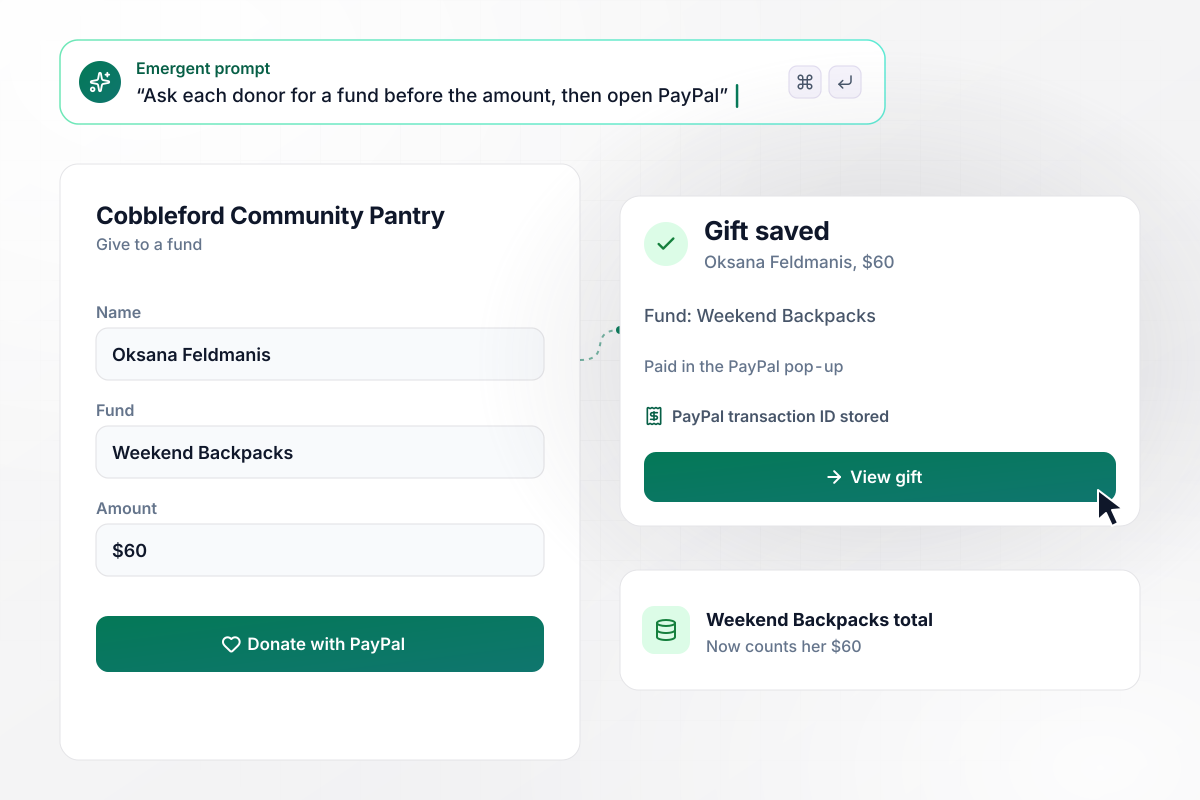
For Weekend Backpacks, $60 given in a pop-up
Cobbleford Community Pantry's form asks for a name and a fund before the amount. Oksana Feldmanis picks the Weekend Backpacks fund and pays $60 in the PayPal pop-up over the pantry's page. Her gift row stores the transaction ID PayPal sends back, and the fund's total on the staff screen now counts her $60.
window.awbMockup = { fundDesignations: "Build a PayPal donation form for my food pantry. Ask each donor for a name and a fund, then the amount, and open the PayPal Donate pop-up on my page to take the gift. Save every gift with the fund, the amount, and the transaction ID PayPal returns, and show a running total for each fund on a staff screen.", monthlyGiving: "Add a monthly option to my animal rescue's PayPal donation form and run each monthly gift as a PayPal subscription. When PayPal reports that a monthly payment went through, add it as a new row under that donor and update the total they have given since they signed up. Show the payment count and the total on each donor's record.", studentFundraisers: "Give each of the 14 students in my robotics boosters club a fundraiser link for my PayPal donation form. Carry the student's name from the link into the PayPal pop-up and onto the gift row. Build a board that ranks the students by money raised and shows how many donors each one has.", refundTracking: "Track refunds on my chorale's PayPal donation form. When a gift is refunded from the PayPal business dashboard, mark it Refunded on the gift row, take the amount off the year's total, and email the treasurer the donor's name and the amount refunded." };
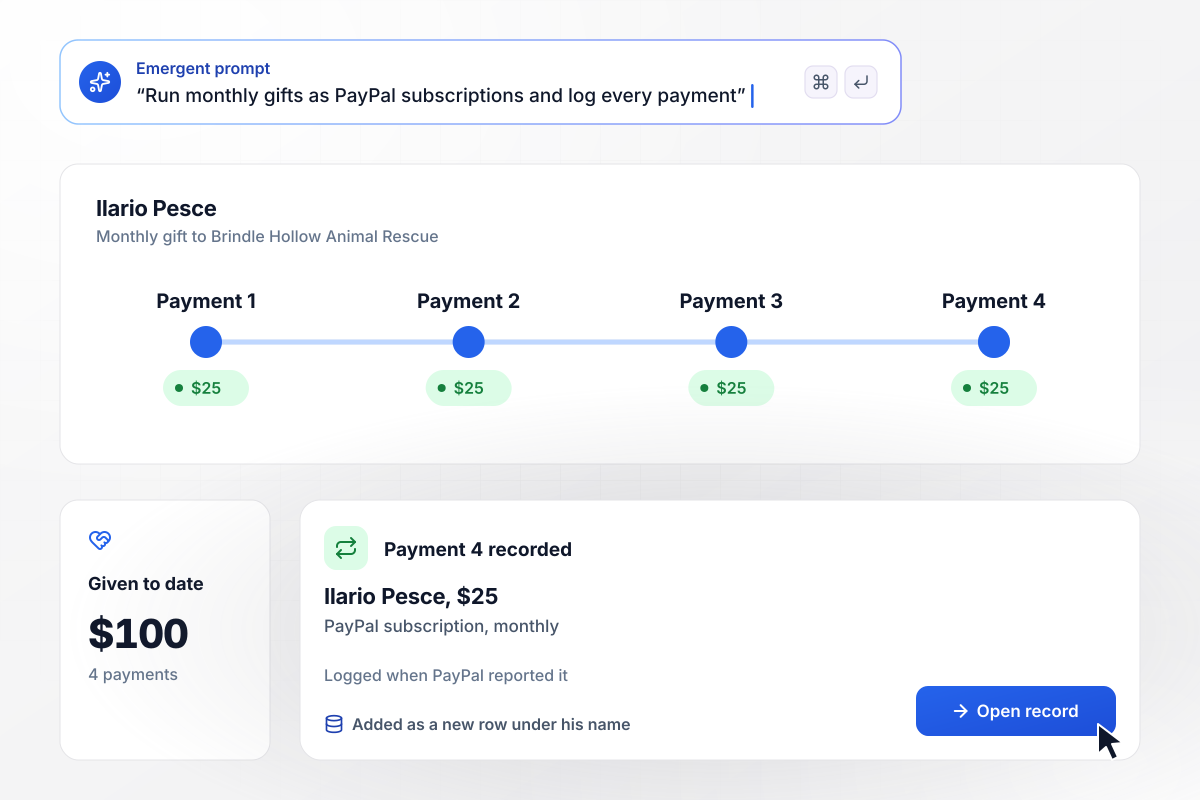
Payment 4 is in, and Ilario has given $100
Ilario Pesce set up a $25 monthly gift to Brindle Hollow Animal Rescue, and it runs as a PayPal subscription. On his fourth billing date, PayPal tells the app the payment went through. The app adds payment 4 as a new row under his name, and his record now shows $100 given since he signed up.
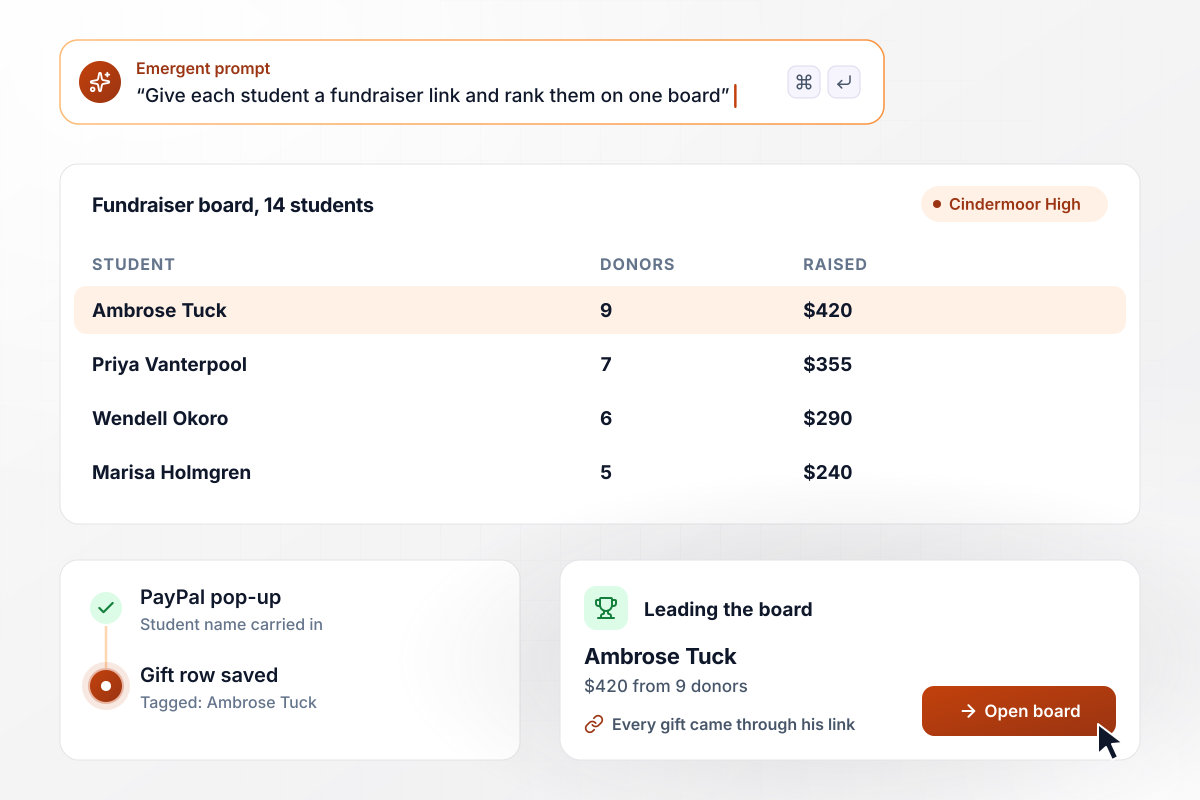
Every student link rolls up into the boosters' board
Cindermoor High Robotics Boosters gave each of its 14 students a fundraiser link to send to family. A gift that starts from a link carries that student's name into the PayPal pop-up and onto the gift row. The board ranks all 14 by money raised, and Ambrose Tuck leads with $420 from 9 donors.
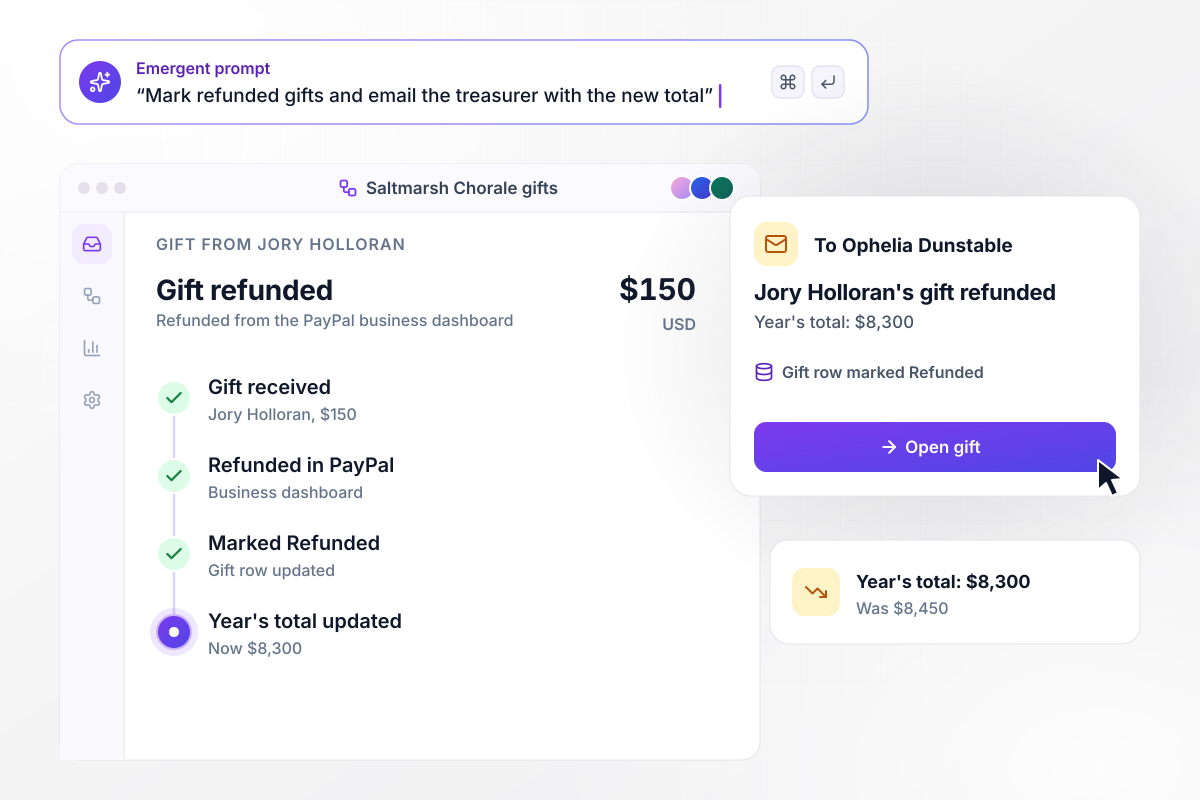
After the refund, $8,300 stands as the chorale's total
Jory Holloran asked Saltmarsh Chorale to return his $150 gift, and it was refunded from the PayPal business dashboard. PayPal reports the refund to the app, which marks the gift Refunded and emails treasurer Ophelia Dunstable with his name and the amount. The year's total was $8,450 and now reads $8,300.






How to Create a PayPal Donation Form
Seven steps to build a PayPal donation form, connect your PayPal account, and test it with a real $1 gift before launch.
Write down every fund a donor can choose, in the names donors already use, such as Weekend Backpacks or Fresh Produce. Each fund becomes an option on the form and a running total on the staff screen. Retire a fund by hiding it, so past gifts keep their tag.
Ask for the donor's name and the fund before the amount, and leave card and bank details to the PayPal pop-up. Suggest amounts such as $25, $60, and $120 based on your recent gifts, with an open field below them for any other figure.
Connect the PayPal business account that receives your gifts. Place the Donate pop-up on the same page as the form, so a donor picks a fund and pays without being sent to a donation page on PayPal. Keep that page on the domain donors already know.
Put the funds and suggested amounts into one prompt, along with the PayPal account. Emergent builds the PayPal donation form, the tables behind it, and a screen that totals each fund. Prompt again in March to add a fund or rename one.
Offer a monthly option that runs as a PayPal subscription. Then decide what a monthly donor's record shows, such as every payment as its own row with the amount given to date on top. The record then reads as a history, one payment at a time.
Give every volunteer or student who raises money a personal link to the form. Each gift made through it is saved with their name, and a board ranks everyone by money raised. Leave anyone who asks for privacy off the board.
Give a real $1 gift through the live form, then refund it from the PayPal business dashboard. Check that the gift row holds the fund and the transaction ID, that the refund marks it Refunded, and that the treasurer's email arrives.
Why Build a PayPal Donation Form With Emergent?
Every gift and donor record lives in a database you own, with no cap on responses and code you can export on paid plans.

|
Jotform | Google Forms | Typeform | |
|---|---|---|---|---|
| How you build | Describe it in plain English | Templates, editor, AI generator | Editor, with Gemini drafting on some Workspace plans | Templates, editor, AI assist |
| Where responses live | A database table you own, plus any integration | Jotform account | Google Sheets | Typeform account |
| Response limits | No response caps | Monthly submission caps by plan; the form stops at the cap | No limit | Monthly response caps by plan; the form closes at the cap |
| Code ownership | Full code export to GitHub on paid plans | None | None | None |



Pick the Pricing Plan That Works for You
Choose the plan that fits your building ambitions. From weekend projects to enterprise applications, we've got you covered.




Find the right form
for whatever you're collecting


Frequently Asked Questions
Your Questions, Answered
Don't change this element unless you know what you are doing
More things you can build
with Emergent









on Emergent today


