

Build a Youth Sports Registration Form That Places Every Player
Get a youth sports registration form that sets each player's age group and saves every family to a database you own.
Build a youth sports registration form for my town's fall soccer and flag football programs that places each player in an age group by birth year.
Trusted by Builders Worldwide
Active Builders Worldwide
Apps Successfully Created
Countries Globally Reached



Everything a Season Needs Before Practice Starts
Paper packets ask for the same parent details once per child. This form asks once per family, then places and prices every player.
Age groups worked out from the birth year
Tell the form which birth years play in which group, such as 2016 and 2017 in 10U. A parent enters the birth date, and the player's group shows on screen before the parent submits.
One checkout for the whole family
A parent adds every child to one registration, even across sports. The form applies your sibling price, and the app takes one card payment through the Stripe account you connect.
Waivers signed before the form submits
Put the participation waiver and your code of conduct on the last page. A parent types or draws a signature there, and the form will not submit until that signature is in place.
Rosters coaches can open on a phone
Coaches see their own team and no other, with a parent phone number and an emergency contact for each player. Nobody has to forward a spreadsheet the night before practice.
Every family in a table you own
Registrations land in a database you own, and the form has no response caps for a busy spring signup. Last season's families stay in the table when the next season opens.
The full code in your GitHub repository
On paid plans, export the code to your GitHub repository if the league's website lives there. Keep building on it yourself, or keep asking Emergent for changes in plain English.
One Fall Season at Thistle Creek Recreation
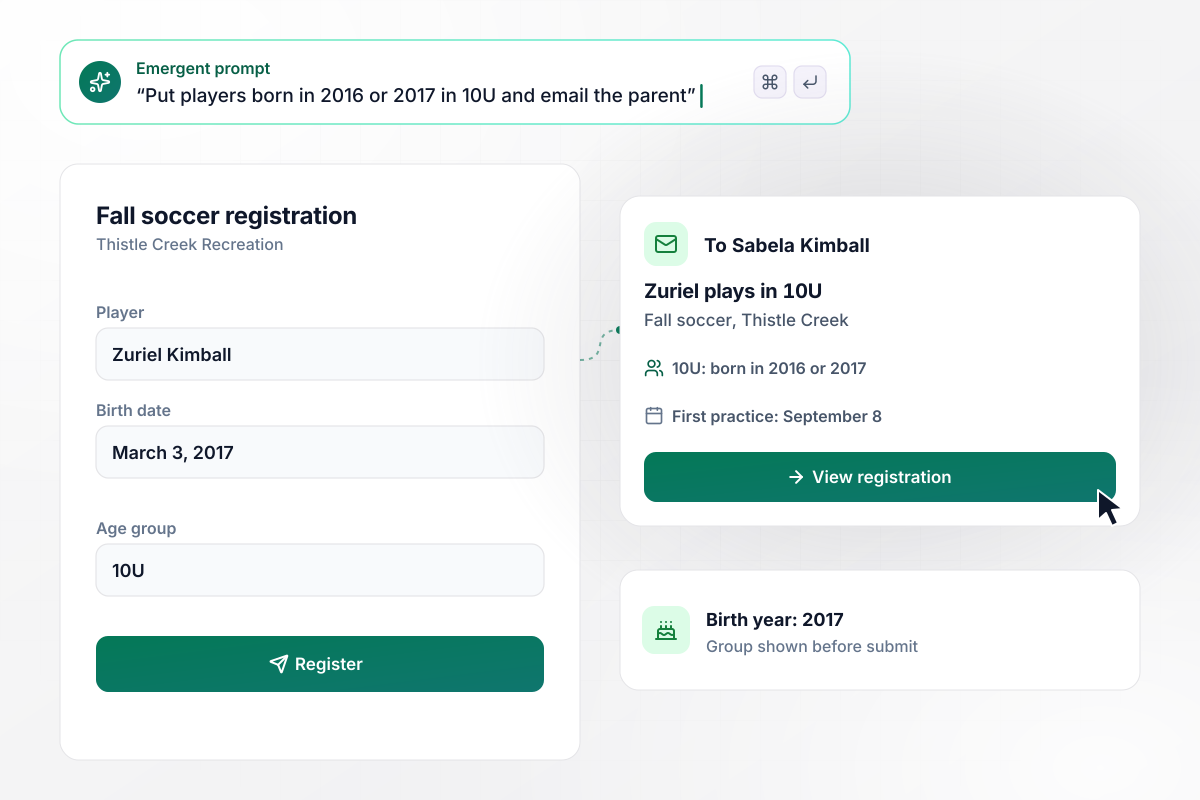
For a 2017 birth year, the form picks 10U
Thistle Creek Recreation groups its fall soccer players by birth year, and players born in 2016 or 2017 play in 10U. Sabela Kimball enters her son Zuriel's birth date, March 3, 2017. The form shows 10U before she submits, and her confirmation email names the group and the first practice on September 8.
window.awbMockup = { ageGroups: "Build a youth sports registration form for my rec department's fall soccer season. Ask for the player's name, birth date, and sport, put players born in 2016 or 2017 in 10U, and email the parent a confirmation that names the group and the first practice on September 8.", siblingPricing: "Build a registration form where a parent signs up every child at once, across soccer and flag football. Charge $95 for the first player and $75 for each sibling, and take one payment through my Stripe account.", feeAssistance: "Add a fee assistance checkbox to my registration form. When a parent checks it, skip the payment page, mark the registration Pending review, and email my treasurer, Ottilie Pemberley. Keep fee details off the coach rosters.", jerseySizes: "Ask each parent for a jersey size: youth small, youth medium, youth large, or adult small. Give my equipment coordinator, Wrenna Meriwether, a dashboard with the count for each size." };
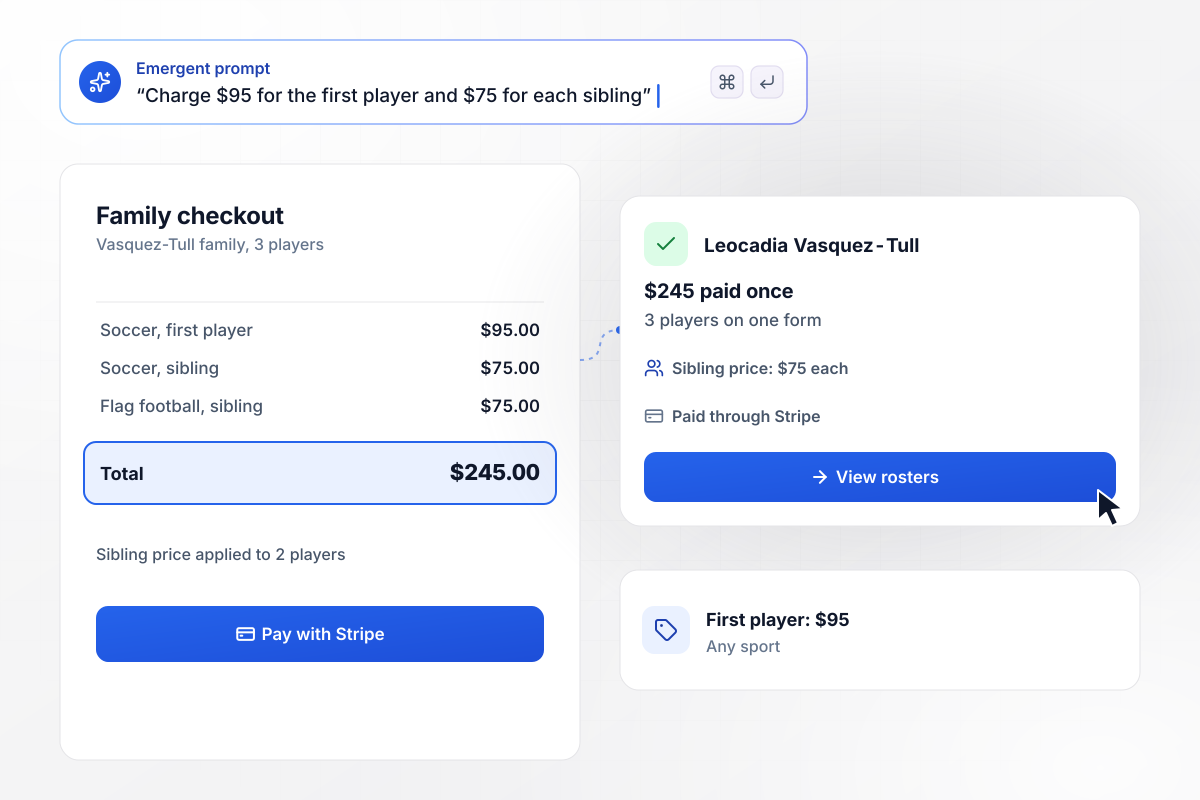
Each sibling after the first costs $75
Leocadia Vasquez-Tull has three children to register, two for fall soccer and one for flag football. Thistle Creek charges $95 for the first player and $75 for each sibling, whatever the sport. She adds all three to one form and pays $245 once through Stripe. Each child lands on the roster for their own sport.
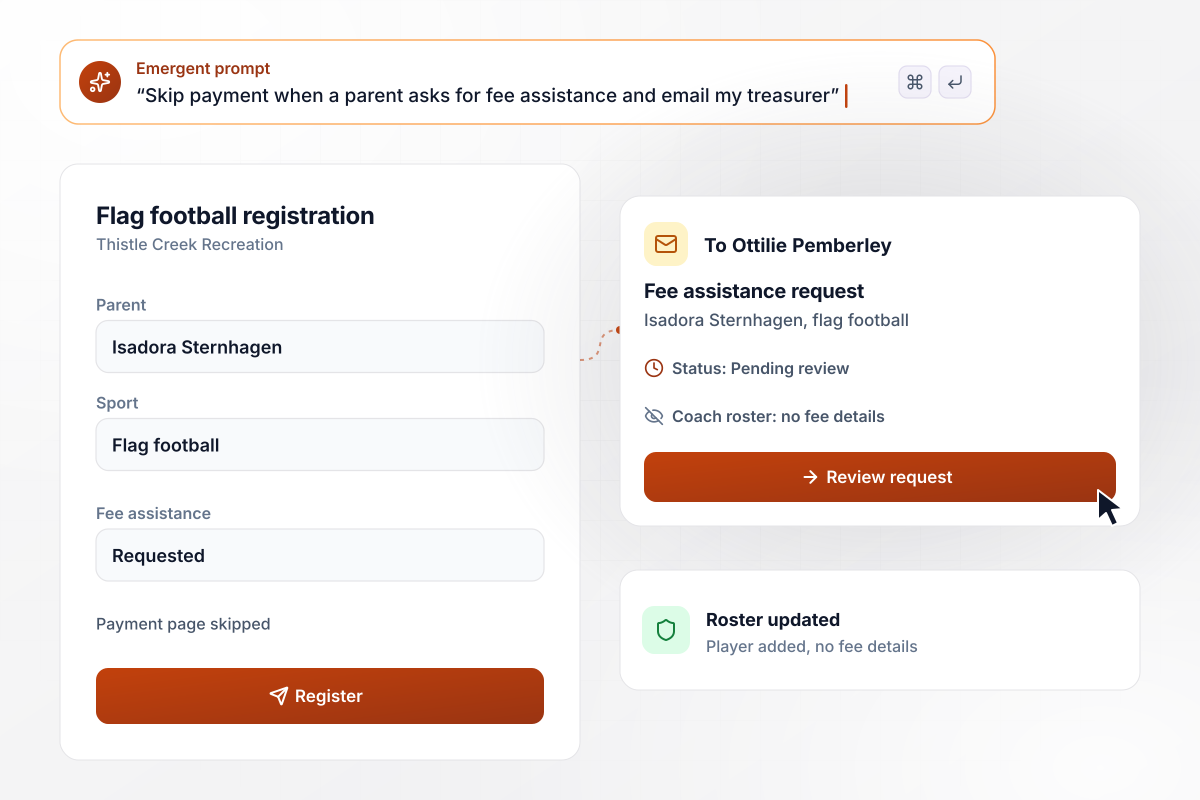
No payment step when a family asks for help
Isadora Sternhagen checks the fee assistance box when she registers her daughter for flag football. The form skips the payment page and marks the registration Pending review. Treasurer Ottilie Pemberley gets an email to approve it. The coach sees the player on the team roster with no fee details.
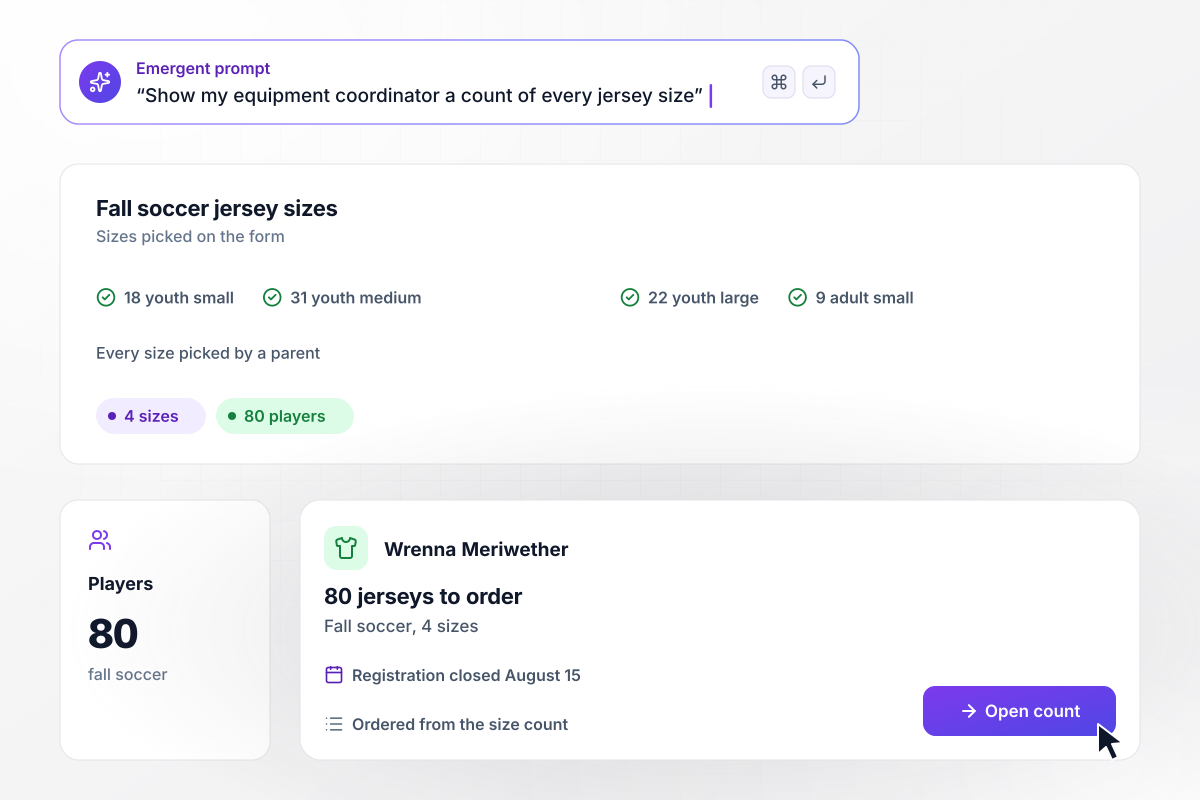
Wrenna orders 80 jerseys from one count
Thistle Creek's fall soccer has 80 players, and each parent picked a jersey size on the form. Registration closes on August 15, and equipment coordinator Wrenna Meriwether opens the dashboard the next morning. She orders from the count: 18 youth small, 31 youth medium, 22 youth large, and 9 adult small.






How to Build a Youth Sports Registration Form
Seven steps to build a youth sports registration form that places every player in a group and gets each family paid in one checkout.
Write down every sport you run this season and the birth years each age group takes, such as 2014 and 2015 in 12U. Keep a separate list for any sport whose groups differ.
Set the first-player fee and the sibling price, and decide whether a brother or sister in another sport counts as a sibling. Add a fee assistance option for families who need one.
Ask for the player's name, birth date, sport, and jersey size. Then add the contacts a coach calls on game day, and leave off any question nobody on the board will read.
Paste your participation waiver and code of conduct onto the final page, with a signature box under each. Use the wording your league already has; the form collects the signature.
Put the programs and fees into one prompt, along with the fields. Emergent builds the form, the database behind it, and a dashboard for the registrar. Change a question later by asking in plain English.
Connect your Stripe account so a family pays once at checkout. Then pick who gets an email when a parent asks for fee assistance, such as the treasurer.
Sign up one child alone, then a family of three, then a fee assistance request. Check the age group on each confirmation, the sibling total, and the email to the treasurer.
How Emergent Compares for Season Signups
Emergent turns your birth-year age groups and sibling prices into rules the form applies while a parent fills it in.

|
Jotform | Google Forms | Typeform | |
|---|---|---|---|---|
| How you build | Describe it in plain English | Templates, editor, AI generator | Editor, with Gemini drafting on some Workspace plans | Templates, editor, AI assist |
| Where responses live | A database table you own, plus any integration | Jotform account | Google Sheets | Typeform account |
| Response limits | No response caps | Monthly submission caps by plan; the form stops at the cap | No limit | Monthly response caps by plan; the form closes at the cap |
| Code ownership | Full code export to GitHub on paid plans | None | None | None |


Pick the Pricing Plan That Works for You
Choose the plan that fits your building ambitions. From weekend projects to enterprise applications, we've got you covered.




Find the right form
for whatever you're collecting




Frequently Asked Questions
Your Questions, Answered
Don't change this element unless you know what you are doing
More things you can build
with Emergent









on Emergent today


