

Build a Little League Registration Form That Calculates League Age
Get a Little League registration form that places every player by league age and saves each family to a database you own.
Build a Little League registration form for my town's spring baseball and softball season that collects player and parent details.
Trusted by Builders Worldwide
Active Builders Worldwide
Apps Successfully Created
Countries Globally Reached



What the Registrar Needs Before Opening Day
A spring sign-up decides who plays, in which division, and who works the concession stand. Parents answer all of it on one form.
League age worked out from one birth date
Parents enter a birth date and choose a program. The form counts the age on August 31 of the current year for baseball and on December 31 of the previous year for softball.
A division set by your own age bands
Tell the form which league ages play in which division, such as 9 and 10 in Minors. The confirmation names the division, and the board sees a count for every division.
Residency proof read on upload
Parents upload one or more documents from each of the three groups Little League lists. The app reads the address on every file, and a scan it cannot read goes to the registrar.
Brothers and sisters on one registration
A parent types the address and phone number once, then adds each child with a birth date and a program. A brother in baseball and a sister in softball share one confirmation.
Volunteer shifts claimed during sign-up
Set how many concession stand shifts the season needs and how many each family takes. The volunteer coordinator gets an email when a family claims the last open shift.
Player records in a database you own
Every registration saves as a row in a database you own, with no response caps. On paid plans, export the full code to your GitHub repository and keep building on it.
Four Jobs the Form Does at Juniper Flats
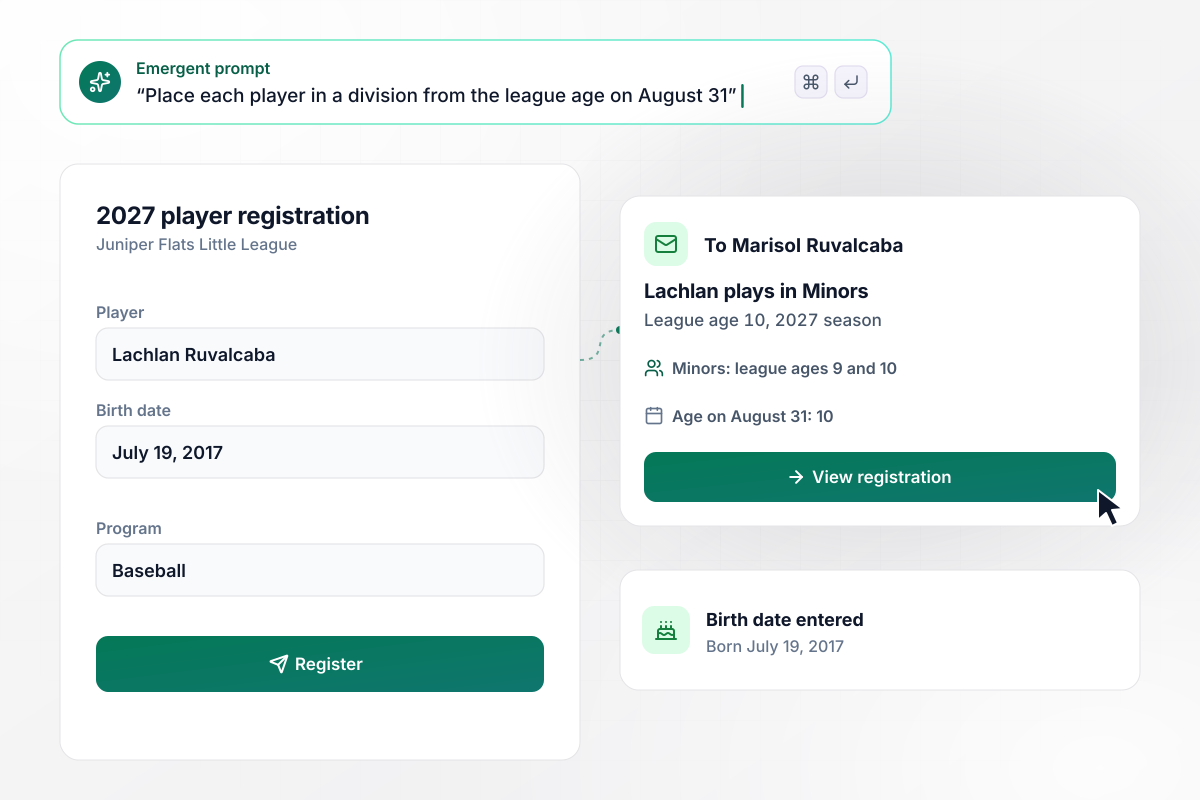
A July 19 birthday puts Lachlan in Minors
Juniper Flats Little League puts league ages 9 and 10 in Minors for the 2027 season. Lachlan Ruvalcaba was born on July 19, 2017, which makes him 10 on August 31. His mother, Marisol, enters that birth date, and the form places him in Minors. Her confirmation email names the division.
window.awbMockup = { baseballMinors: "Build a Little League registration form for my league's 2027 season. Ask for the player's name, birth date, and program. Work out league age as the age on August 31, put league ages 9 and 10 in Minors, and email the parent a confirmation that names the division.", softballAges: "Build a softball sign-up for my league that counts league age as the player's age on December 31 of the previous year. Place league ages 9 and 10 in Softball Minors and show the division on the confirmation screen.", residencyProof: "Build a registration form where parents upload one document from each of the three residency groups. Read the street address from every file and compare it with the address on the form. Send any scan the app cannot read to my registrar, Anselm Nadeau.", volunteerShifts: "Build a registration form that asks each of my league's 60 families to pick 2 concession stand shifts on the last page. When all 120 shifts are taken, close the schedule and email my volunteer coordinator, Pilar Kitteridge." };
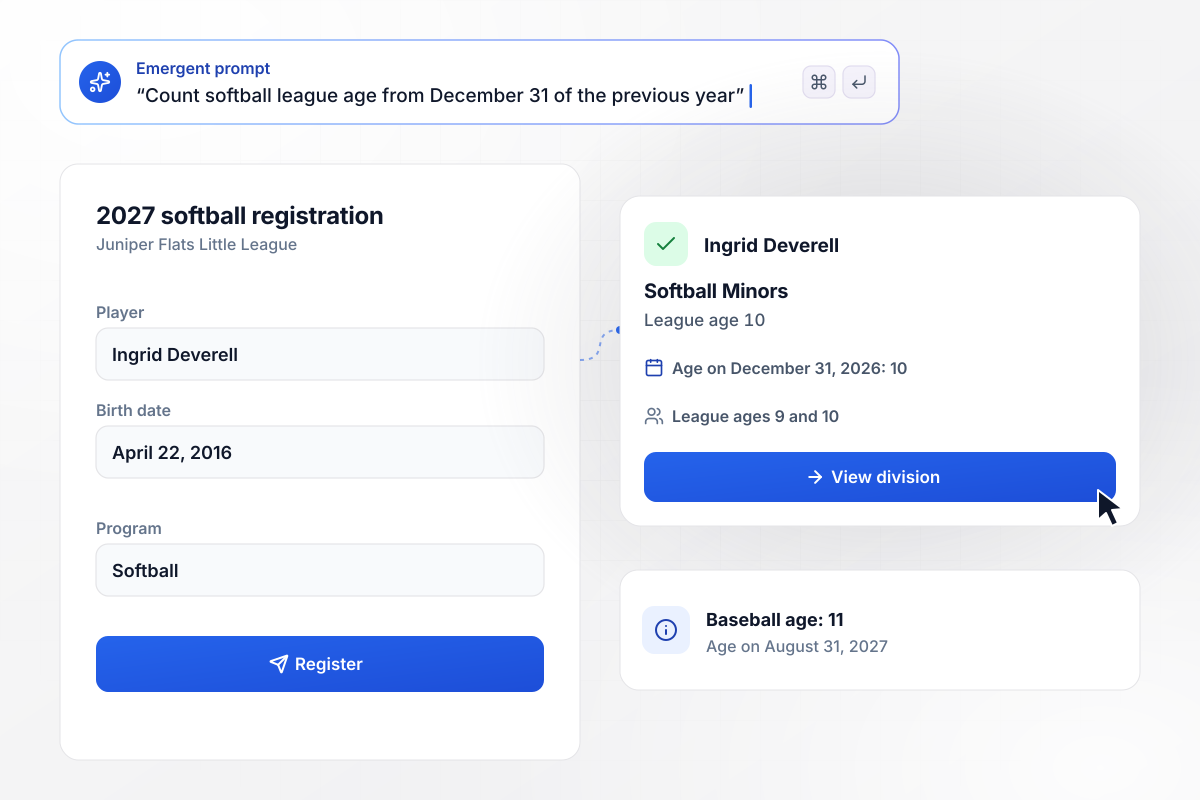
Softball counts Ingrid's age from last December
Ingrid Deverell was born on April 22, 2016. Under the baseball date she would play the 2027 season at 11. Softball counts her age on December 31, 2026, when she was still 10, so the form places her in Softball Minors with the other players of league age 9 and 10.
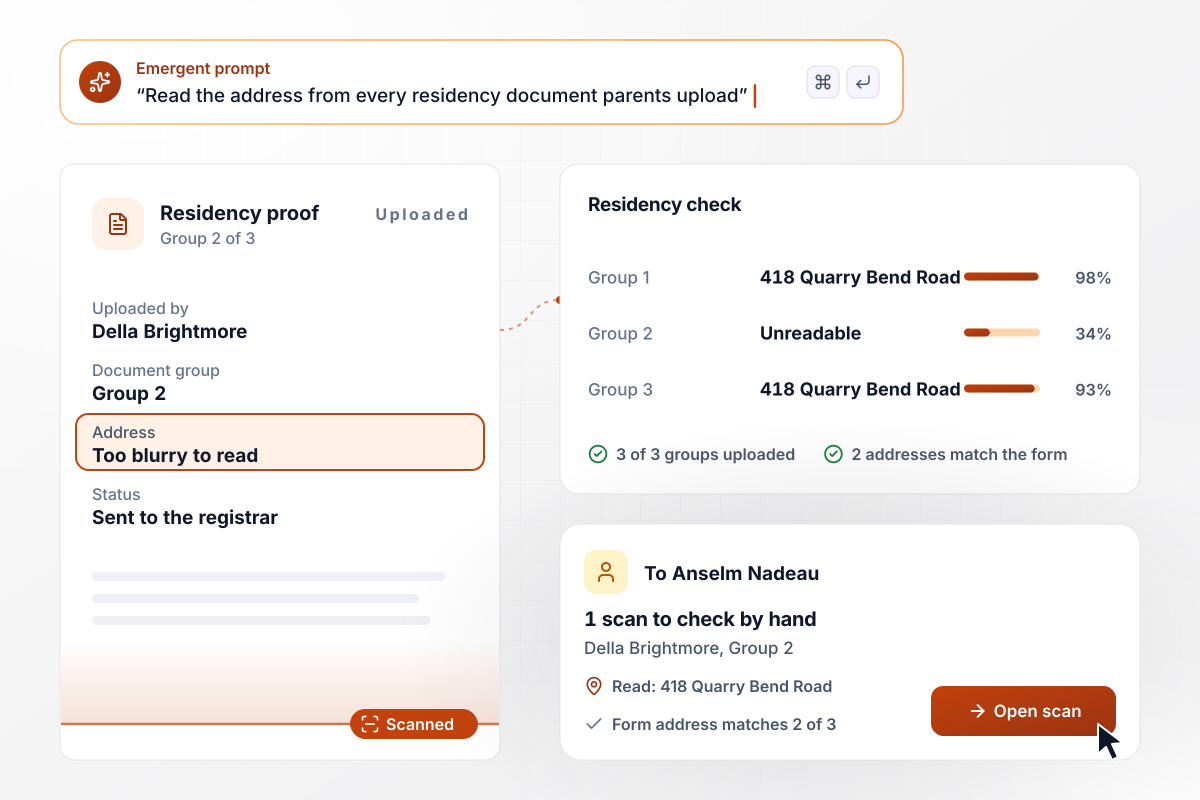
One blurry scan goes to the registrar
Della Brightmore uploads one document from each of the three residency groups. The app reads 418 Quarry Bend Road from two of them, the same address she typed on the form. Her Group 2 scan is too blurry to read. It goes to registrar Anselm Nadeau, who checks it by hand before he confirms her son's spot.
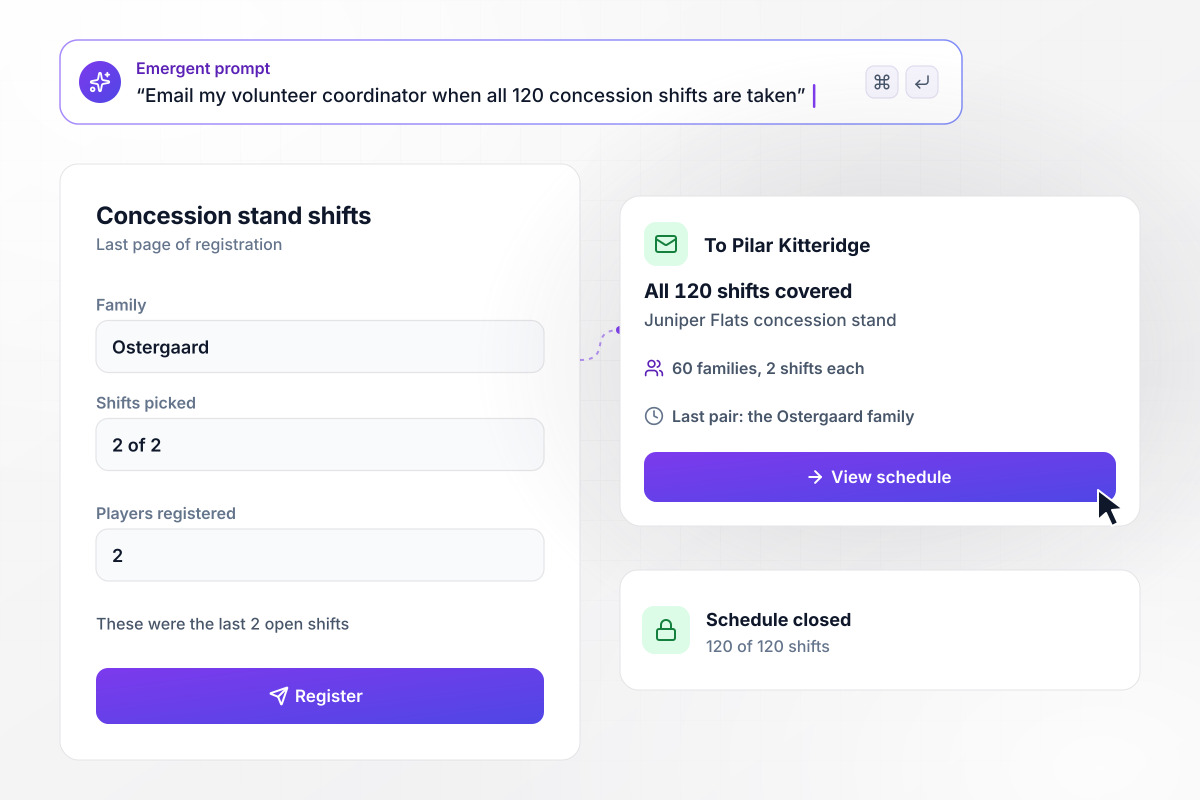
Pilar hears that all 120 shifts are covered
Juniper Flats needs 120 concession stand shifts this season, 2 from each of its 60 families. Parents pick their shifts on the last page of the form. When the Ostergaard family takes the final pair, volunteer coordinator Pilar Kitteridge gets an email that all 120 are covered, and the schedule closes.






How to Make a Little League Registration Form
Seven steps to build a Little League registration form that sets each player's league age and checks residency before the season.
List every division for the season with the league ages it takes, such as 11 and 12 in Majors. Keep baseball and softball on separate lists, because the two programs count league age from different dates.
Ask parents for each player's birth date and program, and let the form work out league age from it. The confirmation screen then names the division before the parent leaves the page.
Ask for documents from all three groups on the residency list, each dated or in force inside the window it sets. Decide who reviews a scan the app cannot read, such as the league registrar.
Put the parent's address and phone number at the top of the form, then let the parent add each child below. Every child gets a birth date, a program, and a division under one family record.
Put the divisions, the age dates, the residency step, and the volunteer shifts into one prompt. Emergent builds the form, the database behind it and a dashboard for the board, and you change any part later by prompting.
Register one player with a July birthday, a softball player born in the spring, and a family with a blurry upload. Check every division against your age chart, and confirm the blurry scan reaches the registrar.
Share the link on the league website and in the email to last season's families. Close registration on the date your board sets. Every division is then final before teams are formed.
How Emergent Compares for League Sign-Ups
Birth dates checked by hand miss a player or two. Emergent builds a form that names the division the moment a parent submits.

|
Jotform | Google Forms | Typeform | |
|---|---|---|---|---|
| How you build | Describe it in plain English | Templates, editor, AI generator | Editor, with Gemini drafting on some Workspace plans | Templates, editor, AI assist |
| Where responses live | A database table you own, plus any integration | Jotform account | Google Sheets | Typeform account |
| Response limits | No response caps | Monthly submission caps by plan; the form stops at the cap | No limit | Monthly response caps by plan; the form closes at the cap |
| Code ownership | Full code export to GitHub on paid plans | None | None | None |



Pick the Pricing Plan That Works for You
Choose the plan that fits your building ambitions. From weekend projects to enterprise applications, we've got you covered.




Find the right form
for whatever you're collecting















Frequently Asked Questions
Your Questions, Answered
Don't change this element unless you know what you are doing
More things you can build
with Emergent









on Emergent today


