

Build a Class Registration Form for Every Section You Run
Build a class registration form that flags schedule clashes and stops taking sign-ups once a section is full.
Build a class registration form for a rec center's spring session where each person picks a class and time.
Trusted by Builders Worldwide
Active Builders Worldwide
Apps Successfully Created
Countries Globally Reached



The Seats in Each Section, and Who Holds Them
A class registration form signs a student up for one class and section. This one counts the open seats while they choose.
Each section keeps its own seat limit
Every section of a class carries its own meeting time and its own seat limit. Once the last seat is taken, the form stops offering that section and points to the next open one.
Guardian details only for minors
When the birth date puts a student under 18, the form asks for a parent or guardian's phone number and an emergency contact. Adult students skip that page of the form entirely.
One question per screen on a phone
A parent registering from a phone sees one question per screen. The class list shows as large choices to tap instead of a dense grid that needs pinching and zooming to read.
Confirmation with the room and start date
Each registrant gets an email naming the section they joined and the room it meets in. A reminder email follows before the first session, on whatever schedule you set.
A roster per section, in your database
Every sign-up is a row in a database you own, with no cap on responses. The roster for any section is a filtered view of those rows, not a spreadsheet someone retypes.
The code goes to GitHub on paid plans
On paid plans, export the full code of the form and its database to your GitHub repository, where a developer of your own can read every line of it and change what you need.
How Four Class Providers Run Their Sign-Ups
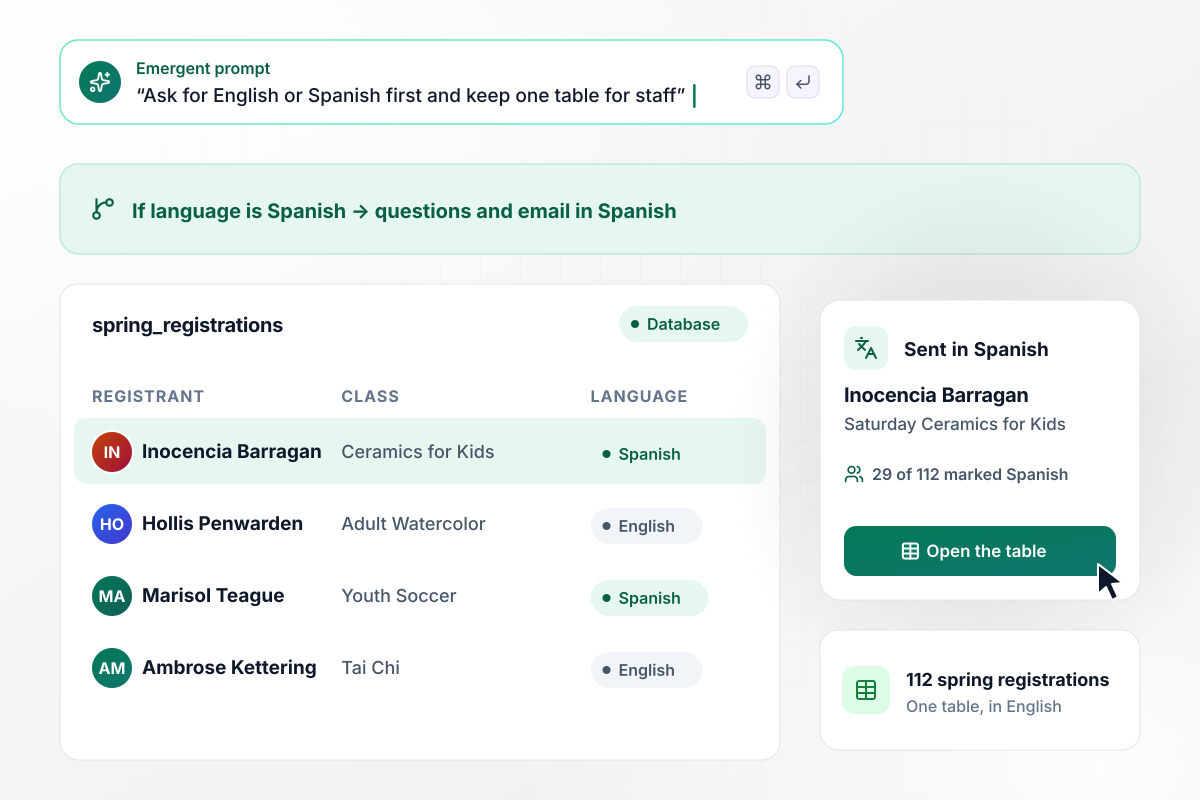
In Spanish or English, one table for all 112 sign-ups
Tarrow Park Recreation Center's spring form asks for English or Spanish on the first screen. Inocencia Barragan picks Spanish, signs her daughter up for Saturday Ceramics for Kids, and gets her confirmation email in Spanish. Staff read all 112 spring registrations in one English table, 29 of the 112 marked Spanish.
window.awbMockup = { recCenters: "Build a spring class registration form for my recreation center in English and Spanish. The first screen asks which language to use, and every question, the class list, and the confirmation email follow that choice. Save every registration to one table in English with a column for the language, so my staff can see how many families registered in Spanish.", danceStudios: "Make a registration form for new students at my dance studio. Each student can pick up to 3 weekly classes from the schedule. If two picks overlap on the same day, like a 60-minute Jazz II class at 5:00 PM and Tap I at 5:30 PM on Tuesday, show the clash and offer another section of the second class that fits.", safetyTraining: "I run courses at a fire training center. Build a class registration form for the pump operations class on April 14 that asks for the expiration date of each student's CPR card and a photo of the card. If the card expires before the class date, hold the seat and email my training coordinator so he can review it.", adultEducation: "Build a registration form for my community education classes. Each section runs only if 6 adults register by its cutoff date. The day after the cutoff, email everyone in a section that fell short, tell them it will not run, and offer them a seat in another section of the same class that is running." };
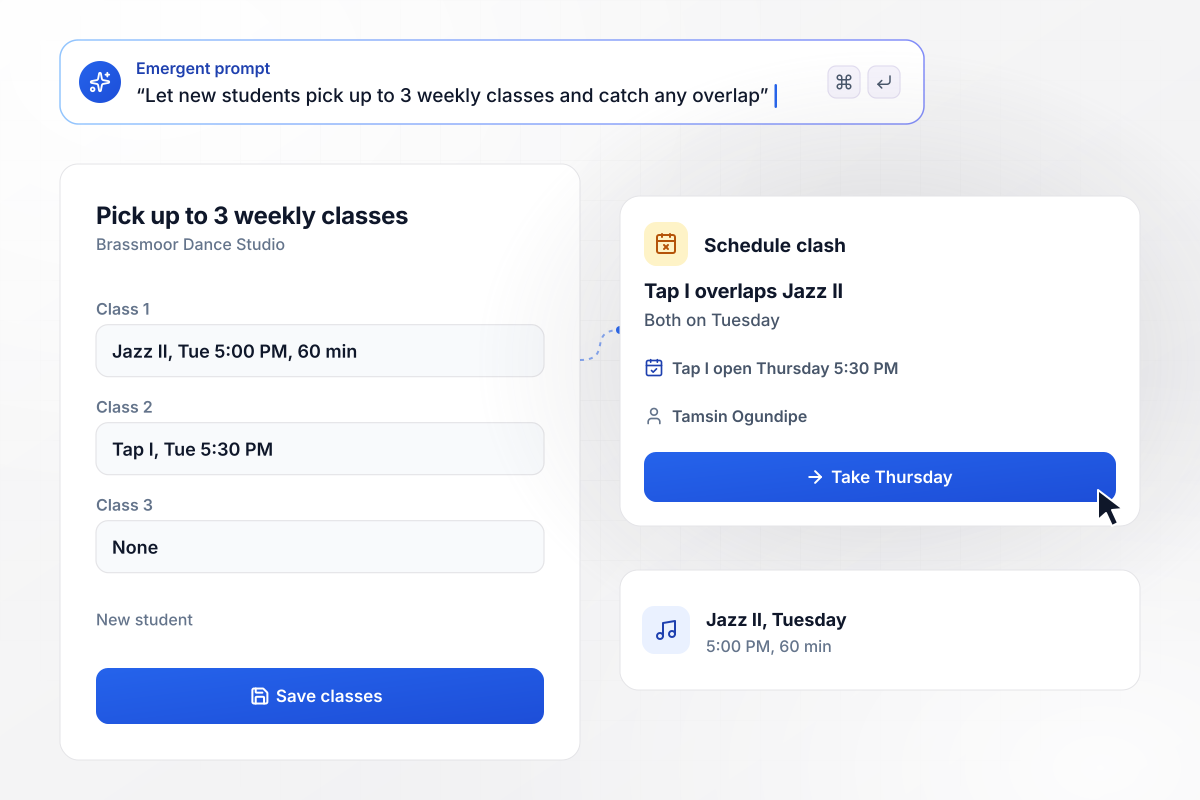
After a Tuesday clash, Tap I moves to Thursday
Brassmoor Dance Studio lets a new student pick up to 3 weekly classes. Tamsin Ogundipe picks Jazz II, a 60-minute class on Tuesday at 5:00 PM, then Tap I on Tuesday at 5:30 PM. The form shows that Tap I overlaps Jazz II and offers the Tap I section on Thursday at 5:30 PM, which she takes.
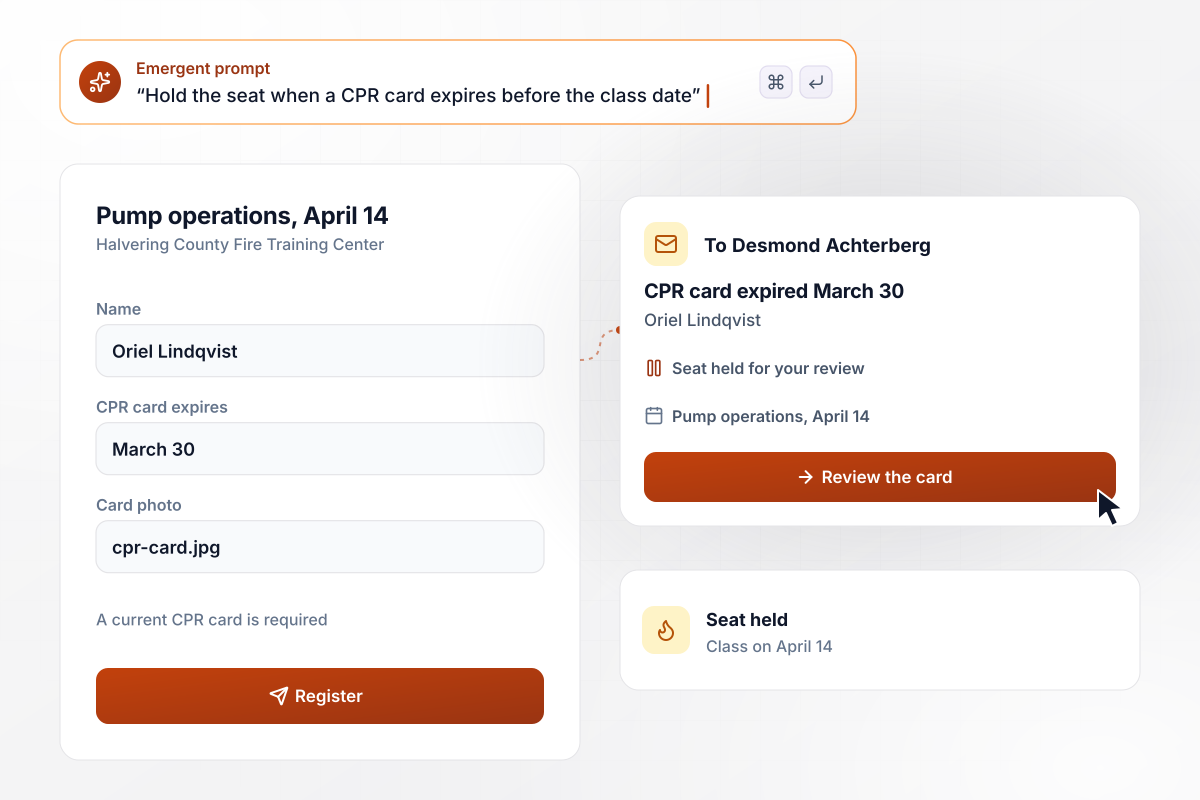
Current or expired, the CPR card date decides the seat
Halvering County Fire Training Center wants a current CPR card from everyone in its April 14 pump operations class, so the form asks for the card's expiration date and a photo. Oriel Lindqvist enters a card that expired March 30. Her seat is held, and coordinator Desmond Achterberg gets an email asking him to review it.
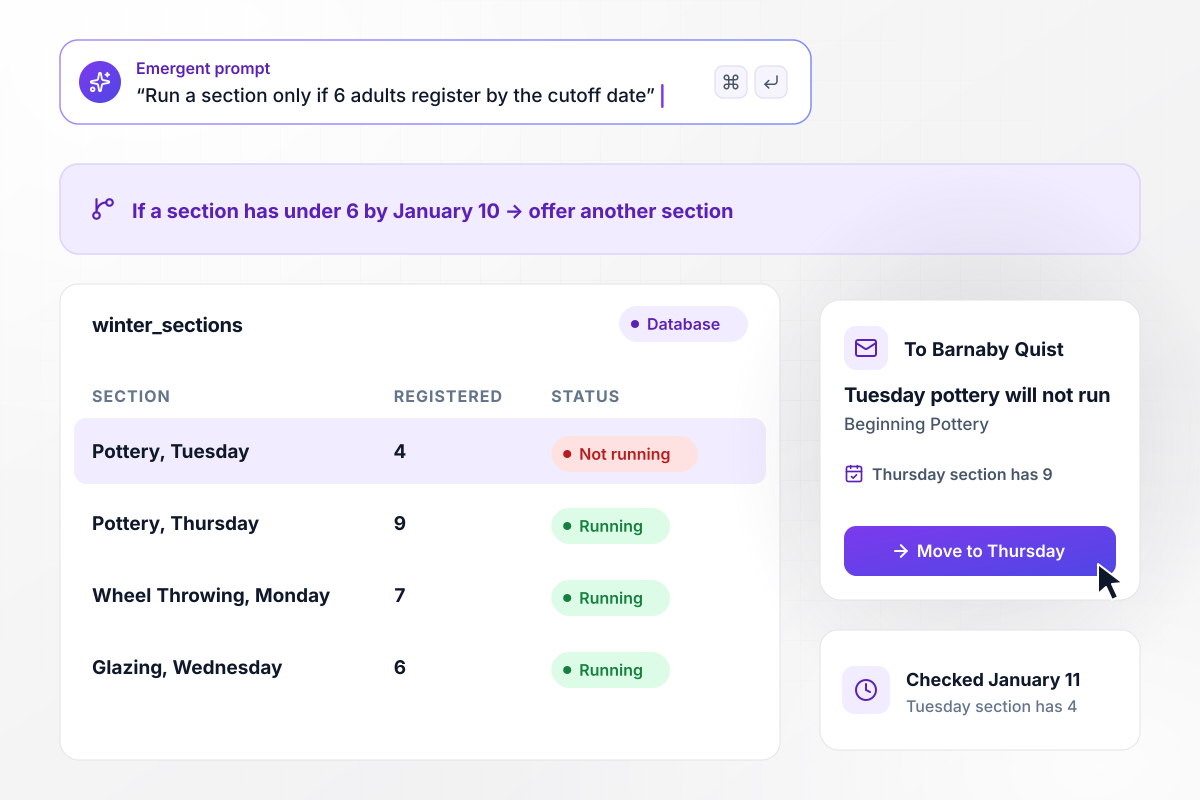
Six by January 10, or Tuesday pottery goes to Thursday
Wexcombe Community Education runs a Beginning Pottery section only when 6 adults register by January 10. On January 11, the Tuesday section has 4 and the Thursday section has 9. The app tells the Tuesday group by email that their section will not run and offers Thursday. Barnaby Quist moves over from that email.






How to Build a Class Registration Form
Seven steps to set up a class registration form around your sections and their seat limits, then build it with Emergent.
List every class you run this term, then each section under it with its day, start time, length, room, and seat limit. Treat each section as its own row, since a seat limit or a minimum applies to one section, not to the whole class.
Ask for the participant's name and birth date before anything else. Age decides which classes a child can see, and a 6-year-old never scrolls past adult pottery. It also decides which contact questions come next.
Note the checks a class needs before a seat counts. One class wants a current prerequisite card, another a minimum number of sign-ups by a cutoff date. Each check becomes one line of your prompt.
Put the classes and those checks into a prompt. Emergent builds the form, the database table behind it, and a roster view for each section. Read the first draft as a parent would, then ask for changes in plain words.
Register as a parent with two children, then as an adult taking an evening class. Pick a full section and two classes in one time slot, and confirm the form catches both and the confirmation email names the right room.
Decide what each email says and when it goes out. The confirmation sends right after a sign-up, a reminder 2 days before the first session, and a notice whenever a section will not run. Name the class and its room in each one.
Share one link on your schedule page and at the front desk. Sign-ups land in the database as they arrive, and each section's roster is ready for its instructor on the first day of class.
Why Build Your Registration Form With Emergent?
Describe your classes once. Emergent builds the form and the roster database behind it, then changes any rule you prompt.

|
Jotform | Google Forms | Typeform | |
|---|---|---|---|---|
| How you build | Describe it in plain English | Templates, editor, AI generator | Editor, with Gemini drafting on some Workspace plans | Templates, editor, AI assist |
| Where responses live | A database table you own, plus any integration | Jotform account | Google Sheets | Typeform account |
| Response limits | No response caps | Monthly submission caps by plan; the form stops at the cap | No limit | Monthly response caps by plan; the form closes at the cap |
| Code ownership | Full code export to GitHub on paid plans | None | None | None |



Pick the Pricing Plan That Works for You
Choose the plan that fits your building ambitions. From weekend projects to enterprise applications, we've got you covered.




Find the right form
for whatever you're collecting















Frequently Asked Questions
Your Questions, Answered
Don't change this element unless you know what you are doing
More things you can build
with Emergent









on Emergent today


