

Build a Webinar Registration Form That Sends the Join Link
Build a webinar registration form that emails each registrant the join link and saves every registration to a database you own.
Build a webinar registration form for my monthly product demo that asks for a name, work email, and company size.
Trusted by Builders Worldwide
Active Builders Worldwide
Apps Successfully Created
Countries Globally Reached



What Happens After Someone Registers
Emergent builds the webinar registration form along with the emails and seat limits that each new registration sets in motion.
The join link arrives with the confirmation
The app emails each registrant a confirmation with the join link, the date, and the start time as soon as they submit. Registrants never wait on a host to send the link by hand.
Reminders on the schedule you set
Set reminders for 24 hours and 1 hour before the start, or any gap you prefer, and each one repeats the join link. A registrant who cancels from the email gets no further reminders.
A seat cap, with a waitlist behind it
Cap each session at the seat count you choose. Once it fills, the form takes waitlist signups instead and offers the next person in line a seat when a registrant cancels.
Qualified registrants land in your CRM
Ask for company size and role, and the app sends registrants who match your rule to the CRM you connect, through its API. Everyone else still gets the join link and reminders.
Every registration is a row you own
Each registration saves as a row in a database you own, tagged with the link that brought the registrant in. Compare the newsletter link with a partner post by seats filled.
Take the code when the defaults stop fitting
Export the full code to your GitHub repository on paid plans. A developer can add a field, a new session format, or a custom report and keep the registrations you already have.
One Form, Four Kinds of Webinar
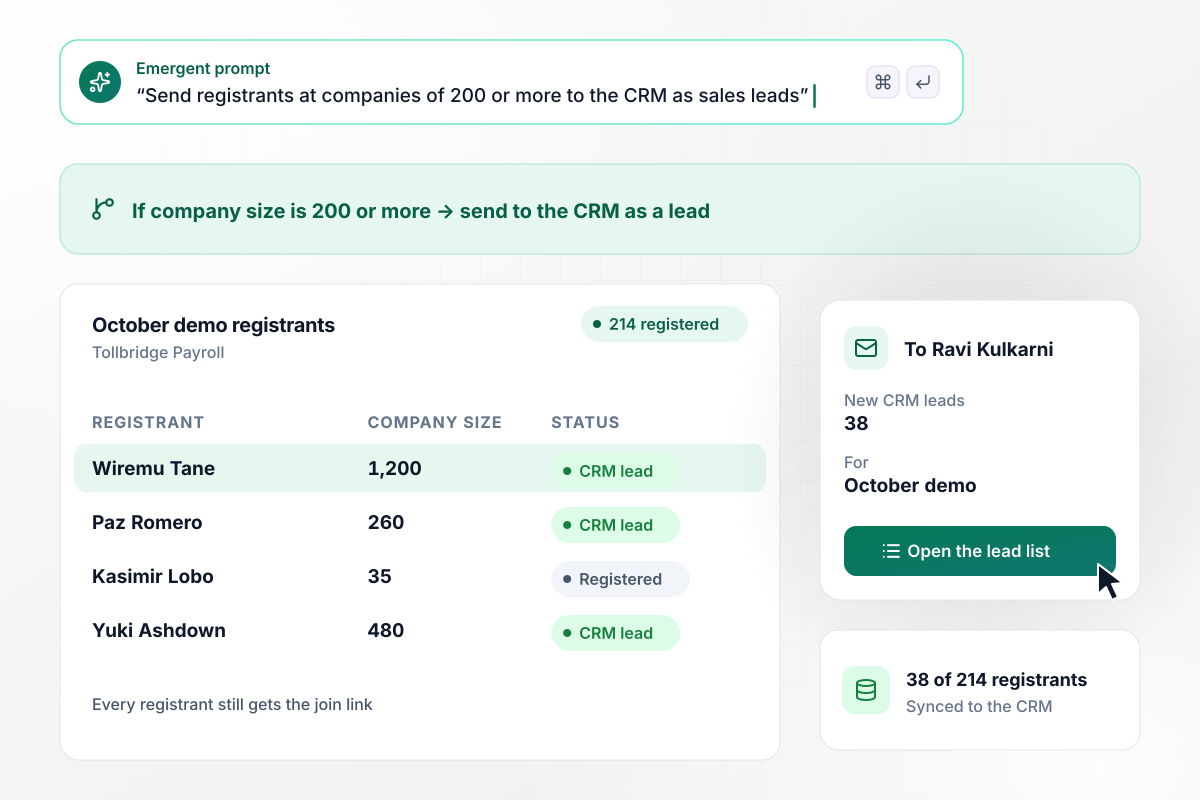
38 of 214 registrants go straight to sales
Tollbridge Payroll runs a product demo every month and asks each registrant for company size. Of 214 registrants for the October demo, 38 work at companies with 200 or more employees. Those 38 sync to the CRM as sales leads, and account executive Ravi Kulkarni gets an email listing them before the demo starts.
window.awbMockup = { productDemos: "I run a monthly product demo for our payroll software. Build a registration form that asks for name, work email, company, and company size. Send anyone at a company with 200 or more employees to our CRM as a sales lead, and email our account executive a list of those leads before each demo.", trainingSeries: "Our business center runs a 3-part workshop series for small business owners. Let people pick one or more sessions, cap each session at 100 seats, and open a waitlist when one fills. If someone cancels, give the seat to the first person on the waitlist and email them the join link.", globalAudiences: "We host the same webinar twice on one day, at 9:00 AM and 6:00 PM Eastern, for customers in the US and Europe. Ask each registrant to pick a session and their time zone, and show the start time in their own time zone on the confirmation page and in both reminder emails.", audienceQuestions: "My company is hosting a webinar about heat pumps for homeowners. On the registration form, ask each person to pick a topic (cost, setup, or repairs) and type their question. Show me the questions grouped by topic before we go live. After the webinar, email the replay link to everyone who registered but did not attend." };
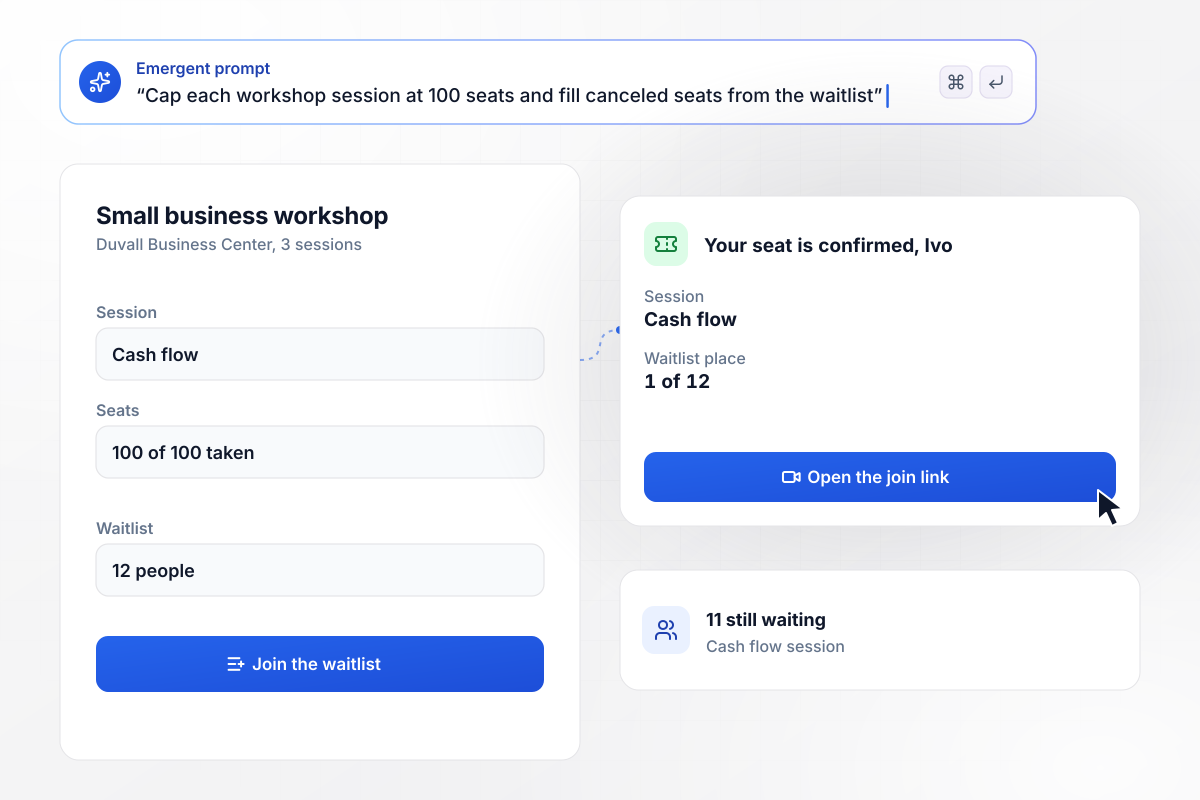
Waitlisted registrants move up when a seat opens
Duvall Business Center splits its small business workshop into 3 sessions of 100 seats each. The Cash flow session filled with 12 people on the waitlist. When one registrant canceled, the seat went to Ivo Szalai, first in line, along with a confirmation email and the join link. The other 11 are still waiting.
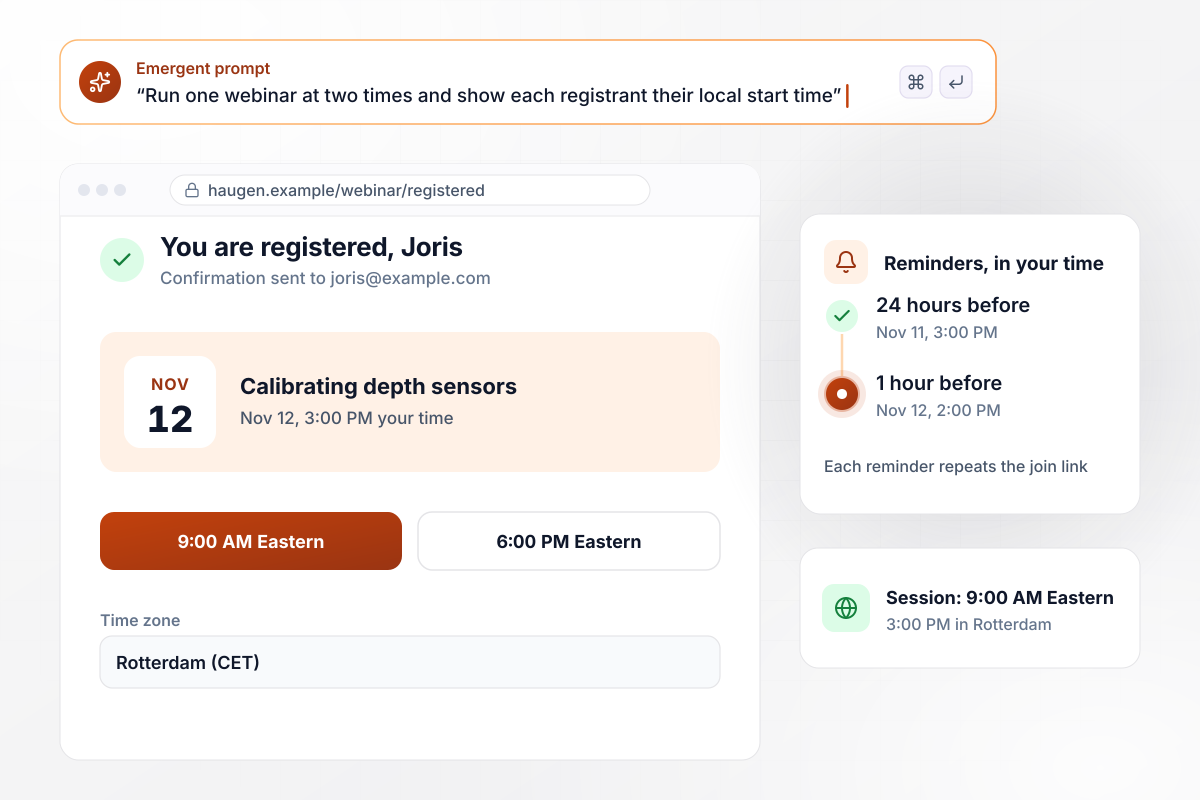
Every registrant sees the start time in their own time zone
Haugen Marine Sensors hosts the same webinar twice on Nov 12, at 9:00 AM and 6:00 PM Eastern. The form asks for a time zone along with the session. Joris Vandermeer in Rotterdam picks 9:00 AM, and his confirmation page and both reminders show it as 3:00 PM, his time.
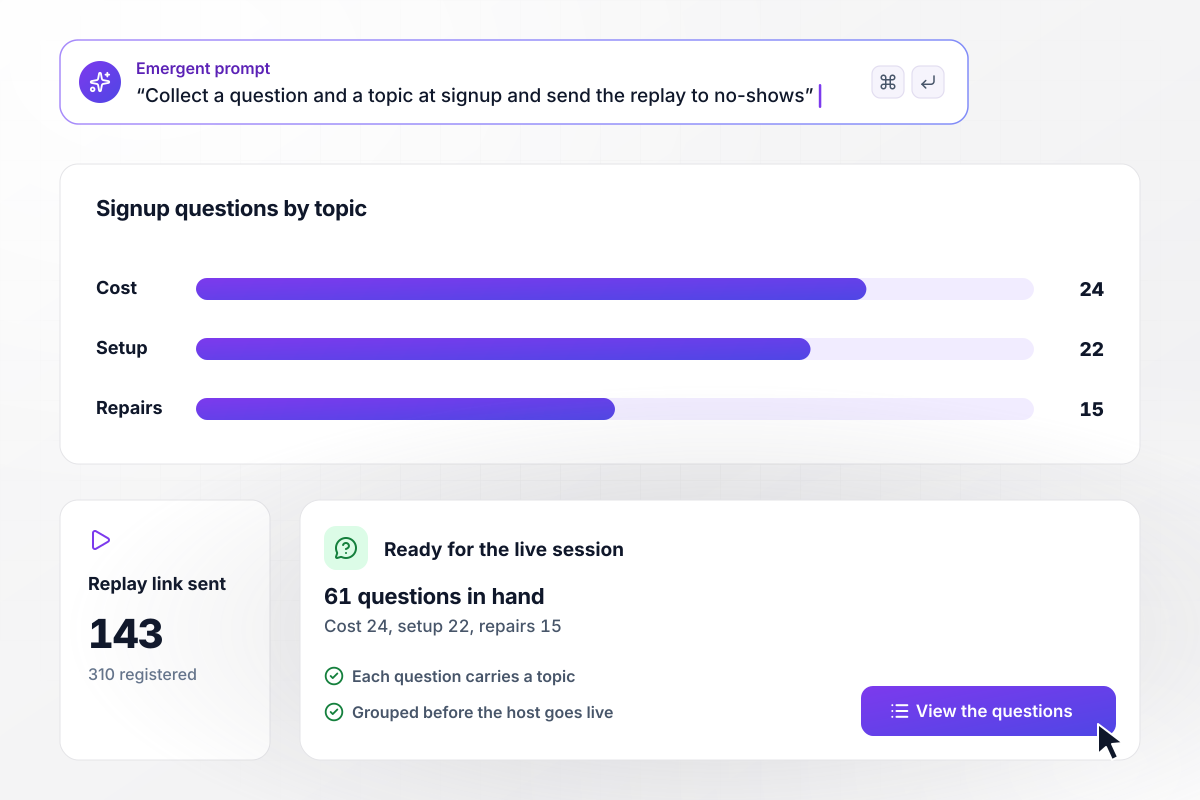
Hearthwise opens the session knowing all 61 questions
Hearthwise Energy asks each registrant for its heat pump webinar to pick a topic and type a question. The 61 questions arrive grouped as cost 24, setup 22, and repairs 15. Once attendance syncs from the connected webinar platform, the 143 of 310 registrants who did not join get the replay link.






How to Create a Webinar Registration Form
Seven steps to create a webinar registration form that sends the join link and reminders, then build it with Emergent.
Start with the job the registrations do after the submit. A demo that feeds sales needs company size and role; an internal training session needs a name and a work email. Write down what happens to each registration before you add a single field.
Ask only for what the session or the follow-up uses. A name and an email cover the join link, and every extra field should change a reminder, a routing rule, or the host's prep. Mark the rest optional, or cut it.
Enter the date, each session time with its time zone, and the seat count per session. Then decide what happens at the cap: close the form, or open a waitlist that offers freed seats in the order people joined it.
Draft the confirmation first, then choose how far ahead each reminder goes out. Put the join link in every reminder as well as the confirmation, since the last reminder is the email registrants open right before the session starts.
Put the decisions from the first four steps into one prompt, written the way you would brief a colleague, and add where qualified registrants should go. Emergent builds the form with its registrations database and email steps, and changes any part when you prompt again.
Sign up once with your own address before the link goes out. Check that the confirmation arrives with the right join link, that the start time reads correctly in your time zone, and that the registration shows up as a new row.
Give the newsletter and each social post its own version of the registration link. After the webinar, compare seats filled by link, and plan the next session's promotion around the channel that brought in the most registrants.
Why Build Your Webinar Form With Emergent?
A form that only collects names leaves the host to send every link and reminder by hand. Emergent builds those steps with the form.

|
Google Forms | Typeform | Jotform | |
|---|---|---|---|---|
| How you build | Describe it in plain English | Editor, with Gemini drafting on some Workspace plans | Templates, editor, AI assist | Templates, editor, AI generator |
| Where responses live | A database table you own, plus any integration | Google Sheets | Typeform account | Jotform account |
| Response limits | No response caps | No limit | Monthly response caps by plan; the form closes at the cap | Monthly submission caps by plan; the form stops at the cap |
| Code ownership | Full code export to GitHub on paid plans | None | None | None |



Pick the Pricing Plan That Works for You
Choose the plan that fits your building ambitions. From weekend projects to enterprise applications, we've got you covered.




Find the right form
for whatever you're collecting















Frequently Asked Questions
Your Questions, Answered
Don't change this element unless you know what you are doing
More things you can build
with Emergent









on Emergent today


