

Build a Tournament Registration Form With Fees and Waitlists
Get a tournament registration form that takes entry fees at sign-up and saves every roster to a database you own.
Build a tournament registration form that saves every response to a database I own.
Trusted by Builders Worldwide
Active Builders Worldwide
Apps Successfully Created
Countries Globally Reached



What the Form Sorts Out Before Play Starts
Emailed sign-ups end up in a spreadsheet someone sorts by hand. Each part below does a piece of that sorting as a team registers.
Rosters with a minimum and a maximum
Set how many players a team must list and how many it may carry, such as 7 and 12 for youth soccer. A roster outside those numbers stays unsent until the captain fixes it.
Divisions with their own caps
Split the field by age group or skill level, and give each division a cap. Once a division fills, the form marks it full, and the next team to pick it joins a waitlist.
Entry fees paid at sign-up
Connect Stripe, and the captain pays the team fee, or each player pays their own, as part of registering. Each team's row shows whether its fee is paid, and on what date.
Parent approval for younger players
Ask for each player's birth date and a parent's email. When the birth date puts a player under 18, the app holds the spot and emails the parent a link to approve it.
Alerts when a division fills
Once a division is full, the tournament director hears about it by email or in Slack. Captains who still owe a fee get an email reminder 7 days before registration closes.
Every sign-up in a database you own
Each registration saves as a row in a database you own, and responses have no cap. Sort the rows by division to draw brackets and print the check-in list for the desk.
Golf, Soccer, Esports, and Chess Sign-Ups
Each foursome pays $600 when it registers
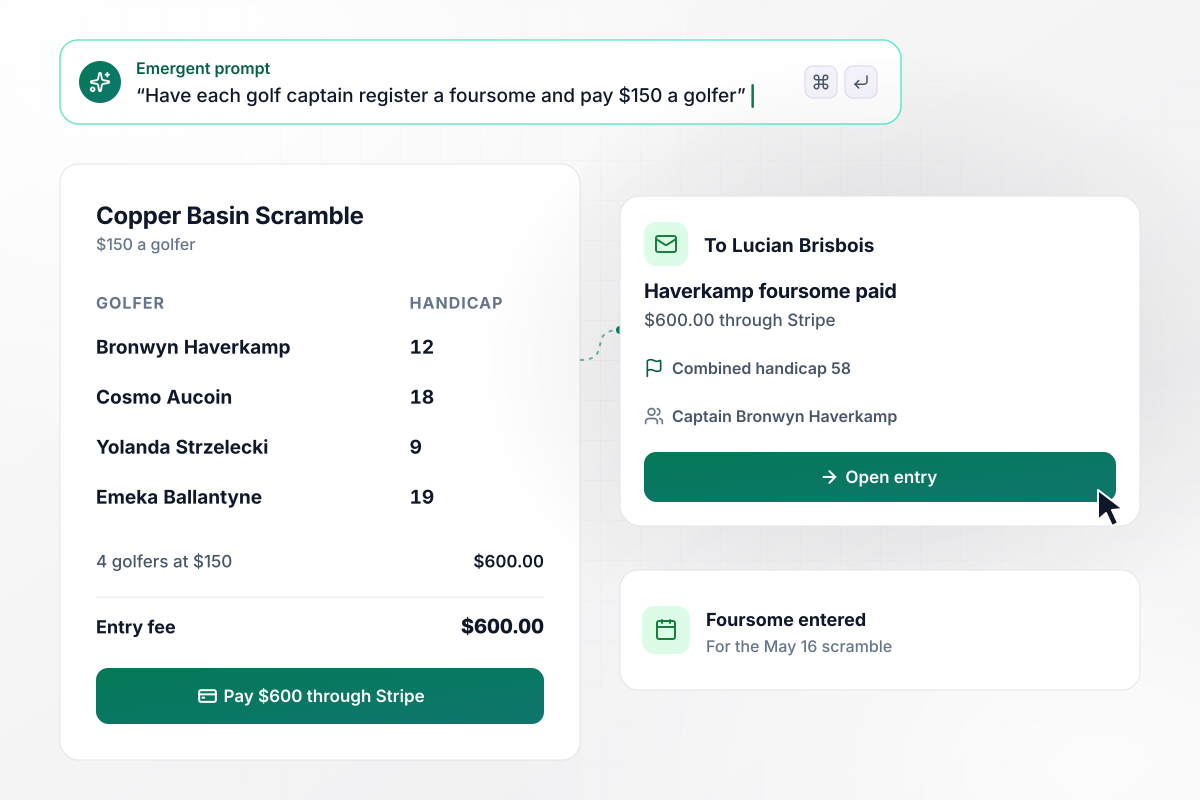
Copper Basin Boosters charge $150 a golfer for their May 16 charity scramble. Captain Bronwyn Haverkamp enters her foursome with handicaps of 12, 18, 9, and 19, then pays $600 through Stripe. Tournament chair Lucian Brisbois gets an email with the paid foursome and its combined handicap of 58.
window.awbMockup = { golfScrambles: "Build a registration form for our charity golf scramble on May 16. Each captain enters a foursome with every golfer's handicap and pays $150 a golfer through Stripe. When a foursome pays, email the four names and their combined handicap to our tournament chair, Lucian Brisbois.", youthSoccer: "Build a registration form for my youth soccer tournament with U10, U12, and U14 divisions. Each division takes 16 teams. When a division is full, mark it full on the form, put the next team on a waitlist, and send our tournament director, Callista Ruelas, a Slack direct message.", esports: "Build a sign-up form for an online esports tournament. Ask for each player's gamer tag, birth date, and a parent's email. If a player is under 18, hold the spot and email the parent a link to approve it, then confirm the spot once the parent says yes.", chessOpens: "Build a registration form for my chess open with four sections: Under 1000, Under 1400, Under 1800, and Open. Ask each player for their rating, place them in the right section, and email them their section and the 9 a.m. start time for round 1." };
Any U12 team after the 16th joins a waitlist
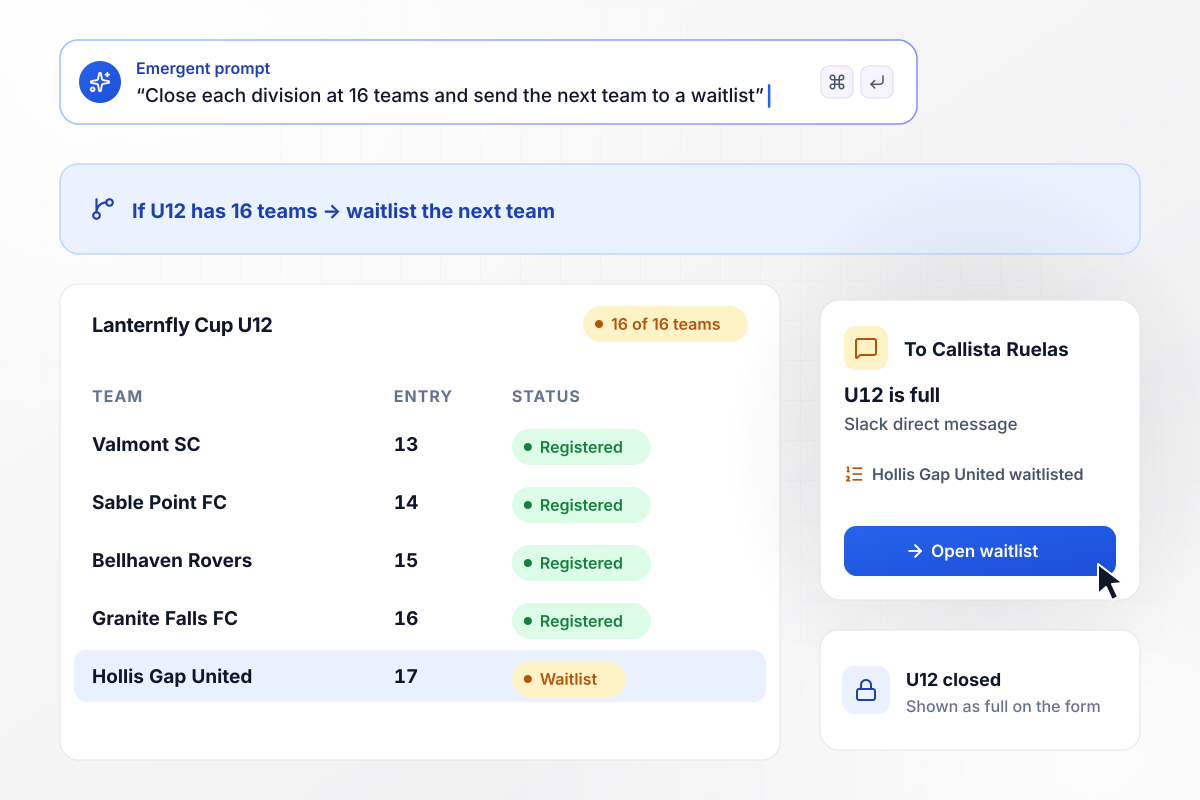
The Lanternfly Cup takes 16 teams in its U12 youth soccer division. Granite Falls FC registers as the 16th, and U12 shows as full on the form. Hollis Gap United registers next and lands on the waitlist. Tournament director Callista Ruelas gets a Slack direct message that U12 is full.
One parent signs off on each player under 18
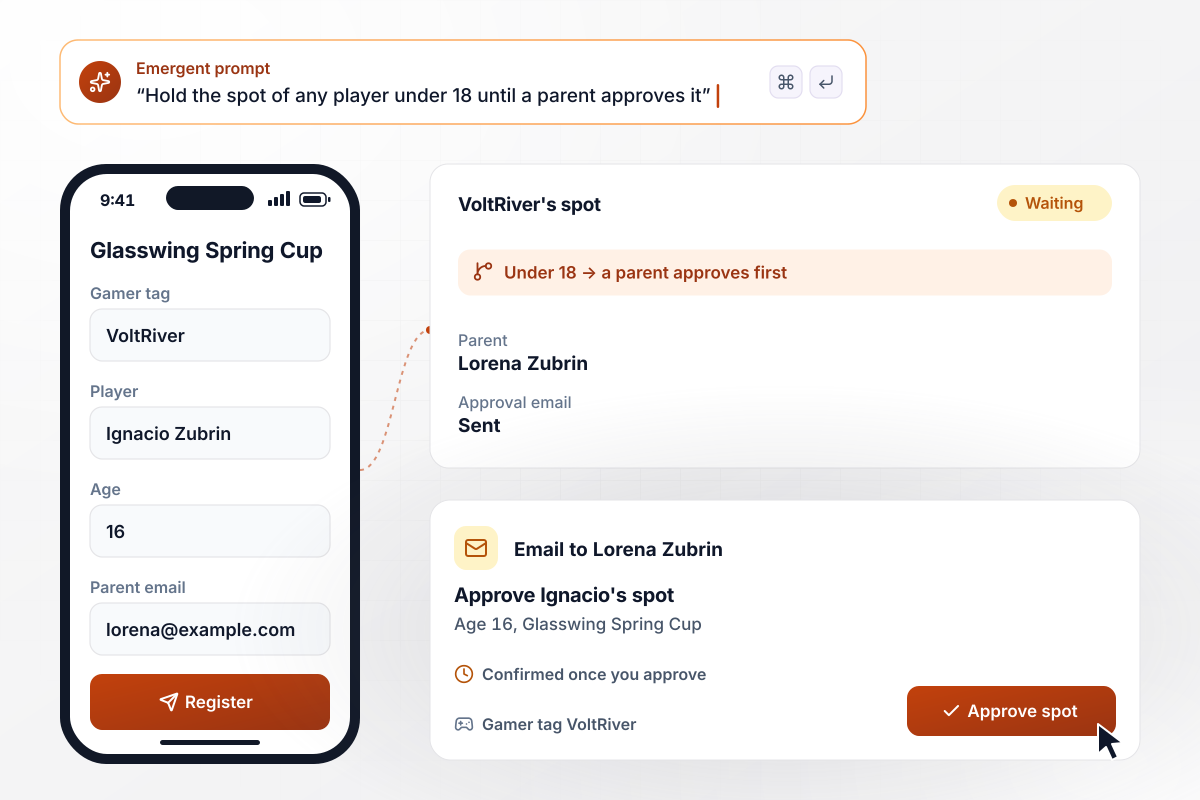
Ignacio Zubrin is 16 and signs up for the Glasswing Spring Cup, an online esports tournament, under the gamer tag VoltRiver. Because he is under 18, his spot waits. His mother, Lorena Zubrin, gets an email asking her to approve it, and the spot is confirmed once she does.
Ratings sort each player into one of four sections
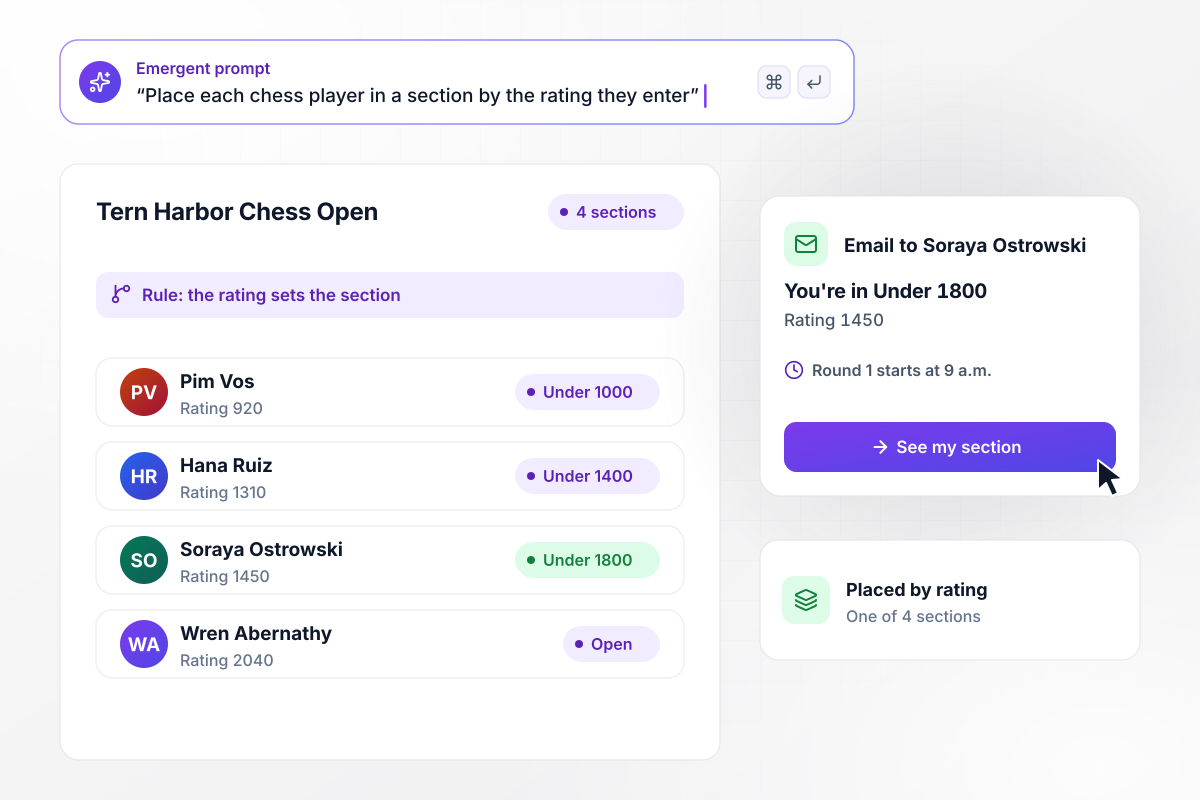
The Tern Harbor Chess Open splits its field into four sections: Under 1000, Under 1400, Under 1800, and Open. Soraya Ostrowski enters a rating of 1450, and the app places her in Under 1800. She gets an email with her section and the 9 a.m. start of round 1.






How to Make a Tournament Registration Form
Seven steps to set up a tournament registration form that fills each division and collects every entry fee.
List every division you will run, such as U10 and U12 or beginner and advanced, with a cap your fields and your schedule can carry. A division with no cap keeps taking teams after the bracket is drawn.
Ask only for what the event uses: jersey colors for soccer, handicaps for a golf scramble, ratings for chess, gamer tags for esports. Add a birth date whenever a division has an age limit.
Decide whether one fee covers the whole roster or every player owes a share. Connect Stripe so the fee is paid during registration instead of collected in cash at the check-in table.
Put the division, the first start time, and the check-in location in the confirmation email. Captains forward it to players who never saw the form. Keep it short.
Send the director an alert when a division fills, and send the treasurer a daily list of unpaid entries. Pick email or Slack for each alert, based on where that person already works.
Submit one team that fills a division, one with a player aged 16, and one that skips the fee. Check that each lands where it should before you share the link.
Post the link where your teams already look, such as last year's captains list or the league newsletter. Check the division counts each week and move a division's cap if the field allows it.
Why Emergent for Tournament Registration?
Emergent builds the tournament registration form and its rules: division caps with waitlists, and parent approvals for younger players.

|
Jotform | Google Forms | Typeform | |
|---|---|---|---|---|
| How you build | Describe it in plain English | Templates, editor, AI generator | Editor, with Gemini drafting on some Workspace plans | Templates, editor, AI assist |
| Where responses live | A database table you own, plus any integration | Jotform account | Google Sheets | Typeform account |
| Response limits | No response caps | Monthly submission caps by plan; the form stops at the cap | No limit | Monthly response caps by plan; the form closes at the cap |
| Code ownership | Full code export to GitHub on paid plans | None | None | None |




Pick the Pricing Plan That Works for You
Choose the plan that fits your building ambitions. From weekend projects to enterprise applications, we've got you covered.




Find the right form
for whatever you're collecting














Frequently Asked Questions
Your Questions, Answered
Don't change this element unless you know what you are doing
More things you can build
with Emergent









on Emergent today


