

Build a Photo Contest Form With Category Caps and Blind Judging
Build a photo contest form that takes each photo with its title and category, then shows judges entry numbers instead of names.
Build a photo contest form for my camera club's monthly competition that takes each member's photos with a title and a category.
Trusted by Builders Worldwide
Active Builders Worldwide
Apps Successfully Created
Countries Globally Reached



Entries Sorted Before the Judges Sit Down
Describe your rules once, and Emergent builds a photo contest form that holds each entrant to them and gives judges a numbered set.
A title and a category on every photo
Each upload carries a title and the category it enters, next to the entrant's name and email. Judges see what every photo is called and which category it belongs in.
Entry limits for each category
Set how many photos one person may enter in a category. When someone reaches the limit in Nature, the form says so and offers the categories where they still have room.
Judging by entry number, not name
The judges' screen shows each photo with its entry number and category. Names stay on the organizer's side, so a judge scoring a club friend's photo cannot tell it is theirs.
A final round built from judges' stars
Each judge stars favorites on their own screen. Any photo with enough stars moves to the final round, and you set how many it takes, such as 2 stars from a panel of 3.
Every entry in a database you own
Each entry becomes a row with the entrant, the email, the category, the photo, and its stars. Sort by stars to see the leaders, or filter to the photos no judge has opened yet.
The code, exported to your GitHub
On paid plans, export the code for the form and the judges' screen to your GitHub repository. Host it with the rest of your club's site, or have a developer keep building on it.
Clubs, Tourism Boards, Schools, and Rescues
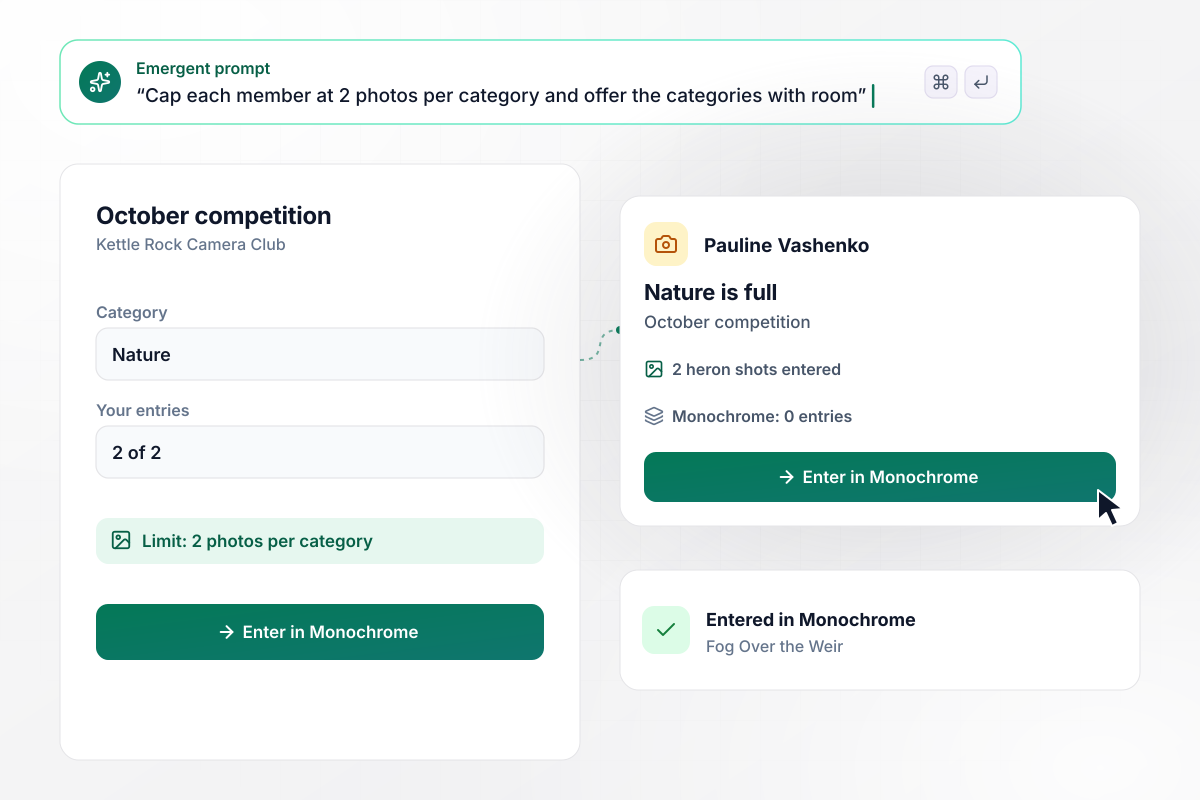
After 2 in Nature, Pauline's third photo goes to Monochrome
Kettle Rock Camera Club lets each member enter 2 photos per category in its monthly competition. Pauline Vashenko has 2 heron shots in Nature for October. When she uploads a third, the form says Nature is full this month and offers Monochrome, where she has 0 entries. She enters it there as Fog Over the Weir.
window.awbMockup = { cameraClubs: "Build a photo contest form for my camera club's monthly competition. Ask each member for their name, email, the photo, its title, and the category. Allow 2 photos per member in each category. When a member reaches the limit, say the category is full this month and offer the categories where they still have room.", tourismBoards: "Build a photo contest form for my county visitors bureau. Ask for the entrant's name, email, the photo, its title, and the park where it was taken, picked from a list of 6 parks. Show me an entry table that counts the photos by park, sorted from the most entries to the fewest.", schoolContests: "Build a photo contest form for my high school art department's spring contest. Ask each student for their name, email, the photo, its title, and the category. Give my 3 judges a screen that shows entry numbers instead of names, let each judge star favorites, and move any photo starred by 2 or more judges to the final round.", rescueCalendars: "Build a photo contest form for my animal rescue's calendar. Ask for the entrant's name, email, the photo, its title, and the month it suits. Count the entries for each month, and flag any month with fewer than 5 entries for Albertine, my volunteer coordinator." };
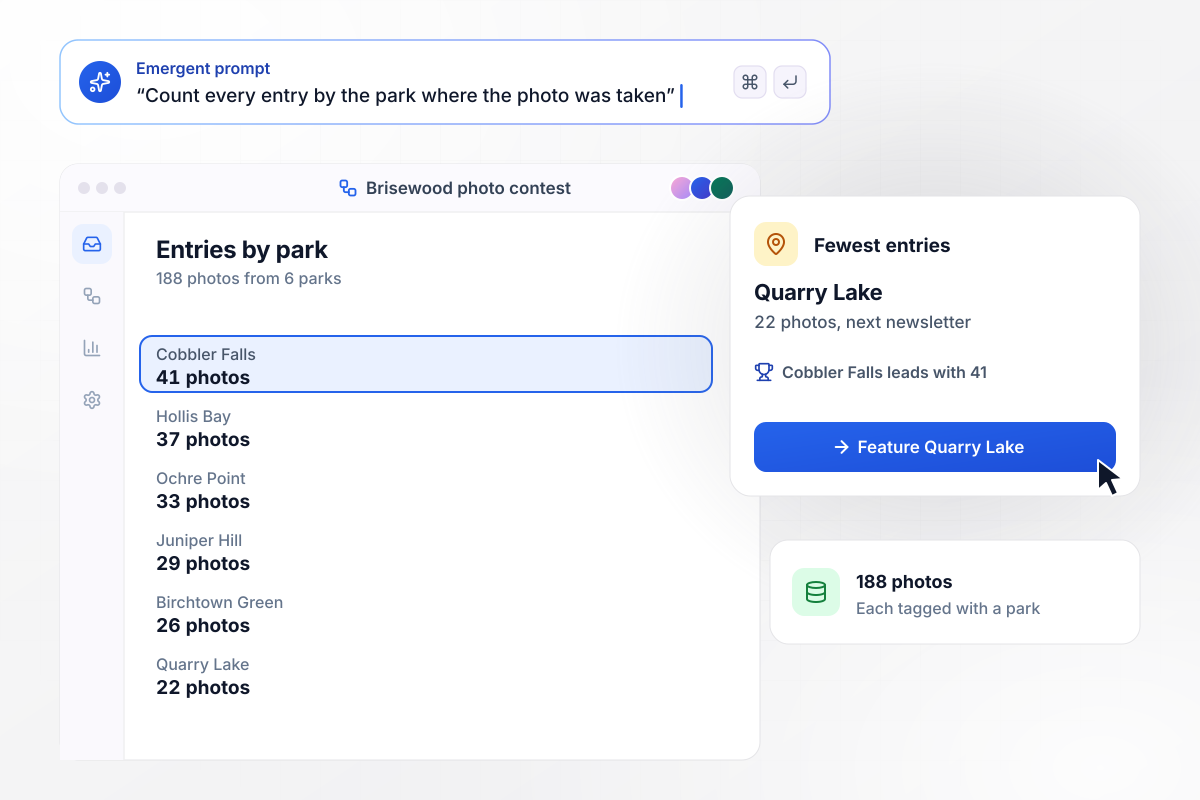
Every photo names its park, and Cobbler Falls leads at 41
The Brisewood County Visitors Bureau asks every entrant to pick the park where the photo was taken, from a list of 6. Its entry table counts all 188 photos across the 6 parks. Cobbler Falls leads with 41 entries. Quarry Lake has the fewest, 22, and the bureau features it in the next newsletter.
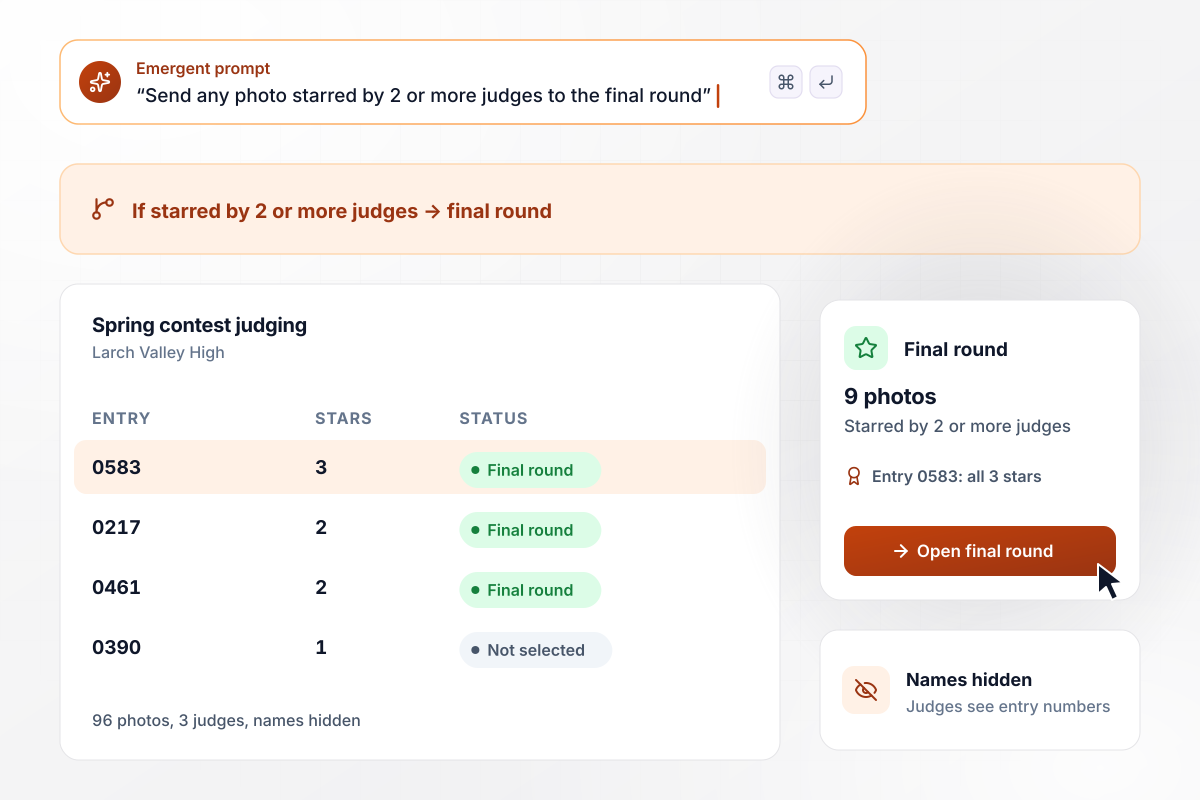
Of 96 photos, 9 earn stars from 2 judges or more
Larch Valley High's art department received 96 photos for its spring contest, and 3 judges star favorites on a screen that shows entry numbers, never student names. Any photo starred by at least 2 judges goes to the final round. The final round holds 9 photos, led by entry 0583 with all 3 stars.
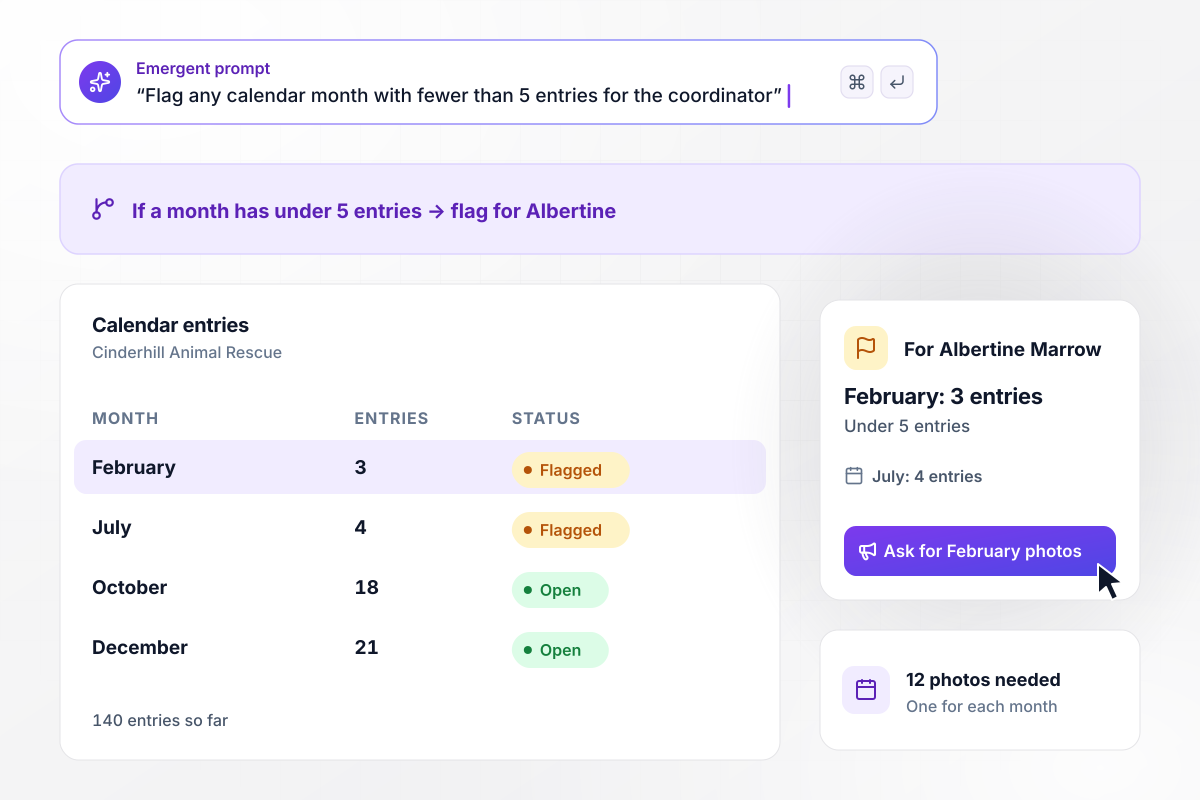
Albertine chases February when it stalls at 3 entries
Cinderhill Animal Rescue is picking 12 photos for next year's calendar, one for each month. Every entrant picks the month a photo suits. Of 140 entries so far, February has 3 and July has 4. Any month under 5 entries is flagged for Albertine Marrow, the volunteer coordinator, who asks for snowy February shots.






How to Create a Photo Contest Form
Use these 7 steps to launch a photo contest form that holds entrants to category limits and hides names from judges.
Pick the categories before you write a single field, such as Nature and Monochrome for a camera club. Then set the entry cap for each one, since the form's messages depend on that number.
Collect the entrant's name, email, the photo, its title, and the category. Keep the name and email on the organizer's record, where they wait for the results email and any prize delivery.
State the deadline and the limit per category in plain sentences at the top of the form. Say whether edited photos may enter, and spell out where you plan to show the winning photos.
Write a few sentences for Emergent with the fields, the categories, the limit, and the judging rule. Emergent builds the form and the entry database from that prompt, and a later rule change is one more prompt.
Give every judge one method, stars or points, and write down how many a photo needs to reach the final round. With 3 judges, a bar of 2 stars means a photo needs a majority of the panel.
Upload a photo, then a second and a third in the same category, and check that the third gets the full-category message. Open the judges' screen and confirm your own name does not appear on it.
Post the form link in your newsletter and on your website. When judging closes, the app emails every entrant the results from the same entry list the judges scored.
Why Build Photo Contest Forms With Emergent?
Photos emailed to an inbox arrive with names attached and no count per person. A form numbers each entry and keeps the count.

|
Jotform | Google Forms | Typeform | |
|---|---|---|---|---|
| How you build | Describe it in plain English | Templates, editor, AI generator | Editor, with Gemini drafting on some Workspace plans | Templates, editor, AI assist |
| Where responses live | A database table you own, plus any integration | Jotform account | Google Sheets | Typeform account |
| Response limits | No response caps | Monthly submission caps by plan; the form stops at the cap | No limit | Monthly response caps by plan; the form closes at the cap |
| Code ownership | Full code export to GitHub on paid plans | None | None | None |



Pick the Pricing Plan That Works for You
Choose the plan that fits your building ambitions. From weekend projects to enterprise applications, we've got you covered.




Find the right form
for whatever you're collecting








Frequently Asked Questions
Your Questions, Answered
Don't change this element unless you know what you are doing
More things you can build
with Emergent









on Emergent today


