

Build a Contest Entry Form That Counts Only Valid Entries
Build a contest entry form that turns away entrants who do not qualify and keeps every entry in a database you own.
Build a contest entry form for a coffee roaster's giveaway that asks for name, email, state, and favorite roast.
Trusted by Builders Worldwide
Active Builders Worldwide
Apps Successfully Created
Countries Globally Reached



What a Template Leaves You to Check by Hand
Emergent builds the contest entry form and the entries table behind it, with the checks an organizer would otherwise run by hand.
Eligibility checked before an entry saves
Ask for a birth date and a state, and the form turns away anyone under the minimum age or outside the states your rules allow. An entrant who does not qualify never reaches the draw.
Repeat entries tagged, never deleted
Each new entry is matched on email and phone against everyone who has already entered. A second entry from the same address is saved with a duplicate tag and left out of the count.
Word limits and file types held on submit
Take the entry itself as pasted text or as an upload. Set a word limit or the file types you accept, and the form refuses an entry that breaks either rule and tells the entrant why.
A random draw that names alternates
Draw a winner and as many alternates as your rules name, picked at random from valid entries only. Each draw is saved with its time and the number of entries it was drawn from.
Score sheets for a judging panel
Give each judge a private view of the entries, with entrant names hidden if you ask. Judges score against the criteria in your rules, and the app averages scores into a ranked list.
Next season's contest starts from this code
Export the full code to your GitHub repository on paid plans. A developer can change the rules, add a new prize or a new entry type, and run the same contest again next year.
Four Contests That Run on Entry Rules
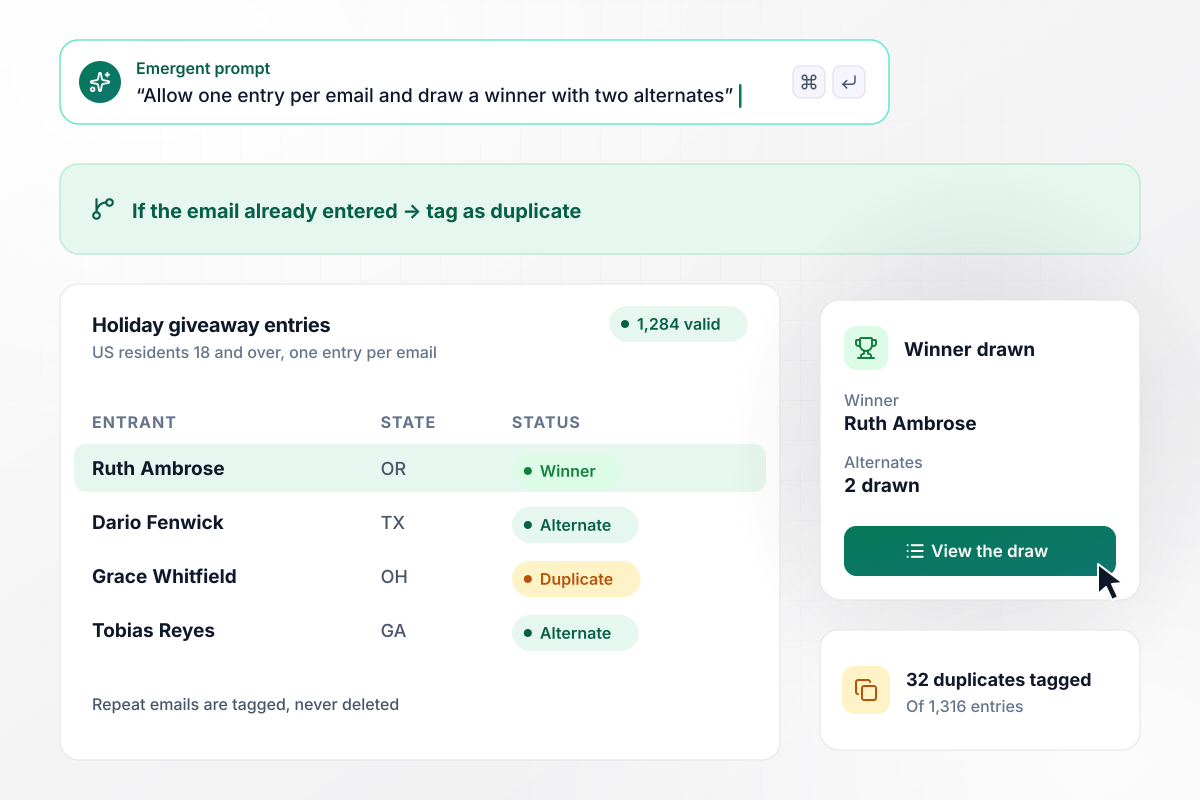
Of the 1,316 entries, 32 repeats sit out the draw
Halfmoon Coffee Roasters is giving away a year of coffee to US residents aged 18 and over, one entry per email. Of 1,316 entries, 32 reuse an address that already entered and carry a duplicate tag. The draw picks Ruth Ambrose as winner, plus two alternates, from the 1,284 entries that remain.
window.awbMockup = { productGiveaways: "I run a small coffee roastery and I'm giving away a year of coffee for the holidays. Build an entry form for US residents aged 18 and over that allows one entry per email. Tag any repeat entry as a duplicate and leave it out of the count. When entries close, draw one winner and two alternates at random from the valid entries.", writingContests: "Our library runs a short story contest for teens. Writers paste their story into the form, and a story over 2,500 words should go back to the writer with the word count and how many words to cut. Use each writer's birth date to file the story in the 13 to 15 or 16 to 18 bracket for our judges.", referralGiveaways: "My podcast is giving away a travel gear bundle. Every listener who enters should get a personal share link. Give them one bonus entry for each friend who enters through their link, capped at five bonus entries. Show me each entrant's friends and total entries, and use those totals when we draw the winner.", publicVotes: "Our town is choosing a mural from three finalist designs. Build a voting form where each resident votes once, and a vote counts only after they click a confirmation link sent to their email. Close voting at the deadline and show the committee the confirmed count for each design." };
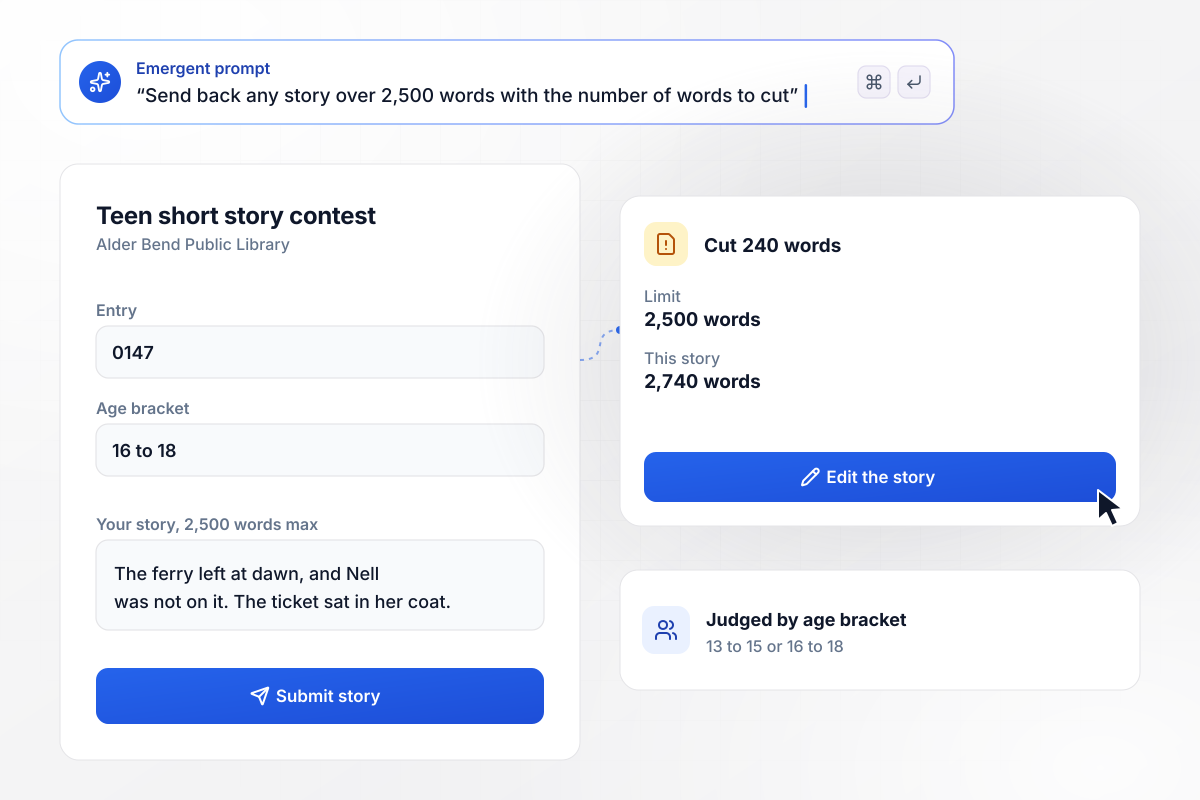
Any story over 2,500 words goes back to its writer
Alder Bend Public Library runs a short story contest for teen writers. The form counts the words in each pasted story before saving it. Entry 0147 arrived at 2,740 words and went back with a note to cut 240. Each writer's birth date files the story in the 13 to 15 or 16 to 18 bracket for judging.
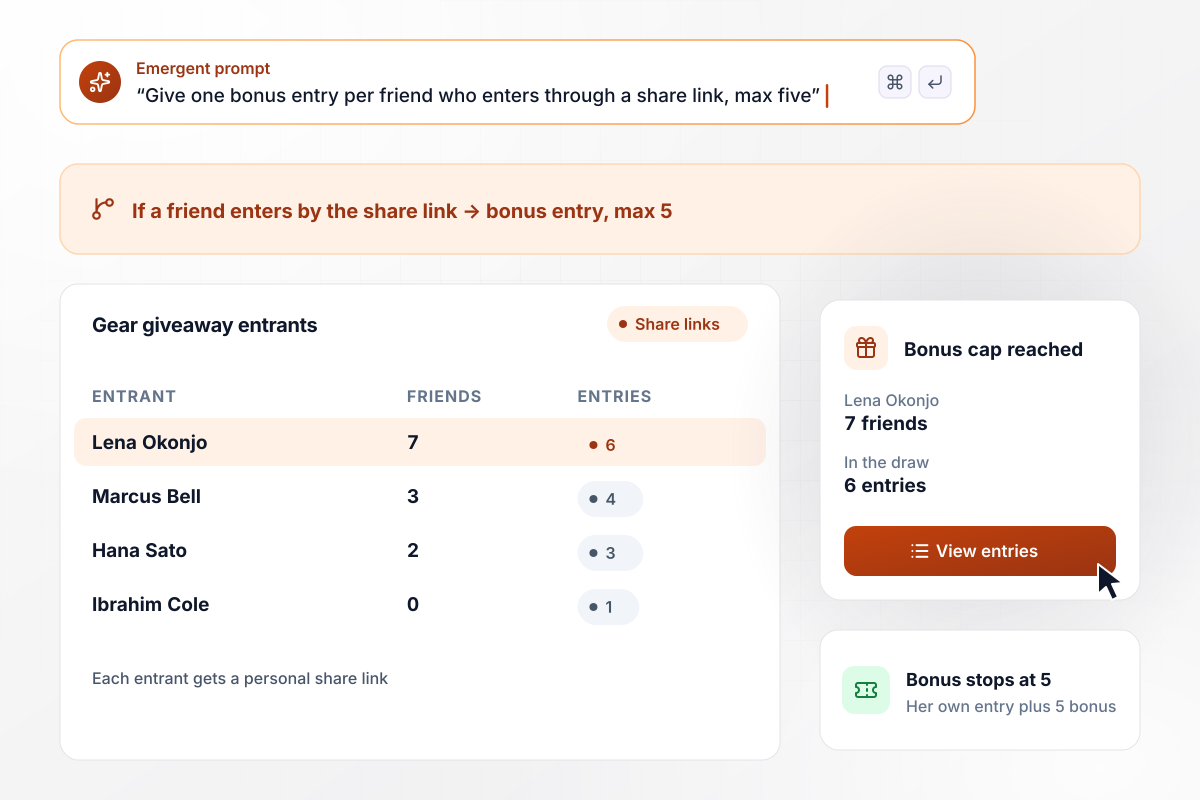
Each friend who enters adds one entry, up to five
Every listener who enters the Pocket Atlas gear giveaway gets a personal share link. A friend who enters through that link earns the sharer one bonus entry, and bonus entries stop at five. Lena Okonjo brought in 7 friends and holds 6 entries in the draw: her own and 5 bonus.
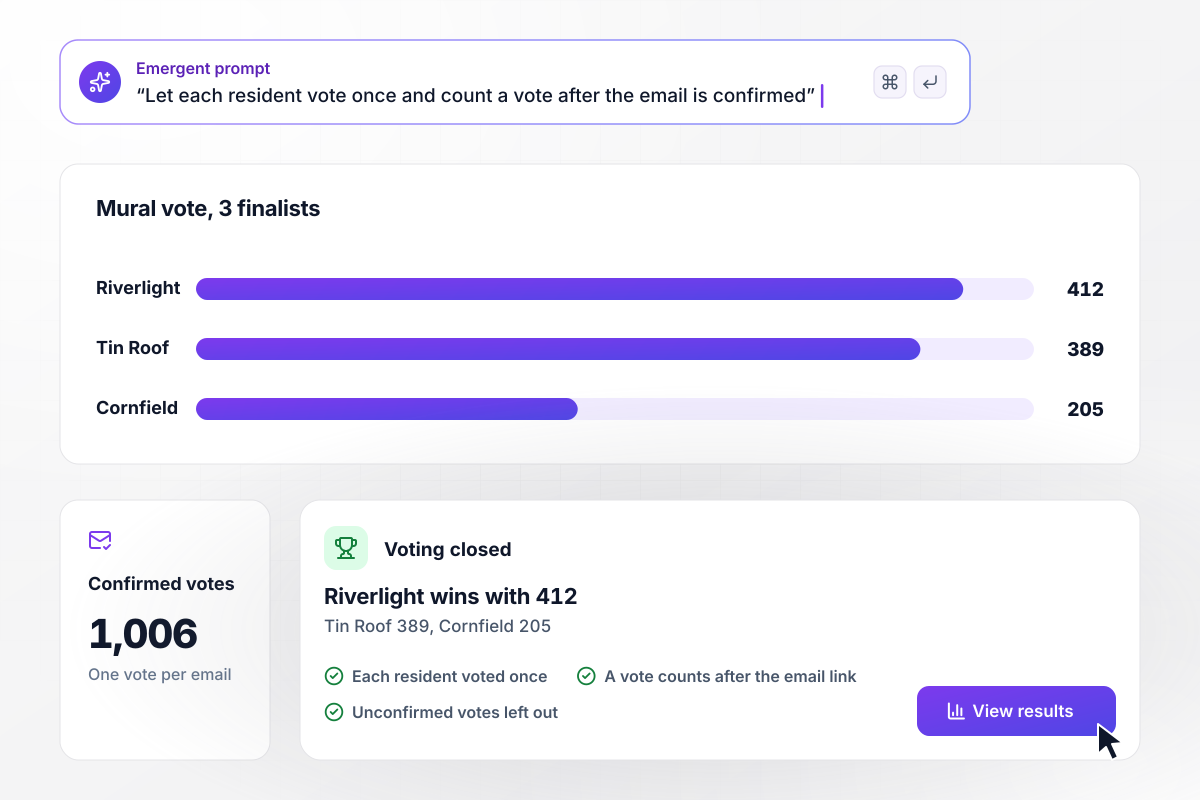
One vote per confirmed email, and Riverlight wins with 412
Three designs reached the final round of the Merrow Falls mural contest. Each resident votes once, and a vote counts only after the voter clicks the link sent to their email. Voting closed with 1,006 confirmed votes: Riverlight 412, Tin Roof 389, and Cornfield 205.






How to Build a Contest Entry Form
These seven steps take a contest entry form from official rules to a winner drawn from valid entries.
Set out who can enter, the entry period, the prize, and how the winner is chosen before any field exists. For a random draw, explain how the draw works. For a judged contest, list the criteria judges will score. Every check the form runs comes from this page.
Pick a minimum age and the states or countries your rules allow. Add a birth date field and a location field so the form can test both before an entry saves. If staff and their households cannot enter, add a question that asks.
Choose one entry per person, or one plus a bonus entry for each referral up to a cap. Decide whether email or phone number identifies a person. Then write the limit into the rules in the same words the form uses.
Paste the rules into one prompt and say whether each entry carries a photo, a story, or contact details alone. Emergent builds the form and a table that stores every entry. Ask for a change in plain words, and the form updates to match.
A random draw should name alternates in case a winner never replies. A judged contest needs a scoring view for each judge that rates every entry on the criteria you wrote. Pick one method per contest and name it in the rules.
Pick the exact closing minute and name its time zone in the rules. Write the email the winner receives, with a deadline to reply. Alternates get a message of their own, sent only if the winner lets that deadline pass without an answer.
Enter twice from one email and confirm the second entry carries a duplicate tag. Then enter as someone under the age limit and check that the form turns you away. Run a test draw on a copy of the entries table before the real one.
Why Build Contest Entry Forms With Emergent?
A template collects entries and stops there. Emergent builds the rules that decide which entries reach the draw or the judges.

|
Jotform | SurveyMonkey | Google Forms | |
|---|---|---|---|---|
| How you build | Describe it in plain English | Templates, editor, AI generator | Survey builder with templates | Editor, with Gemini drafting on some Workspace plans |
| Where responses live | A database table you own, plus any integration | Jotform account | SurveyMonkey account, plus export | Google Sheets |
| Response limits | No response caps | Monthly submission caps by plan; the form stops at the cap | Response allowance per plan, overage billed on paid plans | No limit |
| Code ownership | Full code export to GitHub on paid plans | None | None | None |



Pick the Pricing Plan That Works for You
Choose the plan that fits your building ambitions. From weekend projects to enterprise applications, we've got you covered.




Find the right form
for whatever you're collecting















Frequently Asked Questions
Your Questions, Answered
Don't change this element unless you know what you are doing
More things you can build
with Emergent









on Emergent today


