

Build a Pet Adoption Form That Tracks Every Application
Build a pet adoption form that asks each applicant only what applies and saves every application to a database you own.
Build a pet adoption form that saves every response to a database I own.
Trusted by Builders Worldwide
Active Builders Worldwide
Apps Successfully Created
Countries Globally Reached



What the Form Handles Before Anyone Adopts
A pet adoption form collects each applicant's home and pet history, then moves the application through checks to a signed contract.
Every application on the animal's record
The applicant picks an animal from your current adoptable list, and the application lands on that animal's record. Staff open the animal and see everyone who applied, oldest first.
Questions that follow the last answer
An applicant who rents gets questions about the landlord, and one with pets at home gets questions about their vet. Everyone else skips both and finishes a shorter form.
Review steps with a named owner
Each application moves through steps you define, such as a vet reference or a site visit. When a volunteer marks a step done, the next one opens for the person who owns it.
Alerts to the foster, not a shared inbox
A new application emails the foster who cares for that animal, or posts in a Slack channel you pick. A reminder goes out when a step sits untouched past the days you set.
The contract signed on any screen
The adopter signs your adoption contract on a phone or a tablet, even at an event table. The app saves the signature with the application and closes the animal's listing.
Code and records you keep
Export the app's full code to your GitHub repository on paid plans. Every application, reference note, and signed contract stays in a database you own, filed under its animal.
Four Adoption Teams, Four Different Checks
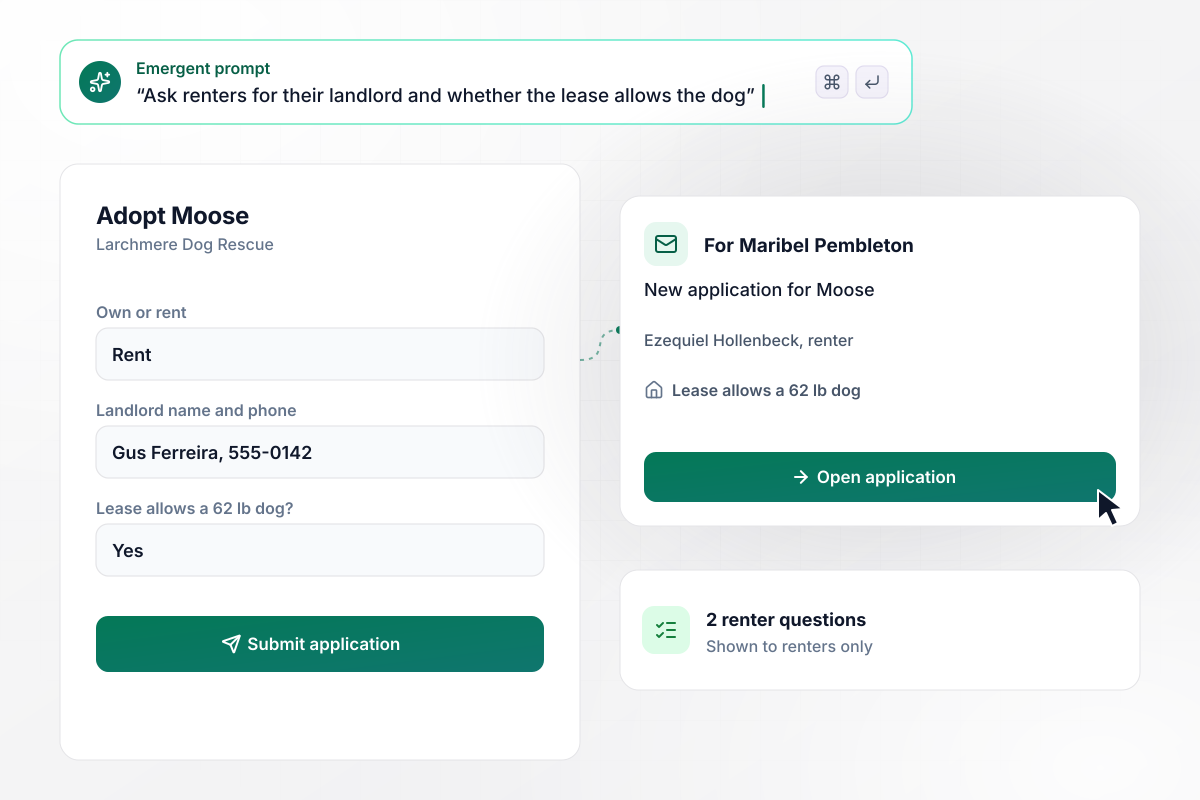
Renters get two questions no owner sees
Larchmere Dog Rescue asks every applicant whether they own or rent. Ezequiel Hollenbeck rents, and the form asks him two more questions: his landlord's name and phone number, and whether his lease allows a 62-pound dog like Moose. His application goes to Moose's foster, Maribel Pembleton, as an email.
window.awbMockup = { dogRescues: "I run a dog rescue. Build a pet adoption form that asks whether the applicant owns or rents. If they rent, ask for the landlord's name and phone number and whether the lease allows a dog of the listed dog's weight. Email each finished application to the foster caring for that dog.", catRescues: "My cat rescue checks a vet reference for anyone who already has pets. Build an adoption form that asks about current pets and their clinic, holds the application at a vet reference step until a volunteer marks it confirmed, then emails the applicant a link to book a meet-and-greet with the cat.", horseRescues: "I run a horse rescue. Build an adoption application that asks how many acres of pasture the applicant has. Mark any application under 2 acres for a site visit before review, and send the rest straight to the review queue with the acreage shown.", adoptionEvents: "My shelter brings cats to weekend adoption events. Build a contract step for approved adopters: show our adoption contract on a volunteer's phone, capture the adopter's signature, save it with the application, and change the cat's status from Available to Adopted." };
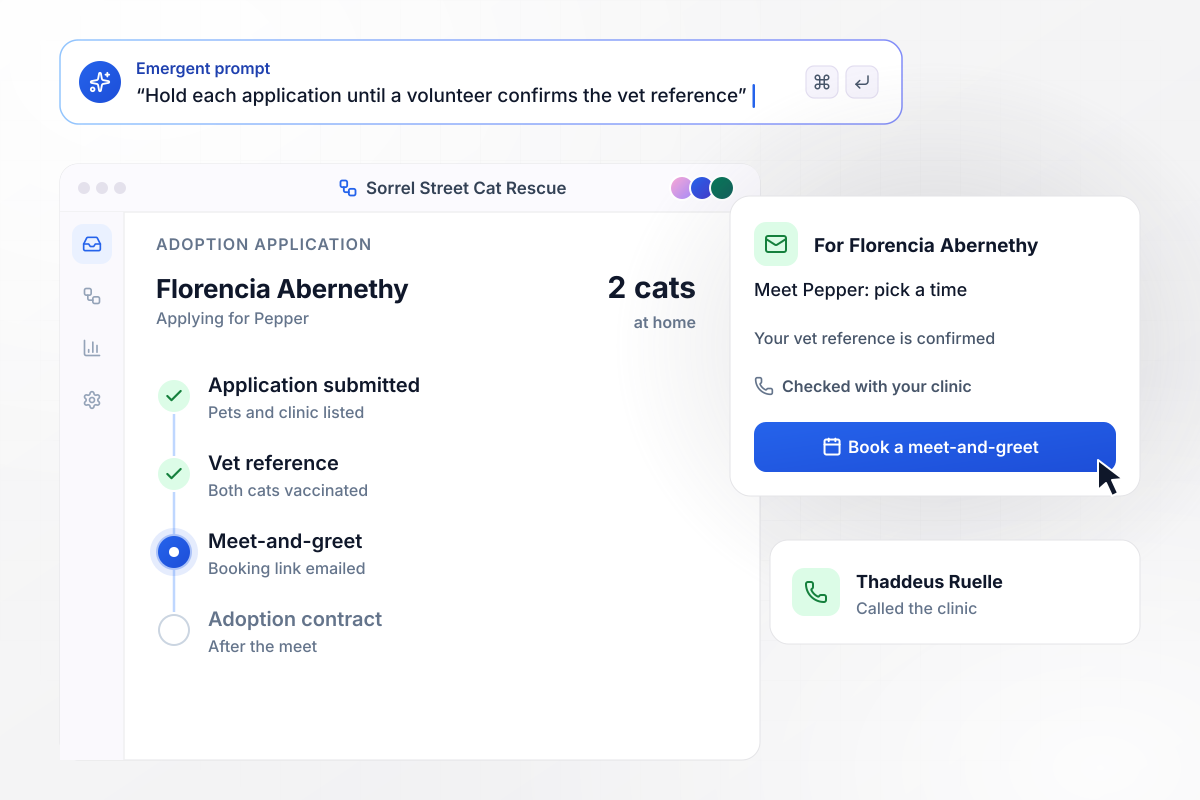
No meet-and-greet until the vet confirms
Sorrel Street Cat Rescue checks a vet reference for any applicant with pets. Florencia Abernethy lists 2 cats and their clinic. Volunteer Thaddeus Ruelle confirms with the clinic that both cats are vaccinated and marks the reference done. The app emails Florencia a link to book a meet-and-greet with Pepper.
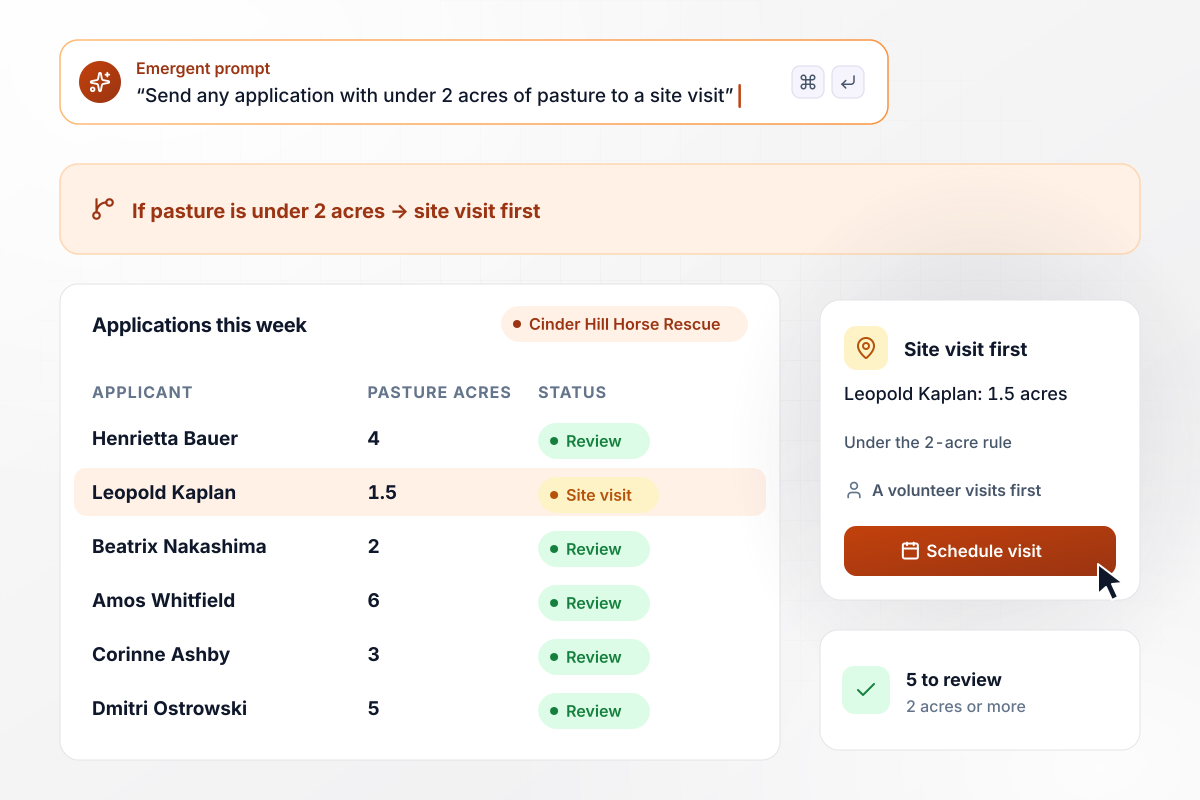
Each application under 2 acres waits for a visit
Cinder Hill Horse Rescue asks how many acres of pasture an applicant has for the horse. Its own rule sends any application under 2 acres to a site visit before review. Leopold Kaplan reports 1.5 acres. His application is marked Site visit, and the 5 others this week go straight to review.
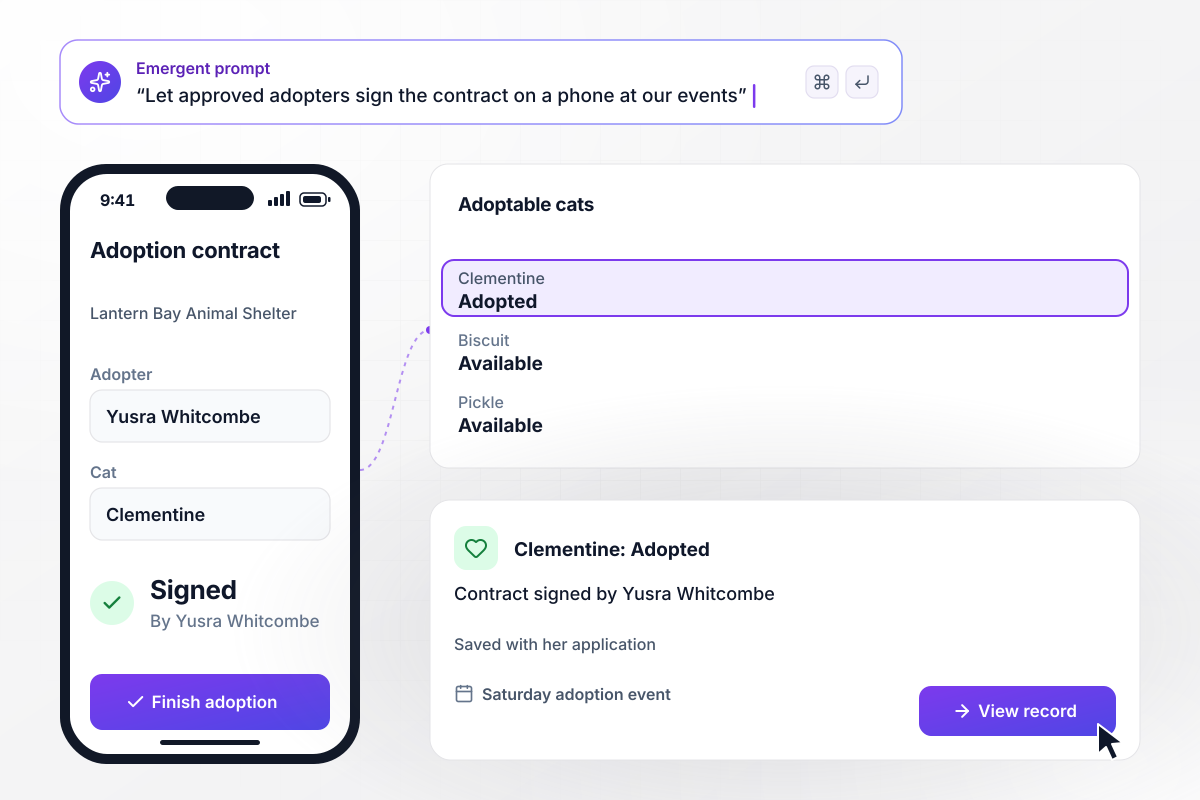
Signed at the event, adopted in the app
Lantern Bay Animal Shelter brings its adoptable cats to a Saturday adoption event at a pet supply store. Yusra Whitcombe, approved earlier that week, signs the adoption contract for Clementine on a volunteer's phone. The app saves her signature with the application and changes Clementine from Available to Adopted.






How to Create a Pet Adoption Form
Seven steps turn the application you use today into a pet adoption form that tracks each application, built with Emergent.
Read the application you use today and note what each answer changes about a placement. Keep the questions that decide one, such as housing and the pets already at home, and drop any question whose answer nobody reads.
Decide which answers open more questions. A renter gets the landlord questions and an applicant with pets gets the vet questions. Everyone else moves straight on, and a first-time owner with no pets finishes a shorter form.
List the steps an application passes through before approval, such as the vet reference, a landlord call, a site visit, and the meet-and-greet. Give each step one owner, and note which steps apply only to some applications.
Load the animals in your care and record each one's status and the foster who looks after it. Applicants pick from this list. Each application is then filed under one animal and reaches that animal's foster.
Write one prompt to Emergent that covers the questions with their follow-up rules and the review steps with their owners. Emergent builds the form with the database behind it, and you change a question or a step later by prompting.
Paste in your adoption contract so an approved adopter can sign it on a phone or tablet. Then decide who hears about what: new applications go to the animal's foster, and a stalled step sends its owner a reminder.
Fill the form as three made-up applicants: an owner with no pets, a renter with a cat, and someone with 2 dogs at home. Check that each lands at the right step, then publish on its own link or your custom domain (included in Emergent, uses credits).
Why Build a Pet Adoption Form With Emergent?
Emergent builds the application and the review steps that follow it from one prompt, and you change either one by prompting.

|
Jotform | Google Forms | Typeform | |
|---|---|---|---|---|
| How you build | Describe it in plain English | Templates, editor, AI generator | Editor, with Gemini drafting on some Workspace plans | Templates, editor, AI assist |
| Where responses live | A database table you own, plus any integration | Jotform account | Google Sheets | Typeform account |
| Response limits | No response caps | Monthly submission caps by plan; the form stops at the cap | No limit | Monthly response caps by plan; the form closes at the cap |
| Code ownership | Full code export to GitHub on paid plans | None | None | None |



Pick the Pricing Plan That Works for You
Choose the plan that fits your building ambitions. From weekend projects to enterprise applications, we've got you covered.




Find the right form
for whatever you're collecting















Frequently Asked Questions
Your Questions, Answered
Don't change this element unless you know what you are doing
More things you can build
with Emergent









on Emergent today


