

Build a Map Quiz Maker That Scores Every Click
Build quizzes with a map quiz maker that scores each click on your map and saves every answer to a database you own.
Build a map quiz maker for my geography classes where students click places on a blank map and every answer is saved.
Trusted by Builders Worldwide
Active Builders Worldwide
Apps Successfully Created
Countries Globally Reached



What Emergent Builds Into a Map Quiz
A map quiz asks players to find a place, not name it. Emergent builds the map, the scoring, and the table behind them from a prompt.
Answers given with a click on the map
Upload your own map or describe the one you need, and Emergent builds a quiz where each answer is a click on a region. The app scores that click against the region you marked right.
A row for every click
Every answer lands as a row in a database you own, with the player, the question, the region clicked, and the time. Sort by question to see where the wrong clicks pile up.
Pass marks that send an email
Set a pass mark, such as 11 of 12, and the app emails you the name of each player who falls short, or posts the list to Slack. Players who pass go straight to their score screen.
One question per screen on a phone
Players answer one question per screen, so the map fills a phone and a tap counts as the click. Emergent puts no cap on how many people play it, in one class or across fifty.
Leaderboards ranked by score, then time
Ask for a leaderboard, and Emergent builds one that ranks teams by score and breaks ties on time. A follow-up prompt changes the round length or the points for a hard region.
Your domain and the full code
Run the quiz on your own domain; custom domains are included in Emergent and use credits. On paid plans, export the full code to your GitHub repository and keep building on it.
Four Map Quizzes and What Each Caught
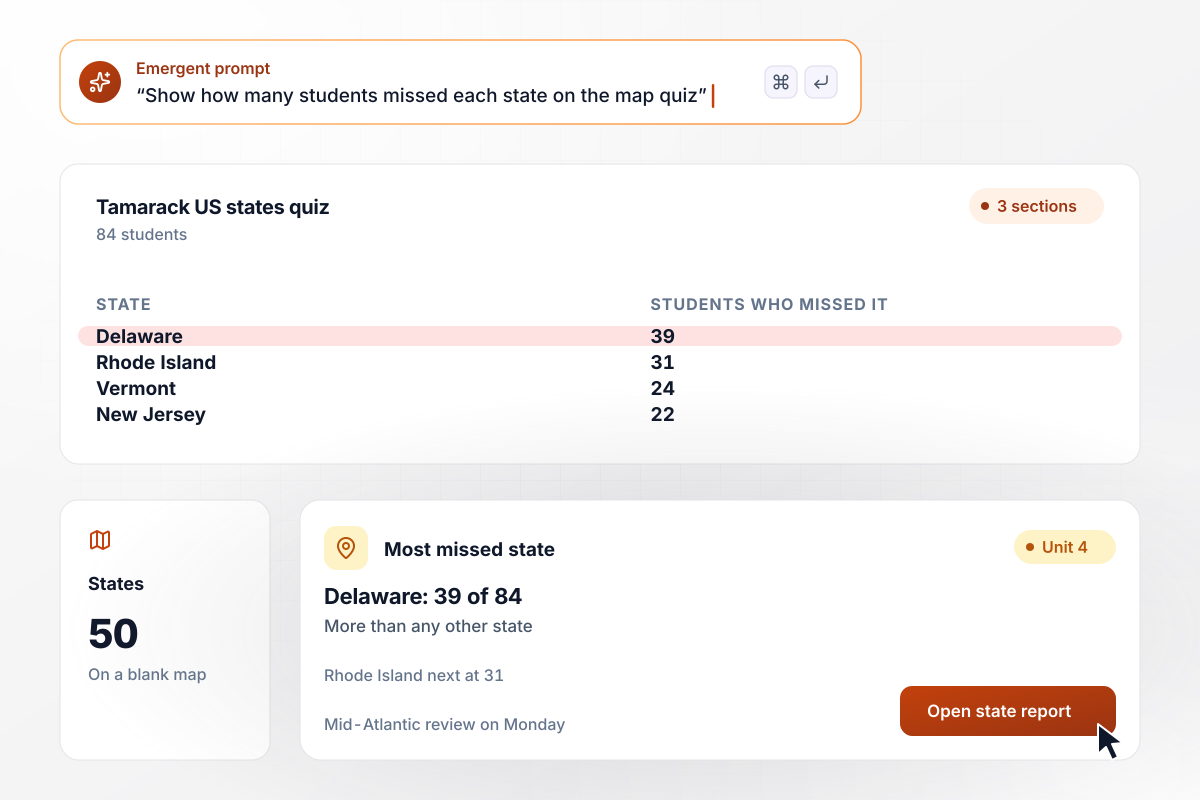
Delaware stumped 39 students, more than any state
Every student in Greta Osterhout's 3 social studies sections at Tamarack Middle School clicks all 50 states on a blank US map. Of her 84 students, 39 placed Delaware wrong, more than any other state. Rhode Island came next at 31. She gave Monday's class to the Mid-Atlantic before the unit test.
window.awbMockup = { classroomStatesQuiz: "Build a map quiz for the 84 students in my 3 social studies sections. Each student clicks all 50 states on a blank US map, one state per question. Save every click, and give me a table that shows how many students missed each state, with the most missed state at the top.", deliveryZoneTraining: "Build a map quiz for new drivers at my courier company. Show our city map with its 12 delivery zones, and ask each driver to click the zone I name. The pass mark is 11 of 12. Email our dispatcher the name of every driver who scores below it, and let them retake the quiz the next day.", trailMapQuiz: "Build an 8-question trail map quiz that hikers open on a phone from a code on our trailhead sign. Each question shows our trail map and asks where something is, such as the waterfall. Save every try, and show me how many hikers picked each wrong answer, so rangers know which part of the sign to redraw.", triviaNightMapRound: "Build a map round for our monthly trivia night. Each team drops 10 pins on a world map from one phone. Score each pin as right or wrong, rank the 16 teams by correct pins, and break ties on the time each team took. Show the leaderboard on the bar's screen when the round ends." };
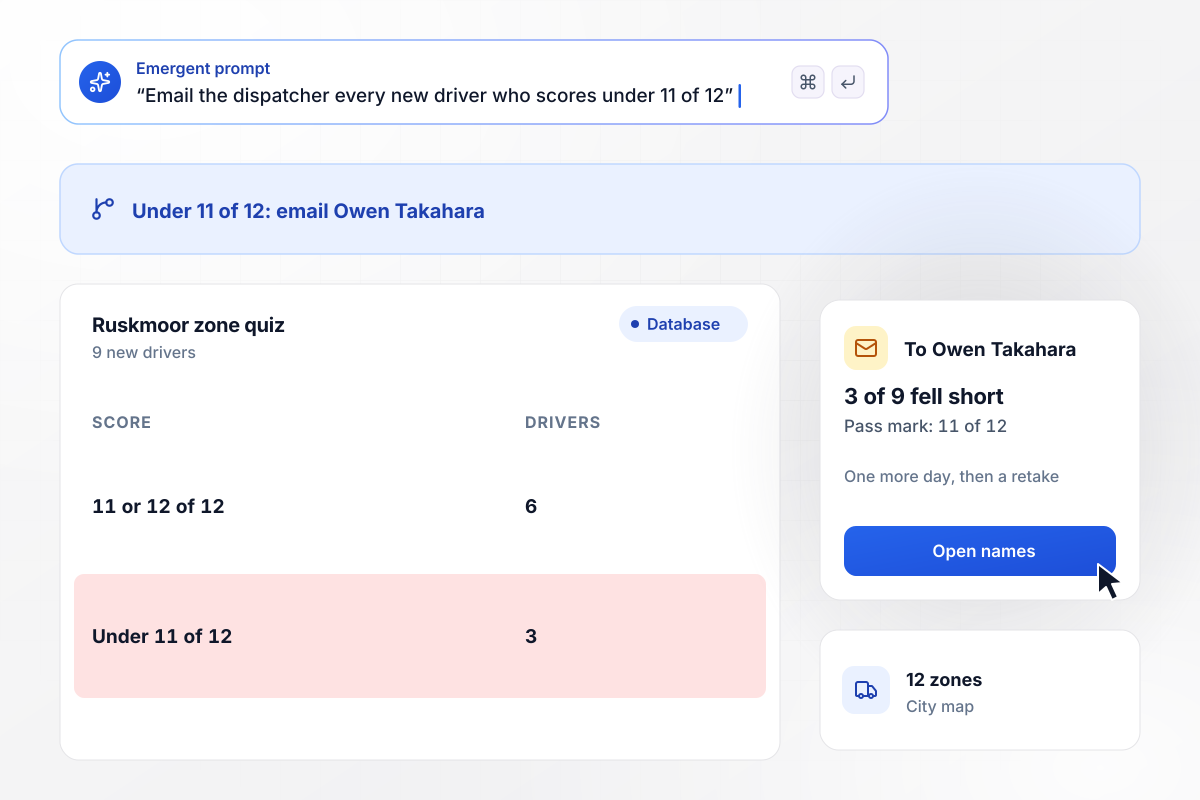
Below 11 correct zones, no solo route yet
New drivers at Ruskmoor Couriers click each of the company's 12 delivery zones on a city map before their first solo route. The pass mark is 11 of 12. Last week 3 of 9 new hires fell short, and dispatcher Owen Takahara got an email naming them. Each rode along with a senior driver for one more day, then retook the quiz.
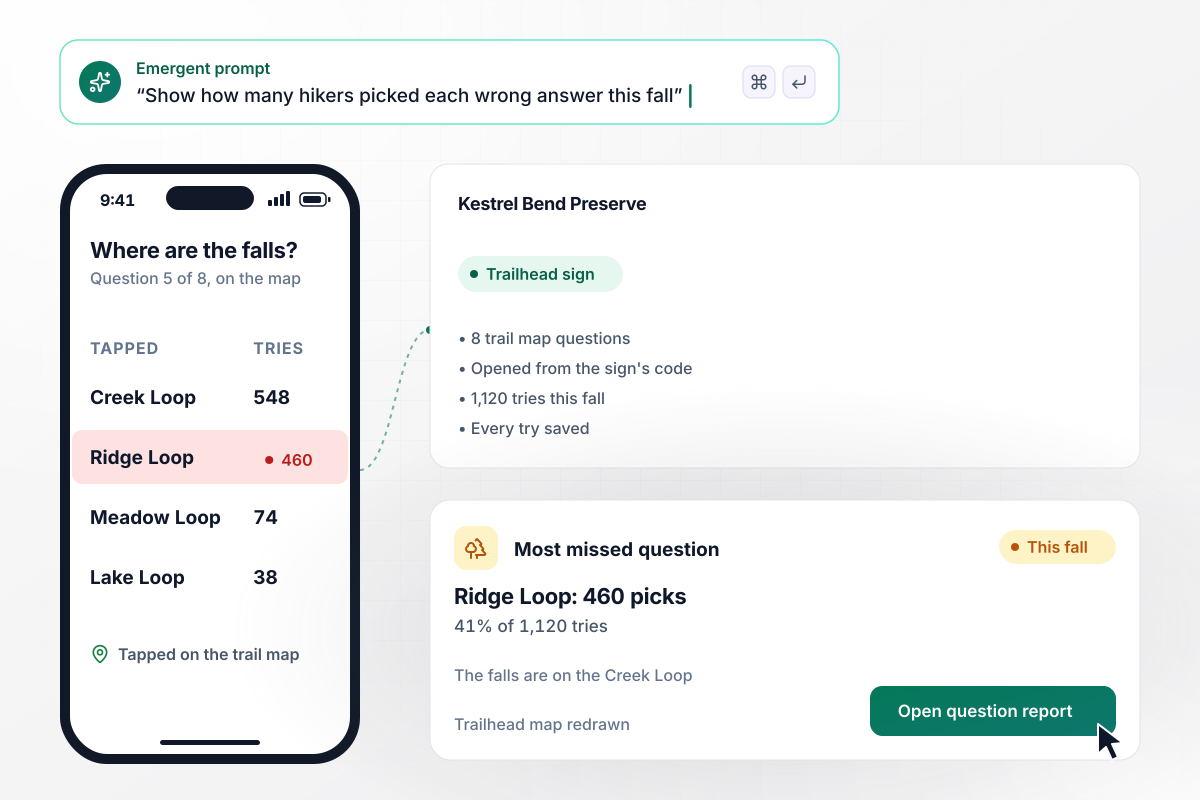
Creek or ridge: 460 hikers took the wrong loop
Hikers who reach the trailhead at Kestrel Bend Preserve take an 8-question trail map quiz on a phone, using the code on the sign. This fall brought 1,120 tries. Asked where the waterfall sits, 460 hikers picked the Ridge Loop, though the falls are on the Creek Loop. Rangers redrew the trailhead map with the falls marked.
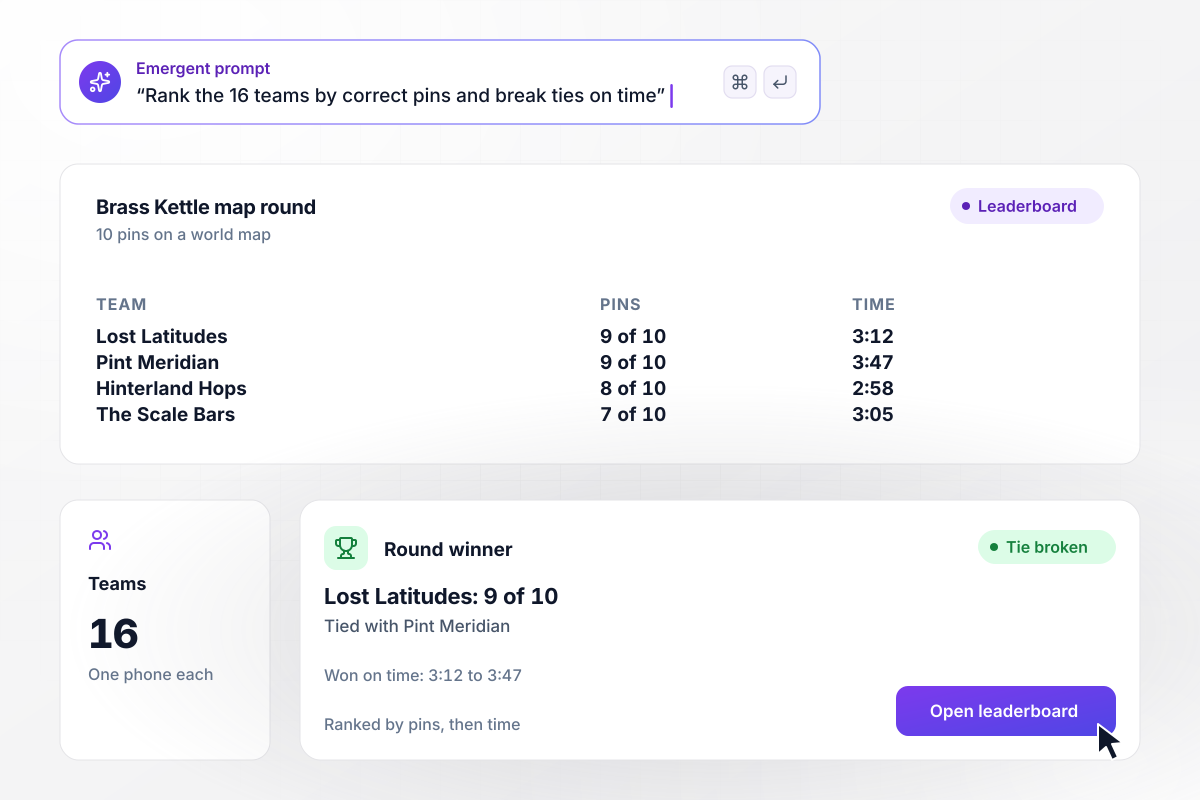
16 teams ranked by score, then by time
Trivia night at Brass Kettle Taproom ends with a map round. Each of the 16 teams drops 10 pins on a world map from one phone. The leaderboard ranks teams by correct pins and breaks ties on time. Lost Latitudes and Pint Meridian both scored 9 of 10, and Lost Latitudes took the round at 3:12 to Pint Meridian's 3:47.






How to Make a Map Quiz
Seven steps to plan a map quiz, set how it scores, and build it with Emergent's map quiz maker.
Choose the map players will click, such as a blank US outline, your city's delivery zones, or a trail map. Upload it or describe it in your prompt. The map decides how many regions a player can click and how small the smallest one gets.
Write each question as a place to find, such as a state or a trail junction, and mark the one region that counts as correct. Enlarge tiny regions, like Rhode Island on a US map, so a player on a phone can tap them without zooming.
Settle whether a click must land inside the region or only near it, and whether a player gets a second try. One try per question keeps scores comparable between groups. Put the rule in your prompt so the scoring matches it.
Training quizzes need a pass mark and a person who hears about anyone below it. Games need a ranking instead: correct answers first, then time to break ties. Decide which kind your quiz is before you build it, since the results view differs.
Put the map, the questions, the scoring rule, and the pass mark or leaderboard in a single prompt. Emergent builds the quiz and the database behind it, and a follow-up prompt changes either one when a question needs work.
Before launch, have five people take the quiz on their own phones. Watch for a region that is hard to tap or a question two people read two different ways. Fix each one by prompt, then clear their test answers from the table.
After the first round, sort the answers by question. A region missed far more than the rest points to a lesson to reteach or a sign to redraw. Run the same quiz again later to see whether the change moved the score.
Why Make Your Map Quiz With Emergent?
Your map quiz runs as an app you control. Every click lands in a database you own, and one prompt swaps in a new map.

|
ProProfs | Interact (quiz specialist) | Typeform | |
|---|---|---|---|---|
| How you build | Prompt for the survey, quiz, or poll and the app around it | Templates, question library, and AI quiz builder | Templates and AI quiz maker | Templates and editor, AI assist |
| Pricing model | Credits, no response caps or per-response fees | Free plan, then billed per active quiz taker | Free plan capped by monthly responses, then paid plans | Plans by monthly response limit; discount for annual billing |
| Where responses live | A database table you own, plus any integration | ProProfs account; reports export to Excel, CSV, or PDF | Interact account | Typeform account |
| Code ownership | Full code export to GitHub on paid plans | None | None | None |




Pick the Pricing Plan That Works for You
Choose the plan that fits your building ambitions. From weekend projects to enterprise applications, we've got you covered.




Find the right survey, quiz, or poll
for your team















Frequently Asked Questions
Your Questions, Answered
Don't change this element unless you know what you are doing
More things you can build
with Emergent









on Emergent today


