

Build Media Consumption Survey Questions and Media Diaries
Build media consumption survey questions on news and podcast habits, and compare each wave's answers side by side.
Build media consumption survey questions for my local newspaper that ask readers where they got local news in the past 7 days.
Trusted by Builders Worldwide
Active Builders Worldwide
Apps Successfully Created
Countries Globally Reached



What Emergent Builds Into a Media Survey
Emergent builds the survey and the table behind it, and a follow-up prompt changes either one before the next wave goes out.
Questions drafted for each medium
Name your audience and the media you track, like local news and podcasts. Emergent drafts how-often and which-device questions for each, and you edit any of them by prompt.
Questions that skip what people never use
A respondent who says no to podcasts never sees the podcast block. Each person answers only about the media they used, and the results table has no blank rows to clean up.
A 7-day diary with an evening reminder
Turn the survey into a daily media diary. Each participant gets an email reminder at 8 p.m. to log the minutes spent on each medium, and no reminder once that day's entry is in.
Every entry in a database you own
Every response is a row in a database you own, tagged with the medium and the survey wave. Put this spring's podcast numbers beside last fall's without merging two exports.
One question per screen on a phone
People answer one question per screen on a phone, at breakfast or on the train home. A yes or no on each source is one tap, and minutes get a number pad, not a text box.
Your domain, and code you can take
Run the survey on your own domain, included in Emergent and paid for in credits. Responses have no cap, and paid plans export the full code to your GitHub repository.
What Four Media Surveys Changed
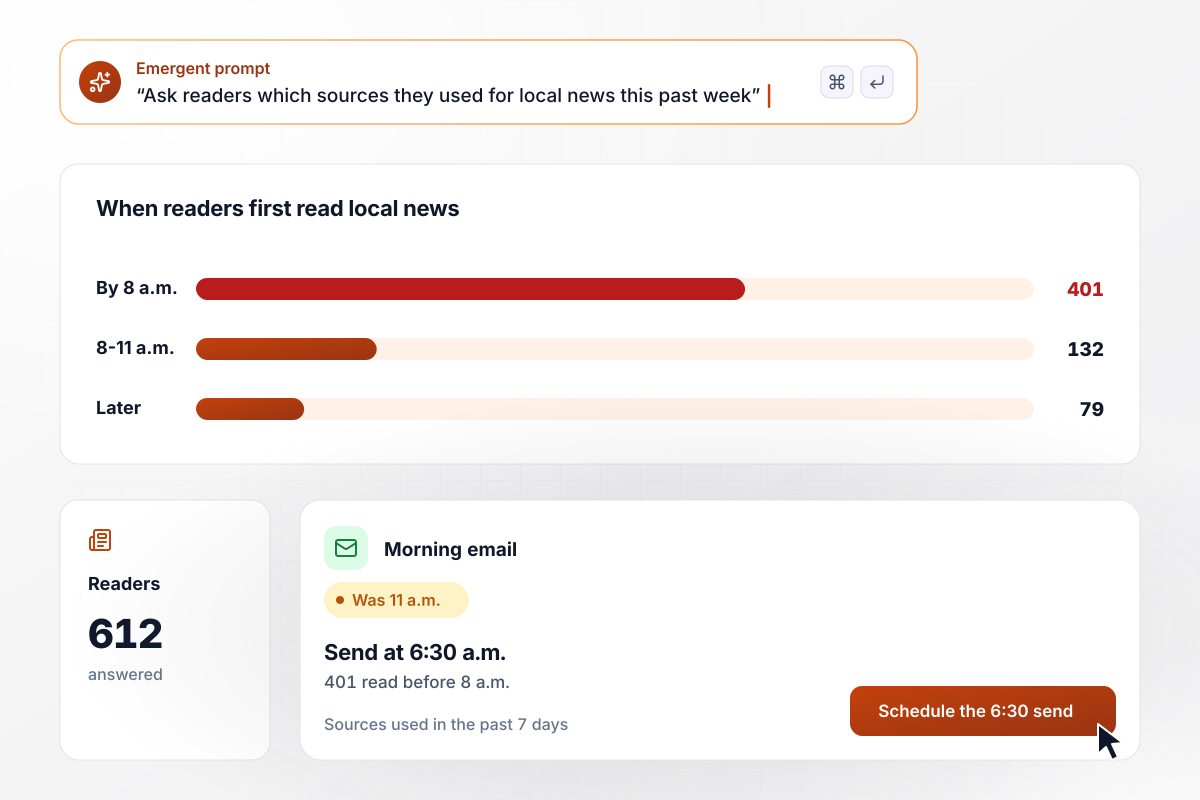
Readers up before 8 a.m. get the email at 6:30
The Ashgrove Gazette sends its morning email at 11 a.m. Its reader survey asks which sources each reader used for local news in the past 7 days, and what time they first read it. Of the 612 readers who answer, 401 read local news before 8 a.m. The email now goes out at 6:30 a.m.
window.awbMockup = { localNewsReaders: "Build a reader survey for my local newspaper. Ask which sources readers used for local news in the past 7 days, with a yes or no for each source: our website, our app, the print edition, local TV, and social media. Ask what time they first read local news on a typical weekday. Show me how many readers first read before 8 a.m.", podcastListeners: "Build a listener survey for my podcast that I can link in the show notes. Ask where people usually listen, such as on a commute, at home, or at work, and how long a typical listening session lasts. Show me how many listeners answer and how many listen on a commute under 30 minutes.", studentMediaDiary: "Build a 7-day media diary for my media studies class of 46 students. Each day at 8 p.m., email each student a reminder to log that day's phone minutes for video, social apps, audio, and news. On day 7, ask for the week's total from their phone's screen time report, and show me how many diary totals came in lower.", ticketBuyerChannels: "Build a survey for my theater's ticket buyers after the spring run. Ask where they heard about the show, with a yes or no for each channel: local radio, social media, word of mouth, our website, and the newspaper ad. Show me how many buyers said yes to each channel, so I can decide where next season's $2,400 monthly ad budget goes." };
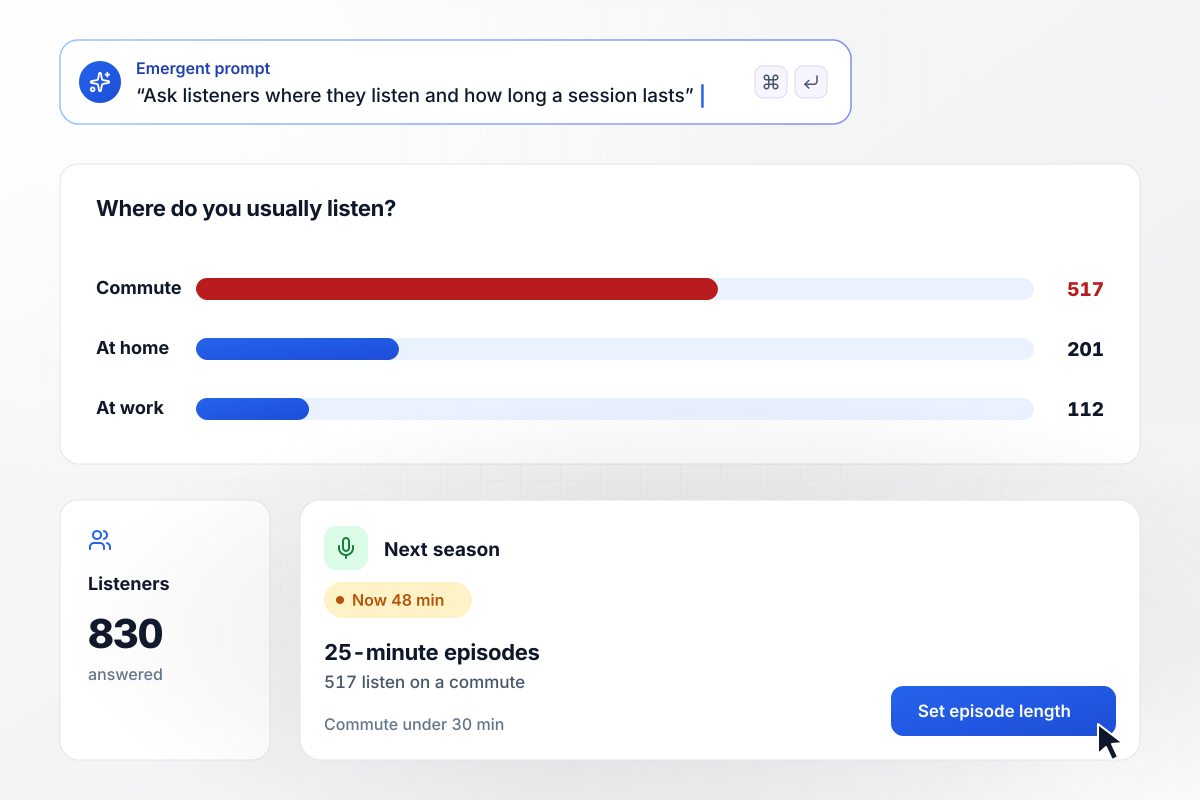
Commuters get a 25-minute episode each week
Saltmarsh Audio publishes a 48-minute weekly history show. A survey in the show notes asks where people listen and how long a session lasts. Of 830 listeners who answer, 517 listen on a commute under 30 minutes. Next season, every episode runs 25 minutes.
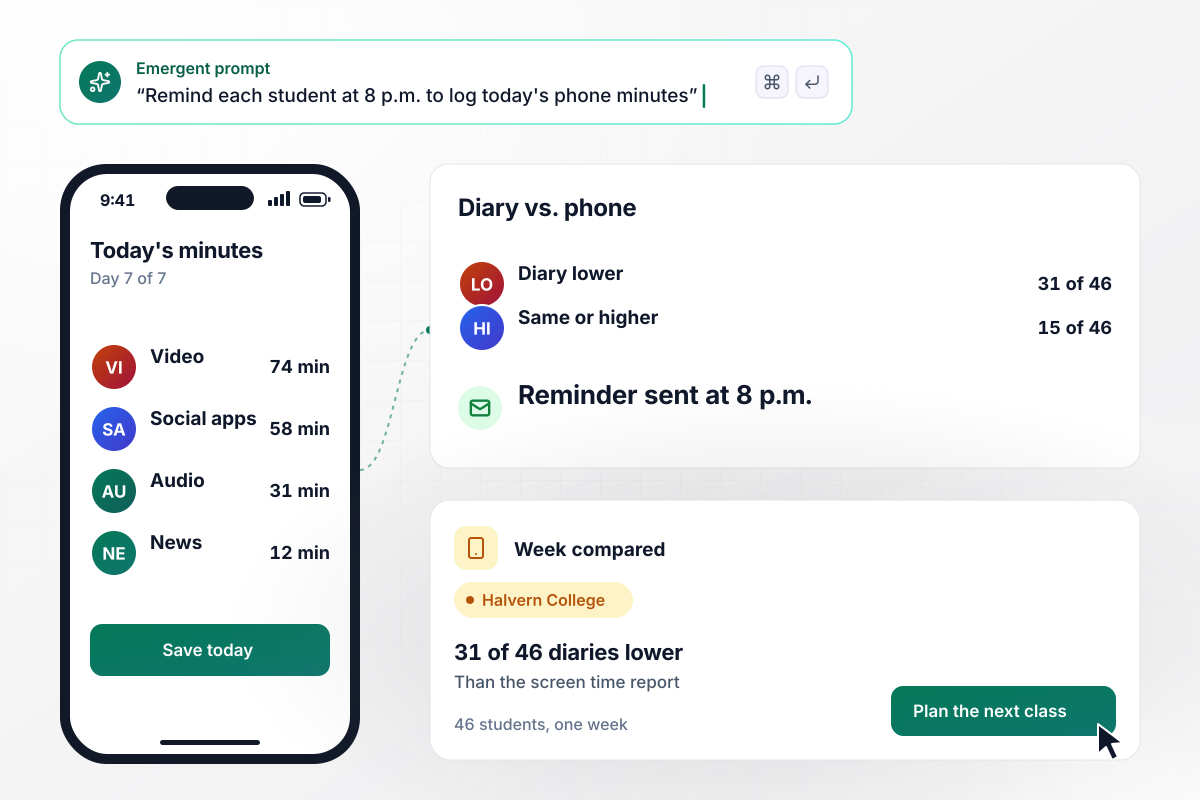
31 of 46 diaries ran under each phone's screen time
The 46 students in a Halvern College media studies class keep a 7-day media diary. Each day at 8 p.m., an email reminder asks for that day's phone minutes by type of app. On day 7, each student adds the week's total from the phone's screen time report. For 31 of the 46, the diary total is lower.
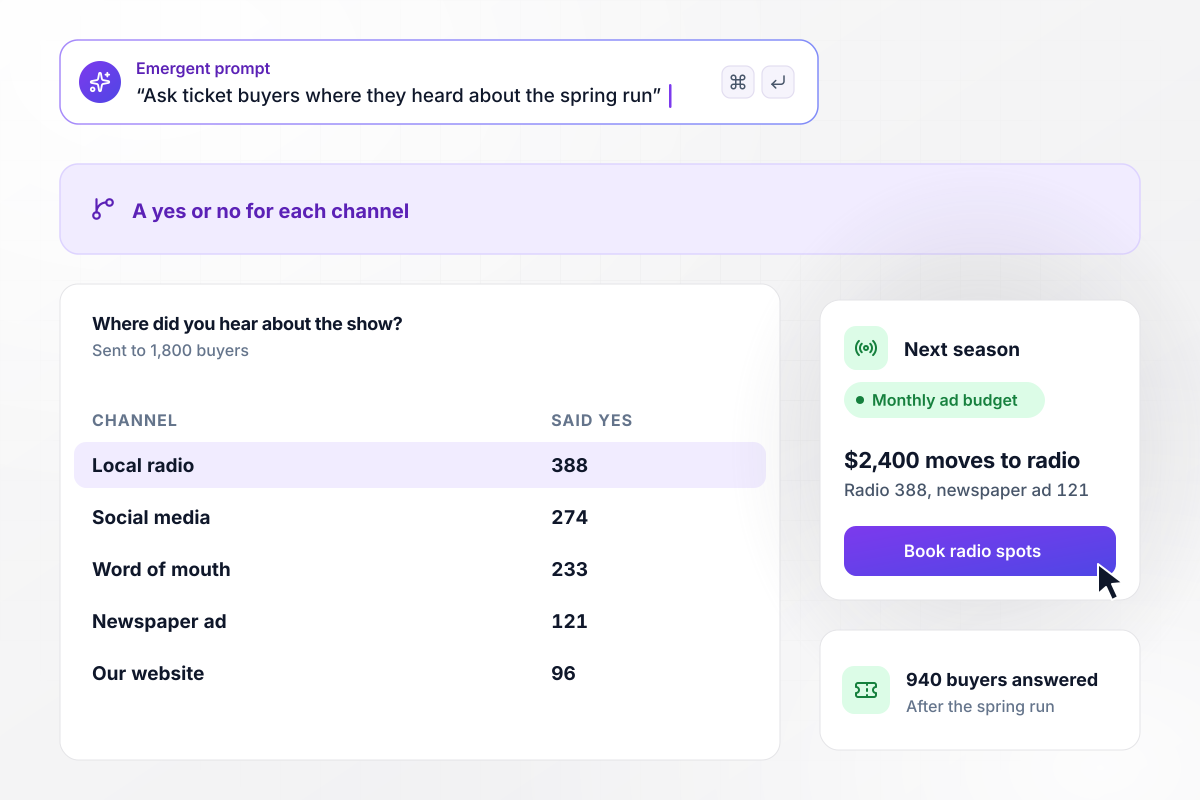
Print loses its $2,400 budget to radio
Juniper Street Playhouse spends $2,400 a month on newspaper ads. After the spring run, it asks 1,800 ticket buyers where they heard about the show, with a yes or no for each channel. Of the 940 who answer, 388 heard it on local radio and 121 saw the newspaper ad. Next season, the full $2,400 goes to radio spots.






How to Write Media Survey Questions
Seven steps to write media consumption survey questions people can answer from memory, each wave ending in one clear decision.
Write down the change the answers will drive before you write a question, such as moving a send time or an ad budget. Put that decision in your prompt, and Emergent drafts questions that feed it instead of a census of every screen.
Ask about the past 7 days, not a typical week. A fixed, recent window gives every respondent the same stretch to remember, and the answers line up across waves when you run the survey again next quarter.
Pew Research Center finds that forced-choice questions tend to yield more accurate responses, especially for sensitive questions. Ask about each news source or channel on its own with a yes or no, instead of one long list to tick.
Pew also notes that in self-administered surveys, people tend to choose items at the top of the list. Shuffle the order of platforms for each respondent. The app you happen to list first then gets no extra votes for its spot.
A meta-analysis of logged and self-reported digital media use found self-reports were rarely an accurate reflection of logged media use. Where you can, ask for the phone's screen time total next to the estimate, and report both numbers.
Send the survey to 5 people from your audience before the full list, and ask each one which question took longest to answer. Reword that question with a follow-up prompt, then send the survey to everyone else.
Run the next wave with every question word for word and only the dates changed. Habits shift by season, and identical wording is how you tell a real drop in podcast listening apart from a change in how you asked.
Why Build Your Media Survey With Emergent?
Survey waves and diary entries land in one database you own. Reword any question with a prompt before the next wave.

|
SurveyMonkey | Microsoft Forms | SurveyHero | |
|---|---|---|---|---|
| What you get | Survey, logic, and response database, as code you own | Survey builder with templates, including employee engagement | Surveys, quizzes, and polls with response summaries | Survey builder with templates, including employee satisfaction |
| Pricing model | Credits, no response caps or per-response fees | Per-user team plans with a seat minimum, billed annually | Free with a Microsoft account; included in Microsoft work and school subscriptions | Free plan, then per-account plans with unlimited responses |
| Where responses live | A database table you own, plus any integration | SurveyMonkey account | Microsoft Forms, with export to Excel | SurveyHero account, EU data centers |
| Code ownership | Full code export to GitHub on paid plans | None | None | None |




Pick the Pricing Plan That Works for You
Choose the plan that fits your building ambitions. From weekend projects to enterprise applications, we've got you covered.




Find the right survey, quiz, or poll
for your team















Frequently Asked Questions
Your Questions, Answered
Don't change this element unless you know what you are doing
More things you can build
with Emergent









on Emergent today


