

Build a Sports Quiz That Scores Every Player
Build a sports quiz for your league or class that scores each player and saves every answer to a database you own.
Build a sports quiz for my office fantasy league with 5 questions on the weekend's games every Monday and a season leaderboard.
Trusted by Builders Worldwide
Active Builders Worldwide
Apps Successfully Created
Countries Globally Reached



Inside a Sports Quiz Built With Emergent
Emergent writes the questions and the scoring from your prompt. The app saves each answer to a table sorted by player or question.
Questions pitched at the players you name
Name the sport, the level, and the rule set, such as U12 soccer or seventh-grade volleyball, and Emergent drafts multiple-choice questions to match. Edit any of them by prompt.
Scores saved by player and question
Every answer is a row in a database you own: the player, the question, the option picked, and whether it was right. Sort by question to find the one that stumped the most players.
One question per screen on a phone
Players see one question per screen with a progress bar, so a fan in the bleachers or a referee on the sideline finishes on a phone. Emergent puts no cap on how many players answer.
A pass mark that sends an email
Set a pass mark, such as 10 of 12, and the app emails the organizer the name of each player who falls below it. Point the alert at a Slack channel when a whole league needs it.
Leaderboards that add up a season
Ask for a leaderboard and the app totals each player's scores week by week. Change the scoring, add a bonus round, or reset the table for a new season with one more prompt.
Your domain, and the code on paid plans
Run the quiz on your own domain; custom domains are included in Emergent and use credits. On paid plans, export the full code to your GitHub repository and bring it back next season.
Where Sports Quizzes Get Played
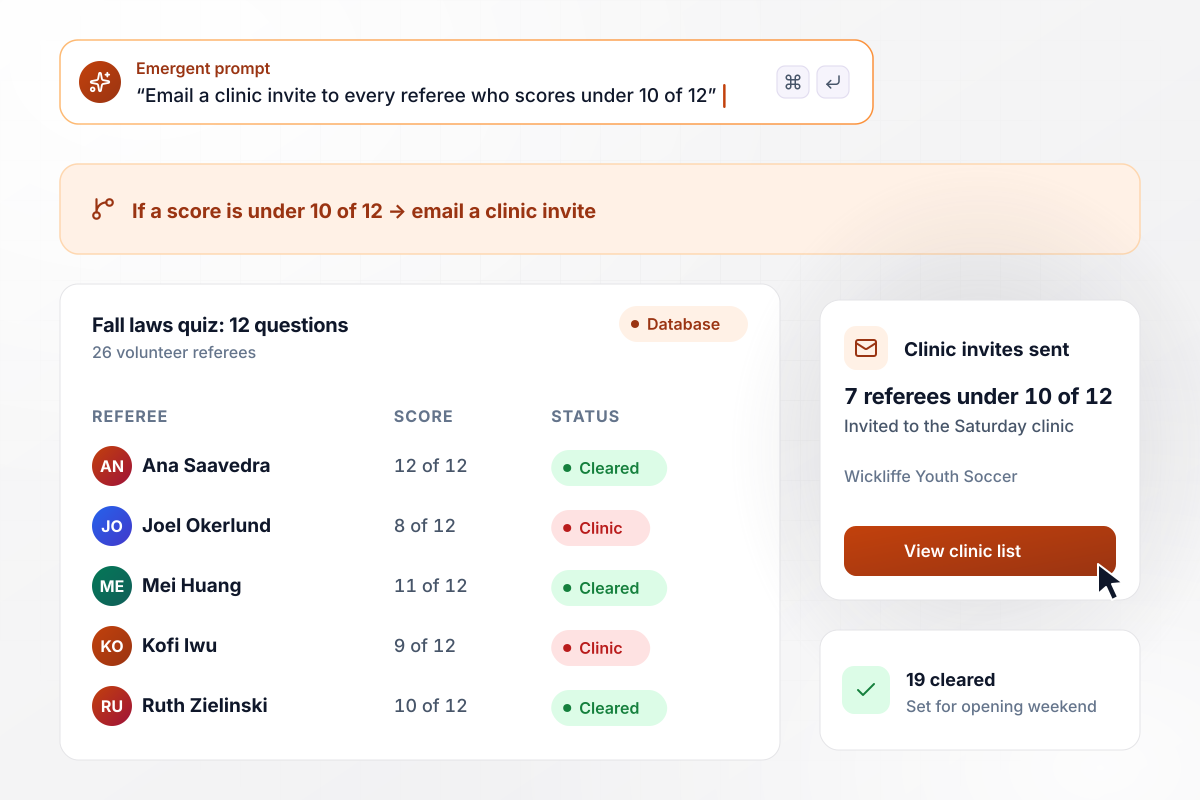
Referees who score under 10 of 12 get a clinic invite
Wickliffe Youth Soccer sends a 12-question laws quiz to its 26 volunteer referees before the fall season, and each score is saved under the referee's name. The 7 who scored under 10 of 12 got an email inviting them to the Saturday clinic. The other 19 are cleared for opening weekend.
window.awbMockup = { refereeRules: "Build a 12-question soccer laws quiz for the 26 volunteer referees in my youth club. Save each score under the referee's name, email a Saturday clinic invite to anyone who scores under 10 of 12, and show me who is cleared for opening weekend.", peUnit: "Build a 10-question volleyball quiz my 3 seventh-grade PE classes take on class tablets before the unit starts. Save every answer with the student and the class period, and rank the questions by how many students missed each one.", fantasyLeague: "Build a 5-question quiz on the weekend's games for the 12 people in my office fantasy football league. Open it every Monday, add each score to a season total, and post the standings to our Slack channel with the leader and the gap to second.", ballparkFans: "Build a 3-question fan quiz for my minor league ballpark that opens from a QR code on the scoreboard between innings. Fans answer on their phones, and at the end of the night the app draws one seat from everyone who got all 3 right." };
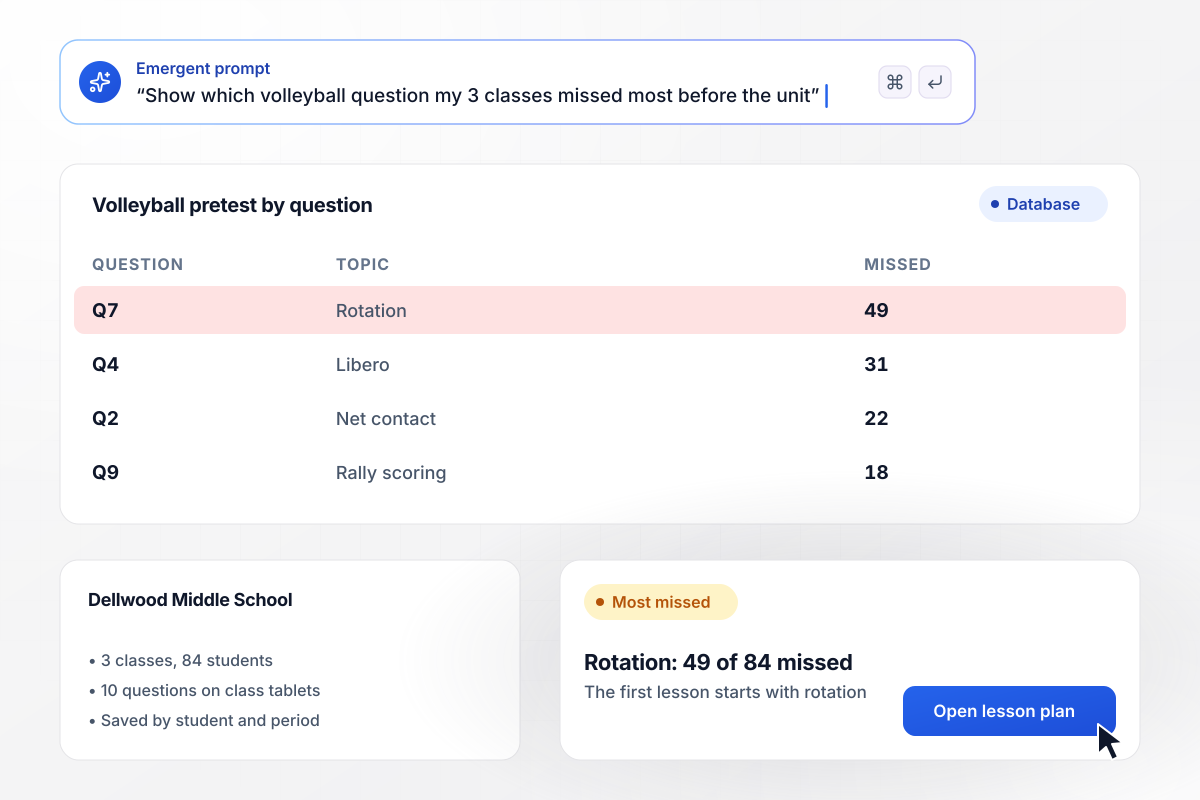
Lesson one is rotation, the question 49 of 84 missed
Before the volleyball unit, Dellwood Middle School's 3 seventh-grade PE classes, 84 students in all, take a 10-question quiz on class tablets. Each answer is saved with the student and the class period. The rotation question was missed by 49 of 84, more than any other, so the first lesson starts on the court with rotation.
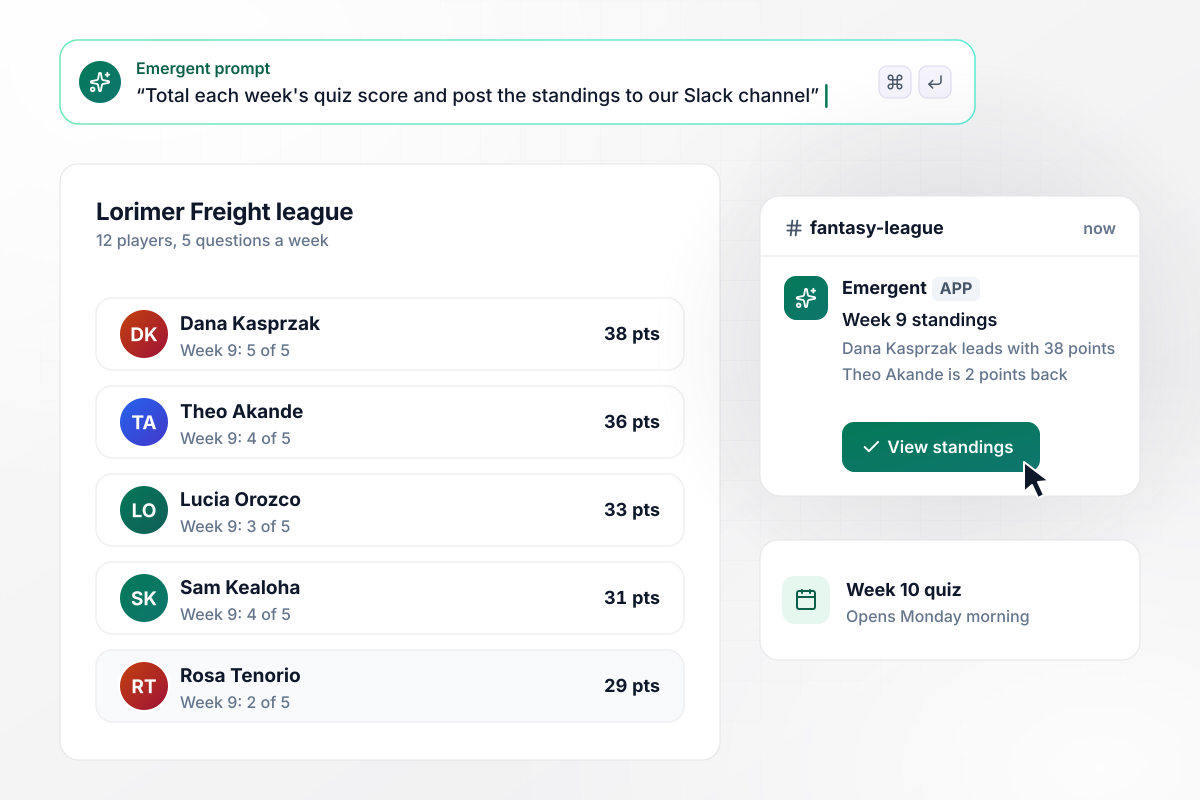
Dana Kasprzak in first with 38 points after week 9
Every Monday at Lorimer Freight, the 12 people in the office fantasy football league answer 5 questions on the weekend's games. The app adds each score to a season total and posts the standings to the league's Slack channel. After week 9, Dana Kasprzak is in first with 38 points, 2 ahead of Theo Akande.
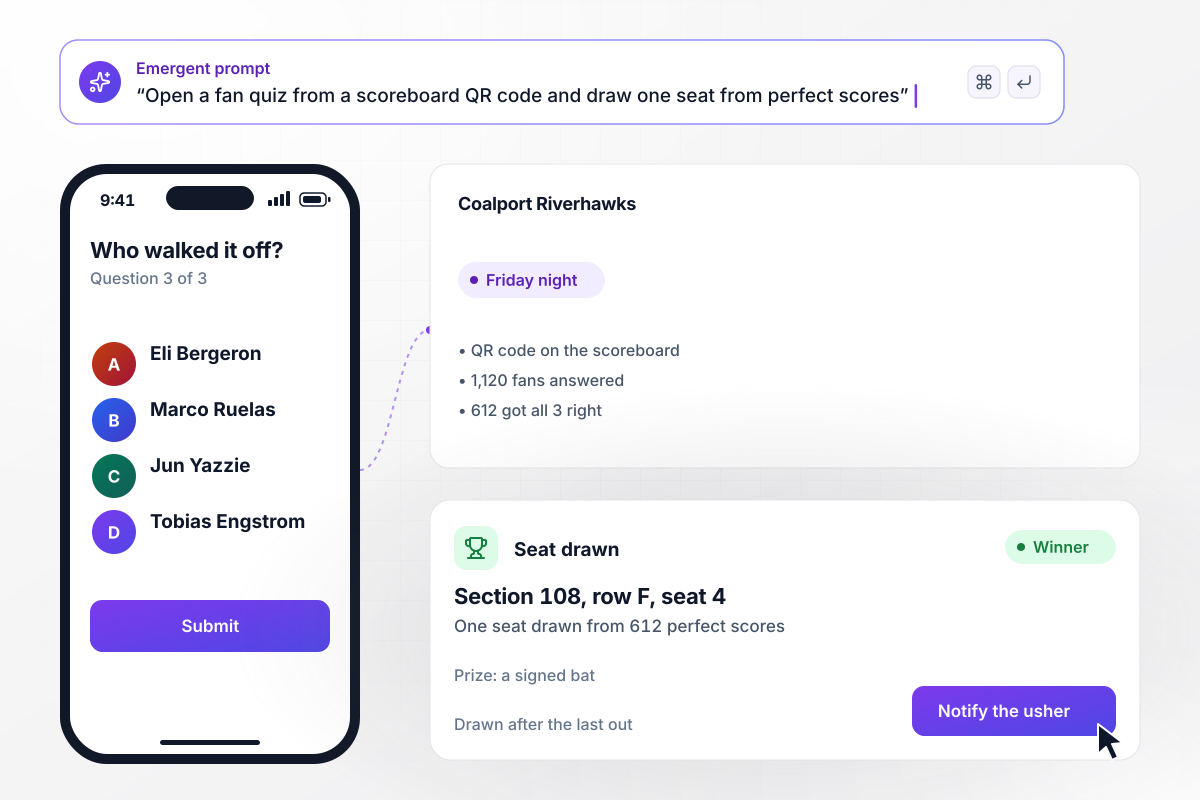
With 612 perfect scores, one seat is drawn
Between innings, the Coalport Riverhawks put a QR code on the scoreboard that opens a 3-question fan quiz. On Friday night, 1,120 fans answered on their phones, and 612 got all 3 right. The app drew one seat from those 612, and section 108, row F, seat 4 won a signed bat.






How to Run a Sports Quiz Players Finish
Seven steps to run a sports quiz with fair questions, a pass mark or standings, and a table of what players missed.
Name the players before you write a question: volunteer referees, a seventh-grade class, an office league, or fans in the stands. Each group needs a different level, and putting it in your prompt lets Emergent pitch the questions to match.
A rules check works best on one sport and one rule book. A trivia round can mix sports, but keep each question to one fact a player could look up. Say which kind you want and how many questions it should have.
Give every question four options of the same kind and length, such as four years or four team names. One silly option turns a question into a free point. Ask Emergent to redraft any option set that gives the answer away.
Add a one-line explanation under each answer that says where the fact comes from. A source settles a dispute before it starts. The quiz at the top of this page follows the pattern, with a source behind all 8 answers.
Decide what the score is for. A rules check needs a pass mark and a list of who fell below it. A weekly game needs a running total per player and standings the whole group can see after each round.
Before launch, have three people take the quiz on their phones. Rewrite any question that two of them read differently. Then open the table and check that each answer saved as its own row with the right score beside it.
After the round, sort the answers by question. The one most players missed becomes the next lesson, the clinic topic, or next week's bonus question. Change the quiz by prompt and send the next round to the same players.
Why Run Your Sports Quiz on Emergent?
Emergent builds a sports quiz you run yourself, with every score in a database you own and the code yours to export on paid plans.

|
ProProfs | Interact (quiz specialist) | Typeform | |
|---|---|---|---|---|
| How you build | Prompt for the survey, quiz, or poll and the app around it | Templates, question library, and AI quiz builder | Templates and AI quiz maker | Templates and editor, AI assist |
| Pricing model | Credits, no response caps or per-response fees | Free plan, then billed per active quiz taker | Free plan capped by monthly responses, then paid plans | Plans by monthly response limit; discount for annual billing |
| Where responses live | A database table you own, plus any integration | ProProfs account; reports export to Excel, CSV, or PDF | Interact account | Typeform account |
| Code ownership | Full code export to GitHub on paid plans | None | None | None |




Pick the Pricing Plan That Works for You
Choose the plan that fits your building ambitions. From weekend projects to enterprise applications, we've got you covered.




Find the right survey, quiz, or poll
for your team















Frequently Asked Questions
Your Questions, Answered
Don't change this element unless you know what you are doing
More things you can build
with Emergent









on Emergent today


