

Build Questions for Social Media Survey Takers
Build questions for social media survey takers on the apps they use and the posts they want, saved to a database you own.
Write questions for social media survey takers at my bakery that ask which apps they open each day and which posts they would save.
Trusted by Builders Worldwide
Active Builders Worldwide
Apps Successfully Created
Countries Globally Reached



What Emergent Builds Into a Social Media Survey
Emergent builds the survey, its logic, and the table behind it from one prompt, and a follow-up prompt changes any of them.
Questions written around your platforms
Name the apps you post on and the change the answers should settle. Emergent drafts questions that list each app by name, and a short prompt rewords one or swaps a choice.
Every answer kept as a row you own
Each answer is saved as a row in a database you own, with the date and the place the link was shared. Run the survey again next spring and both rounds sit in one table.
One tap per screen from a profile link
Followers who tap the link in a bio or a story get one question per screen on a phone, with large answer buttons. Nobody has to pinch and zoom on a long page to finish it.
A follow-up only when the answer calls for it
A yes on the first question can open a second one that asks which post did it. The results page shows a count for each answer, and a filter keeps one group of answers in view.
Opted-in followers sent to your email tool
Followers who check the box for news are sent with their answers to your email tool or CRM through its API. The store can then write only to people who asked for how-to videos.
A short link on your own domain
Put the survey on your own domain; custom domains are included in Emergent and use credits. On paid plans, export the full code to your GitHub repository and keep it.
Four Social Media Surveys at Work
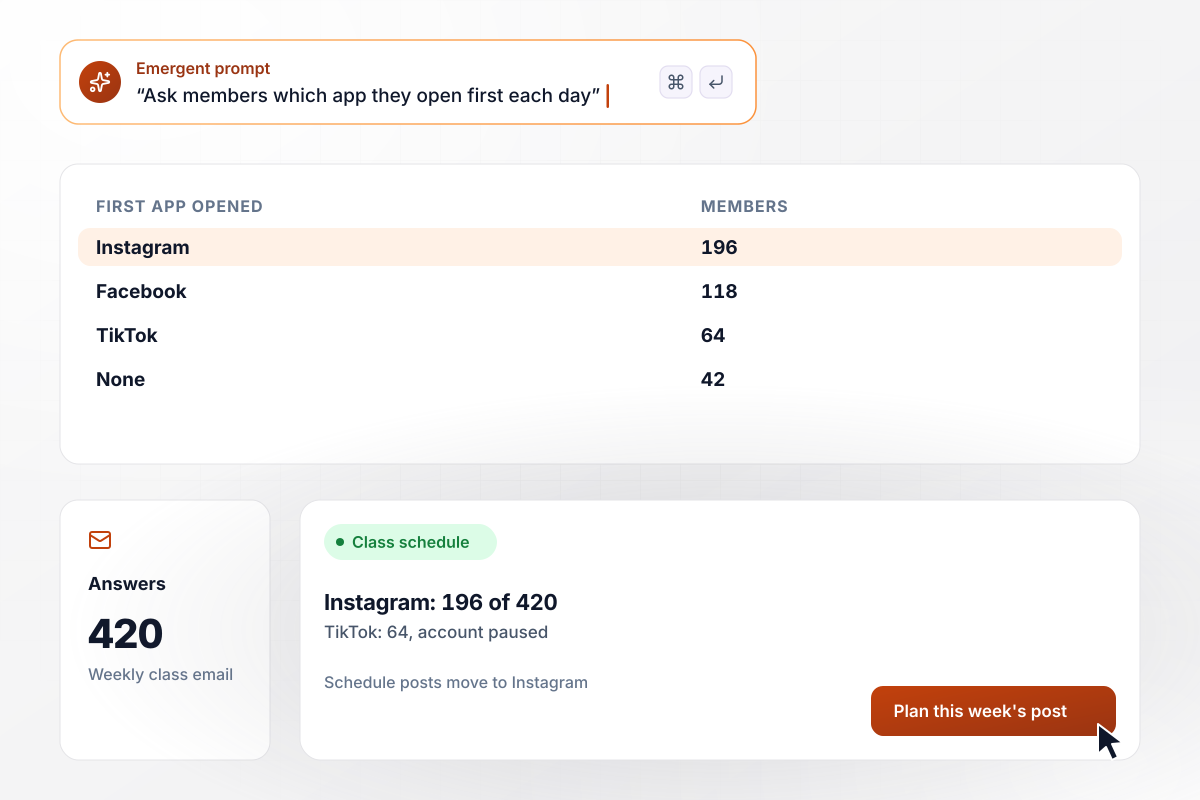
The class schedule, on the app 196 members open first
Fernhook Yoga puts one question in its weekly class email: which app do you open first each day? Of 420 members who answered, 196 picked Instagram and 118 Facebook. TikTok drew 64, and 42 open none of them. The studio now posts its class schedule to Instagram each week and pauses its TikTok account.
window.awbMockup = { yogaMembers: "Build a one-question survey I can put in my yoga studio's weekly class email. Ask which app members open first each day, with Instagram, Facebook, TikTok, and None as choices. Save the date with every answer and show the count for each app so I can decide where to post the class schedule.", hardwareFollowers: "Build a survey for my hardware store that I can link in my Instagram bio. Ask which kind of post followers would save: how-to videos, sale alerts, new arrivals, or behind the counter. Show it one question per screen on a phone and show the number of picks for each kind of post.", foodTruckCustomers: "Build a survey for my taco truck that opens from a QR code on the window. Ask customers when they check social media: morning, lunch, 7 to 9 pm, or late night. Show the count and share for each time so I can pick the hour to post the next day's stop.", rescueAdopters: "Build a short survey that opens at the end of my animal rescue's adoption application. Ask whether a social media post brought the applicant in. Only if they say yes, ask which post: a pet video, a photo post, or an event post. Show me the count for each post type among the yes answers." };
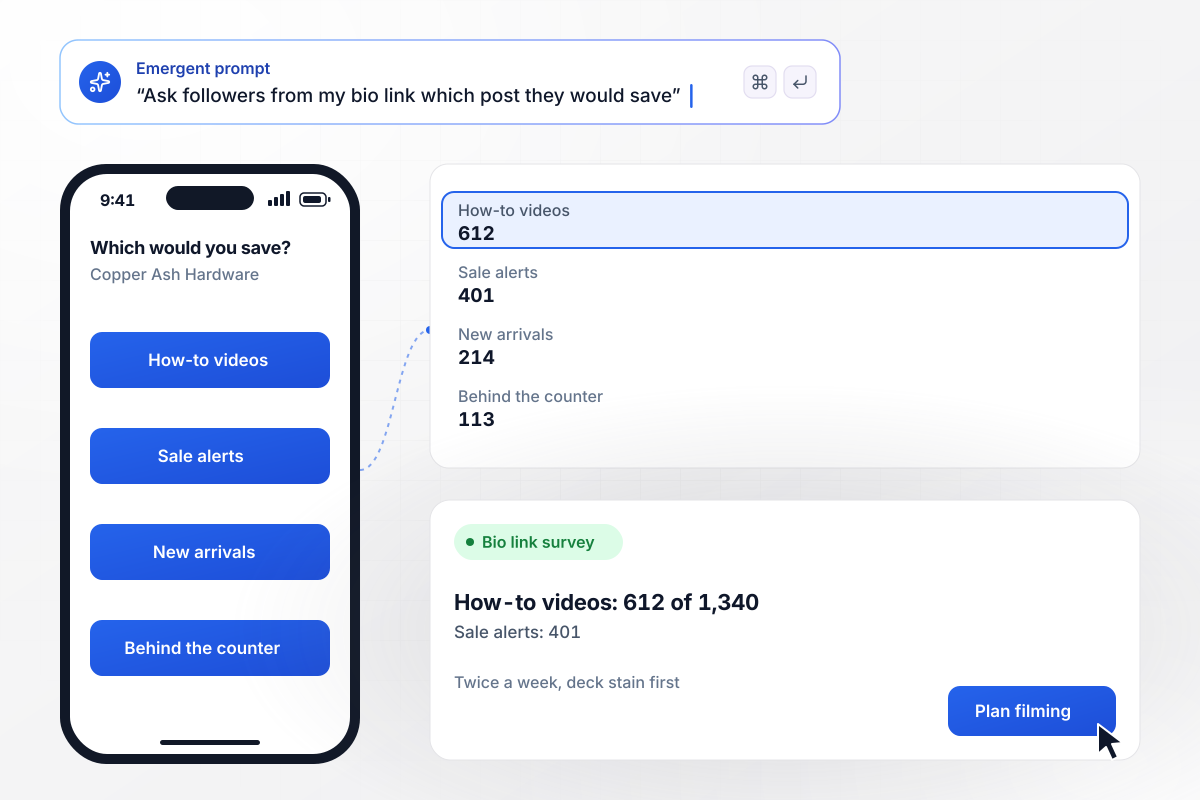
How-to videos on deck stain, twice a week
Copper Ash Hardware puts a survey link in its Instagram bio that asks which kind of post followers would save. How-to videos drew 612 of 1,340 picks, ahead of sale alerts at 401. New arrivals took 214 and behind the counter 113. The store now films a how-to video twice a week, and deck stain comes first.
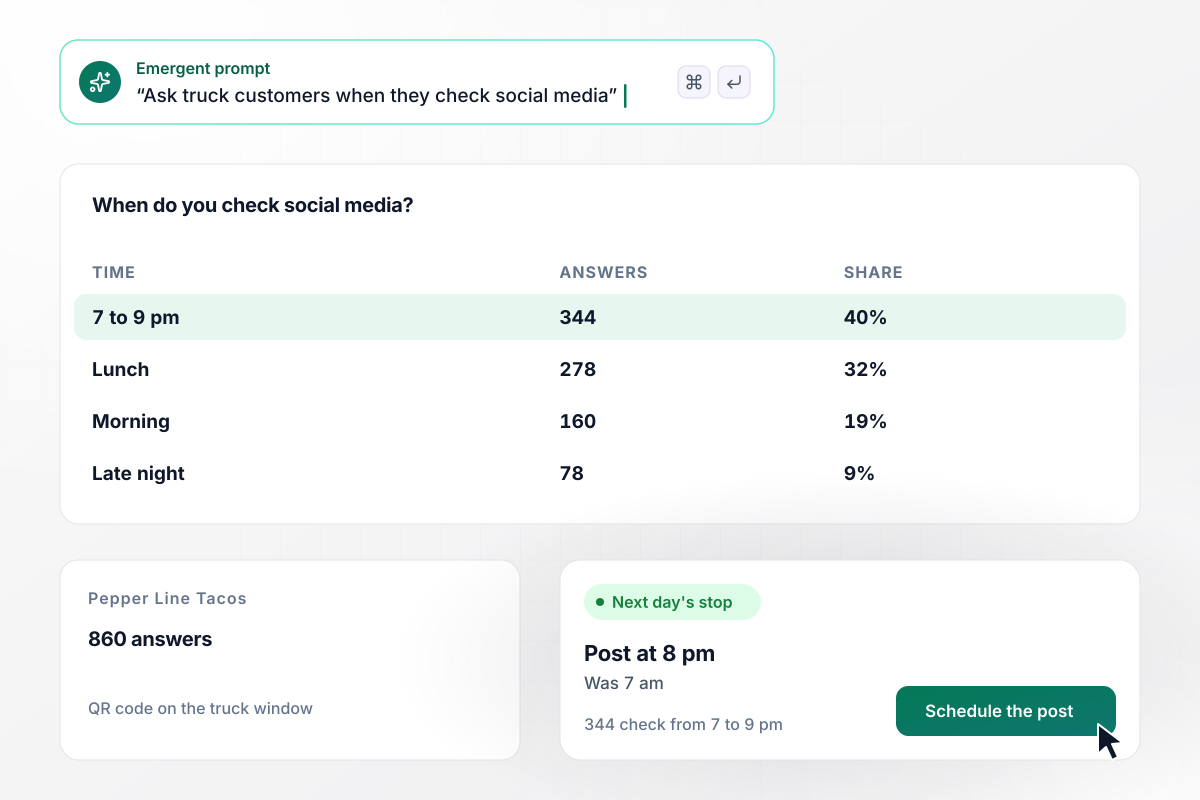
No more 7 am posts for the next stop
A QR code on the Pepper Line Tacos window asks customers one question while they wait: when do you check social media? Of 860 answers, 344 chose 7 to 9 pm and 278 chose lunch. Mornings drew 160 and late night 78. The truck now posts the next day's stop at 8 pm instead of 7 am.
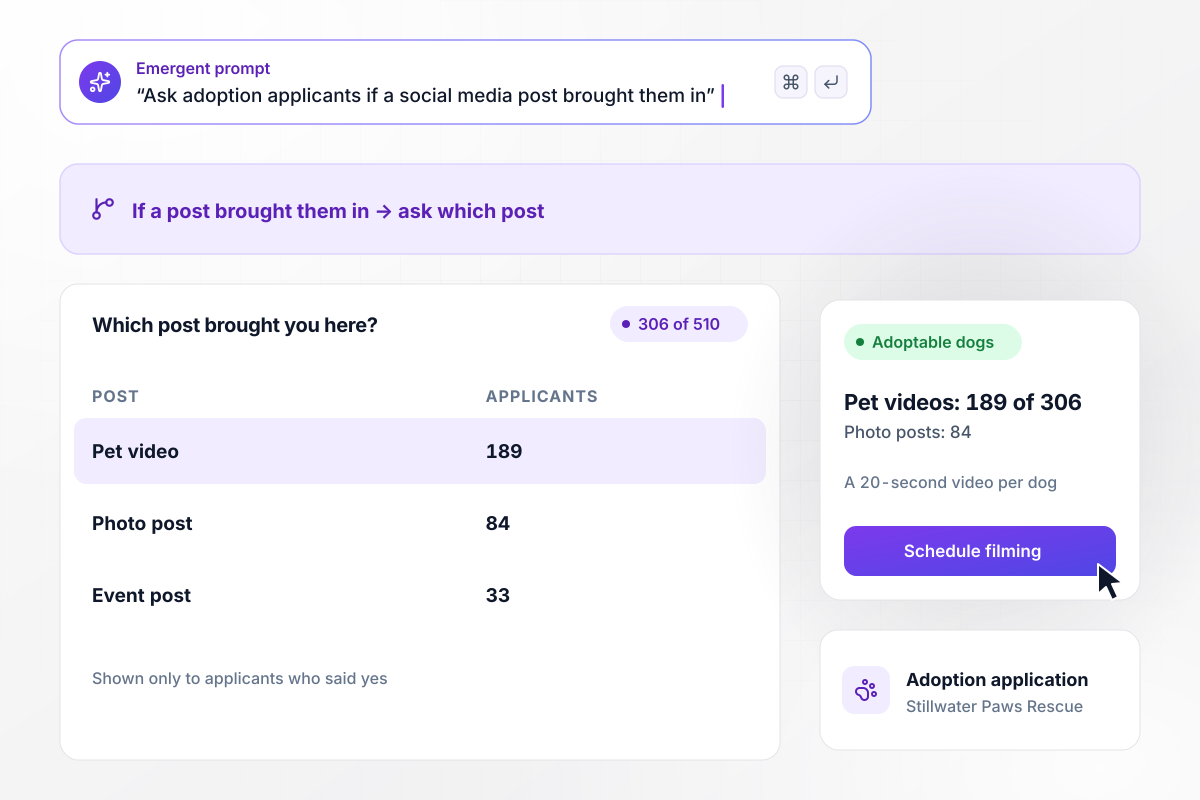
A 20-second video for each adoptable dog
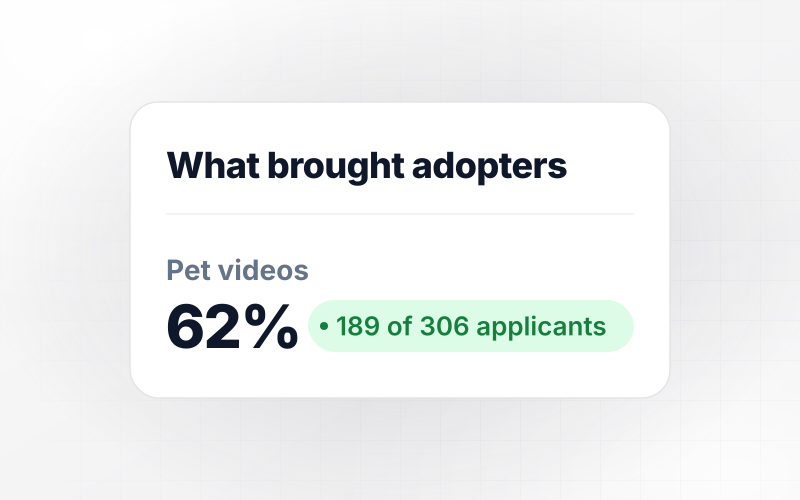
Stillwater Paws Rescue ends every adoption application with one question: did a social media post bring you here? Of 510 applicants, 306 said yes, and only they get a follow-up on which post. Pet videos drew 189 of the 306, photo posts 84, and event posts 33. Each adoptable dog now gets a 20-second video.






How to Write a Social Media Survey
Seven steps to write questions for social media survey takers that settle one posting decision, then build the survey with Emergent.
Before drafting a question, finish one sentence: the answers will decide which app gets the schedule posts, or what time the next post goes up. Put that sentence in your prompt to Emergent, and drop any question that could not change it.
Give each platform its own choice instead of asking about social media in general, and add None. Members who use no app still count, and a large None tally is a reason to keep the email list going.
Offer time ranges such as 7 to 9 pm instead of words like regularly or sometimes. Two people read a vague word in two different ways, while a range hands you the hour to schedule the post.
Write each choice the way it appears in a feed: a 60-second how-to video, a sale alert, a photo of new stock. People pick faster when they can picture the post, and the winner tells you what to make next.
A survey opened from a bio link or a QR code competes with the feed for attention. Keep it to five questions or fewer, and put the one that settles your decision first, so people who quit early still answer it.
Show a second question only when the first answer calls for it, such as which post brought someone in after a yes. Everyone else finishes sooner, and the follow-up counts come only from people who can answer.
When the counts are in, say what you changed in a story, a pinned post, or the next email. Followers who see their answers used have a reason to answer the next survey, and the next round shows whether the change worked.
Why Emergent for Social Media Surveys?
Emergent puts no response caps on a social media survey, so a widely shared post keeps adding answers to one table.

|
SurveyMonkey | Microsoft Forms | SurveyHero | |
|---|---|---|---|---|
| What you get | Survey, logic, and response database, as code you own | Survey builder with templates, including employee engagement | Surveys, quizzes, and polls with response summaries | Survey builder with templates, including employee satisfaction |
| Pricing model | Credits, no response caps or per-response fees | Per-user team plans with a seat minimum, billed annually | Free with a Microsoft account; included in Microsoft work and school subscriptions | Free plan, then per-account plans with unlimited responses |
| Where responses live | A database table you own, plus any integration | SurveyMonkey account | Microsoft Forms, with export to Excel | SurveyHero account, EU data centers |
| Code ownership | Full code export to GitHub on paid plans | None | None | None |



Pick the Pricing Plan That Works for You
Choose the plan that fits your building ambitions. From weekend projects to enterprise applications, we've got you covered.




Find the right survey, quiz, or poll
for your team

Frequently Asked Questions
Your Questions, Answered
Don't change this element unless you know what you are doing
More things you can build
with Emergent









on Emergent today


