

Build Post Meeting Survey Questions That Fix the Next Meeting
Build post meeting survey questions that reach attendees as the meeting ends and save every answer to a database you own.
Build post meeting survey questions that my 9-person team answers in Slack within a minute of the Thursday sync ending.
Trusted by Builders Worldwide
Active Builders Worldwide
Apps Successfully Created
Countries Globally Reached



What Emergent Builds Into a Post-Meeting Survey
Describe the meeting once, and Emergent builds the survey attendees answer and the table that stores every reply.
Questions drafted for your meeting
Name the meeting, such as a team sync or a client kickoff call. Emergent drafts questions to fit it, with one rating scale and one open question, and a prompt rewords any of them.
Sent the minute the meeting ends
Set the end time, and the app posts the survey link in the team's Slack channel or emails each attendee. Anyone who has not answered by the end of the day gets a single reminder.
Names kept off the answers
Turn on anonymous mode, and the survey stores each answer with no name beside it. The app keeps a separate list of who has replied, so reminders go only to people who have not.
Every answer in a database you own
Each answer is a row in a database you own, tagged with the meeting and its date. Put four weeks of ratings for one meeting side by side and see whether the change you made helped.
A flag when an answer needs a reply
Set a rule such as any meeting rating of 2 or lower out of 5. The app then emails the meeting owner that same afternoon, with the attendee's comment quoted in the message.
On your domain, in GitHub on paid plans
Run the survey on your own domain, included in Emergent and billed in credits. On paid plans, export the full code to your GitHub repository and keep working on it like any app.
What Four Meeting Surveys Changed
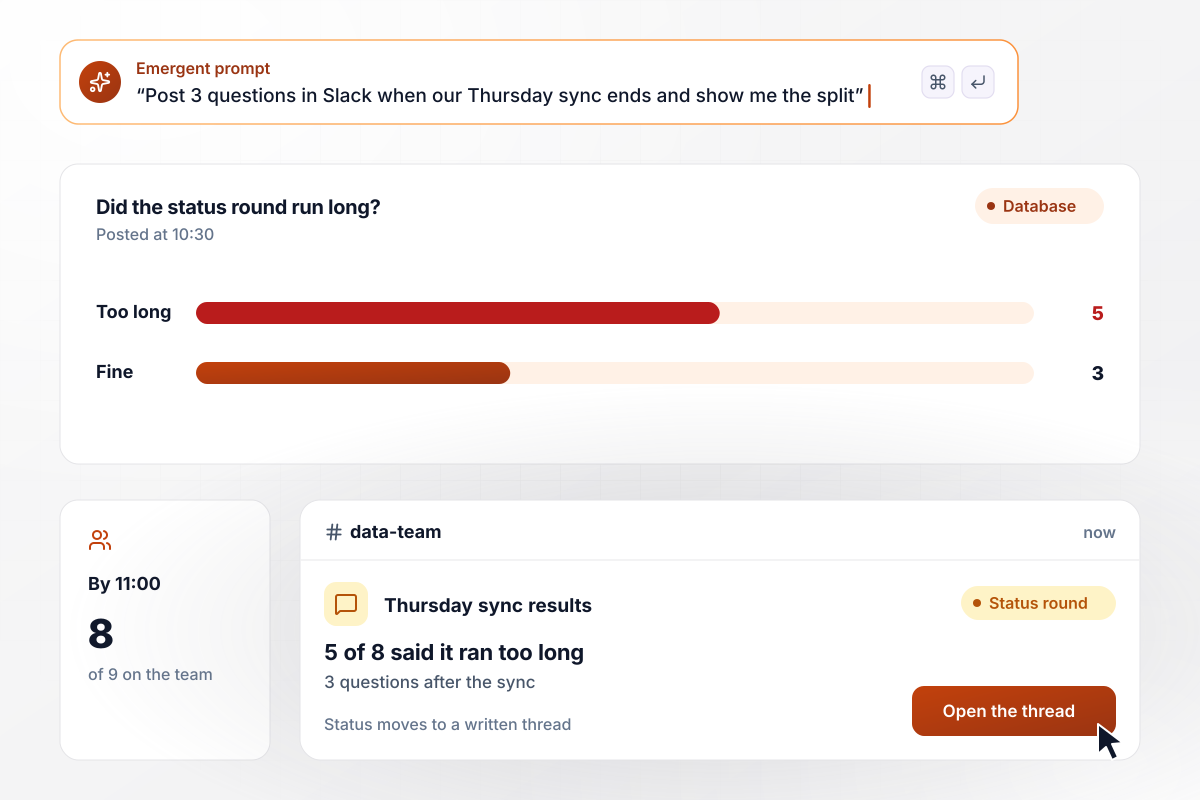
The Thursday sync loses its status round
At 10:30 on Thursday, the Penrick Analytics sync ends, and the app posts 3 questions in the data team's Slack channel. By 11:00, 8 of the 9 people on the team had answered, and 5 of the 8 said the status round ran too long. The team lead moved status updates to a written thread and kept the sync for decisions.
window.awbMockup = { weeklyTeamSync: "When my data team's Thursday sync ends at 10:30, post 3 short questions in our Slack channel: was the meeting a good use of your time, did the status round run long, and what one change would help. Show me how many of the 9 people answered and how they split, and keep every week's answers in one table.", clientKickoffCall: "After every client kickoff call, email the client attendees 4 questions about the call. One question asks whether the next steps and owners are clear, with Yes or No. If anyone answers No, email the account lead right away with their comment. Save every answer by client and call date.", companyAllHands: "Build an anonymous survey for our monthly all-hands that all 140 staff answer on their phones, one question per screen. Do not store names with answers, but track who has replied so reminders go only to the rest. Ask whether there was enough time for questions and show me the split.", recurringMeetingReview: "After each of our recurring meetings, ask attendees one question: was this a good use of your time, Yes or No. Collect answers for four weeks, then show me a table with each meeting, how many answered, and the share who said Yes, with the lowest-rated meeting at the top." };
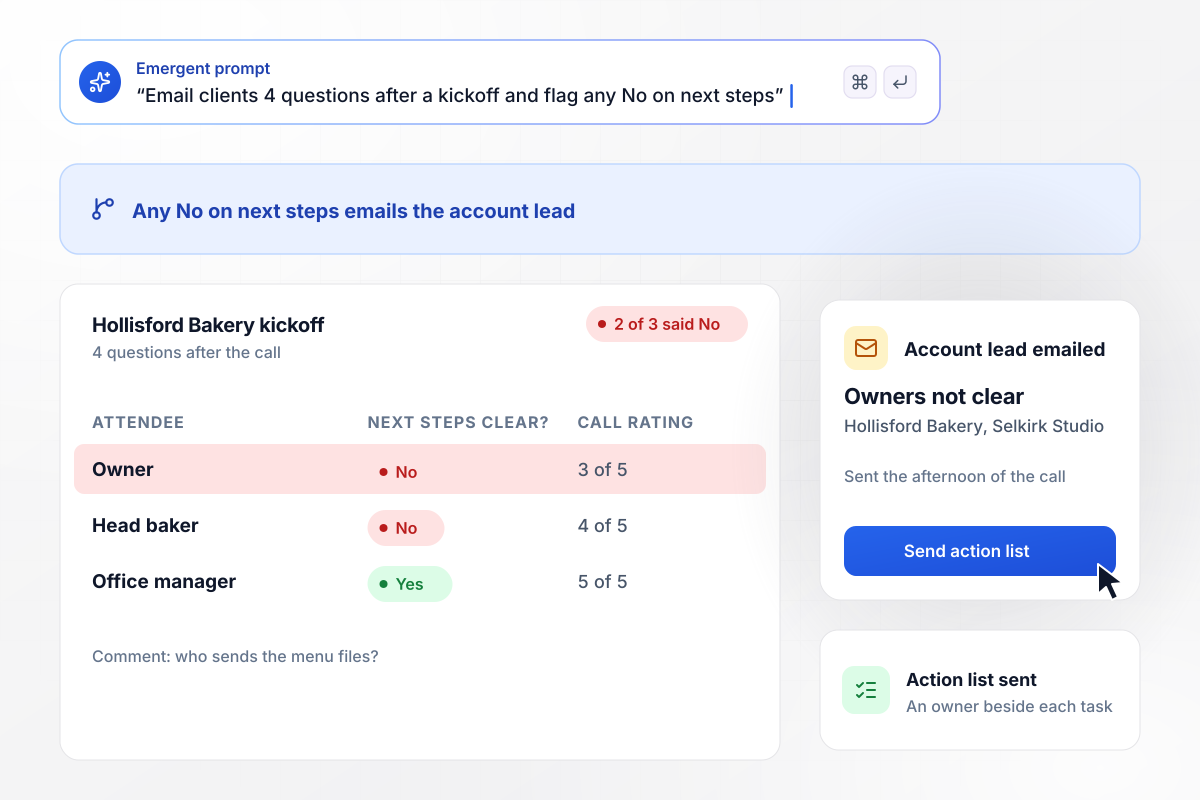
Unclear owners flagged and fixed with an action list
Selkirk Studio emails the client 4 questions after every kickoff call. Any No on whether next steps and owners are clear emails the account lead. After the Hollisford Bakery kickoff, 2 of the 3 bakery staff on the call said No. That afternoon, the account lead sent an action list with an owner beside each task.
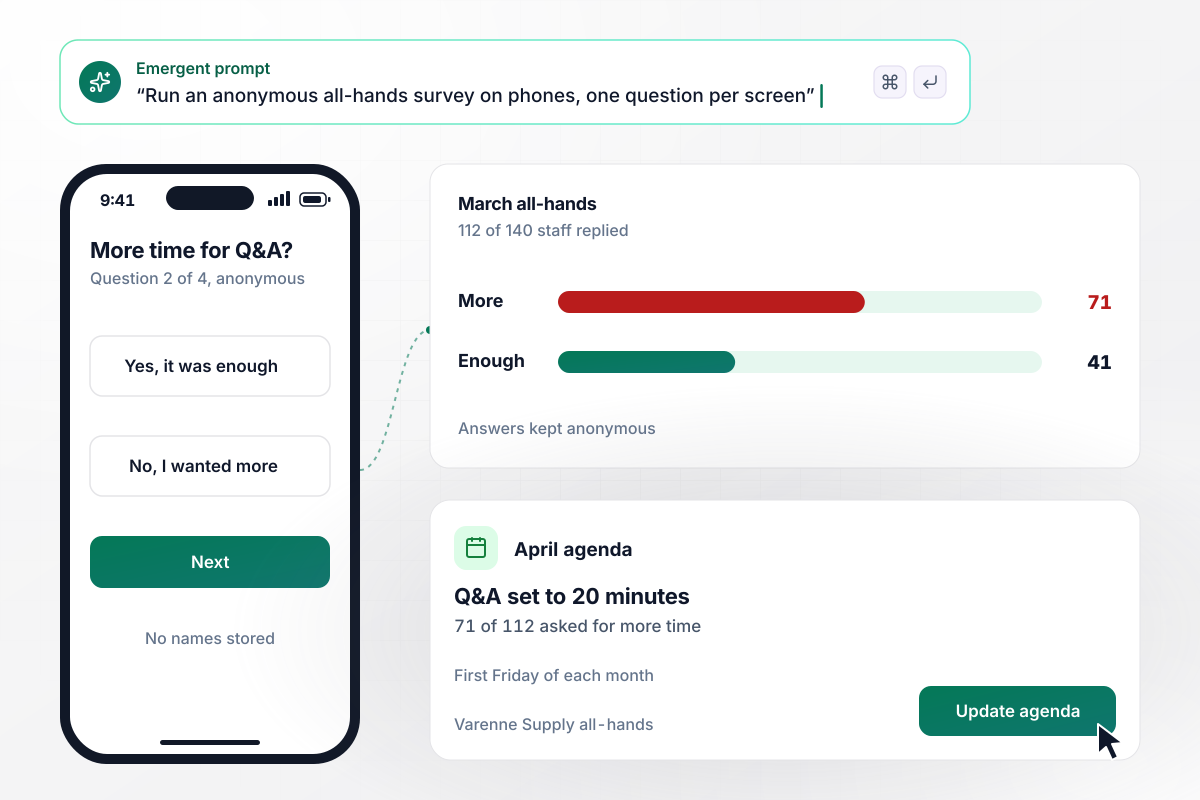
Next all-hands Q&A runs 20 minutes
Varenne Supply's all-hands survey goes to all 140 staff on the first Friday of each month, with no names stored. Staff answer on their phones, one question per screen. After March, 112 of 140 replied, and 71 of the 112 asked for more time for questions. The April all-hands set aside 20 minutes for Q&A.
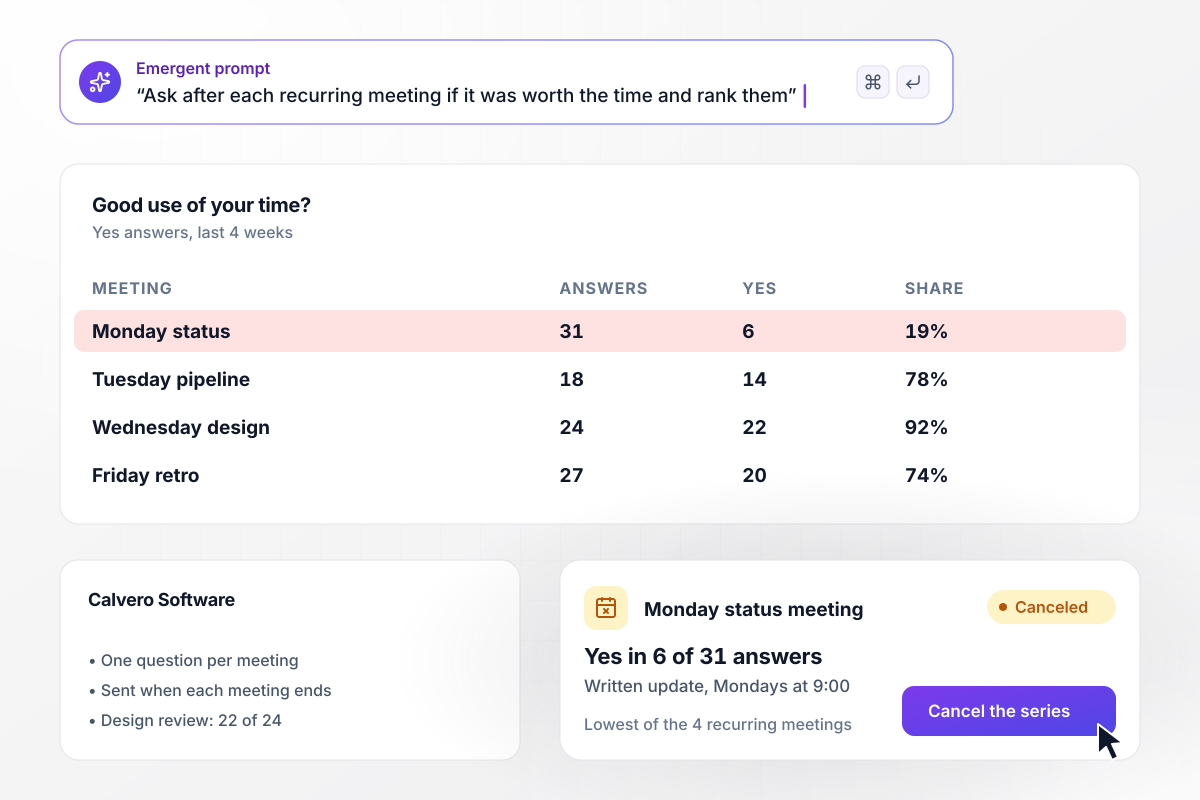
Calvero retires the Monday meeting its staff rated lowest
For four weeks, Calvero Software's chief of staff asked one question after each recurring meeting: was it a good use of your time? The Monday status meeting got a Yes in 6 of 31 answers, the design review in 22 of 24. She replaced the Monday meeting with a written update posted at 9:00.






How to Write Post Meeting Survey Questions
Seven steps to write post meeting survey questions attendees answer within the hour, then build the survey with Emergent.
Write down the one decision the survey feeds before you write a question. It might be whether the weekly sync keeps its status round, or whether a client call ended with clear owners. Any question that cannot move that decision comes out.
Attendees answer on their way to the next thing on their calendar. Three or four questions fit in under a minute, and a fifth has to earn its place. Put the question you care about most first, in case people stop early.
Open with whether the meeting was a good use of time, then whether it met its goal. Questions about pace or the agenda come after. When the outcome scores well, the format rarely needs fixing, and you can keep the survey short.
Pick a 1 to 5 rating, with 1 for wasted time and 5 for time well spent, and use it on every rating question in every round. A fixed scale lets you compare this Thursday with last Thursday. Change it mid-quarter and that comparison breaks.
Ask what one change would make the next meeting better. A single open box gets a specific answer, where several boxes get short ones. Read every reply before the next meeting, because one comment can name the fix the scores only hint at.
Send the link the moment the meeting ends, while details are fresh. Describe the timing in your prompt, and Emergent builds the send rule into the survey: a Slack post for a team channel, or an email for clients and guests.
Open the next meeting with one line on what the survey said and what you changed. Close the loop every round, even when the change is small, such as ending five minutes early. Attendees can then see their answers led somewhere.
Why Build Your Meeting Survey With Emergent?
Emergent sets no cap on responses, and you own the data. When the meeting changes, one prompt changes the survey.

|
SurveyMonkey | Microsoft Forms | SurveyHero | |
|---|---|---|---|---|
| What you get | Survey, logic, and response database, as code you own | Survey builder with templates, including employee engagement | Surveys, quizzes, and polls with response summaries | Survey builder with templates, including employee satisfaction |
| Pricing model | Credits, no response caps or per-response fees | Per-user team plans with a seat minimum, billed annually | Free with a Microsoft account; included in Microsoft work and school subscriptions | Free plan, then per-account plans with unlimited responses |
| Where responses live | A database table you own, plus any integration | SurveyMonkey account | Microsoft Forms, with export to Excel | SurveyHero account, EU data centers |
| Code ownership | Full code export to GitHub on paid plans | None | None | None |


Pick the Pricing Plan That Works for You
Choose the plan that fits your building ambitions. From weekend projects to enterprise applications, we've got you covered.




Find the right survey, quiz, or poll
for your team
Frequently Asked Questions
Your Questions, Answered
Don't change this element unless you know what you are doing
More things you can build
with Emergent









on Emergent today


