

Build With a Matching Quiz Maker That Saves Every Match
Turn your pairs into a quiz with a matching quiz maker that scores each pair and saves every answer to a database you own.
Build a matching quiz maker for my English classes that pairs 12 words with their meanings and saves each student's picks.
Trusted by Builders Worldwide
Active Builders Worldwide
Apps Successfully Created
Countries Globally Reached



What Emergent Builds Into a Matching Quiz
A matching quiz pairs each term with its partner. Emergent builds the quiz, its scoring, and a table of every pair picked.
Questions written from your pairs
Paste each term with its partner, and Emergent writes one question per term, with the right partner and three wrong ones drawn from the same list. Prompt again to change any pair.
The wrong partner, saved with the answer
Every answer is saved with the partner the person picked, not just right or wrong. Sort the table by pair and you see which two terms a class confuses, such as affect and effect.
Pictures in place of words
Ask for a picture on each question, and the quiz shows it one per screen on a phone or tablet. A first grader matches a drawing of a cat to its word without reading a long list.
A fresh answer order for each person
The quiz shuffles the answer choices for each person who opens the link, so the right partner moves around and two students at one table are unlikely to see the same order.
A pass mark, with retakes and alerts
Set a pass mark, such as 10 of 12, and anyone under it is emailed a link to try again. The teacher or manager gets a Slack message or an email that lists who is still under the mark.
Your domain, and the code in GitHub
Host the quiz on your own domain, which is included in Emergent and uses credits. On paid plans, export the full code to your GitHub repository and keep the quiz after the term ends.
How Four Groups Run a Matching Quiz
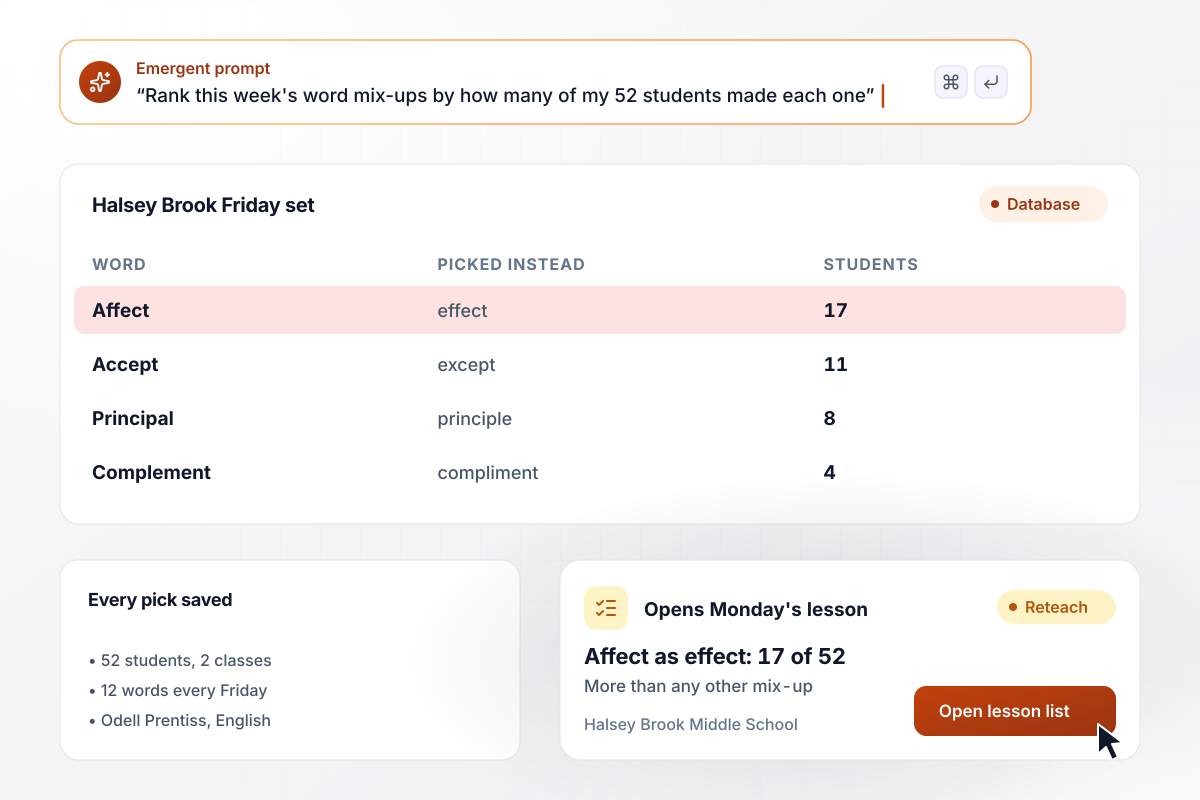
17 of 52 students swapped affect with effect
Each Friday, Odell Prentiss's 52 students in 2 English classes at Halsey Brook Middle School match 12 words to their meanings. The app saves the meaning each one picked. This week, 17 of 52 gave affect the meaning of effect, more than any other mix-up, and that pair opens Monday's lesson.
window.awbMockup = { vocabMatching: "Build a vocab matching quiz for my 2 seventh grade English classes, 52 students in all. Each Friday they match 12 words to their meanings. Save the meaning each student picks for every word, and show me a table of the mix-ups ranked by how many students made each one, so I know which pair to reteach on Monday.", pictureMatching: "Build a picture matching quiz for my first grade class of 23 at Saltmarsh Elementary. Each child matches 8 pictures to sight words on a classroom tablet, one picture per screen. Count the misses for each child, and list everyone with 3 or more misses as my Tuesday reading group.", salesRepTraining: "Build a matching quiz for new sales reps at my software company. Each rep matches 12 product features to the plan that includes each one. Anyone under 10 of 12 gets a retake link by email. Show my sales manager, Vesna Albright, every rep's score in one table.", officePartyGame: "Build a mix and match party quiz for my architecture firm. Before the December party, each of our 34 people sends in one fact about themselves. At the party, players match 15 coworkers to their facts on a phone, and a leaderboard on the office TV ranks everyone by score." };
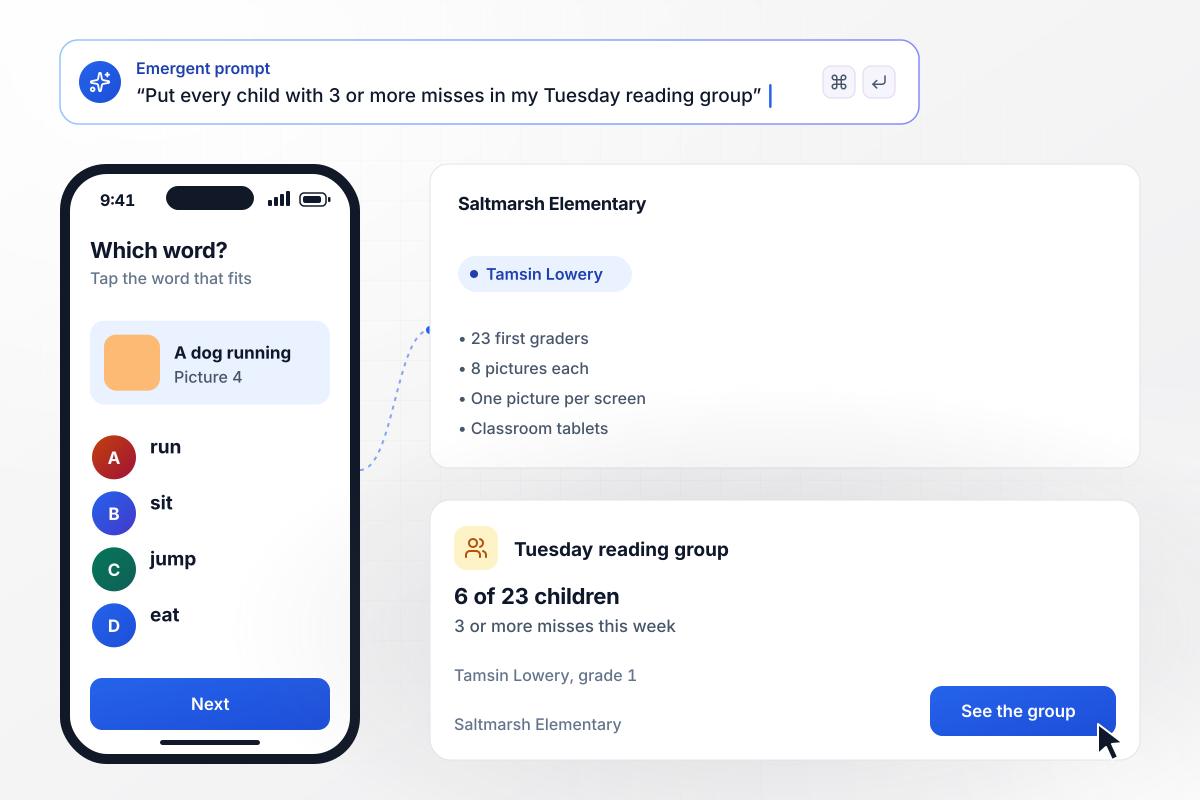
3 misses put a first grader in Tuesday's group
Tamsin Lowery's 23 first graders at Saltmarsh Elementary match 8 pictures to sight words on classroom tablets, one picture per screen. The app counts the misses for each child. Anyone with 3 or more joins her Tuesday reading group, and this week 6 of 23 did.
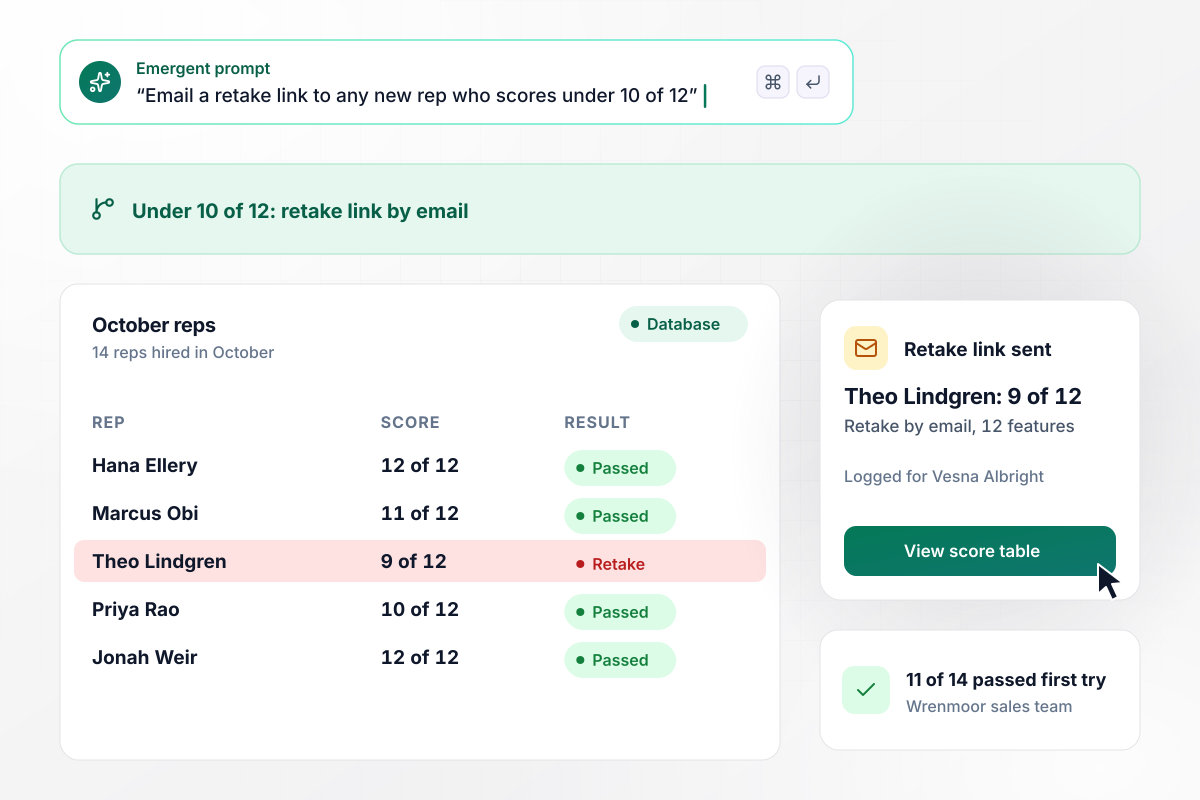
A retake link goes to any rep under 10 of 12
New sales reps at Wrenmoor Software match 12 product features to the plan that includes each one. A rep who scores under 10 of 12 gets a retake link by email, and sales manager Vesna Albright sees every score in one table. Of the 14 reps hired in October, 11 passed on the first try.
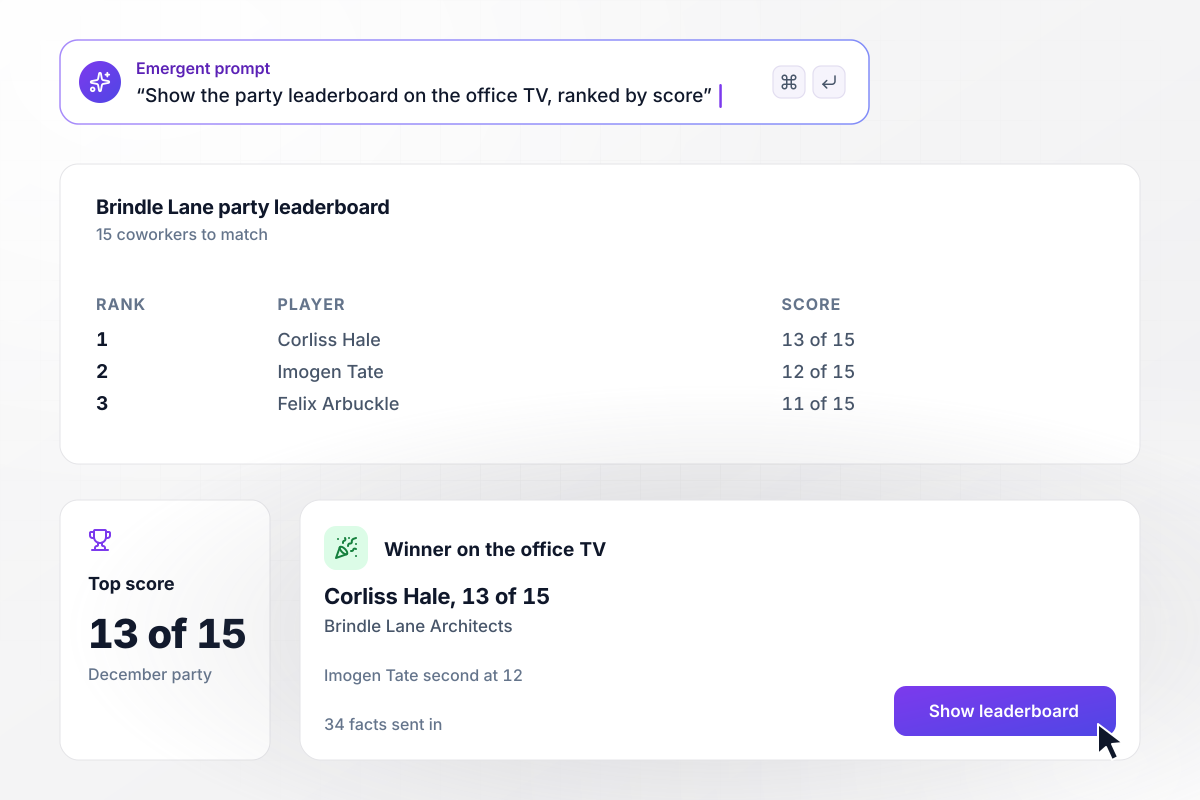
On 13 of 15 matches, Corliss Hale wins the party
Before the December party, 34 people at Brindle Lane Architects each sent in one fact about themselves. The quiz asked players to match 15 coworkers to their facts on a phone. The leaderboard ran on the office TV, and Corliss Hale won with 13 of 15.






How to Make a Matching Quiz
Seven steps to plan pairs that test real knowledge, then build them in a matching quiz maker that shows which pairs get confused.
Build each set around one topic, such as this week's vocabulary or one product line. A mixed set lets people match by elimination instead of by knowing. Put the topic and the audience in your prompt, and Emergent drafts the set around them.
List every term with its one correct partner before you write a single question. Check that no partner fits two terms, since a second fit marks a right answer wrong. A set of 8 to 12 pairs fits in one sitting.
Use the other partners in the set as the wrong choices. Every option then looks plausible, while a choice of a different kind stands out and gives the answer away. Three wrong choices per question keep each screen short enough to read.
Set the pass mark before anyone plays, such as 10 of 12 for staff training, or skip it for a party game. Then decide what a miss triggers, such as a retake or a review group, and write both rules into the prompt.
Take the quiz yourself, then ask 3 people from the real audience to take it. A pair that all 3 miss can mean two partners overlap rather than a hard term. Fix the wording by prompt before the full group sees it.
Send the quiz link by email or put it on a class or team page. Each question shows on its own screen, and a phone works as well as a laptop. Every answer lands in the same table, whichever device it came from.
Sort the saved answers by pair and look at the partner people picked by mistake. A word given its neighbor's meaning needs a side-by-side lesson. Next week, prompt Emergent to swap in new pairs and keep the same scoring.
Why Build Your Matching Quiz With Emergent?
Your matching quiz runs as your own app, and its answers sit in a table you own. One prompt swaps in next week's pairs.

|
ProProfs | Interact (quiz specialist) | Typeform | |
|---|---|---|---|---|
| How you build | Prompt for the survey, quiz, or poll and the app around it | Templates, question library, and AI quiz builder | Templates and AI quiz maker | Templates and editor, AI assist |
| Pricing model | Credits, no response caps or per-response fees | Free plan, then billed per active quiz taker | Free plan capped by monthly responses, then paid plans | Plans by monthly response limit; discount for annual billing |
| Where responses live | A database table you own, plus any integration | ProProfs account; reports export to Excel, CSV, or PDF | Interact account | Typeform account |
| Code ownership | Full code export to GitHub on paid plans | None | None | None |


Pick the Pricing Plan That Works for You
Choose the plan that fits your building ambitions. From weekend projects to enterprise applications, we've got you covered.




Find the right survey, quiz, or poll
for your team
Frequently Asked Questions
Your Questions, Answered
Don't change this element unless you know what you are doing
More things you can build
with Emergent









on Emergent today


