

Build Audience Survey Questions and Learn Who Shows Up
Build audience survey questions that ask who your readers, viewers, or visitors are, with every answer saved to your own database.
Build audience survey questions for my community theater that ask who comes to its shows and why.
Trusted by Builders Worldwide
Active Builders Worldwide
Apps Successfully Created
Countries Globally Reached



What Comes With Each Audience Survey
Emergent builds the survey and the database behind it from one prompt, and changes either one when you ask.
Questions shaped by the decision you face
Describe your audience and the one decision the survey should settle. Emergent writes questions that fit both, and another prompt rewords a question or swaps its answer choices.
Every answer saved as a row you own
Each answer becomes a row in a database you own, tagged with the show or issue you ask it to record. Next season's answers land in the same table, ready to compare with this one.
One question at a time on a phone
People who scan a QR code in a lobby or tap a link under a video get one question per screen, with large answer buttons. Nobody pinches and scrolls through a long page.
A results page that splits by group
Emergent builds a results page with the survey: a count for each answer, plus a filter for one group, such as visitors who came with children. Ask for charts by prompt.
Opted-in fans sent to your email tool
When someone ticks the box for updates, the app sends the address and answers to your email tool or CRM through its API. A theater can then write to musical fans alone.
A short link on a domain you own
Custom domains are included in Emergent and use credits, so the link on a lobby sign stays short. On paid plans, export the full code to your GitHub repository and keep it.
Four Surveys and What Changed
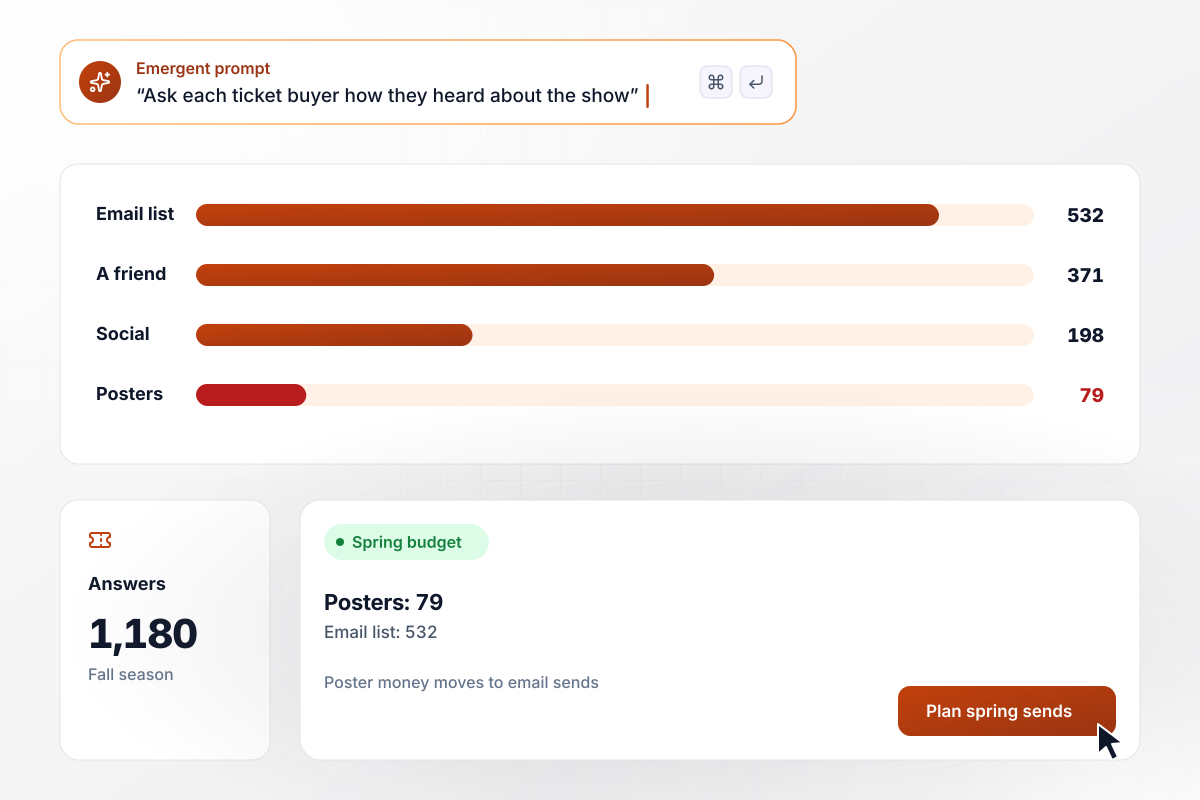
The poster budget goes to email
Brackett Playhouse asks every ticket buyer how they heard about the show, in a link inside the confirmation email. Of 1,180 answers across the fall season, 532 named the email list, 371 a friend, and 198 social media. Posters brought in 79. The spring poster budget goes to extra email sends instead.
window.awbMockup = { ticketBuyers: "Build a survey for my community theater that I can link in each ticket confirmation email. Ask how the buyer heard about the show, with the email list, a friend, social media, and posters as choices. Save the show name with every answer and show the count for each choice across the season.", newsReaders: "Build a yearly reader survey for my local news site that asks which local topic deserves more coverage: school board meetings, housing, restaurants, or high school sports. Show it one question per screen on a phone and show the number of picks for each topic.", videoViewers: "Build a survey I can link under my cooking videos that asks viewers how they would describe their cooking: still learning, comfortable, or cook for a living. Show the count and share for each answer so I can plan a beginner series.", museumVisitors: "Build a visitor survey for my science museum that opens from a QR code at the exit. Ask who came with them, including children under 12, and which day they visited. Give me a results page I can filter to visitors with children, with a count of visits for each day." };
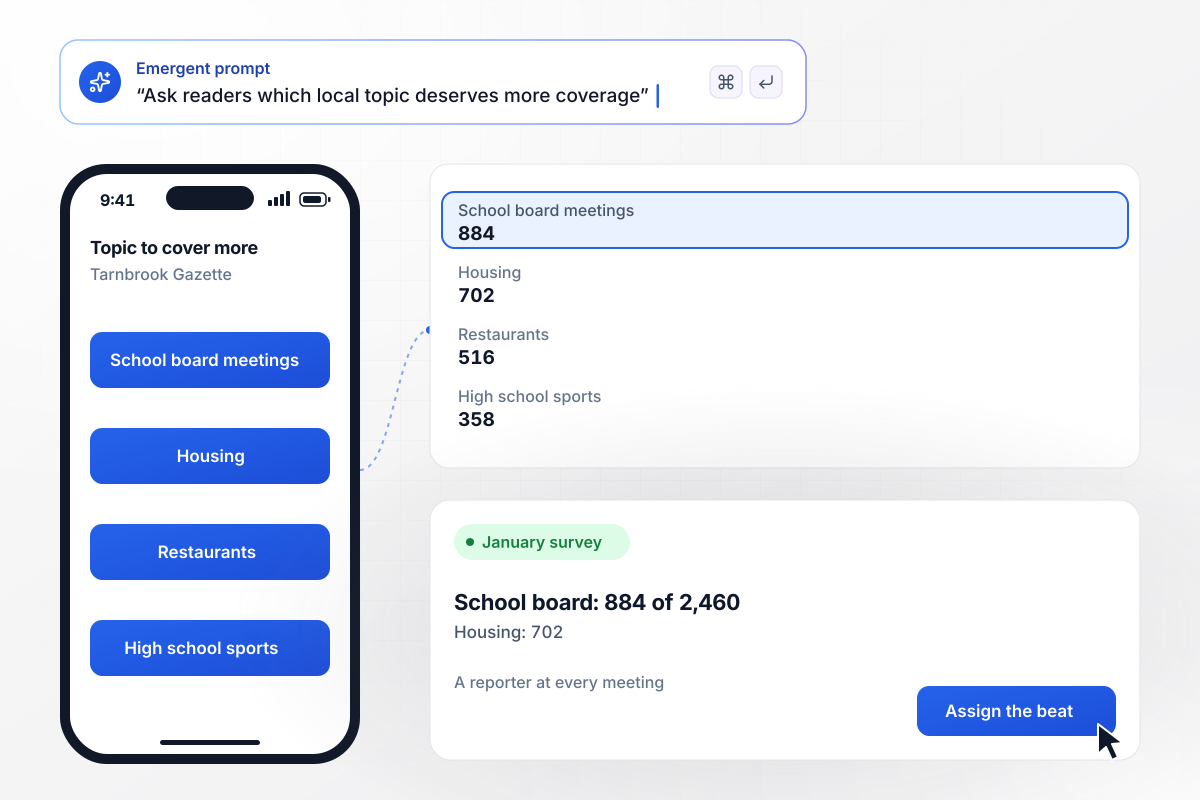
A school board reporter, picked by 884 readers
Each January, the Tarnbrook Gazette asks readers which local topic deserves more coverage. School board meetings drew 884 of 2,460 picks, ahead of housing at 702, restaurants at 516, and high school sports at 358. The editor now sends a reporter to every school board meeting.
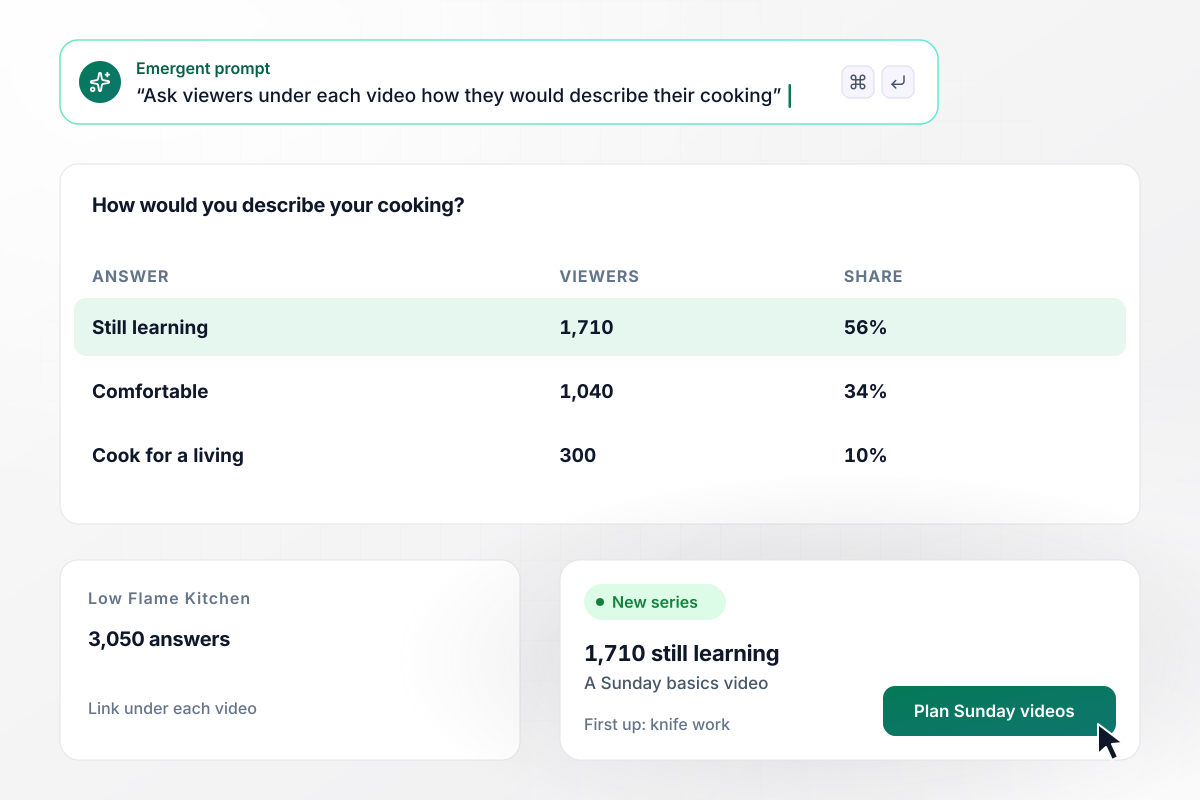
A basics video every Sunday for 1,710 new cooks
Low Flame Kitchen puts a survey link under its videos asking viewers how they would describe their cooking. Of 3,050 answers, 1,710 picked still learning, 1,040 comfortable, and 300 cook for a living. The channel kept its weeknight recipes and added a Sunday video on a basic skill, starting with knife work.
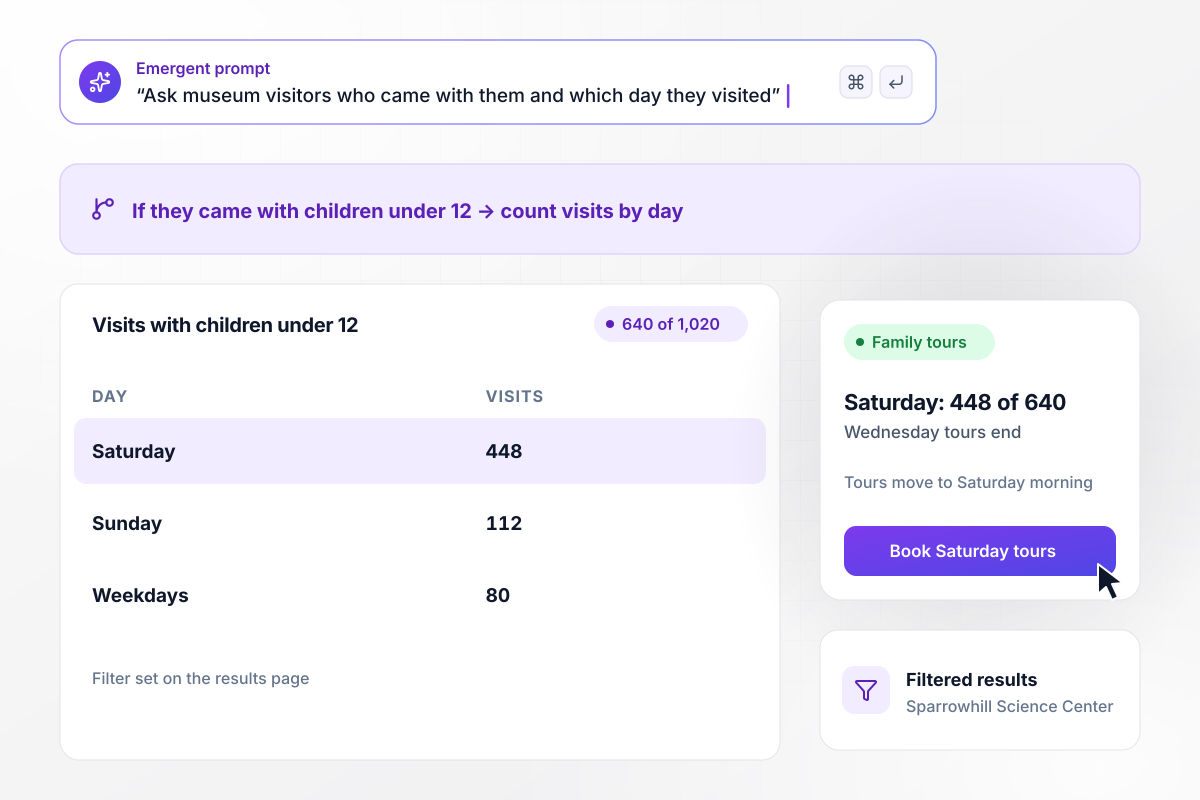
Family tours move to Saturday, when 448 of 640 visit
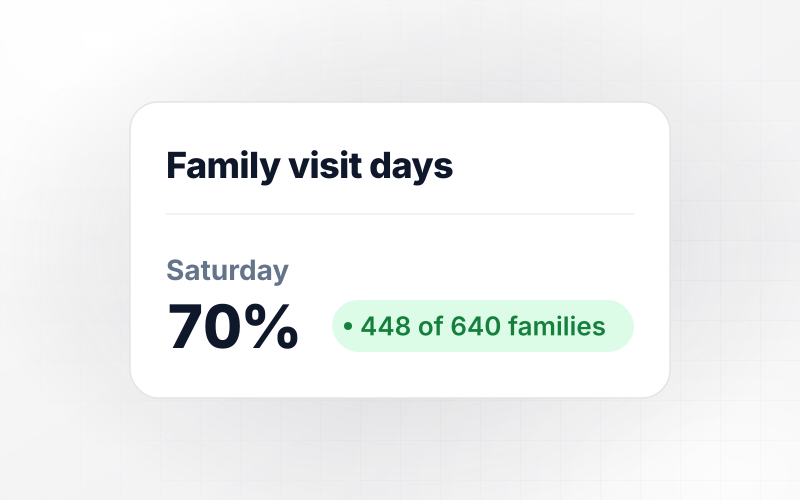
A QR code at the Sparrowhill Science Center exit asks visitors who came with them and which day they visited. Of 1,020 answers, 640 came with children under 12. Filtered to those 640, the results page shows 448 Saturday visits. The center moved its family tours from Wednesday to Saturday morning.






How to Write Audience Survey Questions
Seven steps to write audience survey questions people finish, then build the survey with Emergent and act on what it shows.
Finish one sentence before you draft anything: the answers will decide where the promotion money goes, or which night gets the extra show. Give Emergent that sentence in your prompt, and cut every question that cannot move the decision.
Open with questions about what people have done: how they heard about you, how often they come, what they last watched. These are concrete and quick to answer, and they lead into the opinion questions that follow.
Write answer choices that fit everyone, then add Other with a short text box for the rest. A visitor who cannot find their answer quits or picks one at random, and both leave a gap in the count you meant to act on.
Split any question that joins two ideas with and. Asking whether a show was well acted and fairly priced leaves you guessing which half a low score meant. Two short questions take a few seconds longer and give two clean numbers.
Ask about age range, zip code, or who came along at the end, and mark those questions optional. Offer ranges instead of exact figures and include Prefer not to say. A question that feels personal should never be the reason someone stops.
Send the survey to five people from your audience, not the people who wrote it, and watch them answer on their phones. Rewrite any question they read twice or ask about with a follow-up prompt before the real link goes out.
When the results are in, say what you changed because of them: in the next email, under the next video, or on a lobby sign. People who see their answers used have a reason to answer the next survey you send.
Why Emergent for Audience Surveys?
Emergent puts no response caps on an audience survey, so a sold-out run keeps adding answers to the same table.

|
SurveyMonkey | Microsoft Forms | SurveyHero | |
|---|---|---|---|---|
| What you get | Survey, logic, and response database, as code you own | Survey builder with templates, including employee engagement | Surveys, quizzes, and polls with response summaries | Survey builder with templates, including employee satisfaction |
| Pricing model | Credits, no response caps or per-response fees | Per-user team plans with a seat minimum, billed annually | Free with a Microsoft account; included in Microsoft work and school subscriptions | Free plan, then per-account plans with unlimited responses |
| Where responses live | A database table you own, plus any integration | SurveyMonkey account | Microsoft Forms, with export to Excel | SurveyHero account, EU data centers |
| Code ownership | Full code export to GitHub on paid plans | None | None | None |



Pick the Pricing Plan That Works for You
Choose the plan that fits your building ambitions. From weekend projects to enterprise applications, we've got you covered.




Find the right survey, quiz, or poll
for your team


Frequently Asked Questions
Your Questions, Answered
Don't change this element unless you know what you are doing
More things you can build
with Emergent









on Emergent today


