

Build a Yes No Questions Survey That Asks Why
Build a yes no questions survey that asks one follow-up after each No and saves every answer in a database you own.
Build a yes no questions survey that collects every answer in a database I own.
Trusted by Builders Worldwide
Active Builders Worldwide
Apps Successfully Created
Countries Globally Reached



What Emergent Puts Behind Each Yes or No
Emergent builds the part a plain question list leaves out: what each answer does once it arrives.
Questions drafted from one prompt
Describe the decision the survey feeds, and Emergent drafts each question with Yes and No as the answers. A follow-up prompt adds Maybe to one question or rewords another.
A second question on the answer you pick
Choose which answer opens a follow-up. A No can ask what went wrong while a Yes moves straight on, so a satisfied customer answers a single question and is done with it.
Each answer saved as a row you own
Every answer lands in a database you own, with the date and a group you tag, such as plan or class section. Count the Yes answers for one group without a spreadsheet.
Alerts on the answers that need a person
Set a rule on any answer, and the person who owns it hears by Slack or email. Reminders go to anyone who has not answered by the deadline, and they stop once they do.
One question per screen on a phone
People answer on a phone one question at a time, tapping Yes or No and moving on. There is no cap on the number of responses, so it can go to every customer you have.
Your own domain and your own code
Run the survey on your own domain, included in Emergent and billed in credits. On paid plans, export the full code to your GitHub repository, with every question and rule.
How Four Teams Act on a Yes or No
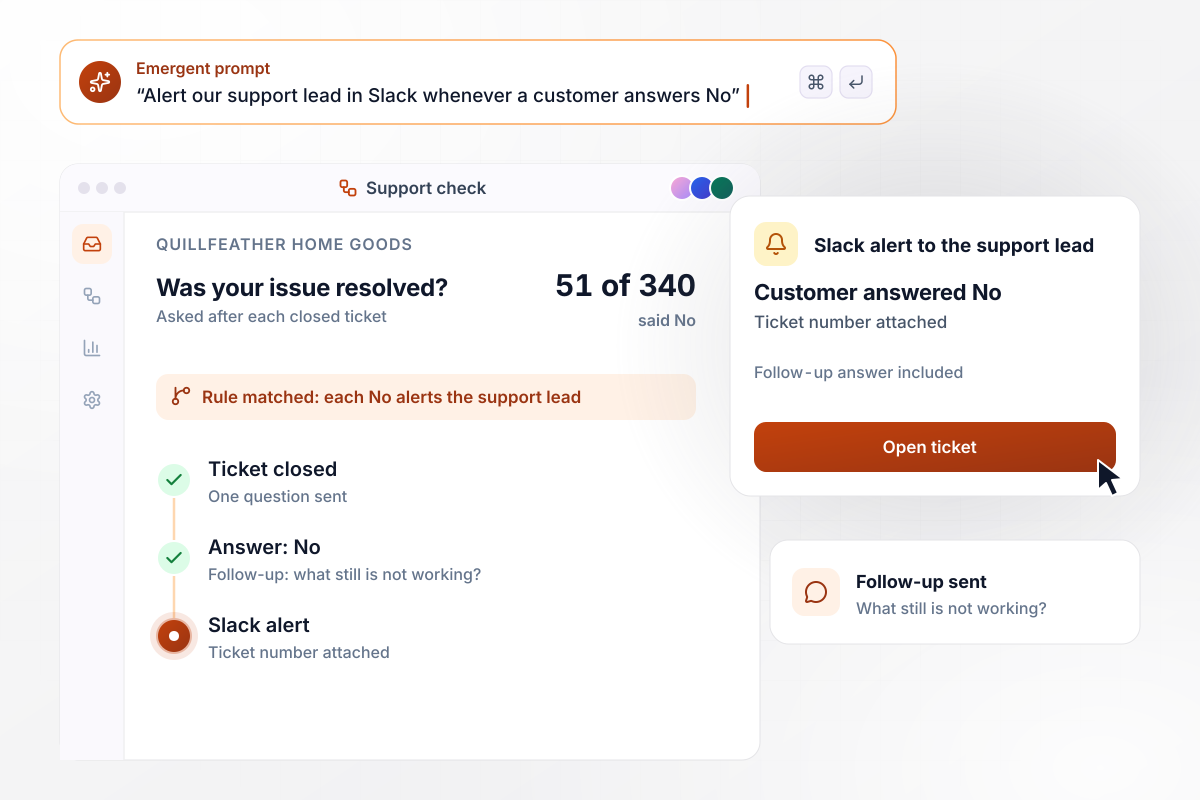
Every No reaches the support lead in Slack
Quillfeather Home Goods closes a support ticket and asks the customer one question: was your issue resolved? In one week, 340 customers answered and 51 said No. Each No opened a follow-up asking what still was not working, and the support lead got a Slack alert with the ticket number.
window.awbMockup = { supportCheck: "After each support ticket closes, ask the customer one question: was your issue resolved? If they answer No, ask what still is not working, and send our support lead a Slack alert with the ticket number. Show this week's Yes and No counts.", labCheck: "After every chemistry lab, ask my 84 students whether they could follow the steps without help. Anyone who answers No picks the step that lost them from a list. Show me how many students said No and which step they named most.", yesNoMaybe: "Ask our 150 farm share members whether they would collect their boxes on Saturday morning, with Yes, No, and Maybe as the options. Show the count and share for each answer, and tell me when Yes reaches 40.", splitByGroup: "Ask our 600 gym members whether they would stay if we opened at 7 a.m. instead of 5 a.m. Tag each answer with whether the member checks in before 7, and show Yes and No counts for each group side by side." };
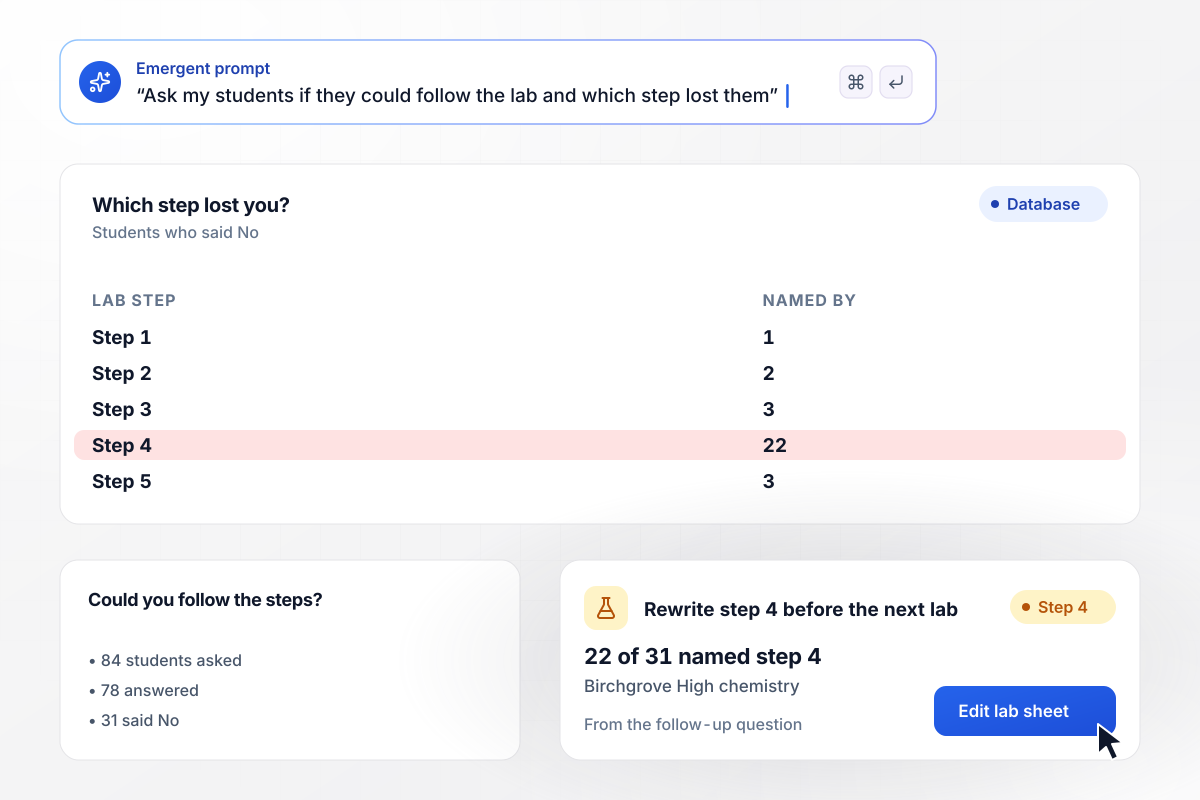
31 students said No, and 22 pointed at step 4
After every lab, a Birchgrove High chemistry teacher asks 84 students one question: could you follow the steps without help? This time 78 answered and 31 said No. The follow-up asked which step lost them, and 22 of the 31 named step 4. The teacher rewrote step 4 before the next lab.
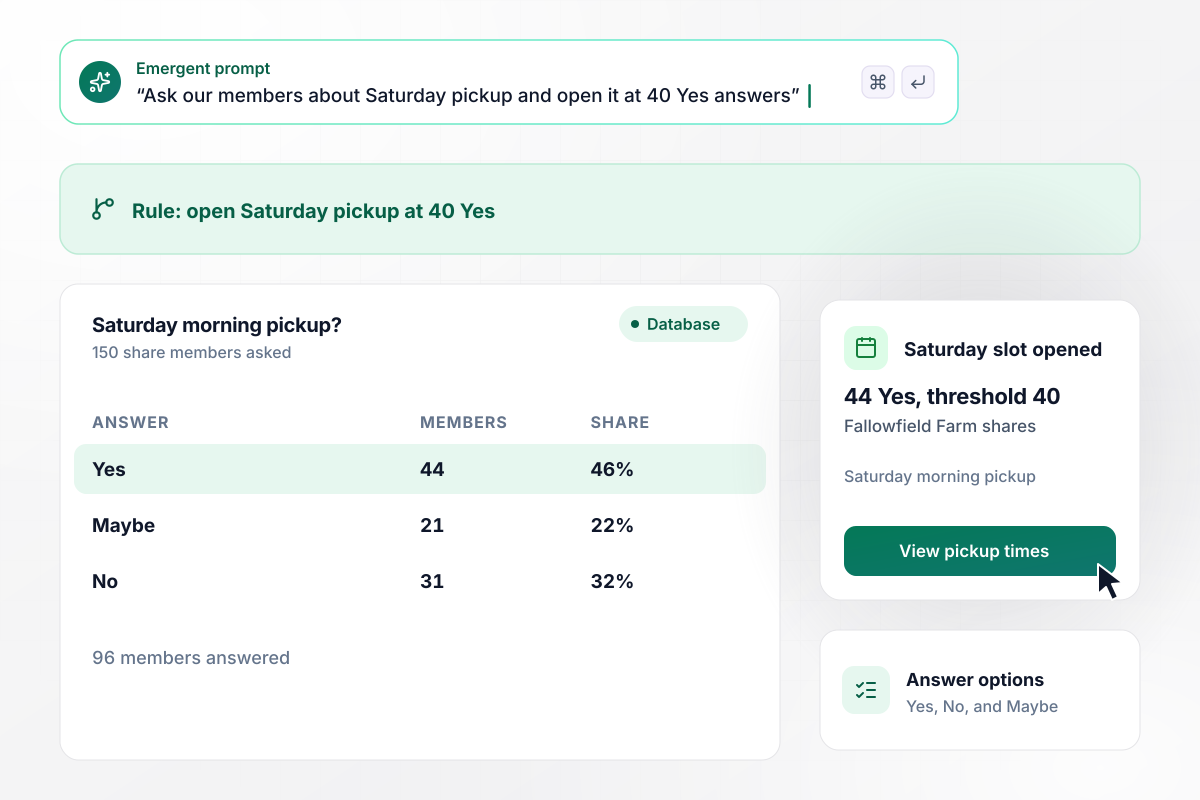
Saturday pickup opens when Yes reaches 40
Fallowfield Farm wants to know whether its 150 share members would collect their boxes on Saturday morning. The question offers Yes, No, and Maybe. Of the 96 members who answered, 44 said Yes, 21 said Maybe, and 31 said No. With Yes past the farm's threshold of 40, the Saturday slot opened.
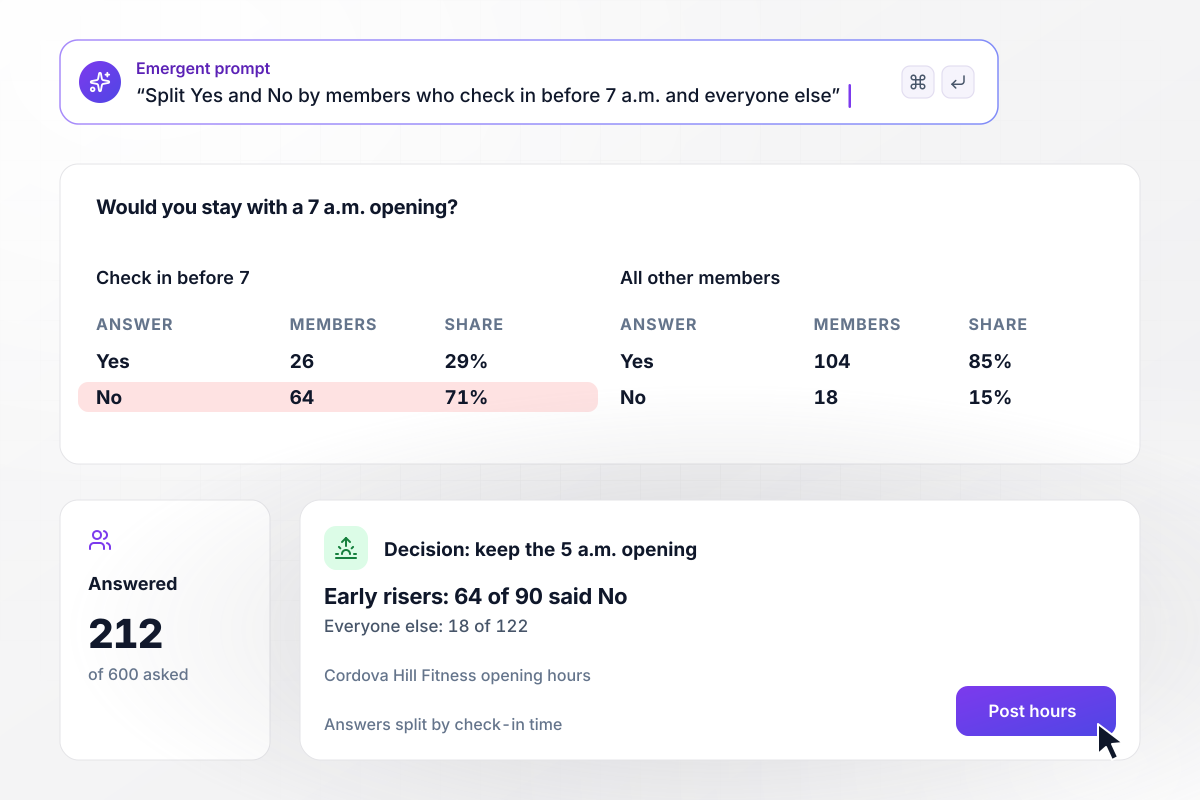
64 of 90 early risers said No to a 7 a.m. opening
Cordova Hill Fitness counts its early risers before it changes hours. It asked 600 members whether they would stay if the gym opened at 7 a.m. instead of 5 a.m., and 212 answered. Among early risers who check in before 7, 64 of 90 said No. Among the other 122 members, 18 said No. The owner kept the 5 a.m. opening.






How to Write a Yes or No Survey
Seven steps to a yes no questions survey where every answer is easy to read and leads to an action.
Write down the decision the survey informs, such as whether to open a Saturday pickup. Keep only the questions whose Yes or No would change that decision. Put the decision in your prompt, and Emergent drafts the questions around it.
Split any question with "and" in it. "Was the agent quick and helpful?" gets a No you cannot read, because the customer may mean either half. Ask "Was the agent quick?" and "Was the agent helpful?" as two separate questions.
Pew Research Center reports that less educated and less informed respondents have a greater tendency to agree with agree-disagree statements. Ask about events instead: "Did your order arrive on the promised date?" rather than "Do you agree delivery was fast?"
Add Maybe where an honest person may not know the answer yet, like a plan for next month. Leave it off questions about the past: people know whether their order arrived, and Maybe gives them a way to skip the question.
Pick the answer that needs a person and say what happens after it: a follow-up question, an alert to the person who owns the problem, or both. Write that rule into your prompt, and Emergent builds it into the survey.
Decide before launch which groups you will compare, like plan or class section, and tag every answer with one. A split by group shows who said No, which one total for the whole survey hides.
Answer the survey yourself twice, once Yes and once No, and check that each path does what you set. After launch, read the No count beside the number of people asked, not only beside the number who answered.
Why Build Your Yes or No Survey on Emergent?
A No only helps if someone acts on it. Emergent keeps the answers in tables you own, and one prompt adds the rule.

|
SurveyMonkey | Microsoft Forms | SurveyHero | |
|---|---|---|---|---|
| What you get | Survey, logic, and response database, as code you own | Survey builder with templates, including employee engagement | Surveys, quizzes, and polls with response summaries | Survey builder with templates, including employee satisfaction |
| Pricing model | Credits, no response caps or per-response fees | Per-user team plans with a seat minimum, billed annually | Free with a Microsoft account; included in Microsoft work and school subscriptions | Free plan, then per-account plans with unlimited responses |
| Where responses live | A database table you own, plus any integration | SurveyMonkey account | Microsoft Forms, with export to Excel | SurveyHero account, EU data centers |
| Code ownership | Full code export to GitHub on paid plans | None | None | None |


Pick the Pricing Plan That Works for You
Choose the plan that fits your building ambitions. From weekend projects to enterprise applications, we've got you covered.




Find the right survey, quiz, or poll
for your team
Frequently Asked Questions
Your Questions, Answered
Don't change this element unless you know what you are doing
More things you can build
with Emergent









on Emergent today


