

Build a Customer Feedback Survey and Act on Every Comment
Create a customer feedback survey and the app behind it, with each comment tagged by theme and every complaint sent to an owner.
Build a customer feedback survey that sorts comments by theme and alerts the right owner.
Trusted by Builders Worldwide
Active Builders Worldwide
Apps Successfully Created
Countries Globally Reached



What a Feedback Survey Has to Do
Each part of a customer feedback survey below moves a comment one step closer to being fixed.
Questions written from your goal
Each question ties back to the one thing you need to learn, in plain words. Customers see one question per screen and can answer each one on a phone with a single thumb.
Sends tied to real events
Start the survey when an order is delivered or a free trial ends in your billing tool. Any tool with an API can trigger a send, and each send is logged against the customer.
Comments sorted by type and theme
Tag every open answer by type, such as a bug or a complaint, then group it by theme with a count. A product lead reads 15 themes instead of scrolling through 400 comments.
Context saved with each answer
Store the customer ID and plan with every response, plus the order, store, or technician involved. Filter by any of them to see where one complaint keeps coming from.
Complaints sent to one owner
Route a low rating, or a comment that mentions a refund, to the person who can fix it. The Slack message or email quotes the comment in full, with no login to read it.
Answers you own, code you can export
Answers live in a database you own. Export the survey and its sorting rules to your GitHub on paid plans. A custom domain is included with Emergent and uses credits.
Four Places to Ask for Feedback
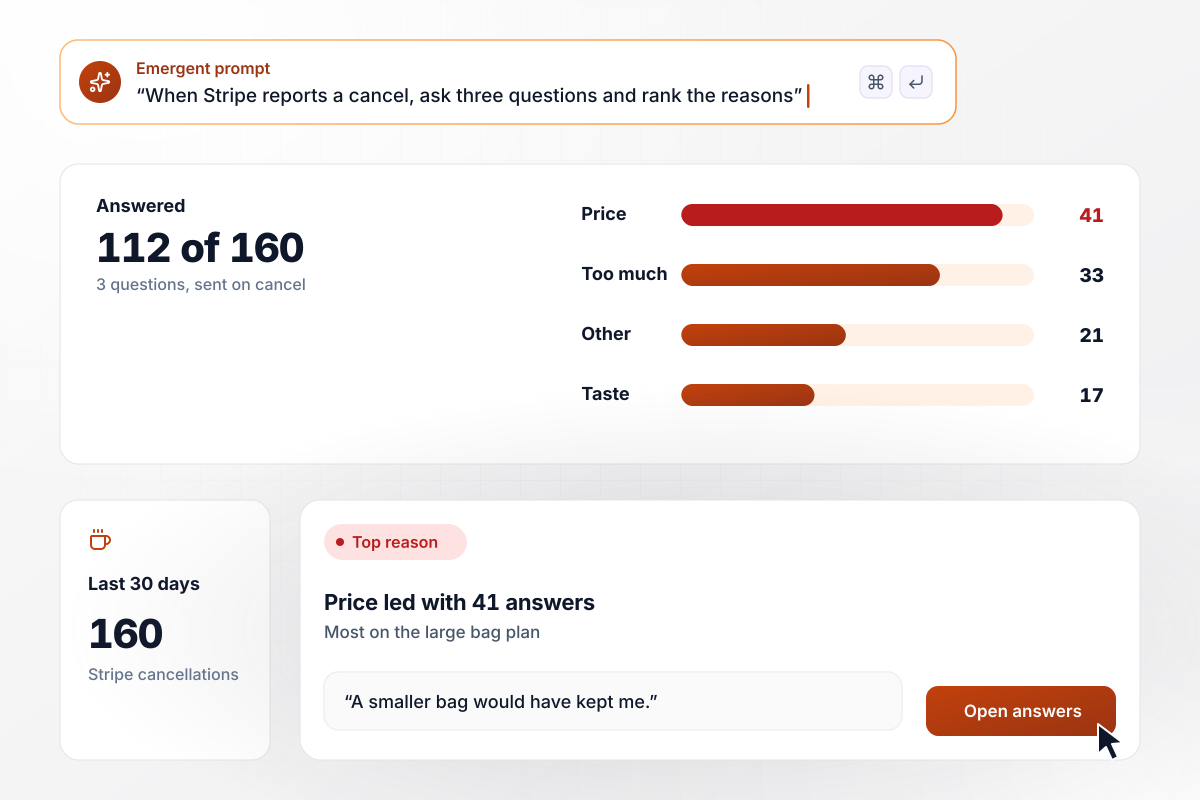
Find out why subscribers cancel
Once Stripe reports a canceled subscription, the subscriber gets a three-question email: the main reason, what would bring them back, and anything else. Each answer is saved with the plan and months subscribed. Over 30 days, 112 of 160 canceling subscribers answered, and price led with 41.
window.awbMockup = { cancellationSurvey: "Build a cancellation survey for my coffee subscription. When Stripe reports a canceled subscription, email the subscriber three questions: the main reason, picked from a list, what would bring them back, and an open box for anything else. Save each answer with the plan and how many months they subscribed. Show a dashboard of reasons over the last 30 days with the number who answered.", inAppFeedback: "Add a feedback button to every screen of my web app. Save each comment with the page, the account's plan, and the browser, and tag it as a bug, idea, question, or praise. Group similar comments together. When the same bug is reported 9 times in a week, post the count and the comments to our product team's Slack channel.", serviceVisit: "Build a feedback survey for my heating and cooling company. Two hours after a technician closes a job, text the customer through Twilio. Ask for a star rating, whether the tech arrived in the booked window, and what went wrong, if anything. When the rating is 2 or lower, create a callback task for the dispatcher with the job number and the comment.", retailStores: "Build a QR code survey for my 12 retail stores, printed on every receipt. Ask four questions on the phone: did you find what you came for, how long was checkout, how helpful was the staff, and anything else. Roll answers up by store each week, and email the district manager when a store's score falls more than 0.5 points, with the most common complaint." };
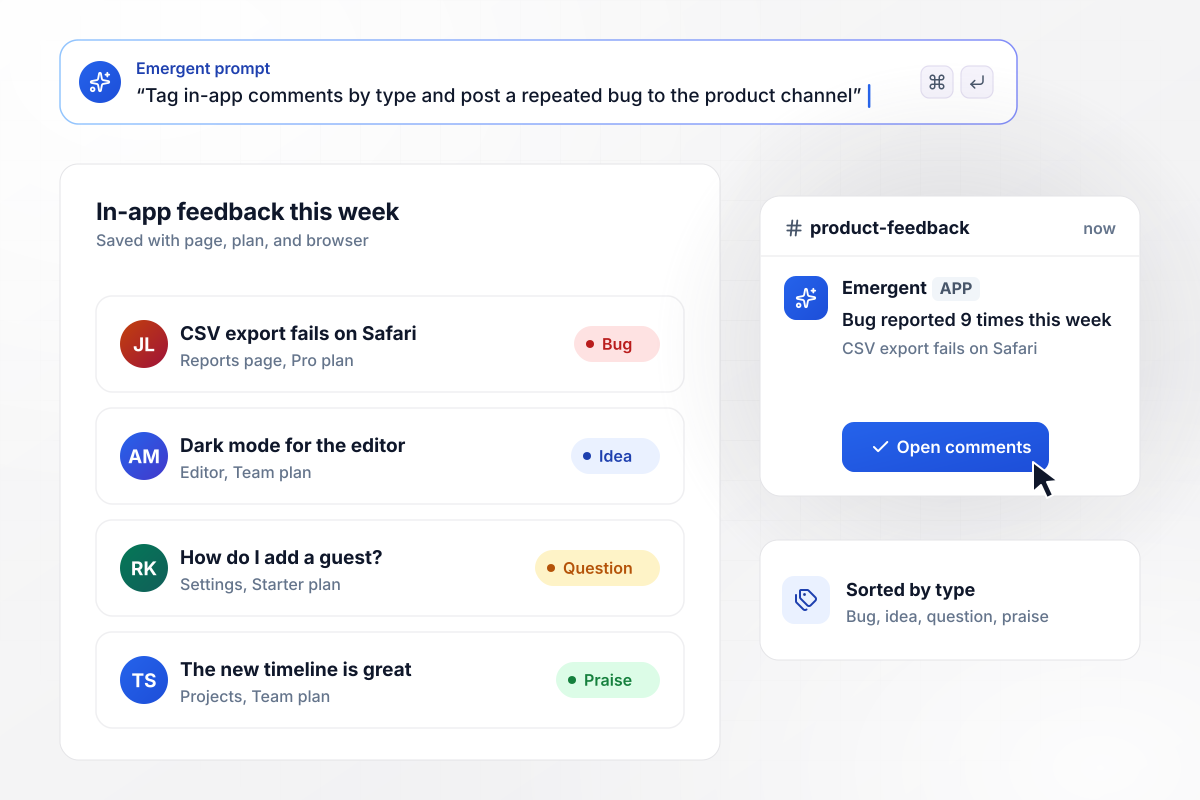
In-app comments, sorted before anyone reads them
A feedback button sits on every screen of your web app. Each comment is saved with the page and the account's plan, then tagged as a bug, idea, question, or praise. When one bug is reported 9 times in a week, the product team's Slack channel gets the count and the comments.
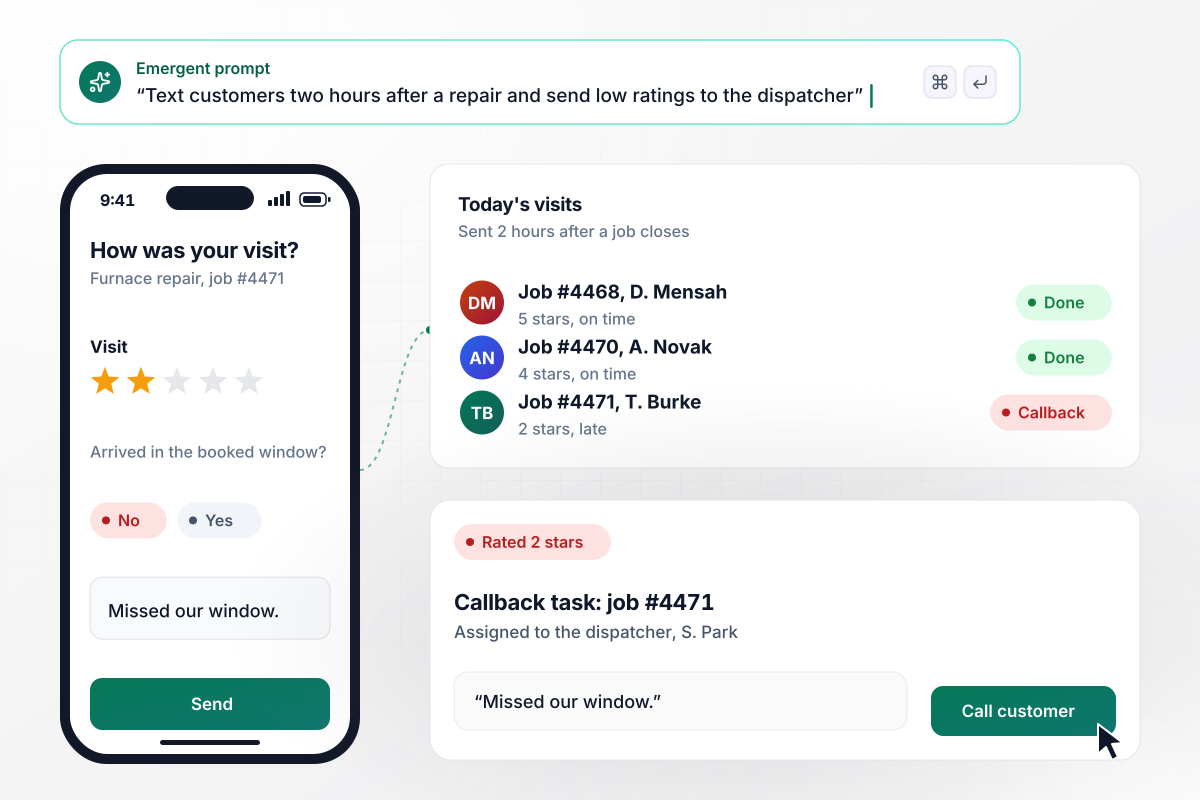
A text after every repair visit
Two hours after the technician closes the job, the customer gets a text through Twilio. It asks for a star rating, whether the tech arrived in the booked window, and what went wrong, if anything. A rating of 2 or lower becomes a callback task for the dispatcher, with the job number and the comment.
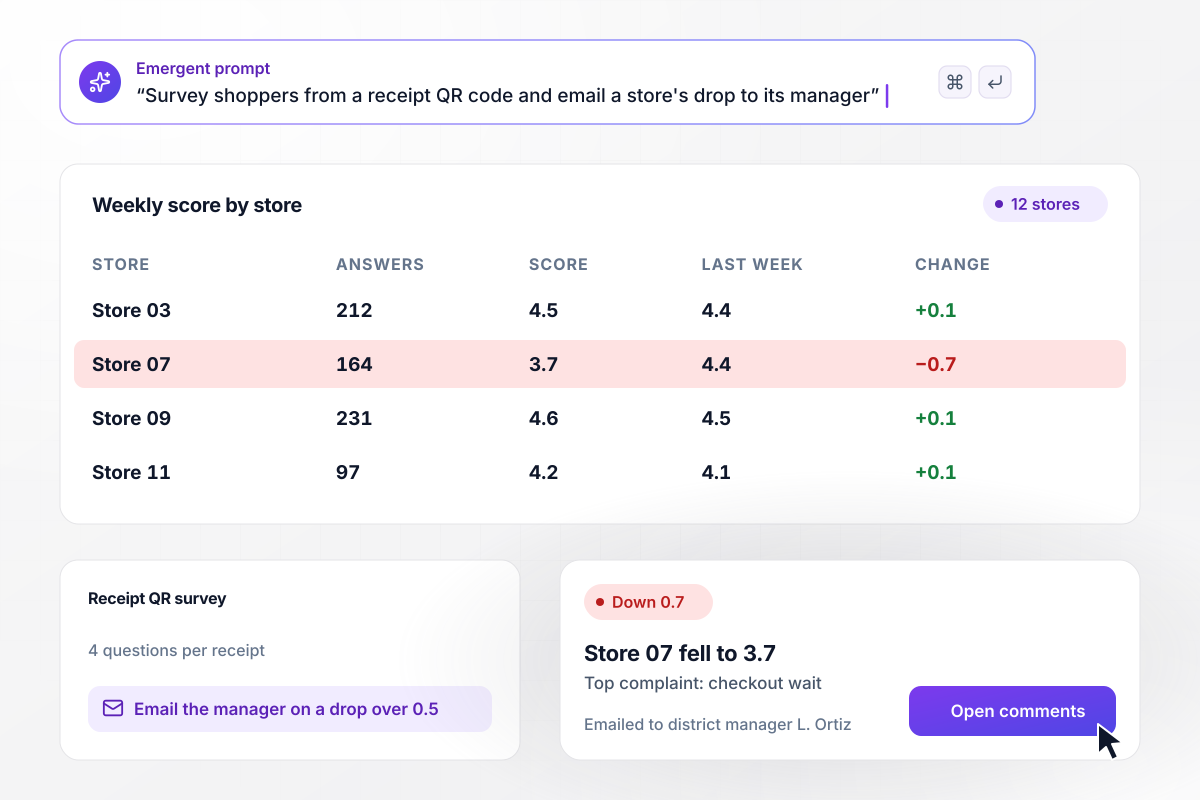
Which store slipped this week, and why
Shoppers at all 12 stores scan a QR code printed on the receipt and answer four questions on their phone. Answers roll up by store each week. When a store's score falls more than 0.5 points, its district manager gets an email with the drop and the most common complaint.






How to Run a Customer Feedback Survey
Seven steps to plan a customer feedback survey whose answers reach someone who can act on them.
Pick one decision the answers should settle, such as whether to extend support hours or which onboarding step to rewrite. A survey without one collects opinions nobody owns. Put that decision at the top of your prompt.
Set the delay for each moment. A haircut can be rated the same evening, while a delivered blender needs a week of use first. Ask about one moment per survey instead of the whole relationship.
Use one rating and one open question, with the open question right after the rating, where it asks why. Ask about one thing per question: rating the food and the price together gives a number nobody can read.
Run the survey open-ended with a small group first. Recurring answers become the choices in your reason list. At a gym, members who leave might keep naming class times or parking. The open box stays for everything the list misses.
Send the survey to your own phone from a test account, then watch what happens. Check that it arrives and the answer lands in the table. Then rate it 1 and confirm the alert reaches its owner.
A customer who says they are leaving needs a reply today. Ten mild notes about font size can wait for the weekly read. Set a threshold for each owner, high enough that every alert still gets read.
A rating says something went wrong, and the comment says what. Each week, read the comments behind the lowest ratings before opening any chart. Then tell customers what changed because they answered, in the channel the survey came through.
Why Build Your Feedback Survey With Emergent?
Alerts and comment tags run on rules written in code you own. Change any of them with a prompt, not a support ticket.

|
SurveyMonkey | easyfeedback | LimeSurvey | |
|---|---|---|---|---|
| How you build | Prompt for the survey, quiz, or poll and the app around it | Templates and editor | Templates and editor | Editor and template library |
| Response limits | No response caps | Response caps by plan | Participant caps per survey by plan | Response caps by cloud plan |
| Behavior at cap | Keeps collecting, no cap | Overage billed per extra response | New participants can no longer take part | Participants can no longer answer |
| Where responses live | A database table you own, plus any integration | SurveyMonkey account | easyfeedback account, servers in Germany | LimeSurvey Cloud, or your own server |
| Code ownership | Full code export to GitHub on paid plans | None | None | Open source (GPL); self-host the community edition |




Pick the Pricing Plan That Works for You
Choose the plan that fits your building ambitions. From weekend projects to enterprise applications, we've got you covered.




Find the right survey, quiz, or poll
for your team















Frequently Asked Questions
Your Questions, Answered
Don't change this element unless you know what you are doing
More things you can build
with Emergent









on Emergent today


