

Build a Customer Effort Score Survey That Finds the Hard Step
Create a survey that asks the customer effort score question when a task ends and saves each answer to a database you own.
Build a customer effort score survey that asks right after checkout and flags every hard answer.
Trusted by Builders Worldwide
Active Builders Worldwide
Apps Successfully Created
Countries Globally Reached



What an Effort Survey Has to Get Right
Each piece below helps a low score point at the step that caused it.
The standard statement, ready to send
Emergent writes the standard agree statement, "The company made it easy to handle my issue," on a seven-point scale. Swap in the brand name and the task being rated.
Sent the moment the task ends
Trigger the question when a return label prints or a claim is submitted. Any tool with an API can start a send, and every send is logged with the customer it went to.
Averages and top-box shares together
Read each score two ways: the average on the seven-point scale and the share of answers at 5 or higher. Filter both by channel or by plan to see where effort climbs.
A follow-up only for hard answers
Show "What made this hard?" only to customers whose answer is low. Their picks are counted by step, and an open box under the list catches every reason the listed steps miss.
High-effort answers sent to an owner
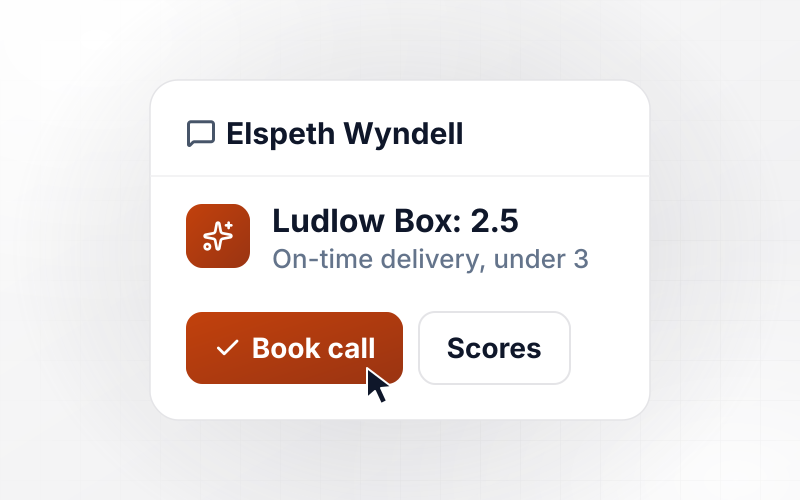
Route a low score to whoever owns that article or flow, by Slack or email. The message quotes the customer's comment next to the score, and nobody needs a login to read it.
Scores in your database, code in your repo
Every answer is a row in a database you own. Export the survey and its scoring code to your GitHub on paid plans at any point, and change either one later with a prompt.
Four Tasks Worth Scoring for Effort
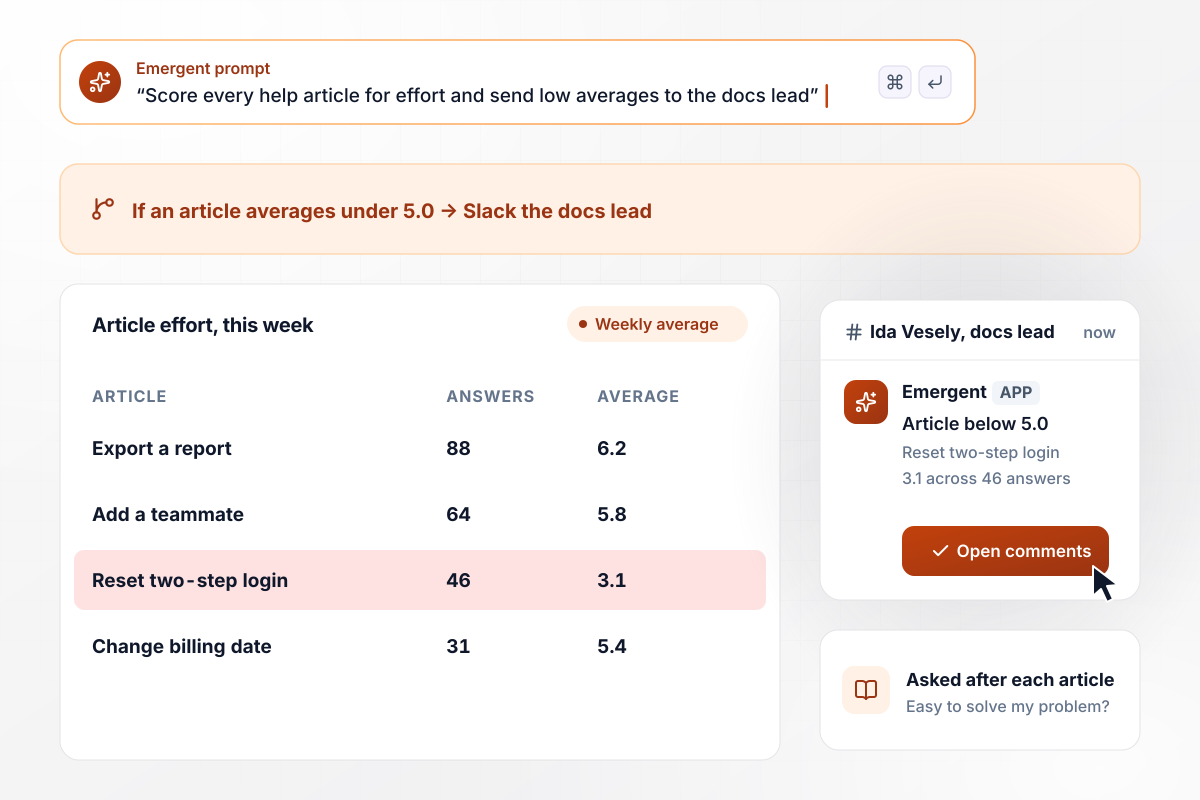
The help article that sends readers to support
Every help article ends with the effort statement: this article made it easy to solve my problem. Scores average by article each week. Any article averaging under 5.0 goes to the docs lead in Slack, and this week "Reset two-step login" averaged 3.1 across 46 answers.
window.awbMockup = { helpCenterArticles: "Add a customer effort question to the end of every article in my help center. Use the agree statement this article made it easy to solve my problem, on a seven-point scale. Average the scores by article each week. When an article averages under 5.0, post it to the docs lead in Slack with its average, its answer count and the comments.", onlineReturns: "Build an effort survey for my online store's returns. When a shopper prints a return label, email them one question about how easy the return was, rated 1 to 7. Anyone who answers 3 or lower picks the hard step: finding the order, printing the label or the drop-off point. Show a weekly chart of the hard steps.", integrationSetup: "Show an in-app effort question right after an admin connects their first integration in my software. Ask how easy setup was on a seven-point scale. When the answer is 2 or lower, create a HubSpot task for the account's customer success manager, naming the setup step where the admin stalled, read from our setup log.", insuranceClaims: "Text every claimant who files a claim online with the effort statement, as soon as the claim is submitted. Report the score each month as the share of answers at 5 or higher on the seven-point scale. Split the report by claim type, with the number of answers and the score for auto, home contents and water damage claims." };
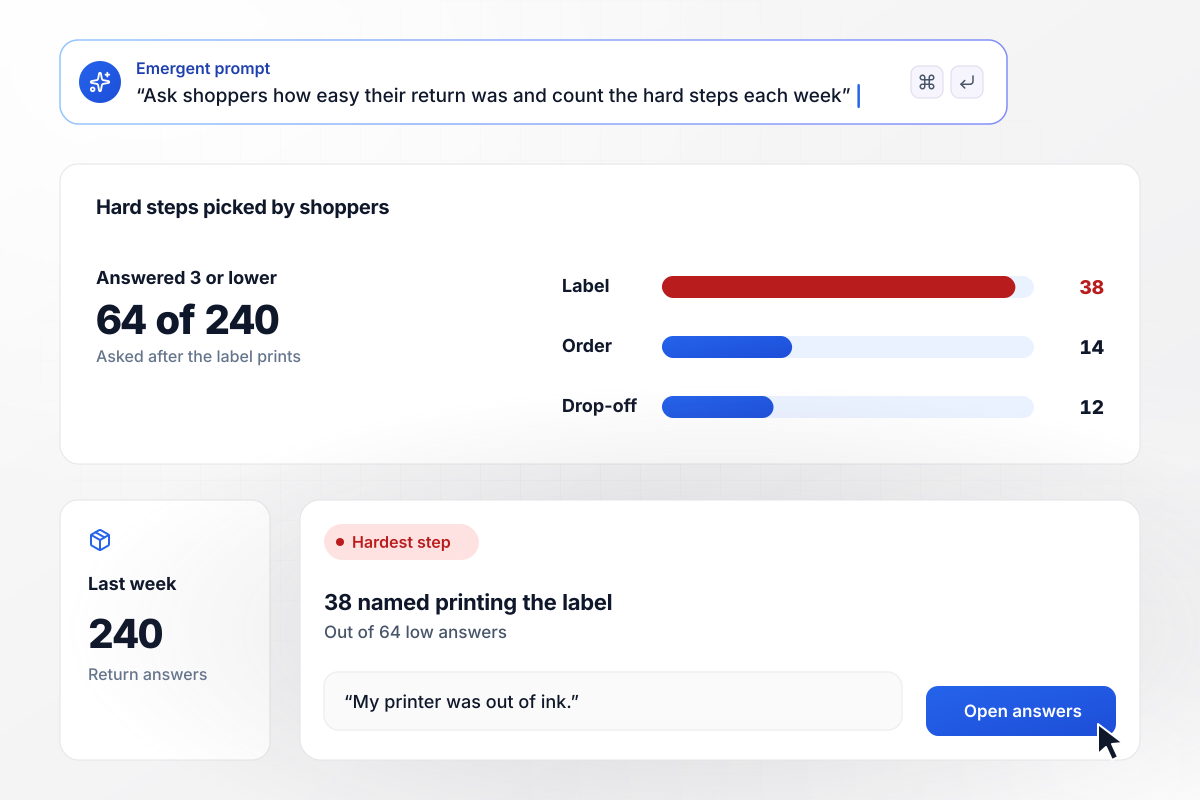
Why returns feel hard, counted by step
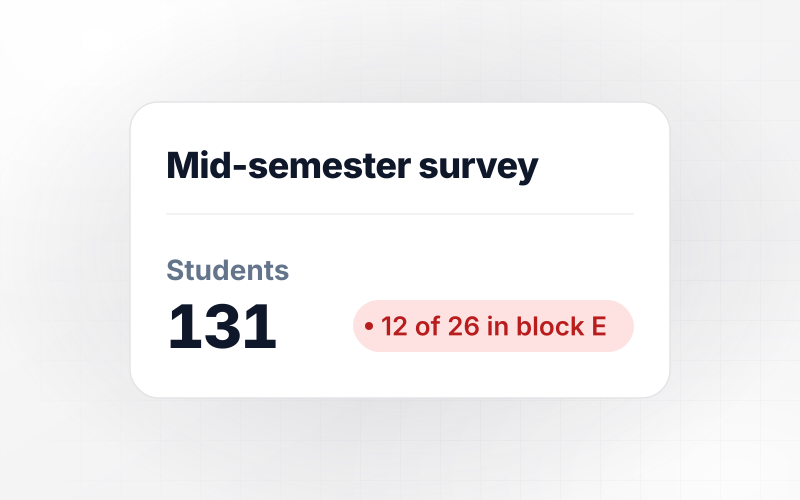
When a shopper prints a return label, an email follows with the effort question. Anyone who answers 3 or lower picks the step that was hard from a short list. Last week, 64 of 240 answers were that low, and 38 of them named printing the label.
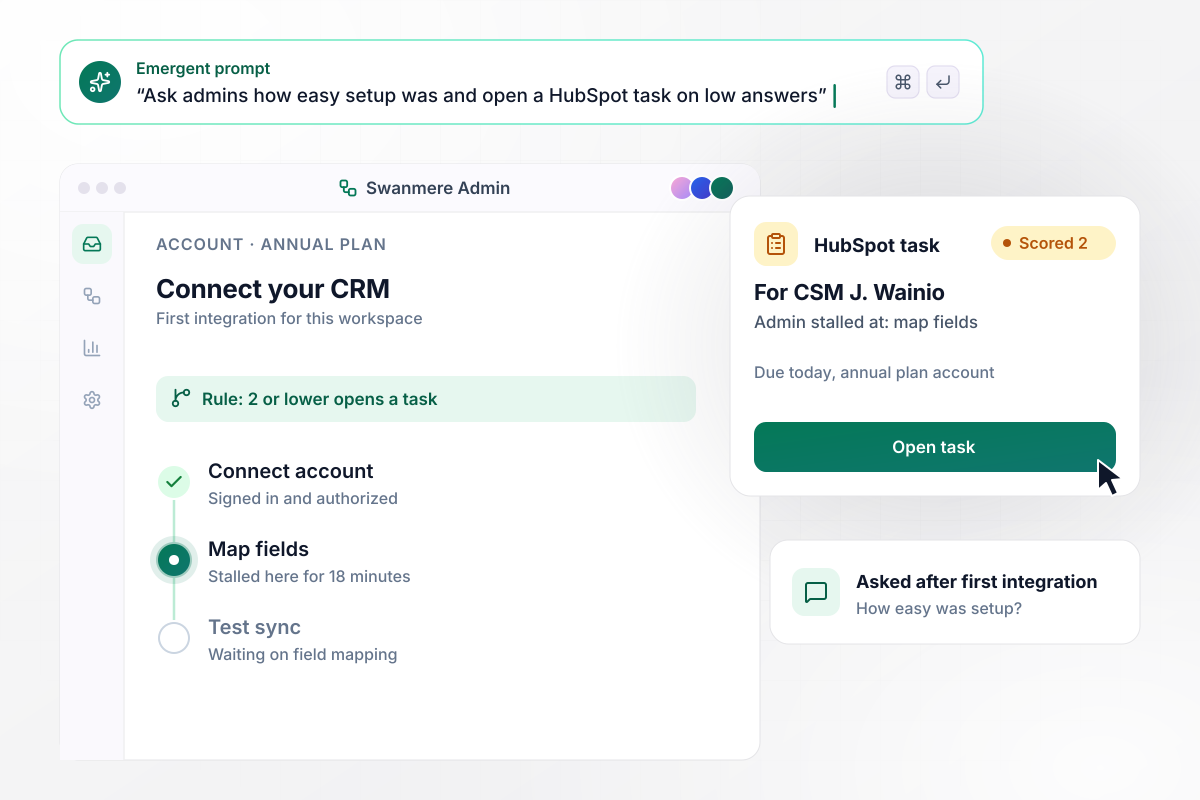
When setup stalls, the CSM hears first
Right after an admin connects a first integration, the app asks how easy setup was. An answer of 2 or lower creates a HubSpot task for the account's customer success manager. The task names the step where the admin stalled, read from the setup log.
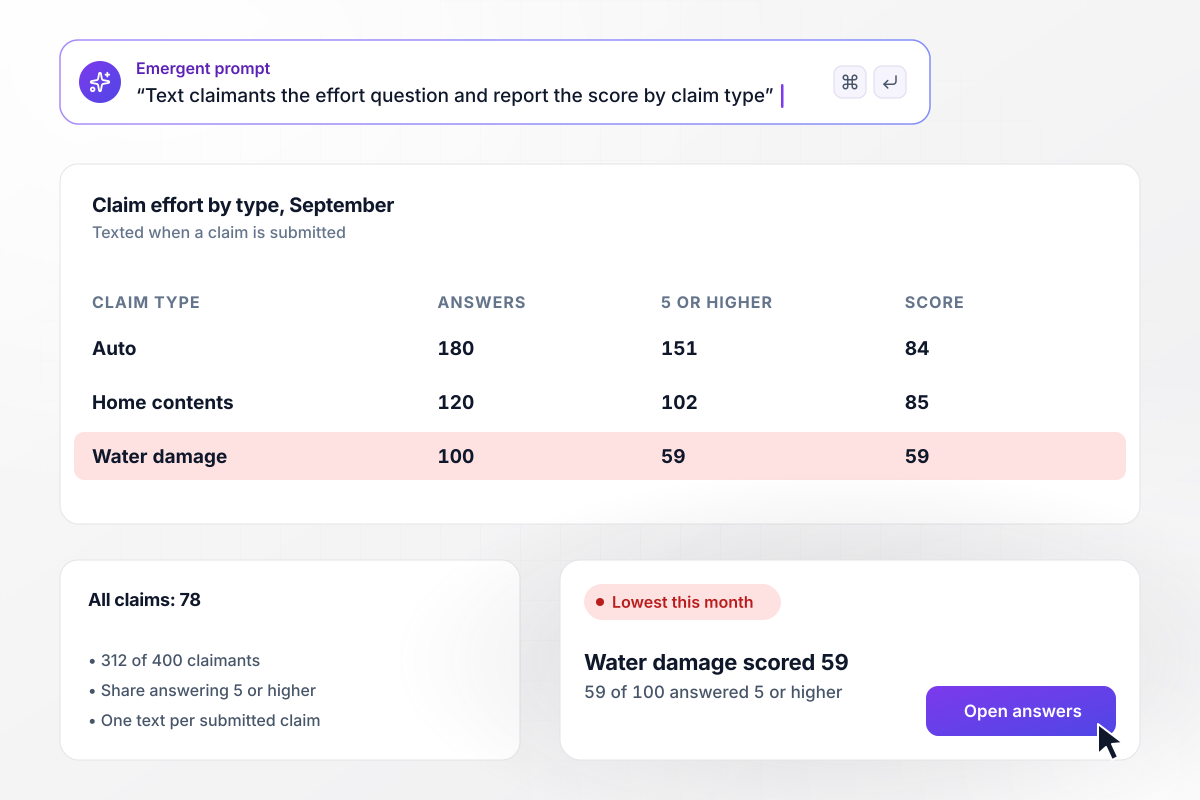
Claim filing scored by claim type each month
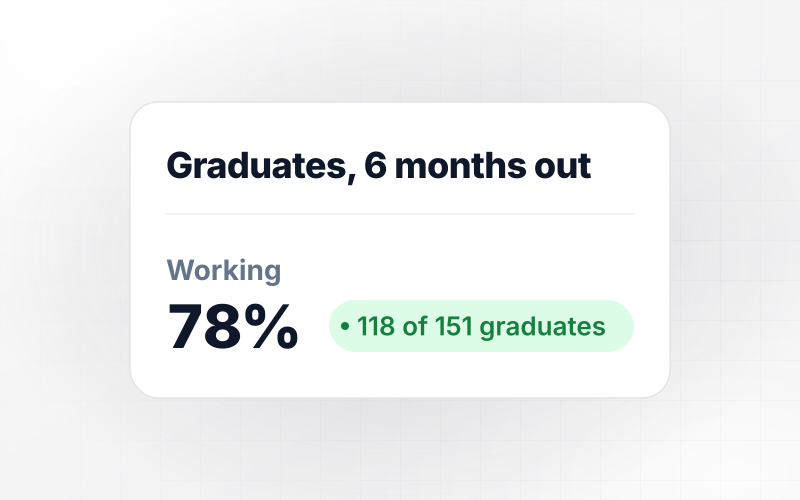
Claimants who file online get a text with the effort statement as soon as the claim is submitted. Scores are reported as the share answering 5 or higher. In September, 312 of 400 claimants did, a score of 78, but water damage claims scored 59.






How to Run a Customer Effort Survey
Seven steps to run a customer effort score survey that points to a fixable step, then build it with Emergent.
Score a single task, such as filing a claim or connecting an integration, instead of the whole relationship. Effort only means something when the customer can still picture each step they took. Name that task at the top of your prompt.
Send the question the moment the task finishes, on the confirmation screen or in a text within the hour. A day later, customers rate their mood about the brand instead of the steps. Set one trigger per task.
Use the agree statement on seven points and change only the task it names. Fixed wording lets this quarter's score sit beside last quarter's. Keep the scale in the same order every time, with strongly agree as 7.
Show the follow-up to customers who score 3 or lower, as a short list of steps with an open box under it. Customers who found the task easy never see it, and the survey stays one tap for most of them.
Pick the average or the top-box share as the headline number and keep it. Switching methods between months can make a steady score look like a drop. Label the method on every chart you share.
Decide who hears about a hard answer: the docs lead for an article, the success manager for a stalled setup. Set thresholds so alerts stay rare enough to be read the same day. Send the rest to a weekly review.
Change the step customers named most often, then compare the next four weeks with the four before. If the score for that step rises while the others hold, the fix worked. Leave the question running after the change ships.
Why Build Your Effort Survey With Emergent?
The thresholds and routing behind every alert are code you can read. Edit them with a prompt instead of waiting on a vendor.

|
SurveyMonkey | Typeform | Interact (quiz specialist) | |
|---|---|---|---|---|
| How you build | Prompt for the survey, quiz, or poll and the app around it | Templates and editor | Templates and editor, AI assist | Templates and AI quiz maker |
| Response limits | No response caps | Response caps by plan | Monthly response caps by plan; the form stops at the cap | Monthly completion and lead caps by plan |
| Behavior at cap | Keeps collecting, no cap | Overage billed per extra response | Form stops collecting | Free plan quiz pauses; paid plans cap leads |
| Where responses live | A database table you own, plus any integration | SurveyMonkey account | Typeform account | Interact account |
| Code ownership | Full code export to GitHub on paid plans | None | None | None |


Pick the Pricing Plan That Works for You
Choose the plan that fits your building ambitions. From weekend projects to enterprise applications, we've got you covered.




Find the right survey, quiz, or poll
for your team
Frequently Asked Questions
Your Questions, Answered
Don't change this element unless you know what you are doing
More things you can build
with Emergent









on Emergent today


