

Build a School Climate Survey for Students, Staff, and Families
Build a school climate survey that stores no student names and saves every answer with its grade and role.
Build a school climate survey that collects every answer in a database I own.
Trusted by Builders Worldwide
Active Builders Worldwide
Apps Successfully Created
Countries Globally Reached



What Each School Climate Survey Includes
Six things Emergent builds from one description of your school and the groups you plan to ask.
Questions drafted from your goals
Describe your grades and groups and what the results should change. Emergent drafts statements on safety and on ties with adults and peers, and you reword any of them with a prompt.
No names or student IDs kept
Each answer is saved with a grade or role and nothing else. Ask for a survey with no login and no student ID field, and say on the first screen what the survey keeps and why.
A version for each group
Build versions for students, staff, and families in one prompt, with shared statements worded alike. Emergent sets no cap on responses, and every answer lands in a database you own.
Every question broken out by group
See agreement on every question by group and by term. Set a minimum group size, and any group under it stays out of the report instead of showing a few people on their own.
Low results sent to their owner
Pick a line for each topic and the person who owns it, like the counselor for safety. When a question falls under its line, that owner gets a Slack or email alert naming the group.
Your district domain, your code
Host the survey on the district domain, included with Emergent and paid in credits. On paid plans, export the full code to your GitHub repository and run it again next year.
What Each Group's Answers Turned Up
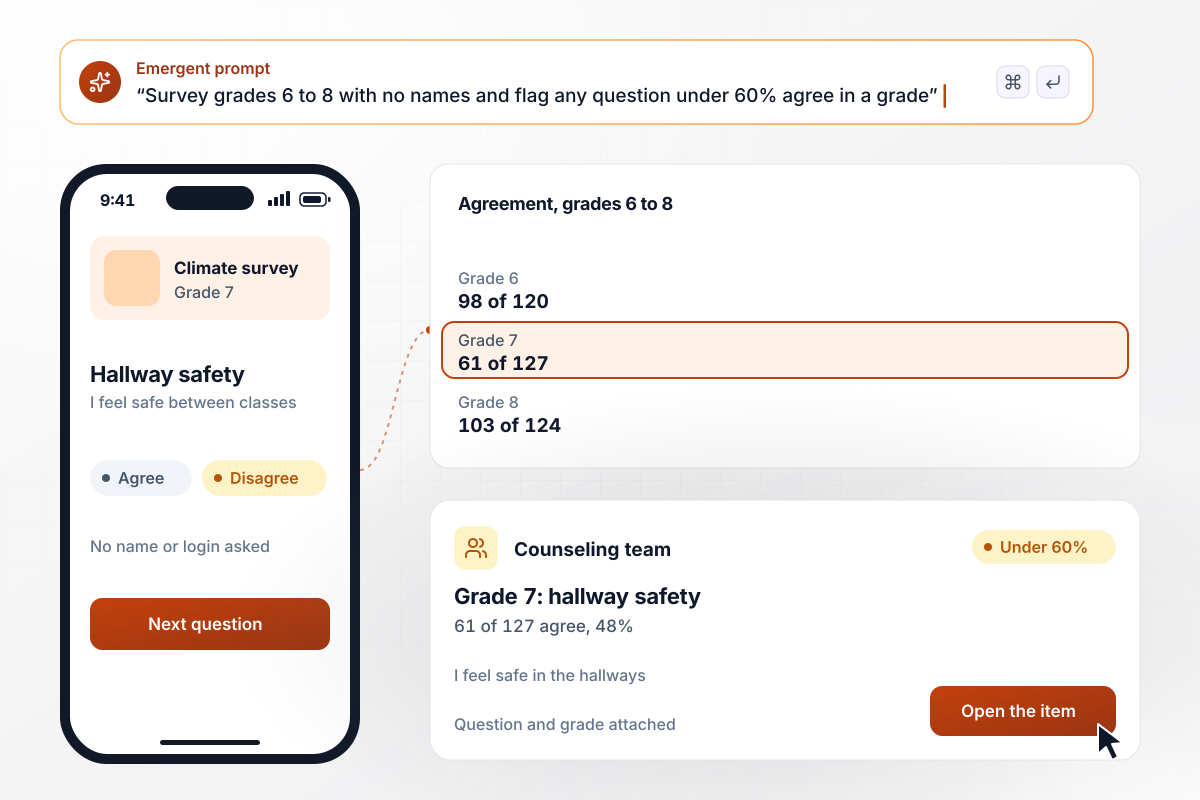
Hallway safety flagged in one grade
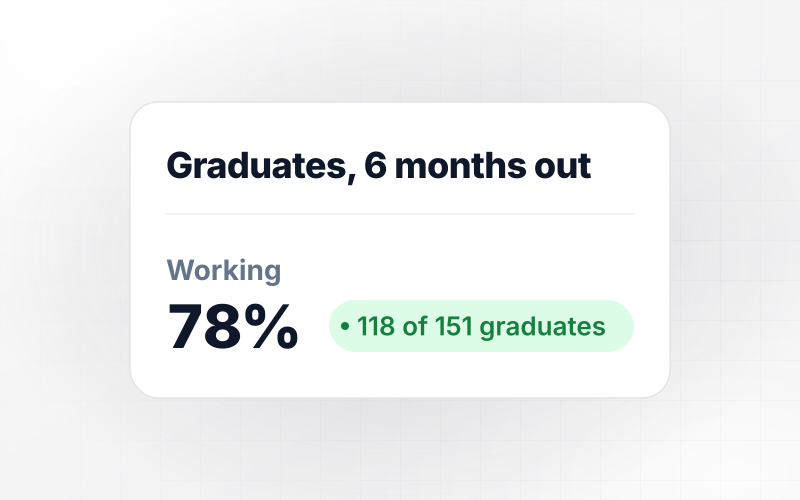
Students in grades 6 to 8 answer the survey anonymously during advisory. Each question is scored as the share of students who agree, and any question under 60% agree in a grade goes to the counseling team. In grade 7, 61 of 127 students agreed with "I feel safe in the hallways between classes."
window.awbMockup = { middleSchool: "Build an anonymous school climate survey for my middle school, grades 6 to 8. Students take it during advisory with no login, and the survey stores only their grade. Score each question as the share of students who agree. When any question falls under 60% agree in a grade, email my counseling team the question, the grade, and the schoolwide figure.", teachersAndStaff: "Build a staff climate survey for my school. Teachers, support staff, and administrators open it from a link, and each answer is saved with their role and no name. In the report, hide any role with fewer than 5 answers. Show me agreement by role for each question, starting with whether staff feel they have a say in decisions.", districtOffice: "Build one climate survey for all 6 schools in my district, with the same safety items in each. Give every school a safety score out of 100 and its change from last year, and show me the schools side by side. Send each principal their school's score with the questions behind it.", fallAndSpring: "Build a climate survey for my high school that runs in fall and again in spring with the same questions, word for word. Save each answer with the student's grade and the term. Show me each question's agreement for fall and spring side by side, by grade, so I can see whether our new grade 9 advisory period changed anything." };
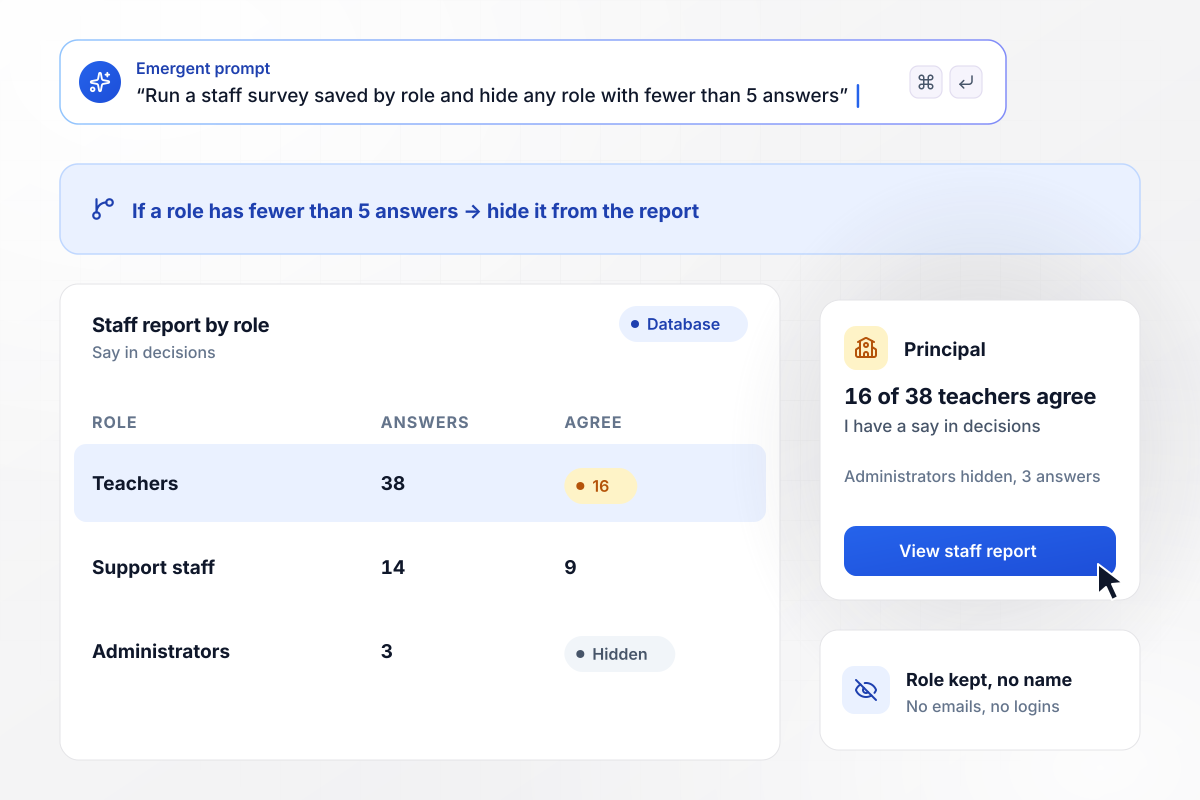
Staff answers kept to the role, never the name
Teachers and support staff open the staff survey from a link, and the survey keeps only their role. Any role with fewer than 5 answers is held back from the report, which kept the 3 administrators' answers out of it. The principal sees what remains: 16 of 38 teachers agree that they have a say in decisions.
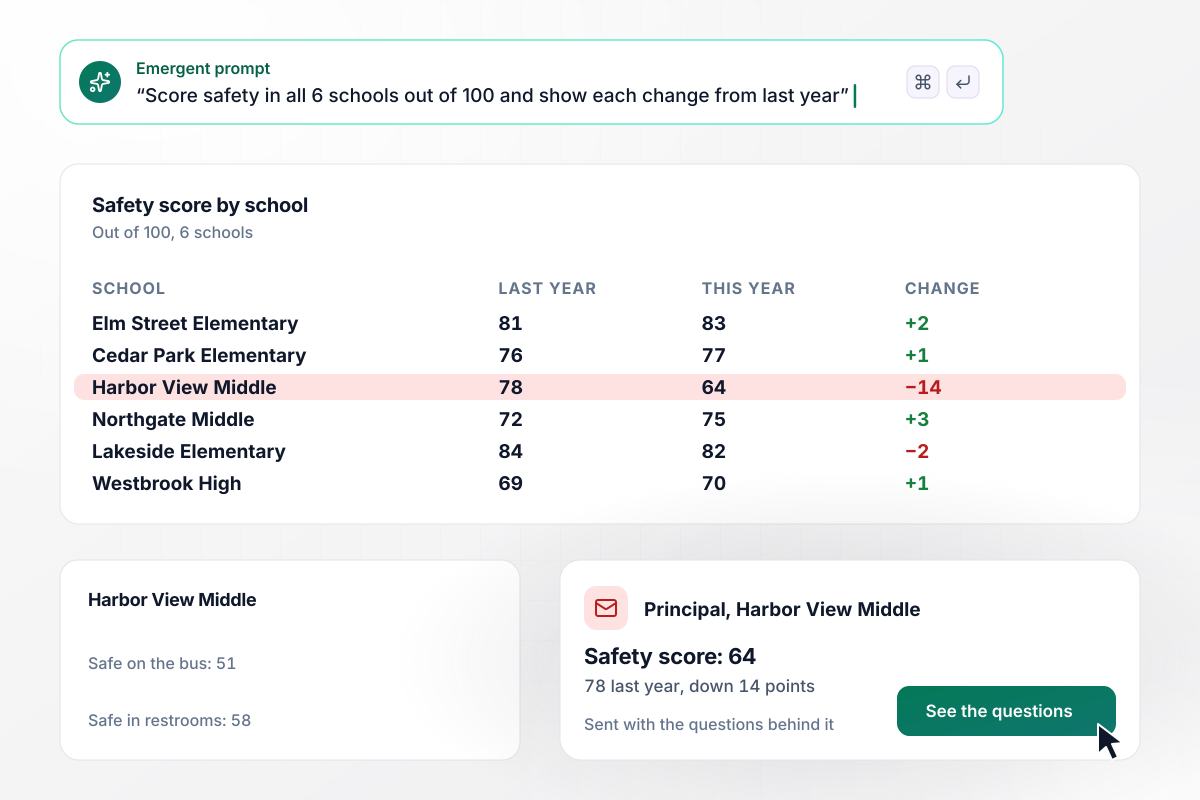
One school's drop caught across six
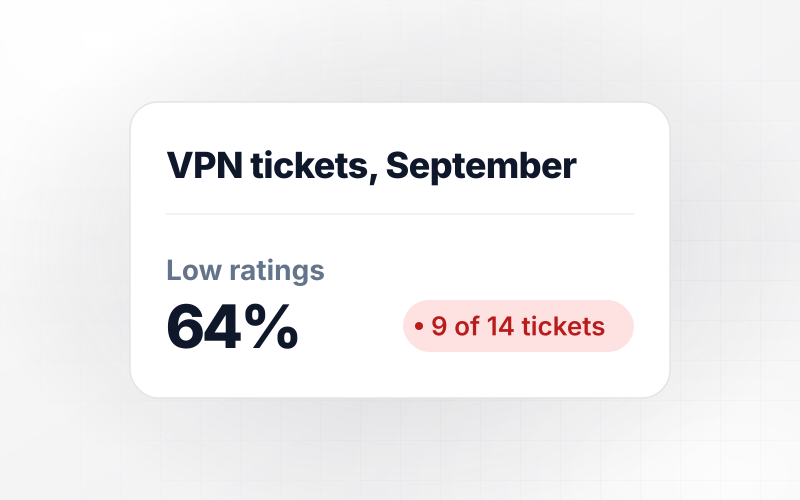
A district office runs one climate survey in all 6 of its schools, and each school gets a safety score out of 100. Harbor View Middle fell to 64 against 78 a year earlier, a 14-point drop, while no other school moved more than 3 points. Its principal got the score with the questions behind it.
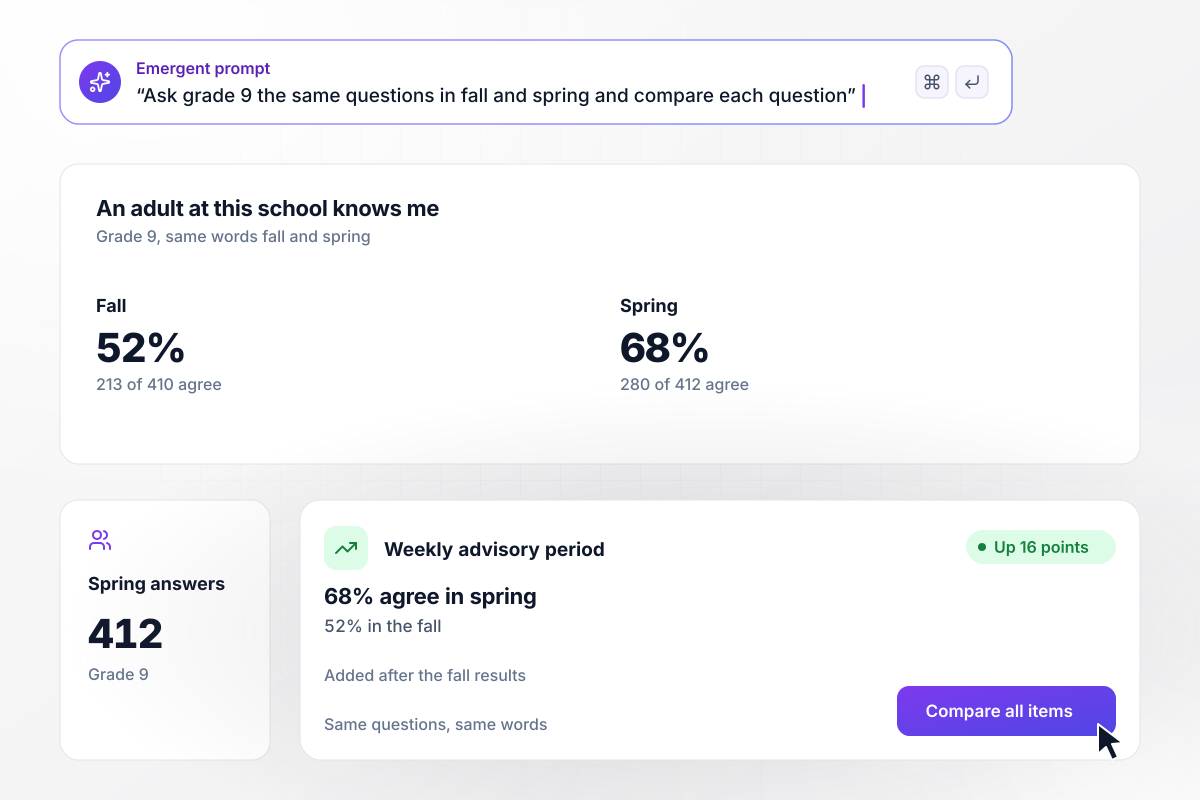
Advisory tested by a spring rerun
Each fall and again in spring, a high school asks the same questions in the same words. After the fall results, it added a weekly advisory period for grade 9. In spring, 280 of 412 students in grade 9 agreed with "An adult at this school knows me," against 213 of 410 in the fall.






How to Run a School Climate Survey
Seven steps to run a school climate survey whose results lead to changes students and staff can see.
List the choices the results could settle this year: where adults stand between classes, whether advisory stays, which grade gets a new program. Every item should inform one of them. Start your prompt with that list, and Emergent writes the items to match.
Decide which grades and staff roles take part, and whether families do. Ask each group only what it sees firsthand. A parent can rate how welcome they feel at pickup but not how a class runs, and a student can rate a hallway but not a hiring decision.
Write each item as a plain statement with one idea, such as "Adults at this school treat me with respect," and use one agree scale for every item. For younger grades, keep statements under 12 words and avoid words like climate or engagement.
Give students a set class period, such as advisory. Answers then come from the whole grade, not only from the students who check email. Leave the survey open for 2 weeks for staff and families, and send one reminder halfway through.
Run the survey with one class or a few staff volunteers first. Time how long it takes, ask which statements confused them, and open the table to confirm no name or ID came through with the answers. Reword anything they stumbled on.
Start with the gaps: a grade or a role well below the rest. Then read the open comments from that group. A schoolwide average can hide one grade that feels unsafe. Write down the two or three gaps you will work on first.
Within a month of closing the survey, tell everyone who took part what the results showed and the one or two changes you will make. Repeat the survey next term without rewording it, and compare the two sets of answers.
Why Run a School Climate Survey on Emergent?
Every answer sits in a database your district owns, tagged with its grade and school. Change any question with a prompt.

|
SurveyMonkey | Microsoft Forms | SurveyHero | |
|---|---|---|---|---|
| What you get | Survey, logic, and response database, as code you own | Survey builder with templates, including employee engagement | Surveys, quizzes, and polls with response summaries | Survey builder with templates, including employee satisfaction |
| Pricing model | Credits, no response caps or per-response fees | Per-user team plans with a seat minimum, billed annually | Free with a Microsoft account; included in Microsoft work and school subscriptions | Free plan, then per-account plans with unlimited responses |
| Where responses live | A database table you own, plus any integration | SurveyMonkey account | Microsoft Forms, with export to Excel | SurveyHero account, EU data centers |
| Code ownership | Full code export to GitHub on paid plans | None | None | None |



Pick the Pricing Plan That Works for You
Choose the plan that fits your building ambitions. From weekend projects to enterprise applications, we've got you covered.




Find the right survey, quiz, or poll
for your team

Frequently Asked Questions
Your Questions, Answered
Don't change this element unless you know what you are doing
More things you can build
with Emergent









on Emergent today


