

Build a Mental Health Survey With Anonymous Answers
Build a mental health survey that keeps names off the ratings, hides teams below a minimum, and saves answers to your database.
Build a mental health survey that collects every answer in a database I own.
Trusted by Builders Worldwide
Active Builders Worldwide
Apps Successfully Created
Countries Globally Reached



How the Survey Handles Sensitive Answers
Three parts govern what is stored and shown. Two put support within reach of the person answering, and one is the code.
No names stored with any rating
Each answer is saved with the team and the date, and nothing else about the person. The survey link needs no login, and the response table has no field that names anyone.
Team scores wait for a minimum
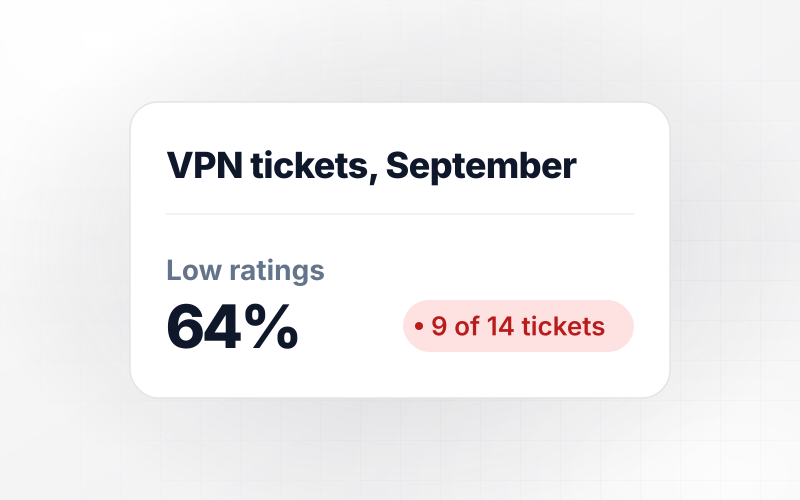
A team's score stays hidden until it reaches the answer count you set, 8 for example. Answers from smaller teams still count toward the company score, with no view of their own.
Identical statements, every round
The check-in asks the same statements in the same words each time, so this quarter's score sits beside last quarter's. A drop past your threshold emails HR the team's results.
Help numbers on the next screen
Picking the lowest option on the coping question opens a screen with your EAP number and the 988 Suicide and Crisis Lifeline. Everyone else sees both on the final screen.
Call requests kept apart from ratings
An optional last question offers a call from your support team. A yes saves a first name and phone number to a separate list that never links back to that person's ratings.
Your check-in's code, on GitHub
Export the survey's full code to your GitHub repository on paid plans, including the questions, scoring rules, and support screen. Your IT team can review it before launch.
Where Teams Run a Mental Health Survey
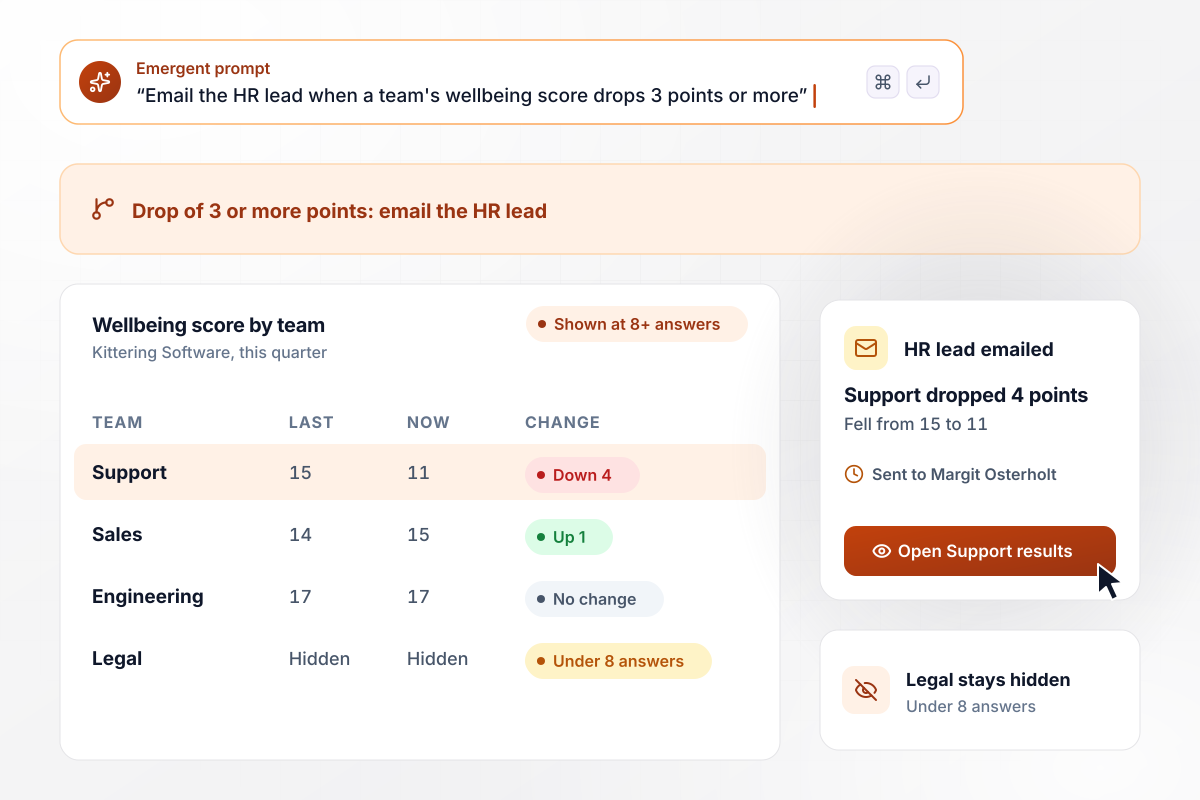
Support drops 4 points and the HR lead hears first
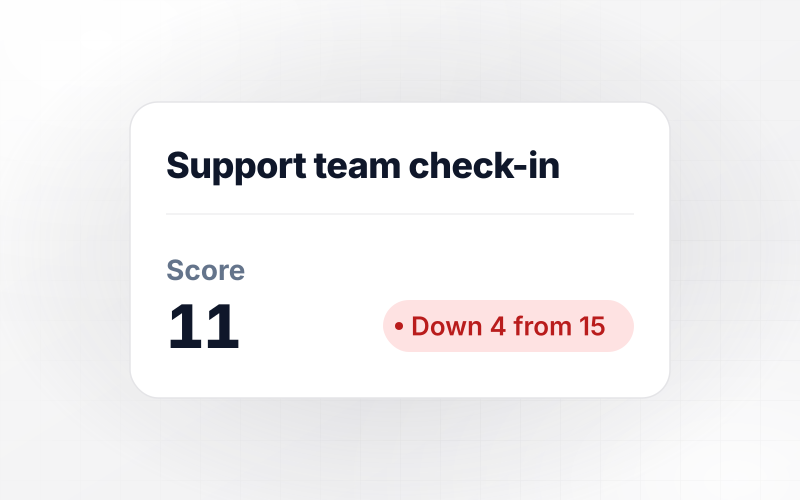
Each quarter, Kittering Software's staff rate the same wellbeing statements, and a team's score shows once 8 people answer. Support fell from 15 to 11 this quarter. Any drop of 3 points or more emails HR lead Margit Osterholt, who had it before Friday's all-hands. Legal stayed hidden, short of the minimum.
window.awbMockup = { quarterlyCheckIn: "Build a quarterly mental health check-in for my software company. Staff rate the same five wellbeing statements every quarter, and no names or emails are stored. Show a team's score only when 8 or more people answer, next to its score from last quarter. If a team drops 3 points or more, email our HR lead the team's results and comments.", hospitalNightShifts: "My hospital ward needs a check-in that nurses answer on their phones after a block of night shifts, opened from a QR code in the break room. Ask 4 questions, one per screen. The last one offers a call from Staff Support. Save a yes with a first name and phone number on a separate call list, never next to the ratings.", peerSupportGroup: "Build a survey for my nonprofit's 8-week peer support group. Participants rate the same statements anonymously in week 1 and week 8. Show how many people answered both times, the average score at each point, and the comments, then turn it into a report I can send to our funder.", afterAnIncident: "After a serious incident at one of our depots, my transit agency needs a short check-in for drivers with 4 questions. If a driver answers Not coping well to the coping question, show a screen with our employee assistance line and the 988 Lifeline details, then take them back to the survey." };
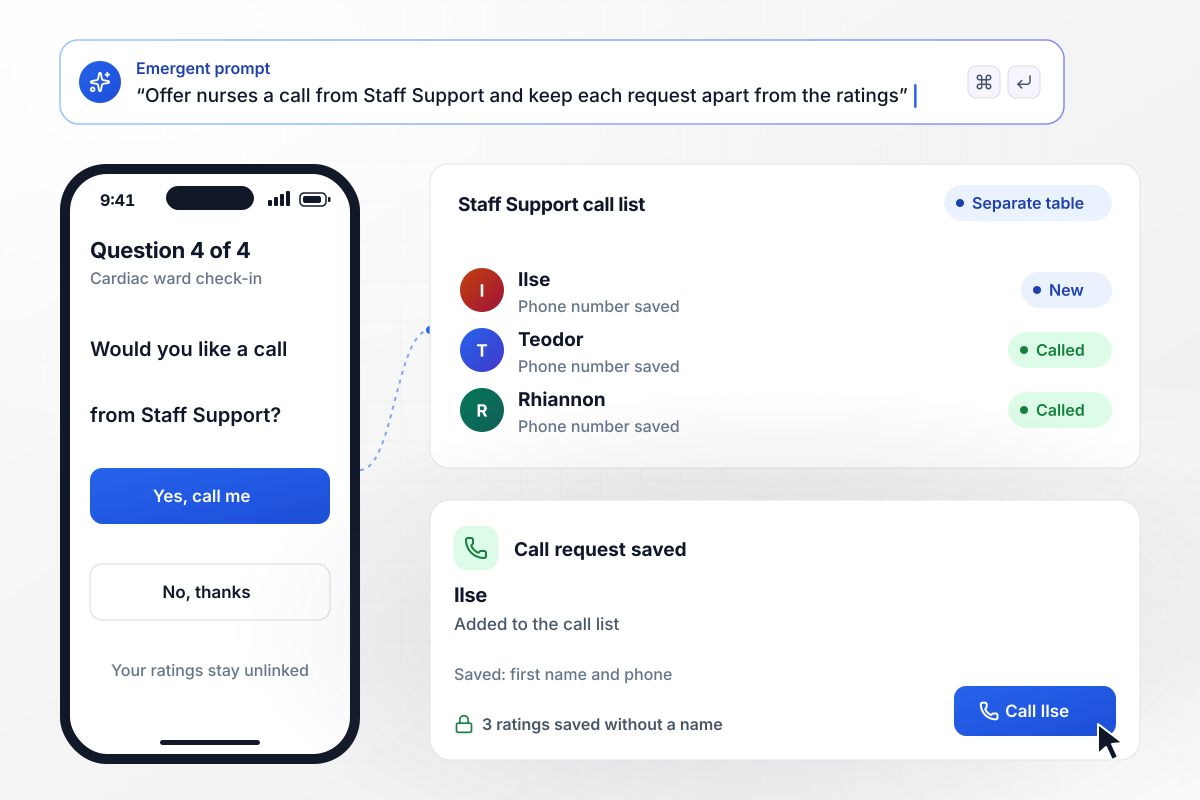
A call request that never touches the ratings
Nurses on the cardiac ward at Pellham Valley Hospital scan a QR code in the break room after a block of night shifts and answer 4 questions on their phone. The last offers a call from Staff Support. Ilse tapped yes. Her first name and phone number went to the call list, and her 3 ratings were saved without them.
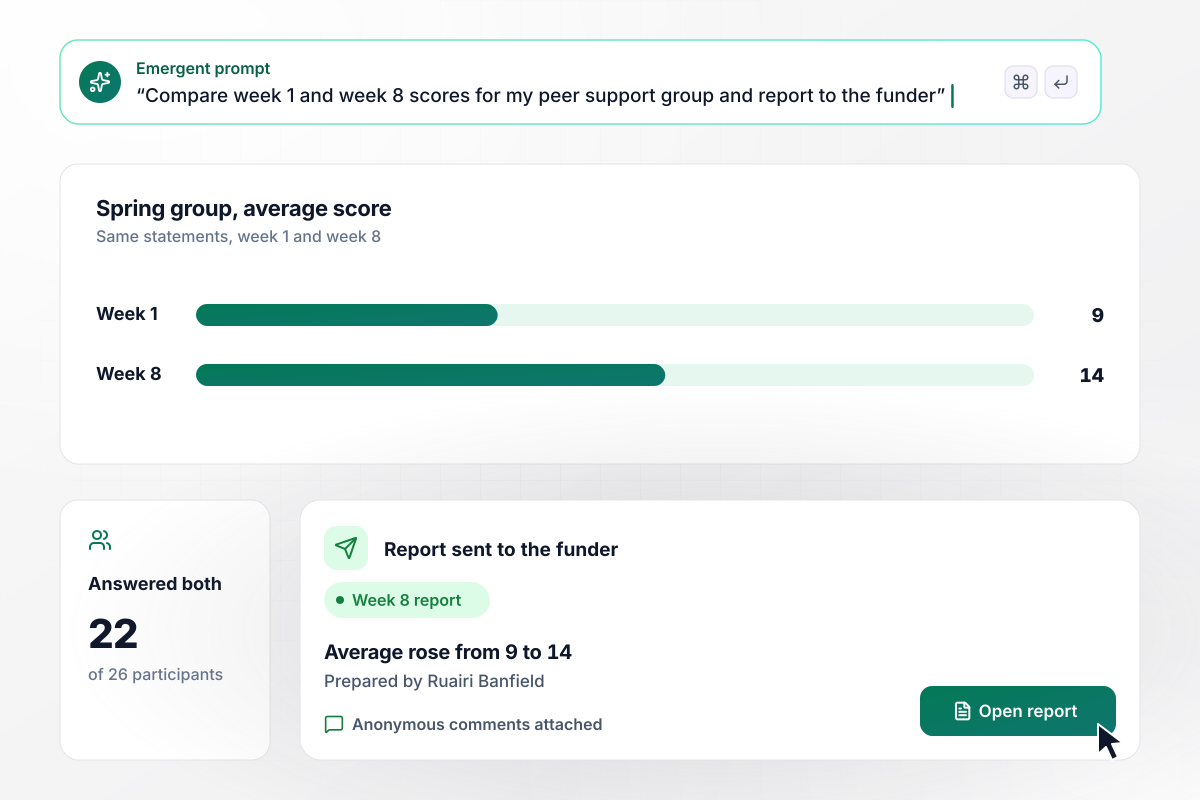
Week 8 scores, ready for the funder
Cobbleton Peer Collective runs an 8-week peer support group, and every participant rates the same statements in week 1 and again in week 8. Of the 26 who started, 22 answered both times. Their average rose from 9 to 14, and coordinator Ruairi Banfield sent the funder that change along with the anonymous comments.
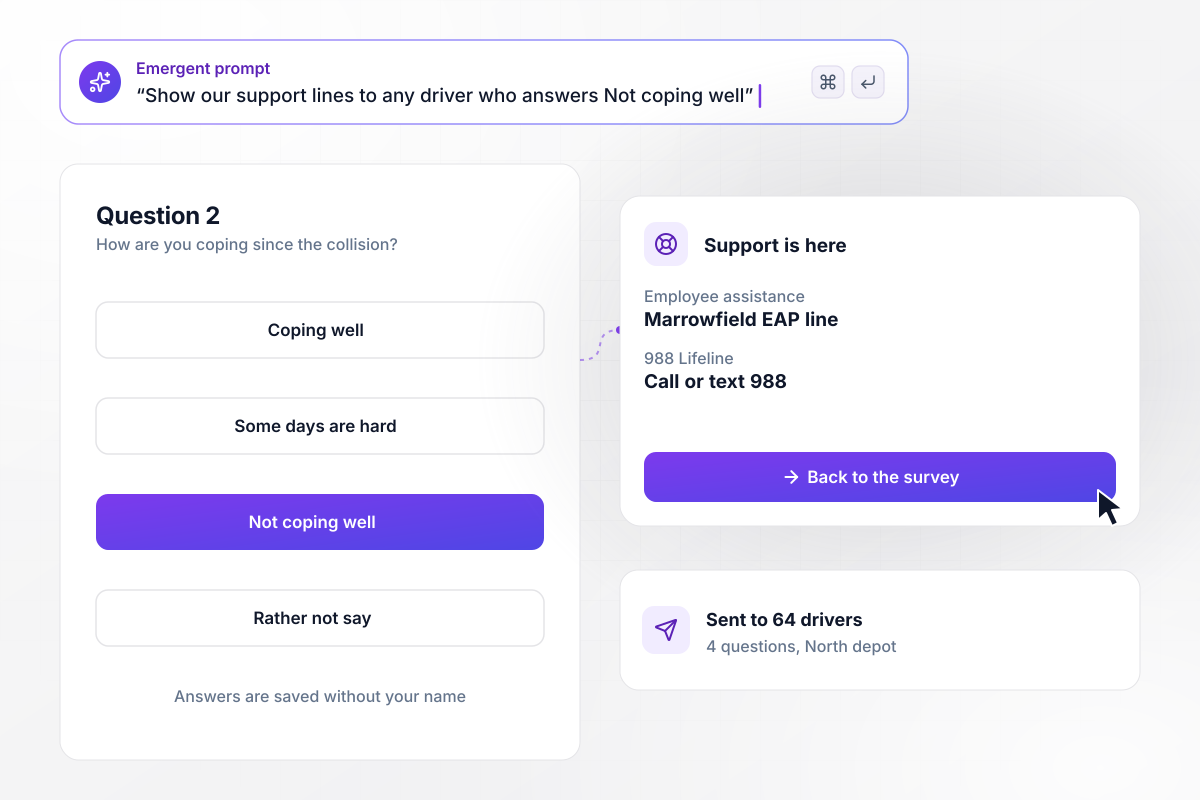
The support screen after a hard answer
The morning after a bus collision at its North depot, Marrowfield Transit sends all 64 drivers a 4-question check-in. Question 2 asks how each driver is coping. A driver who picks Not coping well goes straight to a screen with the employee assistance line and the 988 Lifeline, then returns to the survey.






How to Run a Mental Health Survey
Seven steps to set up a mental health survey that people can answer anonymously, with help numbers for anyone who needs them.
Write down the one decision the answers will feed, such as a workload review for one team or another term of the peer program. If no decision depends on the results yet, wait to run the survey until one does.
Choose a published wellbeing scale, copy its statements word for word, and keep them fixed for every round. Add two or three questions about work itself, such as workload or manager support, and finish with one optional comment box.
Leave out name, email, and login fields, and keep only the team and the date with each answer. Choose the smallest group whose score may show, such as 8 people. State both rules on the first screen, in one plain sentence each.
Ask your employee assistance provider for its phone number and hours, then call the number yourself to check it. Put it on the final screen with the 988 Lifeline, and show that screen straight after the lowest answer on the coping question.
Type the scale, the work questions, the anonymity rules, and the support screen into one prompt. Emergent builds the survey, a response database, and a dashboard that scores each team. Prompt again to change a question or the alert threshold.
Send the link to five people outside the teams being surveyed, and ask one of them to pick the lowest coping answer on purpose. Then open the database and confirm that no rating row holds a name and that the support screen appeared.
Within a month of closing the round, share the overall score and the one change it led to, such as an extra hire for Support. Keep next quarter's statements identical, and the following round will show whether the change worked.
Why Build a Mental Health Survey on Emergent?
Every check-in answer lands in a database you own, and Emergent sets no response cap on how many people reply.

|
SurveyMonkey | Microsoft Forms | SurveyHero | |
|---|---|---|---|---|
| What you get | Survey, logic, and response database, as code you own | Survey builder with templates, including employee engagement | Surveys, quizzes, and polls with response summaries | Survey builder with templates, including employee satisfaction |
| Pricing model | Credits, no response caps or per-response fees | Per-user team plans with a seat minimum, billed annually | Free with a Microsoft account; included in Microsoft work and school subscriptions | Free plan, then per-account plans with unlimited responses |
| Where responses live | A database table you own, plus any integration | SurveyMonkey account | Microsoft Forms, with export to Excel | SurveyHero account, EU data centers |
| Code ownership | Full code export to GitHub on paid plans | None | None | None |


Pick the Pricing Plan That Works for You
Choose the plan that fits your building ambitions. From weekend projects to enterprise applications, we've got you covered.




Find the right survey, quiz, or poll
for your team
Frequently Asked Questions
Your Questions, Answered
Don't change this element unless you know what you are doing
More things you can build
with Emergent









on Emergent today


