

Build a Newsletter Survey That Shapes the Next Issue
Build a newsletter survey that asks readers what to keep, ties each answer to a subscriber, and saves it to a database you own.
Build a newsletter survey that collects every answer in a database I own.
Trusted by Builders Worldwide
Active Builders Worldwide
Apps Successfully Created
Countries Globally Reached



What Emergent Builds Into a Newsletter Survey
Emergent builds the newsletter survey, the subscriber table behind it, and the alerts, then changes any of it when you prompt again.
Questions drafted from your sections
Tell Emergent what the newsletter covers and what the answers should decide. It drafts a question for each section, and a follow-up prompt rewrites any question or adds one.
Each answer saved to its subscriber
Every response saves as a row in a database you own, tagged with the subscriber's email address and the survey round. This January's section scores sit beside last January's.
One question per screen on a phone
Anyone who taps through from an issue on a phone gets one question per screen, because Emergent can build the survey as a conversational flow with a large button for each rating.
Answers synced to your email tool
The app connects to any email tool with an API. A signup answer can then land on that subscriber's record as a tag or a custom field, matched to the reader by email address.
Low section scores sent to the editor
Pick the score that should reach an editor, and name that editor. The app emails them or posts in Slack with the section's ratings and every comment left about it in the survey.
No cap on replies, and code you export
A survey sent to the whole list keeps every answer, with no response caps. On paid plans, the full code exports to your GitHub repository, ready to change or host anywhere.
How Four Newsletters Act on Survey Answers
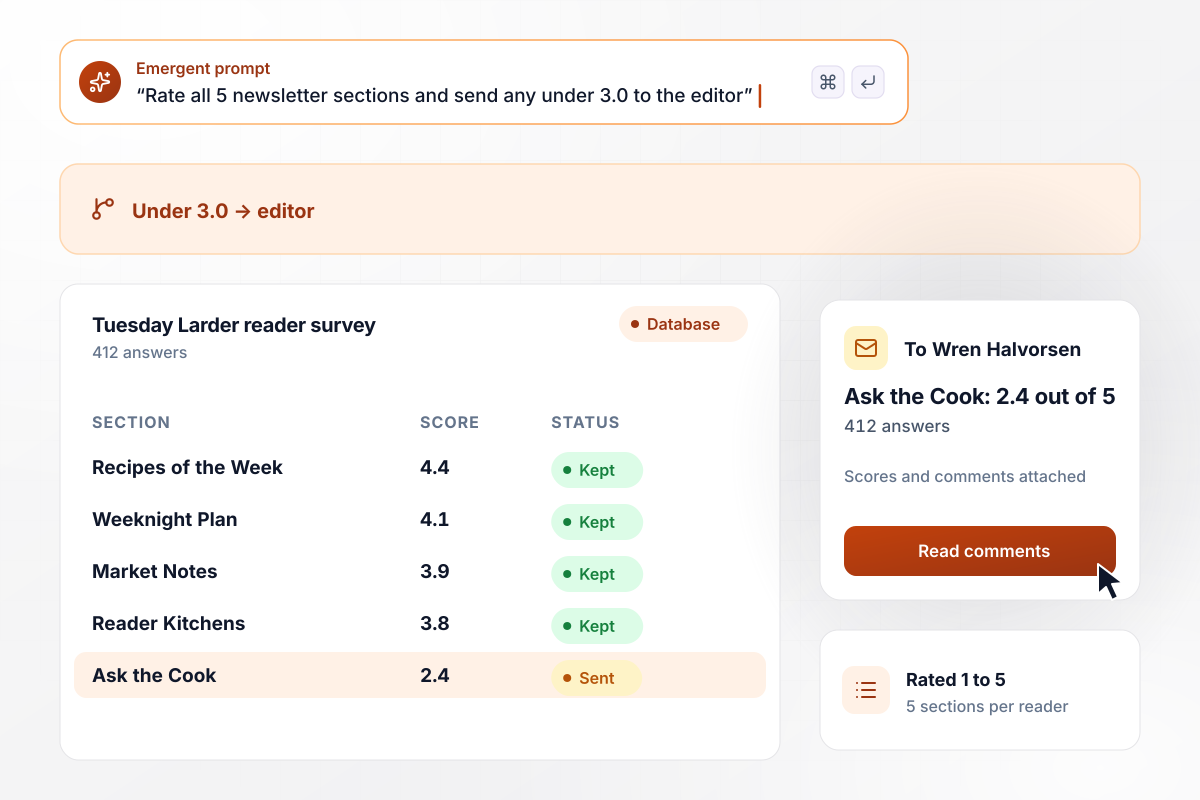
The lowest-rated section lands with the editor
Every January, The Tuesday Larder asks readers to rate its 5 sections from 1 to 5, and any section averaging under 3.0 goes to the editor. This year, Ask the Cook averaged 2.4 out of 5 from 412 answers, while every other section scored 3.8 or higher. Wren Halvorsen had its scores and comments that morning.
window.awbMockup = { annualReaderSurvey: "Build an annual reader survey for my weekly cooking newsletter. Ask readers to rate each of our 5 sections from 1 to 5, with a comment box under each rating. Save every answer with the subscriber's email and the survey year. If any section averages under 3.0, email that section's scores and comments to the editor.", signupQuestions: "Add 2 questions to my newsletter signup: the reader's role, and which freight lane they follow, from a list of 4 lanes. Save both answers on the subscriber's row as tags, and sync the tags to my email tool through its API so I can send each lane its own edition.", sendFrequency: "Add one question to the footer of my daily gardening digest: how often do you want this newsletter, with daily, twice a week, and weekly as the choices. Count the answers in a bar chart, and show how many readers picked each choice and its share of the total.", staffNewsletter: "Build a survey for my company's monthly staff newsletter. Ask each employee whether they read the last issue and which section helped them most. Save the employee's site with each answer, and show a table of answers and the share who read it for each of our 3 sites." };
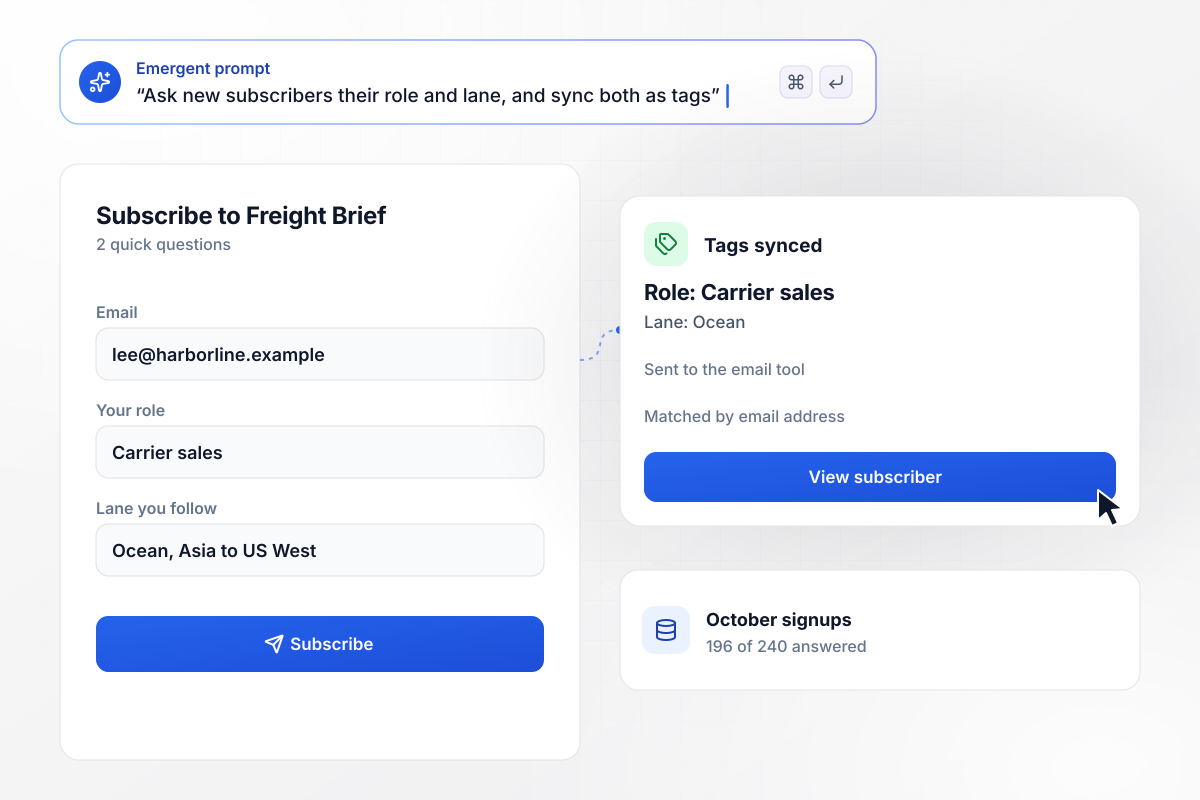
Role and lane, tagged from the signup answers
Freight Brief asks every new subscriber 2 questions at signup: their role, and the freight lane they follow. In October, 196 of 240 new subscribers answered. Each answer saved to the subscriber's row as a tag, and the app synced the tags to the email tool. The ocean edition now goes only to readers who picked ocean.
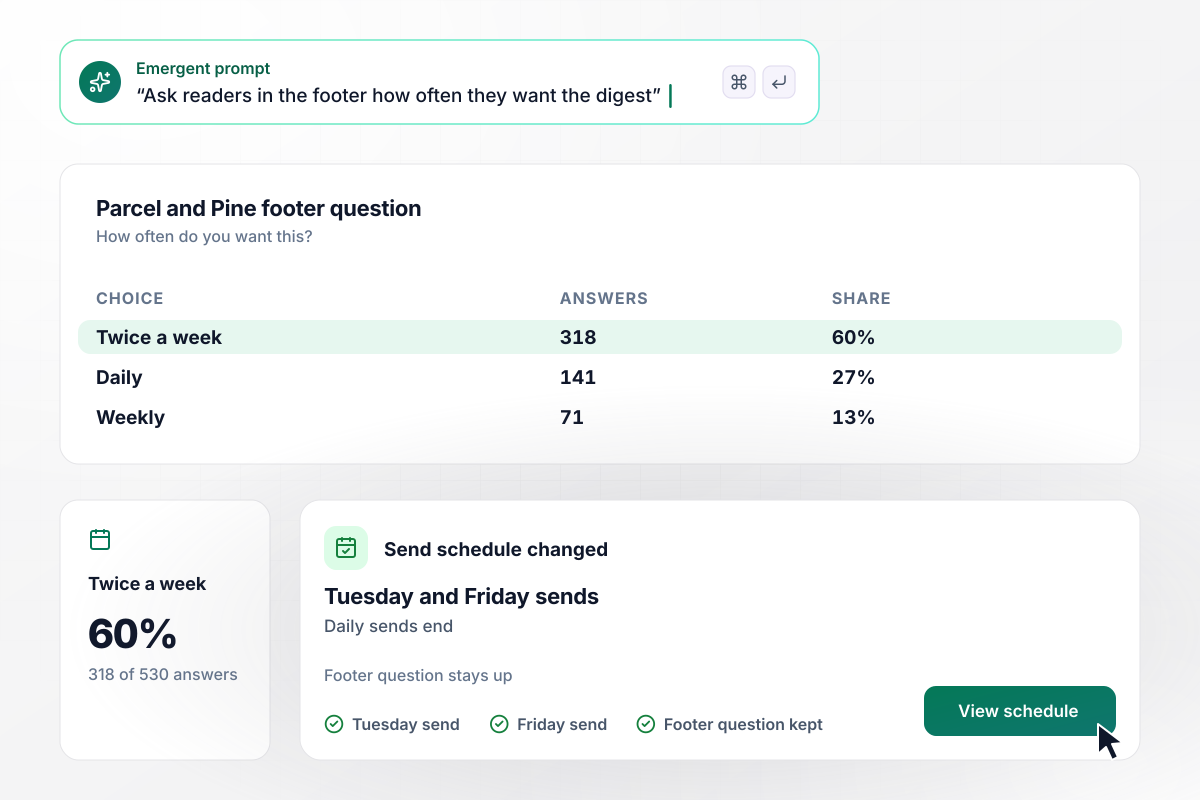
Twice a week won 318 of 530 reader votes
Parcel and Pine sends a daily gardening digest, and its footer asked readers how often they want it. Of 530 answers, 318 picked twice a week, 141 picked daily, and 71 picked weekly. The digest now goes out on Tuesday and Friday, and the footer question stays up to see whether the new schedule holds.
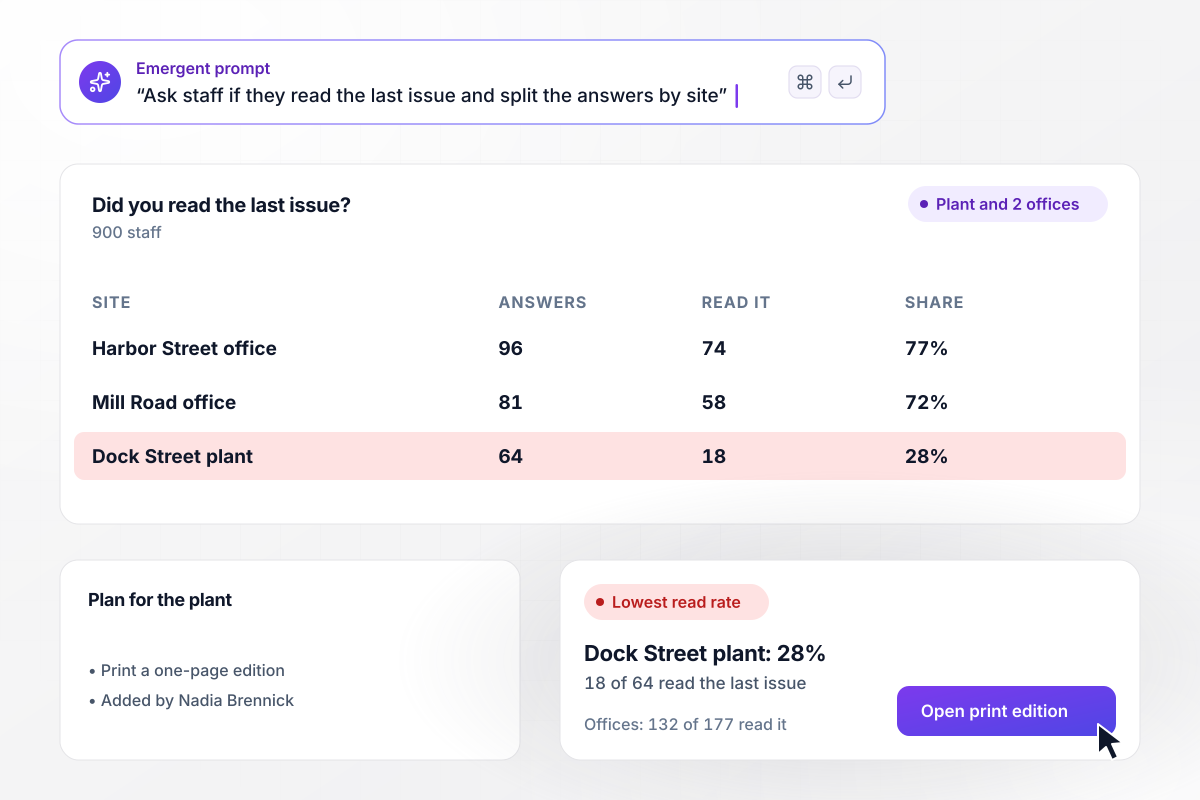
Read rates by site show who misses the issue
Tallis Engineering sends a monthly staff newsletter to 900 people at the Dock Street plant and 2 offices. Its survey asked each person whether they read the last issue. At the plant, 18 of 64 said yes. At the offices, 132 of 177 did. Nadia Brennick in internal comms now prints a one-page edition for the plant break room.






How to Create a Newsletter Survey
Follow these 7 steps to test and send a newsletter survey whose answers decide what the next issue covers.
Write down the decisions before you write a question: which section to cut, how often to send, which topics earn their own edition. A question that feeds none of them comes out. Put those decisions in your prompt, and Emergent drafts the survey around them.
Pew Research Center says double-barreled questions are difficult for respondents to answer. A question like "How are the recipes and photos?" becomes 2 ratings, one for each. Every score then points at one fix, and a low number tells the editor exactly what to change.
Ask the section ratings first and the open comment box last. Pew Research Center notes that the order in which questions are asked can influence how people respond. Keep the same order every year, and this year's scores compare fairly with last year's.
Answers tied to an email address can tag that reader in the email tool and get a reply. Anonymous answers cannot do either. Tell Emergent which you want, and it builds the survey to save the address with each answer or leave it out.
Send the draft to 5 readers before the full list. Pew Research Center calls pretesting an essential step in the questionnaire design process. Watch for a question they skip or answer in the comment box instead, and rewrite it before launch.
Place the survey link above the first story, not under the sign-off, and say how many questions it holds. Name the closing date in the issue. A week later, send one reminder to subscribers who have not answered yet.
In the first issue after the survey closes, share what readers said and what changes: the section that goes, the new send days. Run the same questions next year, and the scores show whether the change worked.
Why Build Your Newsletter Survey With Emergent?
Readers answer once, and their scores and tags go to a database you own and to the email tool you connect.

|
SurveyMonkey | Microsoft Forms | SurveyHero | |
|---|---|---|---|---|
| What you get | Survey, logic, and response database, as code you own | Survey builder with templates, including employee engagement | Surveys, quizzes, and polls with response summaries | Survey builder with templates, including employee satisfaction |
| Pricing model | Credits, no response caps or per-response fees | Per-user team plans with a seat minimum, billed annually | Free with a Microsoft account; included in Microsoft work and school subscriptions | Free plan, then per-account plans with unlimited responses |
| Where responses live | A database table you own, plus any integration | SurveyMonkey account | Microsoft Forms, with export to Excel | SurveyHero account, EU data centers |
| Code ownership | Full code export to GitHub on paid plans | None | None | None |


Pick the Pricing Plan That Works for You
Choose the plan that fits your building ambitions. From weekend projects to enterprise applications, we've got you covered.




Find the right survey, quiz, or poll
for your team
Frequently Asked Questions
Your Questions, Answered
Don't change this element unless you know what you are doing
More things you can build
with Emergent









on Emergent today


