

Build a Cancellation Survey That Acts on Every Reason
Build a cancellation survey that asks why customers leave, sends each reason to its owner, and saves it to a database you own.
Build a cancellation survey that collects every answer in a database I own.
Trusted by Builders Worldwide
Active Builders Worldwide
Apps Successfully Created
Countries Globally Reached



Inside a Cancellation Survey Built by Emergent
Emergent builds the cancellation survey, the logic for each reason, and the table of answers, and changes any of it by prompt.
A reason list answered in one tap
Describe the reasons customers give when they leave, and Emergent builds a question with one tap per reason, an Other option, and an optional comment box under the list.
A next screen that depends on the reason
Each answer can open its own next screen: a pause offer after Too expensive, a feature question after Missing a feature. Describe each branch and Emergent writes the logic.
Plan and signup date beside each answer
The app can pull each customer's plan and signup date from your billing tool through its API, so every reason sits in your own database next to the account that gave it.
Alerts when one reason piles up
Set a threshold, like 10 late delivery reasons in one zone in a month, and the app sends an email or Slack alert to the person who owns that fix, with the answers attached.
Every cancellation gets its survey
Emergent sets no response caps on surveys. The survey runs on every cancellation, in a quiet month or a month when 3,000 customers leave, and each answer lands in one table.
Your domain, then your repository
Host the survey on a custom domain, which Emergent includes and which uses credits. On paid plans, the full code exports to your GitHub repository to read and edit line by line.
Four Cancellation Surveys, Four Next Steps
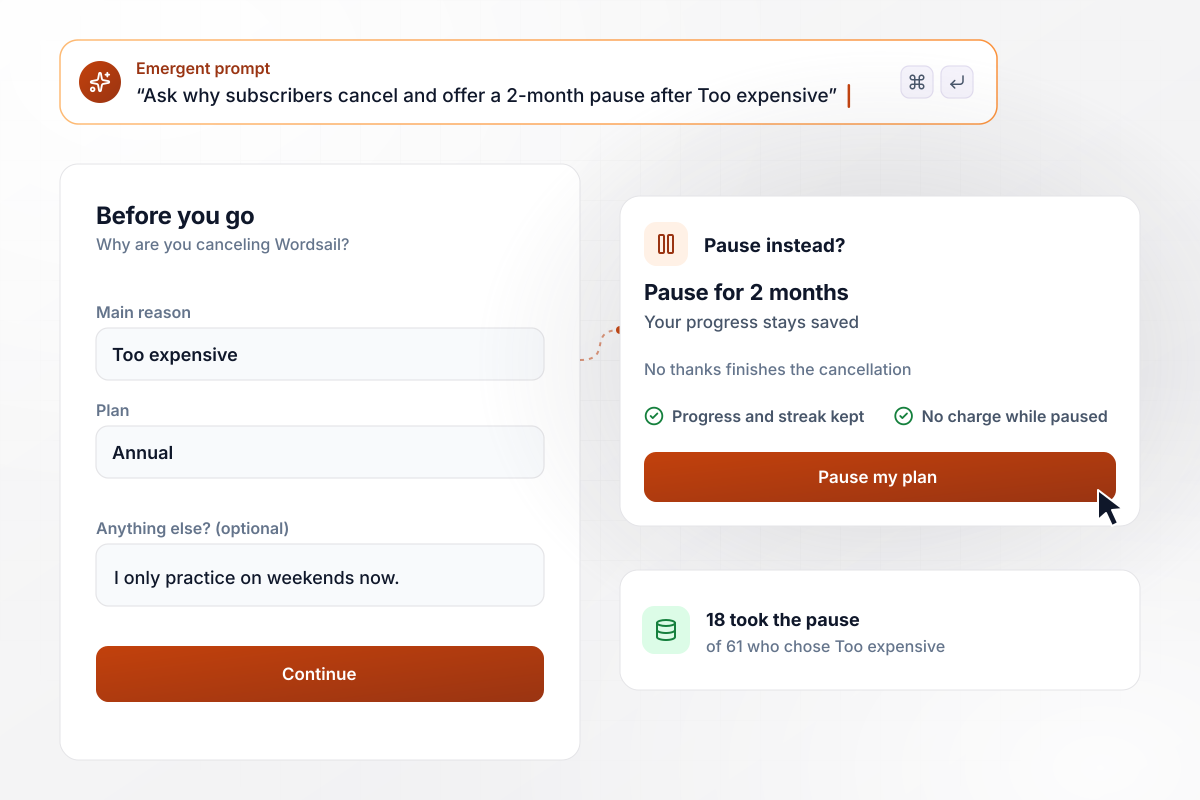
A pause offer for anyone who says Too expensive
Wordsail, a language-learning app, asks every subscriber who cancels for one reason and an optional comment. Picking Too expensive opens an offer to pause the plan for 2 months, and No thanks finishes the cancellation. In September, 61 subscribers picked that reason and 18 of them took the pause.
window.awbMockup = { languageAppPlans: "Build a cancellation survey for my language-learning app. When a subscriber cancels, ask for the main reason from a short list with Other, plus an optional comment. If they pick Too expensive, offer to pause the plan for 2 months, and let No thanks finish the cancellation. Save each answer with the plan and signup date.", mealKitDeliveries: "Build a cancellation survey for my meal kit service that asks why the customer is leaving and saves the answer with their delivery zone and plan. When one zone collects 10 or more Late delivery reasons in a calendar month, email that zone's answers and ZIP codes to the operations lead.", fieldServiceApps: "Build a cancellation survey for my scheduling software. Ask for the main reason, and if the customer picks Missing a feature, ask which feature they needed. Every Monday, send the product manager a count of the features named this quarter, highest first, with the comments attached.", gymMemberships: "Build a cancellation survey for my gym that asks each member who cancels to pick a reason, and saves it with their studio. Show a table of each reason's count by studio and month, and highlight any reason that doubles from one month to the next at a studio." };
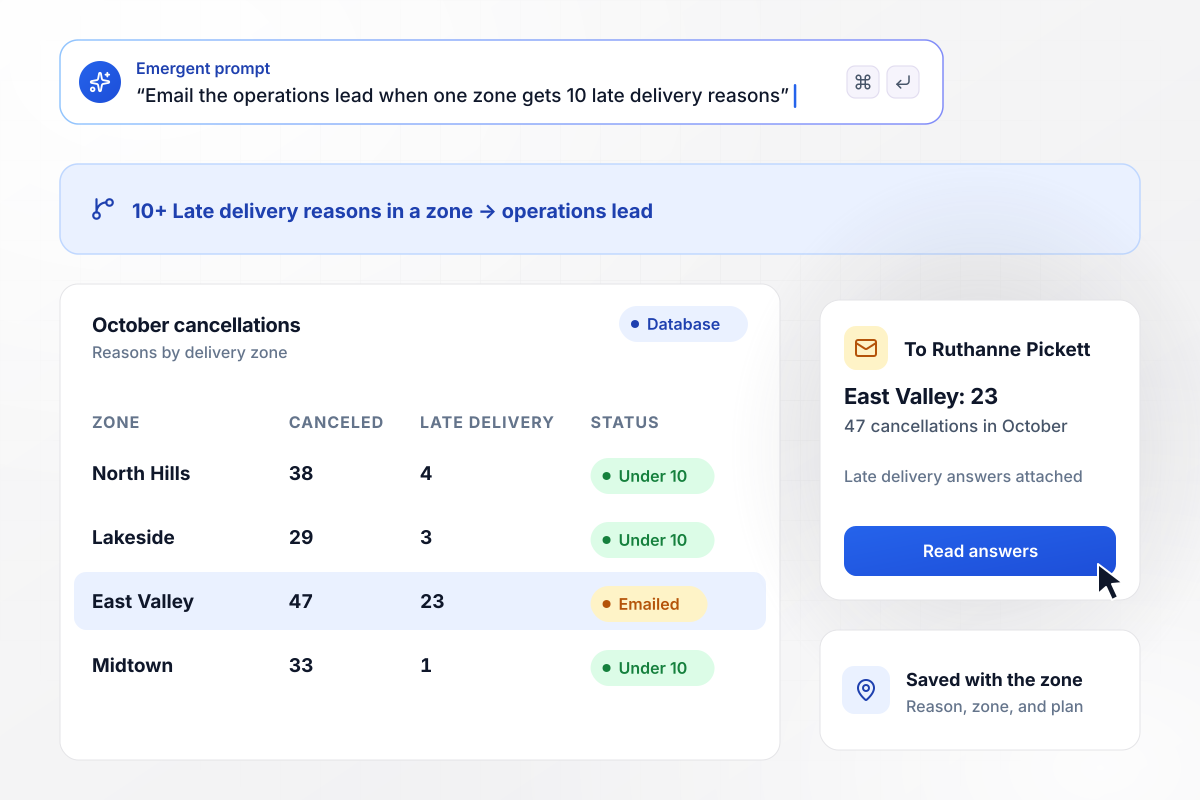
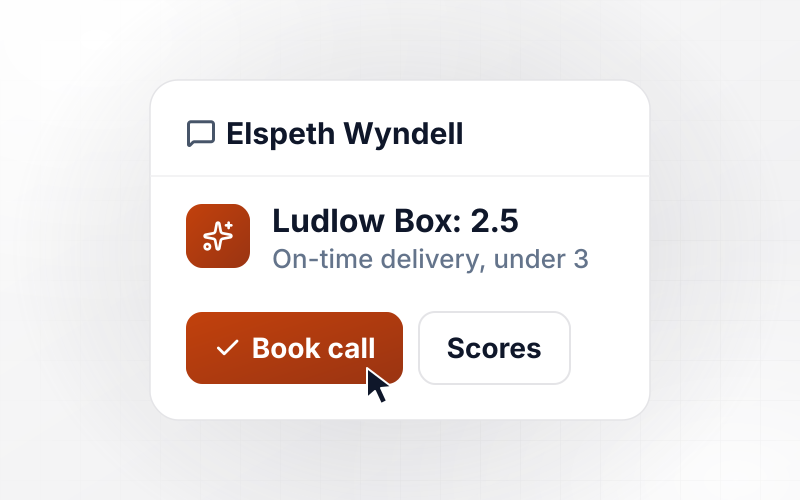
Operations hears when a zone hits 10 late deliveries
Pantry Post saves each meal kit cancellation reason with the customer's delivery zone. When one zone collects 10 or more Late delivery reasons in a month, the app emails its answers to Ruthanne Pickett, the operations lead. In October, East Valley had 23 among 47 cancellations; no other zone had more than 4.
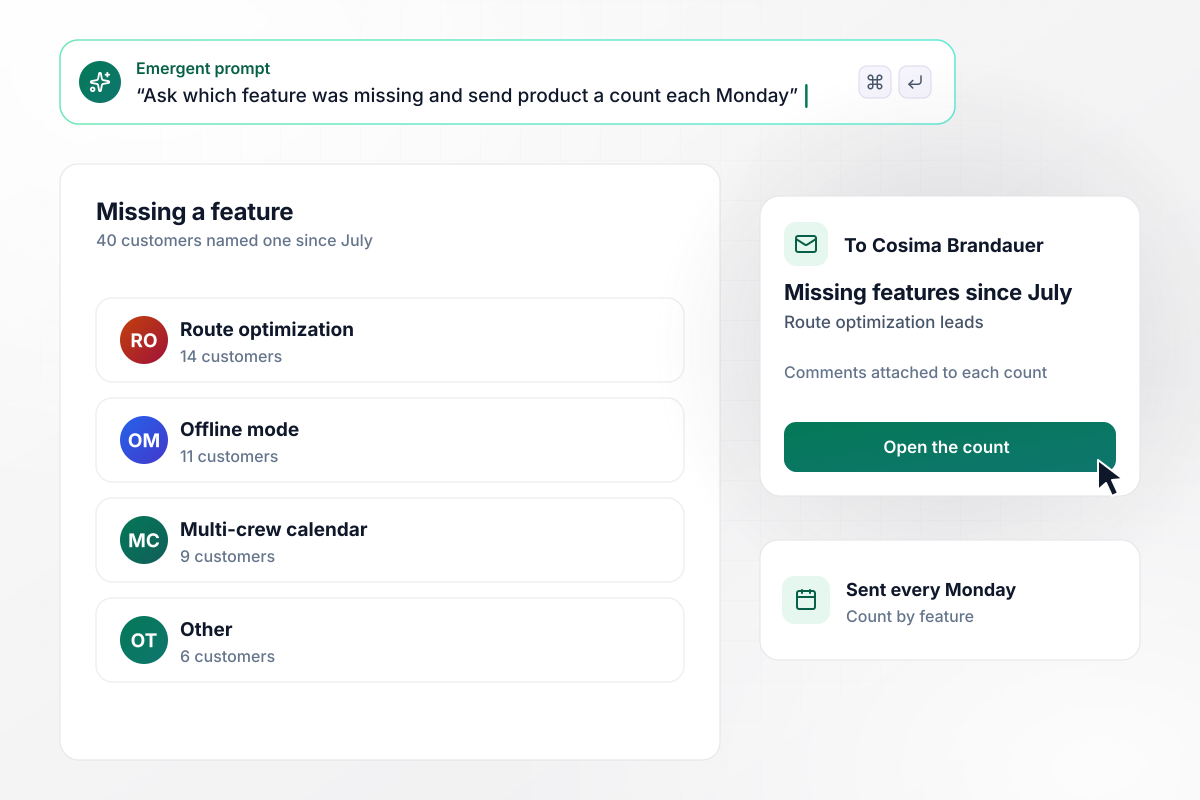
Each Monday, product sees which features were missing
Trackwell sells scheduling software to field-service companies. A canceling customer who picks Missing a feature is asked which one, and every Monday the app sends the product manager, Cosima Brandauer, a count by feature. Since July, 40 customers named one: 14 wanted route optimization and 11 offline mode.
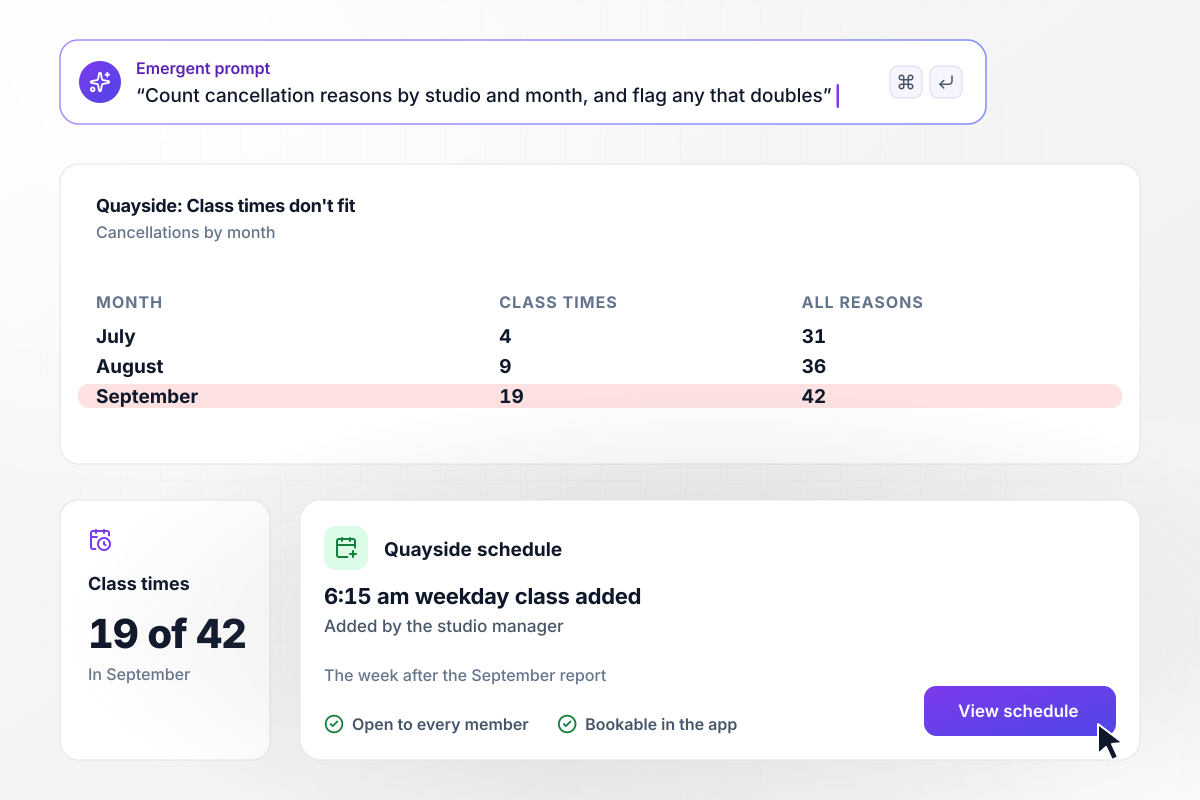
Quayside adds a class after 19 schedule cancellations
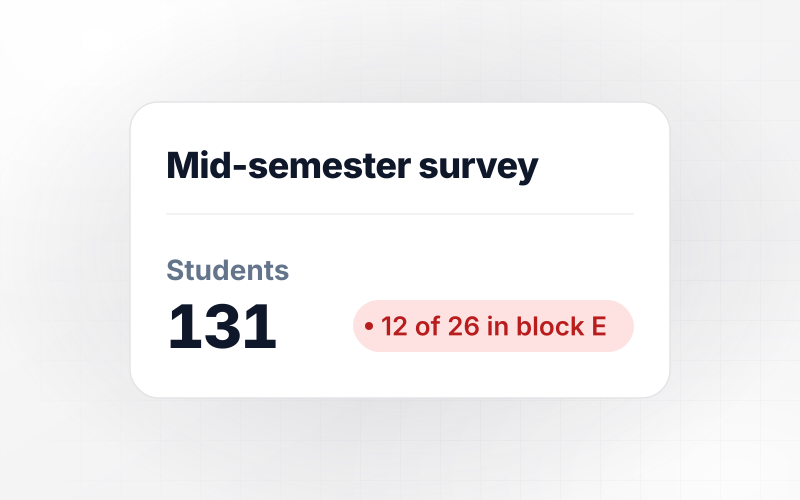
Kinloch Fitness asks each member who cancels to pick a reason, and tallies the reasons by studio and month. At the Quayside studio, Class times don't fit grew from 4 cancellations in July to 9 in August and 19 of 42 in September. The studio manager added a 6:15 am weekday class the next week.






How to Create a Cancellation Survey
Seven steps to create a cancellation survey that customers can skip in one tap and that tells each team which reason to fix.
Before writing a question, list what the answers could change, such as a price test or the next feature on the roadmap. Tie each reason in your list to one of them. Put that list in your prompt, and Emergent drafts the survey around it.
Offer 5 or 6 reasons plus Other, worded the way customers talk. Pew Research Center notes that people answering self-administered surveys tend to choose items at the top of the list. Rotate the order for each customer and keep Other last.
An option like Too expensive and hard to use asks two things at once. Questions that ask respondents to evaluate more than one concept are what Pew Research Center calls double-barreled. Split it into two options. Each tap then counts toward a single reason.
Leave a free-text box open under the reasons for the first month. Pew Research Center says researchers will sometimes run a pilot with open-ended questions to discover which answers are most common. Rewrite the list around the words customers typed.
Put a Skip link on every screen of the survey, and make it complete the cancellation in one tap. Test that path before any other. A customer who skips should land exactly where one who answered does: canceled, with a confirmation on screen.
Save the plan and signup date with each answer. Then compare Too expensive on the monthly plan against the annual one, and reasons from customers in their first 90 days against those from customers who stayed for years.
Before launch, have 3 coworkers cancel a test account and note where they pause. Pretesting is, in Pew Research Center's words, an essential step in the questionnaire design process. After launch, read the reasons by segment each month and act on the one that grew.
Why Build a Cancellation Survey on Emergent?
You keep every cancellation reason in a database you own, and the survey's next screen or alert changes with one more prompt.

|
SurveyMonkey | Microsoft Forms | SurveyHero | |
|---|---|---|---|---|
| What you get | Survey, logic, and response database, as code you own | Survey builder with templates, including employee engagement | Surveys, quizzes, and polls with response summaries | Survey builder with templates, including employee satisfaction |
| Pricing model | Credits, no response caps or per-response fees | Per-user team plans with a seat minimum, billed annually | Free with a Microsoft account; included in Microsoft work and school subscriptions | Free plan, then per-account plans with unlimited responses |
| Where responses live | A database table you own, plus any integration | SurveyMonkey account | Microsoft Forms, with export to Excel | SurveyHero account, EU data centers |
| Code ownership | Full code export to GitHub on paid plans | None | None | None |


Pick the Pricing Plan That Works for You
Choose the plan that fits your building ambitions. From weekend projects to enterprise applications, we've got you covered.




Find the right survey, quiz, or poll
for your team
Frequently Asked Questions
Your Questions, Answered
Don't change this element unless you know what you are doing
More things you can build
with Emergent









on Emergent today


