

Build a Donor Survey That Keeps Donors Giving
Build a donor survey that shows why people give, why some stop, and how each donor wants to hear from you.
Build a donor survey that collects every answer in a database I own.
Trusted by Builders Worldwide
Active Builders Worldwide
Apps Successfully Created
Countries Globally Reached



What Your Donor Survey Can Do
Donors see the first two features when they open the link. The other four belong to the development team that reads the answers.
Questions in the donor's own terms
Tell Emergent who gave and what to learn, and it writes each question. A monthly donor rates what their gift pays for, and a first-time donor writes in why they gave.
One question per screen on a phone
A donor who opens the email link on a phone sees one question at a time. Scales take a single tap, and the write-in box comes last, so a busy donor still scores every item.
A contact choice saved to each donor
Ask which channel a donor prefers and the answer is stored on their record. Filter by it before a mailing, and the print list holds only the people who asked for paper.
An email to the gift officer when it matters
Set a rule on any answer, such as a request to visit or a low score from a major donor. The app emails the gift officer who owns that donor the moment the survey comes in.
Answers next to giving history
Responses land in a database you own, beside each donor's first gift and giving level. Connect it by API to the donor CRM your team already uses, and the answers sync.
The survey app, exported to GitHub
On paid plans, Emergent exports the whole survey app to your GitHub repository, with its logic and the results dashboard. Your developer can review or extend it there.
What Four Donor Surveys Showed
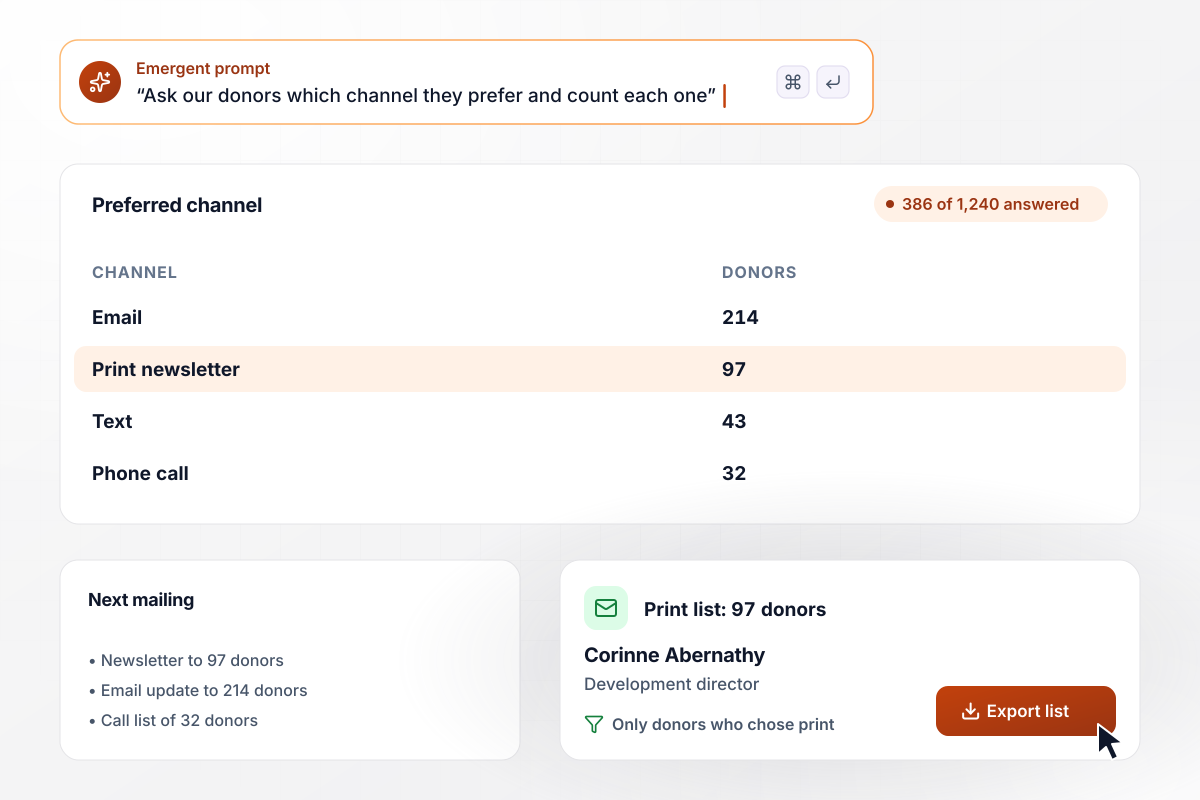
Email wins with 214 donors, and print keeps 97
Lantern Hill Food Bank emails its annual donor survey to 1,240 donors, and 386 answer. Asked which channel they prefer, 214 pick email, 97 the print newsletter, 43 text, and 32 a phone call. Development director Corinne Abernathy now mails the newsletter only to those 97.
window.awbMockup = { foodBanks: "Build an annual survey for the donors of my food bank. Ask how satisfied they are on a 1-5 scale, and ask how each donor wants to hear from us: email, print newsletter, text, or a phone call. Save that choice on each donor's record and show a count for each channel.", artsCouncils: "Build a 3-question survey for donors who gave to my arts council in 2024 but not in 2025. Ask why they stopped giving, with the choices: never heard what my gift paid for, my budget changed, I give to a different cause, or other. Show how many answered and a count for each reason.", youthOrchestras: "After someone makes their first gift to my youth orchestra, email them a 4-question welcome survey. Ask what made them give and whether they would like to visit a rehearsal. When a donor says yes to a visit, email their answers to our development officer right away.", wildlifeRescues: "Every spring, survey the monthly donors of my wildlife rescue. Ask how well they know what their monthly gift pays for, on a 1-5 scale. Chart the average score for each year as bars, show how many donors answered, and keep every answer next to the donor's giving history." };
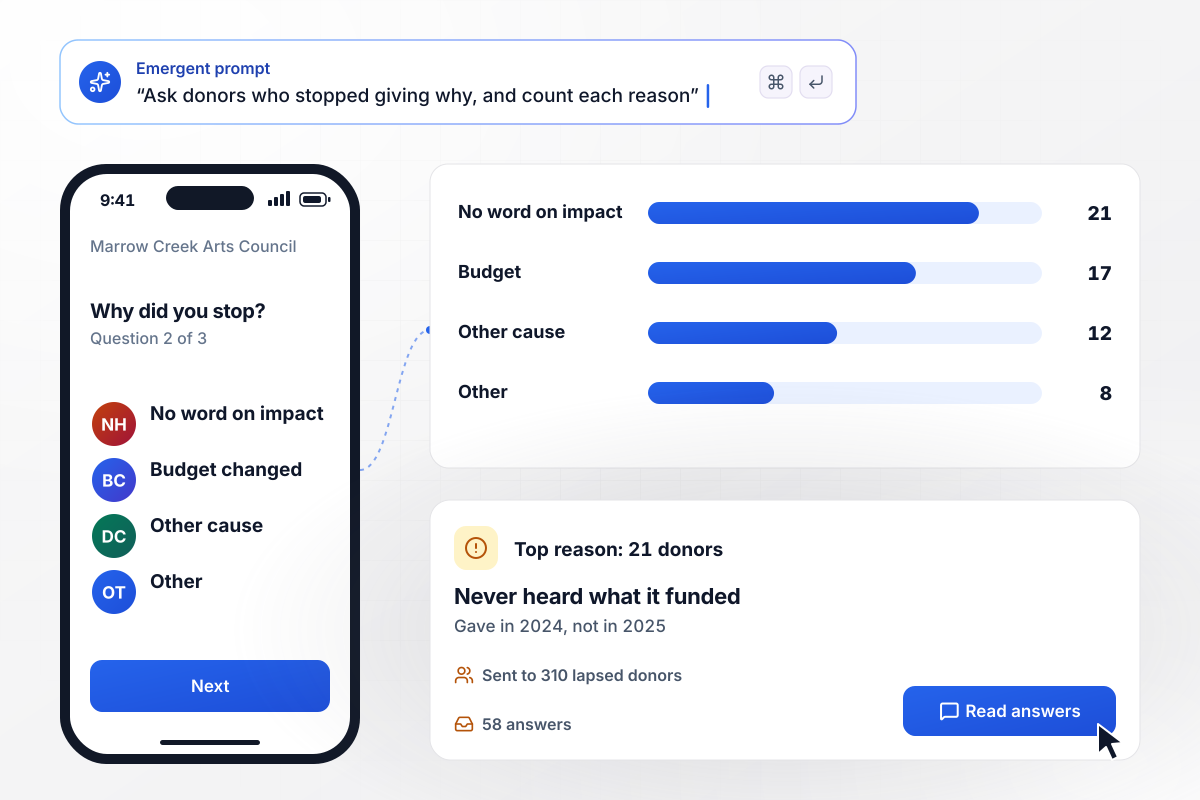
21 lapsed donors who never heard what gifts paid for
Marrow Creek Arts Council sends a 3-question survey to the 310 donors who gave in 2024 but not in 2025, and 58 of them answer. Asked why they stopped, 21 say they never heard what their gift paid for. Another 17 say their budget changed, 12 now give to a different cause, and 8 pick other.
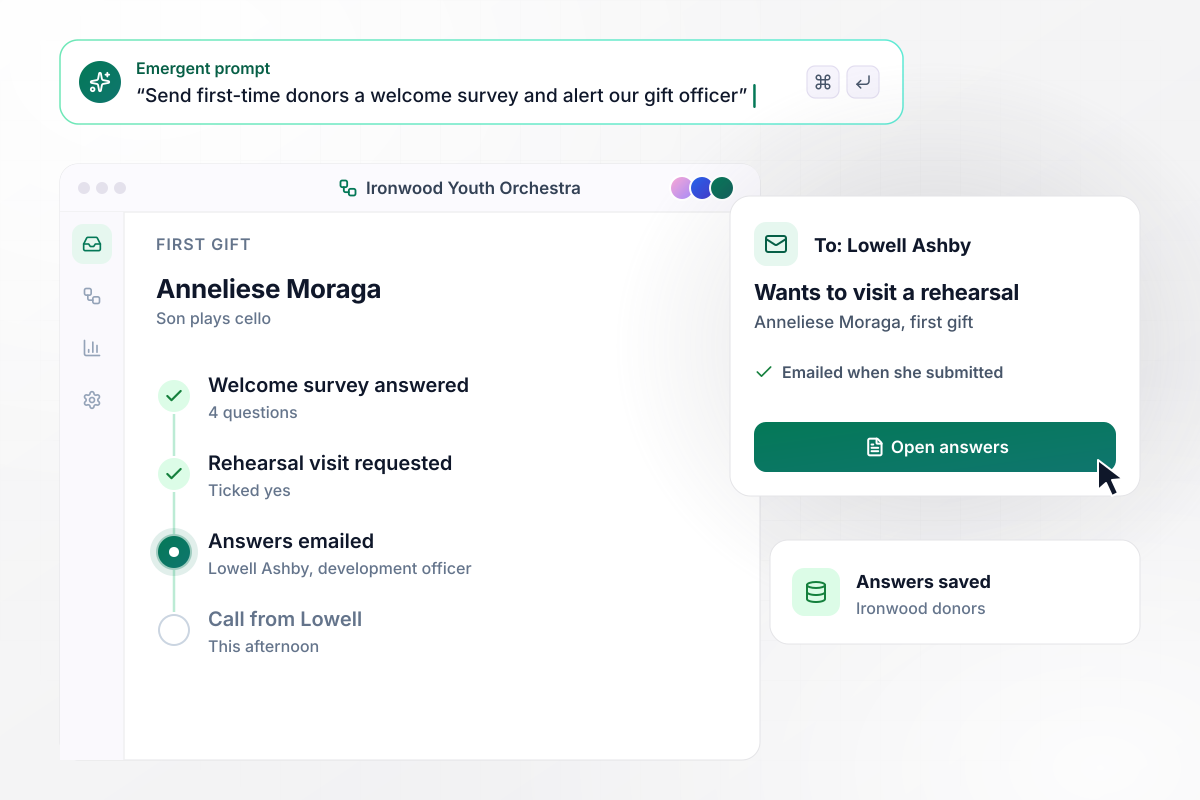
Lowell Ashby learns of a rehearsal visit within the day
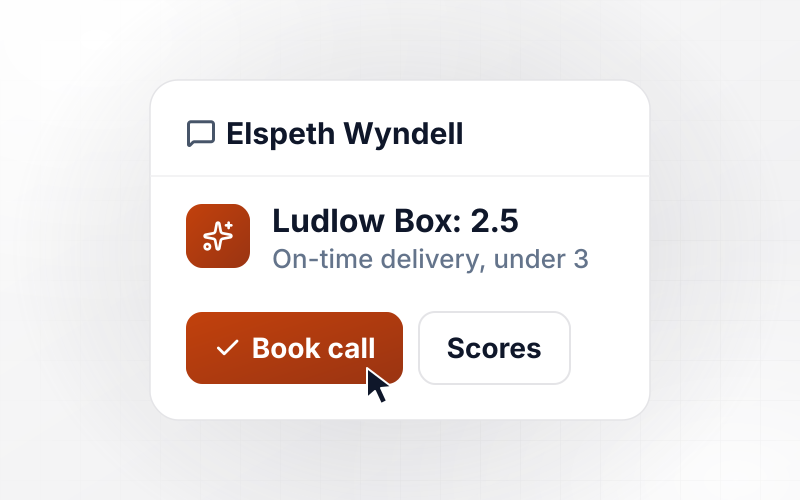
Every first gift to Ironwood Youth Orchestra is followed by a 4-question welcome survey. Anneliese Moraga writes that her son plays cello and ticks that she would like to visit a rehearsal. When she submits, the app emails her answers to development officer Lowell Ashby, who calls her that afternoon.
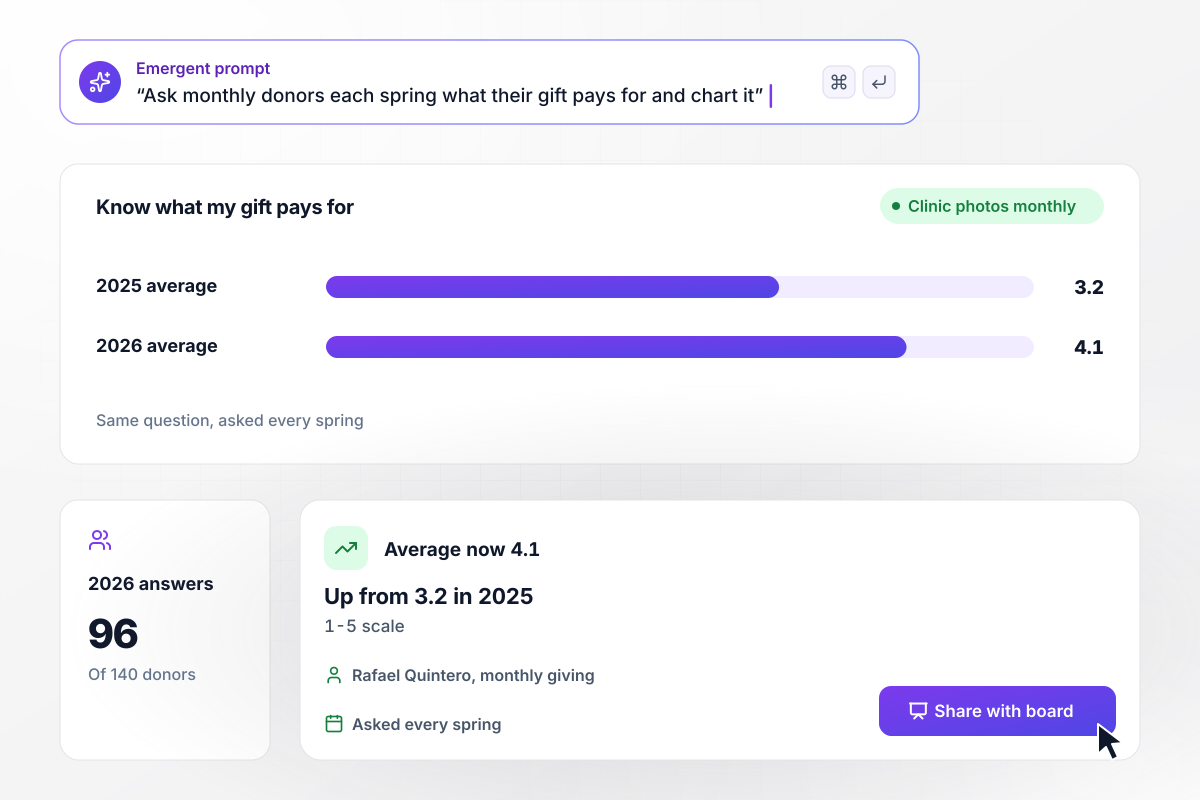
After clinic photos, monthly donors score 4.1 instead of 3.2
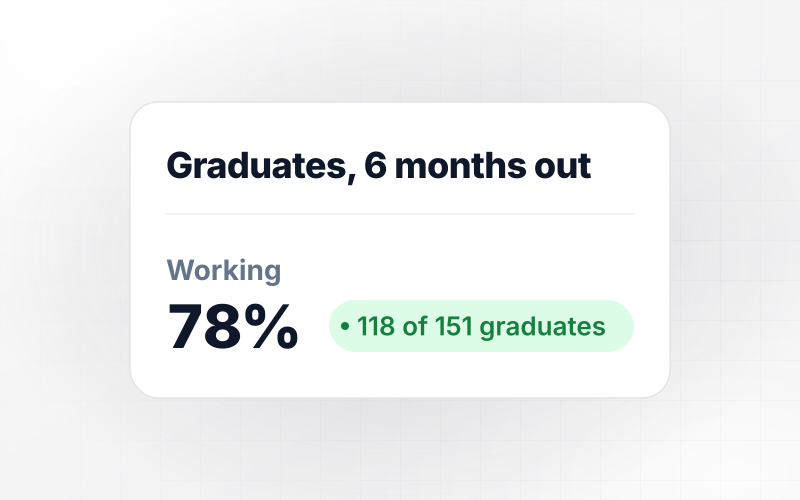
Each spring, Gullwing Wildlife Rescue asks its 140 monthly donors how well they know what their gift pays for, on a 1-5 scale. The 2025 average was 3.2. After a year of monthly clinic photos, 96 donors answer in 2026 and the average is 4.1. Monthly giving manager Rafael Quintero takes it to the board.






How to Create a Donor Survey
Seven steps to plan a donor survey, build it with Emergent, and turn what donors say into changes they notice.
Name the choice the answers will settle, such as which donors still get a printed newsletter. Then cut every question that does not feed it. Share that one decision with your executive director before anyone drafts a question.
Say who answers, when they get the link, and what the results page should count. From that description, Emergent builds the survey along with its database and dashboard. To change a question later, type the change and Emergent updates it.
Load first gift date, last gift date, and giving level from your donor records before you send. Then read the results by those fields, and compare first-year donors with donors who have given for 10 years.
Use a 1-5 scale for every rated question. This year's averages then line up with next year's. Put one optional write-in question at the end, where skipping it costs you none of the scores.
Send the draft to three donors you know well, such as a board member, a monthly donor, and a recent first-time donor. Watch one answer on a phone. Reword any question they pause on, and trim the survey if it runs past 4 minutes.
Email each donor a personal link that ties the answer to one record. After 7 days, send one reminder to donors whose answers are still missing. Those who already answered get no further email.
Within 6 weeks, write back to everyone you surveyed. Name one change their answers led to, such as moving the newsletter to email for those who asked. Give the date of the next survey in the same note.
Why Build Your Donor Survey on Emergent?
Emergent sets no response cap, so you can survey your whole donor file every year and keep each answer in your own database.

|
SurveyMonkey | Microsoft Forms | SurveyHero | |
|---|---|---|---|---|
| What you get | Survey, logic, and response database, as code you own | Survey builder with templates, including employee engagement | Surveys, quizzes, and polls with response summaries | Survey builder with templates, including employee satisfaction |
| Pricing model | Credits, no response caps or per-response fees | Per-user team plans with a seat minimum, billed annually | Free with a Microsoft account; included in Microsoft work and school subscriptions | Free plan, then per-account plans with unlimited responses |
| Where responses live | A database table you own, plus any integration | SurveyMonkey account | Microsoft Forms, with export to Excel | SurveyHero account, EU data centers |
| Code ownership | Full code export to GitHub on paid plans | None | None | None |


Pick the Pricing Plan That Works for You
Choose the plan that fits your building ambitions. From weekend projects to enterprise applications, we've got you covered.




Find the right survey, quiz, or poll
for your team
Frequently Asked Questions
Your Questions, Answered
Don't change this element unless you know what you are doing
More things you can build
with Emergent









on Emergent today


