

Build a Post-Event Survey Tied to Who Attended What
Build a post-event survey that knows who attended what, saves every answer to a database you own, and flags low scores.
Build a post-event survey for my two-day trade show that goes to every attendee the morning after it closes.
Trusted by Builders Worldwide
Active Builders Worldwide
Apps Successfully Created
Countries Globally Reached



What the Survey Does After the Event Ends
Six things the survey handles, from drafting the questions to keeping the code once the event is over.
Questions drafted from your event
Describe the event and what you plan to change next time. Emergent drafts the questions, pairing ratings with an open box, and you reword any of them with a follow-up prompt.
Only the sessions each person attended
Pull check-in or badge scans from any event tool with an API. Each attendee then rates the sessions they walked into, and a keynote score never comes from people who skipped it.
Every answer saved with its context
Each answer lands in a database you own, next to the person's ticket type, company, and sessions. Filter by any of them to compare first-time attendees with returning ones.
Low scores sent to their owner
Set a threshold per owner: the program chair for sessions, sales for exhibitors, operations for the venue. Alerts arrive in Slack or email with the comment quoted in full.
No cap on responses
Emergent puts no cap on survey responses, and a 2,000-person conference can answer without hitting a plan limit. Reminders go only to people who have not answered yet.
Your domain, your code
Host the survey on your own domain, included with Emergent and paid in credits. On paid plans, export the full code to your GitHub repository and keep it after the event.
Four Events and What Their Surveys Caught
Each session scored by the people who sat in it
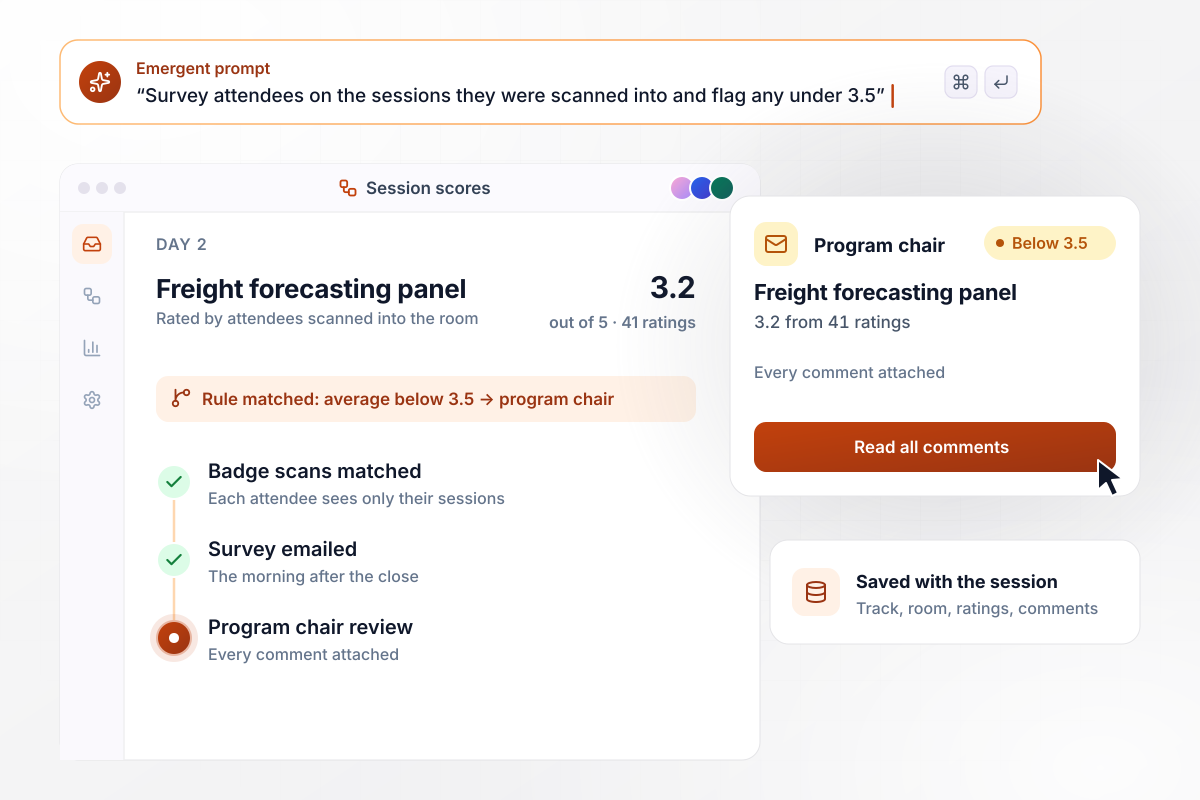
The morning after a conference closes, each attendee gets an email listing only the sessions their badge was scanned into. They rate each one out of 5. Any session averaging below 3.5 goes to the program chair with every comment attached. On day two, the freight forecasting panel scored 3.2 across 41 ratings.
window.awbMockup = { conference: "Build a post-event survey for my two-day conference. The morning after it closes, email each attendee a list of only the sessions their badge was scanned into, and ask them to rate each one out of 5 with an optional comment. Average the scores by session and track. When a session averages below 3.5, email the program chair the score and every comment.", expoExhibitors: "Build an exhibitor survey for my home show. Two days after it ends, email every exhibitor questions on booth traffic and lead quality, then ask whether they will book again: yes, no, or not sure. Save the answers to each exhibitor's record with their booth number. For any no or not sure, create a follow-up for my sales manager with the booth and the comment.", beforeAndAfter: "Build a pre and post survey for my Saturday workshop. A week before, ask each registrant to pick the topic they most want covered from a list of four. After the workshop, ask them by name whether today covered that topic. Keep both answers on the same registrant row. Show me a count per topic: who came for it and who said yes.", musicFestival: "Build a nightly survey for my three-day music festival. Each evening, email ticket holders a question on how long entry took, scored out of 5. Save each answer with the gate from their ticket scan. By morning, show the average entry score for each gate and flag the lowest one for my operations lead." };
Find the exhibitors who will not rebook
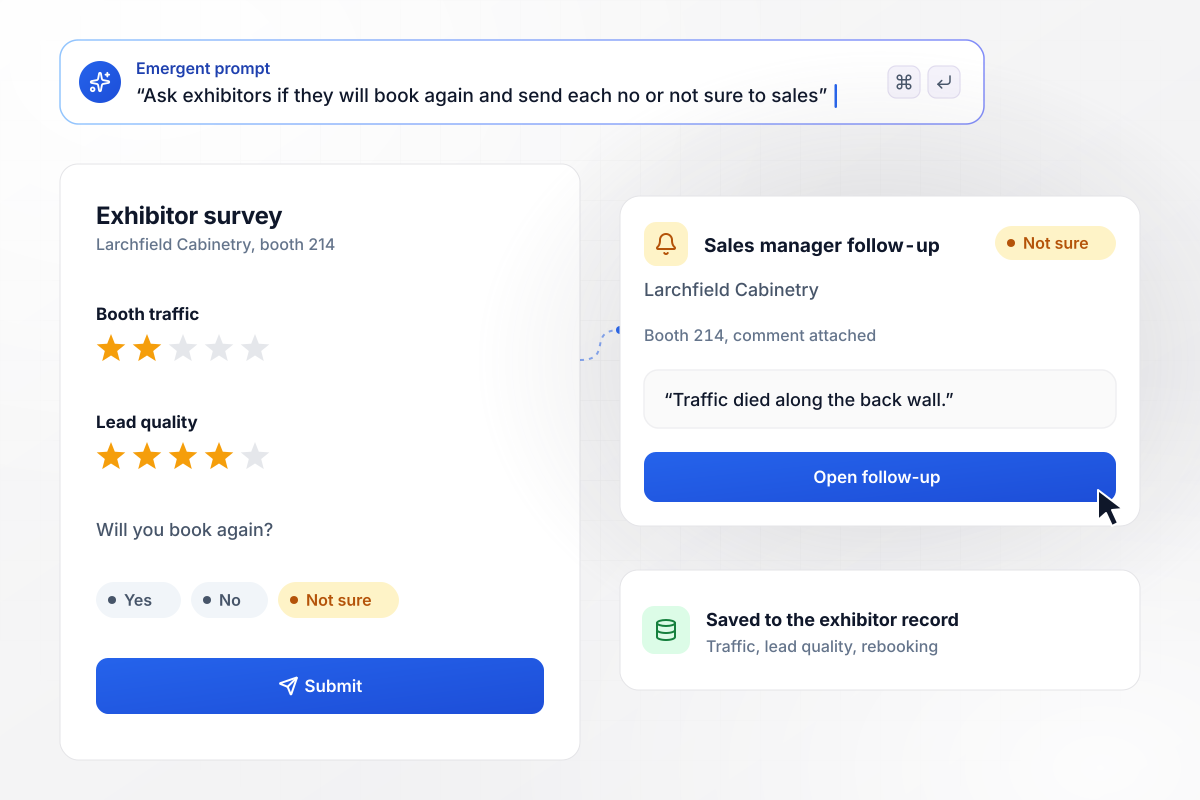
Two days after the expo, every exhibitor rates booth traffic and lead quality, then answers one question: will you book again, yes, no, or not sure? Either of the last two opens a follow-up for the sales manager. Larchfield Cabinetry, in booth 214, answered not sure. Its comment: traffic died along the back wall.
What registrants came for, and whether they got it
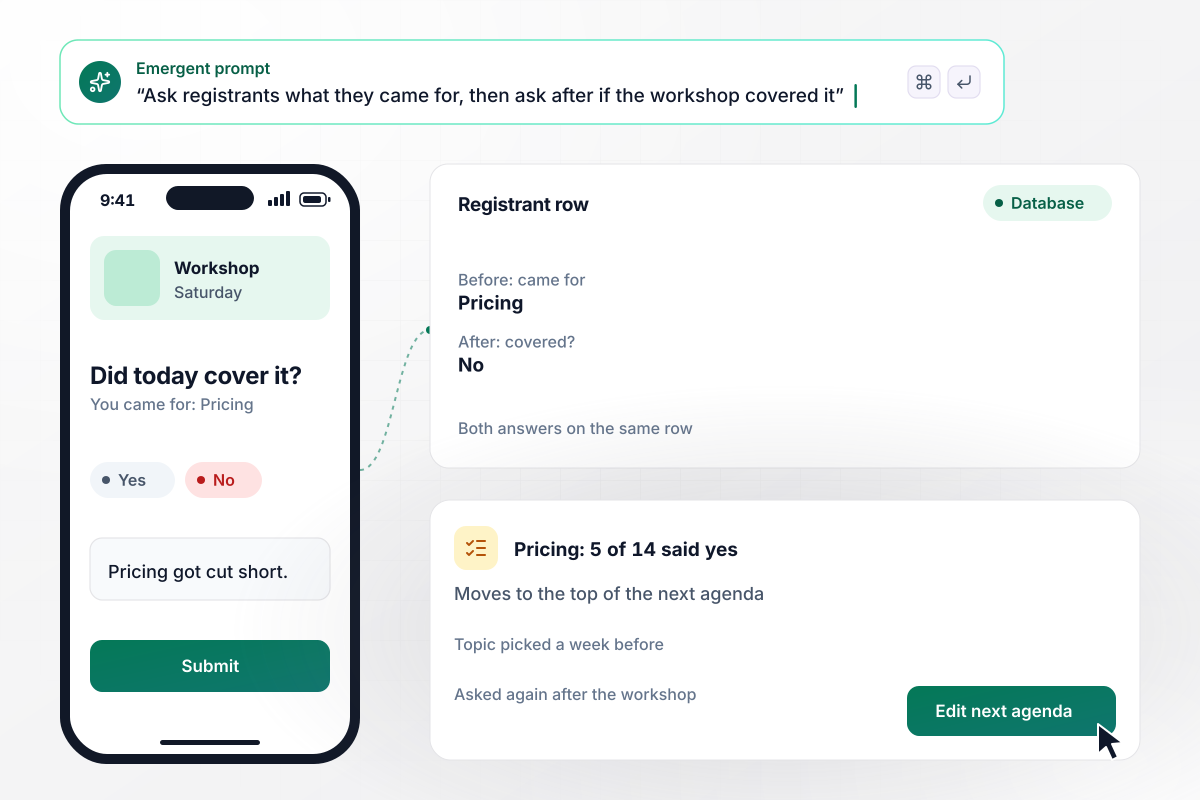
A week before a Saturday workshop, each registrant picks the topic they most want covered. The post-event survey then names that pick and asks whether today covered it. Both answers sit on one registrant row. Of the 14 people who came for pricing, 5 said yes. Pricing moves to the top of the next agenda.
Day one answers that change day two
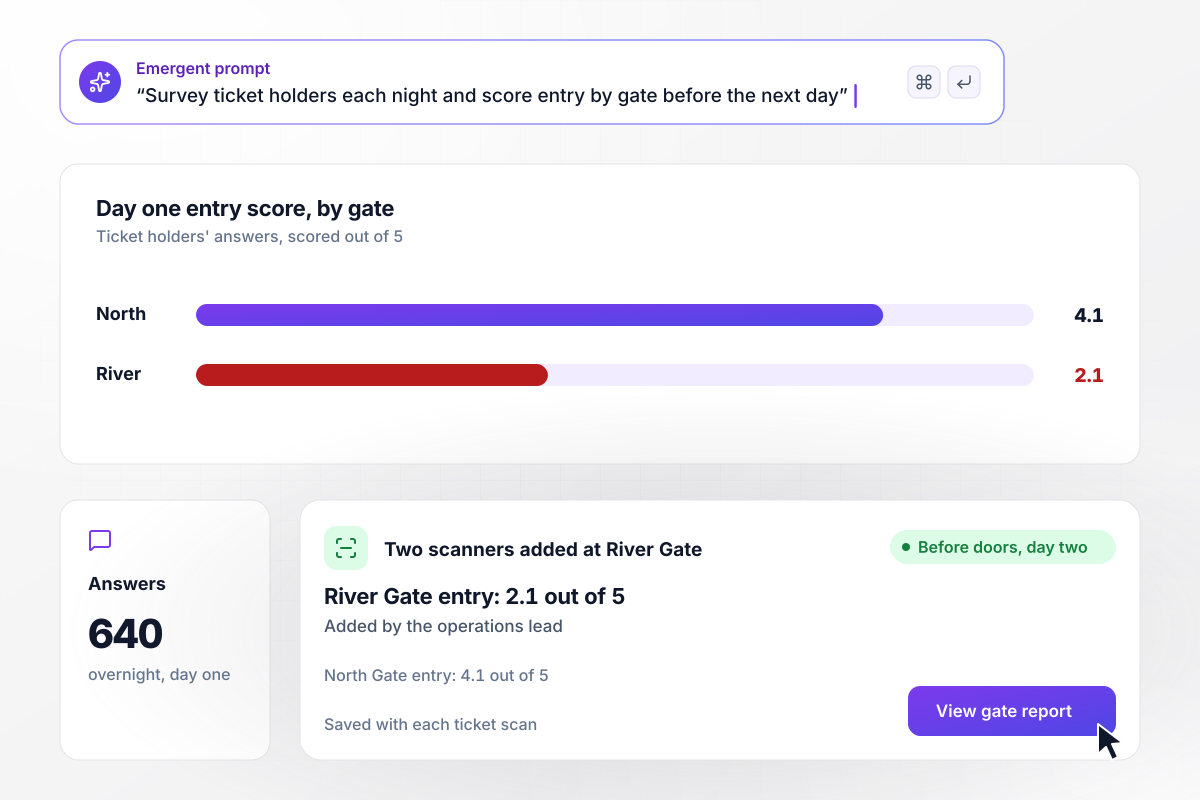
After day one of a three-day festival, ticket holders get an evening email asking how long entry took. Each answer is saved with the gate from their ticket scan. Overnight, 640 answered. River Gate scored 2.1 out of 5, against 4.1 at North Gate. The operations lead added two scanners there before day two.






How to Run a Post-Event Survey
Seven steps to plan a post-event survey whose answers change what you do at the next event.
Write down the decisions the survey should settle, such as whether to keep the venue or which track to cut. Every question should feed one of them. Put those decisions at the top of your prompt, and Emergent drafts questions around them.
Name the parts of the event you control: sessions, venue, catering, check-in, and the event app. Leave out what is outside your hands, like the weather or the host city. Each item on the list becomes one rating, and the list stays short.
A question that rates the food and the venue together is double-barreled. Pew Research Center notes that such questions are difficult to answer and often lead to responses that are difficult to interpret. Split them, and put the overall rating first, since question order can influence how people respond.
When someone rates a session 2 or lower, show a follow-up box that asks what went wrong. The reason sits next to the score in the table. A speaker can fix a slow demo, but nobody can act on a bare 2.
Register a test attendee, scan them into two sessions, and send yourself the survey. Check that only those two sessions appear and that each answer lands in the table. Then rate one session low and confirm the alert reaches its owner.
Word the overall rating and the would-you-return question the same way every year. Small wording differences can change the answers people give, and a reworded question breaks the comparison with last year. Reword the other questions as freely as you like.
When registration for the next event opens, tell past respondents what their answers changed, such as a longer lunch break or a session moved to a bigger room. Tie each fix to the question that raised it, and keep the note short enough to read on a phone.
Why Build Your Post-Event Survey With Emergent?
Answers sit next to the session, booth, or gate they are about, in a database you own. Edit any question with a prompt.

|
SurveyMonkey | Microsoft Forms | SurveyHero | |
|---|---|---|---|---|
| What you get | Survey, logic, and response database, as code you own | Survey builder with templates, including employee engagement | Surveys, quizzes, and polls with response summaries | Survey builder with templates, including employee satisfaction |
| Pricing model | Credits, no response caps or per-response fees | Per-user team plans with a seat minimum, billed annually | Free with a Microsoft account; included in Microsoft work and school subscriptions | Free plan, then per-account plans with unlimited responses |
| Where responses live | A database table you own, plus any integration | SurveyMonkey account | Microsoft Forms, with export to Excel | SurveyHero account, EU data centers |
| Code ownership | Full code export to GitHub on paid plans | None | None | None |


Pick the Pricing Plan That Works for You
Choose the plan that fits your building ambitions. From weekend projects to enterprise applications, we've got you covered.




Find the right survey, quiz, or poll
for your team















Frequently Asked Questions
Your Questions, Answered
Don't change this element unless you know what you are doing
More things you can build
with Emergent









on Emergent today


