

Build a Remote Work Survey for Every Time Zone
Build a remote work survey that asks about home setup and meeting hours, and saves every answer to a database you own.
Build a remote work survey that collects every answer in a database I own.
Trusted by Builders Worldwide
Active Builders Worldwide
Apps Successfully Created
Countries Globally Reached



Made for Teams That Rarely Share an Office
A remote work survey asks people who work from home about their setup and their week. Emergent builds it from a prompt.
Sections drafted from how the team works
Tell Emergent whether the team is fully remote or hybrid and what people should rate, like setup and meeting hours. It drafts a section per topic, and a prompt edits any question.
Every answer in a database you own
Each answer is saved as a row, with the respondent's team and time zone beside it. The data lives in a database you own, and next year's results land in the same table.
One question per screen on a phone
Emergent can build the survey as a conversational flow that shows one question per screen. People can answer on a phone between calls instead of waiting for a free hour at a desk.
Low scores sent to the person who acts
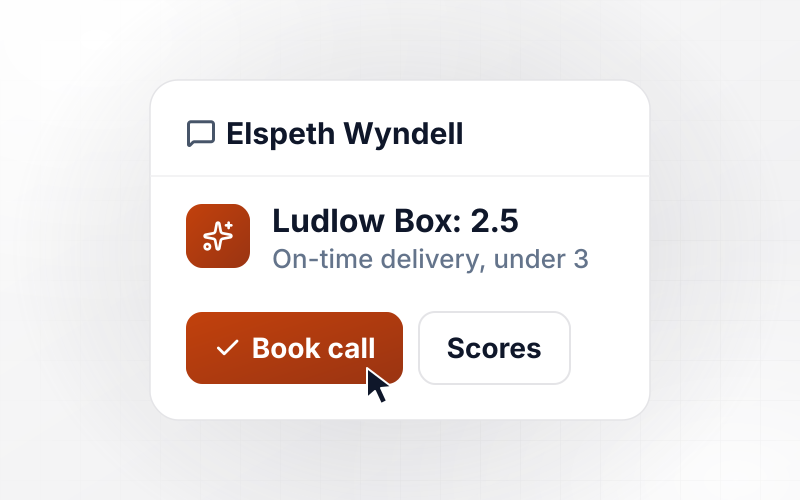
Set a rule, such as a team score under 3.0 on one question, and the app sends that team's results to a named person by Slack, email, or an in-app alert, with a reminder later.
Names and teams from your HR tool
The app can connect to any HR tool with an API and pull each person's department and time zone. Answers arrive tagged, and nobody retypes the org chart into a spreadsheet.
Your domain, and the code on GitHub
The survey can run on your own domain, which Emergent includes and which uses credits. On paid plans, the full code exports to your GitHub repository, ready to change or host.
Four Remote Surveys and Who Acts on Each
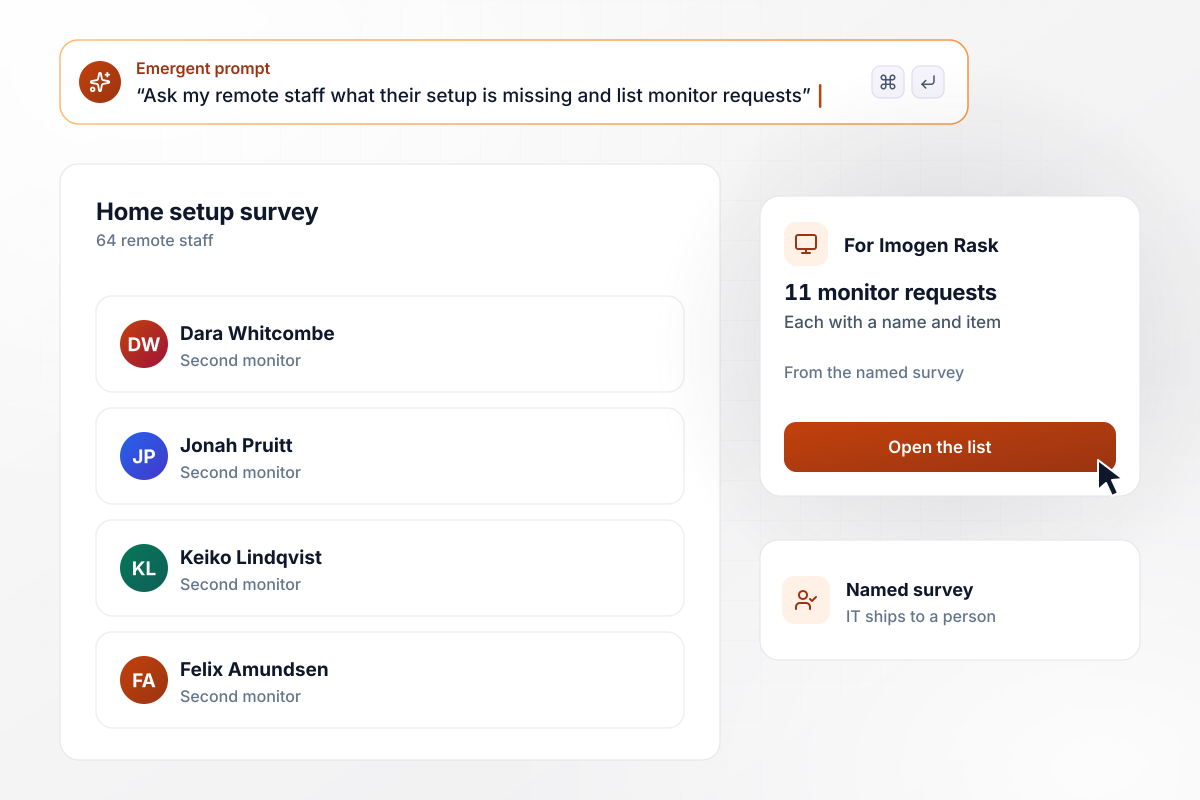
11 missing monitors, one list for the IT lead
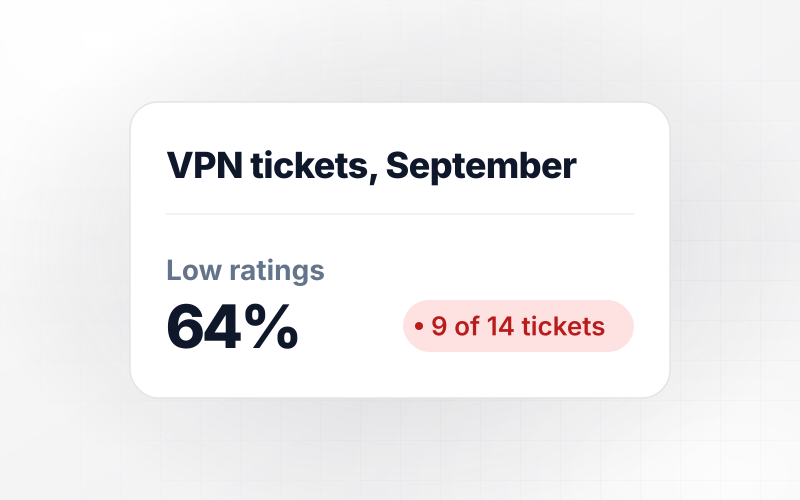
Okeford Labs asks its 64 remote staff what their home setup is missing. The survey is named, not anonymous, because IT has to ship each item to a person. The 11 who work without a second monitor land on one list for the IT lead, Imogen Rask, with each name and item.
window.awbMockup = { homeOfficeSetup: "Build a home setup survey for my 64 remote staff. Ask what equipment each person is missing, such as a second monitor, a headset, or a desk chair, and rate their home internet from 1 to 5. Keep answers named so IT can ship each item. Put everyone who asks for a second monitor on one list for my IT lead with their name and the item.", officeDays: "Build a hybrid schedule survey for the 112 people at my studio. Ask which days each person would come in to our Denver office, which has 40 desks and is closed on Mondays. Count the picks for each day in a chart, and when any day draws more picks than desks, send the counts by day to my office manager so they can plan a team rotation.", timeZones: "Build a meeting hours survey for my 18-person engineering team across Pacific, Eastern, and London time. Ask how many calls a week start after 6 p.m. in each person's own time zone, with choices of 0, 1 to 2, and 3 or more. Save each answer with the time zone and show me the share who chose 3 or more in each zone.", teamConnection: "Build a quarterly team connection survey with 4 questions rated 1 to 5, including whether people know who to ask for help. Save each answer with the person's team, not their name. If any team averages under 3.0 on the help question, send that team's results and comments to our HR partner by email." };
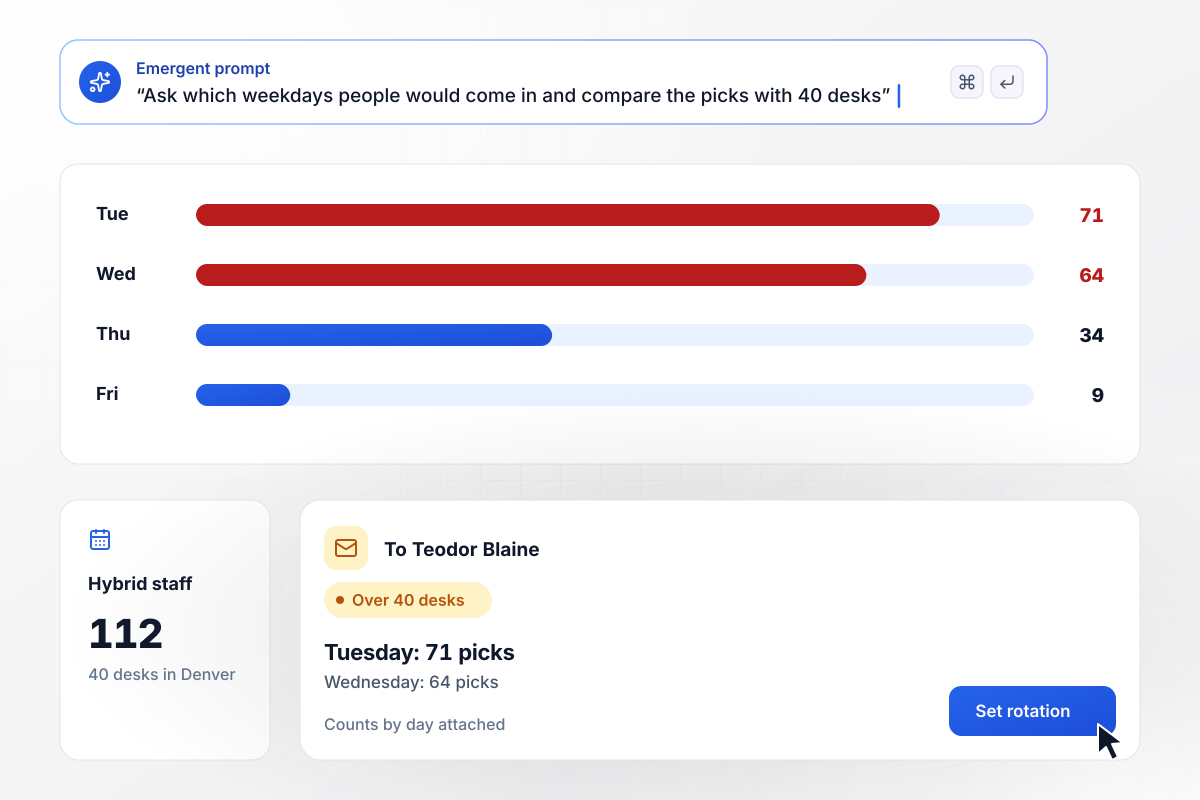
Tuesday is picked by 71 people for 40 desks
Cobbler Lane Studio's Denver office has 40 desks and is closed on Mondays. Its 112 people on a hybrid schedule pick the days they would come in. Tuesday drew 71 picks and Wednesday 64, while Friday drew 9. Office manager Teodor Blaine gets the counts by day and sets a team rotation for both busy days.
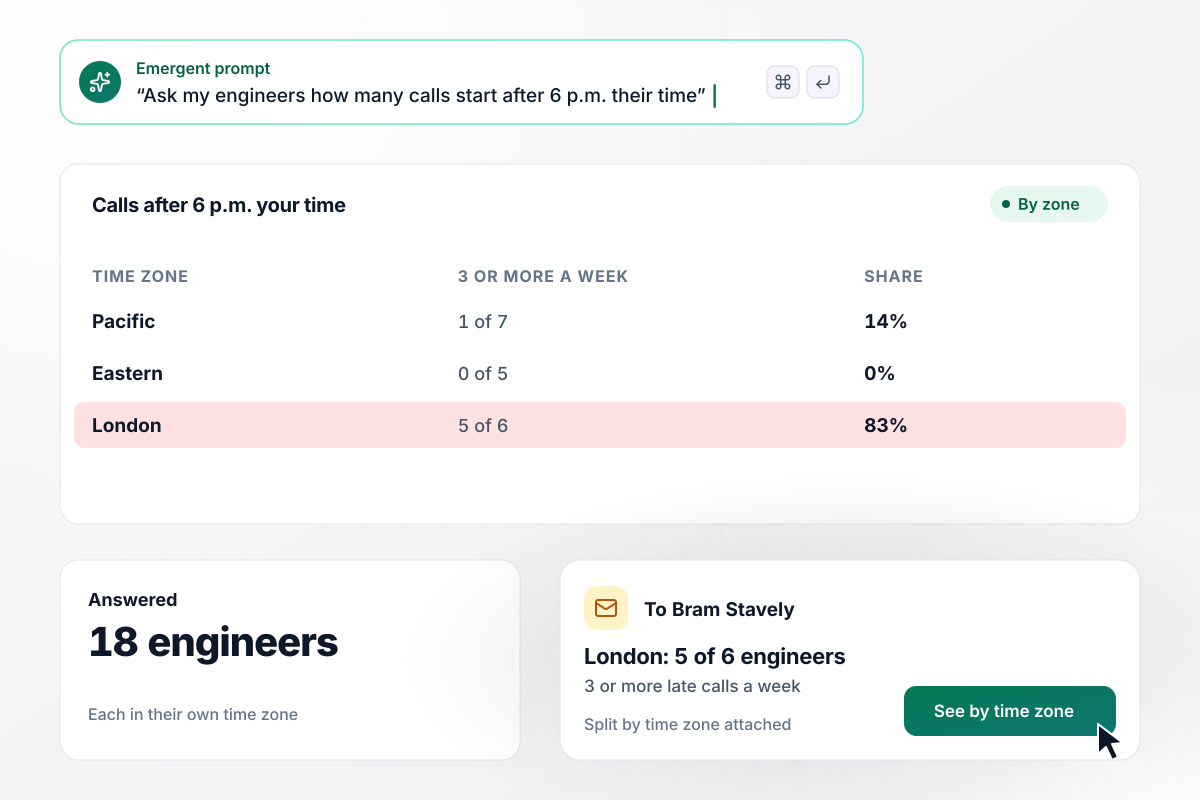
Late calls fall on London: 5 of 6 engineers
Lumenhill Media's 18-person engineering team spans Pacific, Eastern, and London time. The survey asks how many calls a week start after 6 p.m. local time. In London, 5 of 6 engineers say 3 or more, against 1 of 7 on Pacific and 0 of 5 on Eastern. Their manager, Bram Stavely, sees the split by zone.
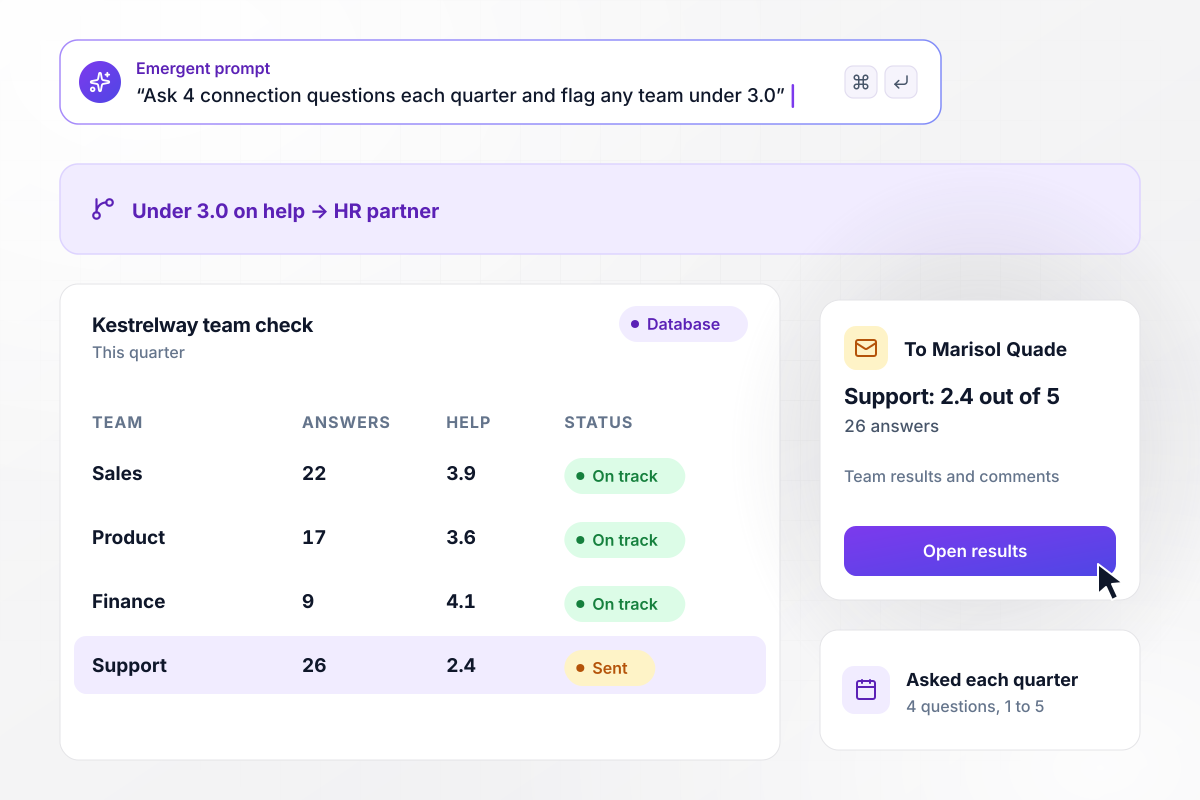
Support scores 2.4 on help, and HR gets the results
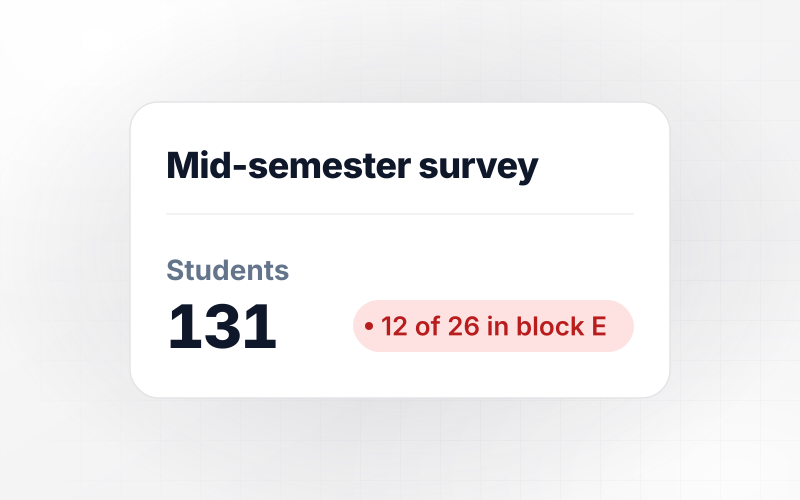
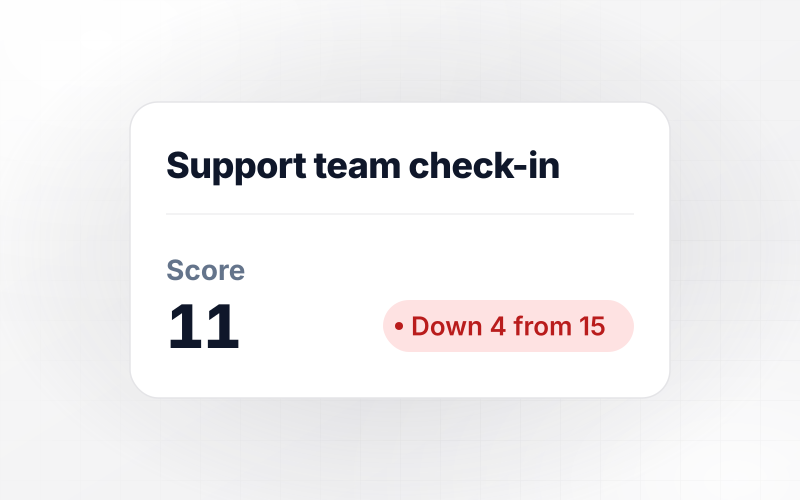
Every quarter, Kestrelway Travel asks 4 team connection questions, rated 1 to 5. Any team averaging under 3.0 on knowing who to ask for help goes to the HR partner, Marisol Quade. This quarter, Support averaged 2.4 out of 5 from 26 answers, while Sales, Product, and Finance scored 3.6 or higher.






How to Create a Remote Work Survey
Seven steps to run a remote work survey that people in every time zone finish and that ends in a change they can see.
List the decisions the results could feed before you draft a question, such as the equipment budget or the meeting schedule. Cut any question that feeds none of them. A survey built around 2 or 3 decisions stays short enough to finish.
Tell Emergent how many people will answer, whether they are fully remote or hybrid, and which time zones they work in. Emergent builds the survey and its response database from that prompt. Read the draft once as a respondent would.
Pew Research Center's guidance says double-barreled questions are difficult for respondents to answer. Split any question that asks about two things. Ask about equipment in one question and internet speed in the next, each on the same 1 to 5 scale.
Phrase every time in the respondent's own zone: ask how many calls start after 6 p.m. your time, not after 3 p.m. Eastern. A London engineer and a Seattle engineer then answer the same question, and the split by zone holds up.
Open the survey on a Monday in the earliest time zone and close it the following Monday. That gives every zone 5 working days to answer. The app can send one reminder by email or Slack to the whole list on day 4.
Send the draft to 5 people before the full send, including someone in the latest time zone. Pew Research Center calls pretesting an essential step in questionnaire design. Ask each tester which question they read twice, and fix that one first.
Within 2 weeks of the close, share the results with everyone who was asked. Name the 1 or 2 changes you will make and the answers behind them. Point back to those changes when the next round opens.
Why Build a Remote Work Survey on Emergent?
Answers keep their team and time zone in a table you own, and one prompt rewrites next quarter's questions without a rebuild.

|
SurveyMonkey | Microsoft Forms | SurveyHero | |
|---|---|---|---|---|
| What you get | Survey, logic, and response database, as code you own | Survey builder with templates, including employee engagement | Surveys, quizzes, and polls with response summaries | Survey builder with templates, including employee satisfaction |
| Pricing model | Credits, no response caps or per-response fees | Per-user team plans with a seat minimum, billed annually | Free with a Microsoft account; included in Microsoft work and school subscriptions | Free plan, then per-account plans with unlimited responses |
| Where responses live | A database table you own, plus any integration | SurveyMonkey account | Microsoft Forms, with export to Excel | SurveyHero account, EU data centers |
| Code ownership | Full code export to GitHub on paid plans | None | None | None |


Pick the Pricing Plan That Works for You
Choose the plan that fits your building ambitions. From weekend projects to enterprise applications, we've got you covered.




Find the right survey, quiz, or poll
for your team
Frequently Asked Questions
Your Questions, Answered
Don't change this element unless you know what you are doing
More things you can build
with Emergent









on Emergent today


