

Build a Teacher Evaluation Survey for Students and Peers
Build a teacher evaluation survey students answer one question at a time, with results by class in a database you own.
Build a teacher evaluation survey that collects every answer in a database I own.
Trusted by Builders Worldwide
Active Builders Worldwide
Apps Successfully Created
Countries Globally Reached



What Each Survey Shows the Teacher
Students answer one question per screen, and each class's results reach the teacher with no names attached.
Results split by class or block
Ask which period, block, or section a student is in, and every chart can split on it. A teacher with five classes sees each one on its own line, next to the average for all of them.
Picture scales for early grades
Swap the words for three faces on any question, and young students tap the face that fits while the teacher reads aloud. Each face is saved as a number and charts like any scale.
Anonymous from the first screen
Leave student names and emails off, and say so before question 1. Set a minimum, such as 5 answers, and any class under it stays out of the results until more students respond.
One question per screen
Students move through the survey one question at a time on a phone or a classroom laptop. A 10-question survey fits the last minutes of a lesson, and nobody scrolls a long page.
A low score goes to the teacher first
Email the teacher when a class falls below the score you set on any question. Send a department head only the count of surveys finished, and keep the comments with the teacher.
The answers and the code stay yours
Every answer is a row in a database the school owns, with no cap on responses. On paid plans, export the full survey app to your GitHub repository and change it for next term.
Who Answers the Survey, and Who Reads It
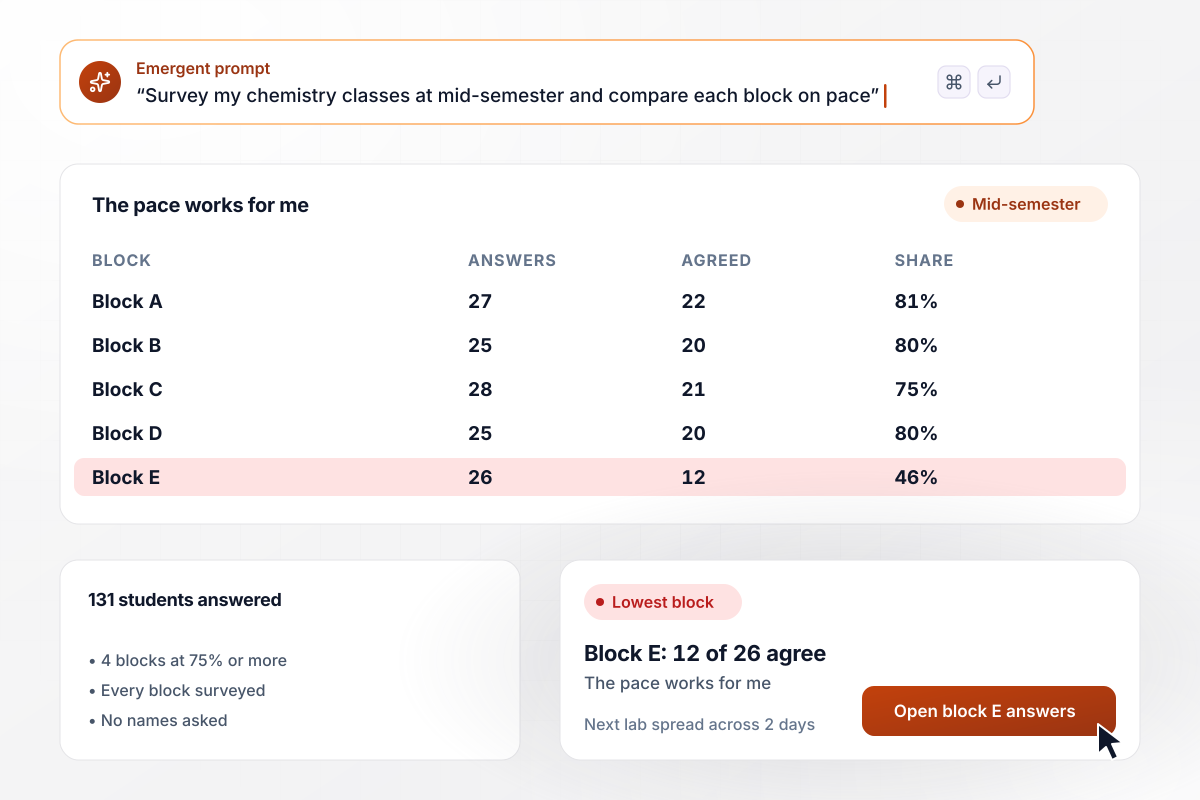
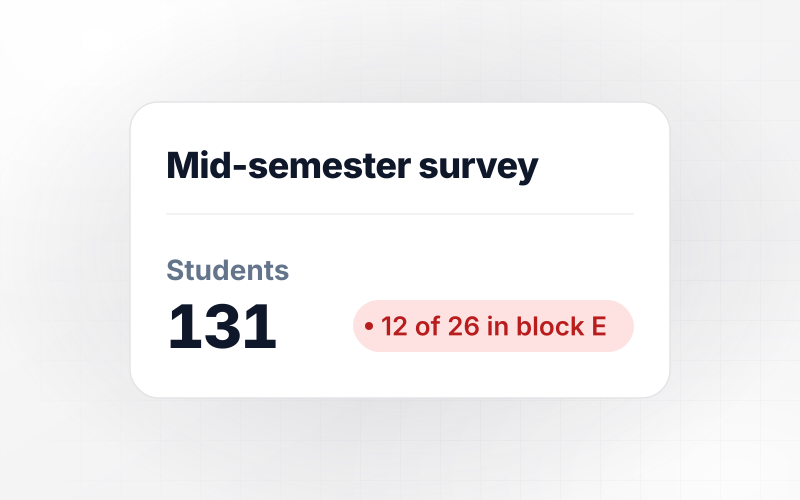
Block E splits on pace, with 12 of 26 agreeing
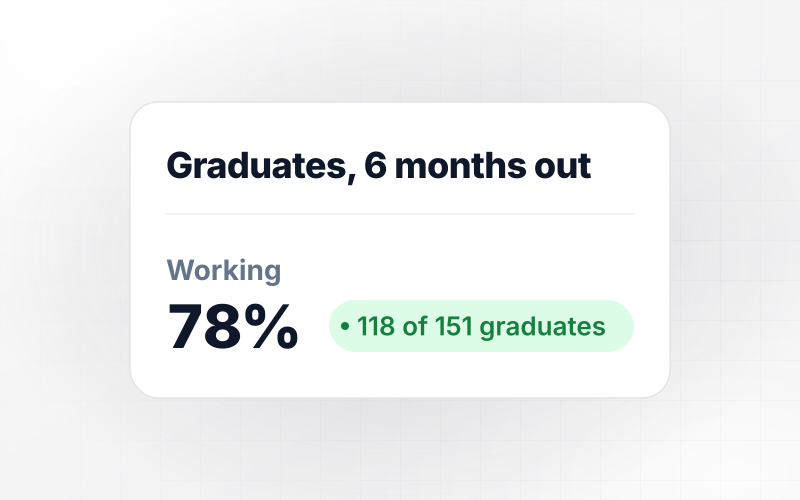
Rennick Hale teaches chemistry at Alder Crest High School and runs his own survey in every block at mid-semester. This fall, 131 students answered. In 4 blocks, at least 75% agreed that the pace of the class worked for them. Block E split, with 12 of 26 agreeing, and he spread its next lab across 2 days.
window.awbMockup = { highSchoolClasses: "Build a mid-semester survey for my high school chemistry classes. Ask which class period the student is in, then 8 agree or disagree statements, starting with whether the pace of the class works for them. Leave names off. Show the share agreeing in each of my 5 periods next to each other, and email me when any period falls under 75% on pace.", elementaryGrades: "Create a survey for my second grade class that I read aloud while students answer on classroom laptops. Show three faces for every question: a smile for yes, a straight face for not sure, and a frown for no. Keep it to 6 questions with large buttons, save each face as a number, and show me how many students picked each face on every question.", peerObservation: "Set up a peer visit form for my middle school. The observer picks the teacher they visited and the class, then writes one strength and one question for that teacher. Email the finished notes only to the teacher who was observed. Give our principal a page that shows how many of this quarter's visits are done, with no notes on it.", adultLearners: "Build an end-of-term survey for the evening English classes at my adult school. Learners pick their instructor, then rate statements on a 1 to 5 scale, including whether they get time to speak in every class. Use simple English and one question per screen. Show me each instructor's average on every statement, and flag any class under 3.5." };
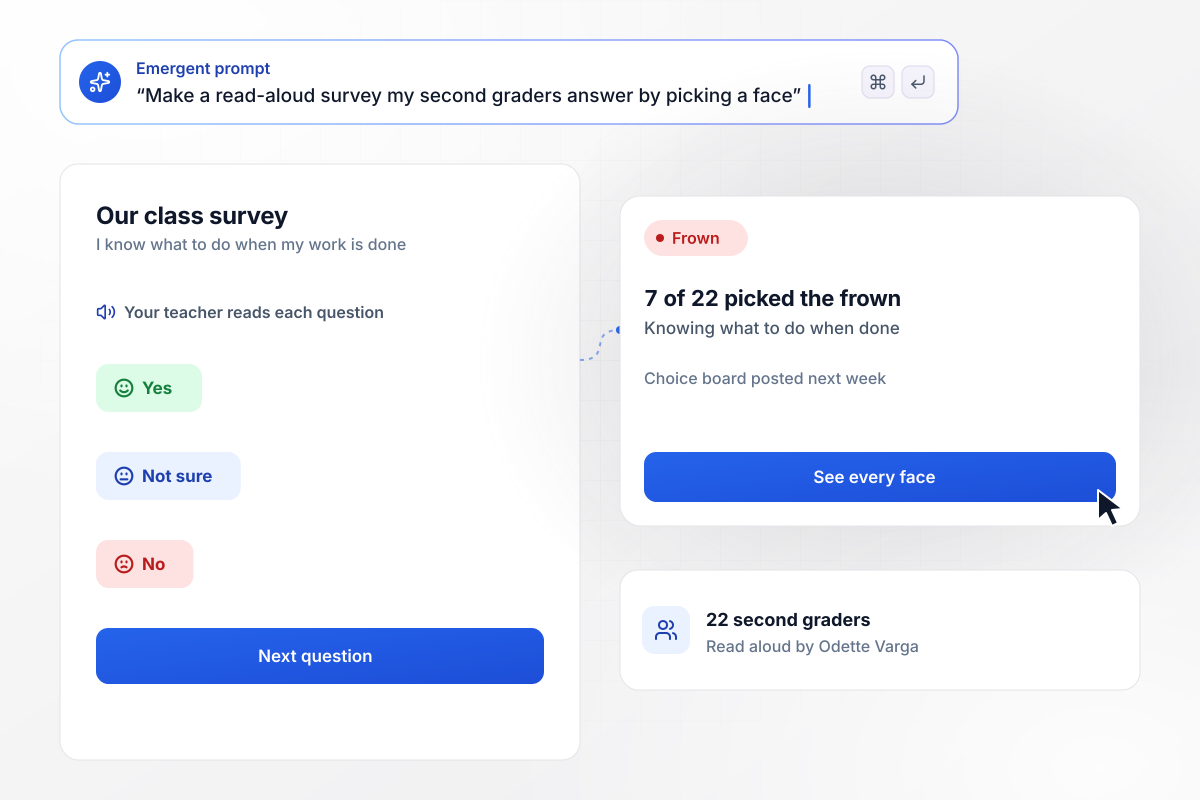
Done early and unsure: 7 of 22 second graders
Odette Varga reads each question aloud to her 22 second graders at Wrenfield Elementary, and each child picks a face on a classroom laptop: a smile, a straight face, or a frown. Asked whether they know what to do once their work is done, 7 of 22 picked the frown. She posted a choice board the next week.
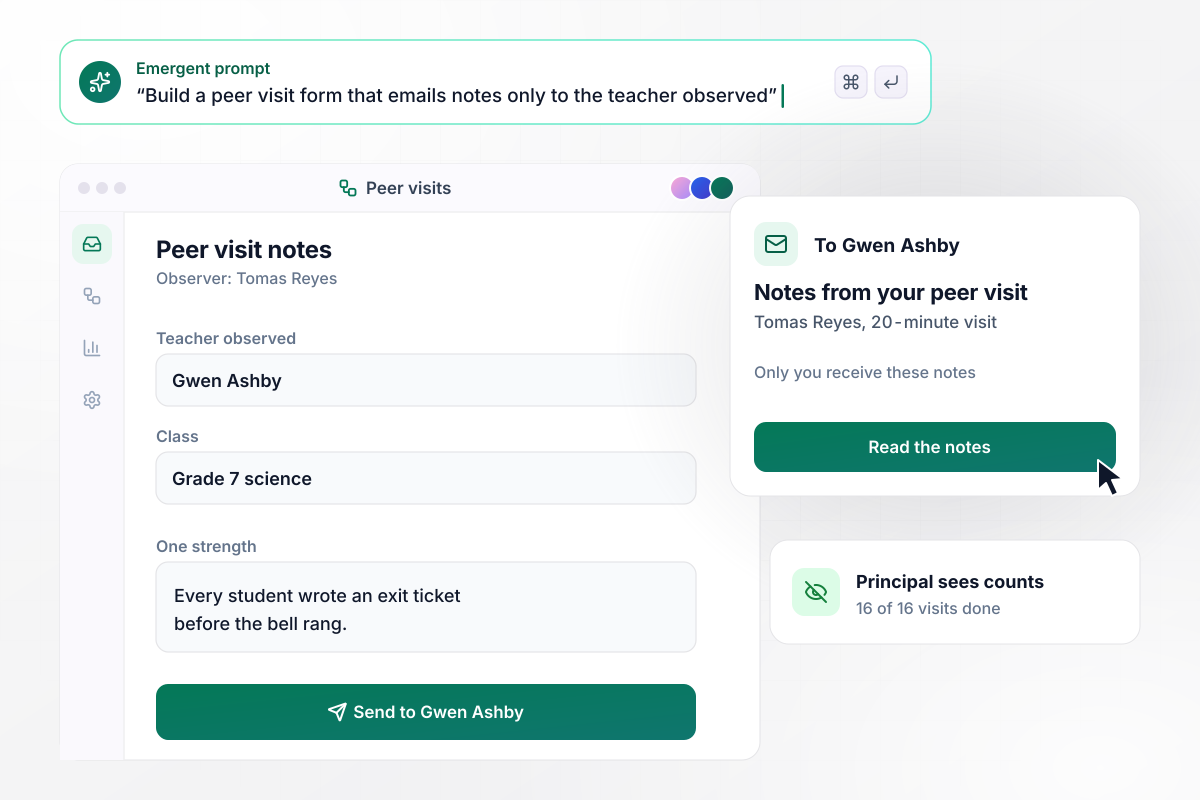
Peer visit notes stay with each teacher observed
Halden Middle School pairs its teachers for 20-minute peer visits each quarter. The observer fills in a short form on a phone, and the app emails the notes only to the teacher observed. Gwen Ashby got Tomas Reyes's notes on her grade 7 science class. The principal sees one number: 16 of 16 visits done.
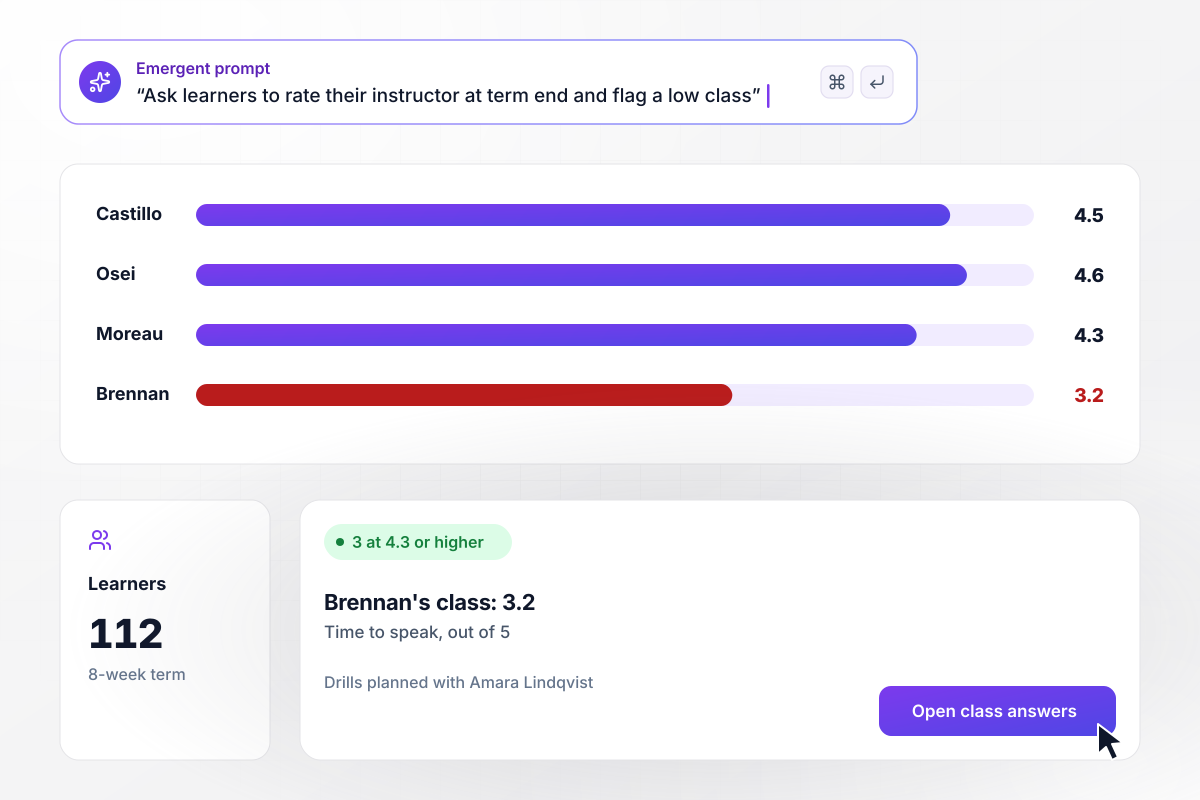
One class averages 3.2 on speaking time
Harborline Adult School has its evening English learners rate their instructor after each 8-week term. This term, 112 learners answered. On getting time to speak in class, 3 instructors averaged 4.3 or higher out of 5. Teo Brennan's class averaged 3.2, and director Amara Lindqvist is planning speaking drills with him.






How to Create a Teacher Evaluation Survey
Seven steps to write a teacher evaluation survey that fits the age group and ends with students hearing what changed.
Settle who sees the answers before you write a question: the teacher alone, an instructional coach, or the principal. Tell students on the first screen who will read their answers, and keep that promise the same every term so results stay comparable.
Write statements about things a student sees in class every week, such as whether the teacher checks that everyone followed before moving on or returns graded work within a week. Leave out personality and appearance, and ask about one thing per statement.
Use faces for children who cannot yet read the questions, and a five-point agree scale once students read on their own. Read every question aloud to young students, and word each question the same way in every class you survey.
Run the survey during the last 10 minutes of a lesson, not as homework. Step away from the screens while students answer, or ask a colleague to share the link, and give students who were absent a second day to finish.
Keep names and student ID numbers off the survey, and hold back results for any class with fewer than 5 answers. In a small class, skip questions about age or background that could point to one student, and say on screen that you did.
End with one open question, such as what the teacher should keep doing next term. Read the comments next to the scores for the same class, and look for the unit or the assignment a low rating on pace or clarity points to.
Within 2 weeks, tell each class what the survey showed and one thing you will change, such as a slower lab schedule. Open the next survey by naming that change before question 1, and ask whether students noticed it.
Why Build Teacher Evaluations With Emergent?
Every class gets its own results, the school keeps the data, and no response cap applies as more teachers sign on.

|
SurveyMonkey | Microsoft Forms | SurveyHero | |
|---|---|---|---|---|
| What you get | Survey, logic, and response database, as code you own | Survey builder with templates, including employee engagement | Surveys, quizzes, and polls with response summaries | Survey builder with templates, including employee satisfaction |
| Pricing model | Credits, no response caps or per-response fees | Per-user team plans with a seat minimum, billed annually | Free with a Microsoft account; included in Microsoft work and school subscriptions | Free plan, then per-account plans with unlimited responses |
| Where responses live | A database table you own, plus any integration | SurveyMonkey account | Microsoft Forms, with export to Excel | SurveyHero account, EU data centers |
| Code ownership | Full code export to GitHub on paid plans | None | None | None |


Pick the Pricing Plan That Works for You
Choose the plan that fits your building ambitions. From weekend projects to enterprise applications, we've got you covered.




Find the right survey, quiz, or poll
for your team
Frequently Asked Questions
Your Questions, Answered
Don't change this element unless you know what you are doing
More things you can build
with Emergent









on Emergent today


