

Build an IT Survey for Help Desk, Devices, and Software
Build an IT survey that rates help desk tickets, devices, and software, and saves every answer to a database you own.
Build an IT survey that collects every answer in a database I own.
Trusted by Builders Worldwide
Active Builders Worldwide
Apps Successfully Created
Countries Globally Reached



What Goes Into an IT Survey Built With Emergent
Name the IT areas staff should rate and who hears about a low score. Emergent builds each piece below from that prompt.
Questions for each part of IT
Tell Emergent which parts of IT to rate, such as the help desk or the apps staff use. Emergent drafts questions for each part, and a follow-up prompt changes any of them.
Every answer in a database you own
Each answer is saved as a row in a database you own, tagged with the department and the ticket number. Put this spring's support score beside last spring's before the budget review.
Low ratings emailed to the help desk lead
A low score reaches the help desk lead by email, with the ticket number and the comment attached. You pick the score that sends it, and a Slack or in-app alert works too.
One question per screen on a phone
Employees answer on a phone, one question per screen, from a warehouse floor or a classroom. Keep the check to 3 questions, and a new hire finishes it between orientation sessions.
Ticket data from your help desk
Ticket data comes in from your help desk through its API, so each survey goes out with the ticket number and category filled in. Ratings can sync back to that same tool.
Your domain and the full code
On paid plans, the full code exports to your GitHub repository and stays with your IT team. Host the survey on your own domain, included in Emergent and billed in credits.
How Four IT Teams Put Their Surveys to Work
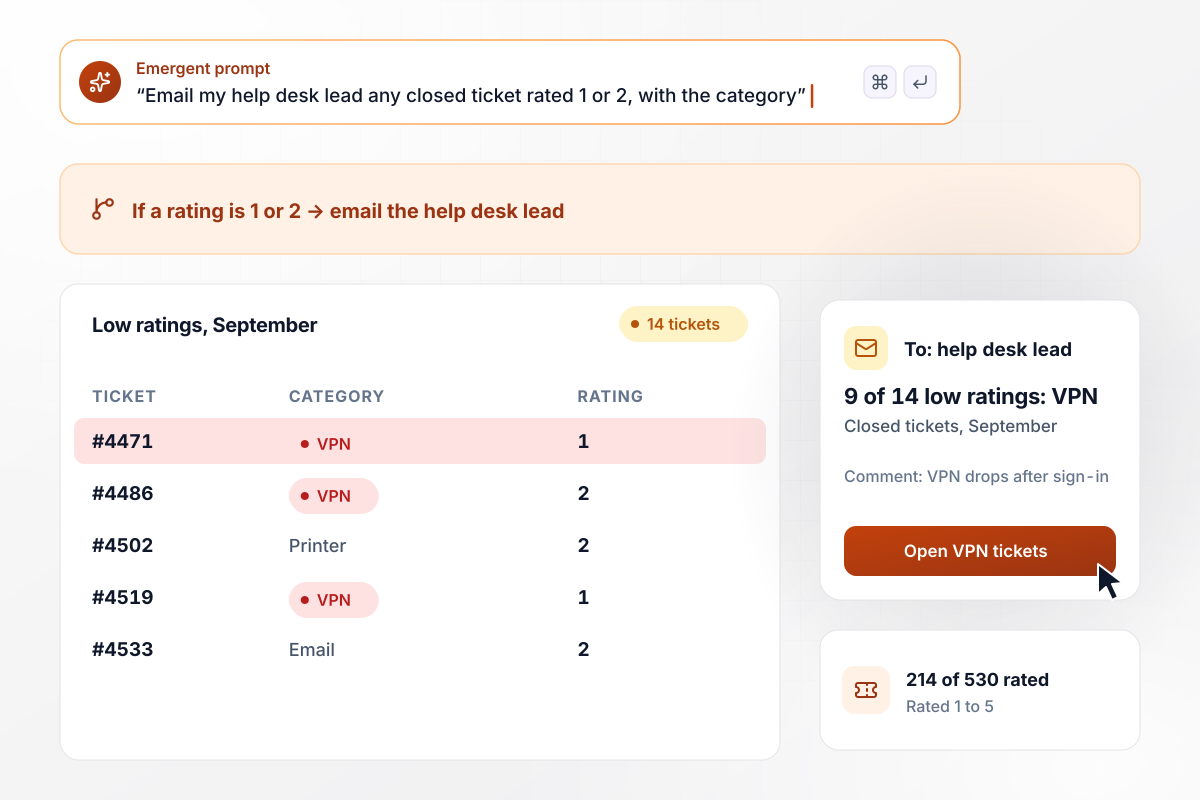
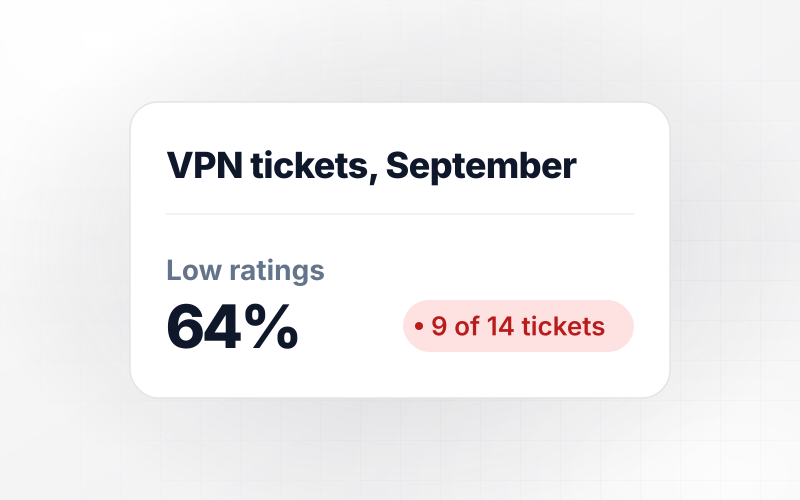
9 of 14 low ratings came from VPN tickets
Brennock Freight's IT team asks for a rating from 1 to 5 and a comment each time a ticket closes. In September, 214 of 530 closed tickets got a rating. The help desk lead gets an email for any 1 or 2, and 9 of the 14 low ratings came from VPN tickets. The team rewrote its VPN setup guide that week.
window.awbMockup = { helpDeskTickets: "When a ticket closes in my help desk, send the requester 2 questions: a rating from 1 to 5 and a comment box. Email any rating of 1 or 2 to my help desk lead with the ticket number and category. Each month, show me how many closed tickets got a rating and which categories drew the low scores.", annualSupportRating: "Build our yearly IT support survey for all 140 staff at my architecture firm. Ask each person to rate IT support from 1 to 5 and leave a comment, and record their department with the answer. Show the average score for each department side by side, lowest first, with the comments under each one.", softwareRenewal: "Before our software renewal, ask the 260 staff in my school district which of our 5 licensed apps they open each week. List the apps as checkboxes. Show weekly users for each app next to the number of seats we pay for, and flag any app where fewer than a quarter of the seats are used.", newHireSetup: "Send every new hire at my bakery a short IT check on their phone on their third day, one question per screen. Start with: was your laptop ready on your first morning? Then ask about their email login and badge access. Show the yes answers by season so I can compare spring and summer hires." };
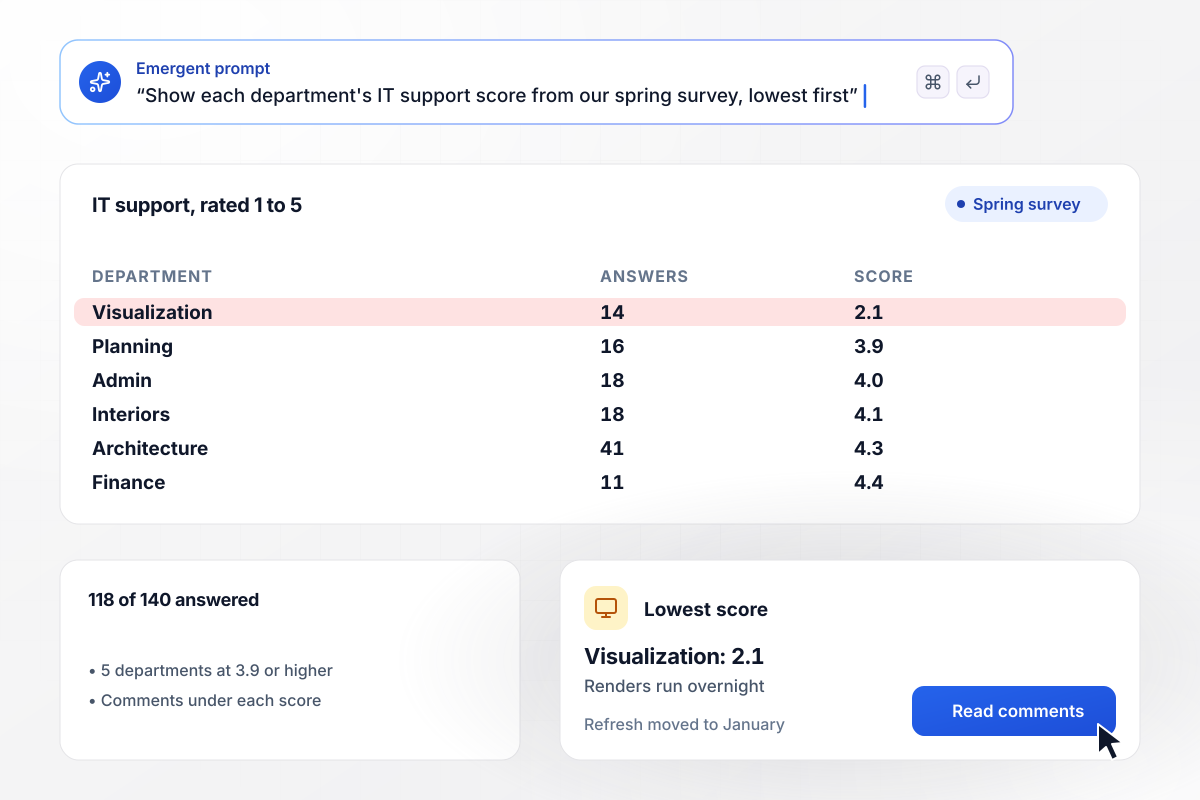
The visualization team rates IT 2.1 out of 5
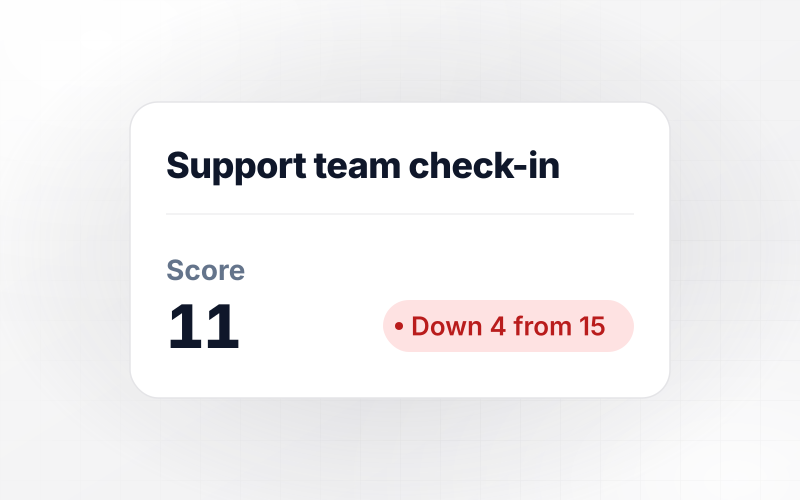
Every spring, Quillmont Architects asks its staff to rate IT support from 1 to 5, and this year 118 of 140 answered. Five departments scored IT 3.9 or higher. The visualization team gave it 2.1, and its comments describe renders that run overnight on old workstations. IT moved that team's workstation refresh up to January.
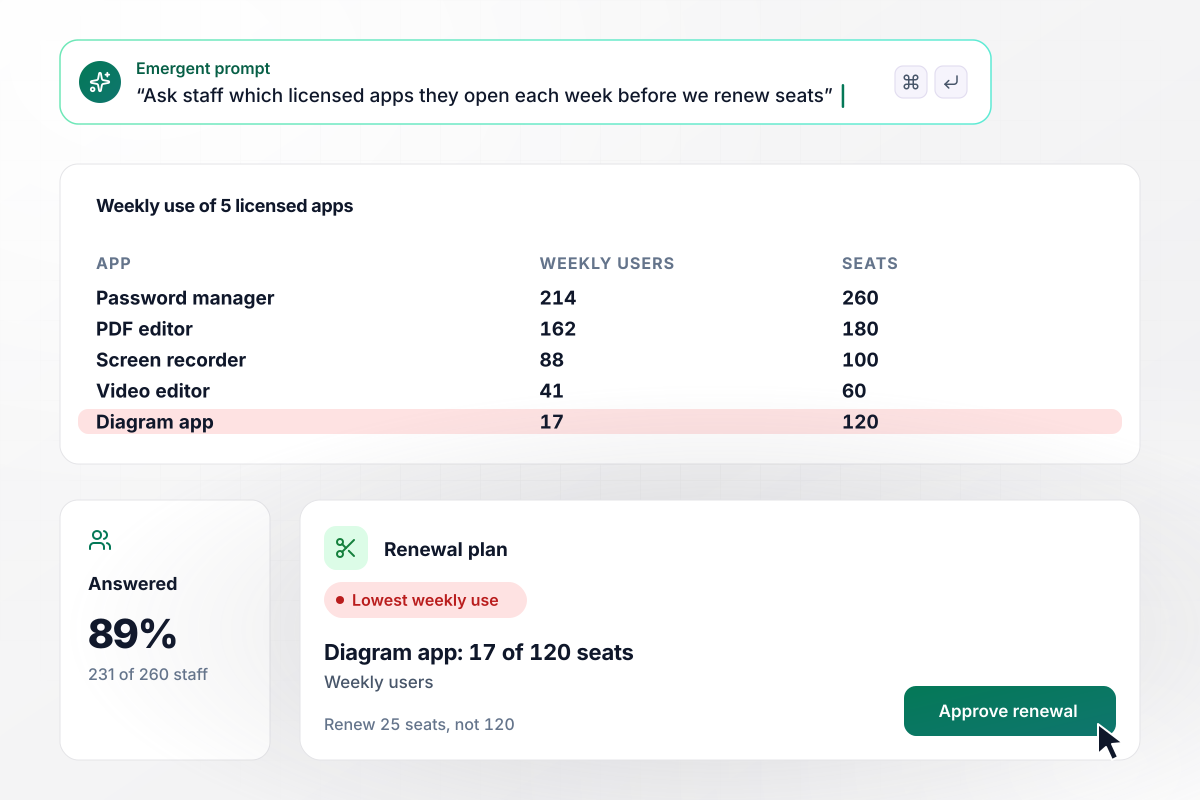
Diagram app seats cut to 25 after 17 showed weekly use
Fenwick Hollow School District pays for 5 licensed apps by the seat. Before renewal, it asks staff which ones they open each week, and 231 of 260 answered. The diagram app has 120 seats and 17 weekly users. The district renewed 25 seats instead of 120.
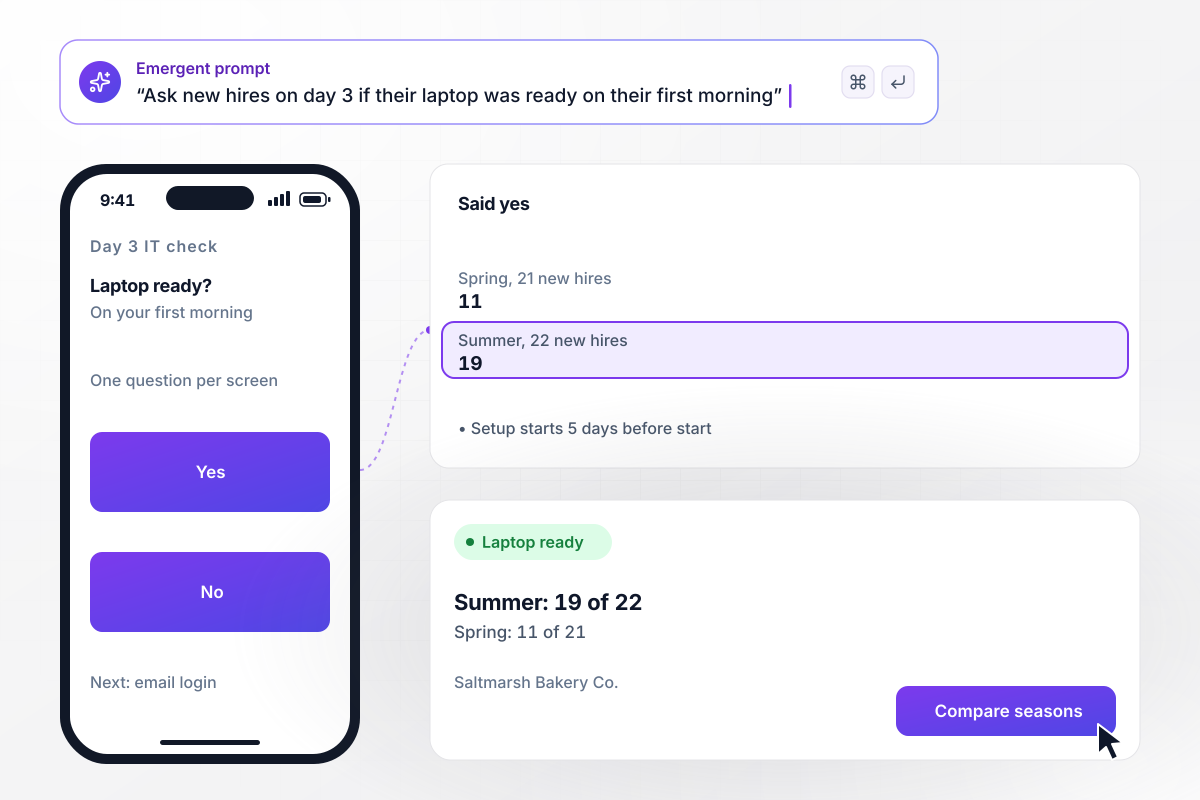
Laptop setup starts 5 days early, and 19 of 22 are ready
New hires at Saltmarsh Bakery Co. get a short IT check on their phone on day 3, one question per screen. It opens with one question: was your laptop ready on your first morning? In spring, 11 of 21 said yes. IT then began each laptop setup 5 days before the start date, and in summer 19 of 22 said yes.






How to Create an IT Survey
Follow these 7 steps to plan an IT survey and turn its lowest score into a fix your IT team can schedule.
Start with the one decision the results should settle, such as which app seats to renew or which team gets new workstations first. Put it in the first line of your prompt to Emergent. Cut any question whose answer could not change that decision.
Match the send time to the survey. A ticket survey goes out when the ticket closes, while the fix is fresh. A company-wide support rating fits once a year, a few weeks before the IT budget is set. A new hire check fits the first week.
Write the rating question first and keep its scale fixed, such as 1 to 5 on how well IT solved the problem. With the same scale every round, this year's score sits beside last year's and the change means something.
Under each rating, ask one open question: what would have made this better? A low score shows where IT falls short. The comment beside it names the laptop or the app behind that score, and that is the part your team can fix.
Save the department, site, or ticket category with each answer, and leave names out unless someone will follow up. That one field turns a single company score into a list of teams you can sort, lowest first, before you plan the fixes.
Name one person, such as the help desk lead, and the score that alerts them. Before launch, test the survey with 5 sample answers, including one that should trigger the alert, and confirm the email arrives with the ticket number.
Within a month of closing the survey, tell staff what changed because of their answers. One line in the next company email is enough, such as a rewritten VPN guide. People answer the next round when the last one led somewhere.
Why Emergent for an IT Survey?
Emergent builds the IT survey as an app your team keeps, with no response caps when the whole company answers at once.

|
SurveyMonkey | Microsoft Forms | SurveyHero | |
|---|---|---|---|---|
| What you get | Survey, logic, and response database, as code you own | Survey builder with templates, including employee engagement | Surveys, quizzes, and polls with response summaries | Survey builder with templates, including employee satisfaction |
| Pricing model | Credits, no response caps or per-response fees | Per-user team plans with a seat minimum, billed annually | Free with a Microsoft account; included in Microsoft work and school subscriptions | Free plan, then per-account plans with unlimited responses |
| Where responses live | A database table you own, plus any integration | SurveyMonkey account | Microsoft Forms, with export to Excel | SurveyHero account, EU data centers |
| Code ownership | Full code export to GitHub on paid plans | None | None | None |


Pick the Pricing Plan That Works for You
Choose the plan that fits your building ambitions. From weekend projects to enterprise applications, we've got you covered.




Find the right survey, quiz, or poll
for your team
Frequently Asked Questions
Your Questions, Answered
Don't change this element unless you know what you are doing
More things you can build
with Emergent









on Emergent today


