

Build an App Feedback Survey That Points to the Next Fix
Build an app feedback survey that asks users about a screen right after they use it and keeps every answer in a database you own.
Build an app feedback survey that collects every answer in a database I own.
Trusted by Builders Worldwide
Active Builders Worldwide
Apps Successfully Created
Countries Globally Reached



What Emergent Builds Into Your App Survey
Describe your app and the moment to ask. Emergent builds the app feedback survey, and another prompt changes any part.
Questions for each feature and screen
Name the feature or moment you want rated, such as a first bill split or day 3 of setup. Emergent writes the questions for it, and a follow-up prompt rewords any of them.
Answers saved with screen and version
Each answer is saved as a row in a database you own, with the screen and app version you ask it to record. Filter by version to see what a single release changed for users.
Bug reports sent to Slack or email
A problem report that crosses a rule you set, such as 5 reports naming one screen in 2 hours, sends a Slack or email alert. Single reports stay in the table until someone reads them.
Short screens that suit a thumb
Phone users see one question per screen: a two-question survey takes two taps and an optional comment. The same survey opens in a desktop browser for people on the web app.
Reports passed to your issue tracker
Send bug reports on to your issue tracker or help desk through its API. The engineer who picks up the ticket sees the screen and the user's own words, with nothing to copy over.
Your domain and the source code
Run the survey on your own domain: custom domains are included in Emergent and use credits. On paid plans, export the full code to your GitHub repository, next to the app's code.
App Feedback Surveys in Four Products
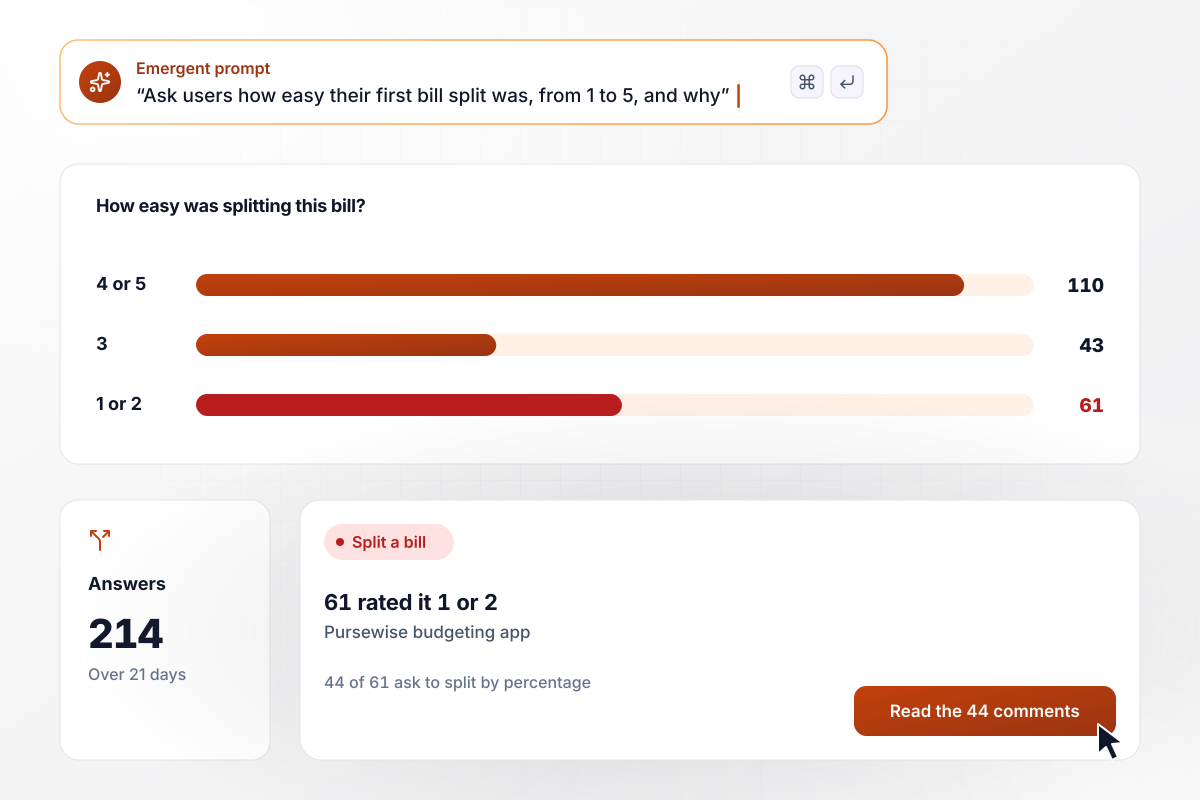
44 users ask to split a bill by percentage
Pursewise shipped Split a bill and shows a short survey after each user's first split: how easy was it, from 1 to 5, and what got in the way? Over 21 days, 214 users answer and 61 rate it a 1 or 2. Of those 61, 44 ask in their comments to split by percentage instead of in equal shares.
window.awbMockup = { featureFeedback: "After a user splits a bill for the first time in my budgeting app, show a short survey: how easy was splitting this bill, from 1 to 5, and what got in the way? Collect answers for 21 days, then show how many rated it 1 or 2 and group their comments by what they ask for.", onboarding: "On day 3 after sign-up, ask new users of my running app one question per screen: what almost stopped you from logging your first run? Give choices for connecting a watch, picking a plan, allowing location, and nothing. Show the count for each choice.", bugReports: "Build a Report a problem form for the menu of my courier company's driver app. Ask which screen the driver was on and what happened. When 5 reports name the same screen within 2 hours, post the screen, the count, and the latest report to the #driver-app channel in Slack.", releaseCheck: "For a week after each release of my notes app, ask users: did anything get harder in this update? If they say yes, ask which screen. Save the version with every answer and show a table of yes answers by release, with the screen named most often." };
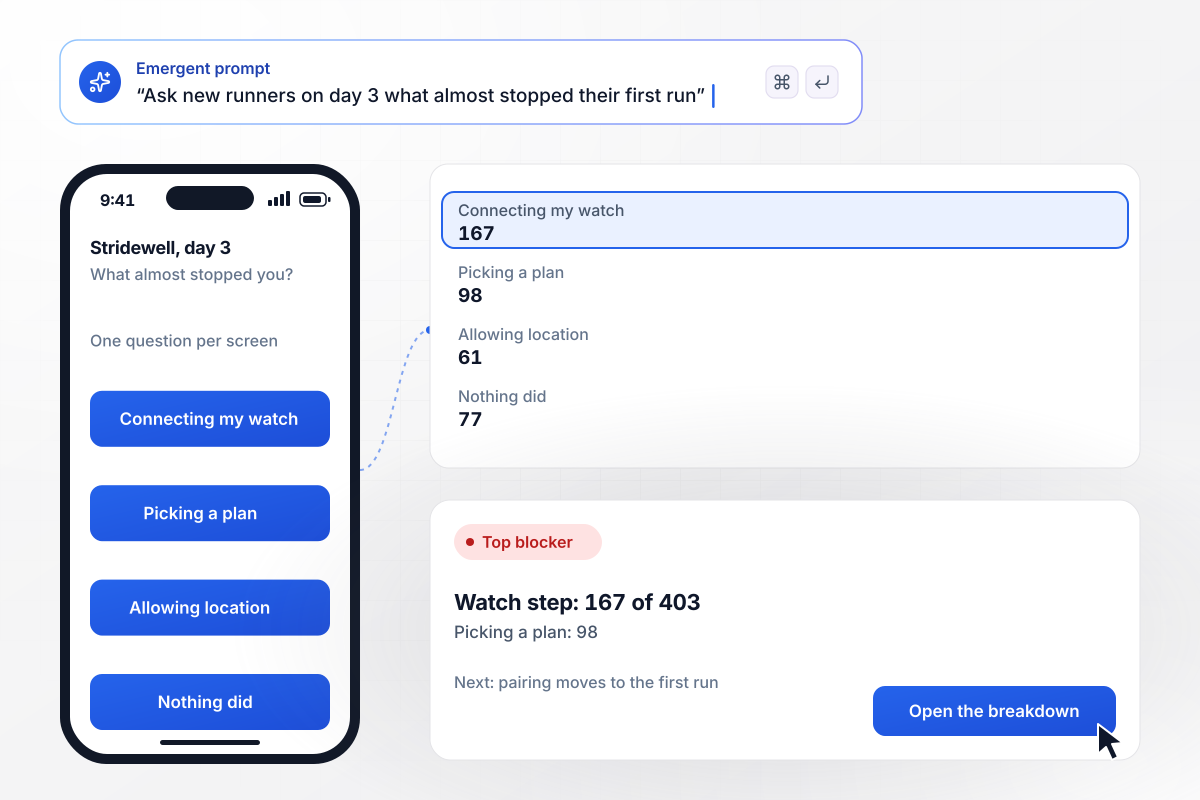
167 of 403 new runners stall on the watch step
On day 3, Stridewell asks each new runner one question per screen: what almost stopped you from logging your first run? Across 403 answers, 167 pick connecting a watch, well ahead of picking a plan at 98. The team moves watch pairing out of setup and onto the first run screen.
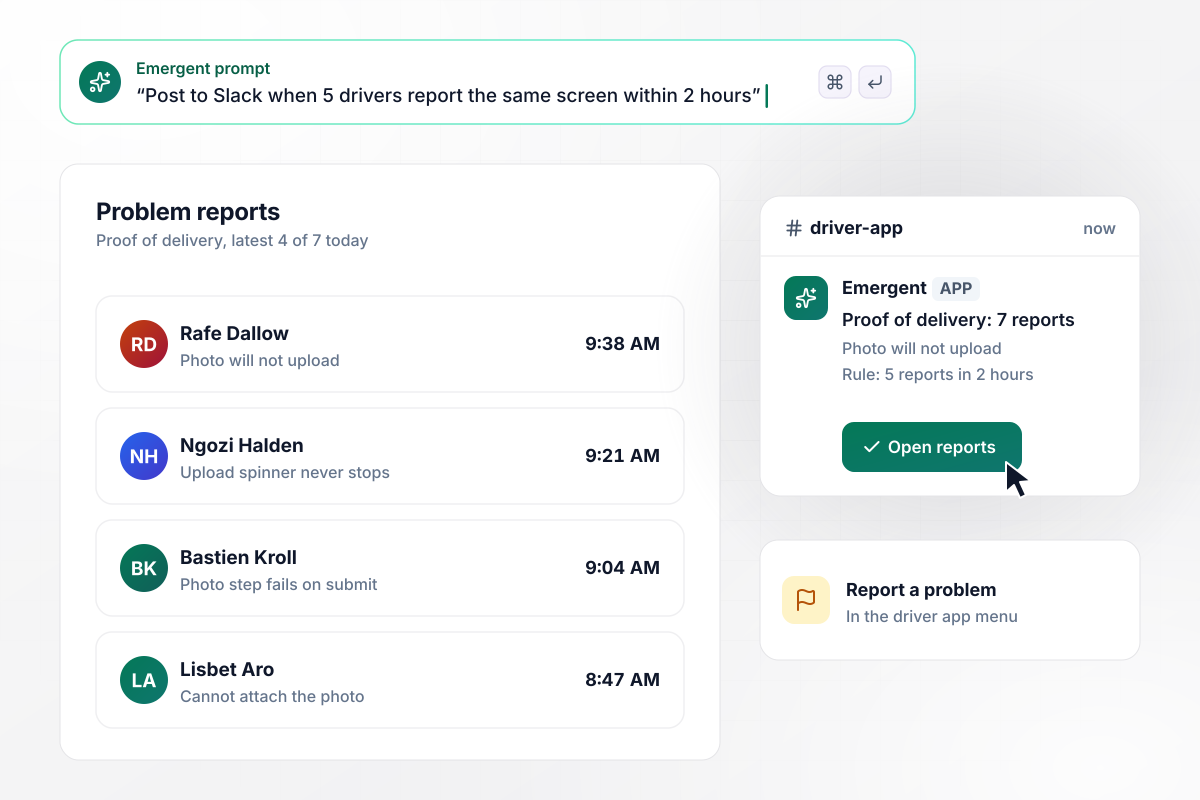
Seven drivers hit one broken screen, and #driver-app hears
Haulbright Couriers puts Report a problem in its driver app menu. The form asks which screen the driver was on and what happened. When 5 reports name the same screen within 2 hours, the app posts in the #driver-app Slack channel. This morning, seven drivers report that the proof of delivery photo will not upload.
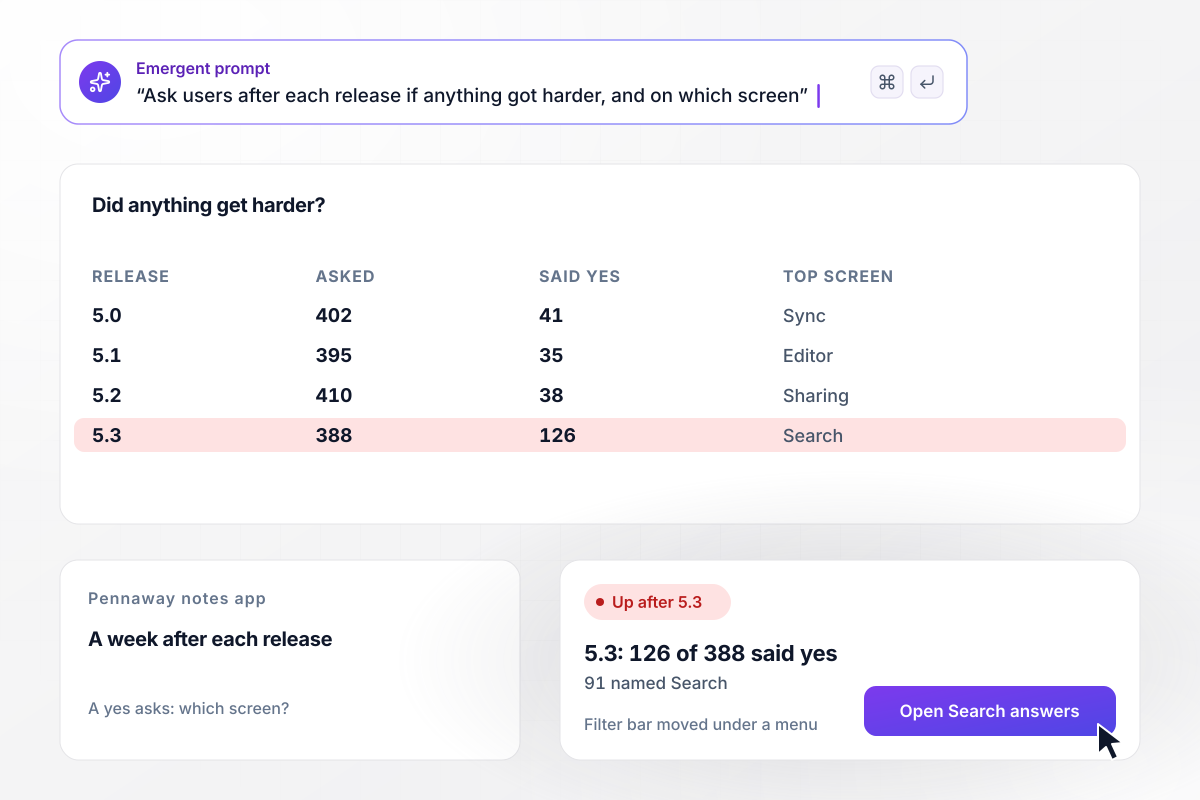
Version 5.3 made search harder for 91 users
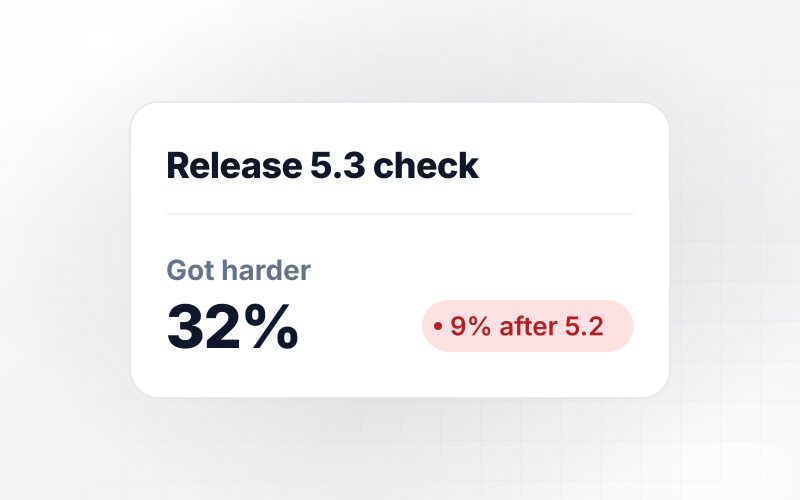
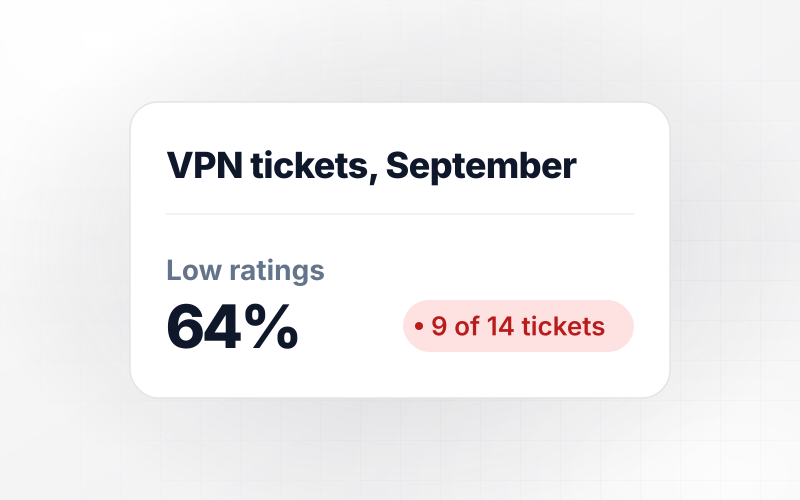
For a week after each release, Pennaway asks: did anything get harder in this update? A yes opens one more question, which screen. After version 5.2, 38 of 410 said yes. After 5.3, 126 of 388 did, and 91 of them named Search, where the filter bar had moved under a menu.






How to Create an App Feedback Survey
Seven steps to create an app feedback survey whose answers point to the next thing to fix in your app.
Write down the one product decision the answers should settle, such as whether to add percentage splits or move watch pairing. Put it at the top of your prompt. Any question whose answer cannot change that decision comes out before launch.
Ask at a natural pause: after the first use of a feature, on day 3 of setup, or a week after a release. Never interrupt someone in the middle of a task, such as a checkout or a half-finished entry.
Lead with one closed question on a scale that stays the same between rounds, then one open question about what got in the way. Word each one the way users talk about the app, not the way your team names features.
List in the prompt what to save beside each answer: the screen and the app version, plus the device type if layouts differ by phone. A complaint about search can then be filtered and counted by release instead of read one by one.
Decide how many reports on one screen, within how long, should alert someone, and who that person is. Start with a rule like 5 reports within 2 hours, then move the count once you know what a normal day looks like.
Send the survey to five teammates and have them answer on their phones. Note any question they read twice and any answer choice they wish they had, then fix the wording with a follow-up prompt before launch.
Read the first week of answers by screen and by version, then choose one change to ship. Mention it in the next release notes: that is how the users who answered learn their feedback was read.
Why Emergent for App Feedback Surveys?
Emergent builds the survey as an app you keep. Answers go to a database you own, with no response caps however many users reply.

|
SurveyMonkey | Microsoft Forms | SurveyHero | |
|---|---|---|---|---|
| What you get | Survey, logic, and response database, as code you own | Survey builder with templates, including employee engagement | Surveys, quizzes, and polls with response summaries | Survey builder with templates, including employee satisfaction |
| Pricing model | Credits, no response caps or per-response fees | Per-user team plans with a seat minimum, billed annually | Free with a Microsoft account; included in Microsoft work and school subscriptions | Free plan, then per-account plans with unlimited responses |
| Where responses live | A database table you own, plus any integration | SurveyMonkey account | Microsoft Forms, with export to Excel | SurveyHero account, EU data centers |
| Code ownership | Full code export to GitHub on paid plans | None | None | None |


Pick the Pricing Plan That Works for You
Choose the plan that fits your building ambitions. From weekend projects to enterprise applications, we've got you covered.




Find the right survey, quiz, or poll
for your team
Frequently Asked Questions
Your Questions, Answered
Don't change this element unless you know what you are doing
More things you can build
with Emergent









on Emergent today


