

Build an Onboarding Survey Timed to Each New Start
Create an onboarding survey timed to each hire's start date that flags first-day gaps and stores each answer in your own database.
Build an onboarding survey that checks how each new hire is settling in.
Trusted by Builders Worldwide
Active Builders Worldwide
Apps Successfully Created
Countries Globally Reached



What an Onboarding Survey Needs to Do
An onboarding survey asks new hires, at set points in their first months, whether they have what they need to do the job.
Check-ins keyed to the start date
Sends each check-in on a day you choose, counted from the hire date in your HR records and not from the calendar. Someone who starts mid-month gets day 30 on their own day 30.
One question repeated every round
Asks the same core question at every checkpoint, such as whether the role is clear yet. A score that falls between day 30 and day 60 shows up next to that hire's name in the report.
Results by team and manager
Reports answers by department and start month. Groups under a minimum you set stay hidden, and a team that hired two people this quarter never exposes either person's replies.
Alerts for gaps that need a fix
Flags any hire who answers no to a question you mark urgent, like a missing login or no assigned buddy. Whoever owns that item gets an email or a Slack message the same day.
Hire details pulled from HR
Reads each hire's manager and department from your HR system through its API. The survey never has to ask a new hire who they report to, and every answer splits by team.
The whole survey app is yours
Exports the survey, its send schedule, the alert rules, and the response database to GitHub on paid plans. Run it on your own servers or keep changing it by prompting in Emergent.
Onboarding Surveys for Four Moments
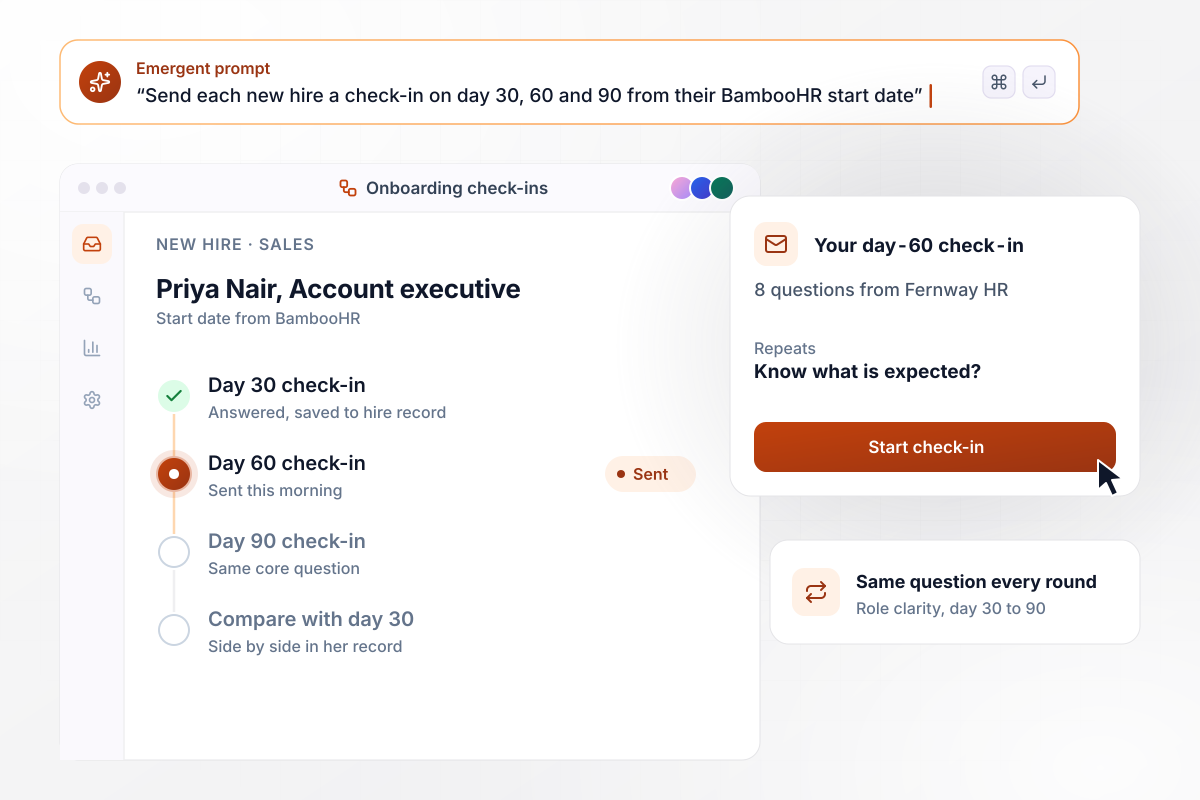
Three check-ins timed to one start date
Counted from the start date in BambooHR, each new hire hears from HR on day 30, day 60 and day 90. Every round repeats one question about role clarity. Priya Nair, a new account executive at Fernway, got her eight-question check-in for day 60 this morning, and her answers will sit beside the ones from day 30.
window.awbMockup = { first90Days: "Build an onboarding survey for my company. Pull each new hire's start date from BambooHR and send a check-in on day 30, day 60 and day 90, eight questions each. Repeat one question every round: do you know what is expected of you? Save every answer to the hire's record so HR can compare day 30 with day 60.", firstDayCheck: "Build a first-day survey for new hires. At 5 p.m. on day one, send five yes-or-no questions to their phone about the laptop, logins, desk, buddy, and who to ask for help. If anyone answers no on the laptop or a login, send our IT lead a Slack direct message with the hire's name and what is missing.", hiringCohorts: "Build an onboarding dashboard for HR. Group new hires by start month and chart the share who say yes to the day-30 question about knowing who to ask for help. Mark the month our buddy program started and show the average before it, so I can show leadership whether the change worked.", productSignups: "Build a welcome survey for new signups to my software product. Ask three questions on one screen: their role, how many seats they need and the first task they want done. Show a setup checklist that matches the answers. If a workspace has 50 or more seats, offer a call with our onboarding lead and log the request in HubSpot." };
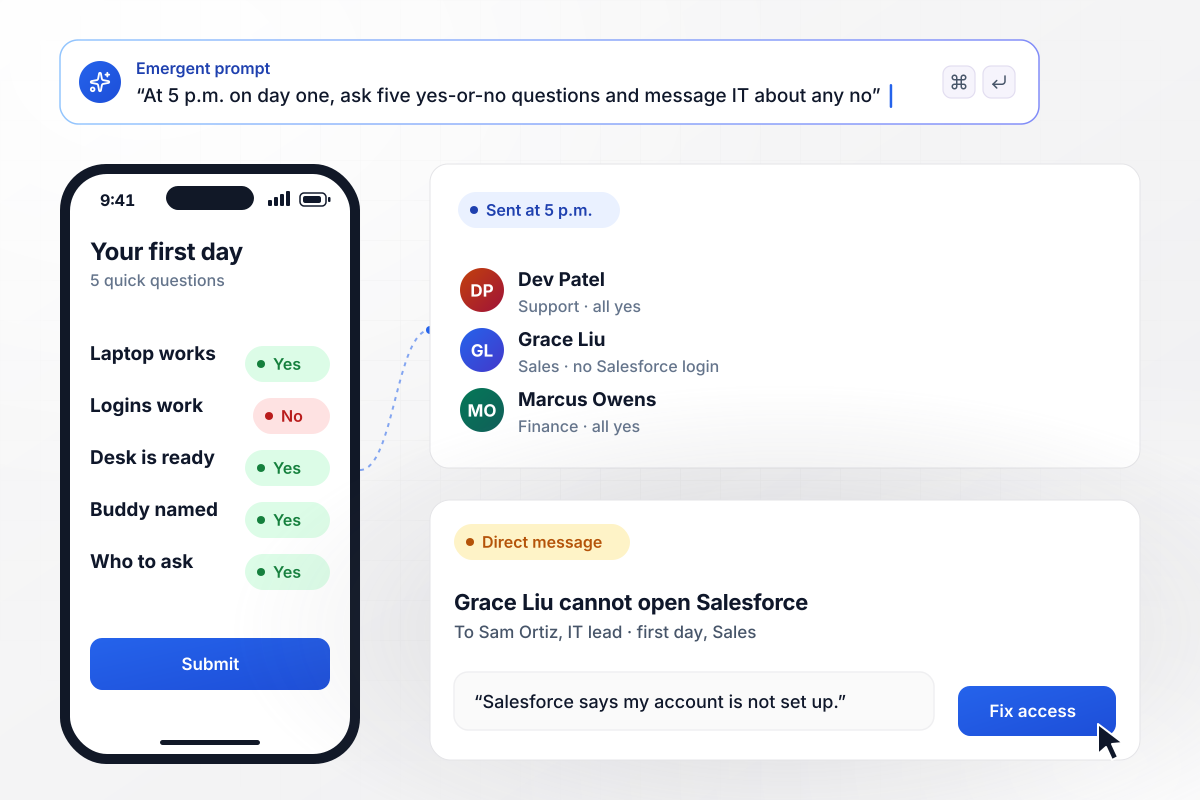
A missing login reaches IT on day one
At 5 p.m. on the first day, each hire answers five yes-or-no questions on their phone, starting with the laptop and the logins. A no on either sends Sam Ortiz, the IT lead, a direct message naming the hire, and the missing item. Today it was Grace Liu, who could not open Salesforce.
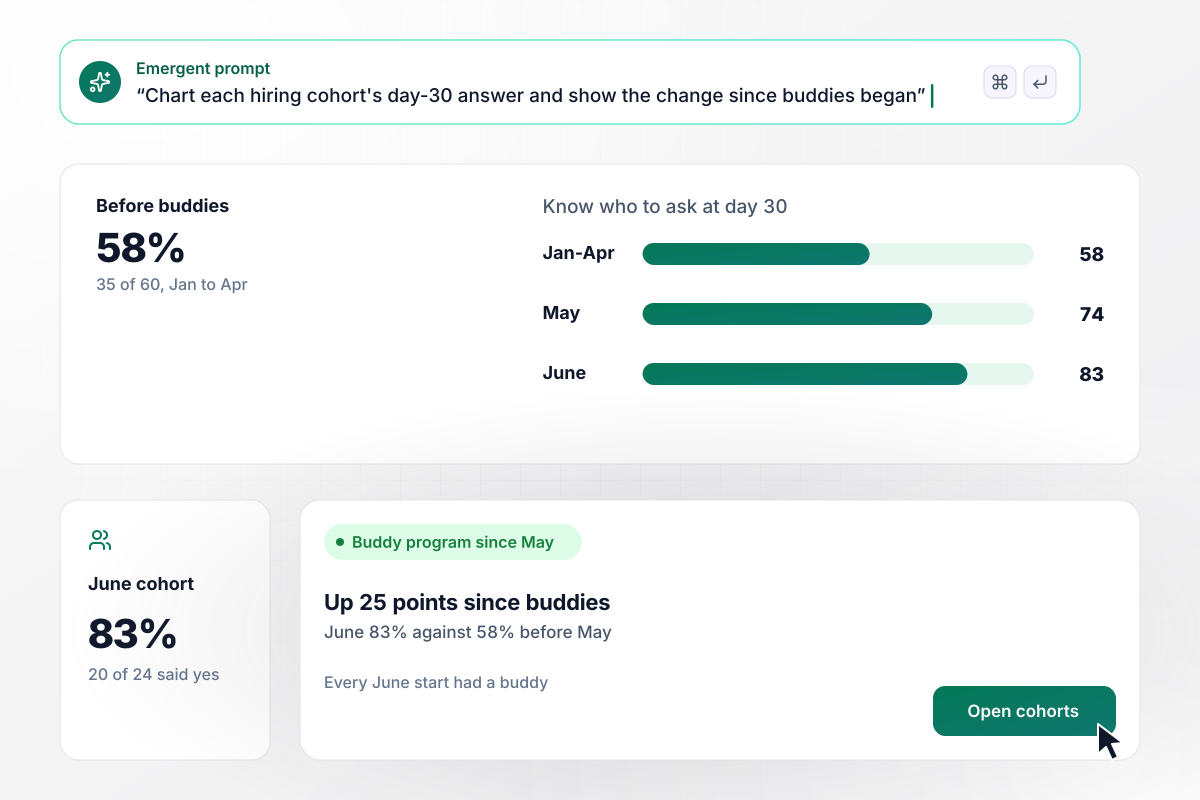
Since May, more hires know who to ask
Each month's new hires form a cohort, and every cohort is asked at day 30 whether they know who to ask for help. Fernway started pairing hires with a buddy in May. In the four months before, 35 of 60 hires said yes. In June, 20 of 24 did, and HR can show leadership the month the line turned.
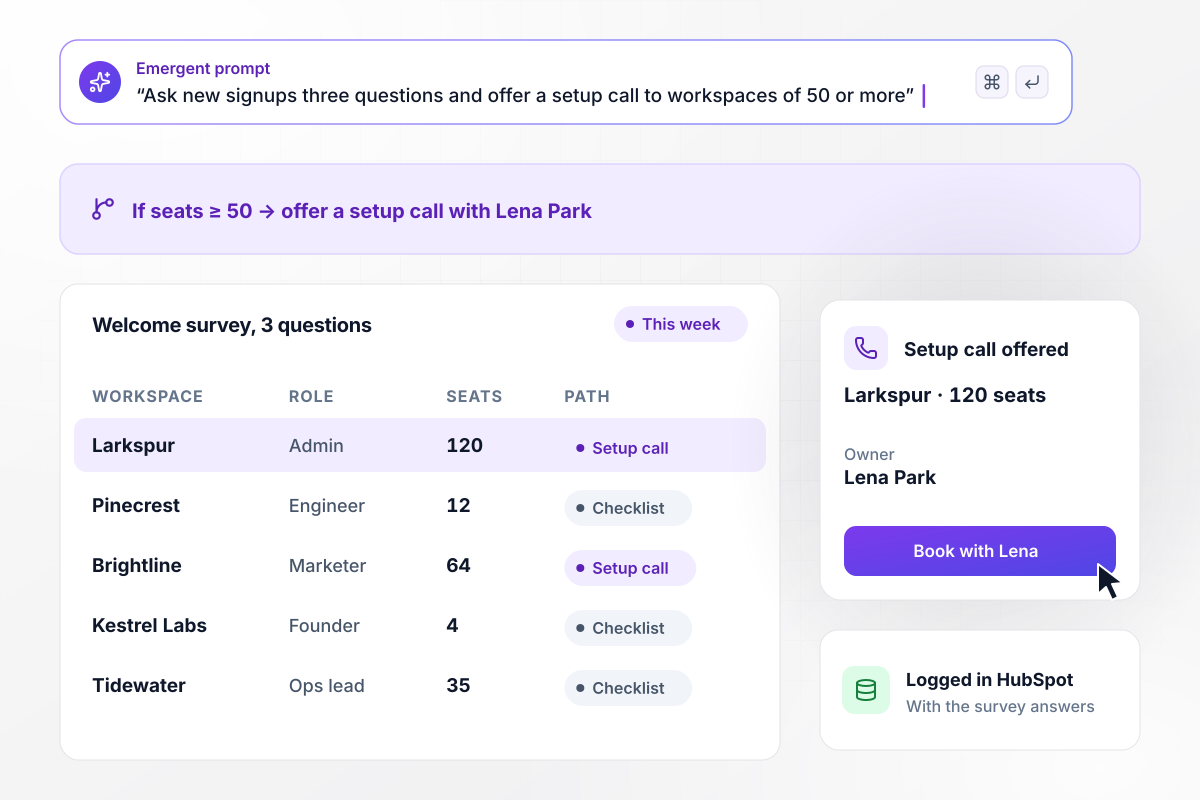
Setup calls for workspaces of 50 or more
Right after signup, a software product asks three questions on one screen: role, seat count, and the first task the user wants done. The answers pick the setup checklist. Workspaces with 50 or more seats are also offered a call with Lena Park, the onboarding lead. Each request lands in HubSpot.






How to Run an Onboarding Survey
Seven steps to plan an onboarding survey around a hire's first 90 days, route urgent answers to an owner, and build it in Emergent.
Check in on the first day, then every 30 days until day 90. Give each checkpoint its own job: day one checks logistics, day 30 checks clarity and day 90 checks whether the hire plans to stay. Skip weekly surveys in the first month, when a new hire already has plenty to read.
Keep each round to eight questions or fewer. Use a five-point agreement scale for most of them, one yes-or-no gate for anything urgent, and one open box. Repeat a single core question in every round, because a trend needs the same wording each time.
A confidential survey shows HR who answered, and an anonymous one stores no identity at all. Confidential lets HR follow up with one person about a missing login. Say which kind it is on the first screen, in plain words, before question one.
Pick the two or three answers that need action within a day, like a laptop that never arrived. Give each one a single owner, such as the IT lead or the hiring manager. Everything else waits for the monthly review.
Write the brief the way you would explain it to a new HR coordinator, including who sees what and who gets alerted. Emergent builds the questions, the timed sends, a response database, and a dashboard. Changing a question later takes one more message.
Connect BambooHR or any HR system with an API. Start dates and managers then come from records HR already keeps. New hires join the schedule from that record, and nobody has to upload a spreadsheet of names each month.
Once a month, set the newest cohort beside the ones before it on the repeated question. Look for the one team or step where answers drop. Fix that step, then check whether the next cohort answers differently.
Why Build an Onboarding Survey on Emergent?
Listening platforms price onboarding surveys by headcount. Emergent builds yours as an app with its own response database.

|
Culture Amp | Qualtrics EmployeeXM | SurveyMonkey | |
|---|---|---|---|---|
| What you get | Pulse and annual surveys, confidential reporting, and manager dashboards, as code you own | Engagement, pulse, onboarding, and exit surveys with analytics | Employee listening inside the Qualtrics XM platform | Survey builder with templates, including employee engagement |
| Pricing model | Credits, no response caps or per-response fees | Quote-based, per employee by module, billed annually | Quote-based, priced by employee count | Per-user team plans with a seat minimum, billed annually |
| Where responses live | A database table you own, plus any integration | Culture Amp platform | Qualtrics platform | SurveyMonkey account |
| Code ownership | Full code export to GitHub on paid plans | None | None | None |


Pick the Pricing Plan That Works for You
Choose the plan that fits your building ambitions. From weekend projects to enterprise applications, we've got you covered.




Find the right survey, quiz, or poll
for your team
Frequently Asked Questions
Your Questions, Answered
Don't change this element unless you know what you are doing
More things you can build
with Emergent









on Emergent today


