

Build Poll Questions People Answer and Act On
Build poll questions for work, events, or friends, and save every vote to a database you own.
Build poll questions for my 80-person company's Friday all-hands that staff answer from a phone in under a minute.
Trusted by Builders Worldwide
Active Builders Worldwide
Apps Successfully Created
Countries Globally Reached



What Emergent Builds Into a Poll
Describe the poll once, and Emergent builds the page voters see, the table that stores each vote, and the results view.
A poll drafted from one sentence
Describe the poll you want, such as a this-or-that question for Monday's standup. Emergent writes the question and its answer options, and a follow-up prompt rewords any of them.
One question per screen on a phone
Voters open the link and see one question with large answer buttons, sized for a phone. Emergent sets no cap on how many people answer, so a poll can go to a whole company.
Every vote saved in a database you own
Each vote is a row in a database you own, stamped with the poll, the answer, and the time. Compare this month's poll of the day results with last month's whenever you like.
Results that move while people vote
The results page shows bars that update live as votes arrive, and a speaker can put it on screen mid-talk. Hide the totals until the poll closes if early votes would sway others.
Polls posted where your team already talks
Connect Slack, and the app posts each new poll to the channel you pick, then posts the result when it closes. Anyone who has not voted can get an email reminder before the deadline.
Your domain, and the code on paid plans
Run the poll on your own domain, included in Emergent and billed in credits. On paid plans, export the full code to your GitHub repository and keep the poll app for next year.
Four Polls and What Their Votes Decided
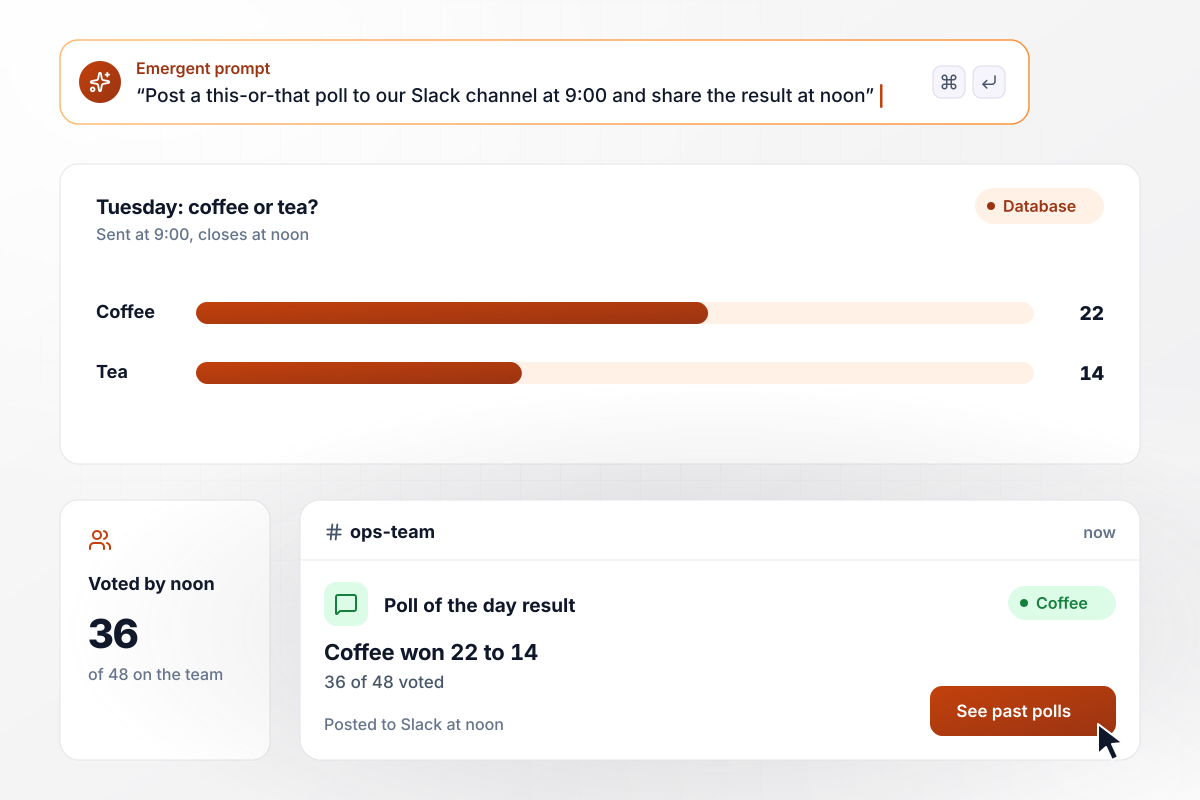
Coffee beats tea 22 to 14 by noon
At 9:00 each morning, Pellworth Freight's operations team gets one this-or-that question in Slack. Tuesday's was coffee or tea. By noon, 36 of the 48 people on the team had voted, and coffee won 22 to 14. The app posted the result back to Slack and saved the votes beside every earlier poll of the day.
window.awbMockup = { pollOfTheDay: "Post one this-or-that poll question to my operations team's Slack channel at 9:00 every morning, such as coffee or tea. Close the poll at noon, post the result back to the channel with the vote count, and keep every day's votes in one table so I can look back over the month.", multipleChoice: "Build a multiple choice poll so my dental office staff can pick this year's summer outing: bowling, an escape room, a cooking class, or karaoke. Allow one vote per person, checked against our staff list of 27, and show me the votes and share for each option when it closes.", liveAudience: "I am speaking at a conference and want to open with a funny poll. Show a QR code on my slide, let attendees vote on their phones with each question on its own screen, and show bars on the slide that grow live as votes come in. Count how many people in the room voted.", wouldYouRather: "Build a would you rather poll for my 12 friends to choose our September trip: a cabin by the lake or a beach house. Set a deadline, email a reminder the day before it to anyone who has not voted, and show me the final count so I can book the winner." };
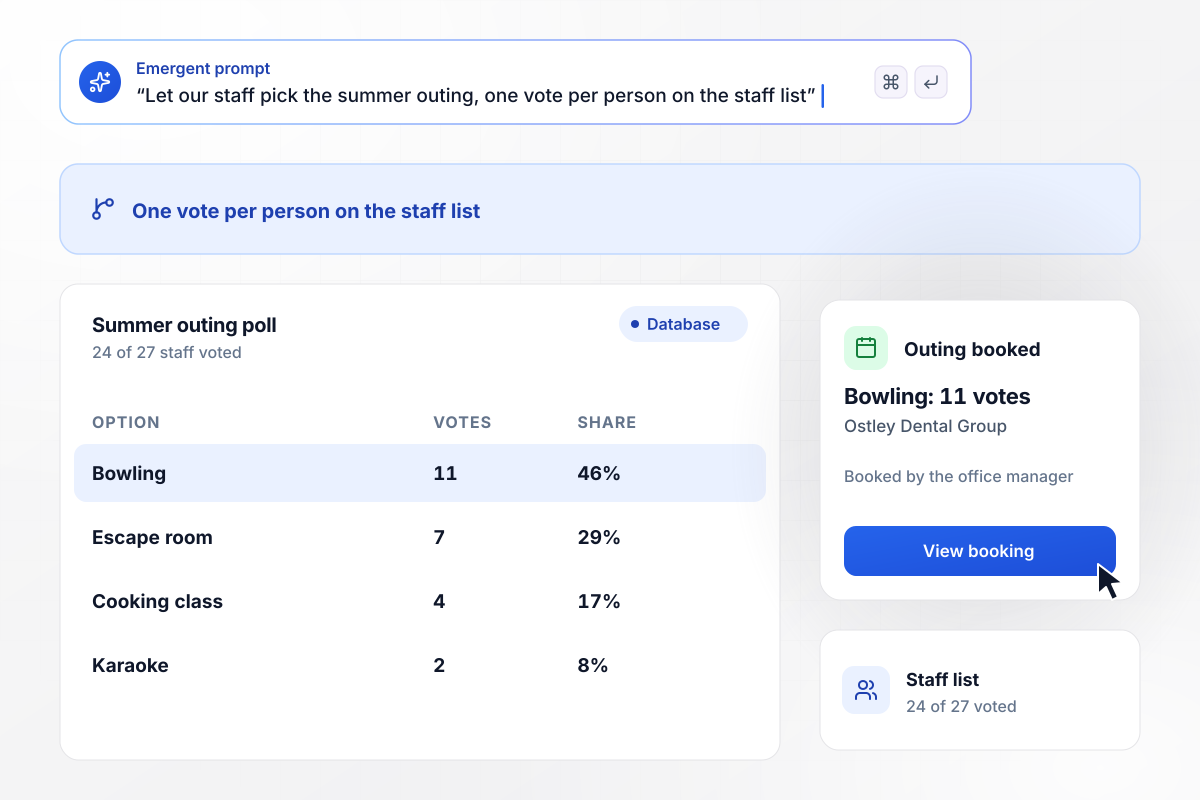
Bowling, with 11 of 24 votes
Ostley Dental Group closes on a Friday each summer for a staff outing, and the staff pick it. The office manager's multiple choice poll takes one vote per person on the staff list, and 24 of 27 staff voted. Bowling got 11 votes, the escape room 7, a cooking class 4, and karaoke 2. She booked the bowling alley that afternoon.
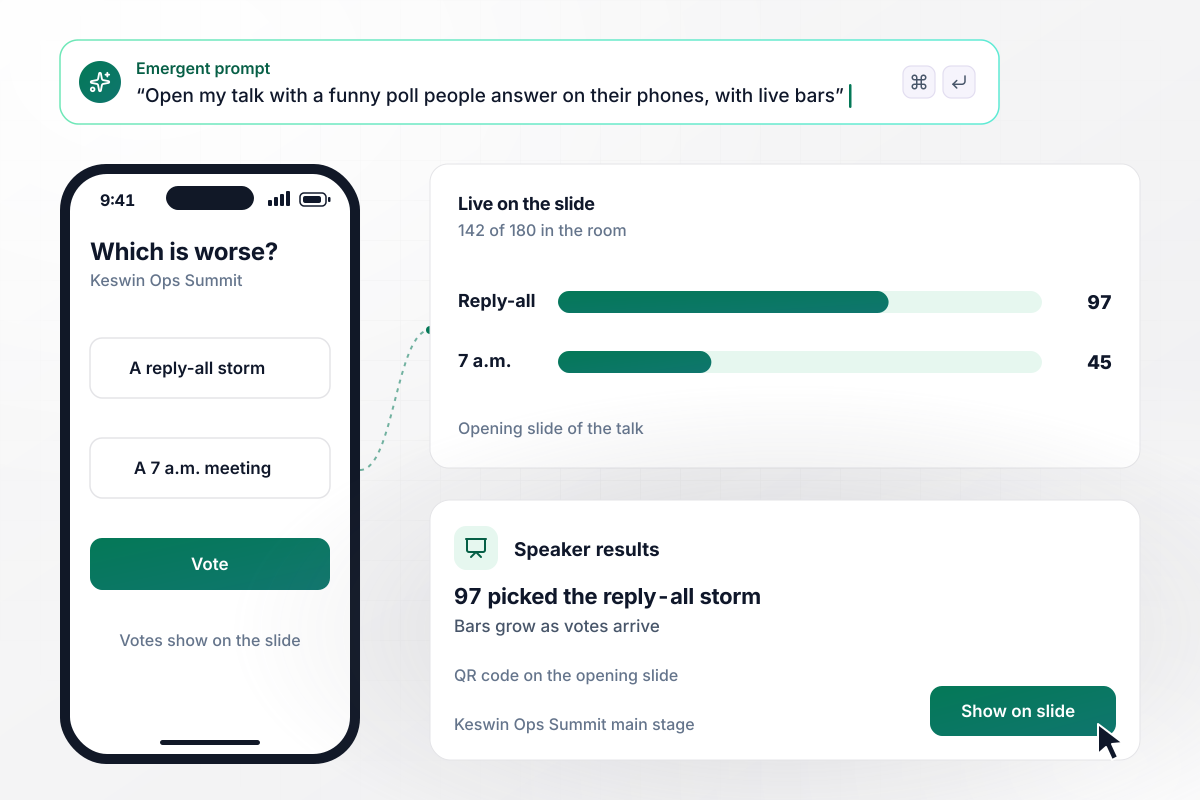
Votes from 142 phones fill the slide
The Keswin Ops Summit speaker opens with a QR code and a funny poll question: which is worse, a reply-all storm or a 7 a.m. meeting? People vote on their phones, each question on its own screen, and the bars on her slide grow as votes arrive. Of 180 in the room, 142 voted, and 97 picked the reply-all storm.
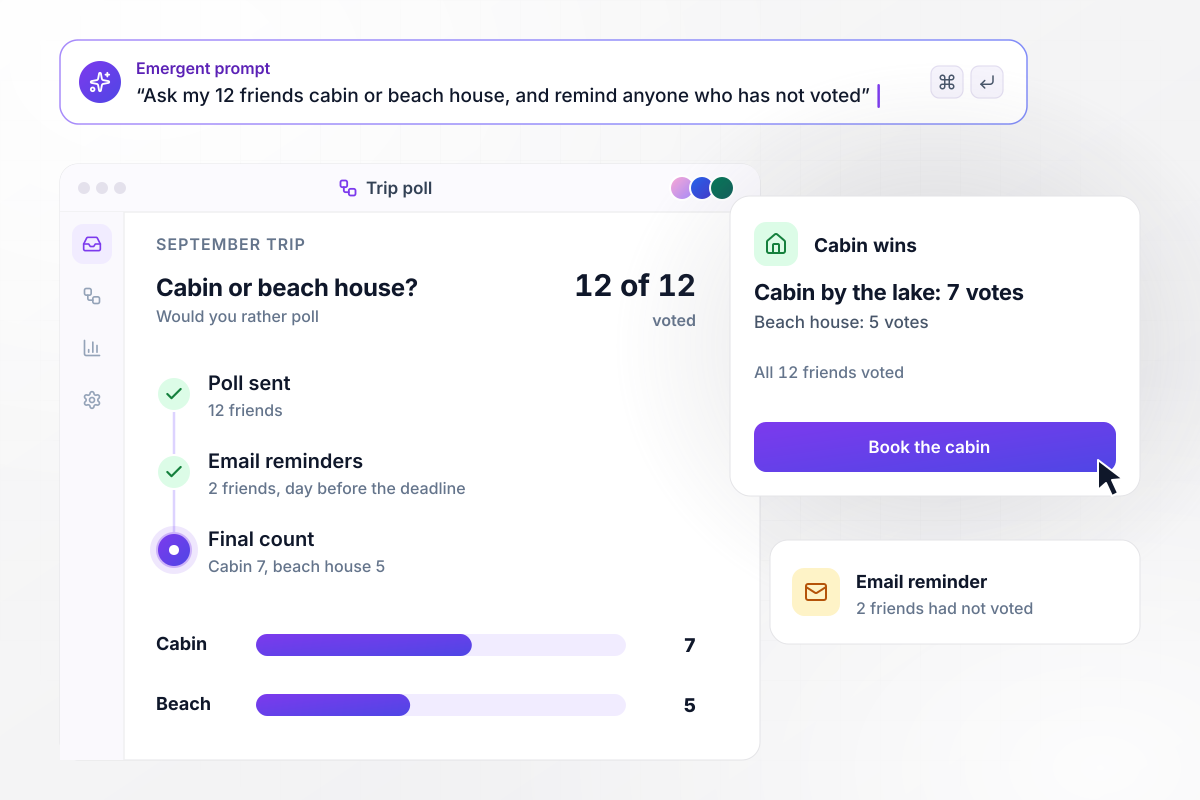
The cabin wins once all 12 friends vote
Wrenna Brisco sends her 12 friends a would you rather poll for their September trip: a cabin by the lake or a beach house? The day before the deadline, 2 friends still had not voted, and each got an email reminder. Both voted that evening. The cabin won 7 to 5, and Wrenna booked it.






How to Write Good Poll Questions
Seven steps to write poll questions that get votes and a clear winner, then run the poll with Emergent.
Settle what the poll is for before you write it. A poll of the day only needs to be fun, but a poll that picks an outing or a menu needs a date when you act on the winner. Write that date down first.
Put a single idea in each question. Coffee or tea gets a clean count. Add hot or iced to the same question, and the room splits four ways with no clear winner. If you need both answers, run two polls on two days.
Give a this-or-that poll two answers and a multiple choice poll no more than five. Keep the options the same kind of thing, such as four outings, and add an Other box only if you plan to read what people type.
Joke about shared pain, such as early meetings, reply-all storms, or the office coffee, and never about a person or a group. Read each funny question aloud, picture the quietest person on the team hearing it, and cut any that would sting.
Type one sentence, such as a this-or-that poll for my team's Slack channel at 9:00 each morning, closing at noon. Emergent builds the poll from it. Add who may vote and where the result goes in a follow-up prompt.
Send the link to 3 people before anyone else sees it. Check that each answer reads clearly on a phone, that a second vote from the same person is handled the way you planned, and that the result lands where you expect.
Close the poll at the time you announced and post the count with the winning answer. Then do what the poll decided within the week, and say what changed when the next poll goes out.
Why Build Your Poll Questions With Emergent?
On Emergent, every vote lands in a table you own, with no cap on voters, and a prompt rewrites the poll before it goes out.

|
SurveyMonkey | Microsoft Forms | SurveyHero | |
|---|---|---|---|---|
| What you get | Survey, logic, and response database, as code you own | Survey builder with templates, including employee engagement | Surveys, quizzes, and polls with response summaries | Survey builder with templates, including employee satisfaction |
| Pricing model | Credits, no response caps or per-response fees | Per-user team plans with a seat minimum, billed annually | Free with a Microsoft account; included in Microsoft work and school subscriptions | Free plan, then per-account plans with unlimited responses |
| Where responses live | A database table you own, plus any integration | SurveyMonkey account | Microsoft Forms, with export to Excel | SurveyHero account, EU data centers |
| Code ownership | Full code export to GitHub on paid plans | None | None | None |

Pick the Pricing Plan That Works for You
Choose the plan that fits your building ambitions. From weekend projects to enterprise applications, we've got you covered.




Find the right survey, quiz, or poll
for your team















Frequently Asked Questions
Your Questions, Answered
Don't change this element unless you know what you are doing
More things you can build
with Emergent









on Emergent today


