

Build an NPS Survey That Works Out Your Score
Get an NPS survey that asks the 0-10 question, calculates your score, and saves every answer to a database you own.
Build an NPS survey for my accounting software that asks every customer the 0 to 10 question each quarter.
Trusted by Builders Worldwide
Active Builders Worldwide
Apps Successfully Created
Countries Globally Reached



One Question and What Follows From It
Customers see only the first feature. The other five score each answer and get it to the person who can act on it.
The 0-10 question and a reason box
Emergent writes the recommend question on a 0-10 scale, then an open box asking what drove the score. On a phone, each of the two questions gets a full screen of its own.
The score, with each group counted
The dashboard sorts every answer into promoter, passive, or detractor and shows the score next to the share in each group. When the score changes, you can see which group moved.
An email when a score of 6 or below lands
Pick who hears about low scores, and the app emails that person the score and the comment, with the customer's name on top. Teams that work in Slack can get it in a channel there.
Results split by plan or location
Add a field for the plan, product, or location, and the dashboard works out a separate score for each value. A company-wide score can hide one plan that sits far below all the rest.
Sent after the event that matters
Connect your billing system or CRM by API, and the app can send the survey when a record changes, such as a renewal. Each answer can sync back to that customer's record.
Your survey's code, exported to GitHub
On paid plans, Emergent exports the full survey app to your GitHub repository, with the scoring logic and the dashboard. From there, the code is yours to read or extend.
Four Teams Reading Their NPS
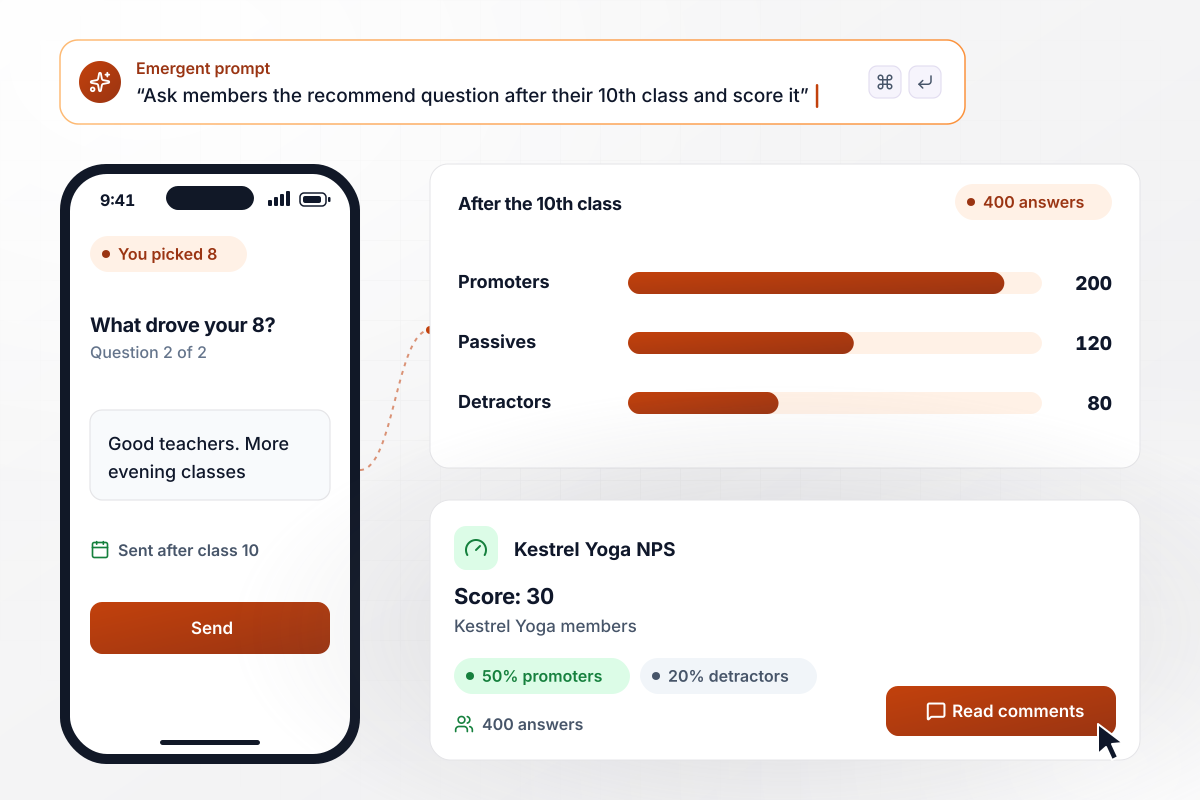
Kestrel Yoga lands on 30 after the 10th class
Kestrel Yoga sends the survey to each member the day after their 10th class. Of 400 answers, 200 come from promoters and 80 from detractors, and the dashboard shows a score of 30. The other 120 are passives, and several of them ask for more evening classes.
window.awbMockup = { fitnessStudios: "Build an NPS survey for my yoga studio. Send it to each member the day after their 10th class: the 0-10 recommend question, then a box asking why. Show a dashboard with the score, the number of answers, and the count of promoters, passives, and detractors.", softwarePlans: "Build an NPS survey for my bookkeeping app's customers on 3 plans: Starter, Pro, and Team. Save each customer's plan with the answer, work out a separate score for each plan, and list the comments from the lowest-scoring plan first.", homeServices: "Build an NPS survey for my home cleaning company that goes out after each visit. When a customer scores 6 or below, email our operations manager the score, the comment, and the customer's name so she can call them back.", propertyManagers: "Build a quarterly NPS survey for the tenants of my property management company. Ask the 0-10 recommend question and one open question, then chart the score for each quarter and list the most frequent comment topics." };
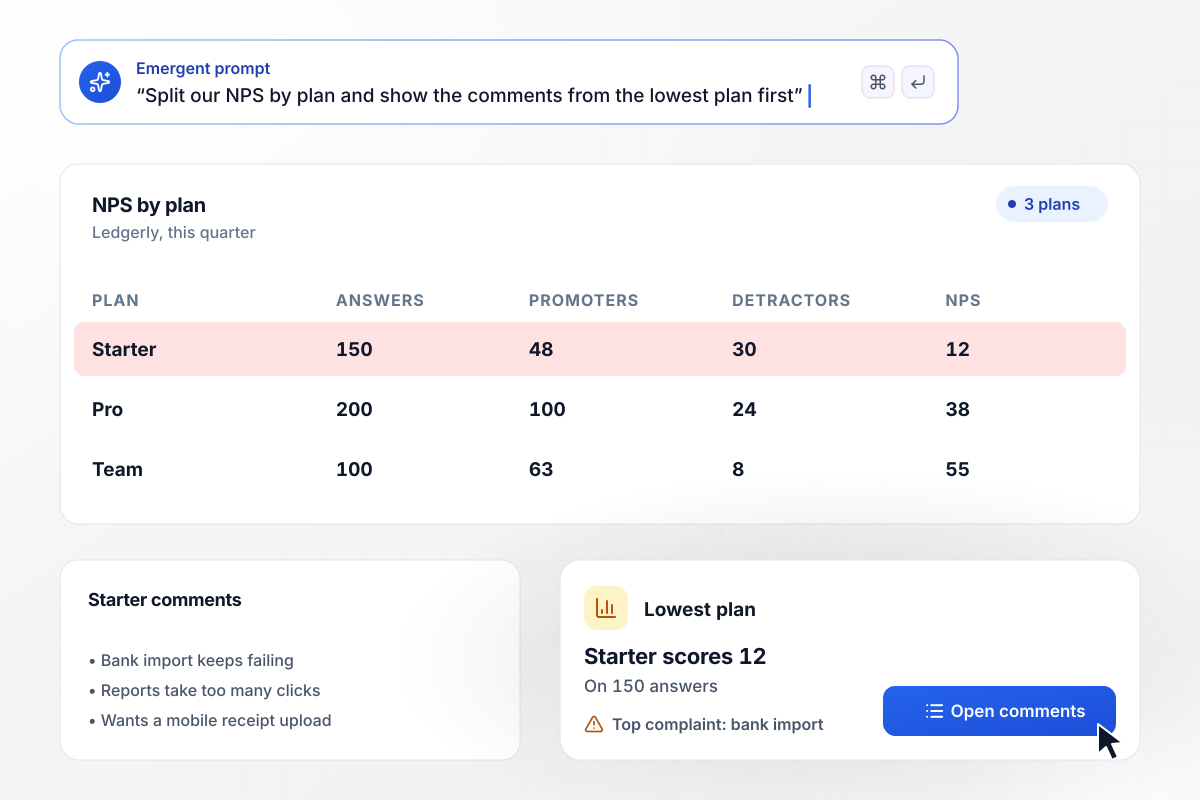
Low on Starter, high on Team
Ledgerly sells three plans and splits its NPS by plan. Team scores 55 on 100 answers and Pro scores 38 on 200, but Starter sits at 12 on 150 answers. The product team opens the Starter comments first, where bank import is the top complaint.
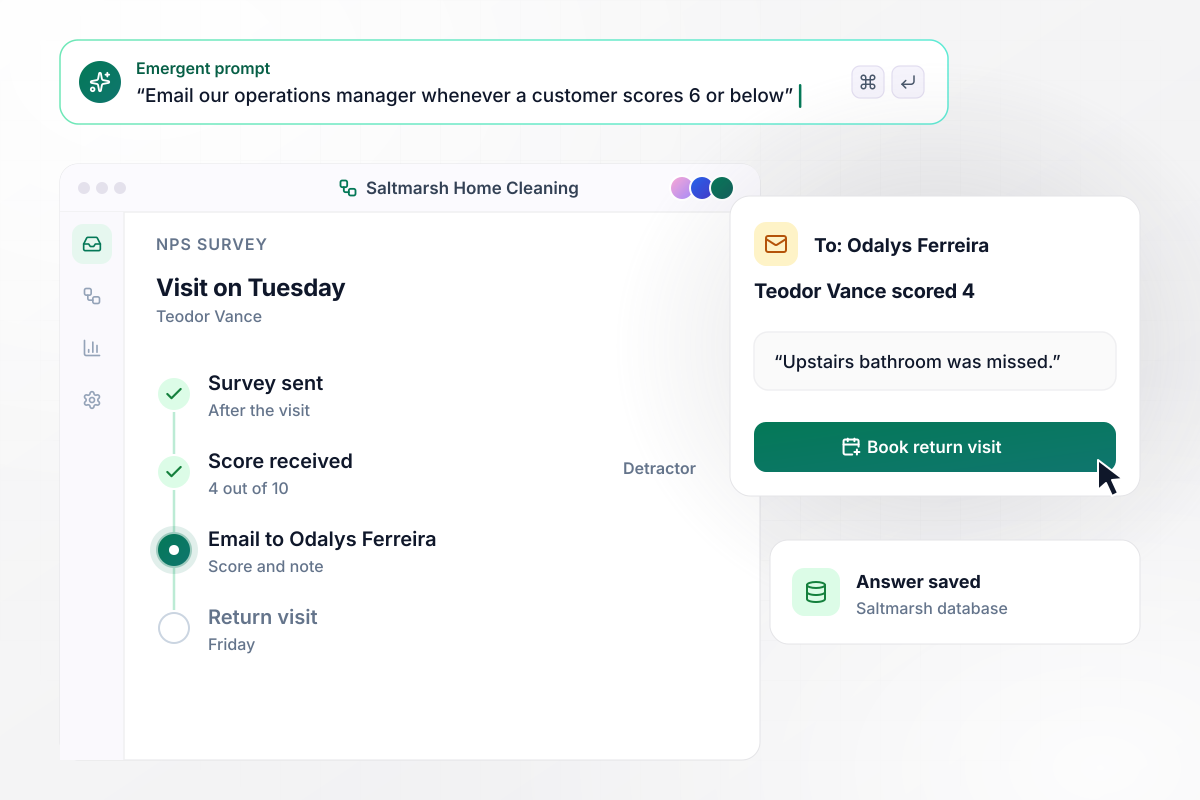
A 4 from a cleaning customer reaches Odalys by email
Saltmarsh Home Cleaning customer Teodor Vance scores his visit a 4 and writes that the upstairs bathroom was missed. Operations manager Odalys Ferreira gets an email with his score and note, and she books a return visit for Friday.
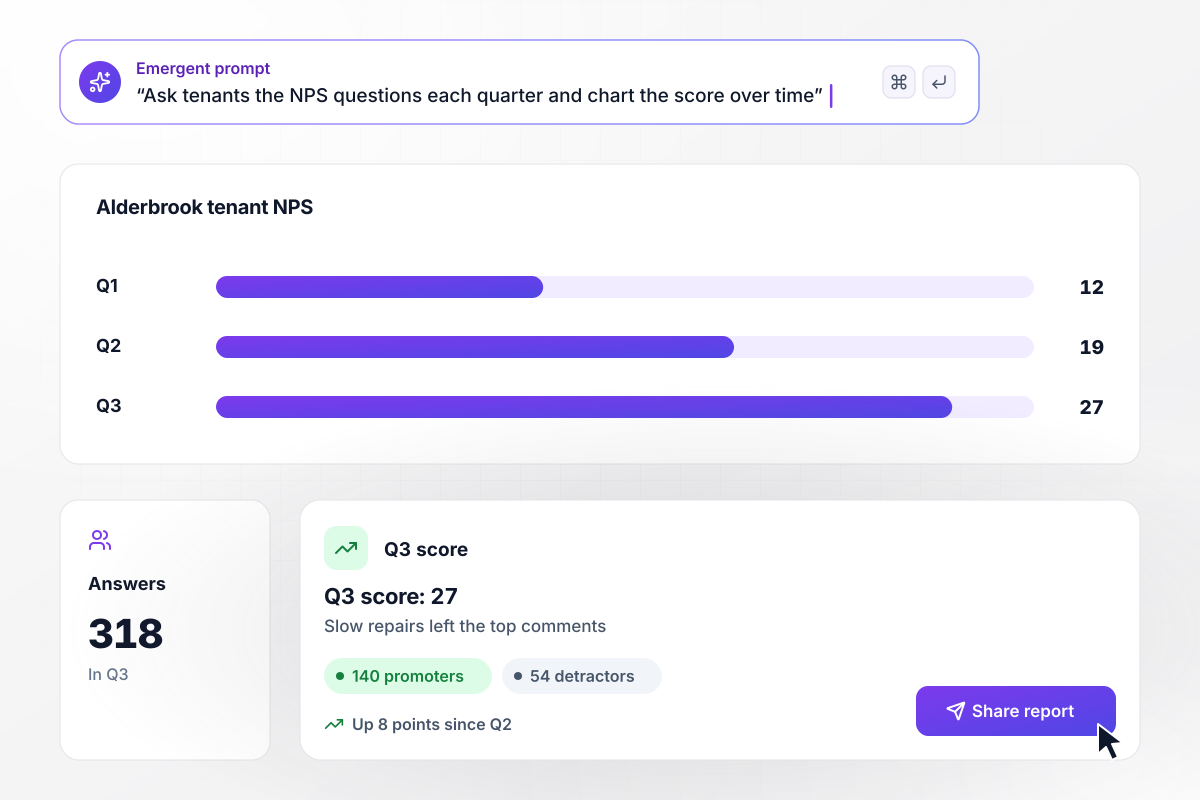
In Q3 the tenant score reaches 27
Alderbrook Property Management asks its tenants the same two questions every quarter. The score was 12 in Q1 and 19 in Q2. In Q3 it reaches 27 on 318 answers, with 140 promoters and 54 detractors, and slow repairs drop out of the top comments.






How to Create an NPS Survey
Seven steps to build an NPS survey with Emergent, send it at a moment that matters, and follow up on every low score.
Decide which moment sends the survey before you write a word: the day after a 10th class, or the first week of each quarter. Give each moment its own survey. A score taken after one event should never be averaged with a score taken after another.
Tell Emergent who answers, when the survey goes out, and what the dashboard should show. Emergent builds the survey and its database from that prompt, with the scoring on the dashboard. To change anything later, ask for it in a sentence.
Ask the recommend question as the Net Promoter System words it, "How likely are you to recommend us to a friend or colleague?", on a 0-10 scale. Put the name customers know you by in place of "us", and add the reason box as the second and last question.
Carry the plan or location into each answer from your own records, instead of asking the customer to type it. One clean field is what lets the dashboard show a separate score for each group.
Choose one person for each team or location to hear about every detractor. Name a person rather than a shared inbox, so each reply has an owner and nobody waits on a message that everyone assumed someone else had read.
Answer the survey yourself on a phone and on a laptop, then send it to 10 customers you know well. Check that a 9, a 7, and a 3 each land in the right group on the dashboard before the full send.
Open the dashboard after the first week and read the comments next to the score. Reply to each detractor within 2 days, and tell customers what you changed because of what they wrote.
Why Build Your NPS Survey on Emergent?
Every score and comment is a row in a database you own, and the survey keeps taking answers with no response cap as you grow.

|
SurveyMonkey | Microsoft Forms | SurveyHero | |
|---|---|---|---|---|
| What you get | Survey, logic, and response database, as code you own | Survey builder with templates, including employee engagement | Surveys, quizzes, and polls with response summaries | Survey builder with templates, including employee satisfaction |
| Pricing model | Credits, no response caps or per-response fees | Per-user team plans with a seat minimum, billed annually | Free with a Microsoft account; included in Microsoft work and school subscriptions | Free plan, then per-account plans with unlimited responses |
| Where responses live | A database table you own, plus any integration | SurveyMonkey account | Microsoft Forms, with export to Excel | SurveyHero account, EU data centers |
| Code ownership | Full code export to GitHub on paid plans | None | None | None |




Pick the Pricing Plan That Works for You
Choose the plan that fits your building ambitions. From weekend projects to enterprise applications, we've got you covered.




Find the right survey, quiz, or poll
for your team















Frequently Asked Questions
Your Questions, Answered
Don't change this element unless you know what you are doing
More things you can build
with Emergent









on Emergent today


