

Build Manufacturing Workflow Automation for the Plant Floor
Build manufacturing workflow automation that sends machine stops and quality holds to the right person by your limits.
Build manufacturing workflow automation that runs on its own and logs every step.
Trusted by Builders Worldwide
Active Builders Worldwide
Apps Successfully Created
Countries Globally Reached



What Emergent Builds for a Manufacturing Plant
Each part covers one handoff between the floor and the people who support it, and every record ties back to a line or a lot.
A stop clock on every machine
Operators log a stop from a tablet at the machine and pick a reason from your list. You choose how many minutes pass before the maintenance lead gets a direct message.
Lots held by their reject rate
Inspectors enter the sample size and the count of failed parts. The app works out the reject rate and holds any lot over your limit, with photos sent to the quality manager.
Engineering changes routed by cost
An engineer files a change with tooling and fixture costs on separate lines. Any change above your dollar limit goes to the plant manager before the drawing is released.
AI reads incoming material certificates
An AI step pulls the heat number and test values off each material certificate. A person checks any field the AI is unsure of before the material is cleared for use.
One board for the whole plant
The dashboard lists open machine stops and held lots for every line. It refreshes as each report comes in from the floor, and the morning meeting opens on today's numbers.
The plant app's code, in your GitHub
Export the full code of the plant app to your GitHub repository on paid plans. Anyone can read how each hold and approval is stored and extend it like any other codebase.
Four Handoffs Where a Plant Loses Time
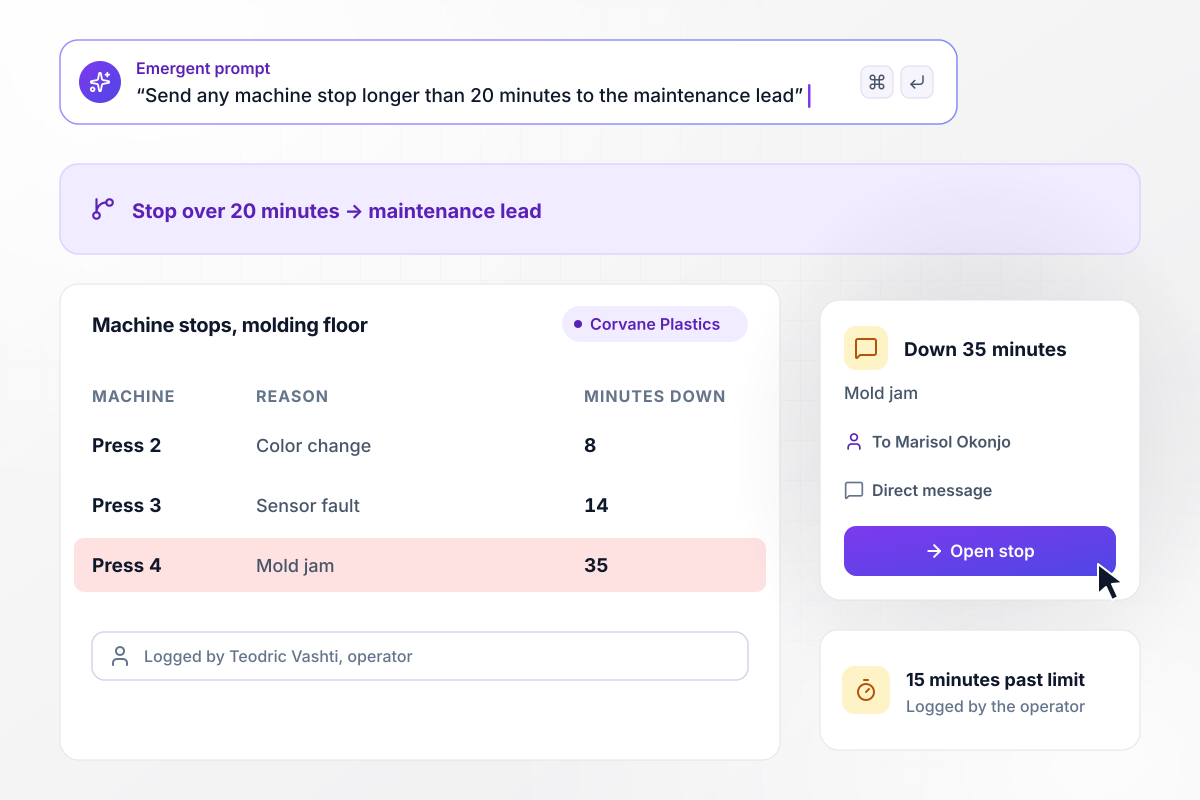
Maintenance hears when a press is down 20 minutes
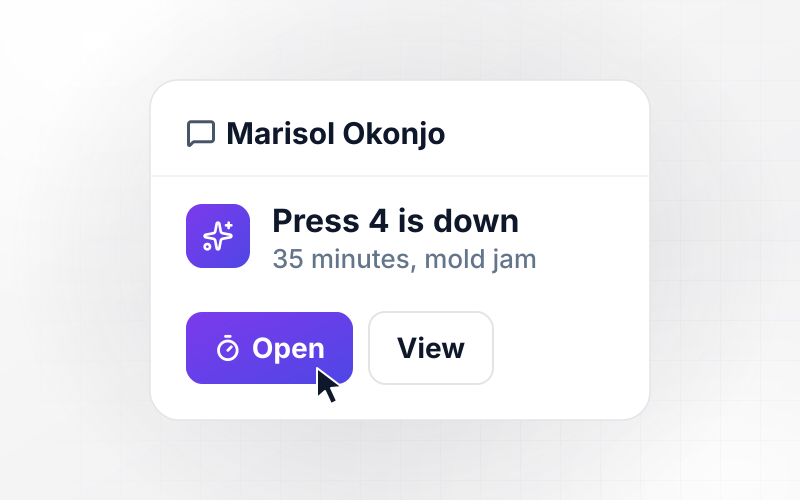
Press 4 at Corvane Plastics stops with a jammed mold. Operator Teodric Vashti logs the stop from the tablet at the press and picks mold jam as the reason. Any stop longer than 20 minutes goes to the maintenance lead. The press has now been down 35 minutes, and Marisol Okonjo has a direct message naming it.
window.awbMockup = { machineDowntime: "Build a downtime log for my plastics plant. Operators record a machine stop from a tablet at the machine and pick a reason from a list. Track how long each machine has been down. When a stop runs longer than 20 minutes, send the maintenance lead a direct message naming the machine and the reason.", qualityHolds: "Build an inspection app for my metal stamping shop. Inspectors enter the lot number, the number of parts sampled, the number that failed, the defect, and photos. Work out the reject rate. Put any lot over 2% on hold and email the quality manager the lot record with the photos.", changeRequests: "Build an engineering change request app for my fabrication shop. Engineers describe the change and enter tooling and fixture costs on separate lines, and the app totals them. Production and quality sign first. Any change over $10,000 also goes to the plant manager, and the drawing is not released until it is approved.", shiftReports: "Build an end-of-shift report my shift leads fill in on their phones. They enter the line, the cases packed, and the cause of any lost time. Compare the cases packed with the shift plan. When a shift finishes under 95% of plan, send the report to the production manager by direct message." };
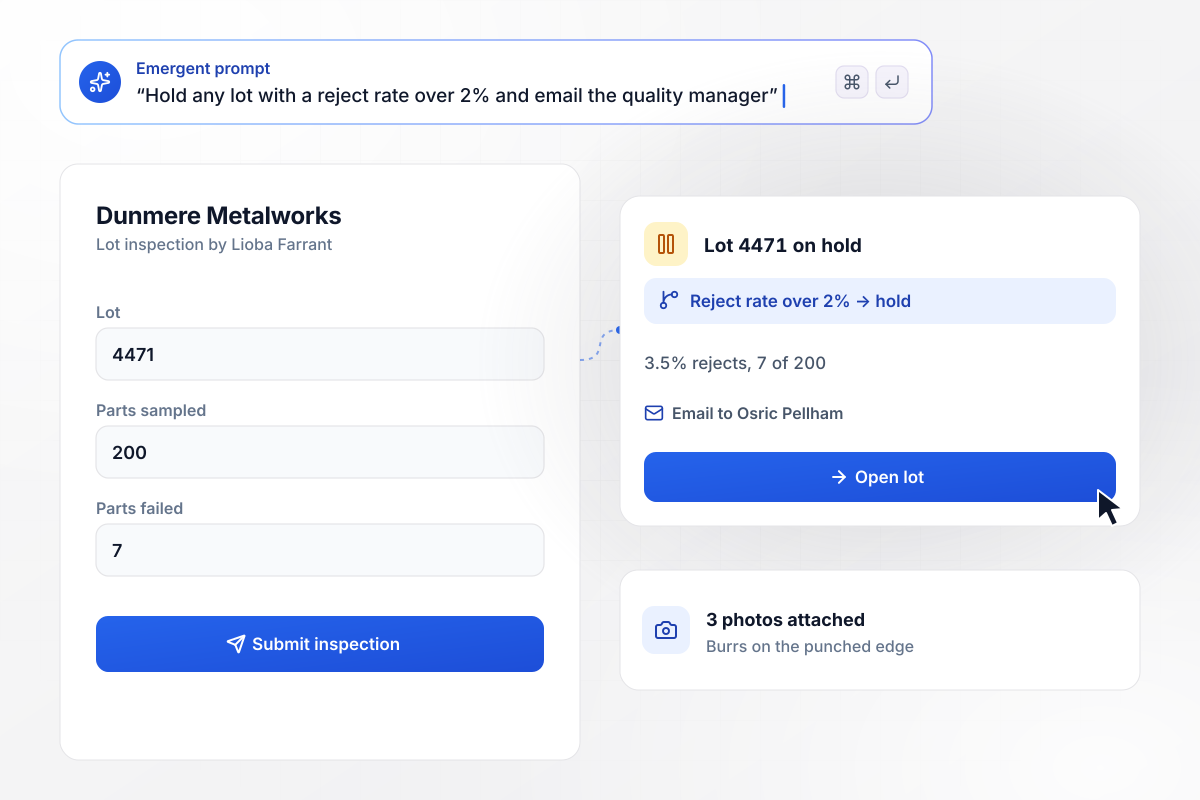
When 7 of 200 brackets fail, the lot goes on hold
Lioba Farrant, an inspector at Dunmere Metalworks, pulls 200 brackets from lot 4471 and finds 7 with burrs on the punched edge. Any lot with more than 2% rejects goes on hold, and 7 of 200 is over that line. Osric Pellham, the quality manager, gets the lot record by email with 3 photos attached.
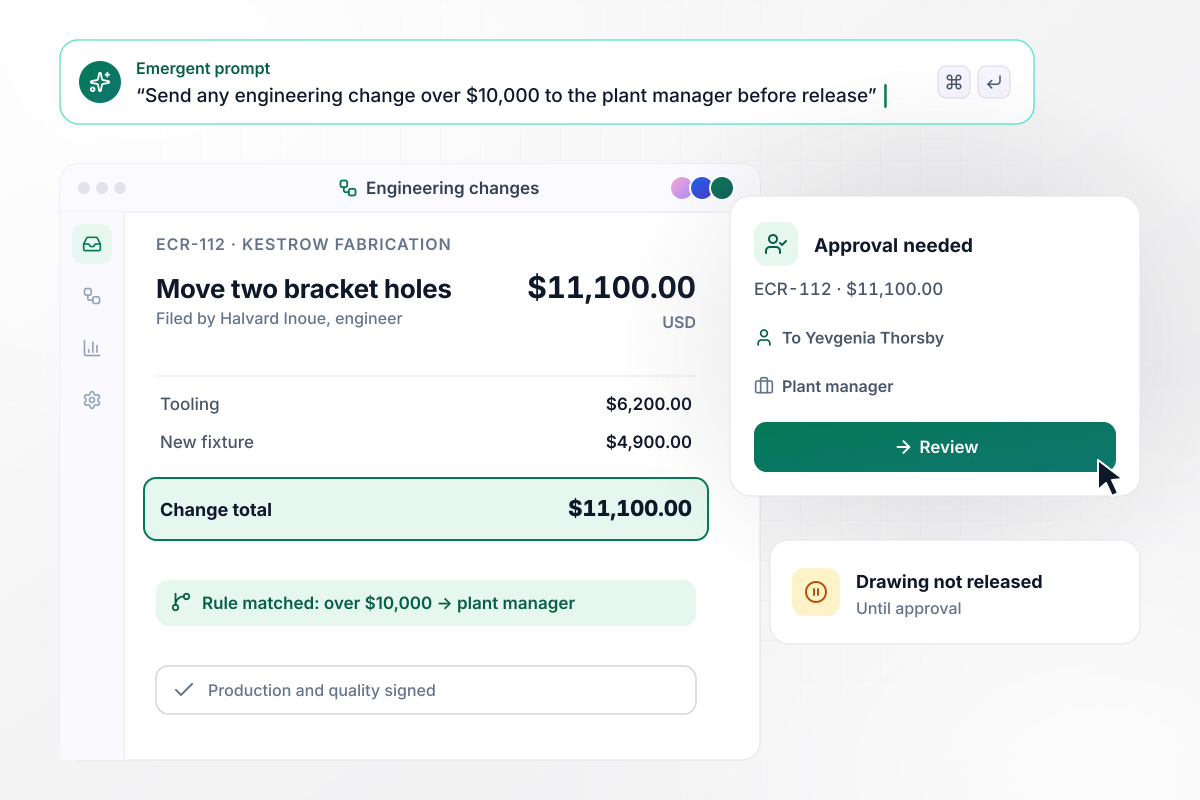
Before release, ECR-112 needs the plant manager
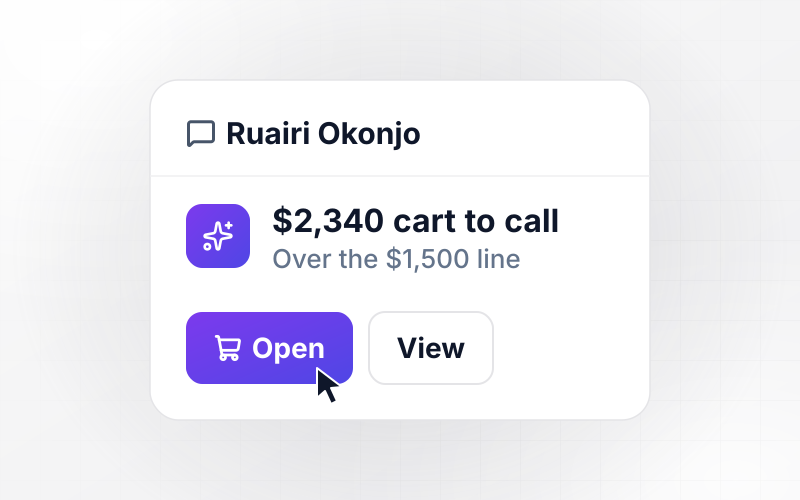
Halvard Inoue at Kestrow Fabrication submits ECR-112 to move two holes on a mounting bracket: $6,200 in tooling and $4,900 for a new fixture, $11,100 in all. Production and quality have signed. A change over $10,000 also needs the plant manager, Yevgenia Thorsby, before the drawing is released.
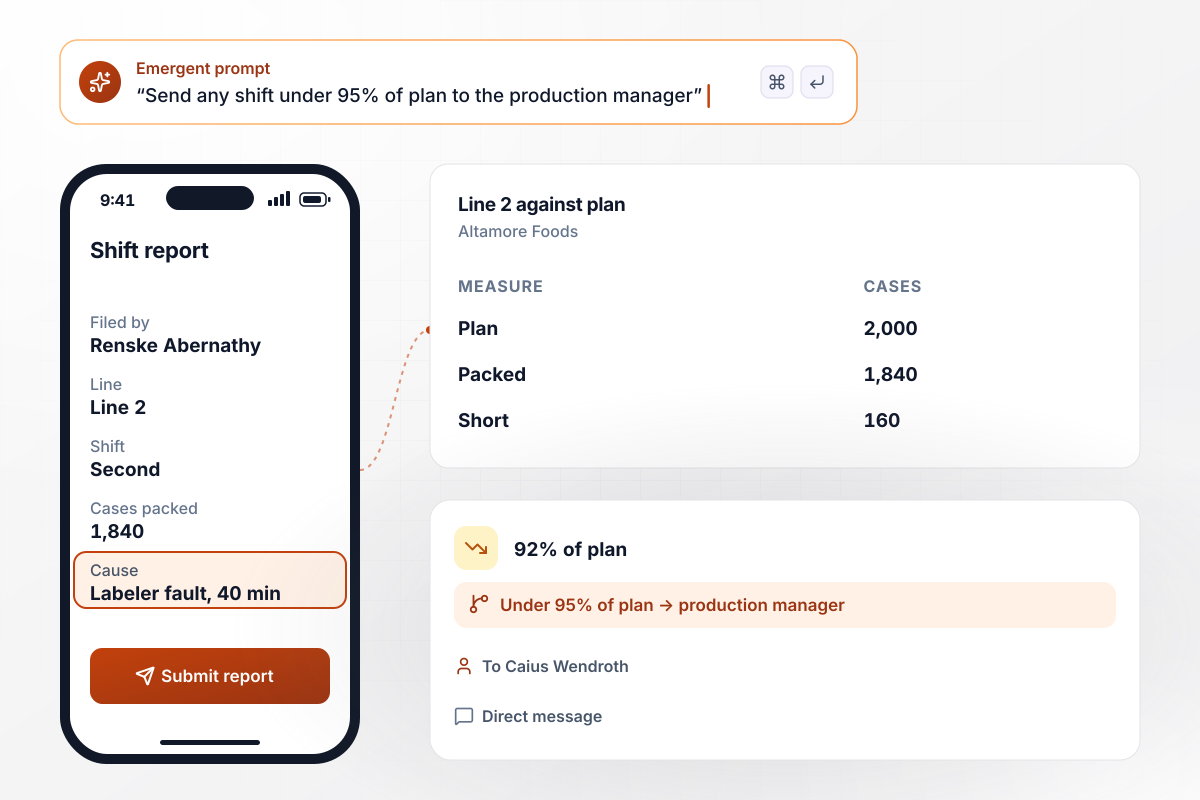
After a shift 160 cases short, Line 2 is reviewed
Renske Abernathy, shift lead at Altamore Foods, files the second-shift report for Line 2 from her phone. The line packed 1,840 cases against a 2,000-case plan, 160 short. She logs a 40-minute labeler fault as the cause. Any shift under 95% of plan goes to the production manager, Caius Wendroth, by direct message.






How to Automate Manufacturing Workflows
Seven steps from a list of plant handoffs to manufacturing workflow automation running on every line, built with Emergent.
Walk one line from start to finish and note each point where work waits on a person, such as a stopped machine waiting for maintenance or a lot waiting for an inspector. Write the owner of each wait beside it.
Decide the number each rule runs on. Pick how many minutes a machine can sit stopped before maintenance hears, and which reject rate puts a lot on hold. Then set the dollar amount at which an engineering change needs the plant manager.
Write one prompt that names each record and the rule it follows, such as a lot that goes on hold above 2% rejects. Emergent builds the app and its database from your prompt, and a later prompt changes either one.
Connect your ERP or production system through its API, and work orders and part numbers arrive without retyping. Add Slack or email for the alerts, and name the person who receives each one instead of posting to a shared channel.
Open each screen on the tablet or phone your operators carry and keep it to what someone can enter in under a minute. Offer stop reasons and defect types as a short list to tap, not a text box to type into.
Give one line 2 weeks on the app alongside your current paper or spreadsheet process. Compare what the app flagged with what supervisors caught by hand, and move a limit wherever the two lists disagree.
Add the next line once the first runs clean, and give it its own limits where its machines or parts differ. Review the plant board in the weekly operations meeting, and give every open stop and held lot an owner.
Why Build Manufacturing Workflows on Emergent?
Emergent builds the floor screens, the approval rules, and the plant dashboard as one app from a prompt, with no cap on tasks.

|
Zapier | Make (Integromat) | n8n | |
|---|---|---|---|---|
| How you build | Prompt for the workflow and the app around it | Templates and editor, AI copilot | Visual canvas | Visual canvas, self-hosted or cloud |
| What you get | Workflow + trigger form + database + dashboard, as code you own | Zaps, plus Tables and Interfaces inside Zapier | Scenarios inside Make | Workflows inside n8n |
| Behavior at cap | Keeps running, no task cap | Overage billed at up to 1.25× the base rate | Runs pause | Cloud workflows stop until the reset or an upgrade |
| AI and agent steps | Native, share the same credit pool | Priced by model tier, drawn from the task pool | AI modules cost variable credits | Bring your own model API key, billed by the provider |
| Code ownership | Full code export to GitHub on paid plans | None | None | Yes on Community Edition |


Pick the Pricing Plan That Works for You
Choose the plan that fits your building ambitions. From weekend projects to enterprise applications, we've got you covered.




Find the right workflow automation
for you and your business




Frequently Asked Questions
Your Questions, Answered
Don't change this element unless you know what you are doing
More things you can build
with Emergent









on Emergent today




