



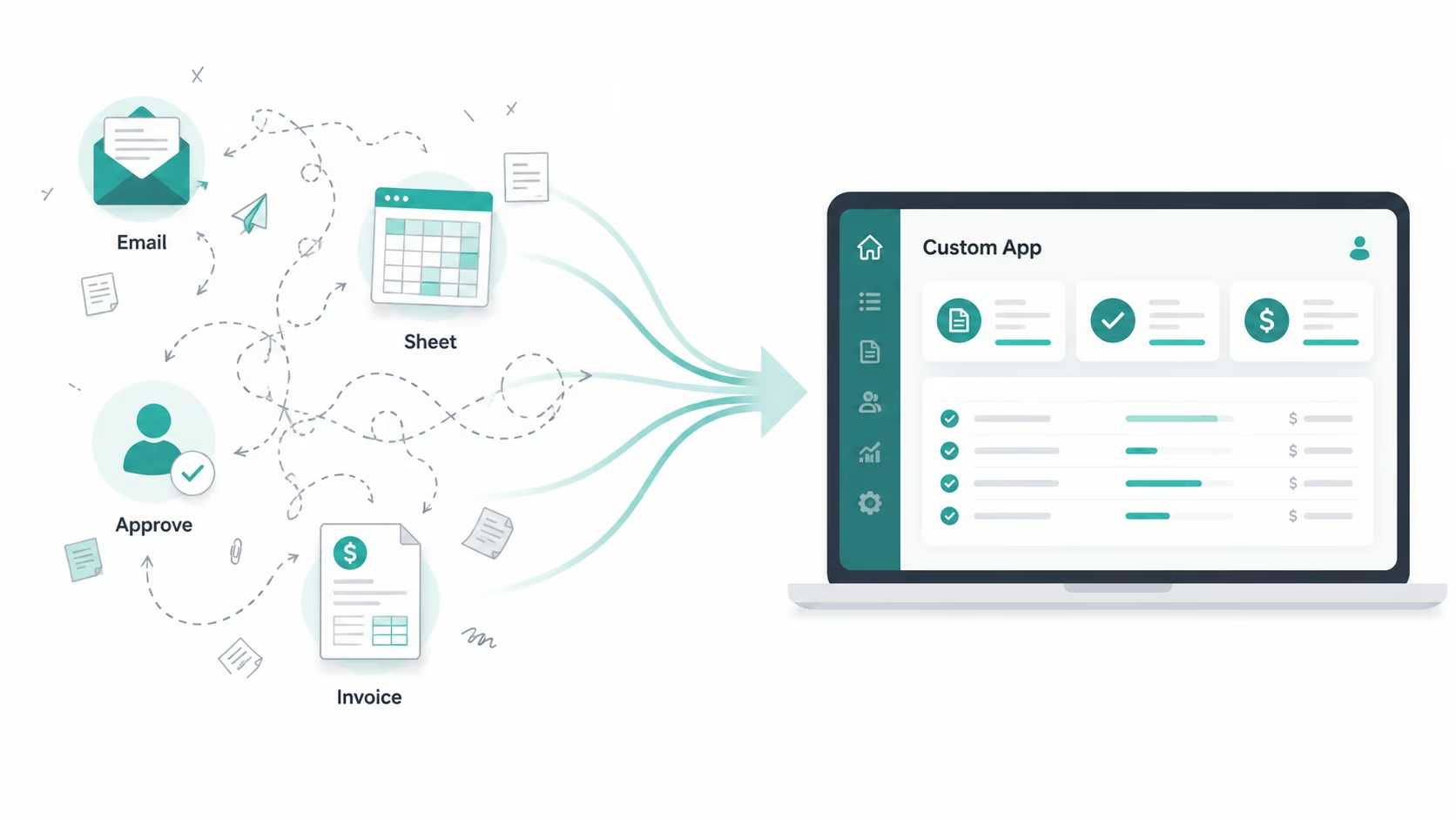
A consulting firm I worked with had clients submitting intake requests by email, with no record of who'd approved what. I tested five build paths on the same project. Custom business app development paid for itself the moment it replaced a manual process that was quietly eating real hours every week.
What Is Business App Development? The 30-Second Answer
Business app development is the process of designing, building, and deploying software built for one specific job, like onboarding clients, tracking inventory, or routing approvals. It's software shaped around your workflow, not a workflow bent to fit someone else's software.
Key Features
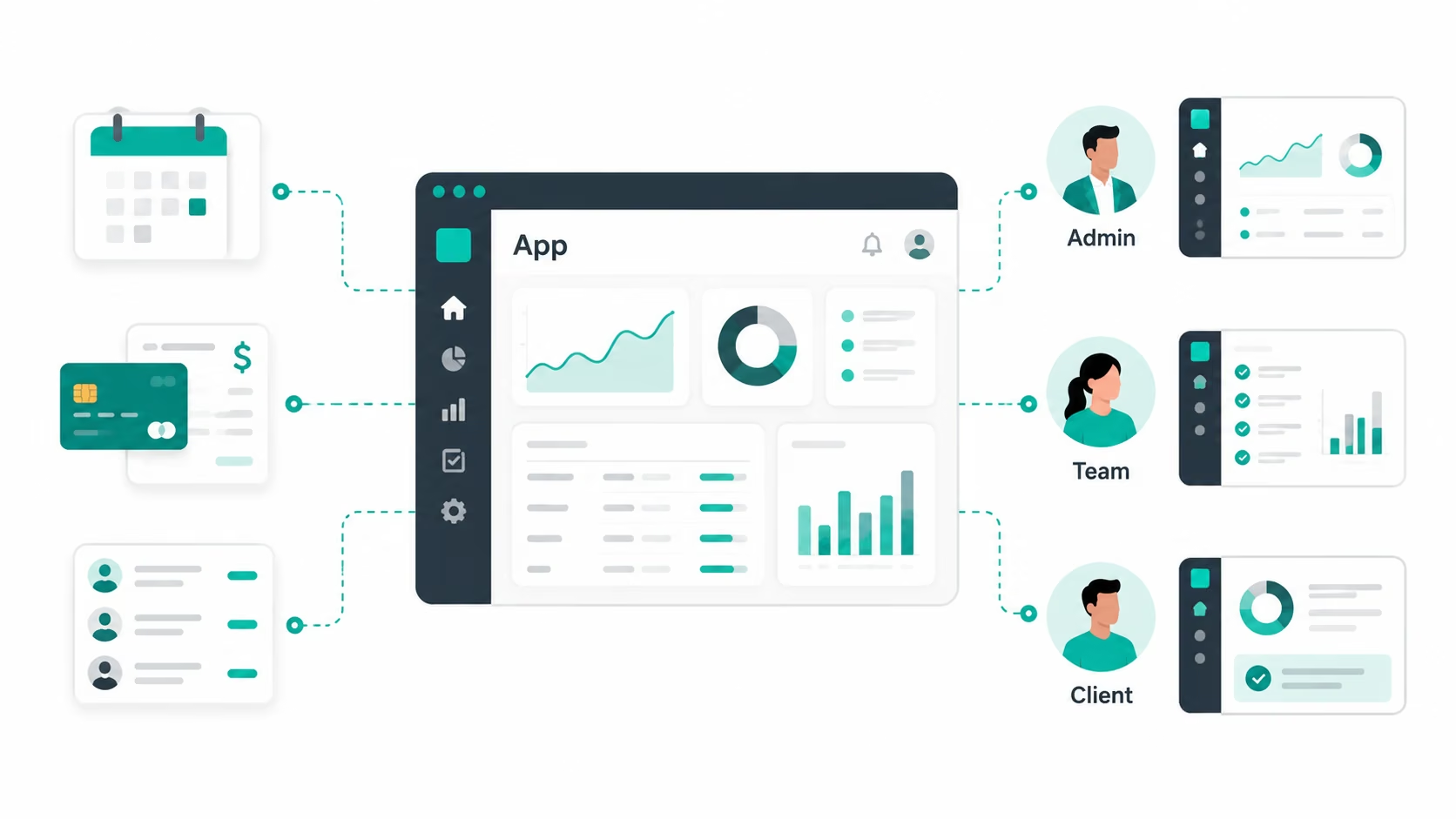
Every business app I tested, no matter the build path, shared the same bones.
- Custom workflows: The app mirrors how your team already works, so when I rebuilt the consulting shop's intake flow, the form matched their actual three-step approval process instead of a generic "submit and wait" template.
- Data integration: It connects to your CRM, calendar, or payment processor through APIs, so information moves on its own instead of getting copied and pasted into four different tabs.
- Role-based access: Admins, employees, and clients get different views, so the consultants could see every client file while clients only saw their own.
- Scalability: The app handles more users without a rebuild, though not every build path scales the same way.
- Security and compliance: Data gets encrypted, access gets locked down, and the app meets standards like GDPR when the business needs it.
How Does Business App Development Work?
Business app development follows a set sequence: plan, design, build, test, ship, maintain. Skip a step, and the app breaks later, usually right when you can least afford it.
Here's how that played out, building the same intake and invoicing tool five different ways:
- Planning and requirements: I wrote down exactly what broke. Clients submitted intake forms by email, the team made invoices by hand, and nobody tracked who approved what. This step took 20 minutes and saved me from rebuilding twice.
- Design: I sketched three screens: the intake form, the approval view, and the invoice summary. The layout made sense in my head, but it took two rounds of changes before the consulting team could use it without asking questions.
- Development: This is where the build paths split hard, since the Stripe setup took more hands-on wiring on some builders than others. The payment flow is consistently where these tools show their backend differences.
- Testing: I ran the app with the actual consulting team, not myself, and they found two bugs in ten minutes that I'd missed in two days of building.
- Deployment: The app went live for one client first, then the whole roster a week later. Rolling out slowly caught a notification bug before it hit every client.
- Maintenance: Six weeks later, I was still tweaking it. Maintenance ate more of my time than the build itself, which lines up with how often it turns out to be the real cost center in business software.
For a step-by-step walkthrough of this entire process, also read our guide on how to create a business app in an afternoon.
Business App Development vs. Off-the-Shelf Software: What's the Difference?
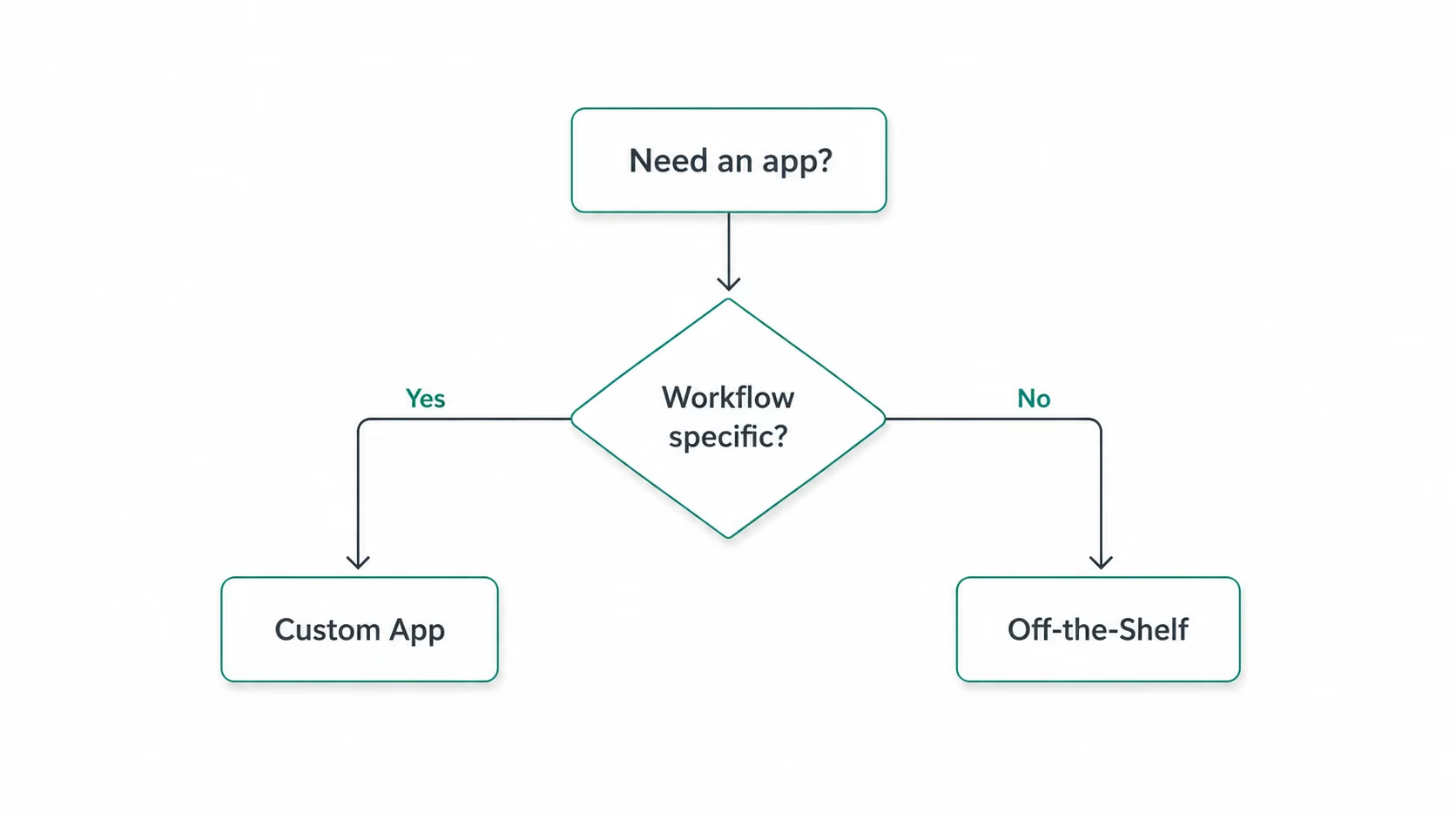
The main difference between custom and off-the-shelf software is who bends. Custom software bends to your team. Off-the-shelf software makes your team bend to it. Growing businesses no longer pick build versus buy. They customize what matters and compose the rest.
How custom and off-the-shelf software compare at a glance:
| Factor | Custom Business App | Off-the-Shelf Software |
|---|---|---|
| Cost | Higher upfront, lower long-term for specific needs | Lower upfront, customization fees stack up fast |
| Time to launch | Days to weeks, depending on the build path | Days, since the software already exists |
| Fit to workflow | Built around how your team works | You adapt your process to match the software |
| Scalability | Grows with your business without a rebuild | Often hits feature or pricing ceilings as you scale |
| Ongoing ownership | You control updates, integrations, and data | Vendor controls the roadmap and pricing changes |
Custom development won, no contest, for the consulting shop's intake problem. Their approval chain was specific enough that a generic CRM kept getting in the way. Paying for that CRM started to feel like a tax rather than a solution.
Off-the-shelf software still wins for solved problems. I didn't try to custom-build their email or accounting software. Some things work out of the box without help.
What I Liked and Didn't Like About Custom Business App Development
Pros (What Works)
- Workflow fit: No bending your process to match someone else's template, since the intake form I built matched the consulting team's exact three-step flow instead of a generic version.
- No licensing fights: No per-seat fees creeping up every time you hire, so the app grows with your headcount for free.
- System connections: Pulling client data from the calendar straight into the invoice killed an entire afternoon of manual re-entry every week.
- Lower bar to entry: AI builders made the first version dramatically cheaper than hiring a dev shop, with one builder getting a working version live the same afternoon I started.
Cons (Where It Falls Short)
- Demo-to-production gap: One AI builder gave me a working demo in fifteen minutes. Getting it to survive real payments and real users took the rest of the week. That gap is where most builds quietly die.
- Ongoing costs: Beyond the build itself, you're paying for hosting, API calls, and the credits burned every time something needs fixing after launch, so the "cheap AI build" stops feeling so cheap.
- No owner, no upkeep: A custom app left alone for three months starts quietly breaking in ways nobody notices until a client complains.
Should You Use Custom Business App Development? My Take
Custom development earns its cost the moment your workflow is specific enough that generic software keeps getting in your way. If your team is still duct-taping spreadsheets and email threads together, that's your sign.
Custom Business App Development Is Perfect For:
- Specific workflows: The consulting shop's approval chain didn't map to any CRM I tried, so custom was the only real option.
- Fragile manual processes: Once a process touches more than a handful of people, "we'll manage it in a spreadsheet" stops being a plan.
- Teams scaling with headcount: Custom apps skip the per-seat pricing traps that hit growing teams hard.
- Founders without engineers: This is where AI app builders earn their hype, turning a written description into a working app, payments included, in a single sitting.
Need proof it works for real business workflows? Read how a specialty contractor built a custom invoice app in hours on Emergent
Skip Custom Development If You:
- Need it today: A standard CRM or invoicing tool solves common problems immediately, with no build time required.
- Have a generic workflow: Email and basic project tracking are solved problems, so building custom here means reinventing a wheel that already rolls fine.
- Can't own it long-term: Even the cleanest build degrades fast without someone watching it.
How to Get Started with Business App Development in 5 Steps
A good business app starts with the workflow, not the tool. Get these five pieces clear first, and the build becomes much easier to scope, test, and maintain.
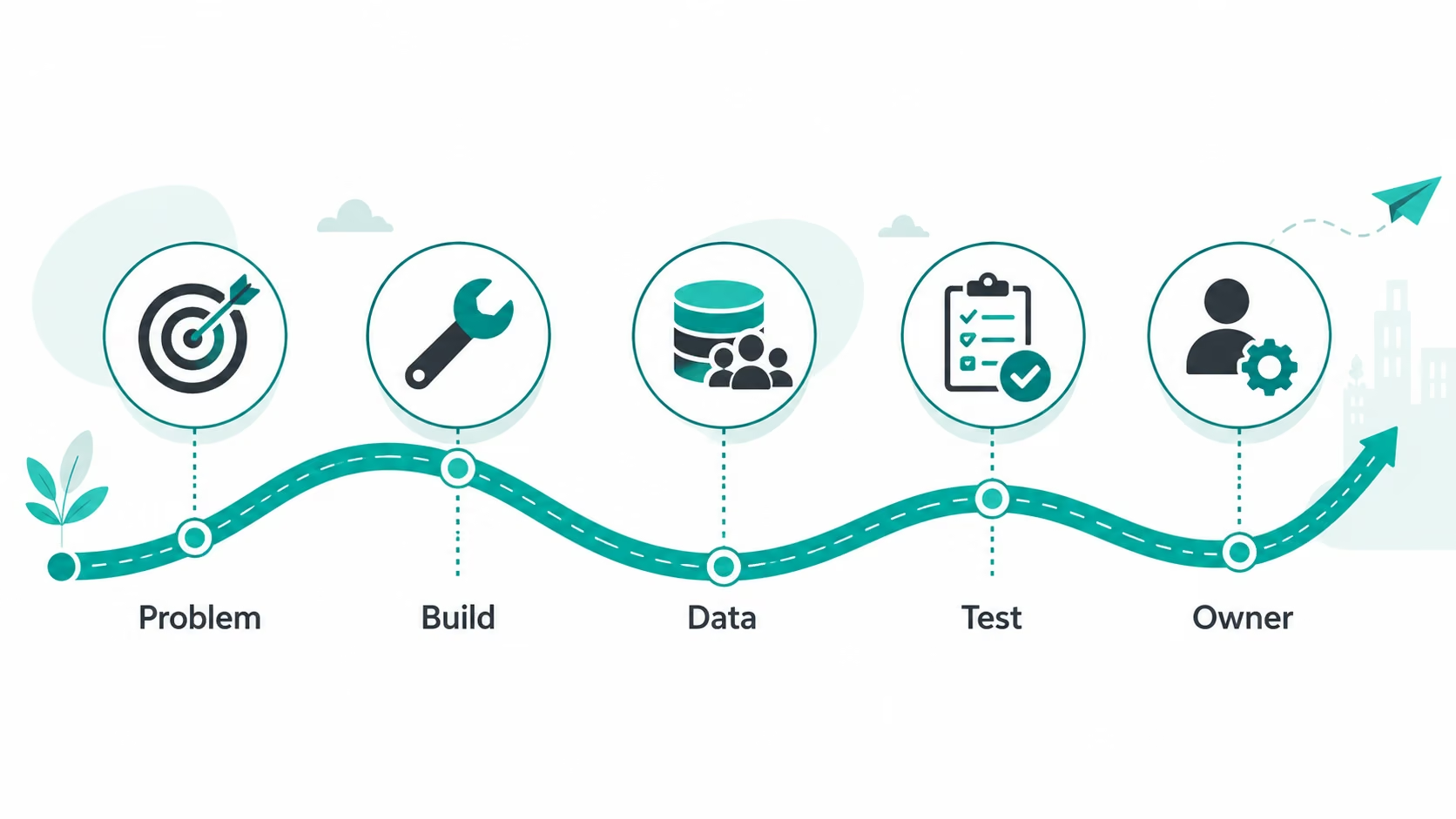
- The exact problem: Name the broken workflow, who it affects, and what it's costing you, which, for the consulting shop, was roughly four hours a week lost to manual intake and invoicing.
- Your build path: Engineers, low-code platforms, and AI app builders each make different trade-offs between speed, cost, and control. Hiring can also be competitive, with employment of software developers projected to grow 16% from 2024 to 2034, compared with about 3% growth across all occupations.
- Data and roles first: I skipped this once and ended up rebuilding the whole permissions setup from scratch, so one missed step here costs you a full rebuild later.
- A tested first version: Problems that hide from you for days show up the second an actual user starts clicking around, so test with real people before rollout.
- Maintenance from day one: Assign an owner before launch, not after the first bug report lands in your inbox.
Pro Tip
If you're not sure your workflow needs a custom build, start with an AI app builder before committing to a full dev team. You'll know within a few hours whether you're solving a real problem or overcomplicating a spreadsheet.
Ready to scope your build? Our best low-code app builders breakdown helps you pick the right platform once you have your five steps clear.
Business App Development Best Practices I Wish I Knew Earlier
Most of the pain shows up after launch, not during the build. Get these right early, and you'll skip the rebuild later.
Essential Practices:
- The actual users, not just the requester: The consulting team's idea of their own intake process and what they did every day were two different things, and that gap only surfaced once real users started testing it.
- A smaller starting scope: I built the intake form first, shipped it, then added invoicing two weeks later, because trying to solve everything at once is how projects stall out completely.
- Real data, not sample data: Clean test data hides the messy stuff, duplicate client records, and missing phone numbers, which breaks the app the moment real people start typing into it.
Want a platform that lets you start small and build as you go? Our best no-code software builders breakdown covers which ones hold up past the first launch.
Common Mistakes to Avoid:
- Skipping planning: I tried this once to move faster and spent the next three days undoing it, so plan first, always.
- Treating v1 as final: Every build I tested needed real updates after launch, so the budget for that or your "finished" app ages badly fast.
- Choosing on hype: A slick demo doesn't mean a tool fits your workflow, so match the tool to the job, not the buzz around it.
My Verdict on Business App Development
If your team is working around a process instead of through one, that's the clearest sign you need a real app. After testing five build paths on the same project, custom development paid for itself the moment it replaced a manual process that was quietly costing real hours every week.
Not every problem deserves a custom build. If your workflow is genuinely common, basic invoicing, scheduling, or email, off-the-shelf wins faster and cheaper. But for the specific, fragile, workaround-heavy processes that eat your week, the smallest custom version you can build is worth more than another tab in a spreadsheet.
Ready to Try Business App Development? Next Steps
The whole point of a custom app is getting back the hours your team loses to manual entry and disconnected tools, with software that adapts to how your team actually works. You don't need a dev team or months of lead time to find out whether it's worth building.
Pick the one workflow costing you the most time right now and build the smallest working version of it. Emergent takes you from a plain-language description to a working app, payments and logins included, in an afternoon. Test the idea with your actual team before you commit to anything bigger.
Start building on Emergent.

Most builders stop at a prototype. Emergent ships real web and mobile apps, with accounts, databases, and payments included.
- Production-ready apps
- Web & mobile apps
- Deploy in minutes







