



TL;DR
Glide turned a spreadsheet into a working app in under five minutes, with no setup to learn first.
It falls apart once you need native app-store distribution or logic beyond a single rule and button. If your data already lives in a spreadsheet and you need a usable app around it, Glide is one of the fastest paths there.
I had a Google Sheet titled "Household Maintenance Log" sitting untouched since spring. It held 32 rows of appliances, HVAC filters, and warranty dates I kept meaning to organize into something I'd open. I finally handed the whole thing to Glide's AI builder to see what it would do with it.
I spent 12 days building a home maintenance tracker from that one sheet. I tested the AI builder, the conditional highlighting, one workflow automation, and the publish flow. I switched between a phone and a laptop the whole time.
This Glide review covers what came together in minutes, what broke once I pushed past the demo, and exactly who this build is right for.
What Is Glide?
Glide is a visual app builder that connects straight to your data, whether that's Google Sheets, Airtable, or a plain CSV or Excel file. It turns that data into a working app without a single line of code.
You describe what you want or arrange prebuilt screens, and Glide handles the data model, navigation, and layout for you. That speed has a cost. Glide's builder arranges its own components, so you can't get pixel-perfect custom branding out of it.
It's built for non-developers and small teams who need a working internal tool or a lightweight portal right away, without months of custom development.
Features I Tested
Setting Glide up starts with connecting your data source directly, no CSV re-upload needed. I linked my Household Maintenance Log Google Sheet, all 32 rows and eight columns of it. Then I typed one detailed prompt into Glide's AI builder:
"Build me a Home Maintenance Tracker app using my spreadsheet. Show each item with its Category, Purchase Date, Warranty Expiry Date, Last Service Date, and Next Service Due. Add a detail screen for each item. Highlight any item in red where the Warranty Expiry Date is within 30 days, or where Next Service Due has already passed. Add a filter by Category. Add a button on the detail screen that marks an item as serviced today and updates Last Service Date automatically. Make the app installable to my home screen and keep it private until I publish it."
Glide laid out a short numbered plan first, covering branding, the data model, the screens, the conditional highlight, and the filter. Then it worked through each step with visible checkmarks. My first working screen, a scrollable list of all 32 items, showed up in under five minutes.

The conditional highlight worked immediately in the list view. Anything with a warranty expiring within 30 days, or a service date already past, turned red the moment I saved the rule. Carrying that same rule to the detail screen wasn't automatic, though.
I had to dig a layer deeper into that component's style settings to add it there too. It was a few extra clicks I didn't expect, given how smooth the list view had been.
The one workflow I built was the "mark as serviced" button. Tap it, and it sets Last Service Date to today, then recalculates Next Service Due based on a 90-day interval stored per item. I tested it on three different items across two separate sessions, and it fired correctly every time.
Publishing took one click, enough to confirm the flow worked. I got an instant subdomain and a QR code, private by default, though I didn't need to keep the app in that published state once the test was done.
The Free plan supports drafts but no publishing, so I needed Explorer to test the publish workflow. Explorer also enabled the workflow button.
- A deep integration catalog: Slack, Stripe, Twilio, Zapier, Make, OpenAI, DocuSign, and dozens more, depending on your plan. I didn't run every one of these myself in this build.
Glide Pricing
Here's how Glide pricing works today:
| Plan | Price | Key Limits |
|---|---|---|
| Free | $0/month | One editor, up to 25,000 rows, community support |
| Explorer | $25/month ($19/month, billed annually) | One app, 100 personal users, 250 updates, workflows |
| Maker | $60/month ($49/month, billed annually) | Three apps, unlimited personal users (personal and education addresses; work-email sign-ins need Business), 500 updates, custom branding and custom domains |
| Business | $249/month ($199/month, billed annually) | Unlimited apps, 30 users, 5,000 updates, Glide API |
| Enterprise | Custom, contact sales | Unlimited apps, custom limits, SSO, dedicated support |
My build needed Explorer for two separate reasons: Free allows unlimited drafts but zero published apps, and the "mark as serviced" workflow action is gated above Free too.
Over about 12 days, I made light edits to the draft to test how updates accumulate. I marked items serviced, added two new appliances, and ran one bulk re-import after adding a Notes column. That burned 42 of Explorer's 250 included monthly updates.
Light personal use barely dented the allowance. The count climbs fast once a team is editing the sheet daily, and that's the number to watch before committing to Explorer.
Glide runs as two separate products today. Everything above, and everything I tested, is Glide Classic, the original spreadsheet-to-app builder.
Glide has since launched GlideOS, a standalone AI platform on its own subscription, with no migration path from Glide Classic. The two don't share data or pricing.
Glide Reviews: What Real Users Are Saying
I read through Glide's own reviews after finishing my build, to see whether other people hit the same walls. The scores split hard depending on who is doing the rating. G2 puts Glide at 4.7 out of 5 across 818 reviews, while Trustpilot, where 415 people have weighed in, rates it "Poor" at under 2.4 out of 5 (at the time of writing). That gap lines up with what I found: the people building the apps are happier than the people living with them.
Pros
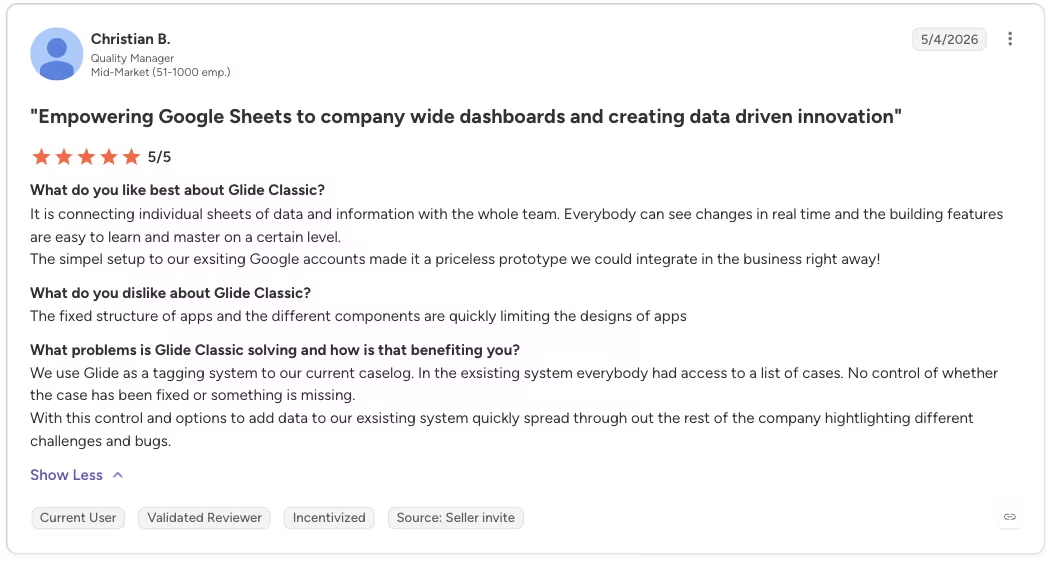
“It is connecting individual sheets of data and information with the whole team. Everybody can see changes in real time, and the building features are easy to learn and master on a certain level.” - Christian B., G2
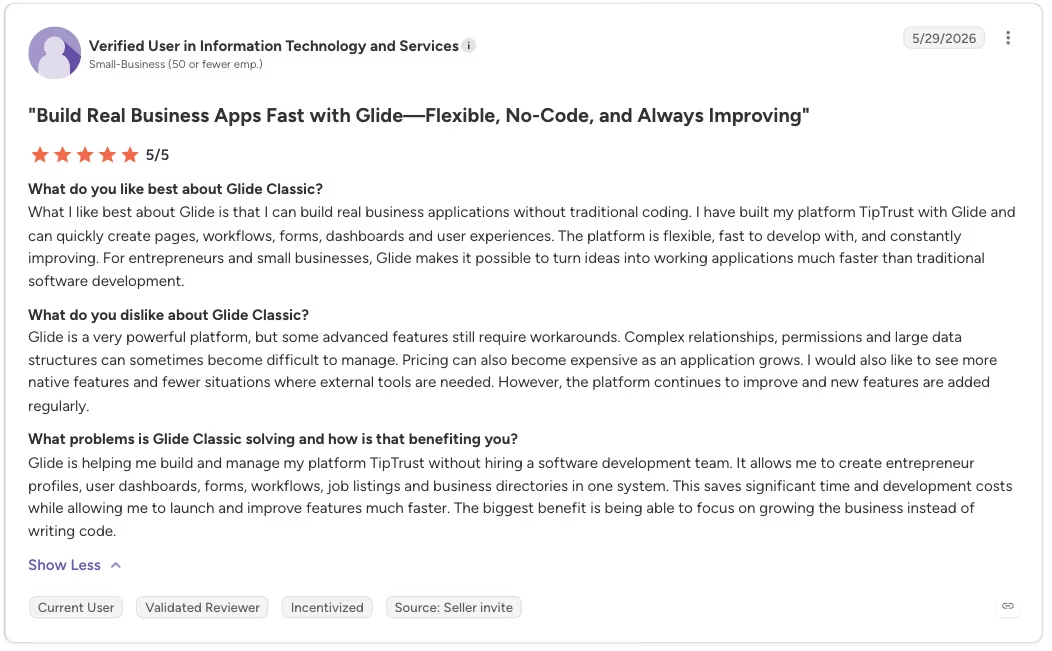
“I have built my platform TipTrust with Glide and can quickly create pages, workflows, forms, dashboards, and user experiences. The platform is flexible, fast to develop with, and constantly improving.” - Anonymous, G2
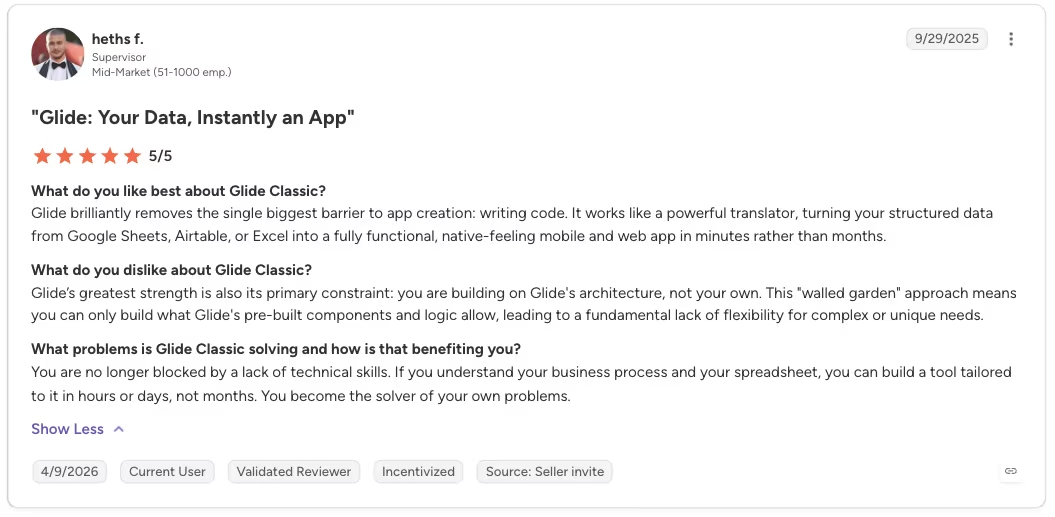
“Glide brilliantly removes the single biggest barrier to app creation: writing code. It works like a powerful translator, turning your structured data from Google Sheets, Airtable, or Excel into a fully functional, native-feeling mobile and web app in minutes rather than months.” - Heths F., G2
Cons
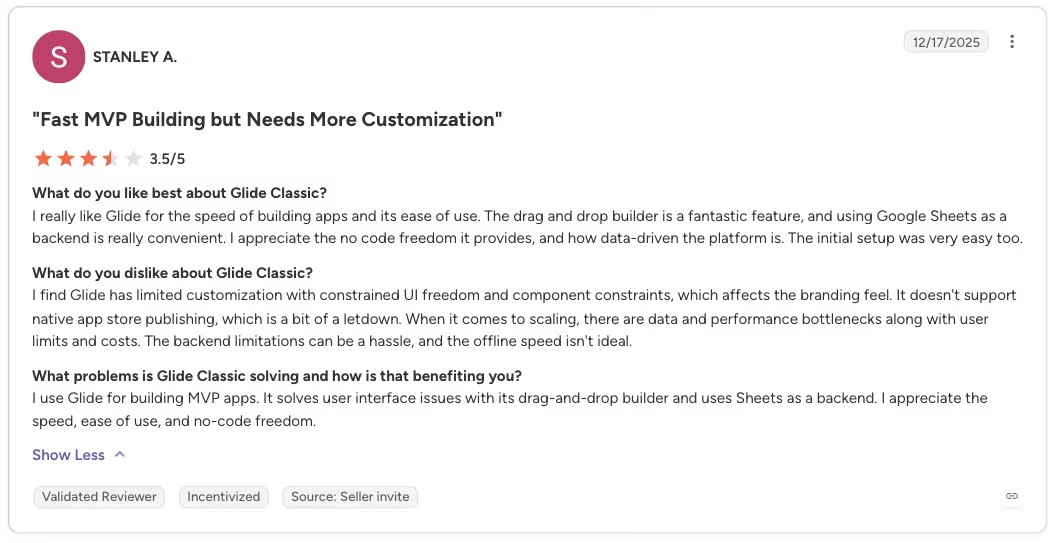
“I find Glide has limited customization with constrained UI freedom and component constraints, which affects the branding feel. It doesn't support native app store publishing, which is a bit of a letdown.” - Stanley A., G2
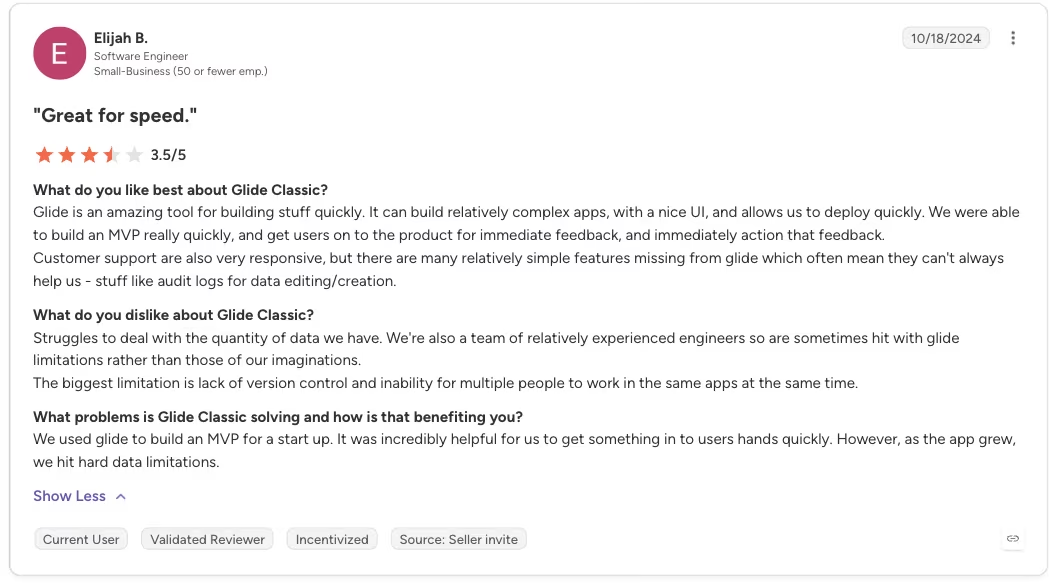
“[Glide] struggles to deal with the quantity of data we have. We're also a team of relatively experienced engineers, so are sometimes hit with Glide limitations rather than those of our imaginations.” - Elijah B., G2
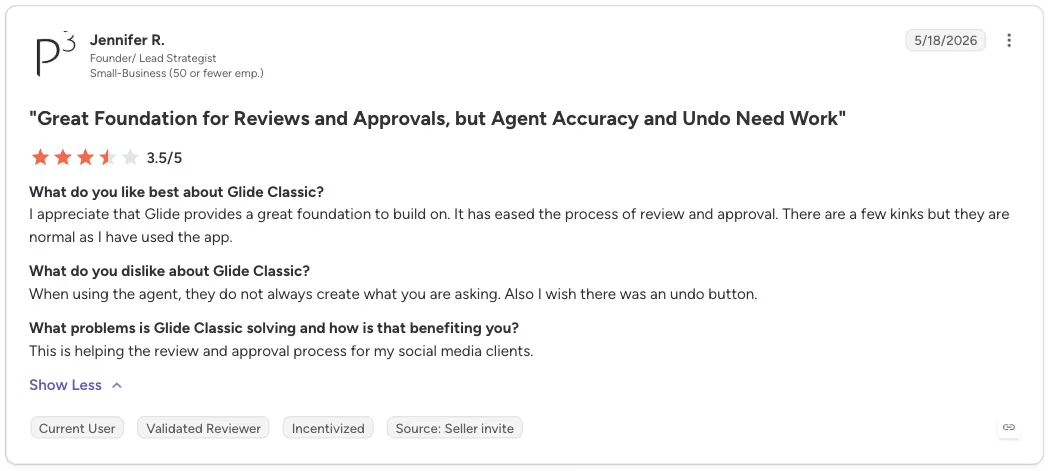
“When using the agent, they do not always create what you are asking. Also, I wish there was an undo button.” - Jennifer R., G2
The customization ceiling and the missing app-store path came up again and again, and both match what I ran into. The data-volume complaints I can't confirm: my build was 32 rows, nowhere near where those users hit trouble.
My Personal Take on Glide
The clearest proof of Glide's ceiling came when I deliberately went offline. I turned off my phone's connection for about 10 minutes mid-edit and updated the Next Service Due date on two different items.
When I reconnected, the first edit synced within about six minutes. The second one didn't. It sat there, unsynced, until I noticed and re-entered it by hand.
Glide's offline mode lets you keep working when you lose a connection, but it doesn't guarantee every write survives the reconnect. For a personal tracker, that's an annoyance. For anything where a missed update carries real weight, a silent failure like that becomes a serious problem.
The conditional-highlight setup from earlier stuck with me too. It's a small friction that tells you where a tool's polish runs thin. The main path works beautifully, but the second path, carrying a rule to a second screen, needed a few extra clicks buried a layer deeper than I expected.
What impressed me more than any single feature was how little I had to fight the tool. Getting a working app out of one messy spreadsheet took almost no effort on my part.
A smooth first five minutes doesn't predict what happens once your own data is syncing daily. A spreadsheet I never wanted to open became something I checked every day during that test, without writing code.
I didn't test enough workflow logic to rule Glide out for multi-step builds.
Is Glide Right for You?
Who will love it:
- Teams using spreadsheet-driven internal or business tools.
- Non-developers who want a working tool without a long build cycle or a contractor.
- Small teams that want a usable internal app and don't need an app-store presence.
Who should avoid it:
- Anyone who needs native app-store distribution should look elsewhere. Glide apps install as progressive web apps (PWAs), not as native listings in the Apple App Store or Google Play.
- Anyone whose build needs layered logic should test it themselves first. I only pushed Glide to one conditional and one button action, so I can't vouch for anything heavier.
- Pixel-perfect custom branding or a fully custom layout isn't on offer either. Glide's visual builder confines you to its own existing components.
- Anyone who can't afford a lost edit should think twice. One of my two offline edits never synced back, and nothing warned me.
Also read our best Glide alternatives guide for what else is worth trying when the PWA limitation or logic ceiling becomes a problem.
The Best Glide Alternative for Bigger Builds: Emergent
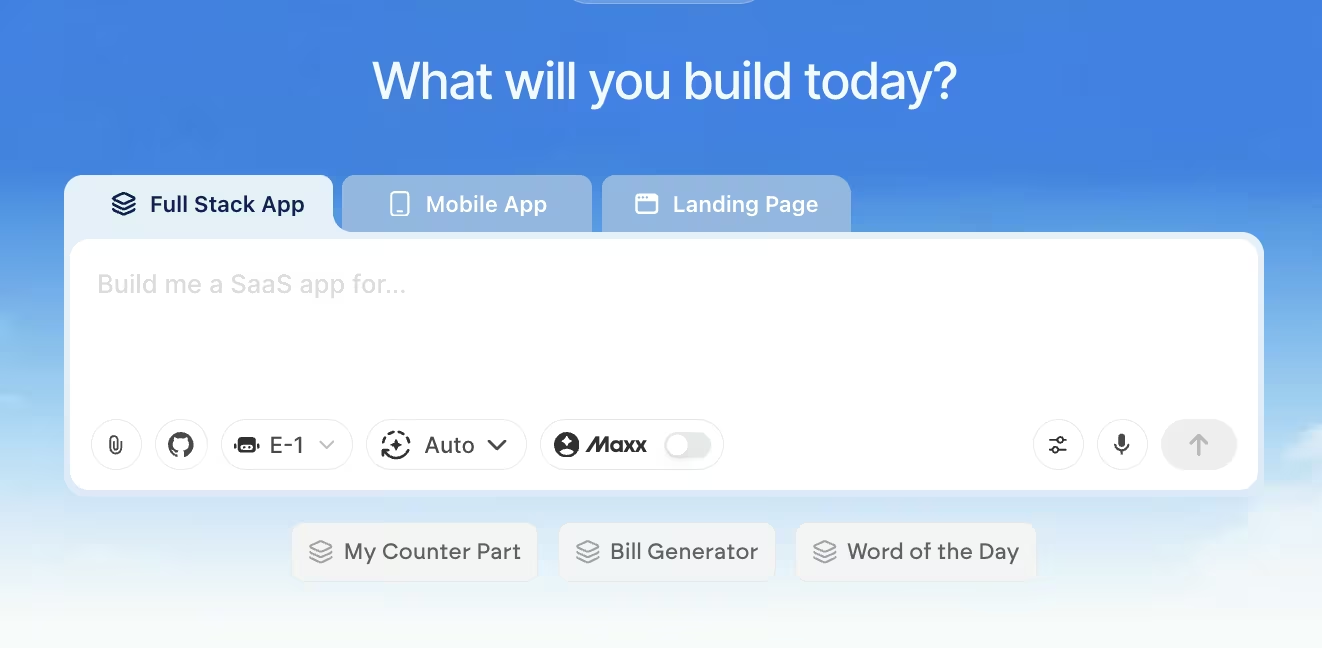
Glide's three limits are all above, so this is about when it's worth looking past them. If none of them apply to your build, Glide is the faster, cheaper pick.
Consider Emergent when the build needs custom logic, logins, and a path toward native distribution.
You give it the app you have in mind, and specialized agents split the work from there: some shape the interface, others handle the logic and integrations, and testing agents check the work before anything ships. The Emergent MCP Connector lets you start from a Claude or ChatGPT conversation instead of opening a separate prompt box.
Here's an example of a maintenance firm that used Emergent to build a recurring job tracker that rolls the next due date forward whenever a job is marked complete.
Glide's app is a layer over the spreadsheet you already have, so its logic tops out at what a visual rule builder can express. Emergent builds the app and its data together, so "email the customer, flag anything overdue, and log who signed off" is one request instead of three workarounds.
Skip Emergent if your whole need is a simple internal tool wrapped around a spreadsheet you already have. Glide will get you there for less effort and less money.
Reach for Emergent once you want to own something built to grow past a spreadsheet wrapper, with logic that doesn't top out at a highlight rule and a button.
Try building your first app on Emergent and see how far past a highlight rule it can go.
Glide Review: Final Verdict
After 12 days of hands-on building, Glide turned one messy spreadsheet into a working tool in the first few minutes. The offline sync test was the moment that showed exactly where its ceiling sits.
This Glide review lands in one place: inside its ceiling, Glide is hard to beat, and past it, Emergent is the next place to look.
Most builders stop at a prototype. Emergent ships real web and mobile apps, with accounts, databases, and payments included.
- Production-ready apps
- Web & mobile apps
- Deploy in minutes







