

Build Review Request Automation That Asks Every Customer
Get review request automation that emails every customer after a paid job and sends one reminder if the link goes unclicked.
Build review request automation that runs on its own and logs every step.
Trusted by Builders Worldwide
Active Builders Worldwide
Apps Successfully Created
Countries Globally Reached



What Emergent Builds Into a Review Request App
Each paid job starts one request, every customer gets the same review link, and the owner sees the week's numbers on one board.
A request flow written as a sentence
Describe the flow as you would brief a new office manager: a day after the invoice is paid, email the customer. Emergent builds the app from that prompt, and a new one edits it.
Triggers from the tools that close the job
The app connects to any tool with an API. A paid invoice in your billing software can start the request, and the job record supplies the customer's name and the technician's.
The same link for every customer
Every customer the skip rules allow gets one public review link. Those rules read the job record, never a rating: a two-star customer gets the same email as a five-star one.
One reminder, then silence
A customer who has not clicked by day 3 gets one reminder with the same review link. The request closes on day 7, and the customer hears nothing more about that job from you.
A board the owner reads on Monday
A live dashboard counts the week's paid jobs, requests sent, skips, and review link clicks for each technician. Every request and its status sit in a database that you own.
No task cap in a busy season
A spring rush sends more requests, and there is no task cap to hit. On paid plans the full code exports to your GitHub repository, and the free tier covers building and publishing.
Review Requests at One Plumbing Company
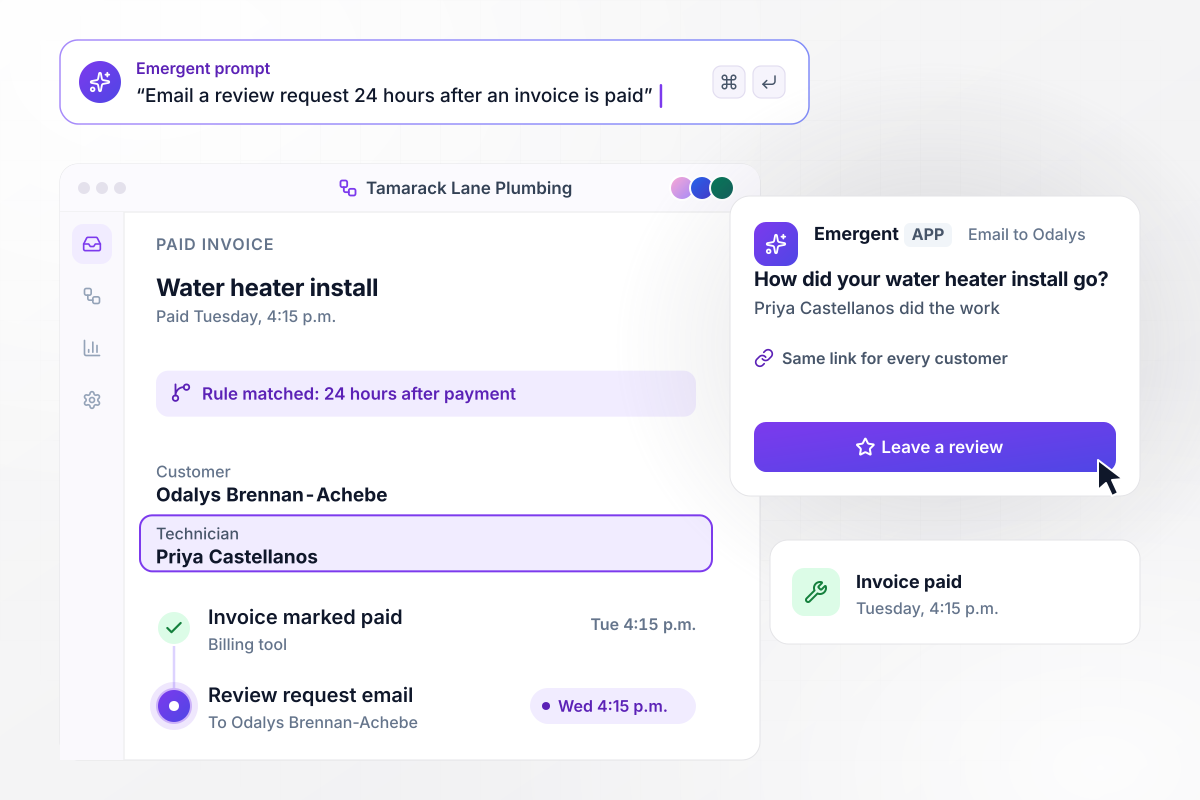
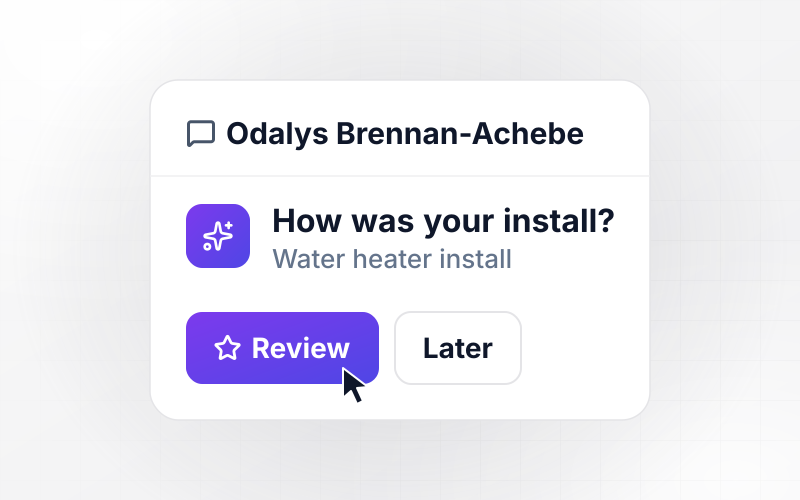
24 hours after the invoice is paid, the request goes out
At 4:15 p.m. on Tuesday, the invoice for Odalys Brennan-Achebe's water heater install at Tamarack Lane Plumbing is marked paid. The app waits 24 hours, then emails her a request that names the job and her technician, Priya Castellanos. The email has one Leave a review button, the same public link every customer gets.
window.awbMockup = { paidInvoices: "When an invoice is marked paid in the billing tool, wait 24 hours, then email the customer a review request that names the job and the technician, with one Leave a review button linking to the public review page. Every customer gets the same link.", oneReminder: "If the customer has not clicked the review link 3 days after the first email, send one reminder with the same link and mark the request Reminder sent. Close the request on day 7 and never send a third email.", skipRules: "Before sending a review request, skip the job if its status is canceled or if the customer was asked in the last 90 days. Log each skip with its reason. Never check a rating or a satisfaction score before deciding who gets a request.", weeklyBoard: "Every Monday, show the owner a board for the week before: paid invoices, requests sent, requests skipped, and review link clicks, with requests and clicks split by technician." };
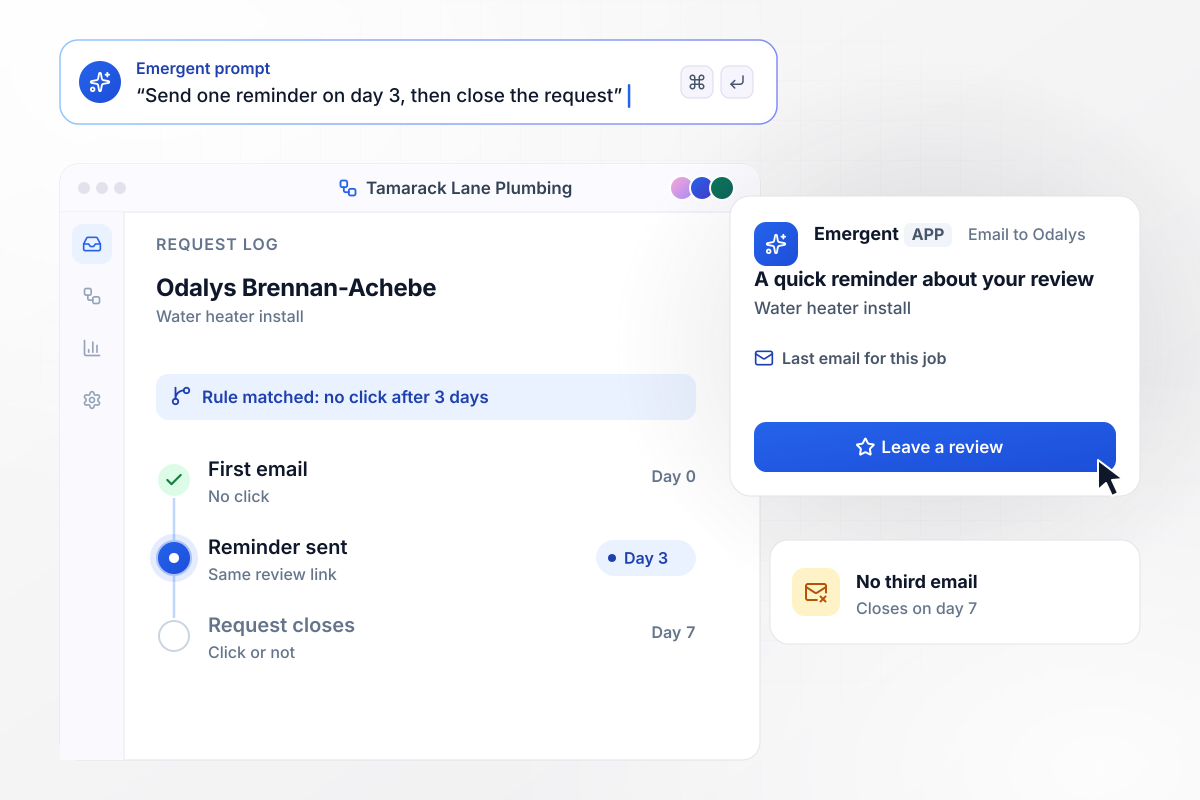
By day 3 with no click, the app sends one reminder and stops
Three days pass with no click on Odalys Brennan-Achebe's request. On day 3 the app sends one reminder with the same Leave a review button, and the request log shows Reminder sent. That is the last email about the job: on day 7 the request closes whether she clicks or not, with no third email.
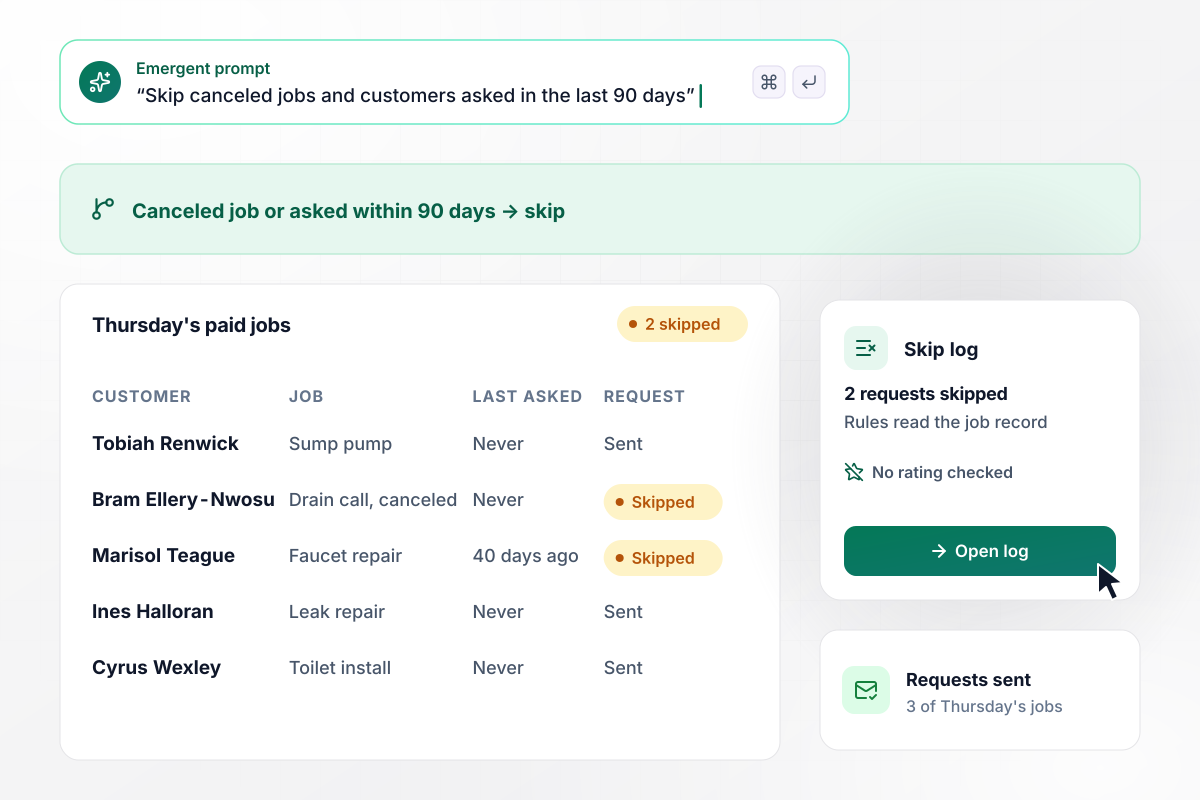
Canceled on arrival or asked 40 days ago: no request
Two of Thursday's paid jobs get no request. Bram Ellery-Nwosu paid the trip fee but canceled his drain call when the technician arrived, and a job with no work done has nothing to review. Marisol Teague was asked about a faucet repair 40 days ago, inside the 90-day limit. Neither rule checks a rating.
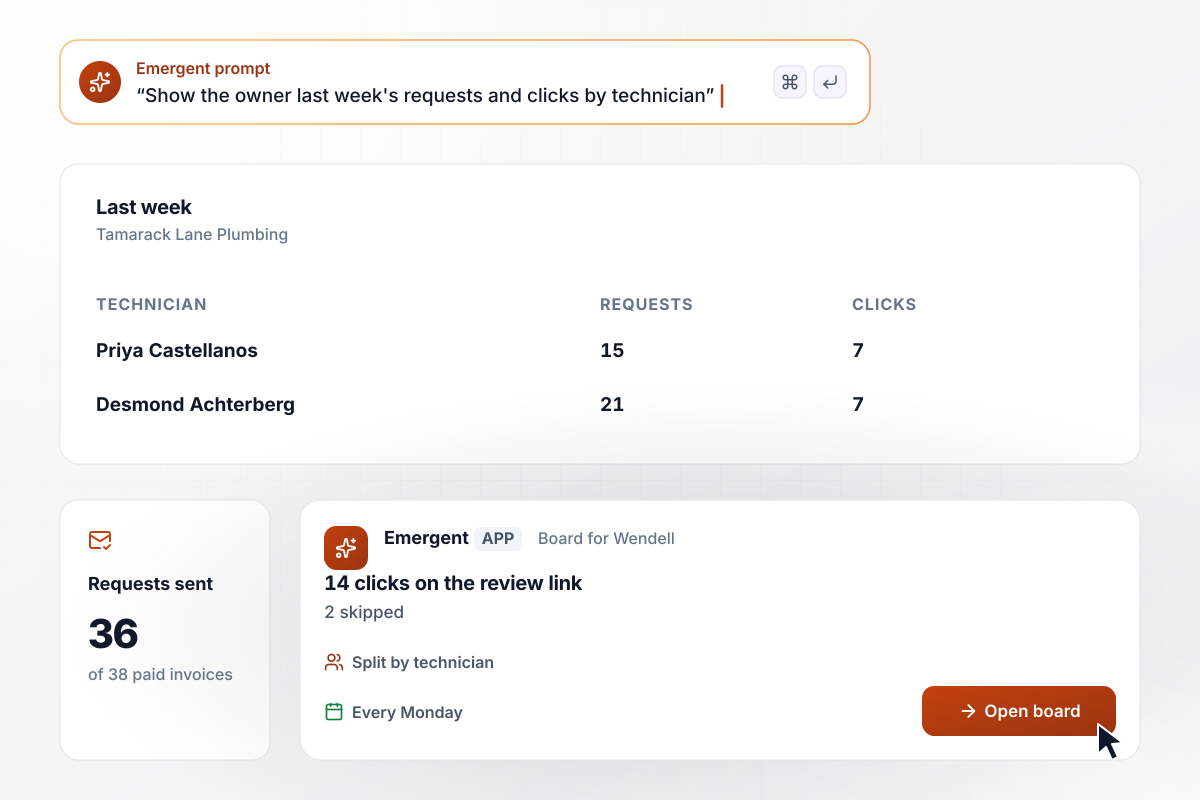
Of 38 paid jobs last week, 36 got a request
Every Monday, the owner, Wendell Okafor-Lindqvist, opens the board for the week before. It shows 38 paid invoices, 36 requests sent, 2 skipped, and 14 clicks on the review link. By technician, Priya Castellanos's 15 requests drew 7 clicks, and Desmond Achterberg's 21 drew the other 7.






How to Build Review Request Automation
These 7 steps set up review request automation that asks each customer once, at a fixed time after the job, with one reminder.
Choose one event in your billing or field service tool that marks a finished job, such as an invoice marked paid. One trigger per job keeps a customer from getting two requests for the same work.
Copy the public review link for each location from the review site and open it on a phone to test it. Store it on the location's record, and every request from that branch carries it.
The FTC's guide for marketers says to know the rules of the platforms and websites on which those reviews may appear before you ask people for reviews. Read the policy of every site your link points to.
Send requests from the address on your invoices, with your business name in the sender line. A request from an unfamiliar address is easy to ignore, and a reply to it should reach a real person.
Base each skip on the job record, such as a canceled job or a recent ask, never on a satisfaction score. Every customer who passes the rules gets the same public review link.
Run ten test jobs with staff email addresses as the customers. Check that each email names the right technician, and that a canceled test job sends nothing at all.
Each week, subtract the skips from paid invoices and compare the result with requests sent. A gap means the trigger missed jobs: change it with a prompt before the next week starts.
Why Build Review Requests With Emergent?
Emergent builds the whole request flow and the weekly board that counts it from one prompt, and you own the database behind both.

|
Zapier | Make (Integromat) | n8n | |
|---|---|---|---|---|
| How you build | Prompt for the workflow and the app around it | Templates and editor, AI copilot | Visual canvas | Visual canvas, self-hosted or cloud |
| What you get | Workflow + trigger form + database + dashboard, as code you own | Zaps, plus Tables and Interfaces inside Zapier | Scenarios inside Make | Workflows inside n8n |
| Behavior at cap | Keeps running, no task cap | Overage billed at up to 1.25× the base rate | Runs pause | Cloud workflows stop until the reset or an upgrade |
| AI and agent steps | Native, share the same credit pool | Priced by model tier, drawn from the task pool | AI modules cost variable credits | Bring your own model API key, billed by the provider |
| Code ownership | Full code export to GitHub on paid plans | None | None | Yes on Community Edition |


Pick the Pricing Plan That Works for You
Choose the plan that fits your building ambitions. From weekend projects to enterprise applications, we've got you covered.




Find the right workflow automation
for you and your business




Frequently Asked Questions
Your Questions, Answered
Don't change this element unless you know what you are doing
More things you can build
with Emergent









on Emergent today




