




TL;DR
- n8n: Best for technical teams, operators, and agencies that want flexible workflows, self-hosting, and pricing based on full workflow executions instead of every step.
- Zapier: Best for non-technical teams that want the fastest setup, the largest app directory, and simple automation across common SaaS tools.
- Some "automations" are really apps in disguise — if that’s you, see the Emergent note near the end.
If your automation starts with “send this form response to Slack,” Zapier feels almost unfairly easy. If it turns into branching logic, AI agents, retries, self-hosting, approvals, and a workflow that touches half your business, n8n starts looking like the tool you wish you picked earlier.
This n8n vs Zapier comparison is based on official vendor pages, current pricing pages, product documentation, integration directories, SERP analysis, and real user discussions.
My recommendation is direct: choose Zapier when speed, app coverage, and non-technical setup matter most. Choose n8n when you need deeper control, lower cost at workflow scale, self-hosting, and AI workflows you can inspect and shape.
What Changed About n8n vs Zapier in 2026
The n8n vs Zapier debate used to be simple: Zapier was the easy no-code automation tool, and n8n was the technical, self-hostable alternative.
That split still helps, but AI has made the choice more complex.
Automation now includes artificial intelligence (AI) agents, human approvals, workflow memory, model calls, custom code, internal data, and business-critical processes. Zapier has expanded beyond Zaps workflows into Tables, Forms, Canvas, Agents, Chatbots, Model Context Protocol (MCP), software development kits (SDK), and Functions.
n8n has moved hard into AI workflows, with AI agents, human-in-the-loop steps, workflow evaluations, audit trails, and plain-English workflow building.
That changes the decision. What you’re really choosing is how much control, cost predictability, infrastructure ownership, and technical depth your automation needs.
How I Evaluated n8n and Zapier
I evaluated this comparison across five areas:
- Official pricing and plan limits
- Integration breadth
- Workflow depth
- AI automation features
- Hosting, governance, and maintenance
I also reviewed current user discussions to understand what people praise and complain about after using these tools in real workflows.
The clearest pattern: Zapier wins when you want fast setup with little technical ownership, while n8n wins when cost at scale, flexibility, and control matter more than out-of-the-box simplicity.
n8n Vs Zapier: What’s the Difference?
n8n is a fair-code, source-available workflow automation platform built for flexible workflows, self-hosting, custom logic, AI agents, and technical control. n8n can run in the cloud or on your own infrastructure, and its pricing is based on full workflow executions rather than every step inside the workflow.
Zapier is a no-code automation platform built for connecting apps quickly. It supports 9,000+ apps, uses task-based pricing, and gives non-technical teams a faster path from “I need these two apps to talk” to a working automation.
Choose n8n if you have technical ownership, complex workflows, AI-heavy automations, sensitive data, or high-volume workflows where per-task pricing gets expensive.
Choose Zapier if you need the easiest setup, the widest app coverage, and a tool that sales, marketing, support, and operations teams can use without asking engineering for help.
Meet n8n: Features and Highlights
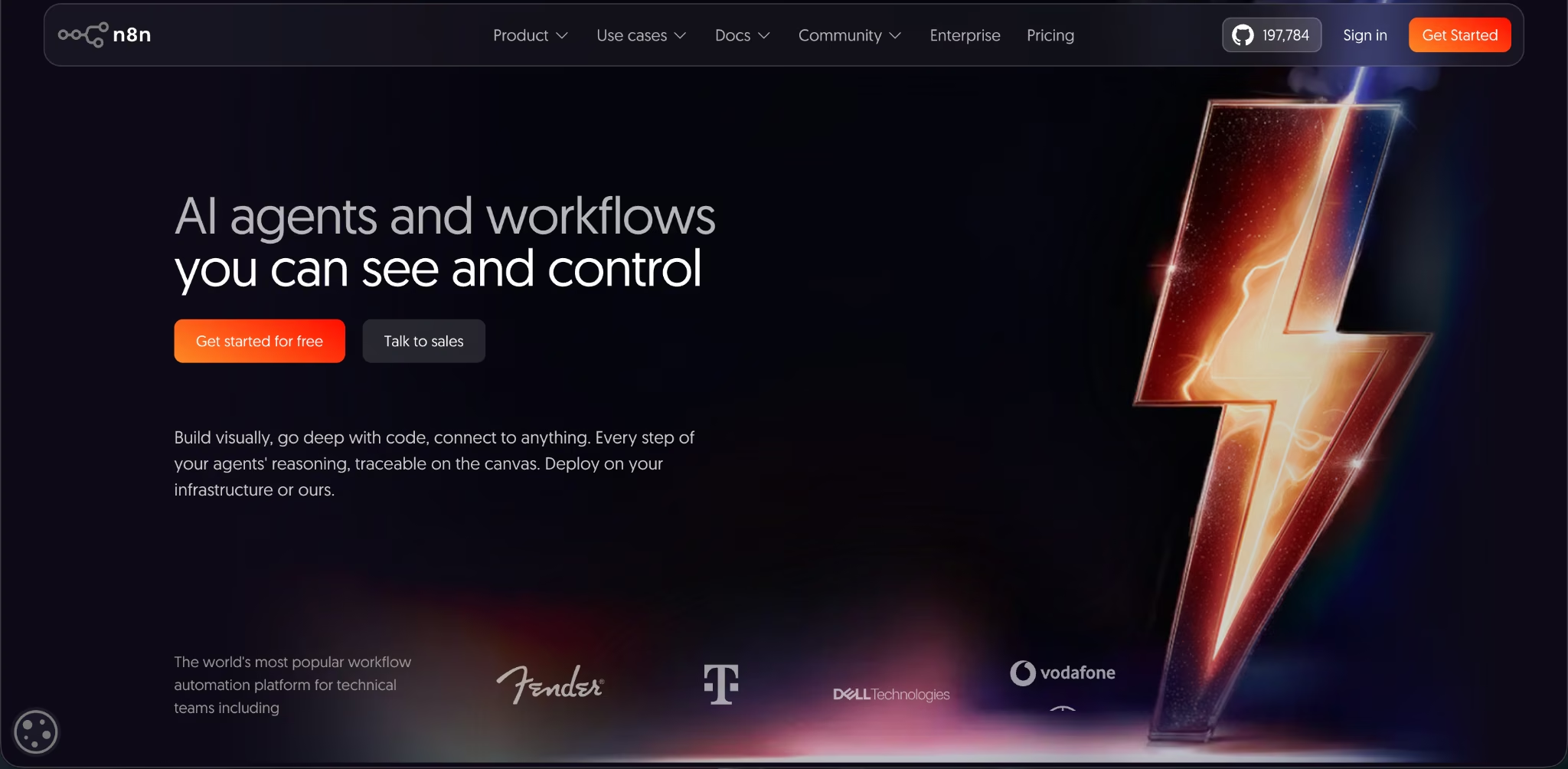
n8n is the stronger pick when automation becomes engineering-adjacent. You get a visual workflow builder, code options, self-hosting, AI workflow tools, and execution-based pricing.
Workflow Builder and Technical Control
n8n lets you build automations visually, then add code, expressions, HTTP requests, branching logic, retries, and custom integrations when the workflow needs more depth. That matters when your automation isn’t a neat two-step Zap.
A practical example: a consulting agency wants to qualify inbound leads, enrich company data, score the lead with an AI model, send high-fit prospects to a partner, notify Slack, and write the result into its CRM, the system that tracks leads, deals, and follow-ups.
In Zapier, that workflow can burn through tasks quickly because each action counts. In n8n, the whole workflow execution is the pricing unit, regardless of how many steps run inside that execution.
That pricing model gives n8n a real advantage for multi-step workflows.
AI Automation
n8n has a clear AI workflow angle. You can blend AI agents, human approvals, code, and app integrations into automations. You can also inspect executions, add audit trails, and use evaluations to test AI reliability and detect drift.
That makes n8n better for workflows where AI decisions need oversight. For example, an AI lead-screening workflow should not quietly reject high-value leads because a prompt changed or a model response drifted. n8n gives you more room to add review steps, log decisions, and debug what happened.
Hosting, Governance, and License
n8n supports cloud hosting and self-hosting. Without a license key, a self-hosted installation runs as the free Community edition. Business or Enterprise licenses unlock paid self-hosted features.
n8n is source-available under its Sustainable Use License, which allows free use, modification, derivative works, and redistribution with limits. n8n does not call itself open source under the Open Source Initiative definition because the license includes use restrictions.
The distinction is needed. If your team needs a traditional open-source license, n8n won’t satisfy that exact requirement. If your team mainly wants source access, self-hosting, and internal business use, n8n fits well.
Pricing
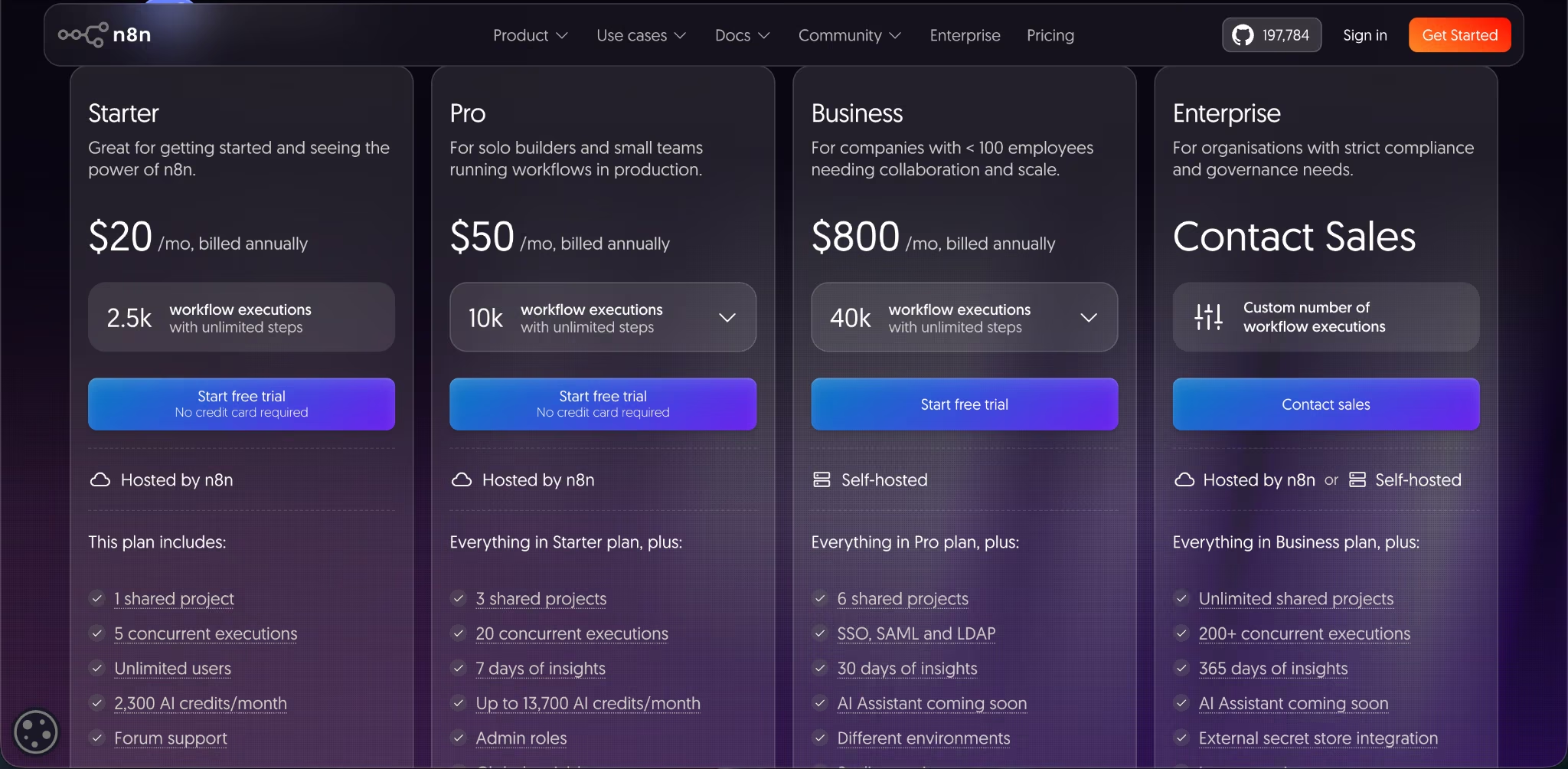
n8n has a free self-hosted Community edition. Cloud pricing starts at $24/month ($20/month billed annually) for Starter, then $60/month ($50/month billed annually) for Pro, and Business is self-hosted at $960/month ($800/month billed annually); Enterprise is custom.
All paid cloud plans include unlimited users, unlimited workflows, every integration, and monthly workflow execution limits.
If you’re comparing automation tools, understanding n8n’s plans, additional costs, and overall value can help you make a more informed decision.
Meet Zapier: Features and Highlights
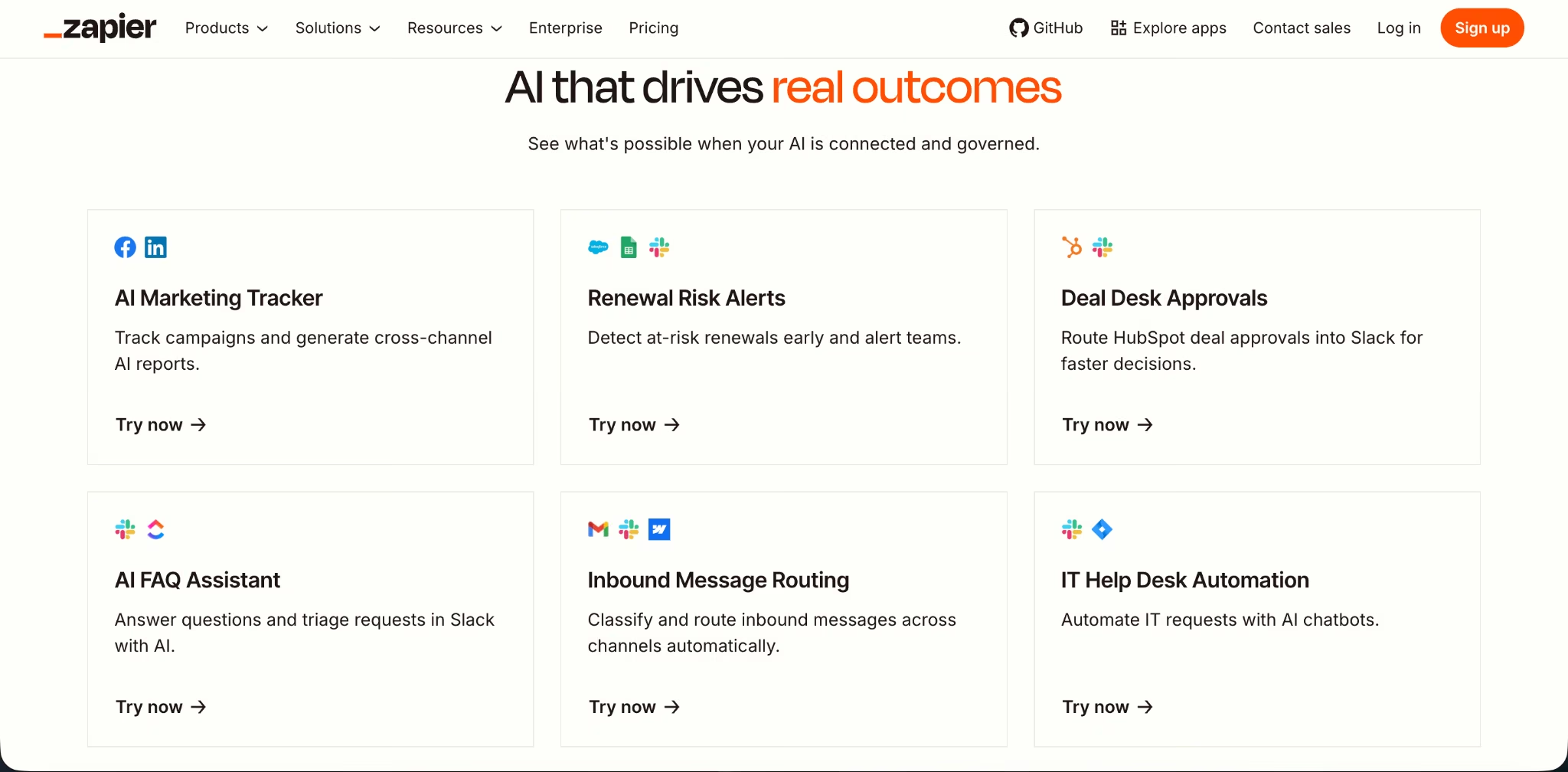
Zapier is the easier tool for everyday business automation. If your team lives in Google Sheets, Slack, HubSpot, Airtable, Gmail, Notion, Stripe, Shopify, and Calendly, Zapier usually gives you the shortest path to a working workflow.
Zap Workflows and App Coverage
Zapier’s biggest advantage is app coverage. Its directory includes 9,000+ apps, which is far ahead of n8n’s official integration count.
For daily work, you need to keep this in mind. If your marketing team wants to connect a webinar tool, a form builder, a spreadsheet, an email platform, and a customer support app, Zapier is more likely to have the exact app connector ready.
Zapier also gives you a gentler learning curve. The trigger-action model is easy to understand, and many teams can build useful automations without learning expressions, Docker, environment variables, or self-hosting.
AI Automation
Zapier now reaches far beyond classic Zaps. Its AI platform includes Zaps, Tables, Forms, Canvas, Agents, Chatbots, MCP, SDK options, and Functions.
That makes Zapier a strong choice when you want AI inside normal business workflows. You can build AI-powered lead routing, form handling, support triage, content workflows, and chatbot experiences without managing infrastructure.
The tradeoff is control. Zapier’s AI tools fit best when you want fast setup across many apps. n8n fits better when you need deeper workflow inspection, custom execution logic, and more control over how AI decisions move through the workflow.
Team Controls
Professional adds multi-step Zap workflows, unlimited Premium apps, and Webhooks. Team covers 25 users and layers on shared Zap workflows and folders, shared app connections, SAML SSO, and priority support. SSO lets employees sign in to every tool through one identity provider.
This is where Zapier earns its place for non-technical companies. You don’t need someone to own servers, updates, containers, or debugging infrastructure. You pay more as usage grows, but you also remove a lot of operational work.
Pricing
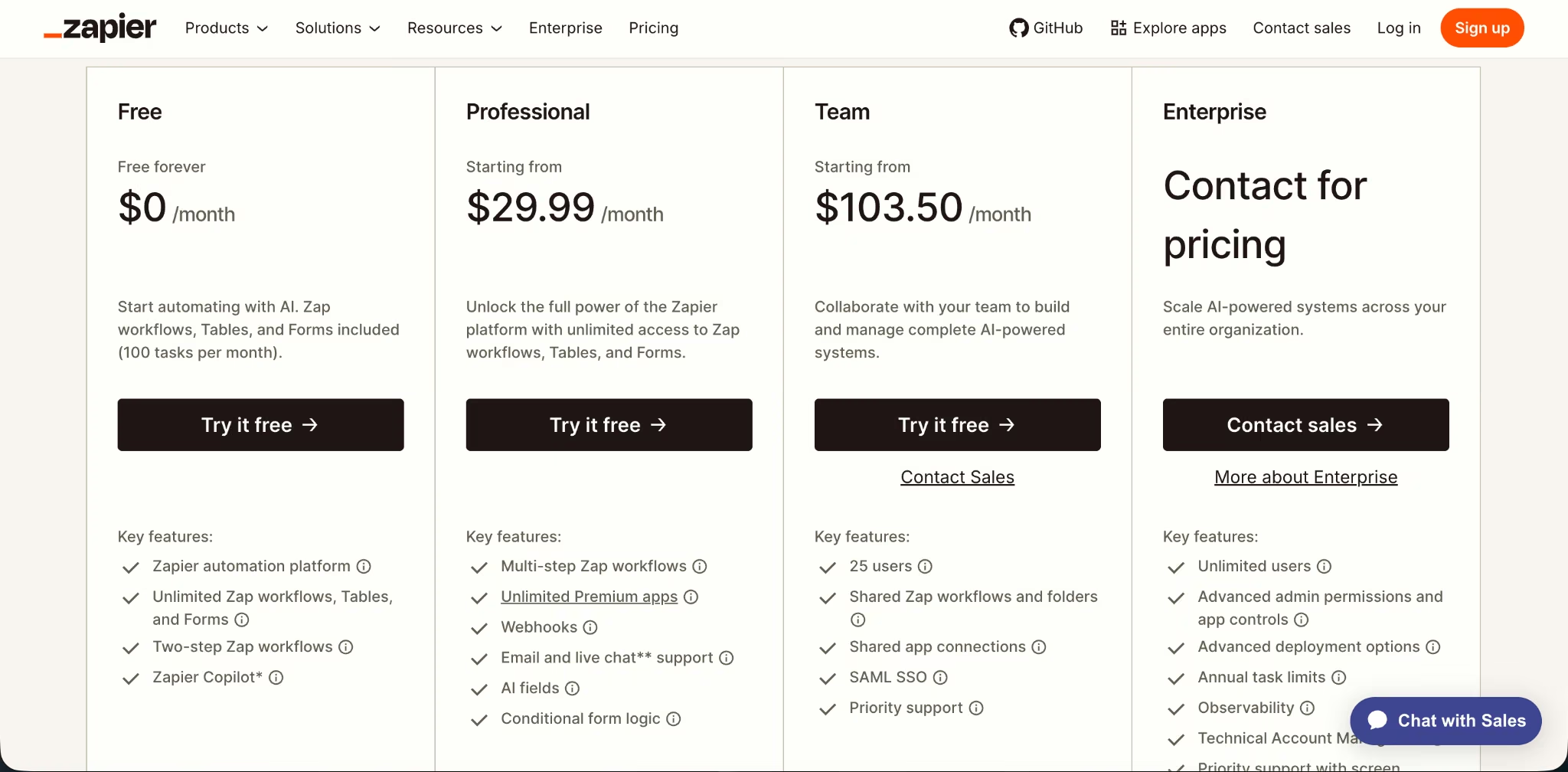
Zapier has a Free plan at $0/month with 100 tasks/month. Paid pricing starts with Professional at $29.99/month ($19.99/month billed annually), then Team at $103.50/month ($69/month billed annually), and Enterprise is custom; higher task tiers increase the monthly price.
Before committing to Zapier, it’s worth understanding how its pricing works and what you’ll actually pay as your automation usage grows.
n8n Vs Zapier: At A Glance
| Category | n8n | Zapier |
|---|---|---|
| Best For | Technical teams and complex workflows | Non-technical teams and fast SaaS automation |
| Free Plan | Free self-hosted Community edition | $0/month, 100 tasks/month |
| Starter Paid Plan | $24/month ($20/month billed annually), 2,500 executions | $29.99/month ($19.99/month billed annually), 750 tasks |
| Pricing Model | Per workflow execution | Per task/action |
| Integrations | 2,000+ integrations | 9,000+ apps |
| Self-Hosting | Yes | No |
| AI Strength | Inspectable AI workflows with control | Fast AI workflows across many apps |
| Main Weakness | Requires more technical ownership | Costs rise quickly with task volume |
| Winner For Most SMBs | n8n if you have a technical owner | Zapier if you don’t |
n8n Vs Zapier: Feature-By-Feature Comparison
Ease Of Setup
Setup is where Zapier pulls ahead.
Zapier is built for people who want to connect apps without thinking about infrastructure. You pick a trigger, choose an action, map fields, test the Zap, and turn it on. For a marketing ops manager, founder, recruiter, or support lead, that flow is easy to understand.
n8n is still visual, but it asks more from you. You’ll run into nodes, expressions, credentials, executions, data transformations, and sometimes code. If you self-host, you’ll also own updates, hosting, backups, and breakage.
That’s the tradeoff for the control n8n gives you.
User discussions match this split. People praise Zapier for working out of the box and praise n8n for flexibility and cost control, but they also point out that n8n needs more technical ownership, especially when self-hosted.
Winner: Zapier. Pick Zapier when your team needs automations live today and nobody wants to maintain the automation stack.
App Integrations
Zapier’s app library dwarfs n8n’s.
Zapier has 9,000+ apps in its official directory. n8n has 1,900+ integrations in its official directory.
That gap is most important for business users. Zapier is more likely to support the niche customer support tool, sales tool, form builder, marketplace app, or newsletter platform your team already uses.
n8n can still connect to many services through HTTP requests, custom logic, and community nodes. That’s powerful, but it’s not the same as having a polished app connector ready for a non-technical teammate.
Winner: Zapier. Choose Zapier when app coverage is the main job.
Workflow Depth and Custom Logic
Depth is n8n’s home turf.
Zapier handles multi-step workflows, filters, paths, webhooks, and code steps. That’s enough for many teams. But Zapier’s strength is clean, accessible automation across apps, not deep workflow engineering.
n8n gives you more control over branching, custom logic, code, self-hosting, AI agents, human approvals, and debugging. It also charges by workflow execution, which makes complex workflows easier to cost out. A workflow with 20 steps still counts as one execution in n8n.
This is the point where the comparison gets sharp. If you’re building small automations, Zapier feels better. If you’re building operational systems, n8n gives you more room.
Winner: n8n. Pick n8n when the workflow has complex logic, multiple branches, sensitive data, custom code, or AI review loops.
AI Automation
n8n wins for controllable AI workflows. Zapier wins for fast AI workflows across more apps.
Zapier is strong when you want to add AI to normal business tools. Its platform now includes Agents, Chatbots, Tables, Forms, Canvas, MCP, SDK, and Functions, which gives non-technical teams a large AI automation surface.
n8n is stronger when you need AI workflows you can inspect, test, and control. Its AI tooling emphasizes agents, human approvals, audit trails, execution inspection, and evaluations that help detect AI reliability issues.
Use Zapier when the job is “summarize this form response and send it to HubSpot.” Use n8n when the job is “run a multi-step AI process, check confidence, route edge cases to a human, log decisions, and retry failures.”
Winner: n8n for serious AI workflows. Zapier is the faster AI layer for common SaaS work, but n8n gives you better control when AI affects real business decisions.
Pricing and Scale
On cost at scale, n8n has the structural edge.
Zapier’s pricing is task-based. Its Free plan includes 100 tasks/month, and paid plans scale by task tiers. Professional starts at 750 tasks on the published pricing table, with task tiers rising from 100 to 2 million plus custom enterprise limits.
n8n’s pricing is execution-based. You pay for full workflow executions, not every step inside the workflow. All paid cloud plans include unlimited users, workflows, and integrations.
For anything multi-step, that gap in how each tool counts usage adds up quickly.
A simple Zap with one trigger and one action is easy to price. A workflow with enrichment, AI scoring, routing, notifications, database updates, and fallback logic can create many tasks in Zapier. In n8n, that same workflow still maps to executions.
Winner: n8n. Choose n8n when automations are complex, frequent, or likely to grow.
If you’re looking for software that adapts to your business rather than the other way around, learn more about building custom business applications for your workflow.
Security, Hosting, and Governance
n8n wins when you need hosting control. Zapier wins when you want managed automation without infrastructure work.
n8n supports self-hosting, which gives you more control over where workflows and data run. That is relevant for teams with strict data residency, internal systems, or infrastructure rules. n8n cloud stores hosted data in Frankfurt, Germany, while self-hosted data lives wherever you host it.
Zapier gives you managed automation. You don’t own the server layer, but you also don’t maintain it. Team and Enterprise plans add stronger controls like SAML SSO, shared app connections, admin permissions, observability, and support options.
Winner: n8n for hosting control. Zapier for managed governance. If your company has a technical owner and strict hosting needs, choose n8n. If your company wants less infrastructure responsibility, choose Zapier.
Support and Maintenance
For hands-off upkeep, Zapier is the easier road.
Zapier’s value is partly the product and partly the operational burden it removes. You don’t need to run Docker, update packages, monitor your server, or troubleshoot your own deployment. That’s why Zapier stays popular even when people complain about pricing.
n8n gives you more ownership. If you self-host, that ownership includes maintenance. For a technical team, that’s acceptable. For a small business with no engineer, it can become the hidden cost that cancels out the savings.
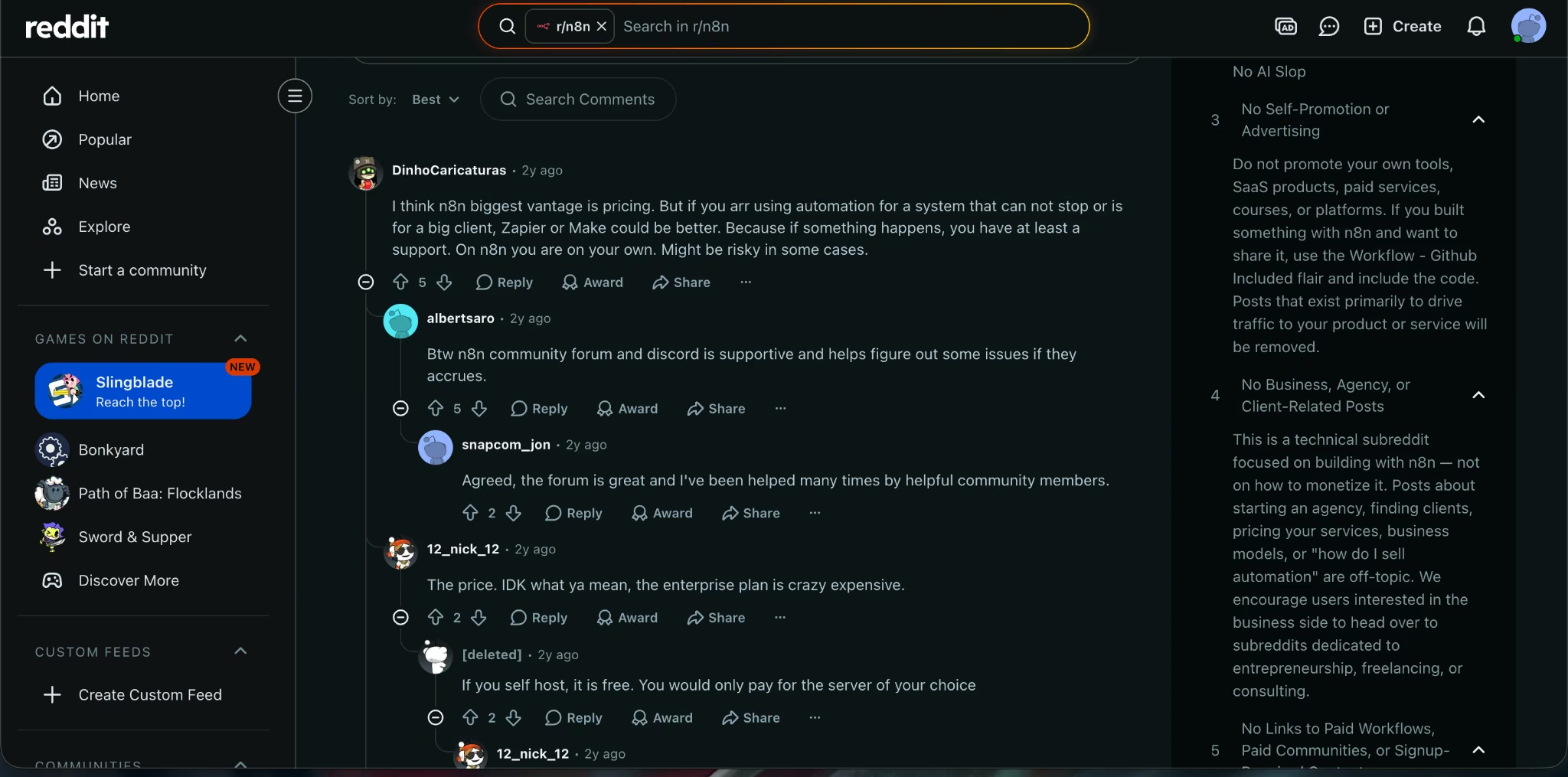
Reddit users make this point clearly: n8n can be cheaper and more flexible, but self-hosting brings maintenance work; Zapier works better when you want little infrastructure ownership.
Winner: Zapier. Choose Zapier when the person building automations also has a full-time job that isn’t maintaining automation infrastructure.
What Real Users Are Saying
n8n Review
Pro: flexibility, self-hosting, and deeper workflow control. On G2, n8n holds 4.7 out of 5 across 301 reviews (as on August 2026). The strongest positive themes are ease of use, automation flexibility, integrations, workflow management, and features. One reviewer called self-hosting the Community edition “a big +,” which lines up with n8n’s strongest case in this comparison: you get more control when you have the skill to own the setup.
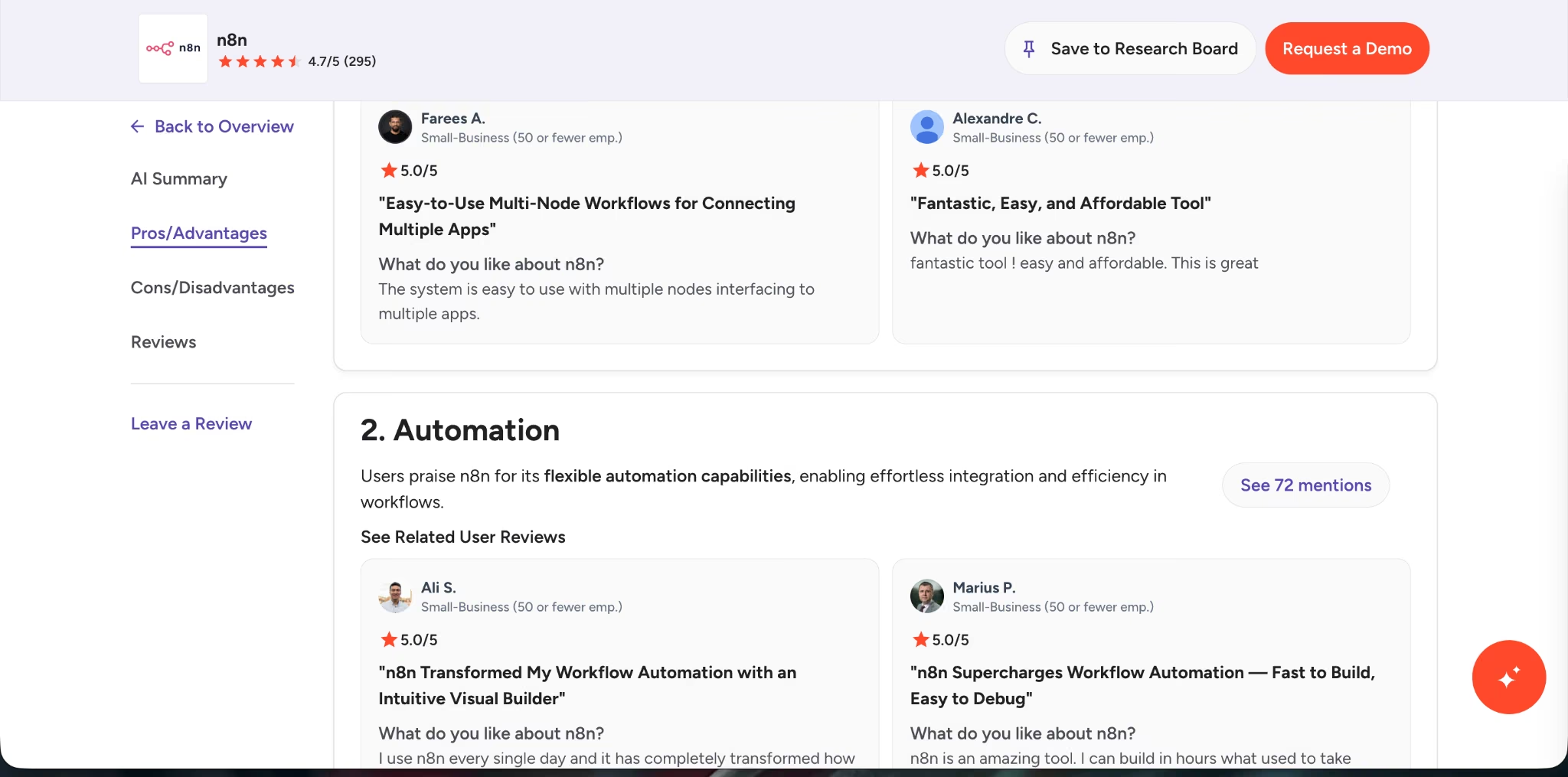
Con: the learning curve is real. G2 lists Learning Curve and Difficult Learning as two of n8n’s top disadvantages. That supports the main warning in this article: n8n can replace Zapier, but it needs a technical owner when workflows get complex.
Zapier Review
Pro: fast setup across a huge app library. Ease of use, repetitive task automation, and quick workflow setup. One reviewer says Zapier automates tasks across tools “without requiring any coding,” which is exactly why it works so well for non-technical teams.On G2, Zapier holds 4.5 out of 5 (as on August 2026), with ease of use and no-code setup as the dominant positive themes.
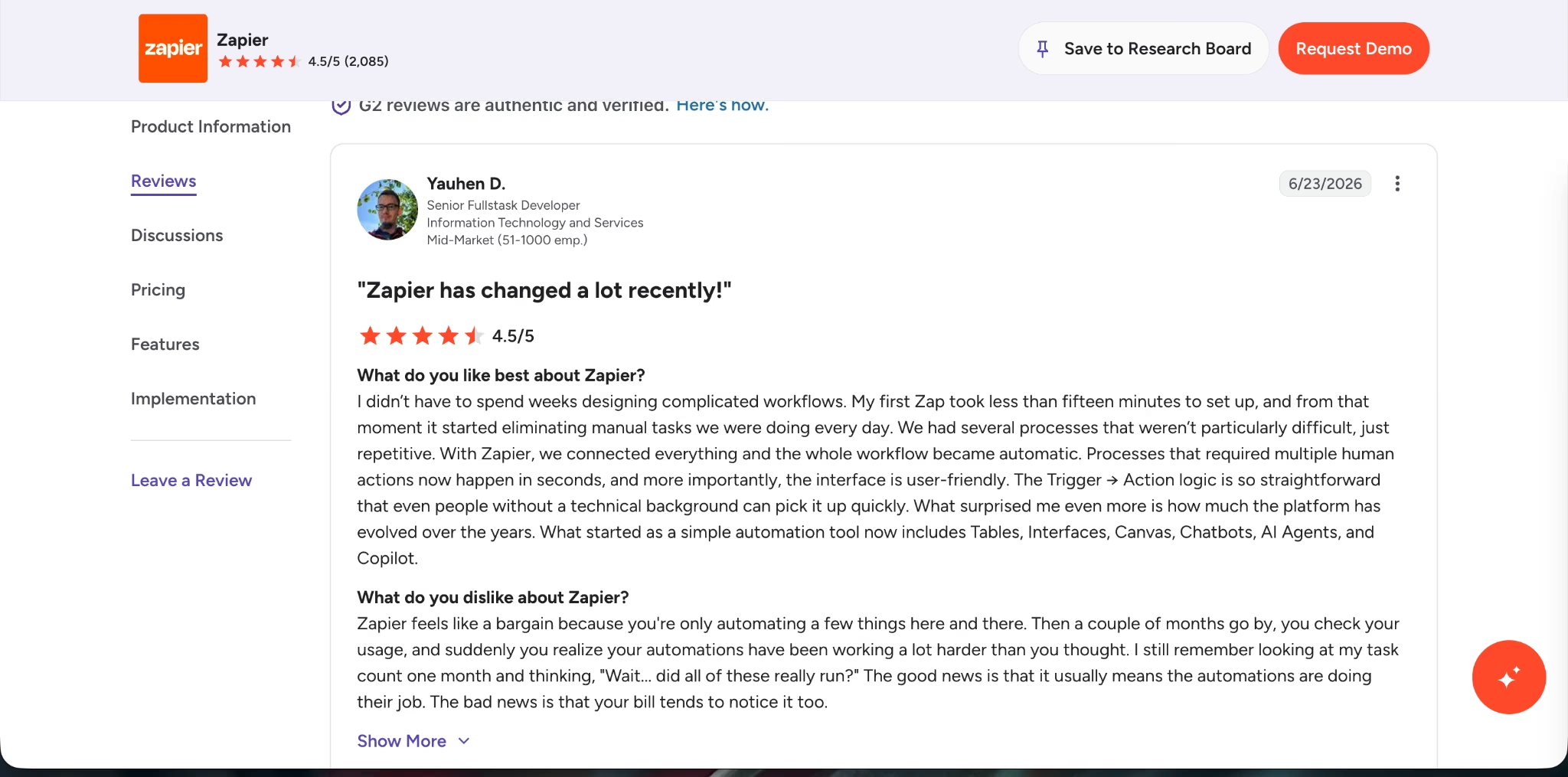
Con: pricing rises with task volume. G2’s review summary notes that Zapier pricing can escalate quickly as task volume increases. That matches the pricing tradeoff in this article: simple Zaps are easy to justify, but busy multi-step workflows can get expensive.
How To Make Your Choice
The decision gets easier when you stop asking “which tool is better?” and ask “who will own this automation six months from now?”
Choose n8n if:
- You have a technical founder, developer, RevOps owner, or automation specialist.
- Your workflows have many steps, branches, and retries.
- You want self-hosting.
- You need AI workflows with approvals, audit trails, and debugging.
- Zapier’s task-based pricing gets too expensive.
- You want unlimited users and workflows on paid cloud plans.
- You need custom logic beyond basic trigger-action workflows.
Choose Zapier if:
- Your team is non-technical.
- You need the widest app coverage.
- Your workflows are simple and low-volume.
- You want the fastest setup.
- You don’t want to manage hosting, updates, or infrastructure.
- Your team already knows Zapier.
- You value managed support more than deep control.
Choose Emergent If The Automation Is Turning Into Software
Some workflows shouldn’t stay as automations forever.
If you’re building a lead qualification system, client portal, job tracker, quote generator, booking workflow, CRM, approval dashboard, or internal operations app, you’re drifting into software territory.
That’s where Emergent fits.
Emergent is an agentic app-building platform that turns a plain-English description into a working, deployable app, with the interface, data, logic, and deployment handled in one flow. Its positioning is strongest for non-technical entrepreneurs, service business owners, agencies, product managers, and operations teams that need working software without hiring a full engineering team.
Use n8n or Zapier to connect existing tools. Use Emergent when the workflow needs its own interface, database, user roles, dashboard, and deployment.
For businesses that need a CRM built around their own workflows, this guide explains how to build your own CRM with AI.
My Verdict
Zapier is the better tool for most non-technical teams that need simple automations across many apps. It’s faster to set up, easier to hand to a marketing or operations teammate, and stronger when app coverage matters more than cost control.
n8n is the better long-term tool for complex workflows. Its execution-based pricing, self-hosting option, AI workflow control, and deeper logic make it the stronger choice when automation becomes part of how your business runs.
My final recommendation: start with Zapier if you need quick, low-volume SaaS automation and nobody technical owns the workflow. Choose n8n if you have a technical owner and expect your workflows to grow in volume, complexity, or business importance.
If the workflow is becoming an internal product, build the app instead of stacking more automation steps.
Conclusion
n8n vs Zapier comes down to control versus convenience.
Zapier is the better choice when you need simple automations across the widest app library and want your team to move fast without technical setup.
n8n is the better choice when workflows become complex, AI-heavy, high-volume, or sensitive enough that hosting and execution control matter.
For service businesses, agencies, and operators, here’s the clean rule: use Zapier for quick connections, use n8n for serious workflow systems, and use Emergent when the workflow needs to become a real app.

Most AI app builders stop at prototypes. Emergent creates production-ready apps you can actually launch.
- Production-ready apps
- Web & mobile apps
- Deploy in minutes







