

Build an Employee Onboarding Workflow From Offer to Day 30
Build an employee onboarding workflow that gives each new hire's tasks an owner and a due date, from offer to day 30.
Build an employee onboarding workflow that runs on its own and logs every step.
Trusted by Builders Worldwide
Active Builders Worldwide
Apps Successfully Created
Countries Globally Reached



What Your Onboarding Workflow Handles
Each new hire gets one record that holds every task, its owner, and its due date.
A record the day the offer is accepted
The app reads your HR system through its API and opens an onboarding record when a candidate accepts. The record starts with the role and start date from the signed offer.
Tasks routed to the team that owns them
IT, facilities, and payroll each get a task list for the new hire. Tell Emergent which tasks belong to which role, and a warehouse hire gets a different list than an engineer.
Forms signed before day one
The new hire opens one link, fills in each form, and signs on screen. The app captures each e-signature and marks that form done on the new hire's record for HR to see.
Reminders before anything runs late
Every task has a due date counted from the start date. The app reminds the owner by email or Slack on the days you pick, then alerts a named person if the task stays open.
A live board of every hire in progress
HR sees each new hire by stage and start date, with any overdue task at the top. The board updates the moment IT or payroll marks its task done in the onboarding app.
The onboarding app's code in GitHub
Export the full code of the app to your GitHub repository on paid plans. Anyone on your team can review how employee records are stored and change the app like any other code.
Where a New Hire's First Month Slips
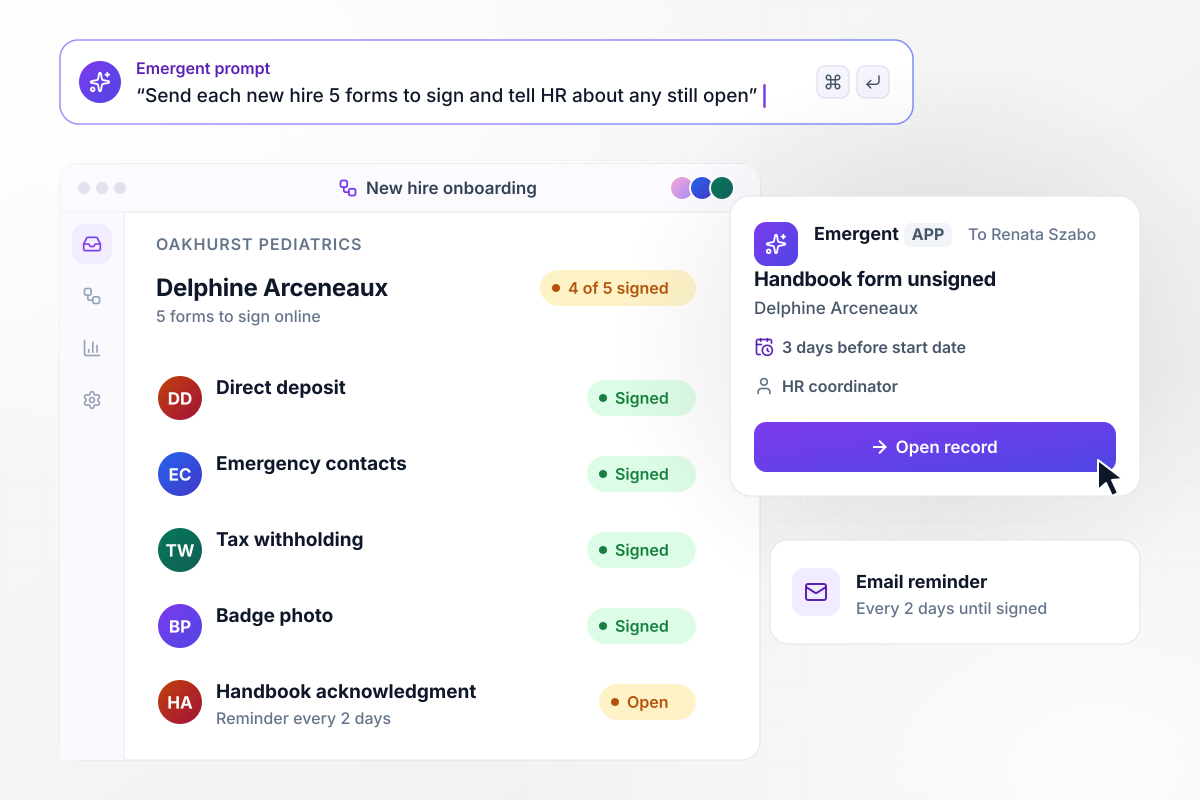
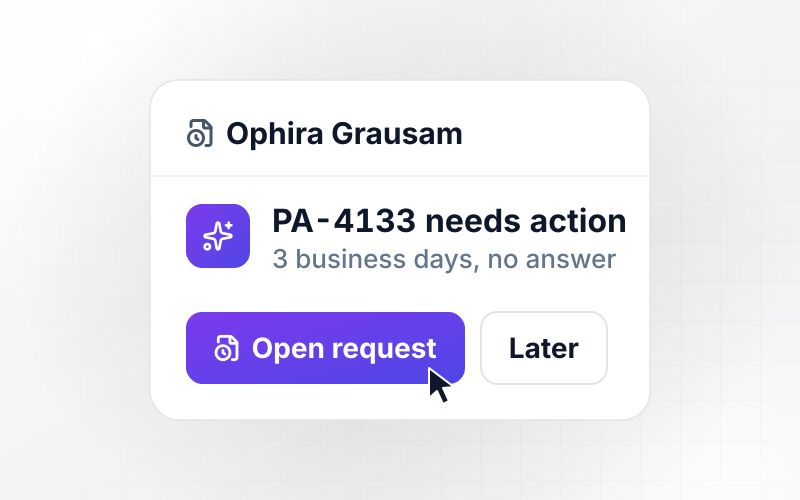
HR hears about any unsigned form 3 days before the start
Delphine Arceneaux accepts a front desk role at Oakhurst Pediatrics, and the app sends her 5 forms to sign online. She signs 4 of the 5 and gets an email reminder every 2 days about the handbook acknowledgment. Three days before her start date, the HR coordinator, Renata Szabo, gets a direct message naming it.
window.awbMockup = { preStartForms: "Build a pre-start paperwork tracker for my pediatric clinic. When a candidate accepts an offer, send them 5 forms to sign online: direct deposit, emergency contacts, tax withholding, the handbook acknowledgment, and a badge photo. Email the new hire a reminder every 2 days about any unsigned form, and send the HR coordinator a direct message 3 days before the start date if any form is still open.", dayOneSetup: "Build a day-one setup tracker for my logistics company. When a candidate accepts an offer, open 4 tasks: a laptop from IT, a building badge from facilities, a payroll record, and a first-week schedule from the hiring manager. Make each task due 2 business days before the start date, and send the owning team's lead a direct message about any task still open on that day.", requiredTraining: "Build a training tracker for my outdoor retail stores. Give every new store associate 4 required courses to finish by day 14: a safety walkthrough, register basics, product care, and the returns process. Keep solo shifts locked until all 4 are done, and on day 14 tell the store manager which courses are still open.", day30Pulse: "Build a day-30 pulse survey for my software company. On day 30 after a new hire's start, send them 3 questions, each scored 1 to 5, with a comment box. When any score is under 3, send the HR partner a direct message with the score and the comment, and log every answer on the employee's record." };
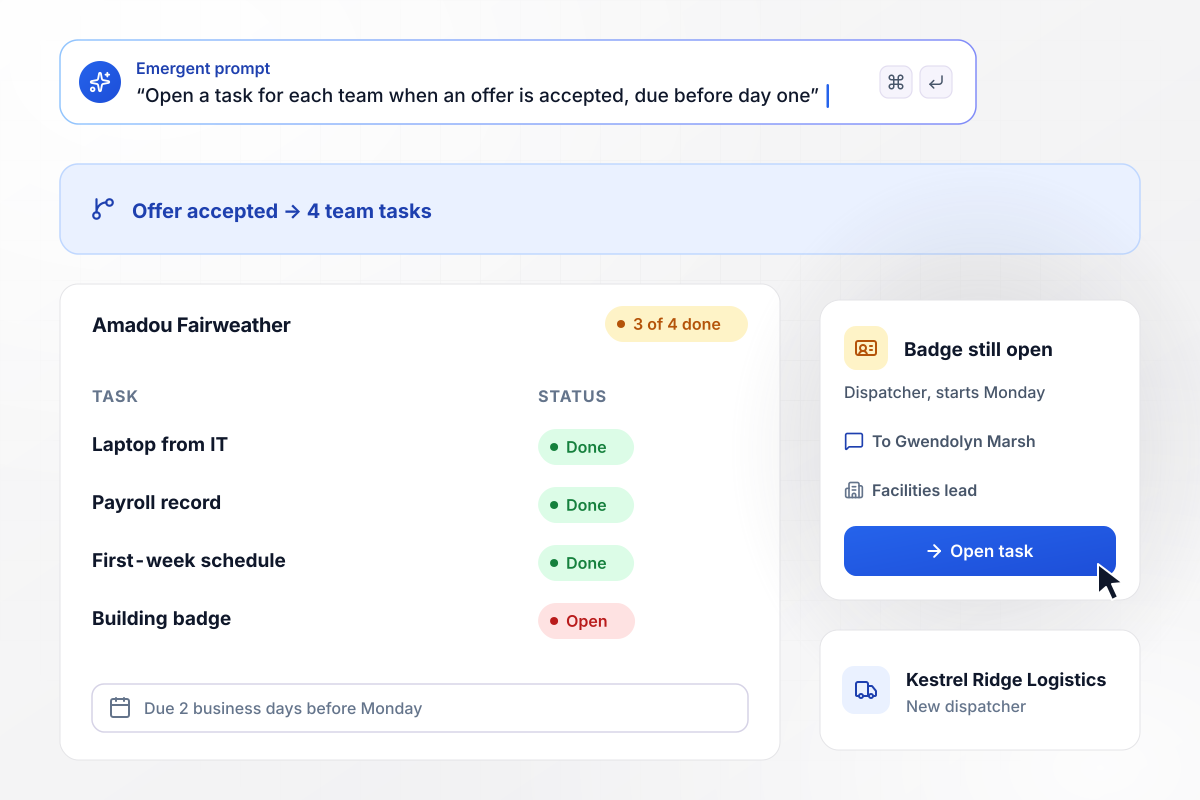
Four teams get day-one tasks when the offer is accepted
Amadou Fairweather accepts a dispatcher role at Kestrel Ridge Logistics, and the app opens a task for each of 4 teams, due 2 business days before his Monday start. Three of the 4 are done. The badge is still open, and the facilities lead, Gwendolyn Marsh, gets a direct message about it.
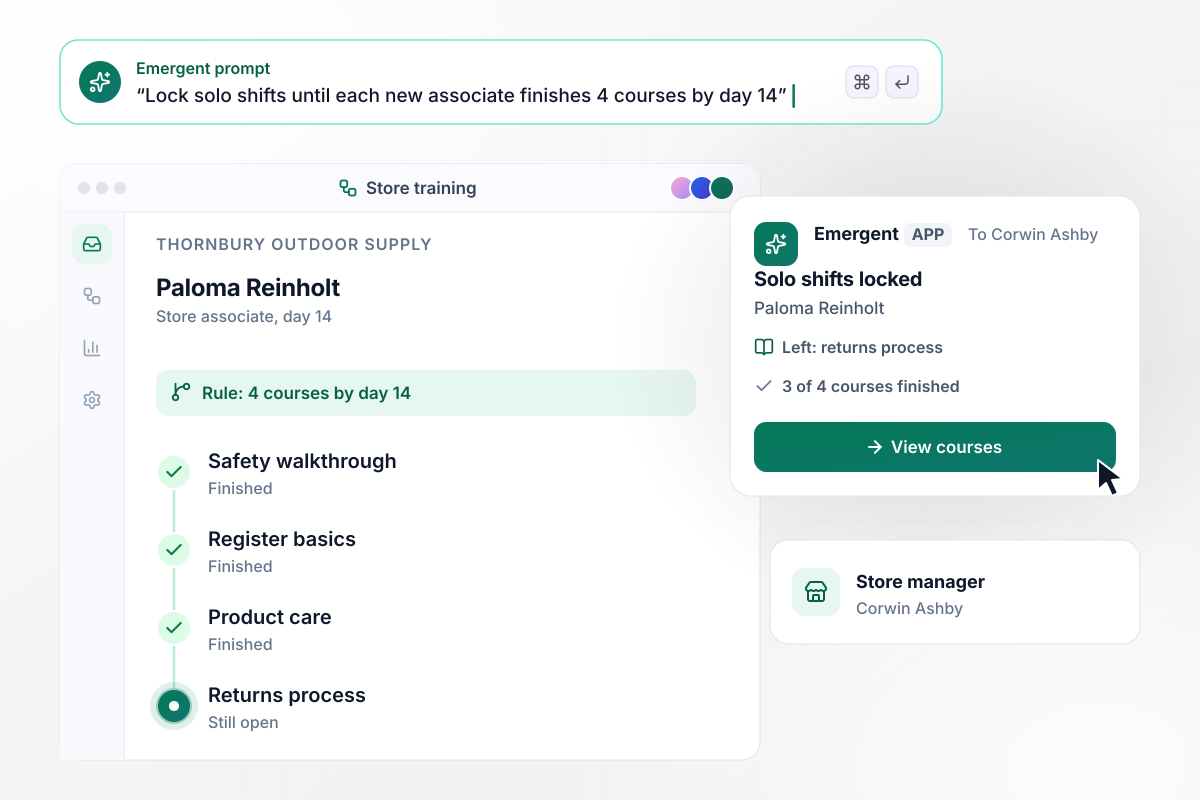
Solo shifts open only after all 4 courses
Thornbury Outdoor Supply gives every new store associate 4 required courses to finish by day 14. On day 14, Paloma Reinholt has finished 3 of the 4, and the returns process course is still open. The app keeps her solo shifts locked and tells the store manager, Corwin Ashby, which course she has left.
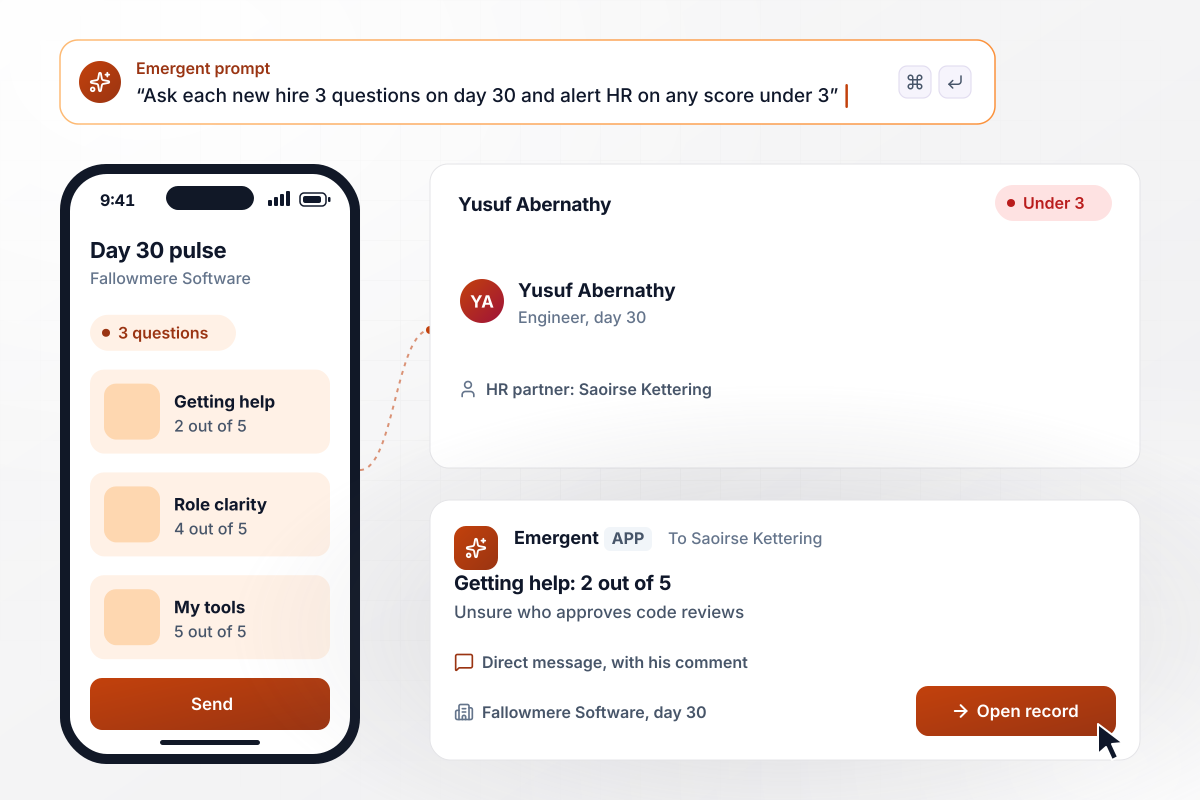
HR partners see every day-30 score under 3
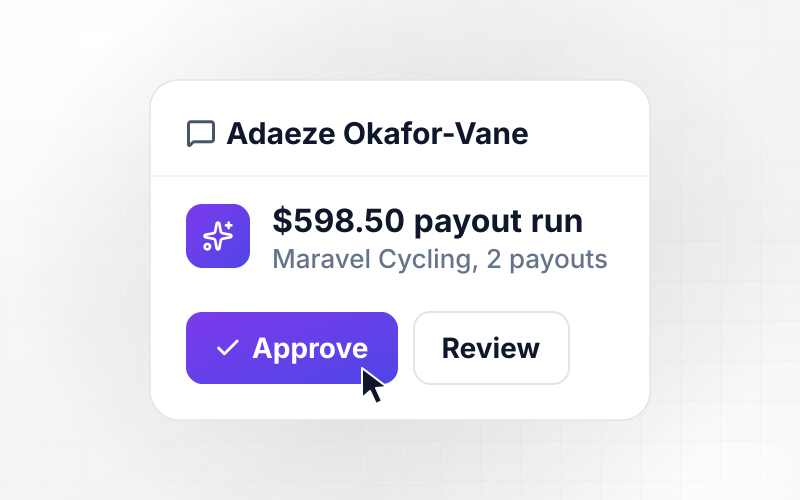
On day 30, Yusuf Abernathy answers 3 questions about his first month at Fallowmere Software. He rates getting help at 2 out of 5 and writes that nobody has shown him who approves code reviews. Any score under 3 goes to the HR partner, Saoirse Kettering, as a direct message with his comment.






Build an Employee Onboarding Workflow
Seven steps to plan an employee onboarding workflow and its reminders, then build it with Emergent and test it on a past hire.
Write down every task between the accepted offer and day 30, such as signed forms or a first-week training plan. Next to each task, note who does it today and what it waits on.
Assign every task to a team or a named role, such as IT for the laptop or the hiring manager for the first-week schedule. Keep separate lists where roles differ, since a warehouse hire and an engineer need different equipment.
Choose the one event that opens a new hire's record, such as an offer marked accepted in your applicant tracking system. Count every due date from the start date on that record.
Decide how many days before the start date each task is due, how often its owner gets a reminder, and who hears about it when it runs late. Write those numbers next to each task.
Write the task lists and day counts in plain English, the way you would brief a new HR coordinator. Emergent builds the onboarding app from that prompt, with the employee record, forms, reminders, and the board.
Connect your HR system and Slack through their APIs. Each new hire then arrives with the start date and manager filled in, and alerts reach people in the tools they already check.
Run one recent hire through the app with their real offer and start dates. Check that each reminder lands on the day you planned, then adjust the day counts before the next offer goes out.
Why Build Employee Onboarding With Emergent?
Emergent builds the onboarding app and its reminders from one prompt, and every new hire's record sits in a database you own.

|
Zapier | Make (Integromat) | n8n | |
|---|---|---|---|---|
| How you build | Prompt for the workflow and the app around it | Templates and editor, AI copilot | Visual canvas | Visual canvas, self-hosted or cloud |
| What you get | Workflow + trigger form + database + dashboard, as code you own | Zaps, plus Tables and Interfaces inside Zapier | Scenarios inside Make | Workflows inside n8n |
| Behavior at cap | Keeps running, no task cap | Overage billed at up to 1.25× the base rate | Runs pause | Cloud workflows stop until the reset or an upgrade |
| AI and agent steps | Native, share the same credit pool | Priced by model tier, drawn from the task pool | AI modules cost variable credits | Bring your own model API key, billed by the provider |
| Code ownership | Full code export to GitHub on paid plans | None | None | Yes on Community Edition |

Pick the Pricing Plan That Works for You
Choose the plan that fits your building ambitions. From weekend projects to enterprise applications, we've got you covered.




Find the right workflow automation
for you and your business
Frequently Asked Questions
Your Questions, Answered
Don't change this element unless you know what you are doing
More things you can build
with Emergent









on Emergent today


