

Build Field Service Automation for Your Office and Crews
Build field service automation that sends each call to the right technician and closes work orders from a phone.
Build field service automation for my HVAC company that dispatches calls, closes work orders on a phone, and lines up plan visits.
Trusted by Builders Worldwide
Active Builders Worldwide
Apps Successfully Created
Countries Globally Reached



What Field Service Automation Runs for You
Emergent builds the workflows together with the job records behind them. Diagnosis and repairs stay with your technicians.
Calls matched by zone and certification
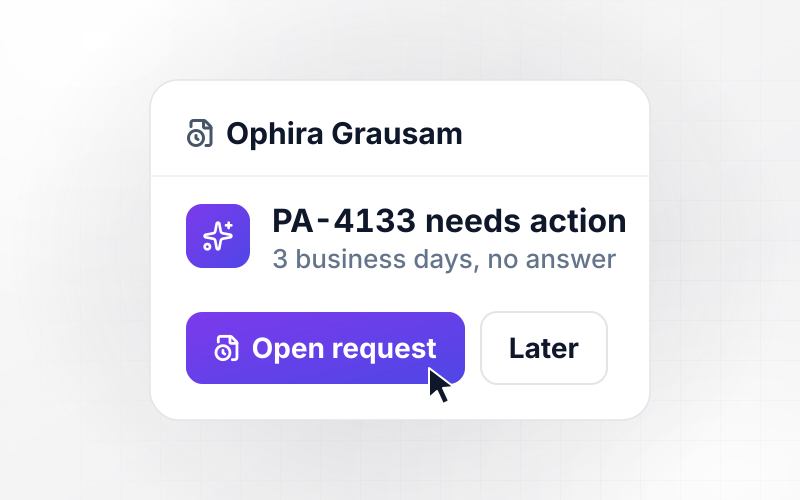
Each request from your booking form carries a zip code and a job type. The app offers it to the closest certified technician and alerts the dispatcher in Slack if nobody accepts.
Work orders closed at the customer's door
A technician logs parts and labor against the job on a phone, then hands it over for the customer's signature. The closed work order stays with its job and its customer record.
Customer emails that follow the schedule
The app emails a customer when the technician heads out, and again if the arrival window moves. Each email names the technician and the window, and every send is logged on the job.
Maintenance visits that book themselves
Store each plan's visit dates, and the app opens the work order ahead of each one and assigns the home's usual technician. You pick how many days ahead the work order appears.
Parts and labor synced to QuickBooks
The app connects to QuickBooks, Xero, or any tool with an API and sends each closed job's parts and labor lines across for billing. Every job's history sits in a database you own.
The whole app's code in your GitHub
Export the full code of your field service app to your GitHub repository on paid plans. A developer can add a parts catalog or a customer portal and keep the work in your own repo.
Four Jobs the Office Stops Doing by Hand
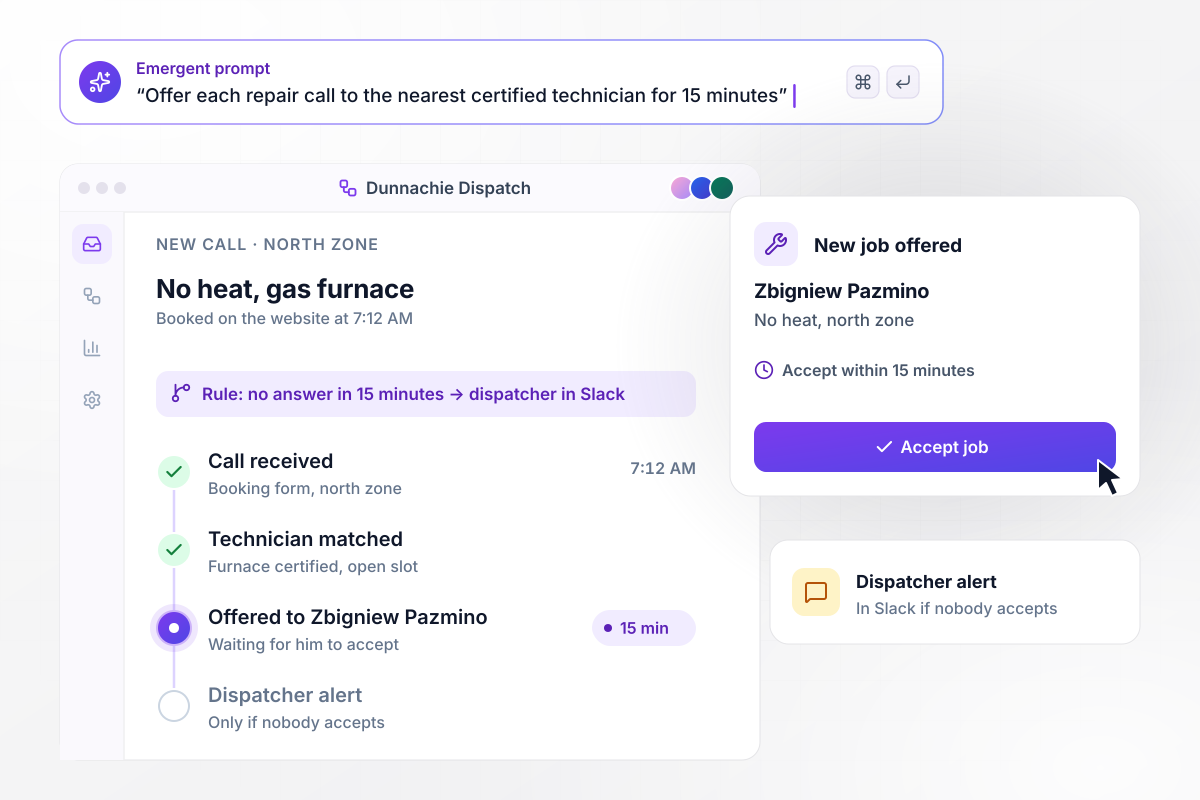
No-heat calls go to the nearest furnace tech first
Dunnachie Heating and Air books repair calls through a form on its website. At 7:12 AM a no-heat call comes in from the north zone. The app offers it to Zbigniew Pazmino, the furnace-certified technician with an open slot there, and he has 15 minutes to accept before the dispatcher hears about it in Slack.
window.awbMockup = { jobDispatch: "Set up dispatch for my HVAC company. When a repair call comes in through the booking form on our website, read the zip code and job type, and offer the job to the closest technician certified for that work who has an open slot. Give them 15 minutes to accept in the app, then send the call to our dispatcher in Slack if nobody has taken it.", workOrders: "Build mobile work orders for my technicians. On their phone they open the job, add photos, log each part with its price and their labor hours at our $95.00 hourly rate, and have the homeowner sign on the same screen. Closing the job saves the work order on the customer record and sends the parts and labor lines to QuickBooks.", arrivalWindows: "Keep my customers' arrival windows honest. Every visit has a two-hour window. When a technician's job runs 30 minutes past its booked time, shift their next visit by the full overrun, email that customer the new window and the technician's name, and mark the visit late on our dispatch board so the office can see it.", maintenancePlans: "Run our maintenance plans. Each plan has a spring and a fall tune-up. Every Monday, check every plan and turn each visit due within 21 days into a work order for the technician who serviced that home last. Put this week's new work orders on one list for our office manager so she can confirm a time with each customer." };
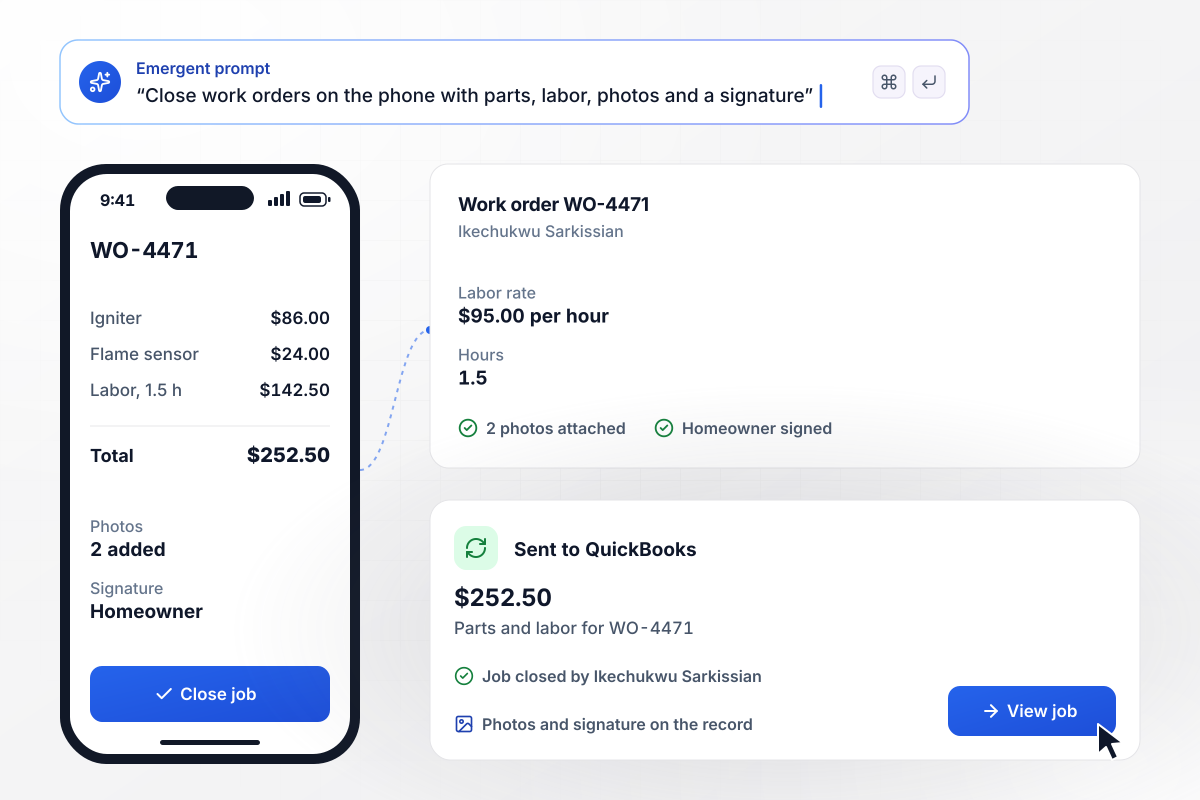
A signed work order closes from the technician's phone
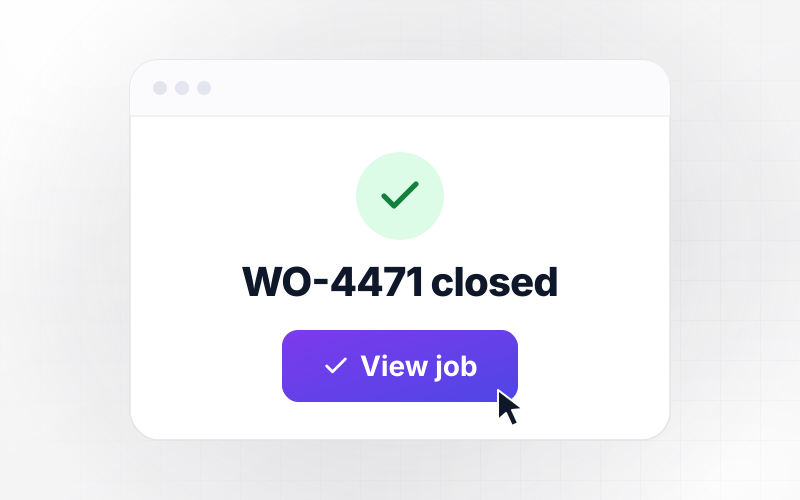
Ikechukwu Sarkissian replaces a furnace igniter on work order WO-4471. On his phone he adds 2 photos and logs an $86.00 igniter, a $24.00 flame sensor and 1.5 labor hours at $95.00. The homeowner signs on the same screen. The app closes the job and sends the $252.50 total to QuickBooks.
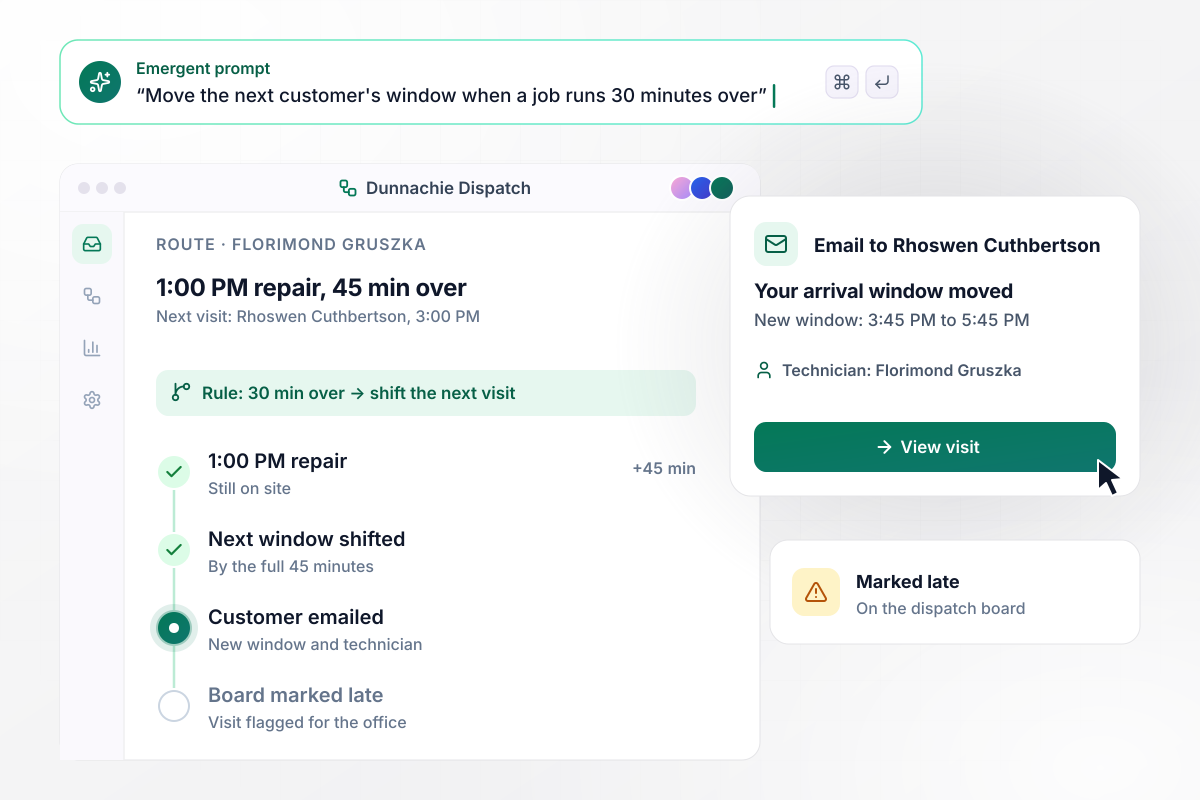
Any job 30 minutes over moves its next customer's window
Florimond Gruszka's 1:00 PM repair runs 45 minutes past its booked time. Once a job is 30 minutes over, the app shifts the next visit by the full overrun. Rhoswen Cuthbertson, his 3:00 PM customer, gets an email with a new arrival window of 3:45 PM to 5:45 PM, and the dispatch board marks her visit late.
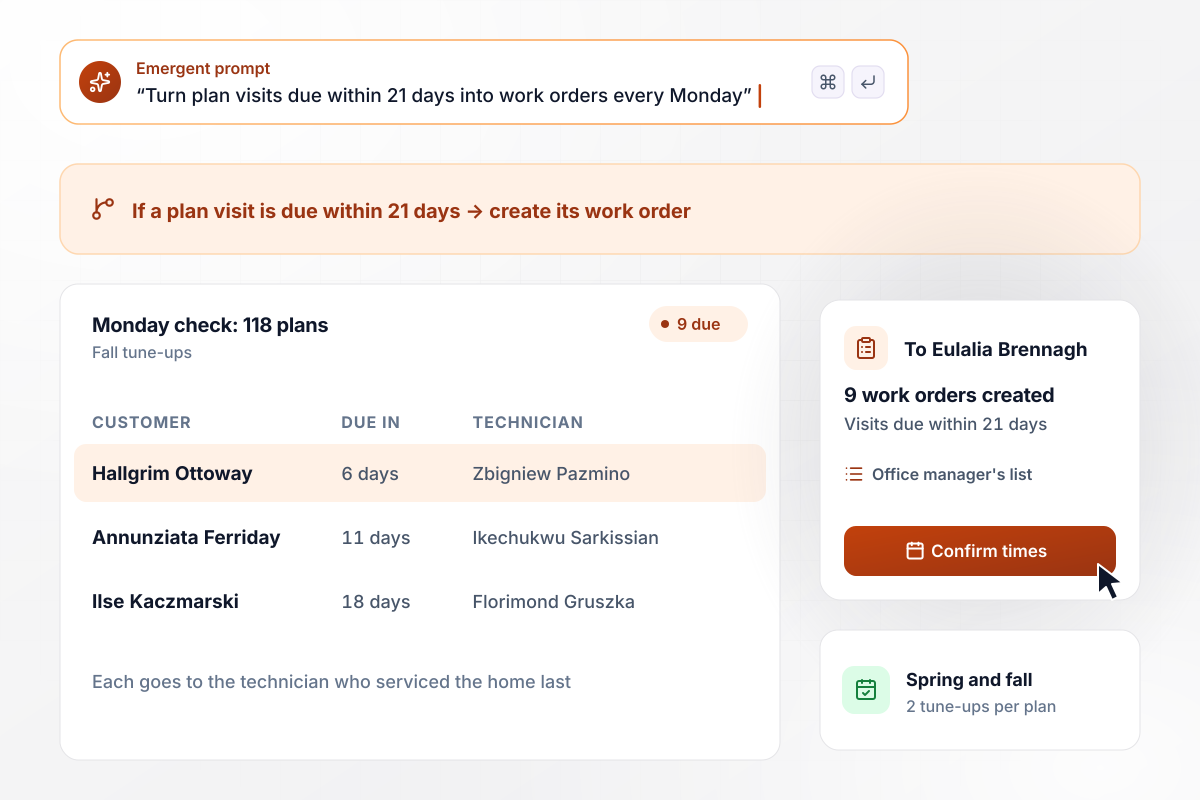
Each plan visit due in 21 days gets its work order
Dunnachie sells a maintenance plan with a spring and a fall tune-up. Every Monday the app checks all 118 plans. A visit due within 21 days becomes a work order for the technician who serviced that home last. This week 9 visits qualify, and office manager Eulalia Brennagh sees them on one list to confirm times.






How to Build Field Service Automation
Seven steps to set up field service automation for one office job, test it on last week's calls, and then add the next.
List the tasks your office repeats each morning: offering calls to technicians, chasing paperwork after a job, phoning customers when a crew runs late, and booking plan tune-ups. Note who owns each task today and how many phone calls it takes.
Start with a task that begins on one event, such as a new booking or a closed work order. Write its rule with real numbers: how many minutes a technician gets to accept, or how far over a job can run before the next customer hears.
Put customers, technicians, and open jobs into one spreadsheet. Give each technician a zone and their certifications, and give each customer an address and any plan dates. Dispatch can match a call to a technician only when those columns are filled in.
Tell Emergent what starts the workflow, the rule it follows, and who gets told. Emergent builds the workflow and the screens your technicians and dispatcher use. A follow-up prompt changes any number in the rule, such as 20 minutes to accept instead of 15.
Connect QuickBooks and Slack through their APIs, and set up the sender for customer emails. Book a test call through the website form and accept it as a technician. Then close a test work order and check that its lines arrive in QuickBooks.
Run last week's calls and jobs through the app before it contacts anyone. Compare each offer and each window change with what the office did at the time. Look hard at any mismatch: a missing certification or a zone drawn too wide shows up here.
Build the second workflow on the tables the first one fills. Closed work orders already record which technician worked at each home, and the maintenance plan workflow uses that record to assign every tune-up to the right person.
Why Build Field Service Workflows on Emergent?
Emergent builds the dispatch rules and the technician app as one project, on a database you own, with no task cap in a busy week.

|
Zapier | Make (Integromat) | n8n | |
|---|---|---|---|---|
| How you build | Prompt for the workflow and the app around it | Templates and editor, AI copilot | Visual canvas | Visual canvas, self-hosted or cloud |
| What you get | Workflow + trigger form + database + dashboard, as code you own | Zaps, plus Tables and Interfaces inside Zapier | Scenarios inside Make | Workflows inside n8n |
| Behavior at cap | Keeps running, no task cap | Overage billed at up to 1.25× the base rate | Runs pause | Cloud workflows stop until the reset or an upgrade |
| AI and agent steps | Native, share the same credit pool | Priced by model tier, drawn from the task pool | AI modules cost variable credits | Bring your own model API key, billed by the provider |
| Code ownership | Full code export to GitHub on paid plans | None | None | Yes on Community Edition |

Pick the Pricing Plan That Works for You
Choose the plan that fits your building ambitions. From weekend projects to enterprise applications, we've got you covered.




Find the right workflow automation
for you and your business
Frequently Asked Questions
Your Questions, Answered
Don't change this element unless you know what you are doing
More things you can build
with Emergent









on Emergent today


