

Build Lead Generation Automation That Captures Each Lead Once
Build lead generation automation that saves every chat, form, and webinar lead with its source in a database you own.
Build lead generation automation for my B2B software company that saves every website chat, form, and webinar lead to HubSpot with its source.
Trusted by Builders Worldwide
Active Builders Worldwide
Apps Successfully Created
Countries Globally Reached



What Emergent Builds Behind Every Lead Form
Emergent builds the capture and the hand-off to sales as one app, from a description of how leads reach you today.
One lead table for every source
Chat, the website form, the quote form, and webinar signups all write to the same lead table. Every row carries the same fields, so a lead reads the same whatever its source.
The source and campaign on each lead
The app saves where each lead came from, down to the page and the UTM campaign in the link. Reports then count leads by that source without anyone tagging a row by hand.
A duplicate check before a lead is created
Before it writes a new lead, the app looks up the email address. A match adds the new signup to the existing record, and its history keeps every way that person came in.
Leads written to your CRM through its API
The app writes each lead to HubSpot or any CRM with an API and reads back the owner and stage. Sales keeps working where it already works, with the source fields filled in.
A message when a lead needs a person
Pick the leads that should reach someone right away, such as demo requests. The app sends that person a Slack message or an email with the answers and a link to the record.
The lead app's code, in your GitHub
Export the full code of your lead generation app to your GitHub repository on paid plans. Anyone on your team can read how leads are matched and stored, and change it.
Four Ways Leads Arrive and Get Counted
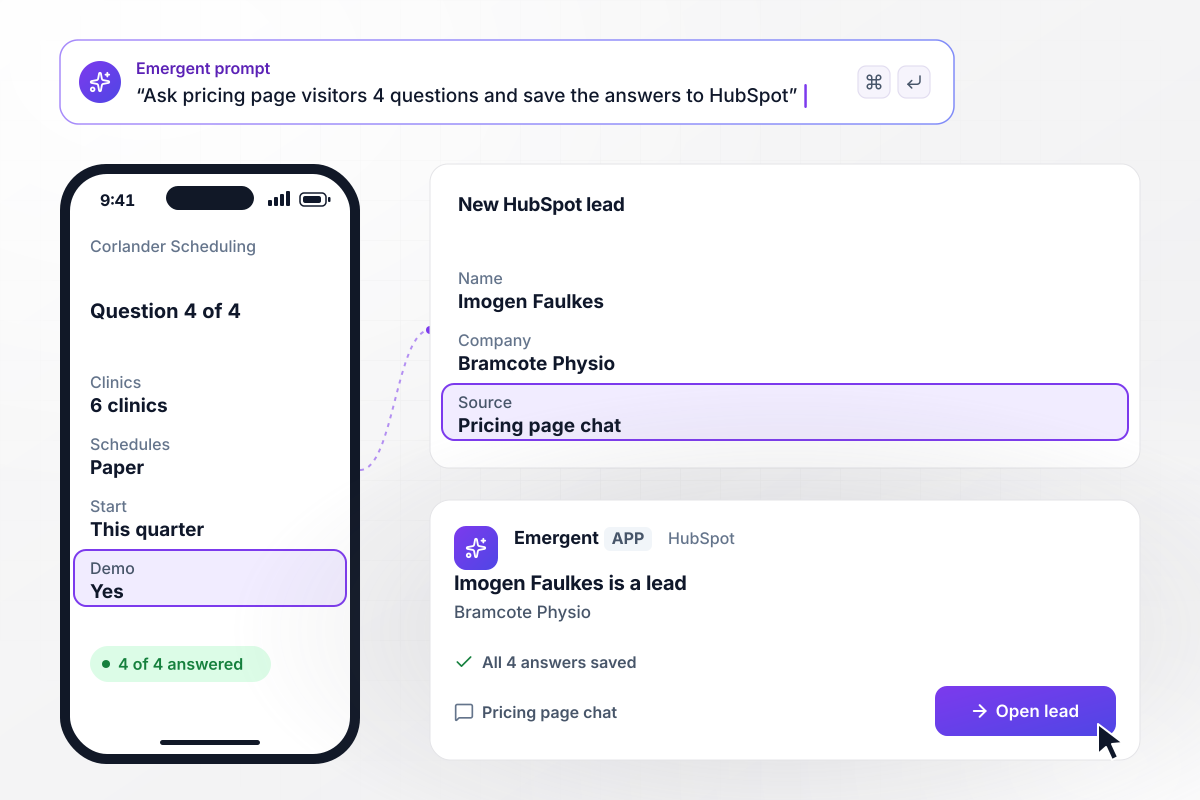
Four chat answers reach HubSpot as one lead
Corlander Scheduling puts a chat on its pricing page that asks 4 questions, one per screen. Imogen Faulkes, clinic director at Bramcote Physio, answers each one: 6 clinics, paper schedules today, a start this quarter, and yes to a demo. The app writes her lead to HubSpot with all 4 answers and the page she chatted on.
window.awbMockup = { pricingPageChat: "Build a chat for my scheduling software's pricing page that asks visitors 4 questions, one per screen: how many clinics they run, how they schedule today, when they want to start, and whether they want a demo. Save every answer on a new lead in HubSpot, along with the page the visitor chatted on.", quoteRequests: "Build a quote request form for my roofing company that asks for the zip code first. We cover 14 zip codes. When a request comes from outside them, save it as out of area and email the person the towns we cover. Send every request from inside the area to our estimator.", repeatSignups: "Build a duplicate check for my analytics company's leads. Before creating a lead from a guide download or a webinar registration, look up the email address. If a lead with that email exists, add the new signup to that record instead of creating a second one, and list every source on the record.", weeklySourceDigest: "Build a weekly lead report for my fleet parts company. Every Monday at 9 am, post a digest to our #marketing Slack channel that counts last week's leads by source: website form, paid search, webinars, and dealer referrals. Flag any source that brought fewer leads than the week before, and link to the full report." };
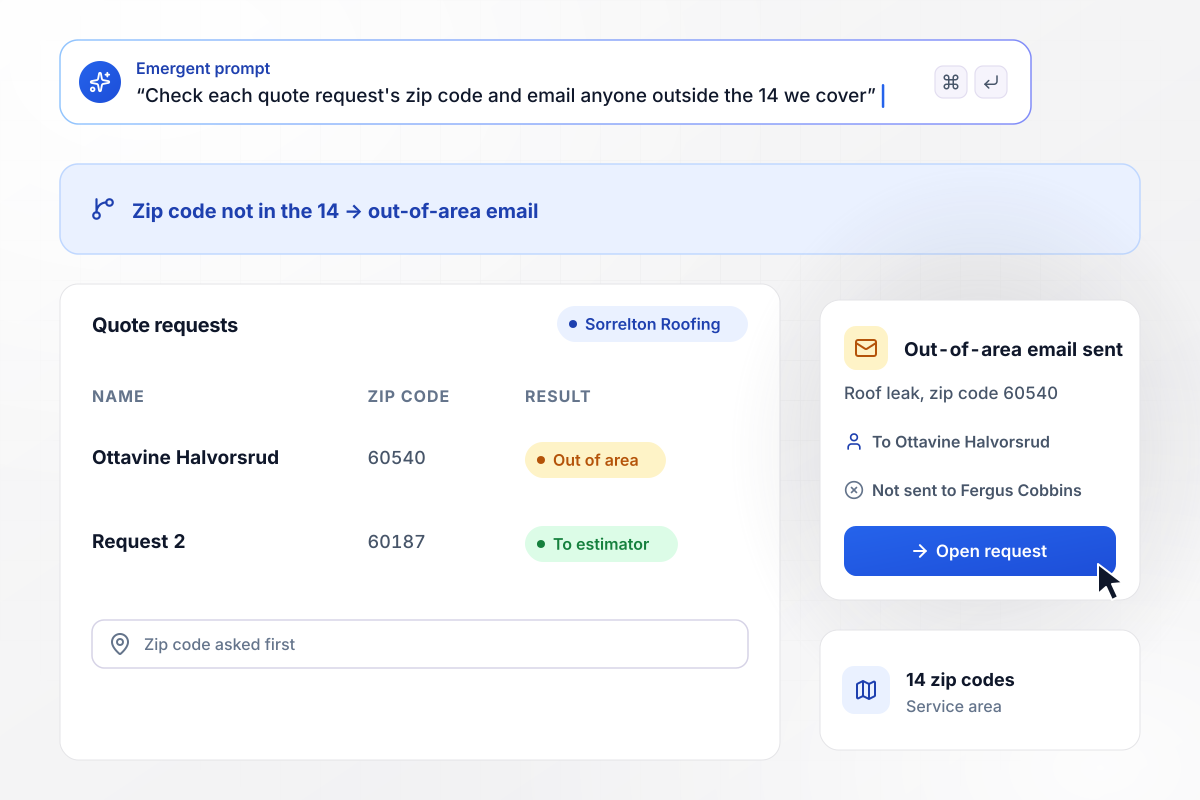
Outside its 14 zip codes, a quote request gets an email
Sorrelton Roofing covers 14 zip codes, and its quote form asks for the zip code first. Ottavine Halvorsrud asks about a roof leak from 60540, not one of the 14. The app saves her request as out of area and emails her the towns it covers. Only requests from inside the area, like 60187, reach the estimator, Fergus Cobbins.
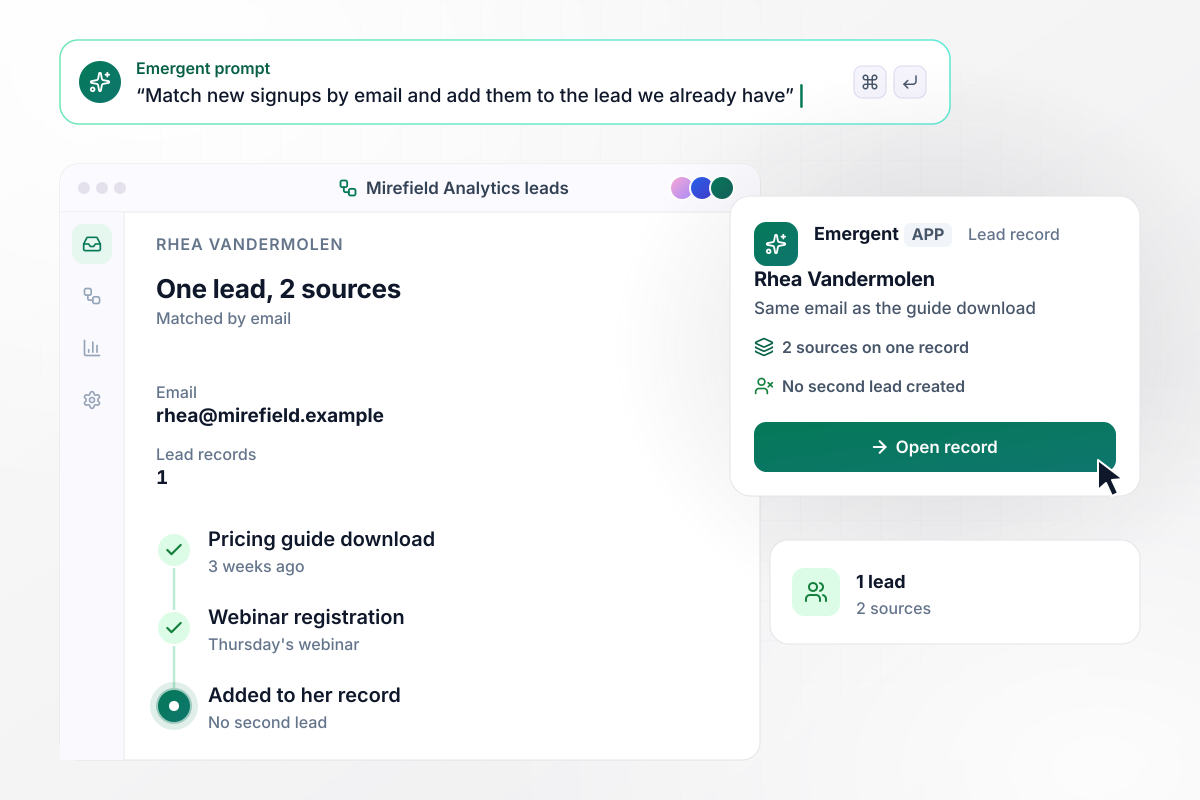
Rhea signs up twice and stays one lead
Rhea Vandermolen became a Mirefield Analytics lead 3 weeks ago, when she downloaded its pricing guide. She registers for Thursday's webinar with the same email. The app finds her record and adds the webinar to it instead of creating a second lead. Her record now lists 2 sources: the guide and the webinar.
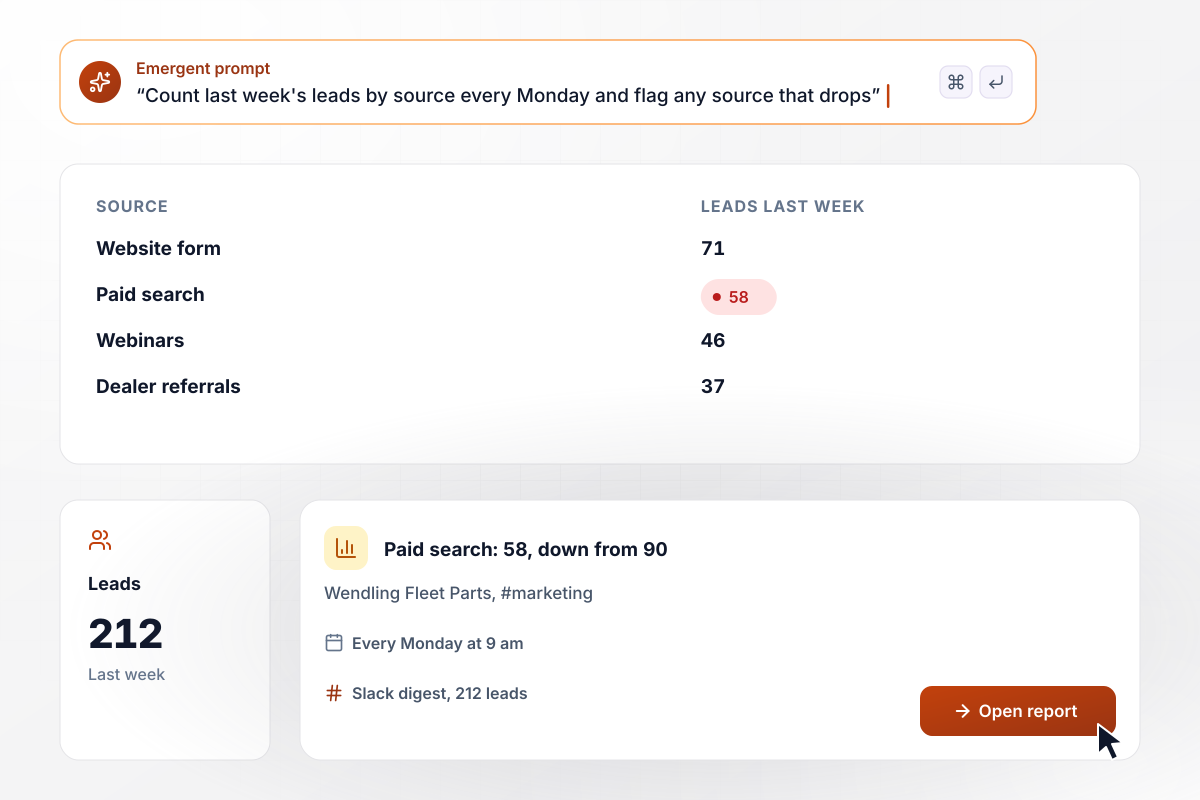
Paid search falls to 58 of 212 weekly leads
Every Monday at 9 am, Wendling Fleet Parts gets a Slack digest in #marketing that counts last week's 212 leads by source. The website form brought 71, paid search 58, webinars 46, and dealer referrals 37. Paid search is flagged: 58 against 90 the week before.






How to Build Lead Generation Automation
Seven steps from the places leads reach you today to lead generation automation that saves each lead once, built with Emergent.
Write down every place a lead reaches you today: the contact form, the quote form, chat, webinar signups, event lists, and referrals. Next to each, note where the lead goes now and who sees it first. Start with the source that brings the most leads.
Choose the fields every lead holds whatever its source: name, email, company, source, and the campaign in the link. Keep the forms short. A question the form does not need can wait for the chat or the first sales call.
Choose the field that makes two signups the same person. Email address is the plainest match. Then decide what a match does: attach the new signup to the record already there, keep both sources on it, and leave the lead's owner as it is.
Describe the sources and the duplicate rule in a prompt, along with any check that runs first, such as a service area. Emergent builds the forms and the chat with the logic behind them, and you change any part by prompting again.
Connect HubSpot or whichever CRM your sales team works in through its API, so each lead lands there with its source fields filled. Then add Slack or email for the leads that need a person right away, such as a demo request.
Run last month's leads through the app before it goes live. Count how many duplicates it finds, check that every lead carries a source, and open a few records in the CRM to confirm the fields landed where sales expects them.
Read the first weekly digest with whoever runs each channel. If a source drops from one week to the next, check its form and its links first. Leads that arrive with no campaign point to a link missing its tag. Adjust the app by prompting.
Why Automate Lead Generation With Emergent?
Emergent builds the lead table and the weekly source report from one prompt, with no task cap.

|
Zapier | Make (Integromat) | n8n | |
|---|---|---|---|---|
| How you build | Prompt for the workflow and the app around it | Templates and editor, AI copilot | Visual canvas | Visual canvas, self-hosted or cloud |
| What you get | Workflow + trigger form + database + dashboard, as code you own | Zaps, plus Tables and Interfaces inside Zapier | Scenarios inside Make | Workflows inside n8n |
| Behavior at cap | Keeps running, no task cap | Overage billed at up to 1.25× the base rate | Runs pause | Cloud workflows stop until the reset or an upgrade |
| AI and agent steps | Native, share the same credit pool | Priced by model tier, drawn from the task pool | AI modules cost variable credits | Bring your own model API key, billed by the provider |
| Code ownership | Full code export to GitHub on paid plans | None | None | Yes on Community Edition |


Pick the Pricing Plan That Works for You
Choose the plan that fits your building ambitions. From weekend projects to enterprise applications, we've got you covered.




Find the right workflow automation
for you and your business
Frequently Asked Questions
Your Questions, Answered
Don't change this element unless you know what you are doing
More things you can build
with Emergent









on Emergent today


