

Build Reconciliation Automation That Leaves Only the Exceptions
Build reconciliation automation that matches bank, payout, and statement lines to your ledger and sends each gap to a person.
Build reconciliation automation that matches each day's bank lines to my QuickBooks entries and flags the rest.
Trusted by Builders Worldwide
Active Builders Worldwide
Apps Successfully Created
Countries Globally Reached



Six Parts of a Reconciliation That Runs on Rules
Emergent builds the whole reconciliation app from a prompt and connects it to the ledger and bank account you already use.
Reads the bank feed and the ledger
Connects to QuickBooks, Xero, NetSuite, or any accounting software with an API, and to your bank feed. New bank lines and ledger entries sync in each morning, ready to match.
Match rules written in plain English
Describe the rule in a sentence, such as the same invoice number and an amount within $1.00 of it. Emergent builds the rule from that prompt, and a later prompt changes it.
Statements read into fields by AI
Upload a supplier statement or a bank statement, and an AI step pulls each invoice number, date, and amount into fields. A person checks any field the AI is unsure of.
A review queue for every unmatched line
Each line with no match lands in a queue with its amount, its date, and the closest ledger entries. Its owner gets a Slack or email alert, then a reminder if it sits.
Every match kept in a database you own
Each match records the lines it paired, the rule that paired them and who approved a manual pairing. The history lives in a database you own, open to your outside reviewer.
Your reconciliation app's code, in GitHub
Export the reconciliation app's full code to your GitHub repository on paid plans. Your team can read each match rule as code and review a rule change like any other.
Four Reconciliations, Four Match Rules
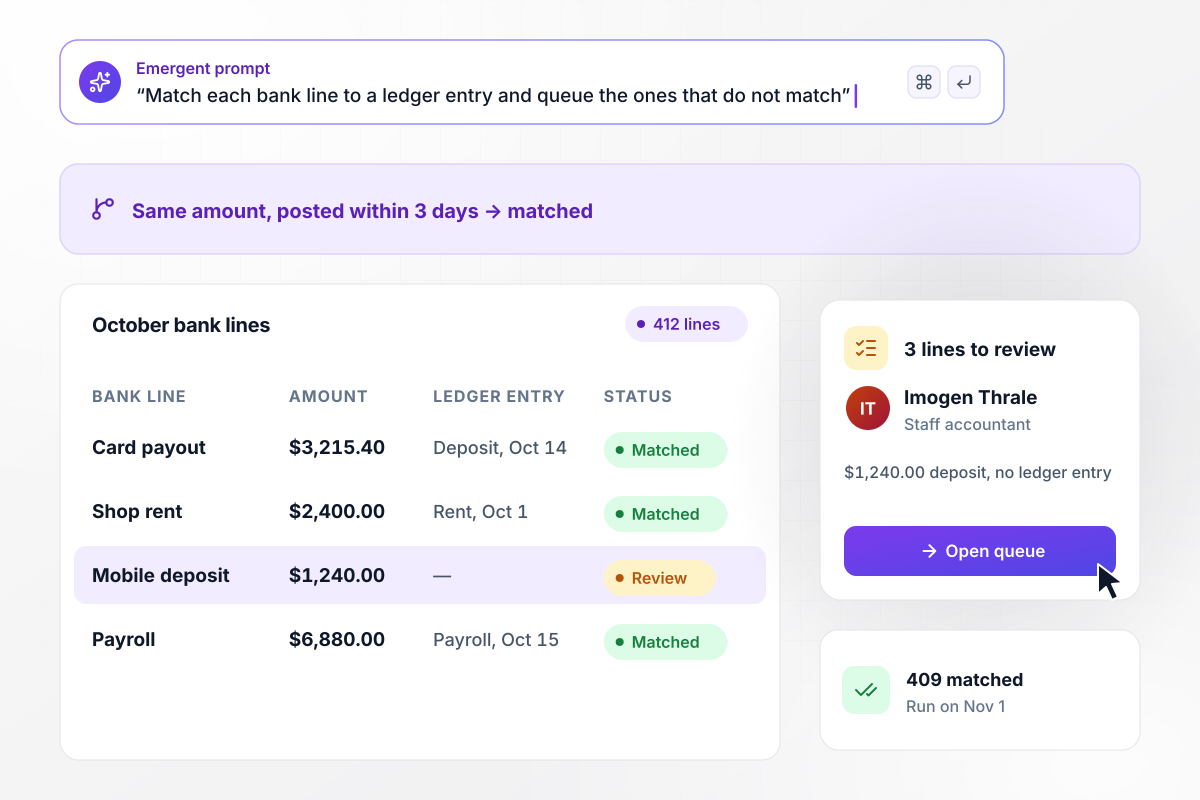
Of 412 bank lines in October, 3 need a person
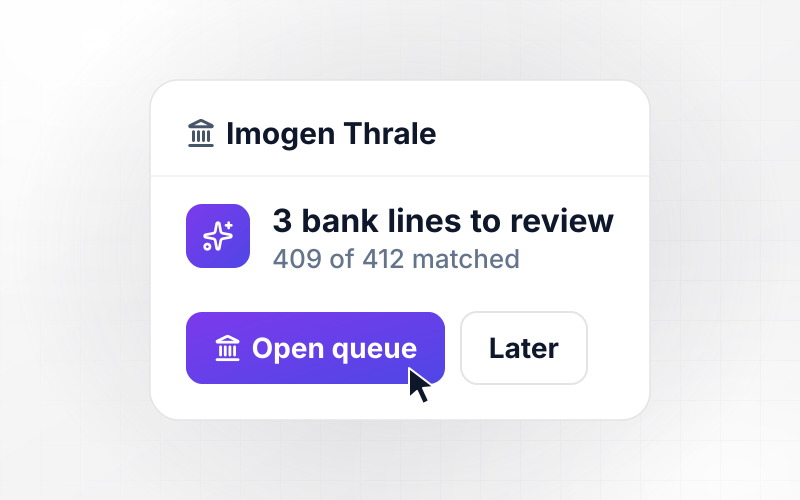
On November 1, the app pulls Haldorne Cycle Works' 412 October bank lines and pairs each with a QuickBooks entry of the same amount, posted within 3 days. It pairs 409 of them. The 3 left over, led by a $1,240.00 deposit with no ledger entry, wait for staff accountant Imogen Thrale to decide by hand.
window.awbMockup = { bankLines: "Build reconciliation automation for my bike shop. On the 1st of each month, pull last month's lines from our business checking account and match each one to a QuickBooks entry with the same amount, posted within 3 days. Put every line that does not match in a review queue for my staff accountant, Imogen Thrale, with its amount and date.", processorPayouts: "When a card processor payout lands in my bank account, find the orders it covers and check that those orders, less the processing fees, equal the deposit. Record it in my ledger with sales and fees on separate lines, and mark each order in the payout as paid out.", supplierStatements: "I run a building company. Let my accounts payable clerk upload a supplier's monthly statement. Read each invoice number, date, and amount from it, and check each one against the open bills in my ledger. Turn any invoice with no matching bill into a task for the clerk, with the statement page attached.", cashDeposits: "I own 3 restaurants. Every morning, compare yesterday's cash sales from the point-of-sale system at each location with the deposit that posted to the bank. If a location's deposit is off by more than $20.00, send its manager a Slack message with both amounts." };
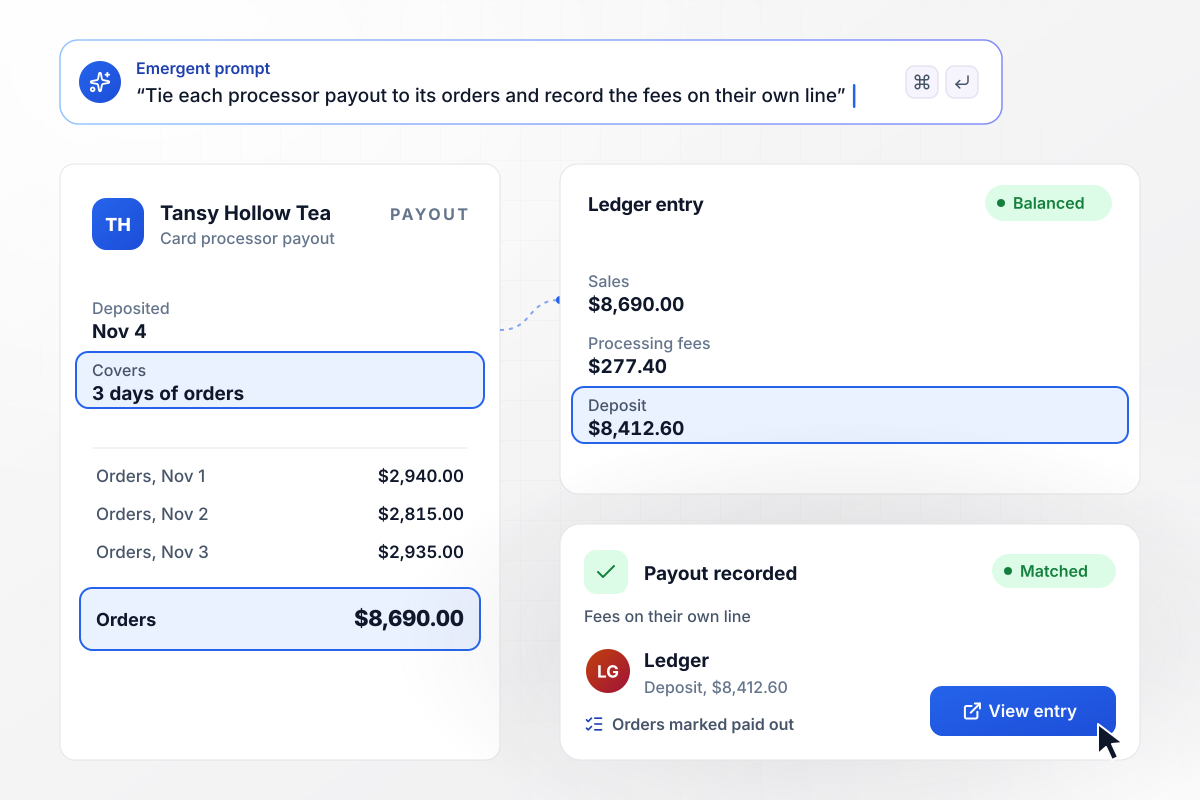
Fees on the $8,412.60 payout get their own line
Tansy Hollow Tea takes cards for its online tea orders. Its $8,412.60 processor payout lands on November 4, and the app ties it to 3 days of orders worth $8,690.00, less $277.40 in fees. The ledger gets one deposit with sales and fees on separate lines, and each order in the payout is marked paid out.
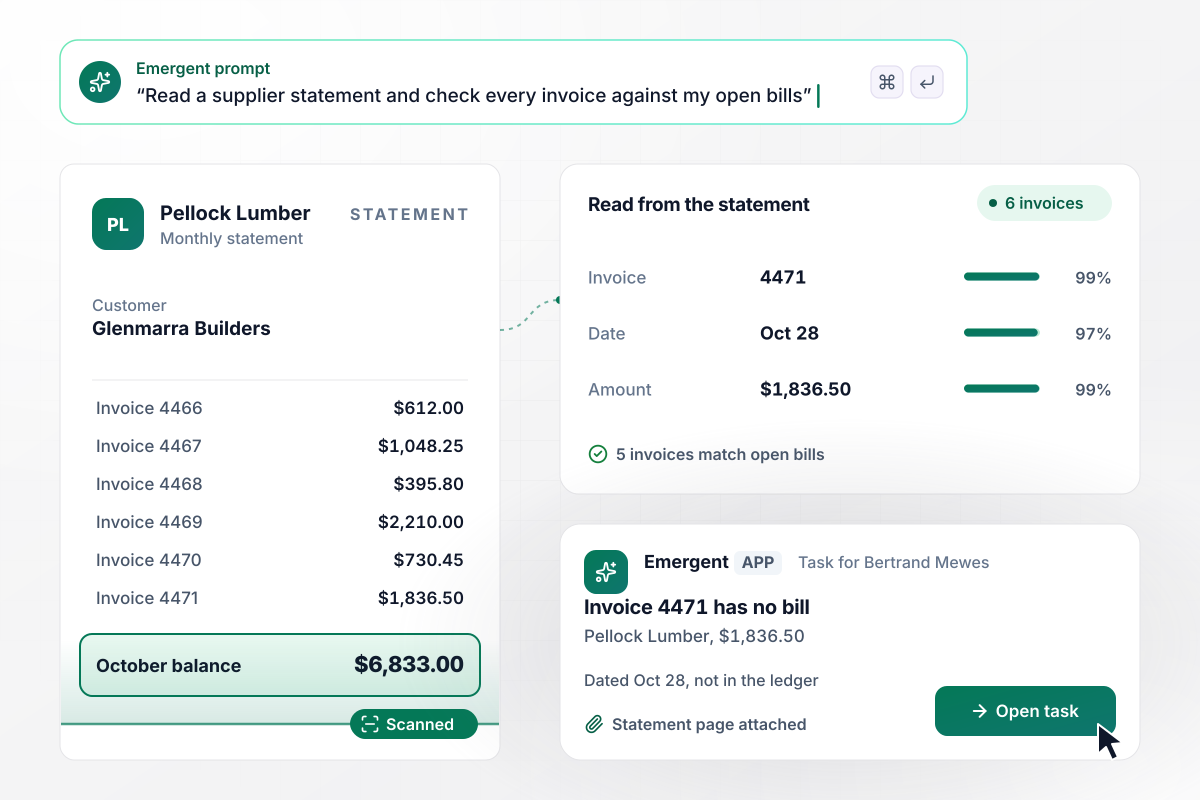
A supplier statement with one invoice the ledger never saw
Glenmarra Builders buys framing lumber from Pellock Lumber on account. Its AP clerk, Bertrand Mewes, uploads Pellock's October statement, and the app reads its 6 invoices. Five match open bills in the ledger. Invoice 4471 for $1,836.50 has no bill and becomes a task for Bertrand, with the statement page attached.
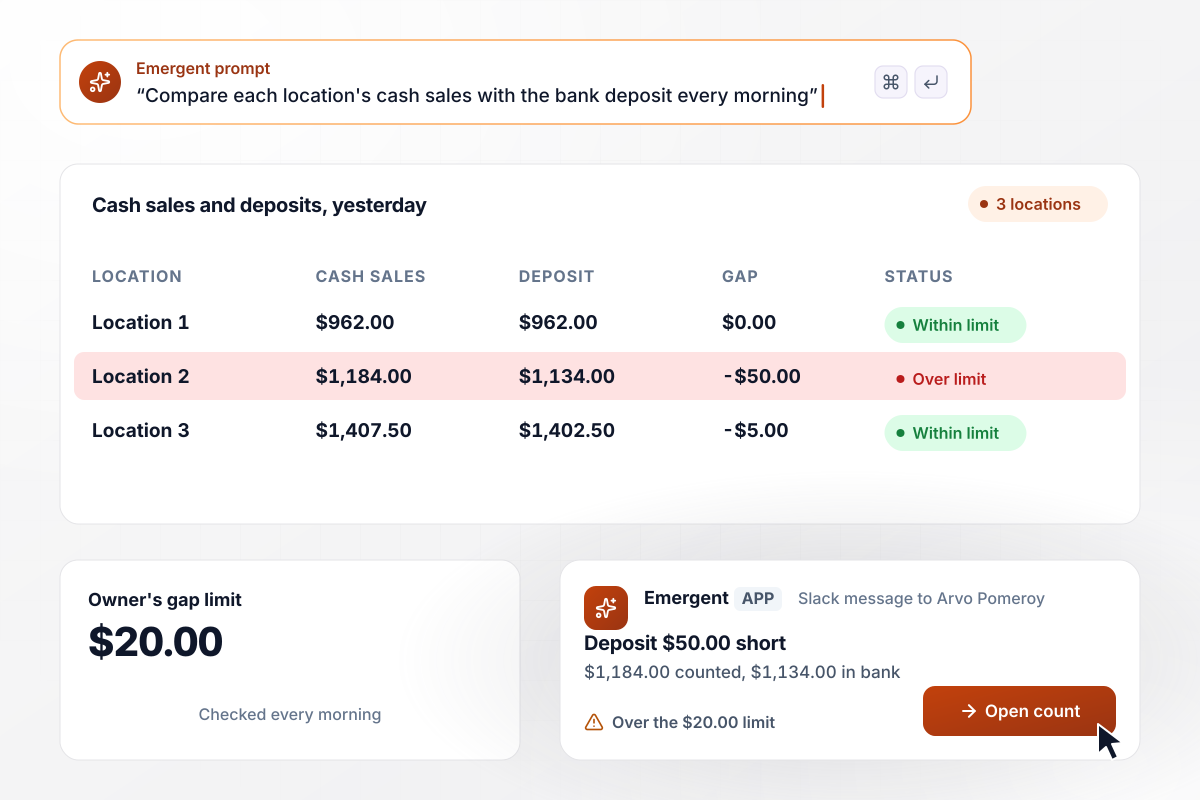
Location 2 is $50.00 short when the deposit lands
Ostrevan Kitchens runs 3 restaurants. Every morning the app sets yesterday's point-of-sale cash at each one beside its bank deposit. Location 2 counted $1,184.00 and deposited $1,134.00. That $50.00 gap is over the owner's $20.00 limit. The app sends manager Arvo Pomeroy both figures in Slack.






How to Automate Reconciliation
Seven steps to set up reconciliation automation on your ledger, one match rule at a time, tested on a closed month first.
Write down every reconciliation the team does by hand: each bank account, card processor payouts, supplier statements, and cash deposits. Next to each one, note the two records it compares and who clears the leftovers today.
Pick the reconciliation with the most lines and state its rule exactly. Name the fields that must agree, how many days apart two dates may be, and how far an amount may differ before a person looks.
Paste the rule into Emergent along with the ledger you use and the person who owns the leftovers. From that prompt, Emergent builds the matching workflow and its review queue.
Connect the bank feed and your accounting software, then point the rule at a single checking account. Card and savings accounts can join once the first account runs clean.
Export last month's bank lines and run the rule against the ledger your team already reconciled by hand. Compare the app's pairs with your team's pairs, and change the rule wherever the two disagree.
Choose how an unmatched line reaches its owner: a Slack message or an email, then a reminder after the number of days you set. Add an escalation to the controller for a line still open at month end.
Once the first rule has run clean for a full month, prompt Emergent to add the next one, such as processor payouts or supplier statements. Each new rule feeds the same review queue.
Why Automate Reconciliation With Emergent?
Emergent builds the match rules and the review screens on a database you own, with no task cap on how many lines run each day.

|
Zapier | Make (Integromat) | n8n | |
|---|---|---|---|---|
| How you build | Prompt for the workflow and the app around it | Templates and editor, AI copilot | Visual canvas | Visual canvas, self-hosted or cloud |
| What you get | Workflow + trigger form + database + dashboard, as code you own | Zaps, plus Tables and Interfaces inside Zapier | Scenarios inside Make | Workflows inside n8n |
| Behavior at cap | Keeps running, no task cap | Overage billed at up to 1.25× the base rate | Runs pause | Cloud workflows stop until the reset or an upgrade |
| AI and agent steps | Native, share the same credit pool | Priced by model tier, drawn from the task pool | AI modules cost variable credits | Bring your own model API key, billed by the provider |
| Code ownership | Full code export to GitHub on paid plans | None | None | Yes on Community Edition |



Pick the Pricing Plan That Works for You
Choose the plan that fits your building ambitions. From weekend projects to enterprise applications, we've got you covered.




Find the right workflow automation
for you and your business
Frequently Asked Questions
Your Questions, Answered
Don't change this element unless you know what you are doing
More things you can build
with Emergent









on Emergent today


