

Build Gym Automation for Memberships and Classes
Build gym automation that follows up on failed dues and alerts coaches when members stop checking in.
Build gym automation for failed dues, class waitlists, attendance alerts, and trial passes.
Trusted by Builders Worldwide
Active Builders Worldwide
Apps Successfully Created
Countries Globally Reached



What Gym Automation Runs at the Desk
Each workflow takes one job the front desk repeats and logs what it did on the member's record. Coaching stays with the coaches.
Runs on a charge, a booking, or a scan
Reads failed charges from the payment processor's API and watches class bookings and the check-in screen. Each event starts a run, and the run is logged on the member's record.
Gym rules in your front desk's words
Write a rule the way it gets said out loud at the desk, such as skip the dues reminder for anyone on a freeze. Emergent turns it into the workflow, and a new prompt changes it.
Members, classes, and visits in one place
Keeps members, plans, class rosters, and every check-in in a database you own. Every workflow reads the same tables, and adding a class or a coach means adding one row.
Alerts to the coach or manager on duty
Sends a Slack message or an email to the person who owns the next step. When nobody acts within a day, a reminder follows, and after that the item escalates to the gym manager.
No task cap when sign-ups spike
Runs every booking and check-in through the same steps, however many arrive in a day. When a promotion doubles new members for a month, the extra runs go through with no task cap.
Your gym app's code, yours to keep
Exports the full code to your GitHub repository on paid plans. A developer can read every rule written so far and connect another tool your gym uses through that tool's API.
Four Desk Jobs a Gym Can Hand Off
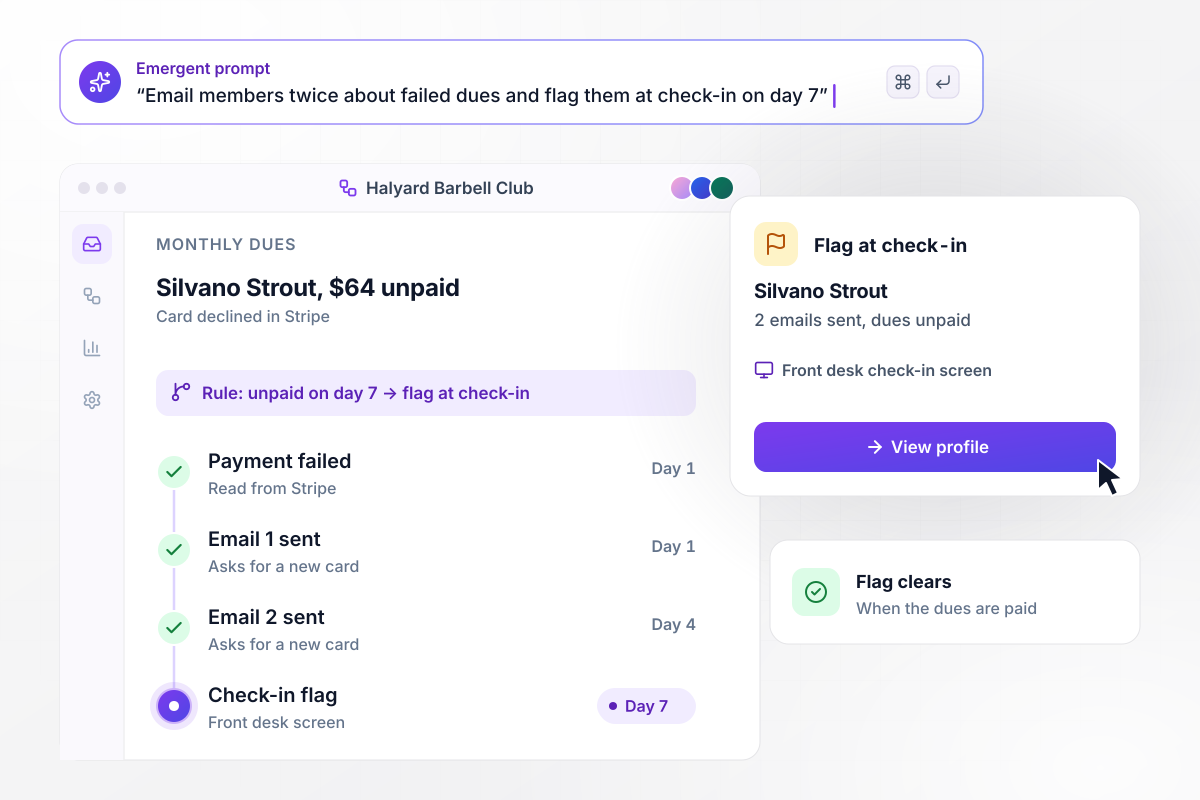
Failed dues get two emails, then a flag at check-in
Halyard Barbell Club bills $64 monthly dues through Stripe. When Silvano Strout's card is declined, the app emails him for a new card on day 1 and again on day 4. On day 7, with the dues still unpaid, his profile shows a flag on the front desk check-in screen. Paying clears the flag.
window.awbMockup = { failedDues: "Set up failed-dues follow-up for my gym. When a monthly dues payment fails in Stripe, email the member asking for a new card on day 1 and again on day 4. If the dues are still unpaid on day 7, show a flag on their profile at the front desk check-in screen. Clear the flag as soon as they pay, and log every email on the member's record.", classWaitlists: "Build a class waitlist for my gym. When a booked member cancels a spot in a full class, email the open spot to the first person on the waitlist. Give them 30 minutes to claim it, then offer it to the next name. Update the class roster the moment someone claims the spot, and keep the waitlist order visible to the front desk.", attendanceAlerts: "Make an attendance alert for my gym coaches. Every Monday at 8:00 AM, find members with no check-in for 14 days. Send each coach a Slack direct message with only their own members, showing each member's last visit and usual class. Let the coach log how the call went from the message, and remove a member from the list after their next check-in.", trialPasses: "Track 7-day trial passes for my gym. A signup form on our website creates the trial member. Count every check-in during the pass. On day 5, send anyone with fewer than 2 visits to our front desk manager in a Slack direct message so he can call them. Show all active trials on one screen with their day and visit count." };
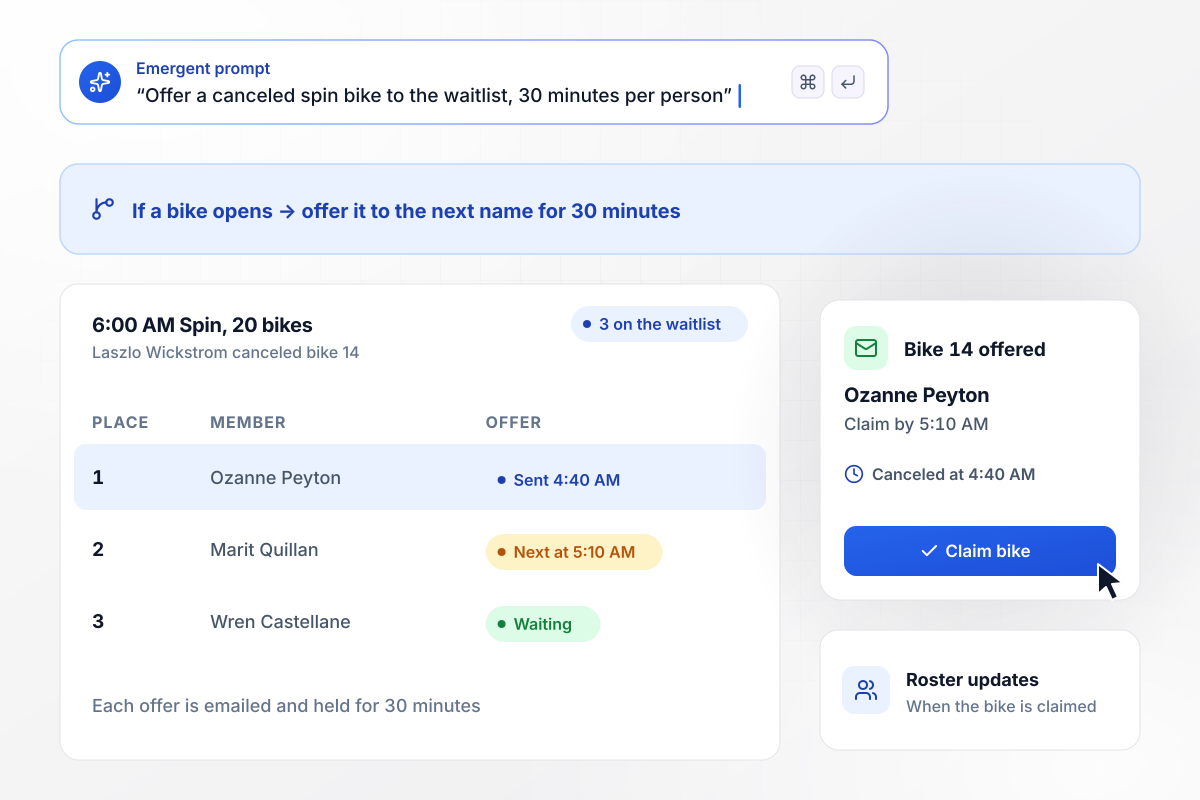
Canceled bikes move down the waitlist every 30 minutes
The 6:00 AM spin class holds 20 bikes, and 3 members are on the waitlist. At 4:40 AM Laszlo Wickstrom cancels bike 14, and the app emails it to Ozanne Peyton, first in line, with 30 minutes to claim it. Unclaimed at 5:10 AM, the offer moves to Marit Quillan. The roster updates when someone claims the bike.
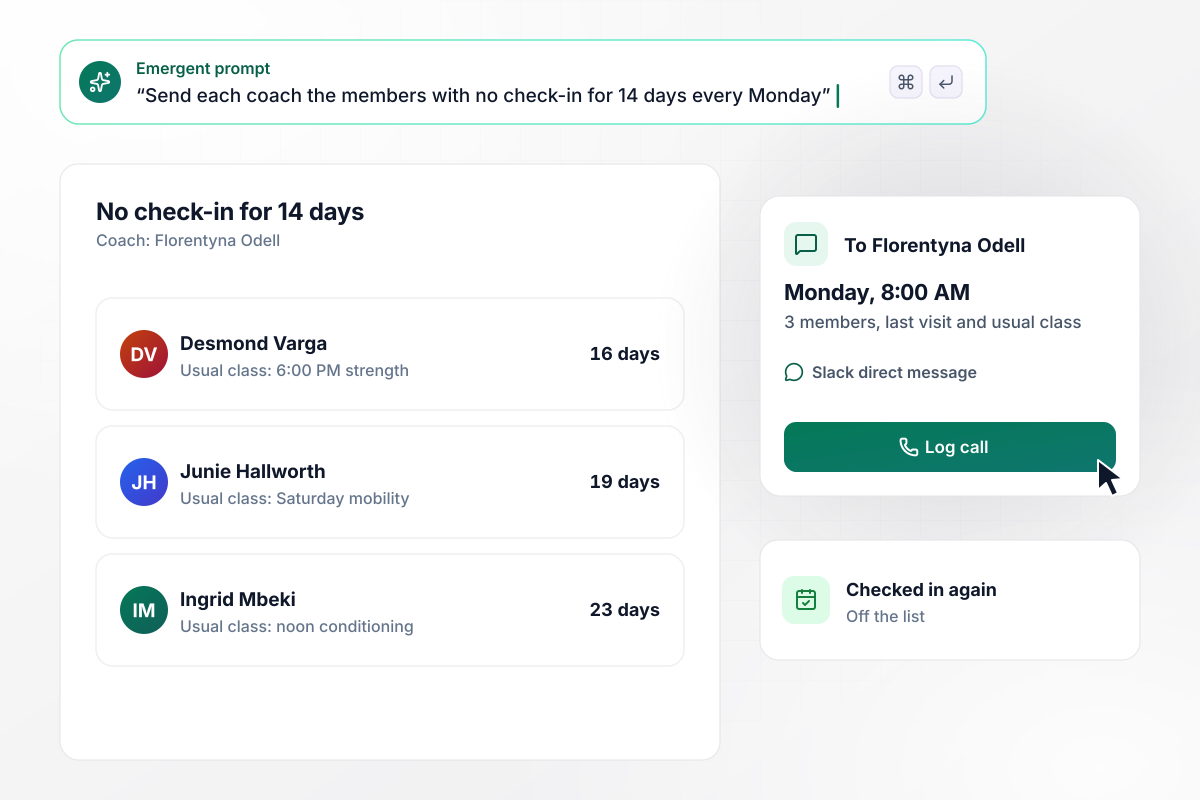
Members gone 14 days land on their coach's list
Every Monday at 8:00 AM the app finds members with no check-in for 14 days. Each coach gets their own names in a Slack direct message, with each member's last visit and usual class. Coach Florentyna Odell has 3 this week. She logs each call from the message, and a member leaves the list at their next check-in.
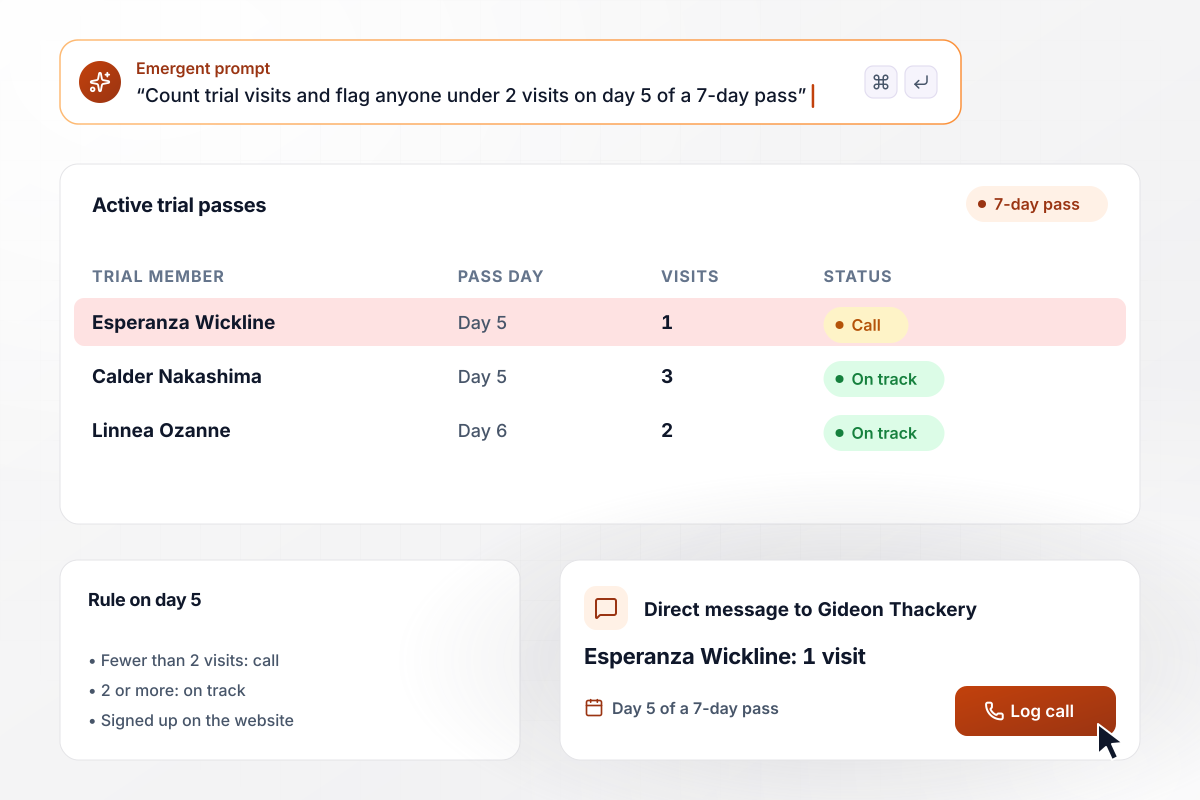
Any trial with fewer than 2 visits in 5 days gets a call
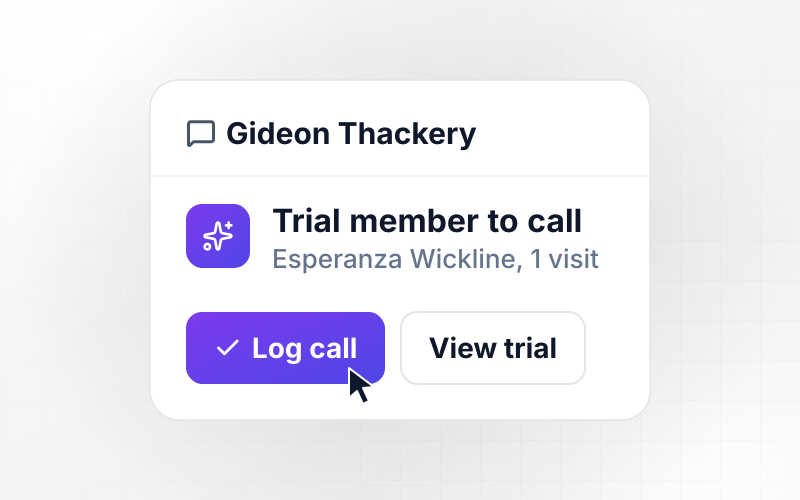
A trial pass at Halyard runs 7 days and starts from a signup form on the gym's website. The app counts each trial member's check-ins. On day 5, anyone with fewer than 2 visits goes to Gideon Thackery, the front desk manager, in a Slack direct message. This week that is Esperanza Wickline, with 1 visit.






How to Build Gym Automation
Seven steps to set up gym automation for one front desk job, test it on last month's records, then add the next one.
Write down what the front desk does by hand in a normal week: chasing declined cards, moving people off class waitlists, calling members who stopped coming, and following up on trial passes. Note who does each job today and roughly how long it takes.
Choose the job that eats the most desk time and name the event that starts it, such as a declined card or a canceled booking. Then write its rule with real numbers: how many days pass before it acts, and who gets told.
Pull your member list and class schedule into one spreadsheet, with coach assignments in their own column. Give every member a coach and every class a capacity. A workflow can only message the right coach when that column is filled in.
Tell Emergent what starts the workflow, which rule it applies, and who hears about it. Emergent builds the workflow, the screens the desk and coaches use, and the database behind them. A follow-up prompt changes any step.
Connect the payment processor and Slack through their APIs, and set up the email sender. Send a test charge that fails on purpose, and confirm the member email and the check-in flag both appear. Then cancel a test booking to watch the waitlist offer go out.
Run last month's declines and cancellations through the app before it messages anyone. Compare each result with what the desk did at the time. Each mismatch points to a rule that needs a number changed, such as 10 days instead of 14.
Build the second workflow on the tables the first one already fills. Check-in records from the attendance list feed the trial pass count, and member records feed the dues follow-up. Each new workflow starts with less setup than the last.
Why Run Gym Workflows on Emergent?
Emergent builds each gym workflow together with its check-in screen and member tables, on a database you own, with no cap on tasks.

|
Zapier | Make (Integromat) | n8n | |
|---|---|---|---|---|
| How you build | Prompt for the workflow and the app around it | Templates and editor, AI copilot | Visual canvas | Visual canvas, self-hosted or cloud |
| What you get | Workflow + trigger form + database + dashboard, as code you own | Zaps, plus Tables and Interfaces inside Zapier | Scenarios inside Make | Workflows inside n8n |
| Behavior at cap | Keeps running, no task cap | Overage billed at up to 1.25× the base rate | Runs pause | Cloud workflows stop until the reset or an upgrade |
| AI and agent steps | Native, share the same credit pool | Priced by model tier, drawn from the task pool | AI modules cost variable credits | Bring your own model API key, billed by the provider |
| Code ownership | Full code export to GitHub on paid plans | None | None | Yes on Community Edition |



Pick the Pricing Plan That Works for You
Choose the plan that fits your building ambitions. From weekend projects to enterprise applications, we've got you covered.




Find the right workflow automation
for you and your business
Frequently Asked Questions
Your Questions, Answered
Don't change this element unless you know what you are doing
More things you can build
with Emergent









on Emergent today


