

Build Restaurant Automation for the Front and Back of House
Create restaurant automation that sends pickup orders to the kitchen and turns the closing count into tomorrow's order.
Build restaurant automation for pickup orders, inventory counts, staff shifts, and guest emails.
Trusted by Builders Worldwide
Active Builders Worldwide
Apps Successfully Created
Countries Globally Reached



What Restaurant Automation Runs Each Service
Automation in restaurants takes over the steps a manager repeats every night. Menu, pricing, and hospitality calls stay with your team.
Starts on a ticket, a count, or a swap
Connects to Square through its Orders API. A new online order, a saved closing count, or a shift request starts each run, and each run is saved as a row your team can search.
Kitchen rules in the words a chef uses
Describe a rule the way it is said on the line, such as 86 the short rib on the ordering page when fewer than 6 portions are left. Emergent writes the check, and a prompt changes it.
Items, pars, and suppliers in your database
Keeps menu items, par levels, suppliers, and staff in a database you own. Every workflow reads the same tables, and a new supplier or dish is one new row, not a rebuilt workflow.
Messages to the manager on shift
Sends a Slack message or an email to whoever owns the decision tonight. If nobody answers in 20 minutes, a reminder goes out, and the request moves to the next manager on the list.
No task cap on a Friday rush
Runs every ticket and every count through the same steps on the busiest night of your year. When a holiday weekend triples takeout volume, no task cap stops the extra runs.
The code is yours to keep
Exports the full codebase to your GitHub repository on paid plans. A developer can read every rule, add a delivery partner, and host the app wherever your other systems run.
Workflows Behind a Busy Week of Service
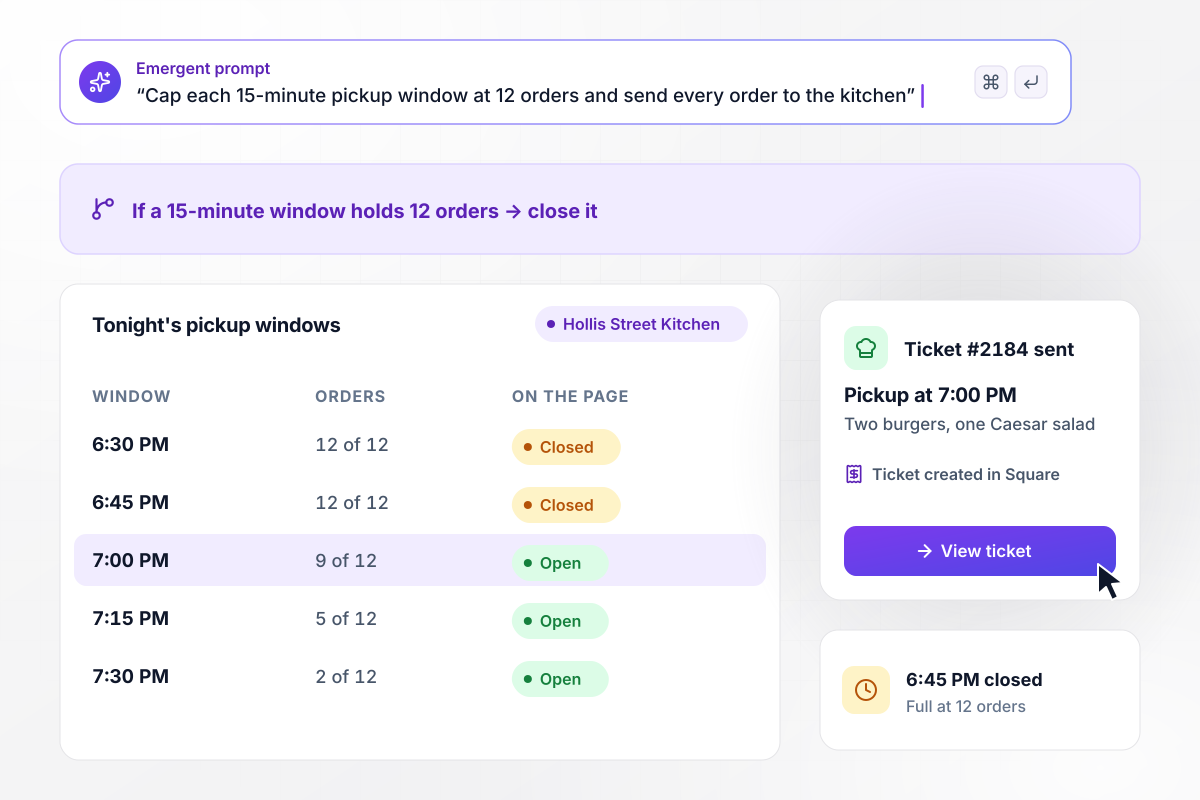
Each 15-minute pickup window closes at 12 orders
Hollis Street Kitchen, a neighborhood restaurant, runs its own automated ordering system for pickup. Every ticket goes to the kitchen screen with its pickup time and to Square. Once a window holds 12, it disappears, and guests choose a later time. Cooks see the next ticket due at the top of the screen.
window.awbMockup = { onlineOrdering: "Set up pickup ordering on my restaurant's website. Guests choose a 15-minute pickup window, and any window with 12 tickets stops showing. Each ticket should reach our kitchen screen with its pickup time and create a matching ticket in Square. Sort the kitchen view by pickup time.", parLevelOrdering: "I need par-level ordering for my kitchen. At close, my line cook counts each walk-in item on a phone. Compare every count with its par and draft a request for the shortfall from Harbor Produce. Send the draft to Chef Lucinda Haskett in Slack. Once she approves, email it to the supplier and save a copy.", shiftSwaps: "Make a shift swap tool for my restaurant staff. When a server names a coworker to cover, add those hours to the coworker's week. At or under 40, put the swap on the schedule. Over 40, send Odell Prather, our general manager, a Slack direct message with the overtime hours to approve or decline.", slowNightEmails: "Create a slow-night email for my restaurant. Every Tuesday at 2:00 PM, read tonight's reservations. If fewer than 45 covers are booked, send our $39 prix fixe offer to opted-in guests. Leave out anyone who got an email in the past 14 days, drop unsubscribes before each send, and log every email on the guest's record." };
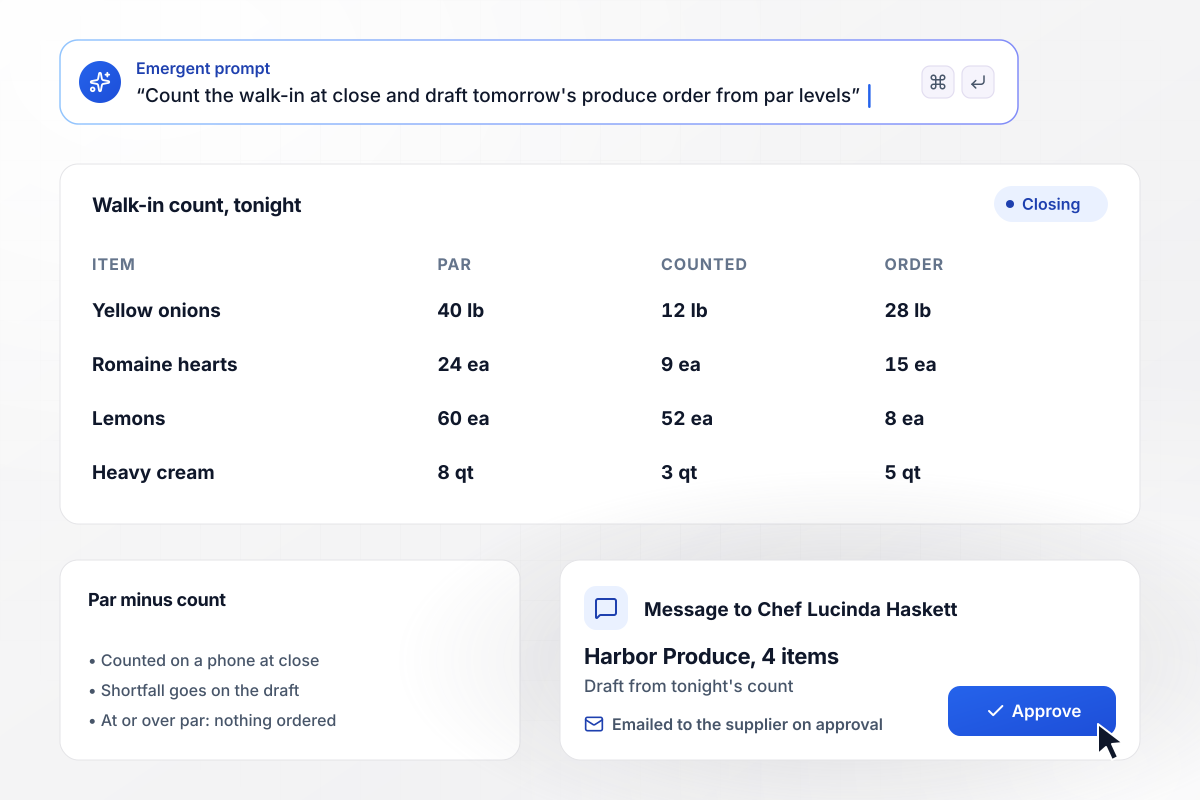
Tonight's walk-in count becomes tomorrow's produce order
At close, the line cook counts the walk-in on a phone, item by item. The app compares each count with its par level, the minimum stock the kitchen keeps on hand, and orders the difference. Chef Lucinda Haskett approves the draft for Harbor Produce in Slack, and the supplier gets it by email.
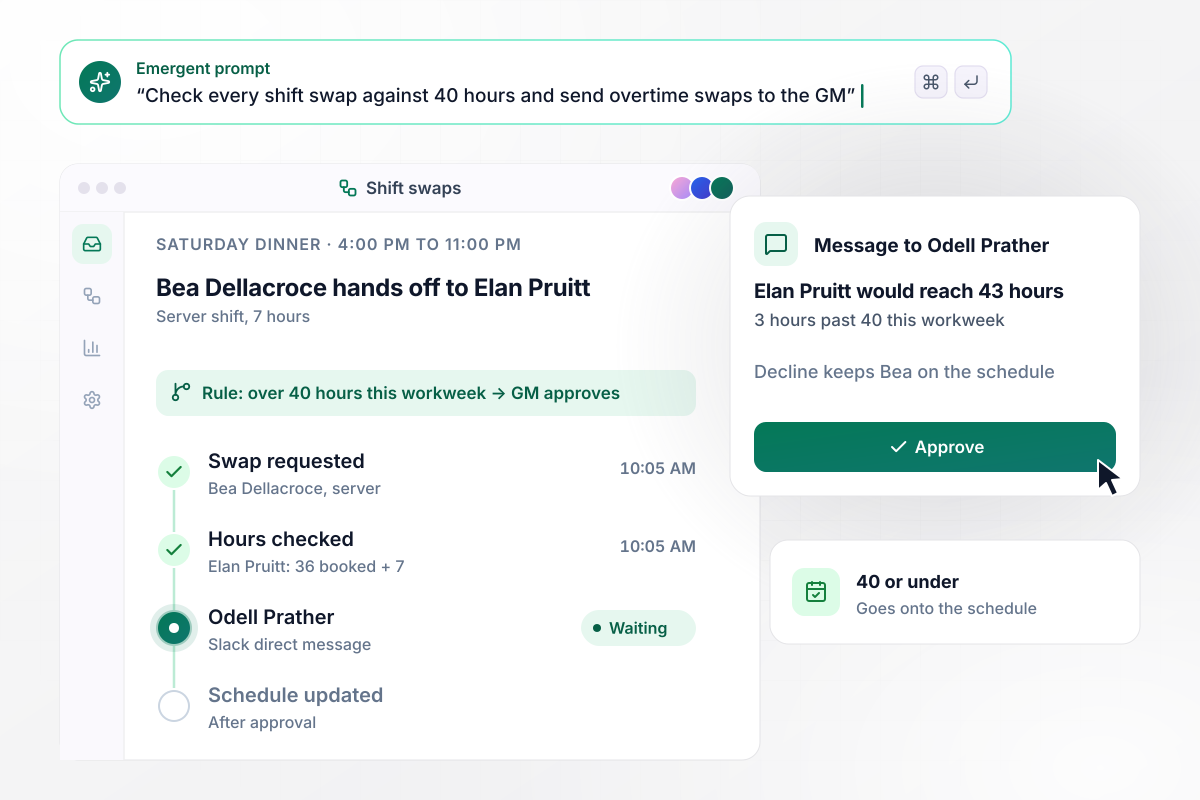
Swaps that cross 40 hours wait for the GM
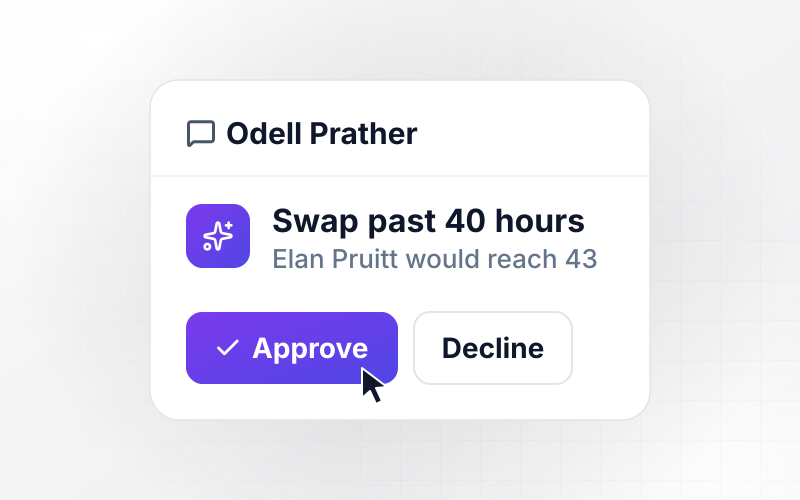
A server who wants Saturday off picks a coworker. The app adds those hours to the coworker's workweek, because federal overtime rules start at a workweek longer than 40 hours. A swap within the limit goes onto the schedule. One that crosses it waits for Odell Prather, the general manager, in a Slack direct message.
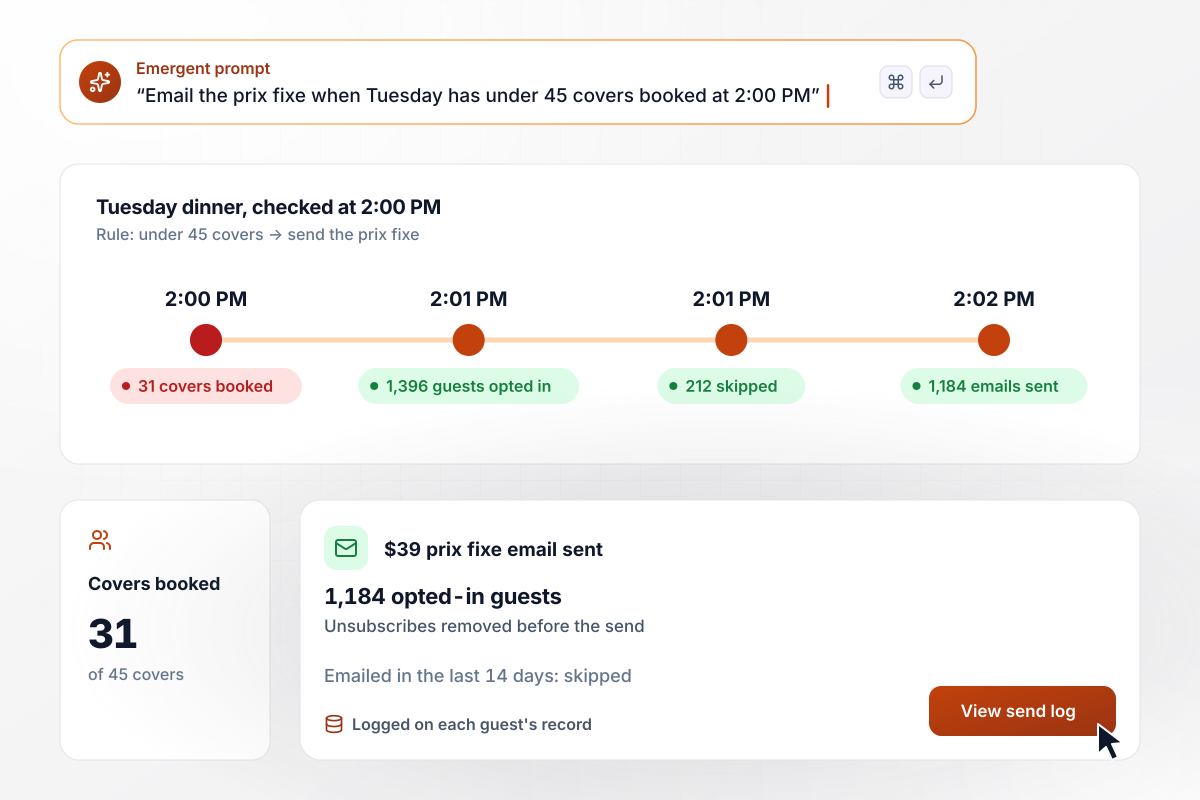
When Tuesday books under 45 covers by 2:00 PM
Tuesday is the slow night. At 2:00 PM the app checks the reservation book, and if fewer than 45 covers are booked, it emails the $39 prix fixe to guests who opted in. Anyone emailed in the last 14 days is skipped. Unsubscribes come off the list before the next send, and each email is logged on the guest's record.






How to Automate Your Restaurant
Seven steps to start restaurant automation with one shift task, test it against last week, then add the next workflow.
Start with the job a manager does every night: counting the walk-in, building the produce order, fixing the schedule after a swap, deciding whether tonight needs a push. Write down who does each one today and how long it takes.
Choose the job that costs the most time and name what starts it, such as a saved closing count. Then write its rule with real numbers: which supplier, which par, who approves, and what happens if nobody answers by 6:00 AM.
Put every item on one sheet with its unit, par level, supplier, and order cutoff. Staff go on a second sheet with their roles and contact details. Workflows read these tables, and an item without a supplier is flagged instead of guessed.
Tell Emergent what starts the workflow, what each run writes, and who decides when a rule is crossed. Emergent builds the workflow, the phone screens a shift uses, and the database behind them. Change any step by prompting again.
Replay last Friday's tickets and last week's counts before the app touches a live service. Compare each result with what your team did by hand, order by order. A busy night shows whether pickup windows close where the kitchen expects.
Keep the clipboard and the group text for one week while the app logs what it would have done. Each mismatch becomes a change to a rule. Switch over when a full week matches, closing shifts included.
Build the second workflow on the tables the first one already fills. Guest records from the ordering page become the list a slow-night email reads, and restaurant marketing automation starts with consent stored on each guest's row.
Why Build Restaurant Workflows With Emergent?
Emergent builds each workflow with the screens and tables it needs, on a database you own, with no task cap.

|
Make (Integromat) | Zapier | n8n | |
|---|---|---|---|---|
| How you build | Prompt for the workflow and the app around it | Visual canvas | Templates and editor, AI copilot | Visual canvas, self-hosted or cloud |
| What you get | Workflow + trigger form + database + dashboard, as code you own | Scenarios inside Make | Zaps, plus Tables and Interfaces inside Zapier | Workflows inside n8n |
| Behavior at cap | Keeps running, no task cap | Runs pause | Overage billed at up to 1.25× the base rate | Cloud workflows stop until the reset or an upgrade |
| AI and agent steps | Native, share the same credit pool | AI modules cost variable credits | Priced by model tier, drawn from the task pool | Bring your own model API key, billed by the provider |
| Code ownership | Full code export to GitHub on paid plans | None | None | Yes on Community Edition |

Pick the Pricing Plan That Works for You
Choose the plan that fits your building ambitions. From weekend projects to enterprise applications, we've got you covered.




Find the right workflow automation
for you and your business
Frequently Asked Questions
Your Questions, Answered
Don't change this element unless you know what you are doing
More things you can build
with Emergent









on Emergent today


